Zoho Thrive is getting a revamp: Here’s what’s changing
We’re excited to bring you an upgraded Zoho Thrive experience! This update features a more intuitive interface, improved navigation, and enhancements to help you manage your affiliate and loyalty programs with ease.
A more flexible start: Explore Zoho Thrive first and connect your preferred platforms when you're ready.
Refined program settings: Loyalty and affiliate settings now have dedicated spaces for easier management.
Improved purchase overview: Get clearer insights into loyalty and affiliate-linked purchases.
Expanded reward options: Custom rewards are now available across all integrations, with platform-specific coupons.
Expanded affiliate rewards: Previously available only for custom-built sites, admins can now reward affiliates when their referrals sign up on any integrated selling platform.
Streamlined settings navigation: Find everything faster under Main Settings.
Upgraded affiliate emails: New email updates include:
Affiliate Invite: Previously "Affiliate Welcome," this email now includes the portal invite link.
Affiliate On Hold: This email notifies affiliates that they're under review.
Affiliate Rejected: This email informs rejected affiliates that they haven’t been approved.
Migration details
On May 31, 2025, all users will be automatically upgraded to the latest Zoho Thrive experience.
If you have a single store connected, your programs will continue running without any changes.
If you have multiple stores connected, you’ll need to select your primary store before the deadline. After migration, only the chosen store will remain active.
What you need to do
For single-store users
No action is needed; your programs will continue running smoothly after the upgrade.
For multi-store users
To continue using Zoho Thrive with your preferred store, let us know which one you’d like to retain by May 31, 2025. Simply send an email to support@zohothrive.com with the details of your chosen store.
Required details:
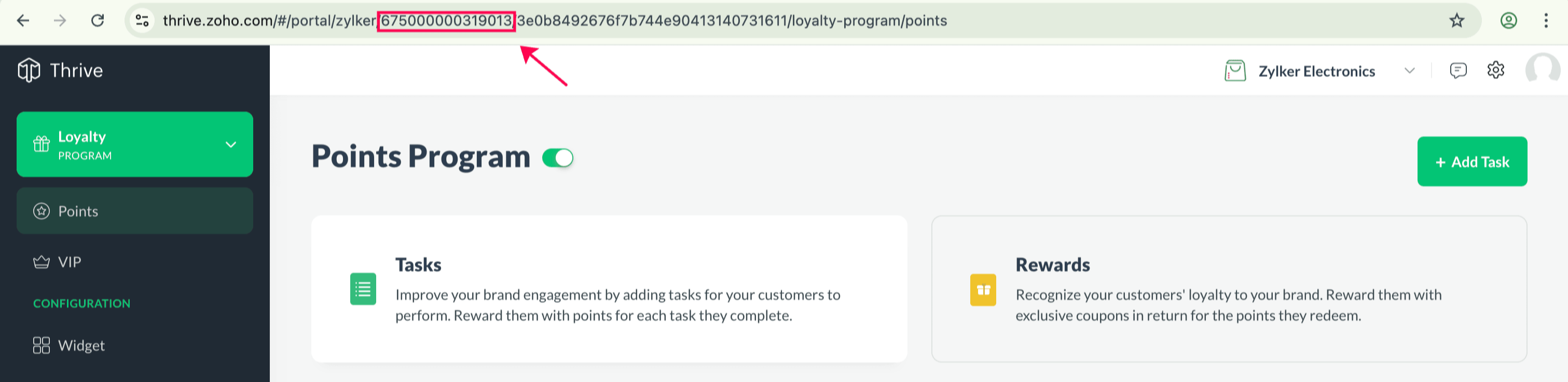
ZSOID
- Brand Name
- Brand ID
- Store URL
Note: The ZSOID is listed under Settings > Company Details, while the Brand Name and Store URL can be found in the Settings > Brands tab.
Important: If we don’t receive a response by the deadline, only the first created store will remain active, and the others will be disabled from your Zoho account.
Stay updated
We’ll keep you informed about the changes through in-app banners and emails. If you have any questions, feel free to comment below or reach out to us at support@zohothrive.com.
Best regards,