A decade together - Thank you for being a part of the journey with Zoho Social!
A decade ago, we started Zoho Social with a simple vision: to make social media management easier, smarter, and more impactful for your business. What began as a small idea has grown to a powerful platform that helps businesses across the globe reach their audiences through the most popular social media networks.
Over the years, we've managed to adapt to changing trends and the ever-evolving social media spectrum according to various industries. From our very first customer to our now-thriving community filled with people, this journey wouldn't have been as easy and fun without you, our beloved users.
From then to now
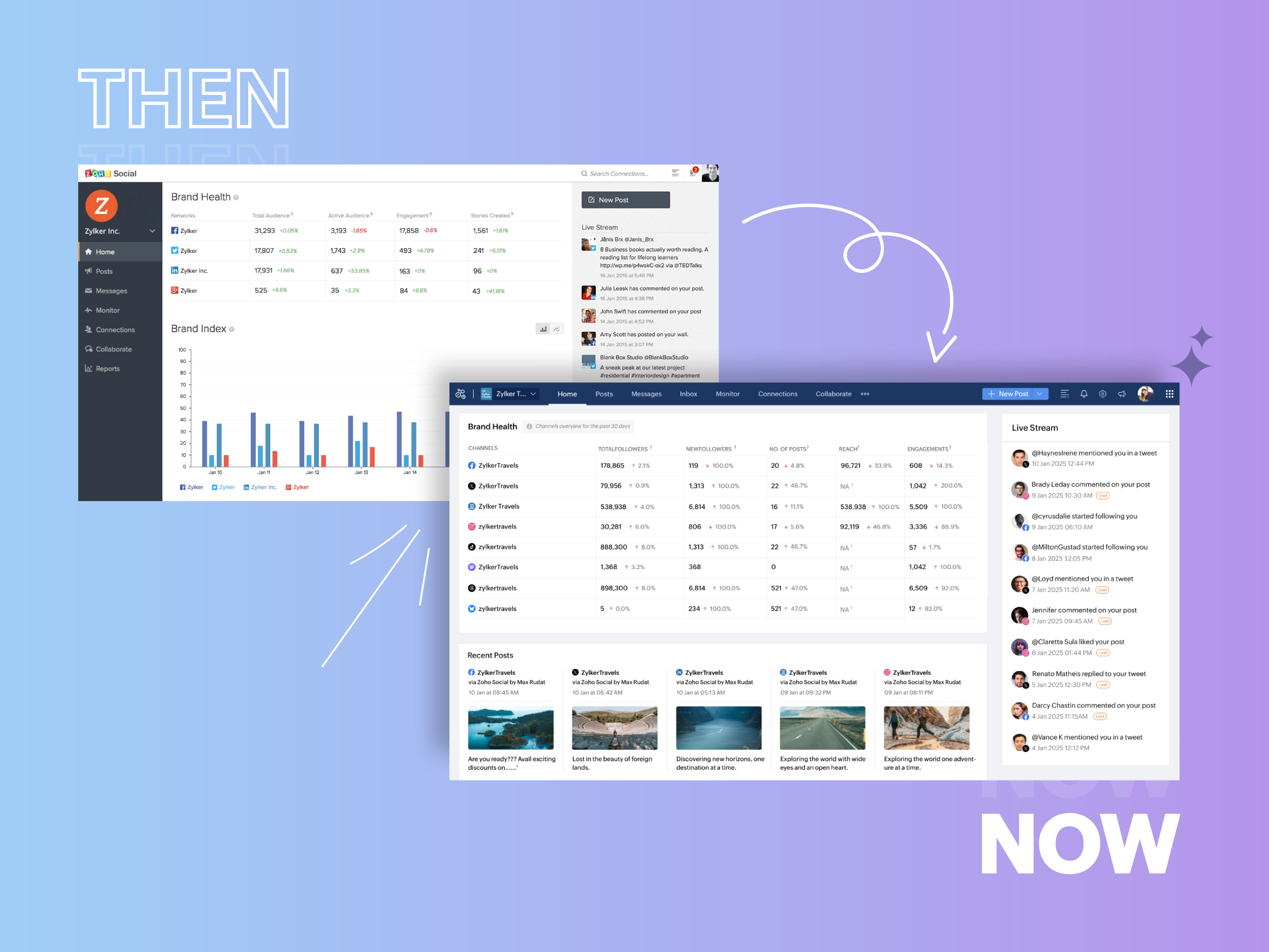
- Launched in 2015 with a core focus on publishing and scheduling; broadened further into monitoring and social listening, measuring performance, AI-powered writing for social media, and collaborating with peers and customers
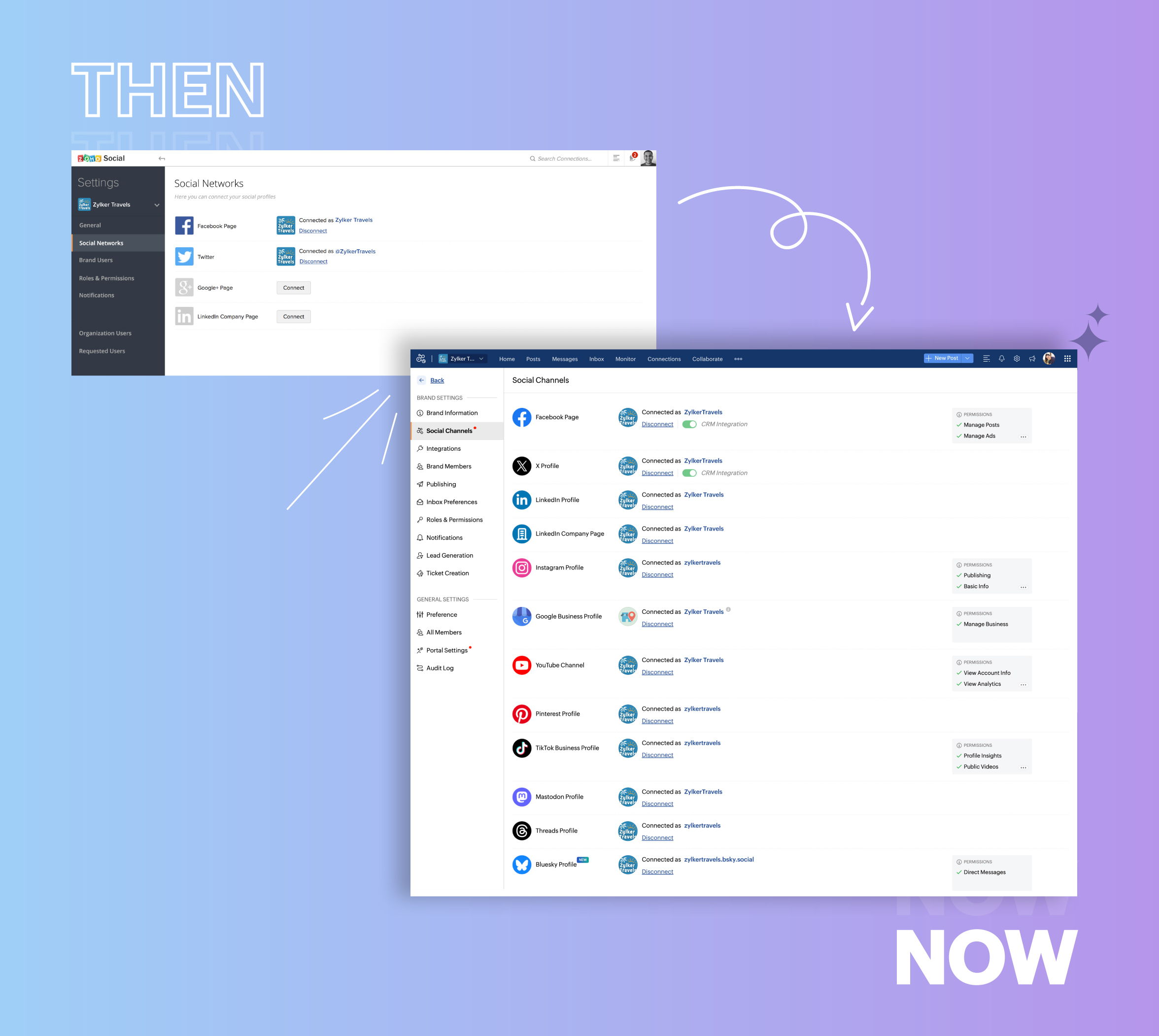
- Expanded from four to 14 social media channels
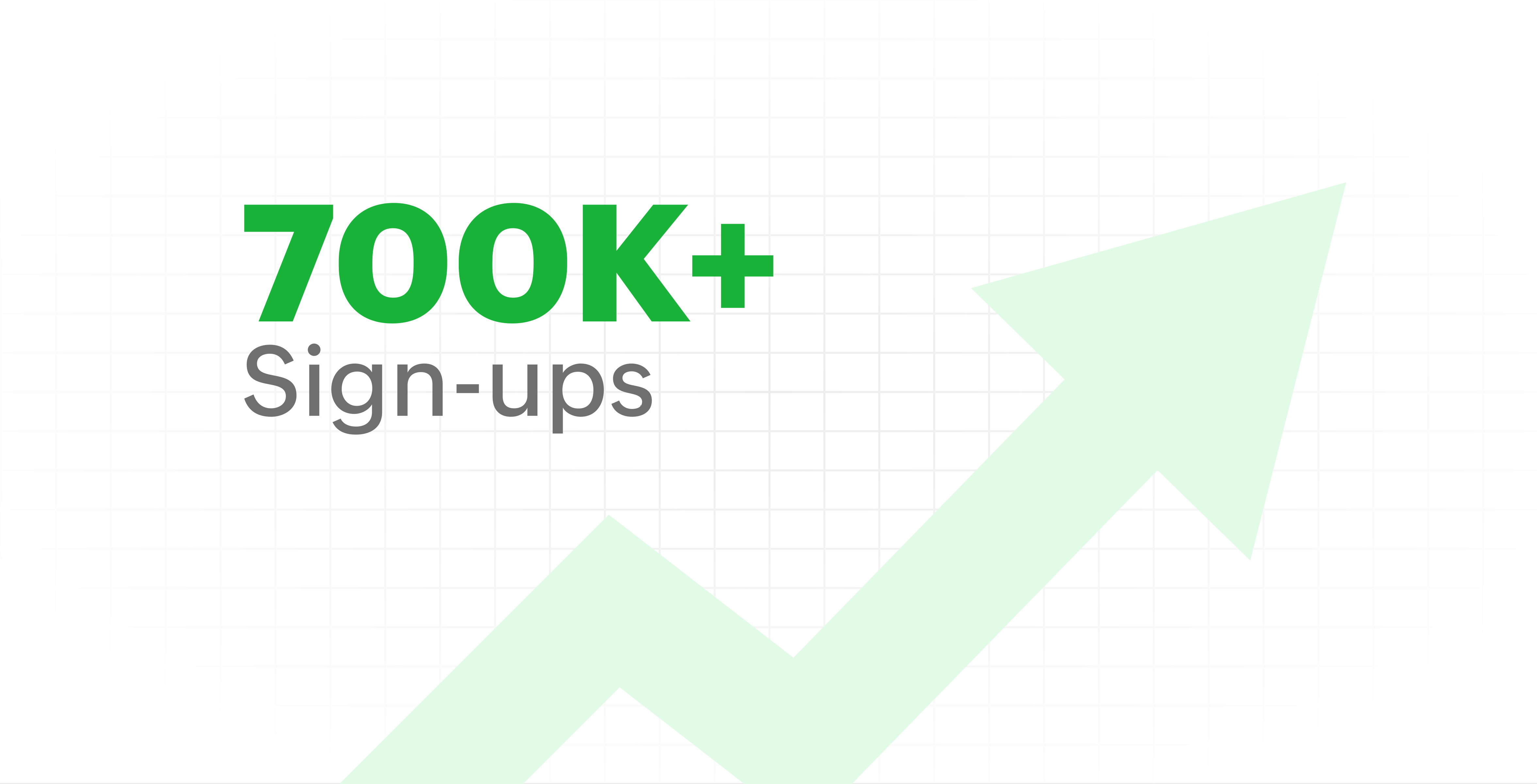
- Grew from our first sign-up to 700k+ sign-ups
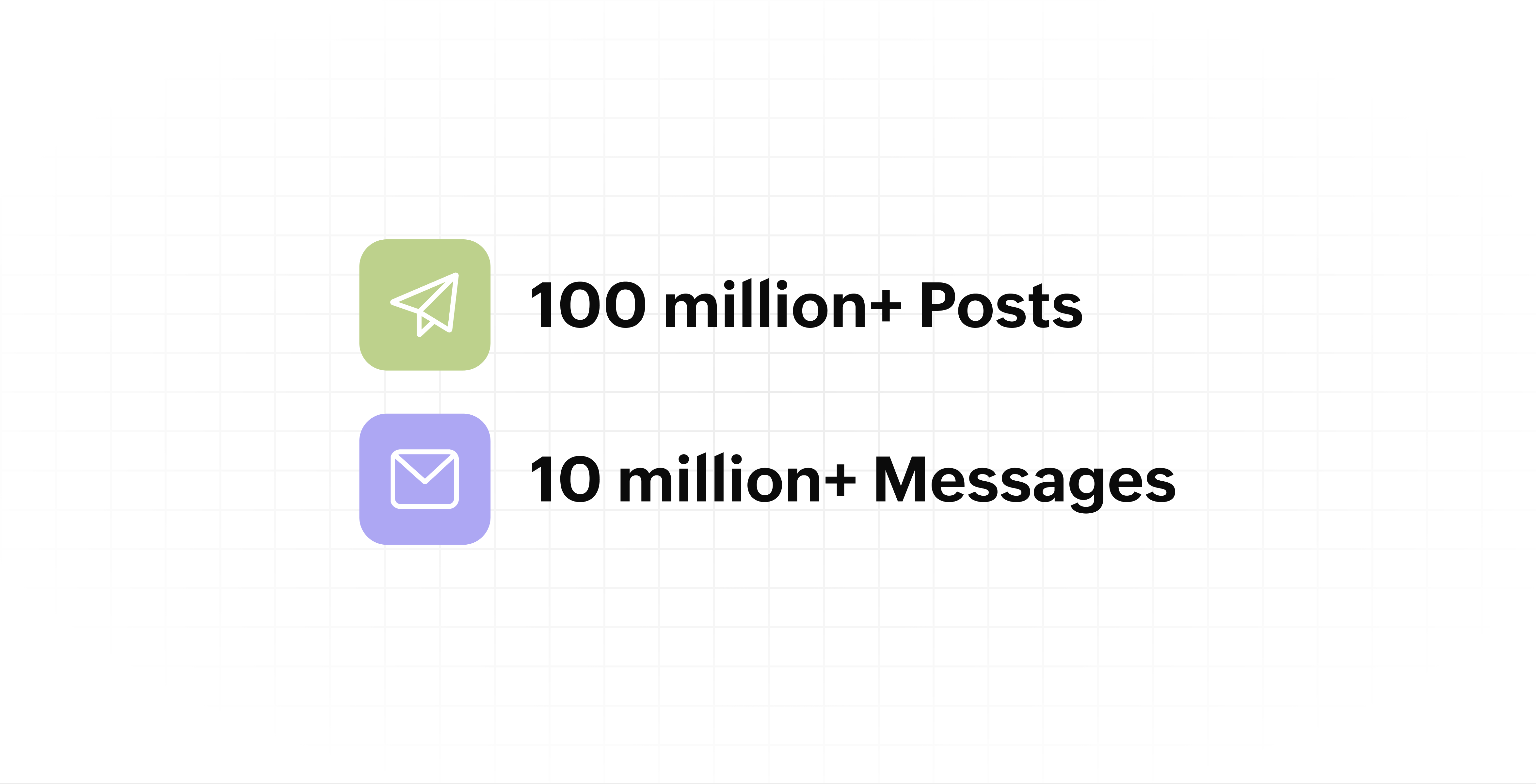
- Processed and published 100 million+ posts with more than 24k posts published or scheduled in a day and 10 million+ messages
- Evolved from a passionate team of eight who planted the seed to a dynamic family of 55, carrying our vision forward.

Our top 10 features from the past 10 years
2015: Launch of Zoho Social
Zoho Social was launched with publishing, scheduling, collaborating, and performance analysis features. Further, in the same year, more features like bulk scheduling were introduced to make it easier for businesses to handle their social media channels and engagement while they're away.
2016: Addition of Instagram and integration with Zoho CRM
Instagram, one of the most popular social media channels being used by businesses, was added to Zoho Social. Brands started leveraging this space to be a part of a visual storytelling experience and connect with their customers and prospects.
The first ever method to track the ROI from social media marketing efforts was introduced on Zoho Social through the Zoho CRM integration. The process of lead generation and measuring output became easier via automation and defining rules for lead forms and social media interactions.
2017: Zoho Social for agencies
Zoho Social for agencies – a new edition of the product – was introduced, catering to agencies handling the social media accounts of multiple clients. With Social, agencies could use bulk-scheduling, lead generation automation, and advanced analytics to handle their clients' data efficiently and deliver better results without the chaos.
2018: Zoho Social's integration with Zoho Desk and the introduction of Google Business Profile
Zoho Social's integration with Zoho Desk took customer service to a whole new level. Being able to convert social media mentions and queries from customers directly into tickets helped businesses bring their support and marketing teams together on one platform, while ensuring that not a single query was missed.
Google Business Profile was added to Zoho Social, helping businesses onboard their listings and stay competitive in their local market. Reviews and questions could be monitored and answered easily, providing more credibility and assurance to customers and prospects.
2019: Improved analytics dashboard
The entire Reports dashboard was re-imagined with advanced individual cards for specific networks. Customized dashboards could be built with a dynamic date range, and they could be shared and scheduled to be sent out regularly to members of the team or clients. These analytics gave businesses and agencies a holistic view of how their social media channels are performing, and gave them chances to improve wherever required.
2020: UI enhancements to make the tool look more engaging and user-friendly
As the world was battling to survive through some of the worst times we'd all faced, Zoho Social was being fine-tuned to help businesses easily go remote without any hassle. With the motive to brighten things up and make it easier to navigate, Social was made more colorful while drop-downs and re-arrange options were introduced to allow quick shuffling between brands and channels.
2021: Introduction of Canva and YouTube
Designing social media posts became a lot more interesting with the introduction of Canva. With its numerous templates, graphics and add-on elements, Canva on Zoho Social made it easier for businesses to design their images and share them instantly to their social channels.
With video content being consumed excessively by consumers, YouTube was added to Zoho Social for businesses to leverage the trend and make their channels more engaging. The analytics helped businesses understand how their videos were being received and improve their strategy to hold their customers' attention for a bit longer.
2022: Addition of Pinterest, TikTok, and Image editor
As social media consumers kept growing, so did the channels. Zoho Social kept up with the pace and introduced Pinterest and TikTok for businesses to widen their horizon and reach a vast audience with diverse content tailor-made for each social platform.
Image Editor was introduced to edit and make images enhanced and suitable for all the supported social channels.
2023: Zia's integration with OpenAI and introduction of Mastodon and Inbox
With AI-driven enhancements and technology taking the lead, Zoho Social introduced the OpenAI integration. With this, users could make use of Zia, the AI-powered writing assistant, to help generate content for their channels.
Mastodon started gaining popularity as the decentralized platform that would help businesses create and nurture a community, so Zoho Social swiftly added this to the list of channels to make the job easier.
Inbox, a single dashboard to manage and respond to all interactions across all social media channels, was introduced. Brands would never miss any single mention because of the assignment rules and priority levels that could be added to each interaction.
2024: Introduction of Threads, WhatsApp, and Telegram
Threads, WhatsApp, and Telegram business accounts were introduced on Zoho Social, taking the list of channels supported to the current number of 14. This made Zoho Social bigger, better, and a one-stop solution for businesses to take care of all their social media needs.
What's next?
The next decade is all about automation, better audience insights, and integrations that simplify your social media management. We’re working on exciting new features that will help you scale, engage, and grow your brand like never before.
We'd like to thank you immensely for being a part of our incredible journey and this community! Your support, feedback, and trust have helped shape Zoho Social into what it is today. We hope to have you with us in the journey ahead.
Thank you
Topic Participants
Aswini R
Sticky Posts
Introducing Inbox in Zoho Social
Hey everyone, We are excited to introduce the Inbox in Zoho Social to help manage all social media interactions from Facebook, Instagram, X (formerly Twitter), Google Business Profile and YouTube for your brand in one place. You can track and assign themA decade together - Thank you for being a part of the journey with Zoho Social!
A decade ago, we started Zoho Social with a simple vision: to make social media management easier, smarter, and more impactful for your business. What began as a small idea has grown to a powerful platform that helps businesses across the globe reachAdvanced statistics for LinkedIn page, posts and monitor @mentions in Zoho Social
Hello everyone, We've made enhancements to the Monitor, Reports tabs, and Post Stats for the LinkedIn channel in Zoho Social, so we wanted to briefly share some information about the updates. Monitor LinkedIn mentions LinkedIn is one of the most popularIntroducing advanced statistics for all your social media posts
When you're publishing on social media, it's important to understand how the audience engages with your content. This insight helps you come up with ideas for different types of content and also identify the social media channel that's most effectiveIt's here! A Publishing Calendar to give you better view and more control over your posts.
Hello! Just a couple of days back my colleague Vishal announced that you can now do more on Twitter with the Advanced Search Filters, along with a bunch of other cool stuff. I hope you got a chance to check it out. In fact, I'm itching to you tell you all about the latest updates we have lined up, but I'd rather give you doses of excitement every week to last until the very end. ;) Alright, I hear you. That's enough tease for the day. Here we go! Introducing... an all-new Publishing Calendar,
Recent Topics
Zoho Desk - Cannot Invite or Register New User
Hi who may concern, we encountered a problem that we cannot invite user or the visitor cannot register for a user at all through our help center portal, with the snapshot shown as below and the attachement. It always pops up that "Sorry, Unable to processCustom domain issue
I recently changed records for my support area custom domain for a few months, I then wanted to come back to Zoho, but now I can't connect it and I can't login as it's having an SSL issue. I cannot get a good response from support, as I've been notifiedHow do you generate personalized certificates and save them in dynamic folders using Writer's mail merge?
Zoho Writer's mail merge feature can help you enhance the certificate management process. It's a great way to save time and effort! Merge certificates and maintain a well-organised repository with personalised certificates stored in separate folders forZoho Editor
Zoho PDf Editor is not working I am clicking on EDIT PDf then it again bringing me back to the same page. again and again.The present is a "present"
The conversation around mental health has been gaining attention in recent years. Even with this awareness, we often feel stuck; the relentless pace of modern life makes us too busy to pause, reflect, and recharge. In the world of customer support, thisMarket cap
Market cap formula?? Kaise nikaleCreate project (flow) and assign to person without account (company)
Hi Zoho Support & Community, I'm trying to automate a process using Zoho Flow to create a Zoho Project and link it directly to a Zoho CRM Contact. This reflects our B2C workflow where we primarily deal with individual Contacts, not Companies/Accounts.Mail and OS
Jai Hind! Zoho is doing good by creating good software (made in india) on par with other tech giants. 🥰 Suggestion: 1. Whenever we sign up on zoho mail its asking for other mail id. It shouldn't be like that. You should ask general details of a userNeed Help to setup plugs along with codeless bot buidler. To send sms OTPs to users via Zoho Voice and to verify it
Need Help to setup plugs along with codeless bot buidler. To send sms OTPs to users via Zoho Voice and to verify it. I get leads from our website and we need to make sure those are not junk. So we are using proactive chat bot and we need mobile OTPs toDirect Integration Between Zoho Cliq Meetings and Google Calendar
Dear Zoho Team, We’d like to submit the following feature request based on our current use case and the challenges we’re facing: 🎯 Feature Request: Enable meetings scheduled in Zoho Cliq to be automatically added to the host's Google Calendar, not justZoho sheet
Unable to share zoho sheet with anyone on internet with editer option only view option is showPersonal account created under org account
Hi there, I am Jayesh. We are using ME Central, and we have an account by the email ID soc@kissht.com.. Now I have created a personal account., jayesh.auti@zohomail.in, accidentally. Can you help me to remove this jayesh.auti@zohomail.in from my organizationAdd another account
How to add another mail account to my zoho mail.Recover deleted user
Hi by mistake i have deleted an added user and his email associated. Please help me recover it thank you.No connection to the server
Hello! I can't add a new email address to my mailbox because your server is rejecting me. Please help. I took and added a screenshot of this problem Marek OlbrysEmails missing from desktop but visible on phone
Subject says it all. Windows 11 laptop. Apple phone. all systems up to date.Website Hosting
Hello, I want to host my domain on Hostinger, and I want my emails to run through Zoho Mail. Please provide me with the SPF record, MX record (Type: TXT), and A record, so that I don’t face any issues with my emails. My website is on Hostinger hosting,Can not search zoho mail after update V.1.7.0
i can not search mail on to and cc box from attached picture and then search contacts box can't click or use anything. include replay mail too.How to retreive the "To be received" value of an Item displayed in Zoho inventory.
Hi everyone, We have our own Deluge code to generate a PO according to taget quantity and box quantity, pretty usefull and powerful! However, we want to reduce our quantity to order according to "To be received" variable. Seems like this might not evenKaizen #211 - Answering your Questions | Using Canvas and Widgets to Tailor CRM for Mobile
Howdy, tech wizards! We are back with the final post in addressing the queries you shared for our 200th milestone. This week, we are focusing on a couple of queries on Zoho CRM mobile configurations and custom payment gateway integration. 1. Mobile SDKRemove "Invalid entries found. Rectify and submit again" modal
Following up on a post from a few years back, but can the Zoho team consider either removing the 'Invalid entries found. Rectify and submit again' modal that displays for empty mandatory fields OR allow an admin to change it? I've built a custom errorCadence reports as front-end reports
Hello everyone, We have built a cadence which is connected to the Leads module. There are 11 steps in total, 7 are automatic emails and 4 are tasks for the Lead owners. As admins, we have access to this (very nicely made) 'View Reports' tab where we canShow elapsed time on the thank-you page?
Is it possible to display the total time a user spent filling out a Zoho Form on the thank-you? I’d like to show the difference between the `form submission timestamp` and the `start time` (currently have a hidden Date-Time field set to autofill the dateI need to do crud with snippet html
I need to implement a form with an improved user interface. I would like to use snippets to build a CRUD that allows me to create and update records. How could I achieve this using snippets?Incorrect “correct” password on email client apple mail
I have troubleshot this account several times. I have deleted and re added account. It keeps saying incorrect password. Can you check that it is not locked on your end?Is it possible to lock editing subform rows?
Ideally editing would only be locked after the form has been updated but I still want them to be able to add new subform records at any time and they should be able to delete rows from the subform. It is a named subform if that's relevant however theWhat is the maximum file size of a video upload in Zoho chat?
Can I upload a 20 mb video file and share it with my colleagues?Update a field in ALL all calls under a contact
HI guys! I have written some deluge code to update a field in my calls after i have comepleted the call, i need this field to update in all my scheduled calls as well that are comeing up. I just cant seem to get it to work, i have put teh code below,Verifying Zoho Mail Functionality After Switching DNS from Cloudflare to Hosting Provider
I initially configured my domain's (https://roblaxmod.com/) email with Zoho Mail while using Cloudflare to manage my DNS records (MX, SPF, etc.). All services were working correctly. Recently, I have removed my site from Cloudflare and switched my domain'sFat Download of Ulaa Browser
I just observed that Ulaa Browser is offering an one-capsule big download. These days it is a custom to offer a small bootstrap downloader and based on user customization options an appropriate download completes. And this is particularly common withBilling Management: #8 Usage Billing in Logistics & Delivery Services
The logistics and delivery industry thrives on movement and precision. Every delivery completed, every kilometre driven, and every ton transported is a measurable activity. However, billing often lags behind. Many logistics companies still rely on fixed-rateTags for New Tickets
Hi there, When creating a new ticket, there is currently no way to choose a tag you would like to associate with the new ticket. Being able to associate a tag while creating a new ticket will be very beneficial as it will save time and flow well withZoho Desk: No Incoming email
Is Zoho Desk services down? No incoming email reflect to desk tickets.Zoho CRM - Widgets | Update #3 : Introducing SDK V1.5 along with new ZDK Methods and ZRC Support
Hello everyone! Widgets in Zoho CRM just got a big upgrade! With the release of SDK v1.5, developers can now create more immersive widget experiences. This update elevates Widget development with new ZDK methods for easier interactivity and ZRC supportUnusual activity detected, account blocked
I am unable to send emails and am getting the error "Outgoing blocked: Unusual activity detected. To unblock your account, please and submit a request. Learn more.". I am unsure as to why this is happening since all my activity is legitimate, mainly confirmationUnable to Send Emails – Outgoing Mail Blocked (Error 554 5.1.8)
Description: Hello Zoho Support Team, I am facing an issue with my Zoho Mail account ( admin@osamarahmani.tech ). Whenever I try to send an email, I get the following error: 554 5.1.8 Email Outgoing Blocked I would like to clarify that I have not doneIssue connecting Zoho Mail to Thunderbird (IMAP/SMTP authentication error)
Dear Zoho Support, I am trying to configure my Zoho Mail account on Thunderbird, but I keep getting authentication errors. Account: info@baktradingtn.com Domain: baktradingtn.com Settings used: IMAP: imap.zoho.com, Port 993, SSL/TLS, Normal Password SMTP:Payment issue with Mail Lite plan – personal NIF not accepted as payment info
Hello, I have already contacted Zoho Support by email regarding this, but since I haven’t received any reply yet, I’m sharing it here as well to see if the community can help. I’m facing a payment issue for my Mail Lite plan. I have a personal accountCustomer payment alerts in Zoho Cliq
For businesses that depend on cash flow, payment updates are essential for operational decision-making and go beyond simple accounting entries. The sales team needs to be notified when invoices are cleared so that upcoming orders can be released. In contrast,Figma in Zoho Creator
Hi Team, I’m creating a form using Figma and would like to know how to add workflows like scheduling, custom validation, and other logic to it. Can anyone help me understand how to set this up for a Figma-based Creator UI form?Next Page