All new Address Field in Zoho CRM: maintain structured and accurate address inputs

- 29 September 2025:
It's currently available for all new sign-ups and for existing Zoho CRM orgs which are in the Professional edition exclusively for IN DC users. - 2 March 2026:
Available to users in all DCs except US and EU DC. - 24 March 2026:
Available to all editions except a few Zoho One editions in the US and EU DC.

Why the new address field?
- You could create separate fields—one for street, one for city, one for state, one for country, and so on. But if you wanted states to change based on the country selected, you'd have to enter all the country and state values yourself manually and then set up dependency rules.
- Or you could create a single multiline text field for the whole address. That avoided the setup work, but it came at the cost of functionality; you couldn't filter by country or state, and you couldn't use the data for quick reporting or territory-based analysis.
The new address field eliminates all of this headache by enabling you to capture all the necessary components in one structured field while still being able to view, filter, and report on them individually.
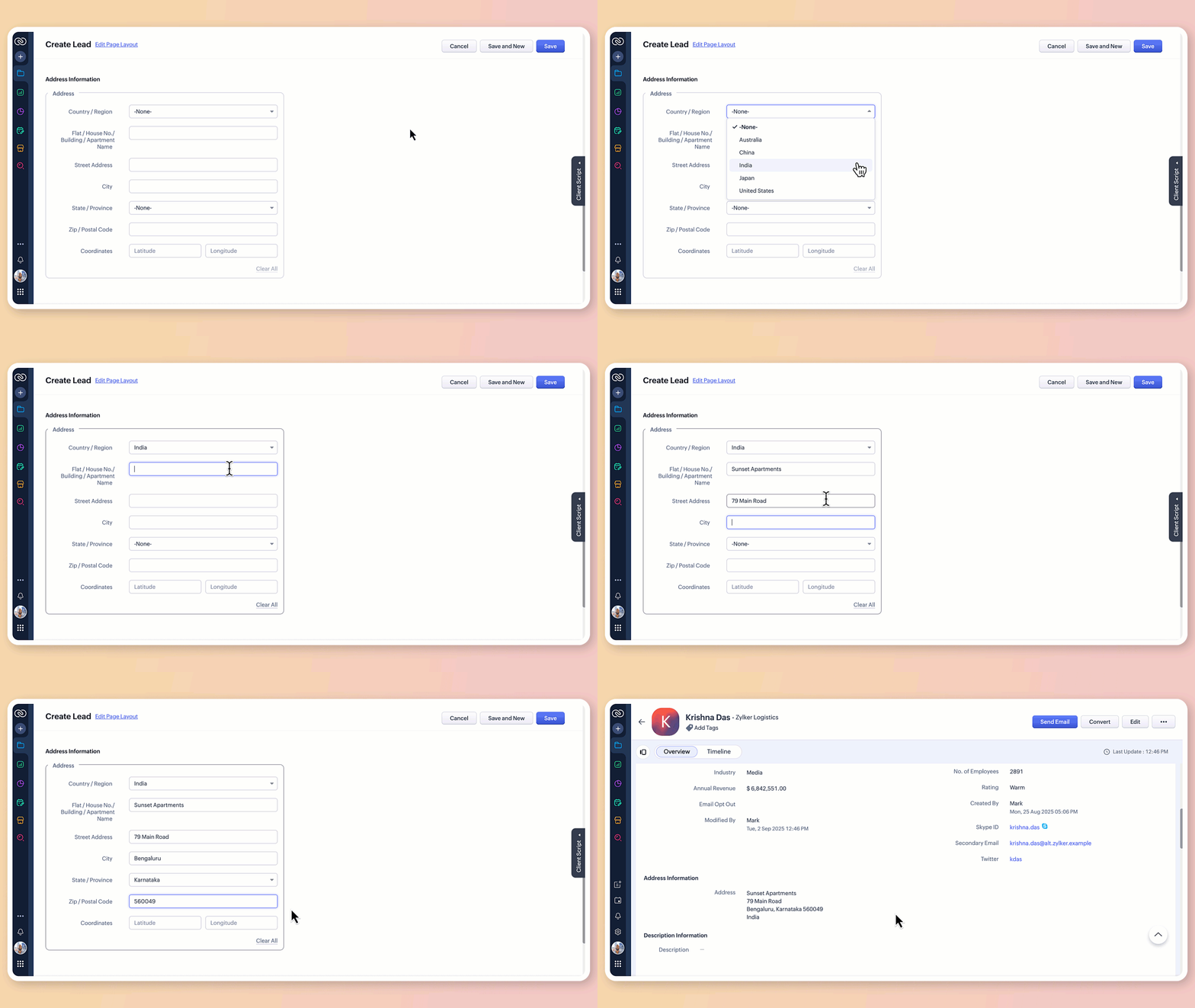
What does the new address field offer?
1. Structured address input
The all-new address field breaks down location details into clearly defined components:
Country/region
Flat/house number/building/apartment name
Street address
City
State/province
Zip/postal code
Precise geographic coordinates in latitude and longitude
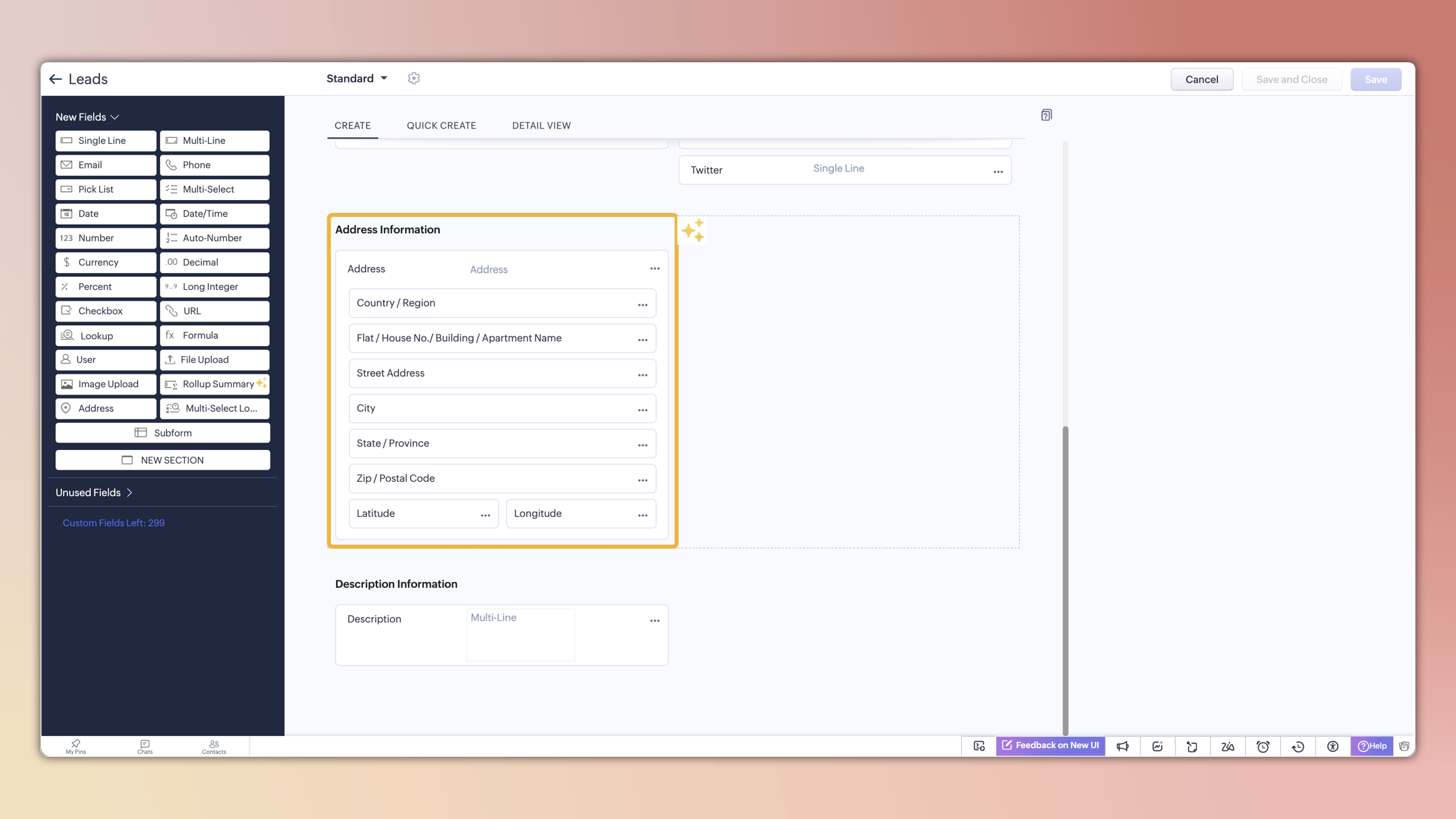
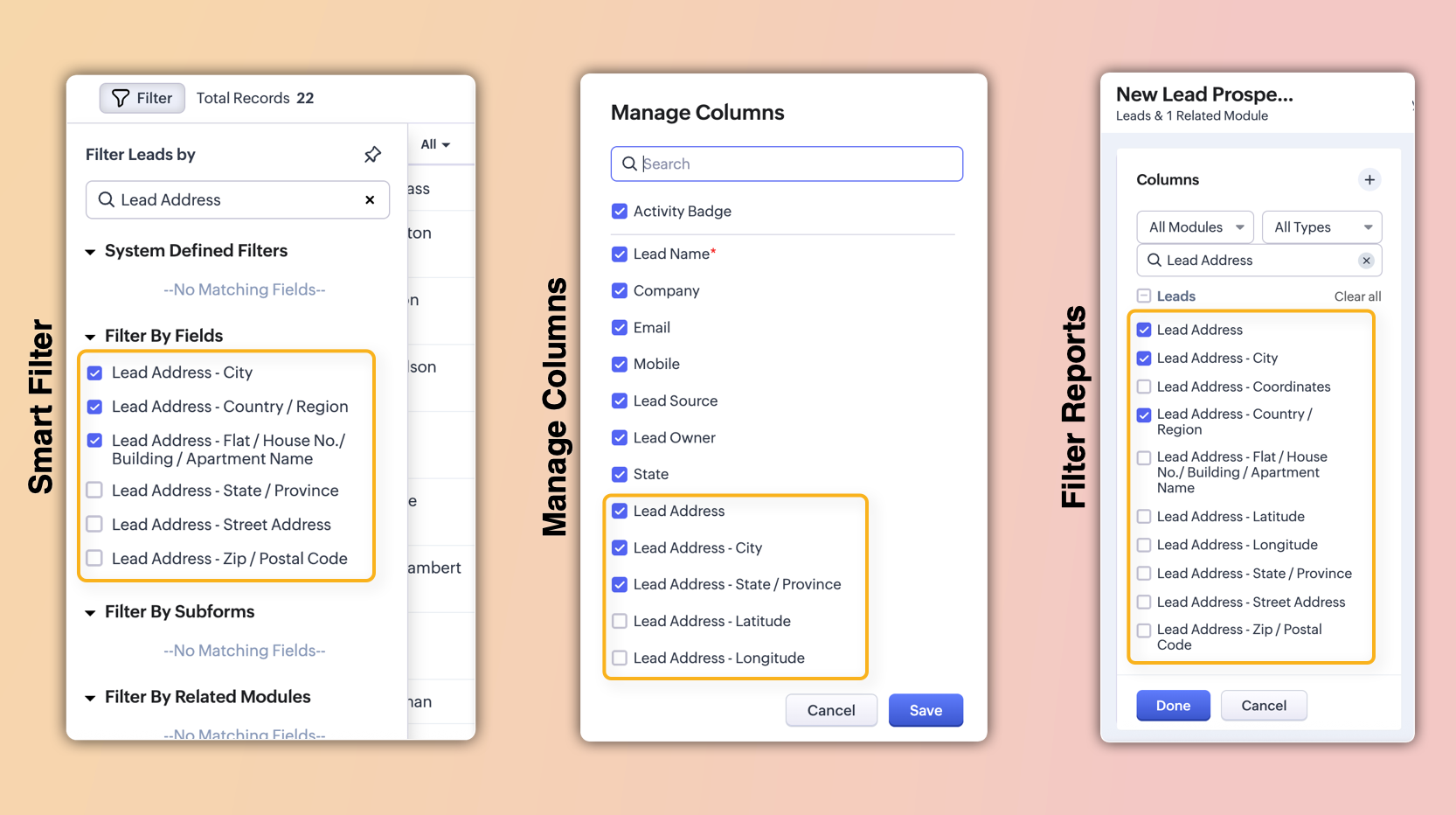
These sub-fields will also be individually available for viewing, filtering, and applying criteria. This enables users to configure, search, and report on address data with greater precision and flexibility.
2. Global sets for countries and states
The new address field comes pre-loaded with standardized lists of countries and their respective states/provinces.
Selecting a country instantly filters the available states, so you don't have to set up dependencies manually or type them in.
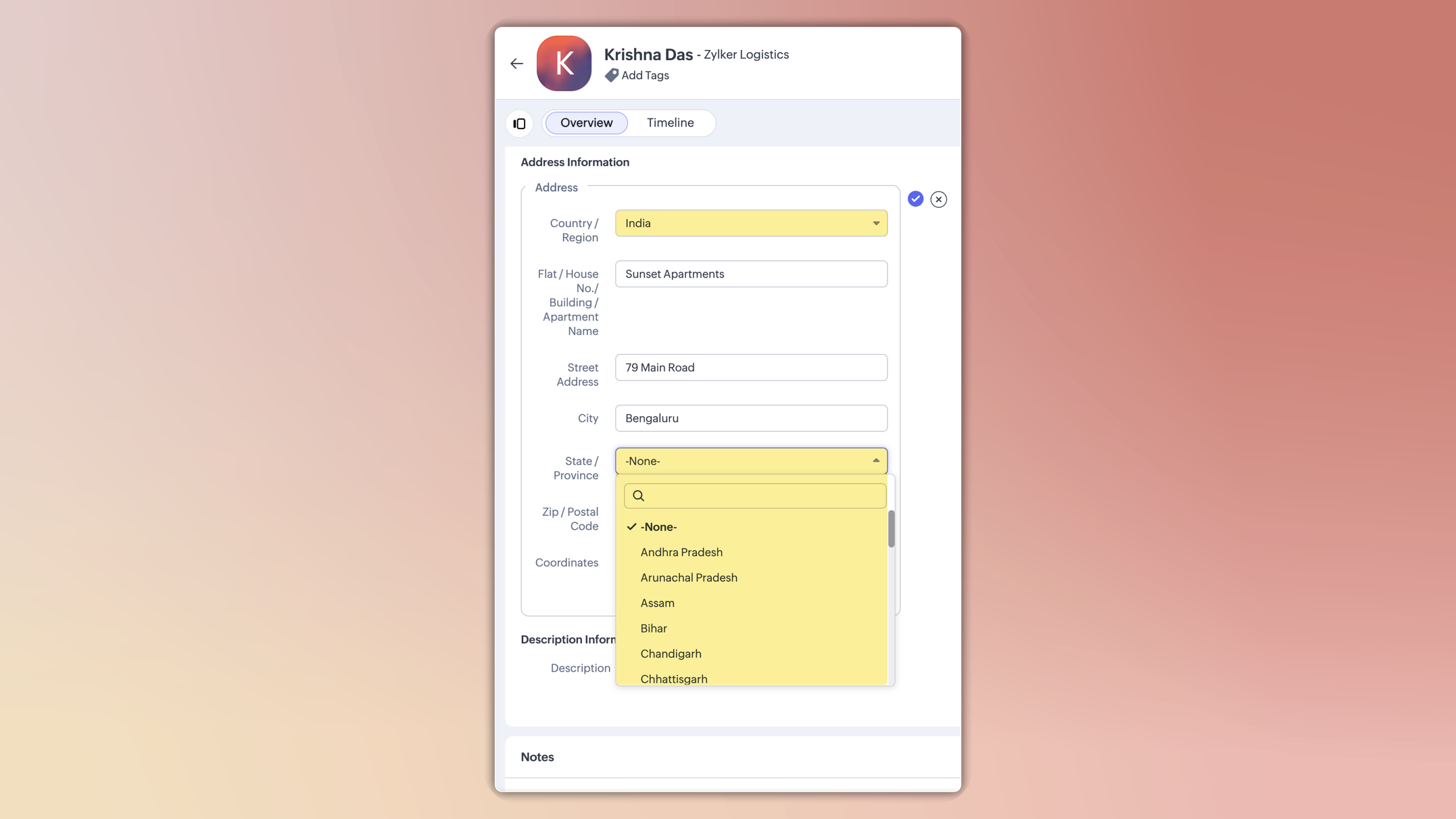
This ensures consistent spelling, eliminates typos, and keeps reporting clean.
You can also customize these lists in the Global Sets page by adding or removing values based on your business needs.
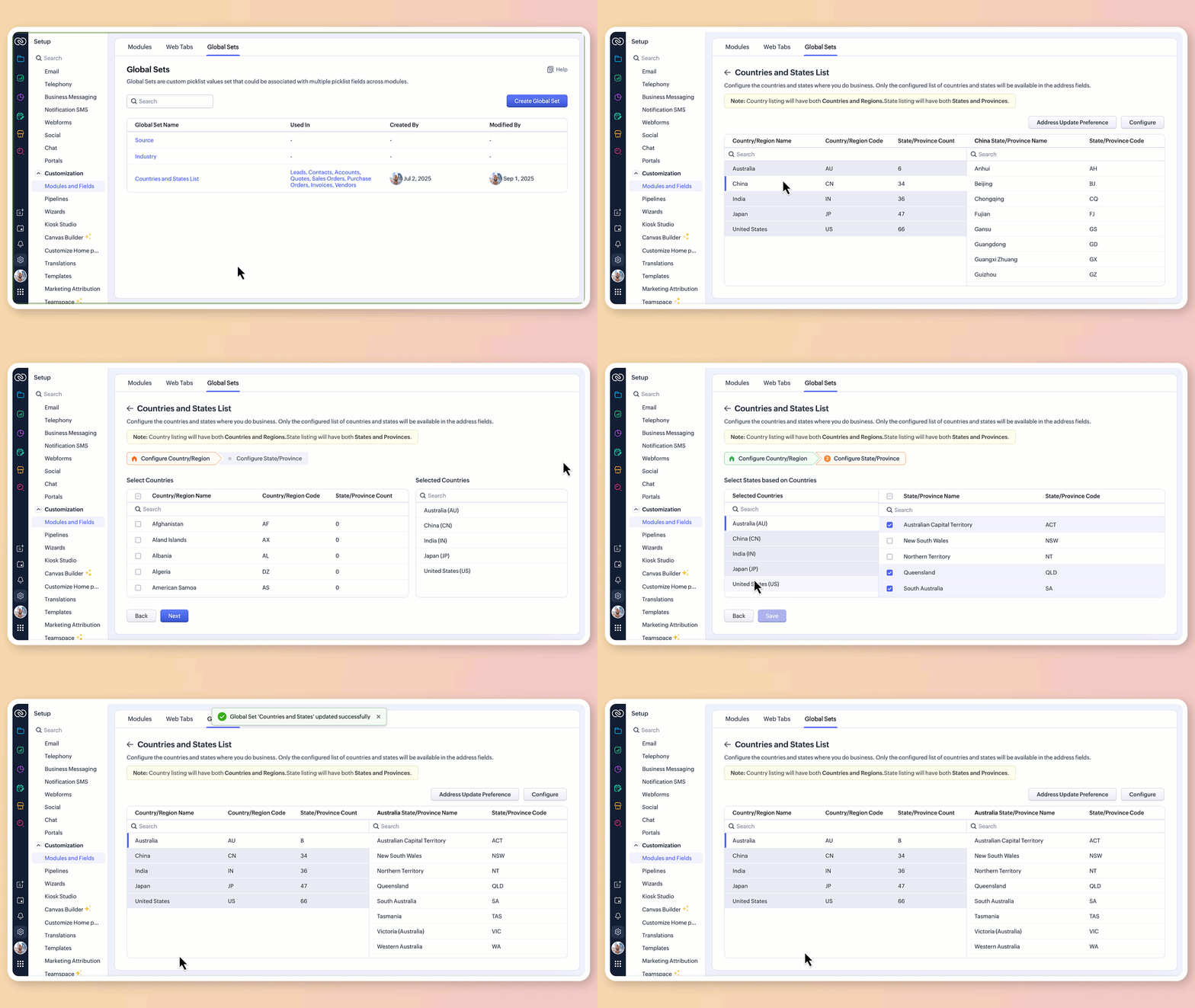
3.Maintain accuracy with address update preferences
To avoid mismatched or invalid country and state data, you can now set address update preferences in your org.
Choose to allow only configured country and state values in records, irrespective of the update source.
Choose how invalid entries are handled:
You can either skip the country/state update alone and proceed with the record creation or update, or stop the entire record creation or update altogether if an invalid value is detected.

Feature availability and limits
Editions supported: Professional, Enterprise, and Ultimate
Modules supported: All modules except user modules, linking modules, and Tasks, Calls, and Meetings modules
Limits: Up to two custom address fields per module
Points to be noted:
For new signups: The system-defined address fields will be available in the new address format for: Leads, Contacts, Accounts, Vendors, Quotes, Invoices, Sales Orders, and Purchase Orders modules.Additionally, admins can configure custom address fields for these modules if required.
Existing orgs: Admins can incorporate the new address field into their modules manually by adding it via the layout editor. The address field will be available as a custom field in the field tray.
Address field is not supported in Webforms, Field updates in Automation and Process management, Zia Enrichment. (The support for the same is in progress and will be updated shortly.)

Please share your feedback in the comments below.
Thanks,
Nizamuddin