Nous sommes ravis de vous présenter Zoho FSM, la plateforme de gestion des services terrain de bout en bout.
Les solutions de gestion des services locaux s'adressent aux organisations qui effectuent des activités d'installation, de réparation et de maintenance chez le client. Ces derniers doivent gérer efficacement les ressources et l'expérience client pour offrir la meilleure satisfaction client possible. Cela nécessite une conception assidue, une supervision constante et des opérations efficaces.
Une journée typique dans le domaine des interventions commence par une demande d'un client. Ils reçoivent de nombreuses demandes dont le degré de priorité varie. Il incombe aux agents d'établir des programmes qui tiennent compte du temps préféré des clients et des engagements en cours des agents. Afin d'exécuter leur travail efficacement, ils doivent disposer de toutes les informations nécessaires, telles que le lieu, le type de service, les pièces, les outils et l'équipement nécessaire. Les gestionnaires doivent également être au courant du travail effectué et, enfin, un système de facturation et de paiement adéquat leur permet d'achever le service.
De nombreux prestataires de services s'efforcent de gérer efficacement la productivité de leurs agents. Les outils existants répondent rarement à leurs besoins, ce qui les oblige à utiliser plusieurs logiciels ce qui n'est pas optimale. Il est donc indispensable de disposer d'une solution FSM robuste.
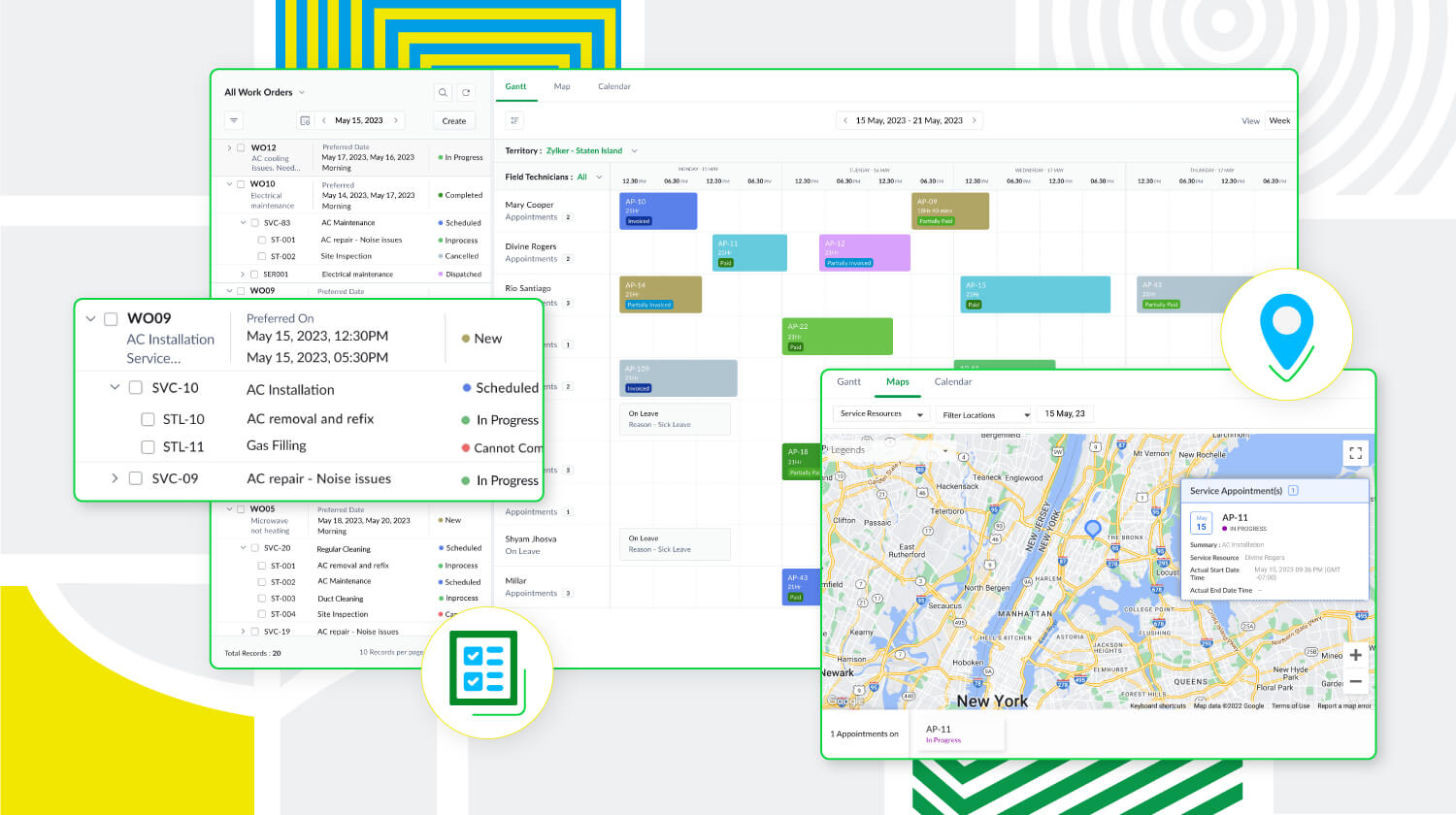
Zoho FSM est une puissante plateforme de gestion des services locaux dotée d'une gamme de fonctions visant à améliorer les différents éléments de votre travail. Elle prend en charge la gestion des bons de travail, des clients, la planification, la gestion de la main-d'œuvre, la facturation, les paiements et la gestion des stocks. De plus, Zoho FSM est conçue pour s'adapter à diverses industries grâce à des éléments de personnalisation et à des capacités d'intégration.
Principaux atouts de Zoho FSM
Gestion de l'ensemble des opérations au sein d'une seule plateforme
De la demande de service initiale à la facturation, sans oublier la création de bons de travail et la répartition des ressources, Zoho FSM simplifie ces processus afin d'optimiser les opérations. Il est possible de créer des devis et de les envoyer par la poste au client pour approbation. Au cours de la planification, suivez la présence des agents locaux et triez-les en fonction de leurs compétences afin d'envoyer la bonne personne pour le travail à accomplir. Avec Zoho FSM, vous pouvez également diviser les services complexes en tâches plus petites pour faciliter la planification. En ce qui concerne la facturation, elle se fait en quelques clics. Zoho FSM prend également en charge plusieurs devises, des passerelles de paiement en ligne, et plus encore.
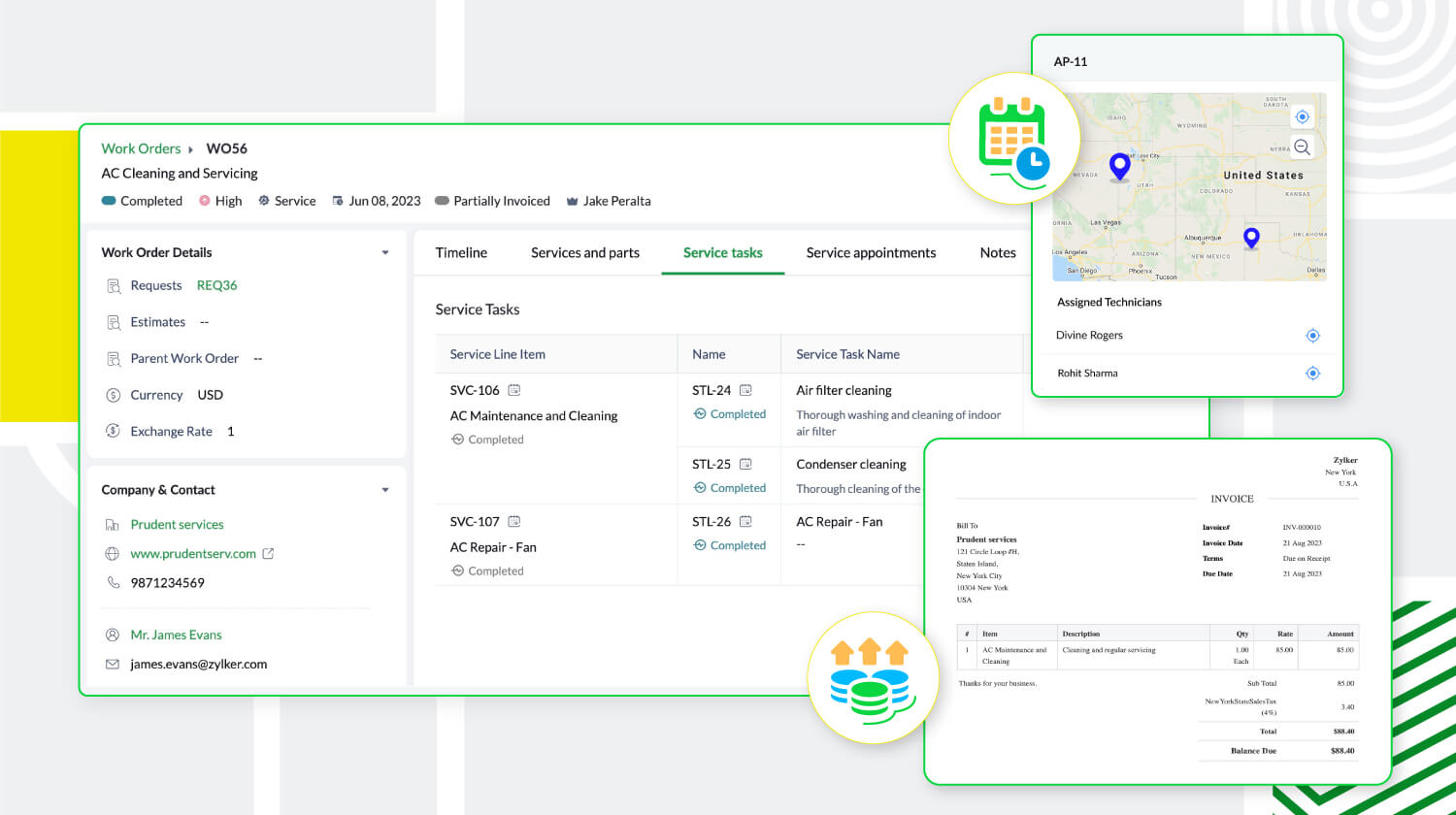
Une communication et collaboration efficace
Les canaux sécurisés de communication et de collaboration avec les agents en déplacement sont essentiels pour toute entreprise de services extérieurs. Zoho FSM y répond avec son application mobile qui permet aux agents de tenir l'équipe au courant de leur emplacement, de leur journal de bord, de leurs feuilles de temps et de leurs pauses, même lorsqu'ils sont en déplacement. L'application fournit également aux agents toute l'information sur le client et le service demandé. Elle leur permet également d'ajouter des notes et des photos du lieu d'intervention. Pour une communication efficace avec le client, des mises à jour automatiques s'affichent à chaque étape du processus de service. Une fois le travail terminé, les agents peuvent envoyer des rapports de service et recevoir les commentaires des clients via l'application mobile.
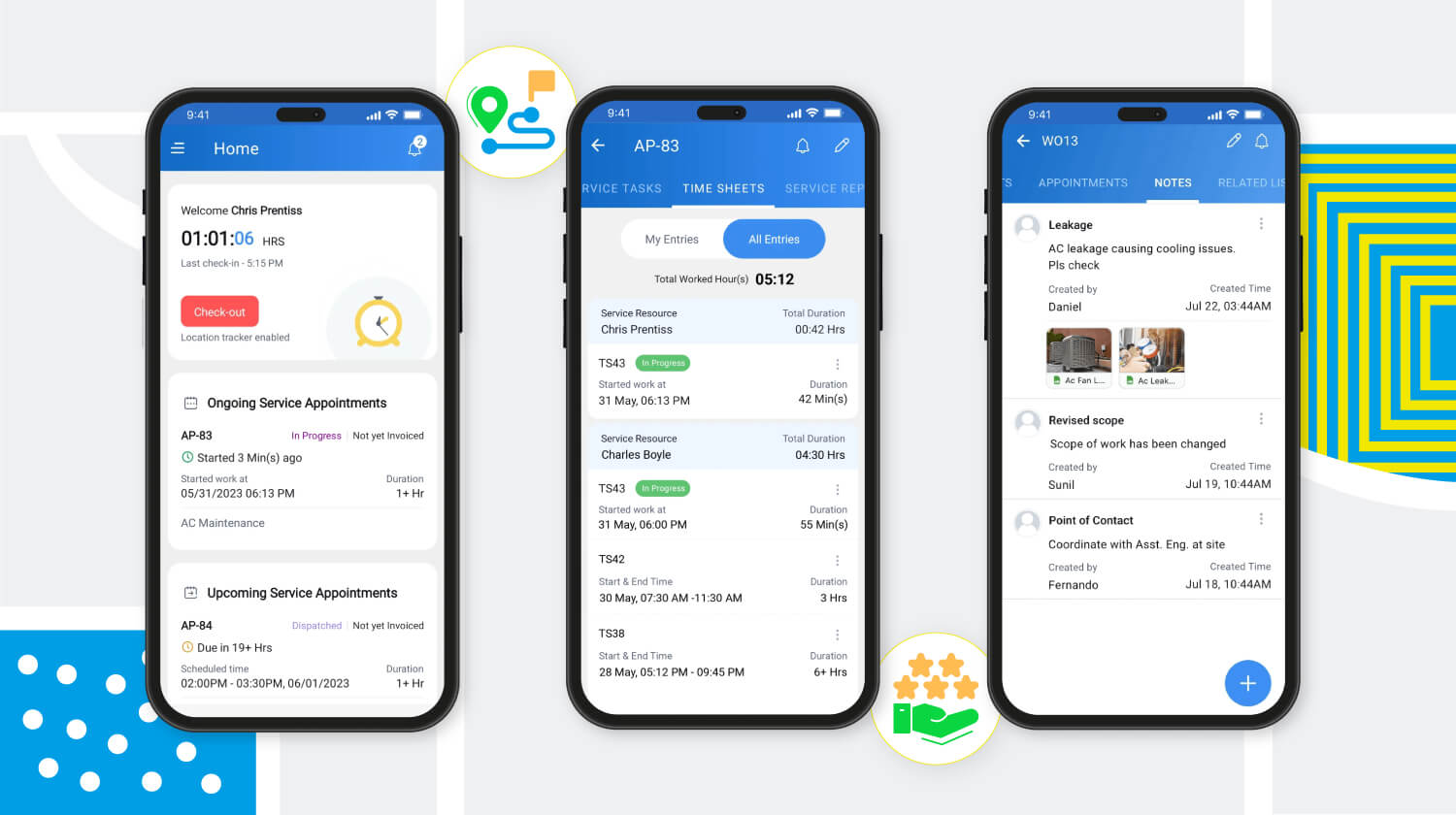
Meilleure productivité grâce à une meilleure gestion de la main-d'œuvre
Zoho FSM offre une solution multi-utilisateurs qui facilite la gestion d'équipes larges et diversifiées. Des profils uniques avec différents niveaux d'accès créent une plateforme sécurisée permettant à l'équipe de travailler à son plein potentiel. Les profils d'utilisateurs par défaut sont des "Agents de centre d'appel", "Dispatchers", "Agents locaux", "Agents locaux restreints" et "Administrateurs". Zoho FSM permet également de créer des profils personnalisés avec des niveaux d'accès modifiés pour s'adapter à la structure organisationnelle.
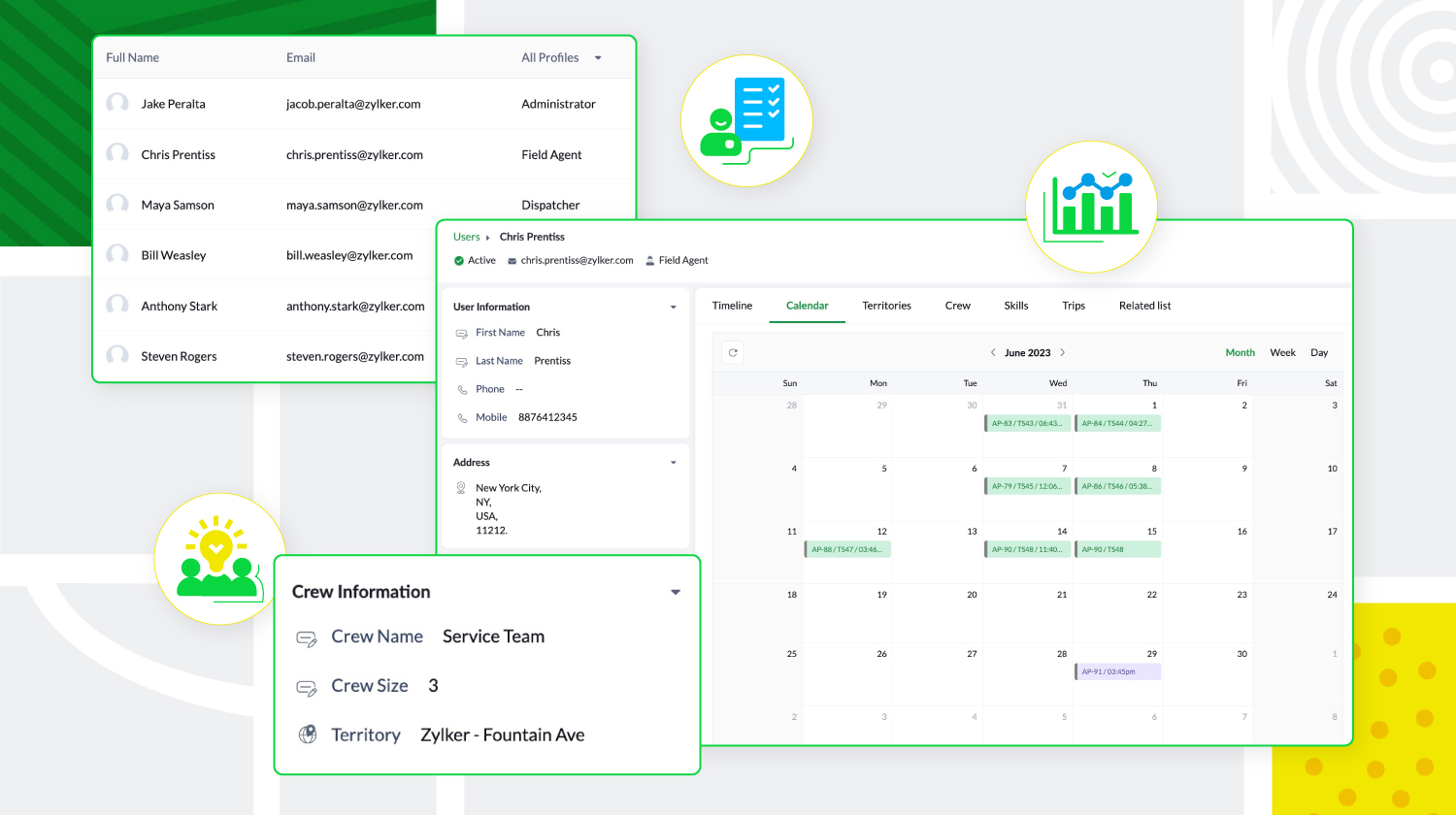
De plus, les agents locaux peuvent être triés en fonction de leur expertise et de leur présence géographique, et regroupés pour former des équipes. Zoho FSM donne aussi un aperçu des tâches quotidiennes des utilisateurs, de leurs déplacements et de leurs congés, ce qui permet aux agents de créer des calendriers sans conflit.
Personnalisation et optimisation de Zoho FSM
Zoho FSM comporte des composantes de personnalisation qui permettent de personnaliser l'expérience et d'ajouter des éléments fonctionnels. Il supporte l'automatisation, avec des règles de workflow qui déclenchent des actions. Il permet d'automatiser les notifications e-mail, les mises à jour de champs, développer des fonctions personnalisées, afin de communiquer et de collaborer avec des applications tierces.
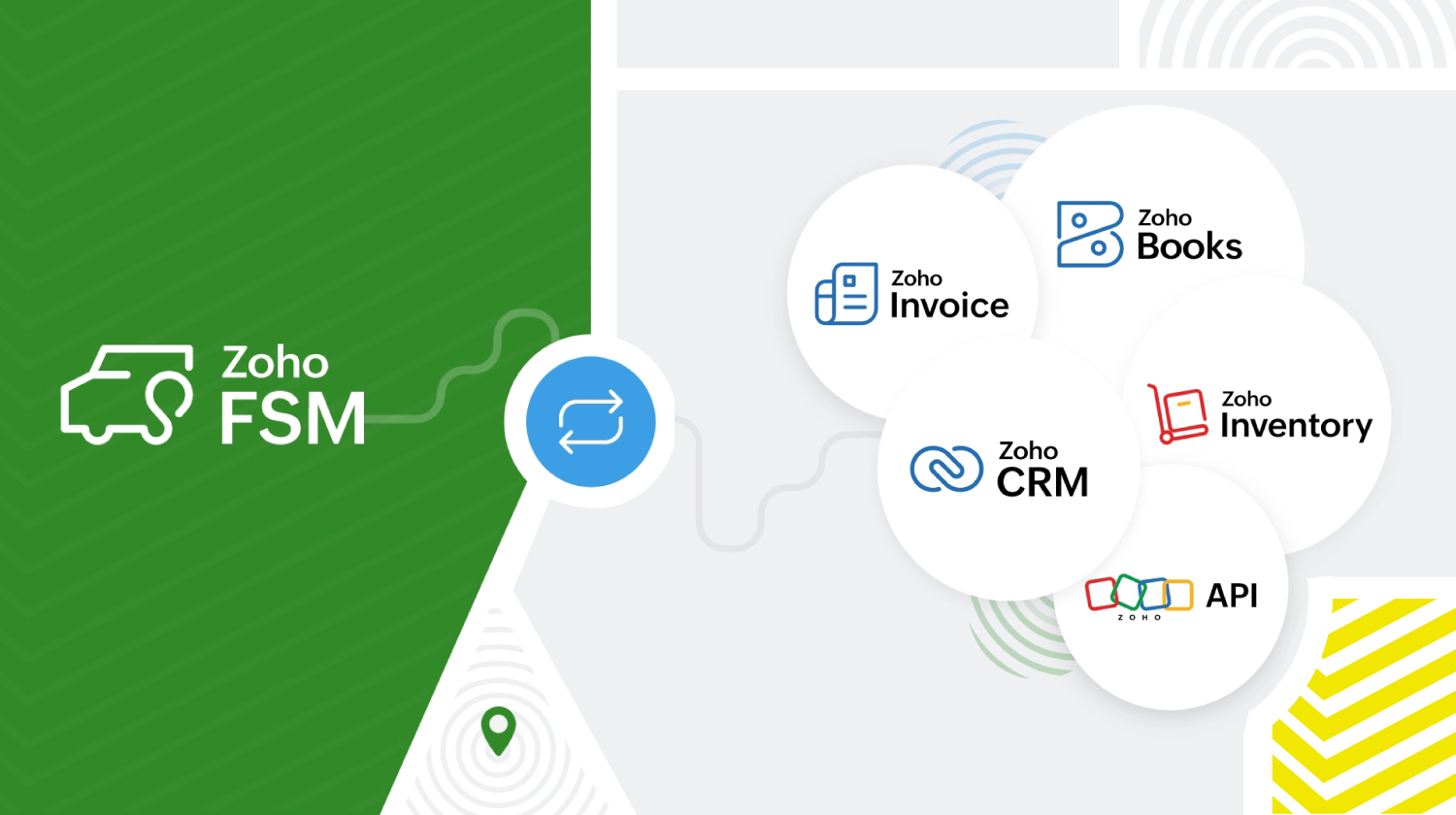
Zoho FSM s'intègre à d'autres applications Zoho et tierces pour que l'organisation fonctionne de manière optimale. Zoho FSM associé à Zoho Invoice s'occupe de la facturation. L'extension Zoho FSM pour Zoho CRM permet de fusionner les ventes et le service local. Il est possible de consulter les enregistrements FSM de façon contextuelle dans Zoho CRM et de créer de nouvelles demandes, de nouveaux bons de travail et de nouveaux actifs à partir de divers modules CRM.
L'intégration de Zoho Inventory permet d'identifier et de suivre les stocks dans plusieurs entrepôts, ce qui garantit que les agents disposent toujours des bonnes pièces pour le travail à effectuer. De plus, les API REST fournies par Zoho FSM facilitent l'intégration avec des applications tierces.
Zoho FSM propose une tarification flexible basée sur le nombre de consultations que vous créez chaque mois.
Essayez Zoho FSM dès aujourd'hui.
L'équipe Zoho France
Recent Topics
Service Title in Service Report Template Builder
I am currently working on the Service Report Template Builder in Zoho FSM. I have created three separate service report templates for different workflows: Preventive Maintenance Report Requested Service Report Installation Report My issue is that I cannot
PDF Attachment Option for Service Reports
Hello Team, I would like to check with you all if there is an option to attach PDF documents to the service reports. When I try to attach a file, the system only allows the following formats: JPEG, JPG, and PNG. Could you please confirm whether PDF attachments
Introducing Bigin's Add-in for Microsoft Outlook
Hello Everyone, Email is an important way to communicate with customers and prospects. If you use Outlook.com for emails and Bigin as your CRM, the Outlook Add-in helps you connect them easily so you can see your Bigin contact details right inside Outlook.com.
system not picking my default custom service report template
Can you tell me why when we create a service report always pick the (standard old) template? Even when I have a custom service report selected as Default.
Ask the Expert – Zoho One Admin Track : une session dédiée aux administrateurs Zoho One
Vous administrez Zoho One et vous vous posez des questions sur la configuration, la gestion des utilisateurs, la sécurité ou encore l’optimisation de votre back-office ? Bonne nouvelle : une session Ask the Expert – Zoho One Admin Track arrive bientôt,
Create custom rollup summary fields in Zoho CRM
Hello everyone, In Zoho CRM, rollup summary fields have been essential tools for summarizing data across related records and enabling users to gain quick insights without having to jump across modules. Previously, only predefined summary functions were
Zoho Commerce
Hi, I have zoho one and use Zoho Books. I am very interested in Zoho Commerce , especially with how all is integrated but have a question. I do not want my store to show prices for customers that are not log in. Is there a way to hide the prices if not
Will be possible to create a merge mail template for products?
Hi, we would need to create a mail merge template for products (native) module. Will be possibile? or do you have a smart solutions to merge products data with a mail merge? thanks Chris
How to Associate Zoho Projects in Zoho CRM
Hi I need script for associating projects in zoho projects to particular Account in zoho CRM side. It can be done manually but I need the automation for this process. There are no api regarding associating a project in zoho crm account. Need assistance
Add Claude in Zoho Cliq
Let’s add a real AI assistant powered by Claude to your workspace this week, that your team can chat with, ask questions, and act on conversations to run AI actions on. This guide walks you through exactly how, step by step, with all the code you'll need.
Need to set workflow or journey wait time (time delay) in minutes, not hours
Minimum wait time for both Campaigns workflows and Marketing Automation journeys is one hour. I need one or the other to be set to several minutes (fraction of the hour). I tried to solve this by entering a fraction but the wait time data type is an integer
Editing Item Group to add Image
I did not have the image of the product when the Item Group was created. Now I have the product image, and would like to associate/add to the Item Group. However the Item Group Edit functionality does not show/allow adding/changing image. Please hel
Composite Product (kit) - Dynamic Pricing
I am setting up Composite Products for item kits that I sell. I also sell the items from the kit individually. Problem is when pricing changes on an individual part, the Composite Product price does not change meaning when the cost of item # 2 in the
Urgent: Slow Loading Issue on Zoho Commerce Website
Dear Zoho Support Team, I am experiencing slow loading times on my Zoho Commerce website, which is affecting its performance and user experience. The issue persists across different devices and networks. Could you please investigate this matter and provide
Cliq Bots - Post message to a bot using the command line!
If you had read our post on how to post a message to a channel in a simple one-line command, then this sure is a piece of cake for you guys! For those of you, who are reading this for the first time, don't worry! Just read on. This post is all about how
Zoho Books - France
L’équipe de Zoho France reçoit régulièrement des questions sur la conformité de ses applications de finances (Zoho Books/ Zoho Invoice) pour le marché français. Voici quelques points pour clarifier la question : Zoho Books est un logiciel de comptabilité
New in Office Integrator: Download documents as password-protected PDFs
Hi users, We're excited to introduce password-protected PDF as a download option in Zoho Office Integrator's document editor. This allows you to securely share your confidential information from within your web app. Highlights of the password-protected
Sales IQ - Zobot en multilangue
Bonjour, J'ai un Zobot installé sur mon site depuis longtemps. J'ai ajouté plusieurs langues, dans la configuration et dans le générateur de bot sans code Pourtant, le Chat continue à s'afficher en Francais. Comment enclencher le multilangue en front
Streamlining E-commerce Photography with AI Background Tools
Hey Zoho Community, I’ve been messing around with ways to make product images less of a headache for fashion brands on Zoho Commerce. You know how boring generic backdrops can get, and how much time traditional photoshoots eat up, right? I tried out this
Is there a way to show contact emails in the Account?
I know I can see the emails I have sent and received on a Contact detail view, but I want to be able to see all the emails that have been sent and received between all an Accounts Contacts on the Account Detail view. That way when I see the Account detail
Android Solutions
hi everyone, I’m in the process of evaluating Android Solutions for my organization. Despite exploring multiple resources, I haven’t been able to narrow down the options and feel quite overwhelmed. A colleague advised me to ask here, and I would sincerely
Add "Reset MFA" Option for Zoho Creator Client Portal Users
Hello Zoho Creator Team, We hope you are doing well. We would like to request an important enhancement related to Multi-Factor Authentication (MFA) for client portal users in Zoho Creator. Currently, Creator allows us to enforce MFA for portal users,
Unable to Assign Multiple Categories to a Single Product in Zoho Commerce
Hello Zoho Commerce Support Team, I am facing an issue while assigning categories to products in Zoho Commerce. I want to assign multiple categories to a single product, but in the Item edit page, the Category field allows selecting only one category
Collapsing and expanding of lists and paragraphs
hello Would you ever implement Collapsing and expanding of lists and paragraphs in zoho writer ? Best regards
Saving issue
First problem I opened a MS word file in writer. after the work is done, it does not save instantly, I waited for like 10min and it still did not save. second problem When I save a file, then file gets saved as another copy. I just did save, not save
Introducing Built-in Telephony in Zoho Recruit
We’re excited to introduce Built-in Telephony in Zoho Recruit, designed to make recruiter–candidate communication faster, simpler, and fully traceable. These capabilities help you reduce app switching, handle inbound calls efficiently, and keep every
Does Zoho Writer have Dropdowns
I want to add a drop down field in Zoho writer. Is this possible?
Fix image at bottom of a page fot automatic proposal creation
I'm working on a proposal document to automate our proposal creation process. So far it works fine, but I experience some problems with an image I want to have fixed at the bottom of the page AND above the footer. This section of the document consists
Notifications Feeds unread count?
How do I reset the unread count on feeds notifications? I've opened every notification in the list. And the count never goes to zero.
Tables for Europe Datacenter customers?
It's been over a year now for the launch of Zoho Tables - and still not available für EU DC customers. When will it be available?
Zoho Finance Limitations 2.0 #3: Can't assign a Contact to a Finance Record (estimate, sales order or invoice)
If you use a business to business scenario with different contact people within the company you can't assign a finance record (estimate, invoice, etc...) to that person. Why this matters? No way to find out which person placed the order without manual
Ranking by group in report
Dears, I am new to Zoho Analytics and I would like to ask you guys help to creating a ranking column. Report type: Pivot Matter: I want to create a ranking column on the right of Percentage. This ranking is group by column Type, and ranking by Final Score/Percent.
Zoho CRM for Everyone's NextGen UI Gets an Upgrade
Hello Everyone We've made improvements to Zoho CRM for Everyone's Nextgen UI. These changes are the result of valuable feedback from you where we’ve focused on improving usability, providing wider screen space, and making navigation smoother so everything
Zoho Community Digest — Febrero 2026
¡Hola, comunidad! Un mes más os traemos las novedades más interesantes de Zoho para febrero de 2026, incluyendo actualizaciones de producto publicadas oficialmente, cambios de políticas y noticias del ecosistema. Pero antes de lanzarnos a las actualizaciones,
Disable Zoho Contacts
We don't want to use this app... How can we disable it?
Department Overview by Modified Time
We are trying to create visuals to show the work our agents do in Zoho Desk. Using Zoho Analytics how can we create a Department Overview per modified time and not ticket created time? In order for us to get an accurate view of the work our agents are
Filter button in the Zoho Sheet Android App doesn't toggle on
I am a new Zoho Sheets user and experiencing a specific issue with the filter functionality in the Android mobile application. Detailed Issue Description: The filter icon appears correctly in the toolbar. Upon tapping the filter icon/button, the toggle
Empty folders are now appearing in the sidebar...
...and the folder list is now auto-collapsed by default with no way to change. Neither of these recent updates are useful or user-friendly. ==================== Powered by Haiku https://www.haiku.co.uk ====================
【Zoho CRM】商談タブへのデータインポート
Zoho使用前にエクセルで管理していた商談情報を、Zoho一括管理のため、商談タブにインポートしたいのですが、お客さまの氏名だけが紐づけられませんでした。 「Zoho CRMにインポートする項目を関連付ける」のところが画像のようになっています。 (弊社では、「姓」を「★個人データ名」という項目名に変更し、フルネームを入れて使用しています。) どのようにしたら氏名をインポートできるかご存じの方がいらっしゃいましたら、ご教示いただきたく、よろしくお願いいたします。 (投稿先が間違っていましたらご指
CRM Cadences recognise auto-responses
I have leads in a Cadence. I get an auto-responder reply "I'm out of the office..." Normally Cadences seems to know that isn't a real reply and keeps the lead enrolled in the cadence. However, today, Cadences has UNENROLLED a Lead who sent an auto-reponse
Next Page