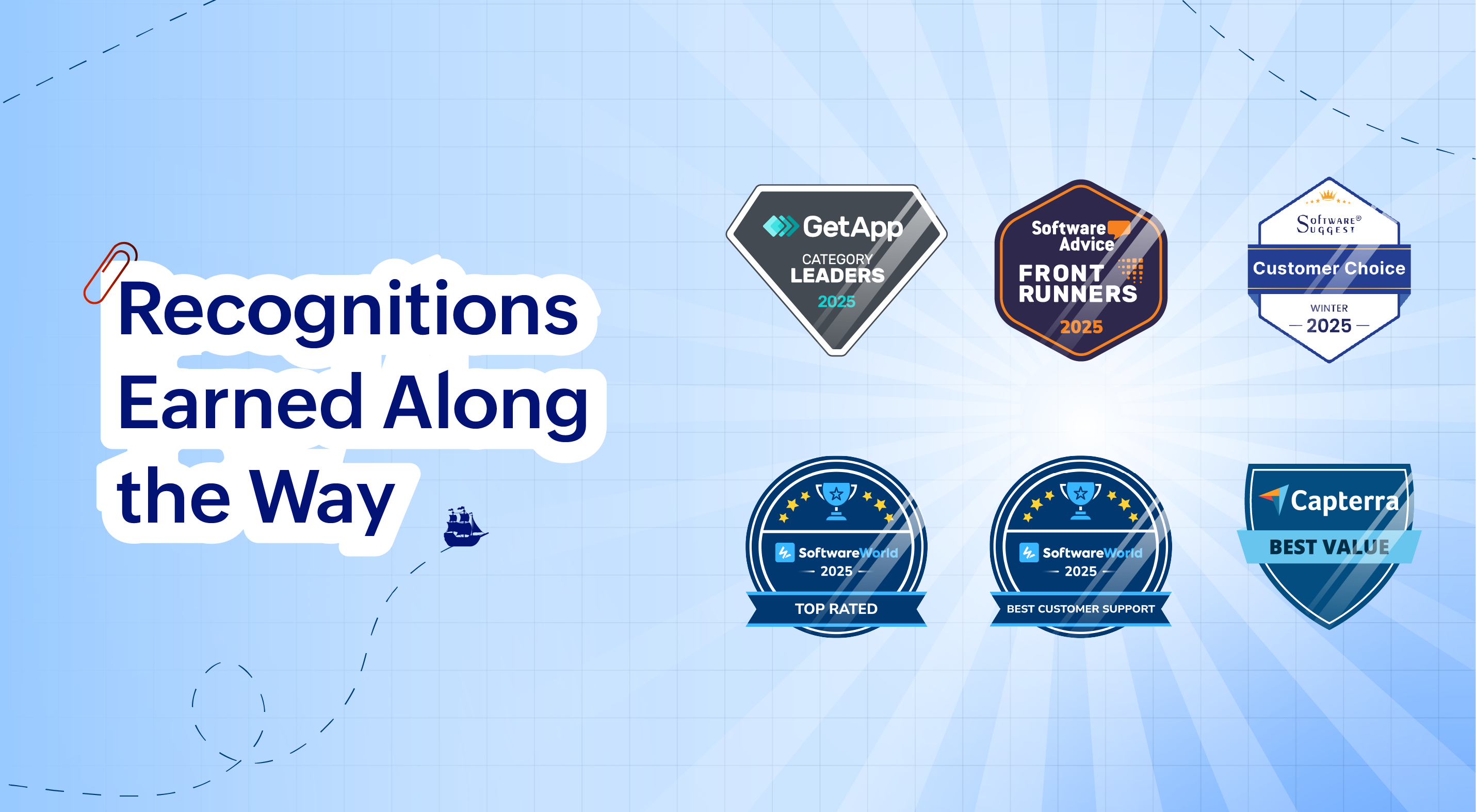
2025 has been a year of progress, productivity, and purposeful growth for Zoho Invoice. From expanding into new regions to refining everyday workflows, each update was designed to help businesses stay compliant, get paid faster, and work with confidence. Join us as we look back at the milestones that shaped our journey this year.
Launching the Singapore Edition
This year, we launched the Singapore Edition of Zoho Invoice, tailored to meet local tax and compliance needs. Businesses can now:
- Create IRAS-compliant GST invoices.
- Apply withholding tax and TDS.
- Generate detailed tax reports.
- Accept payments via PayNow through Stripe, enabling customers to pay in SGD by scanning a QR code using supported banking apps.
With this launch, Zoho Invoice enables faster, compliant, and more convenient invoicing for Singapore businesses.


As we wrap up the year, we’re excited to share the enhancements that made your invoicing faster and more efficient.
Scan Items in Invoices
Quickly scan items directly into line items, and if an item is scanned multiple times, its quantity updates automatically.
Share Invoices through WhatsApp
You can now send invoice details to your customers directly from the Invoices module using your personal WhatsApp account. This keeps communication personal, direct, and hassle-free.
Apply Available Credits From Credit Notes
Managing credits is now simpler. Zoho Invoice lets you apply available credits to invoices right from credit notes. Use the Apply to Invoices button in the credit note details page to apply partial or full credits to the selected invoices.
This year, we gave you more control over your PDF templates to make your documents look exactly the way you want.
Page Number Customization
We’ve enhanced page number options in your PDFs. You can now choose from three formats: Numeric, Page X / Y, or Page X of Y. Need a custom format? Select Custom and use placeholders like ${CurrentPageNumber} and ${TotalPages}. You can also adjust the page number position to Right, Left, or Center for the perfect layout.
Mark PDF Templates As Active or Inactive
Instead of deleting PDF templates you don’t often use, you can now mark them as Inactive. Inactive templates won’t be associated with any modules, but you can reactivate them whenever needed.
Customize PDF File Names
You can now customize file names using supported placeholders or your own prefixes and suffixes. You can also choose from predefined naming templates, making file management easier.

We rolled out tax-related enhancements to help you stay compliant across regions and simplify tax setup.
Income TCS Settings under Direct Taxes [India Edition]
Zoho Invoice now lets you create, edit, and view TCS rates under Direct Taxes in Settings. You can also see the number of associated transactions by clicking the View Associated Entities dropdown next to each Income TCS rate.
GST 2.0 Rate Rationalization [India Edition]
To help smooth the transition to GST 2.0, we added in-app support for updating GST rates based on HSN/SAC codes. A dashboard banner shows a preview of the changes before migration, and you can download updated data in XLSX format for reference.
Bulk Validate HSN/SAC Codes [India Edition]
To simplify GST compliance, you can now correct invalid HSN/SAC codes for the current return period or a selected date range via HSN Summary of GSTR-1. The new HSN/SAC Update History section in the GST Filing dashboard helps you track validations and updated transactions.
Create Local Taxes [Mexico Edition]
You can now create taxes governed by State and Municipal authorities, separate from the Federal SAT. These local taxes can be applied as transfer (Taxes) or retention (TDS), depending on your transaction needs.

This year, we enhanced Settings to help you manage security, customer access, and communication more effectively.
Multi-Factor Authentication (MFA) in the Customer Portal
We enhanced the security of your customers’ accounts by introducing MFA in the Customer Portal. Admins of organizations can now make MFA mandatory, requiring customers to use a Time-Based One-Time Password (TOTP) in addition to their login credentials. This adds an extra layer of protection while keeping login simple and secure.
Sales Receipt Support in the Customer Portal
Your customers can now view and manage Sales Receipts directly in the Customer Portal. They can also forward, download, view attachments, print, and bulk download PDFs.
Send Payment Receipt PDFs Along With Payment Thank-You Emails
After completing an online payment, your customers will now receive payment receipt PDFs in the thank-you email, giving instant confirmation and reducing manual follow-ups.

We made improvements in reports to help you analyze data more effectively with clearer summaries, better exports, and enhanced view options.
Enhanced Export Preferences
Exporting reports just got better! You can now name exported files, display column headers on each page, and organize data across pages based on the Group By field for better readability.
Organization Logo in Reports
Add your organization’s logo to PDF exports and prints. Place it in the header or use the watermark option, adjusting its position, size, and intensity to give your reports a professional touch.
New Summary View in Reports
We added a summary view for Receivables reports. When grouping is applied, you can now see the total value of each group without showing individual transactions, making it easier to get a quick overview.

We introduced various other improvements across Zoho Invoice to make your day-to-day workflows smoother and more intuitive.
Leave Organization
You can now leave an organization from the Manage Organizations page. Admins who have enabled any integrations in the organization will need to disable them before leaving.
Pin Columns in List Pages
Keep important data in sight! You can now pin up to 2 columns on list pages which have more than 8 columns for smooth horizontal scrolling.
New Language Support: Filipino and Bahasa Melayu
Zoho Invoice now supports Filipino and Bahasa Melayu. Update your language preferences under Settings > Organization Profile, with changes reflecting in the Customer Portal as well.
Custom Views for Sales Receipts
You can now create custom views for the Sales Receipts module by selecting which columns to display, making it easier to track and manage your data.

- Out-of-scope and Non-GST Supply tax options are now supported in the India edition.
- Tax Override is now available on the edit pages of invoices, recurring invoices, and credit notes.
- Items, delivery challans, and credit notes have been updated with a cleaner design and improved functionality.
- Our app is fully optimized for iOS 26, with a refreshed interface featuring liquid glass effects, rounded corners, floating tab bars, and more.
- Generate invoices using voice commands.
- Easily add items by scanning barcodes.
- Collect payments with Tap to Pay by integrating Stripe in Singapore.
- Detect invoice details automatically from screenshots.
- Share invoices as cards instead of plain links when sending via WhatsApp.
- Collect payments with Tap to Pay by integrating Stripe in Singapore.

1. Communication is essential in today's business world and Zoho Invoice has been a valuable asset in helping my sole proprietorship on that front. Once set up, it's really quick to create estimates, send invoices, and share statement summaries with my customers for review, improving efficiency.
— Derrik
General Contractor, Derrik Reno's
2. Zoho Invoice has been a valuable addition to our business operations. It simplifies our invoicing process, enables efficient project-wise payment tracking, and provides clear financial visibility. Overall, it has proven to be a reliable and efficient solution for our invoicing needs.
— Vinodh Jeevanantham
Founder, Incroft Solutions
3. I like how intuitive and scalable Zoho Invoice is for entry level small businesses and their customer service has been very responsive whenever I needed help. It's not AI driven, but real people answering my questions quickly!
— David Anderson
Owner, Cobco Cabinets LLC
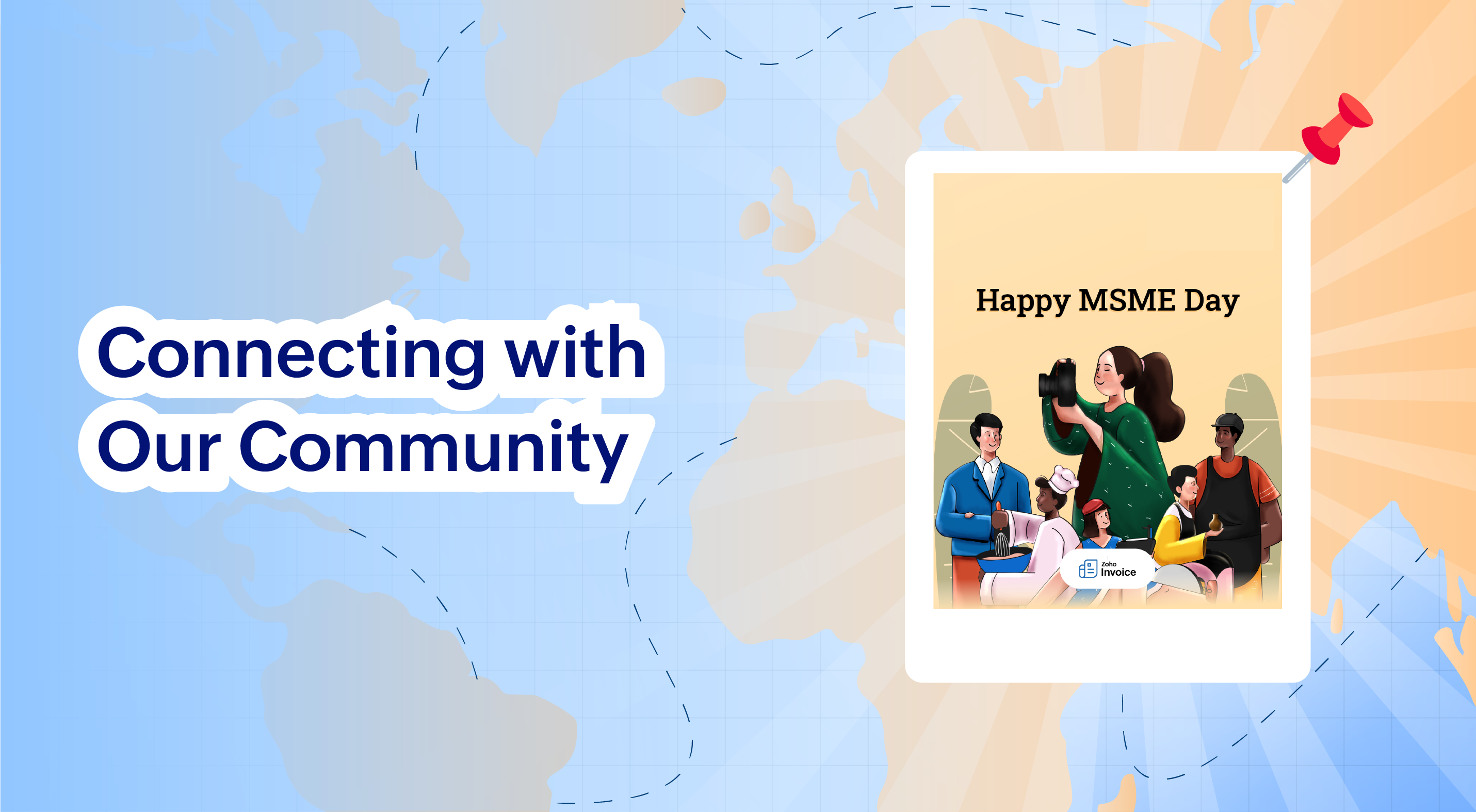
Celebrating MSMEs: Our #WallOfInspiration Campaign
To celebrate MSME Day, we rolled out the
#WallOfInspiration campaign with Zoho Invoice, creating a space for businesses to share their lessons, affirmations, and defining moments from their journey. The campaign brought together voices from across the MSME community, sparking inspiration, shared learning, and meaningful conversations. A big thank you to everyone who participated and made this initiative truly impactful!
2025 was a year of expansion, refinement, and resilience, and this voyage is far from over. As we step into the new year, we remain committed to building tools that help small businesses stay compliant, get paid faster, and grow with confidence.
Thank you for being part of the Zoho Invoice voyage. We look forward to continuing this journey with you in the year ahead. Happy New Year!
Recent Topics
´´Send Email Reply´´ action does not work when the message body contains placeholders.
Hi Community, I am working on a workflow where the Customer contact is notified via email when their ticket status goes On Hold. To do that, I chose the Send Email Reply action, and the minute I add a placeholder, the workflow does not work and the ticket´s
Zoho ERP | Product updates | July 2026
Hello users, We're back with another round of updates to help you streamline your operations. This month's release brings new features and enhancements designed to help you work more efficiently. Read on to discover everything that's new in Zoho ERP this
Zoho Forms Spam Submissions
Hello community! It seems that after updating the Recaptcha settings on our newsletter form (Zoho Forms), we keep getting low quality spam emails subscriptions. I first used 0.5 treshold on invisible google captcha, then raised it to 0.7 but to no avail.
Migration from Hosted Exchange Server
I am looking for documentation on how to migrate from a hosted version of Microsoft Exchange to Zoho Mail. The existing material is very good for non-hosted Exchange or local Outlook account but I have been unable to locate information to move from a hosted Exchange environment. This is complicated by not being able to have access to the Exchange Server (other than login credentials) and the lack of a local PST file (local Outlook uses OST files). I am to the point that all I need to do is migrate
Subform edits don't appear in parent record timeline?
Is it possible to have subform edits (like add row/delete row) appear in the Timeline for parent records? A user can edit a record, only edit the subform, and it doesn't appear in the timeline. Is there a workaround or way that we can show when a user
Unable to view existing or create new WhatsApp IM templates on Zoho Desk
Hi there, Is there a issue with WhatsApp templates in Zoho Desk currently [17 Aug 2026]? I am unable to view existing or create new WhatsApp IM templates. It's saying "Oops, something went wrong. Please try again later."
WhatsApp Business Calling API
Dear Zoho SalesIQ Team, I would like to request a feature that allows users to call WhatsApp numbers directly via Zoho SalesIQ. This integration would enable sending and receiving calls to and from WhatsApp numbers over the internet, without the need
WhatsApp Calling Integration via Zoho Desk
Dear Zoho Desk Team, I would like to request a feature that allows users to call WhatsApp numbers directly via Zoho Desk. This integration would enable sending and receiving calls to and from WhatsApp numbers over the internet, without the need for traditional
Automating CRM backup storage?
Hi there, We've recently set up automatic backups for our Zoho CRM account. We were hoping that the backup functionality would not require any manual work on our end, but it seems that we are always required to download the backups ourselves, store them,
Zoho CRM Kiosk Upload Files
Hello all, We are trying out Kiosks at the moment to see where it can fit best in our business. We are still a bit off in the application but lets say we will sort this out. My question is the following - when I create a Kiosk I can add "File Upload"
Add Support to Upload Inventory Items with Categories or Enable Separate Upload for Inventory Categories
Currently, Zoho Inventory does not support uploading new items along with their parent and sub inventory categories using the item import feature. This creates challenges for businesses with structured inventory hierarchies when trying to upload items
About products & categories URL
hello guys, I'm trying to migrate date from Magento 2 to Zoho Commerce and I have some doubt about URL. In my M2 for product I have "Url Key" field with value like this: "product-url" and page appear like this: "www.sitename.com/product-url.html" In ZC
Which Zoho CRM tasks would you want an AI assistant to handle?
I’ve started delegating my Zoho CRM work to AI – and many tasks now take me half the time. It has been so useful that we’re now working to make it available to everyone. Instead of clicking through records and tabs, I simply describe what needs to be
Export Campaign to another document?
How can I export my Campaign to Word and PDF? I want to create a PDF archive on my website with old campaigns /Peter
Filter isn't
The ability to filter the history of a given flow to a specific status however it would be great to have the ability to filter to a status that isn't something for example if i want to find all history that isn't complete.
LinkedIn RSC is now live in Zoho Recruit
LinkedIn Recruiter System Connect (RSC) is here. Your Zoho Recruit data (candidates, jobs, notes, stage updates, resume attachments, and more) now syncs with LinkedIn in real time. Note: LinkedIn RSC is included with your LinkedIn Recruiter Corporate
What's New in Zoho Inventory | April & May 2026
Hello users, We're excited to roll out the latest Zoho Inventory updates for April and May 2026. These enhancements are designed to make your daily operations smoother and more efficient, from advanced inventory management and flexible pricing to automated
Old Gmail inbox migration to Zoho mail
Hi, I have been checking Zoho products for a while. This week finally decided to migrate my company mail accounts from Gmail to Zoho. I was looking for sometime and could not found a way to perform this; only found the way to take a backup of my old account into Zoho connecting throught pop3 server; but I'm not looking for that, I want that in my new Zoho Mail inbox appear all my mail messages and conversations as I see it in Gmail. Searching in Google and in Zoho Mail docs the workaround begun
Zoho CRM Copilot Connector
Hello, Are there plans to release a connector for Zoho CRM and Copilot? I'm in the early research stages of potentially switching our CRM solution to Microsoft Dynamics because of its out of the box integration with Copilot. The advantage being that we
100 Rows in a Subform is too limited
We have a custom Module in CRM called Price Sheets, when we get a PO from a client we add the items from the PO to it and then check with our vendors for pricing and add our margin etc And after it is complete we have setup custom scripts to create a
Drop Down Menu - Adding up values
I have a form that has 22 drop down fields each having a value of 0-10 to choose from. Is it possible to have it add up the total value of those selected numbers and have it tally it up in another field at the end? So example: if each of the 22 fields
[Webinar] Conversational AI: The new paradigm for agentic analytics
From hard coding to powerful agents, data and analytics is undergoing a tectonic shift, and conversational agents are at the forefront of this transformation. This goes beyond democratizing business intelligence; it's about accelerating the path from
Make Rich Text fields available in Canva Print Views
Everything is on the title. I don't really understand why this is not already possible as Rich Text Fields are available in Canva Detailed Views for example.
How to RSVP an invite using the Zoho API
Perhaps I am missing something, but I don't see any way to use the Zoho API to RSVP an Invite. This what I've tried: PATCH https://calendar.zoho.com/api/v1/calendars/{cal}/events/{event} ?attendeedata={"attendees":[{"email":"me@example.com","status":"ACCEPTED"}],
FSM service call view
"Why can't we sort by assigned service resource in the service call view?"
Zia Agents looks promising, but I still cannot deploy my first agent or connect WhatsApp after weeks of support tickets
Hi Everyone, I am posting here because I am stuck and need practical help from someone who has successfully deployed a Zia Agent with WhatsApp. Zia Agents looks like a very promising product. I have watched the platform expand quickly, and I have noticed
Marketing Tip #46: Run flash sales the right way
A flash sale can do a lot for your store. It can clear slow-moving inventory, spike revenue on a slow day, or reward your most loyal customers. But if done carelessly, flash sales can backfire. Customers start expecting discounts, stop buying at full
Send Notify on new Ticket to a Team based on customers email address AND only on these addresses
Hi ZohoDesk, I would like to have Team A receive a Notification on every ticket created. I would like Team B to receive a Notification email only if the incoming ticket contains elements of a certain group of customer's email addresses only. They should
Inventory API - Retrieve all uploaded product / item images
I know that I can get the primary image for each product / item or composite item, by using the /image endpoint. https://inventory.zoho.com/api/v1/compositeitems/<item-id>/image?authtoken=<TOKEN> This will return only one photo, even if the item has multiple images uploaded. Is there a way to retrieve all images stored for an item via the Zoho Inventory API?
Change Last Name to not required in Leads
I would like to upload 500 target companies as leads but I don't yet have contact people for them. Can you enable the option for me to turn this requirement off to need a Second Name? Moderation update (10-Jun-23): As we explore potential solutions for
Setting checkbox value on template in Sign from Creator
Good day, Please help me understand how do I set a tick from a checkbox in Creator into a checkbox on a Sign template. Below is the only values on the Sign template and the code from Creator, "field_boolean_data": {}, "field_date_data": {}, "field_radio_data":
How to Delete, Disable, or Remove Streams from the Mail App?
Is there a way to remove Streams from the mail app sidebar? I get too many notifications, it doesn't add any value to Zoho's functionality (especially since you can just make comments inside an email), and is distracting. I do not want notifications/alerts
Remove the mandatory Name Card buttons (or at least make them optional)
Please remove the mandatory Name Card buttons (or at least make them optional) A recent change to the Name Card in Zoho SalesIQ (currently affecting WhatsApp) introduced mandatory buttons before a visitor can provide their name. I believe this change
Zoho Wont Login
Can anyone tell me why my password stops logging in all the time? Is it a ploy to make you change your password? I have to use OTP all the time. I dont want to change passwords all the time. Over the last couple of years I've found myself using Zoho (as
Frustrated with Zoho Assist QuickSUpport
Trialling Zoho Assist and I have a variety of clients. A lot are computer illiterate. Some have poor vision. The current support sessions are using apps which have desktop icons for the appropriate apps. I either connect on demand then the client approves
HR Helpdesk Cases
We have Zoho One Enterprise. I'm trying to find HR Helpdesk Cases, but my UI does not match the documentation. I'm not sure how to move forward.
CRM x WorkDrive: We're rolling out the WorkDrive-powered file storage experience for existing users
Release plan: Gradual rollout to customers without file storage add-ons, in this order: 1. Standalone CRM 2. CRM Plus and Zoho One DCs: All | Editions: All Available now for: - Standalone CRM accounts in Free and Standard editions without file storage
Zoho Projects - Will there ever be a send email feature in Zoho Project?
Hi team, Are there plans to or will there ever be a sendemail feature in Zoho Projects, brining it in line with other similar platforms like Asana, ClickUp and Monday? I know that you can add comments via email to a specific task, but I believe this only
Introducing Microsoft Word Integration in Zoho Contracts
We are excited to announce a new feature that brings contract authoring and negotiation in your familiar environment — the Microsoft Word Integration. What This Integration Brings The Microsoft Word Integration connects Zoho Contracts with the Microsoft
Share Video Response Card ion Zobot
I am using the zobot codeless bot builder in SalesIQ. I want to share a video but delay the next response card until after the video has finished playing or has been stopped. Is this possible?
Next Page