Support for List Page (Canvas) and Notes
Hello everyone!
We are glad to announce two exciting updates in Client Script.
Client Script support for List Page (Canvas)
Client Script support for Notes
These open the door to more dynamic and interactive customizations!
1. Client Script support for List Page (Canvas)
You can now write Client Script for three different views of the canvas list page
Custom List view
Tile view
Table view
You can trigger them on your List Page (Canvas) using the following events.
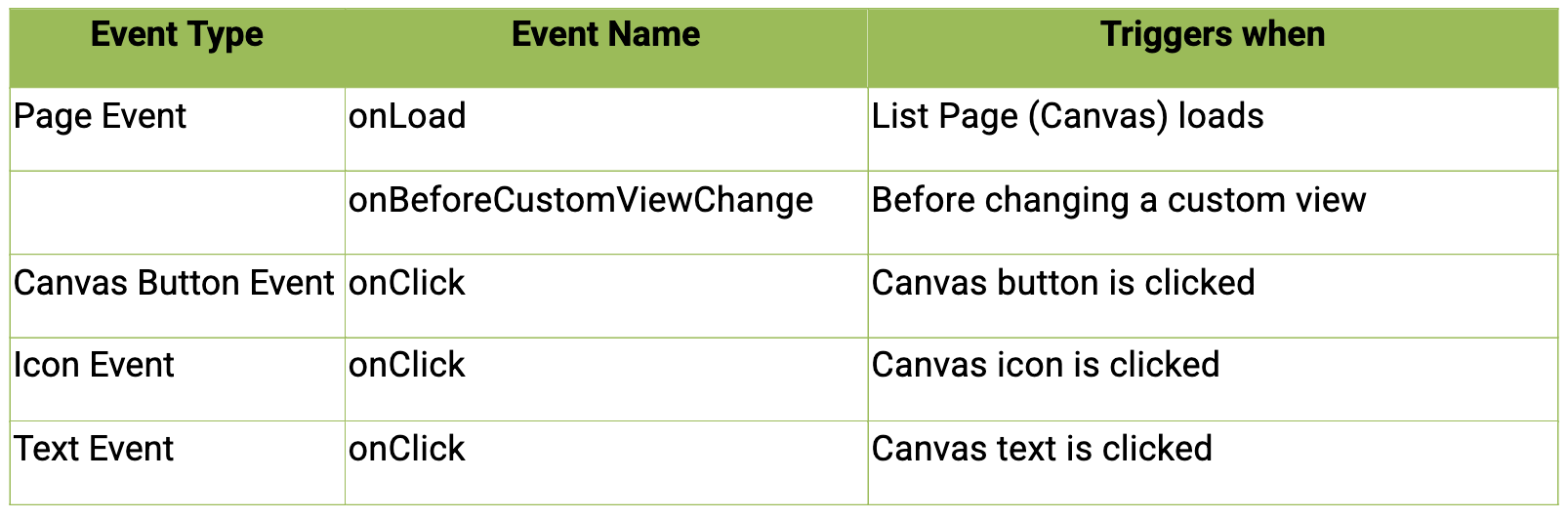
The necessary Client API support has also been provided for this page.
Use Case : Highlight cards and view invoice
Zylker, which handles high-volume product distribution using Zoho CRM, processes numerous orders each day.
A. To improve efficiency, they want to display color-coded order cards in the list view based on their status—such as Created, Shipped, or Delivered.
B. Additionally, each highlighted card should include an icon that opens the invoice for that specific order.

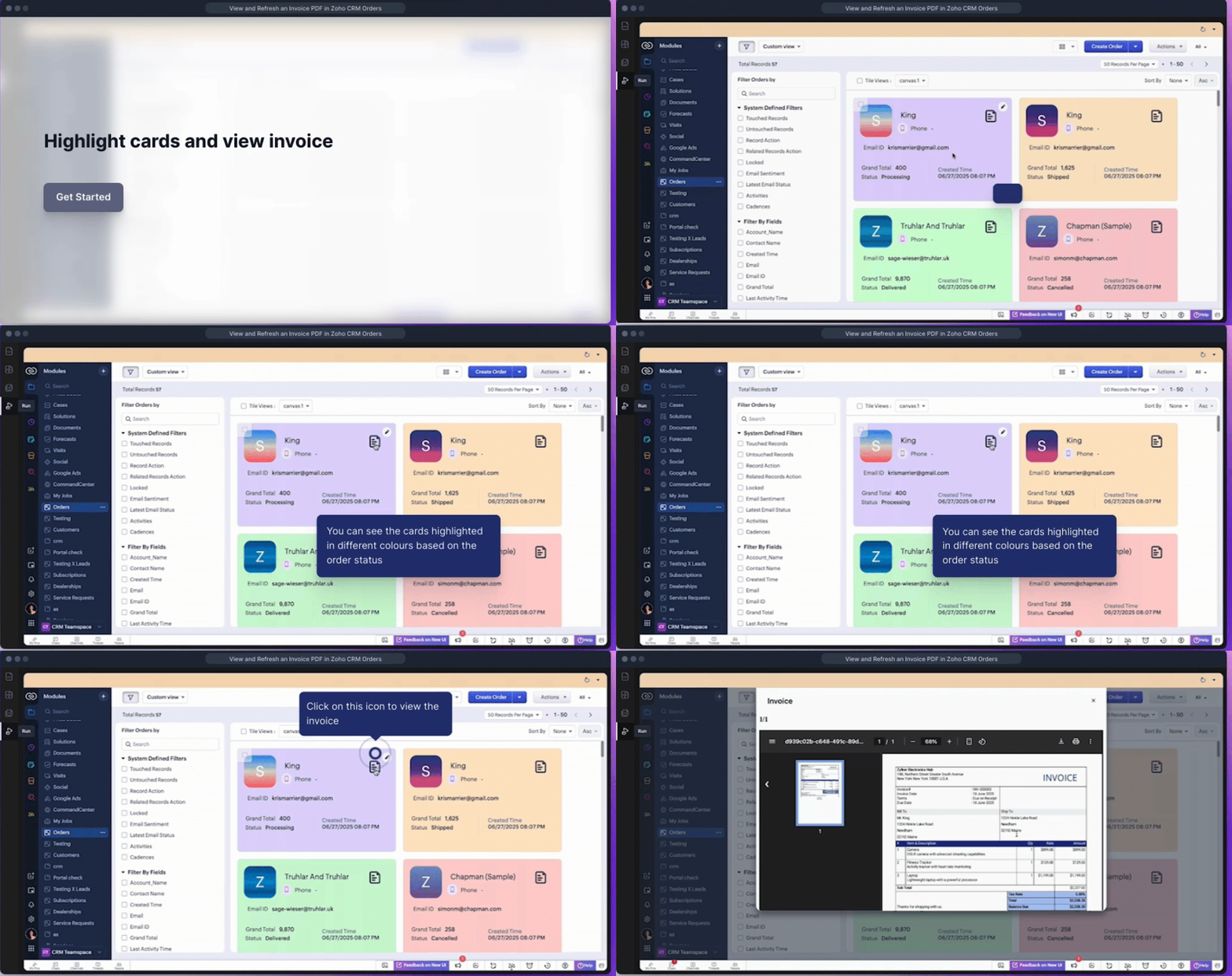
Click here to view the source code for adding styles.
Click here to view the source code for viewing the invoice.
2. Client Script Support in Notes Related List
You can now use onBeforeAdd and onBeforeUpdate events to trigger Client Scripts before a note is created or updated. This lets you validate or auto-modify note content just before it's saved.
Supported ZDKs: getValue() and setValue().
Use Case: Auto-Enrich Notes with Order Details
At Zylker, the admin wants to add a Client Script that automatically adds order details like status, product list, and total amount to the notes in the Deals module. This should happen when a user types a note with an Order ID (e.g., #12345678), before the note is saved.

Share your feedback in the comments section below and help us make Client Script even better for you.