Featurecast Story 18 - Conversation views
IM'ing (Instant Messaging) Feature Story Series
Featurecast Story 18 - Conversation views
Find all your business conversations in one place
Providing service on any channel is a challenge
To follow these best practices in an instant messaging environment, agents must have visibility into all their ongoing conversations across multiple channels.
What are conversation views in instant messaging?
To streamline your team's efforts and stay organized, utilize specific views to filter conversations and determine where the team needs to focus. Using these views, you can categorize conversations based on their priority level or status, such as my open, all open and unassigned, assigned, resolved, or bot conversations.
How do you use views?
- Click the name of the view that is currently being displayed.
- This will display a list of all the (default) views you can access. It will also show you the number of conversations in each view.
Default conversation views
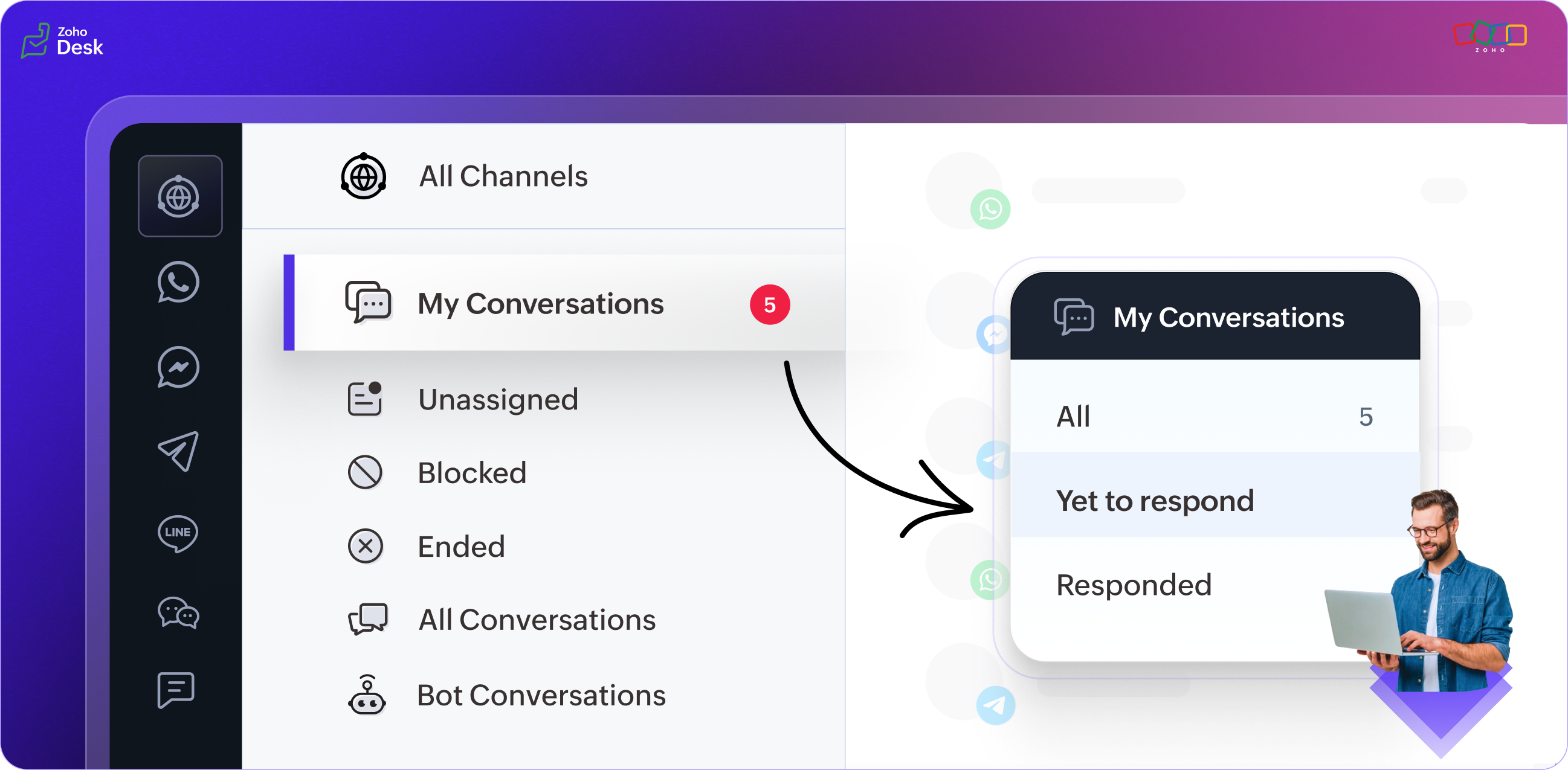
The conversation status labels in the default view enhance the customer requests categorization process, making it easier for agents to keep track of their workload and prioritize conversations. When you start using the IM chat module, you have access to six default views.
- My Conversations: The view lists all the conversations assigned to you (the agent). There is an additional filter layer with values for all conversations, yet-to-respond, and responded conversations.
- Unassigned: Lists all incoming conversations that have yet to be assigned to agents.
- Blocked: Conversations that have been blocked by the agents when they come across abusive customers.
- Ended: All resolved conversations that the agent or customer has ended.
- All Conversations: All the new and unassigned conversations. There is an additional filter layer with values for all conversations, yet-to-respond conversations, and responded conversations.
- Bot Conversations: These are all the ongoing conversations your bots handle.
Benefits of a unified messaging module
All-in-one inbox
In Desk's unified messaging module, the all-in-one inbox allows you to manage all your customer communications from a single interface. This means you can provide support on multiple channels, such as WhatsApp, Telegram, LINE, WeChat, FB Messenger, and more, without switching between different tools or platforms. The all-in-one inbox also provides contextual support with multi-SDK on a single application, which means you can offer personalized support based on the customer's context and history.
Efficient team collaboration
The IM module's unified messaging interface enables your support team to communicate, collaborate, and deliver the best possible customer experience on any channel.
Rich interactions: more than just text replies
Providing support on any channel with a unified messaging module allows for rich customer interactions. Customers can receive assistance through various channels (messaging apps) from one centralized location. A unified messaging module also allows for personalized and context-specific support, which can help resolve customer issues more efficiently.
Automation
Our automation workflows are designed to streamline your processes. With our unified messaging module, you can ensure that all incoming requests are handled efficiently.
Two-way interactions made easy
Many tools are available to facilitate communication between businesses and their customers. The IM module can be embedded in a website and provide customers access to a company's help center and support channels. This makes it easy for customers to contact a company and receive timely assistance. Additionally, chatbots and reply assistants can quickly respond to customer queries.
Final thoughts
Keeping messaging systems organised is important because it helps agents keep track of conversations and find specific messages easily. When chats are organized, it's easy to refer to previous conversations, locate important information, and stay on top of customer issues. Plus, it feels good to have a tidy and structured flow of messages, don't you think?
The messaging inbox is an excellent solution for businesses to streamline customer support operations and provide a seamless omnichannel experience.
There's more to come, so please watch this space for more IM feature stories.
Until next time,
Kavya Rao
The Zoho Desk Team