filter on sheets mobile (iOS, iPadOS) does not work
re-posting this as a question because reporting as a problem netted zero responses...
I have this issue on every spreadsheet, whether imported or created natively in Zoho Sheets. I can use on desktop without issue:
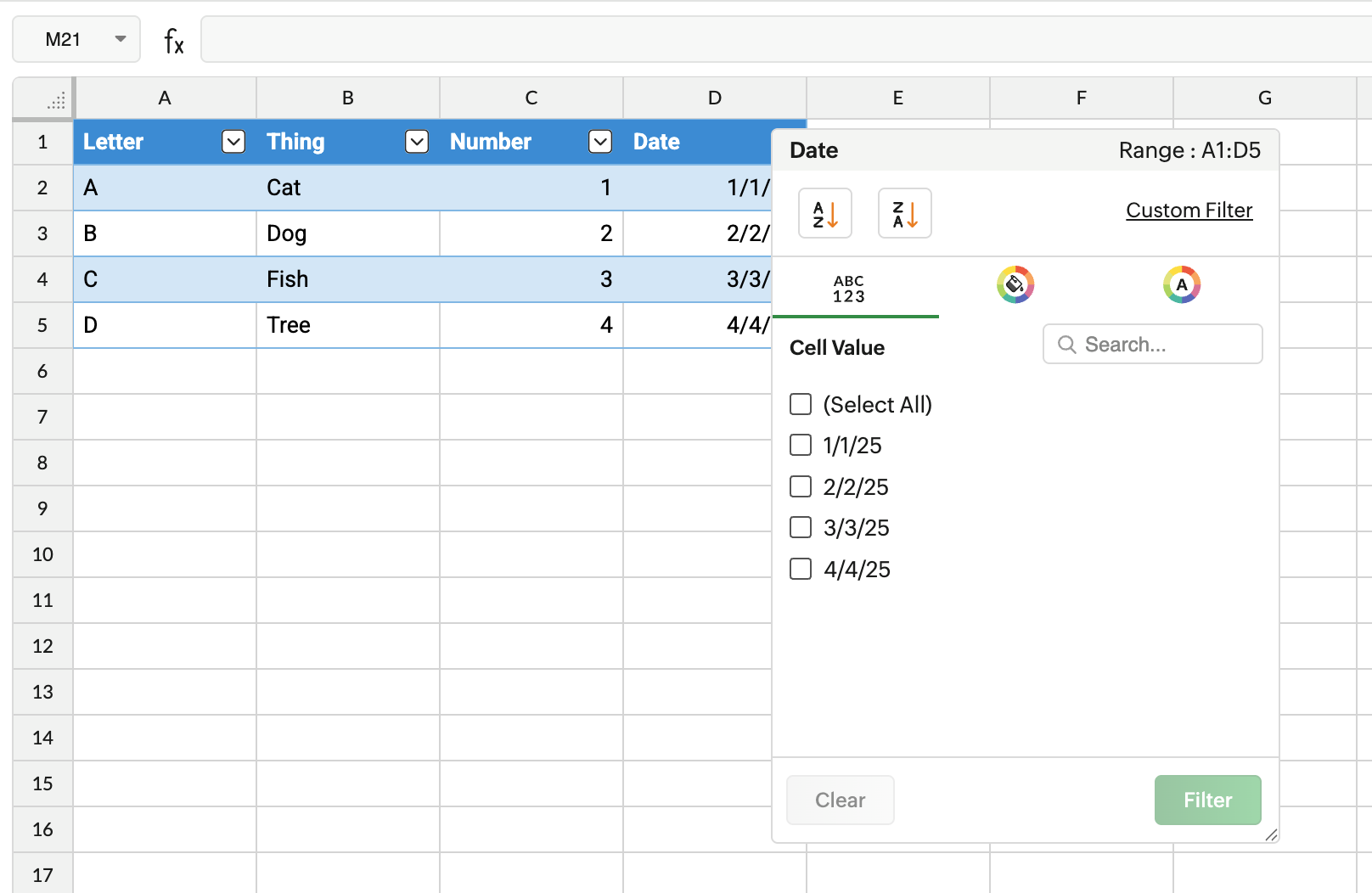
but on iOS the filter dropdowns are not there and there is no way to add them
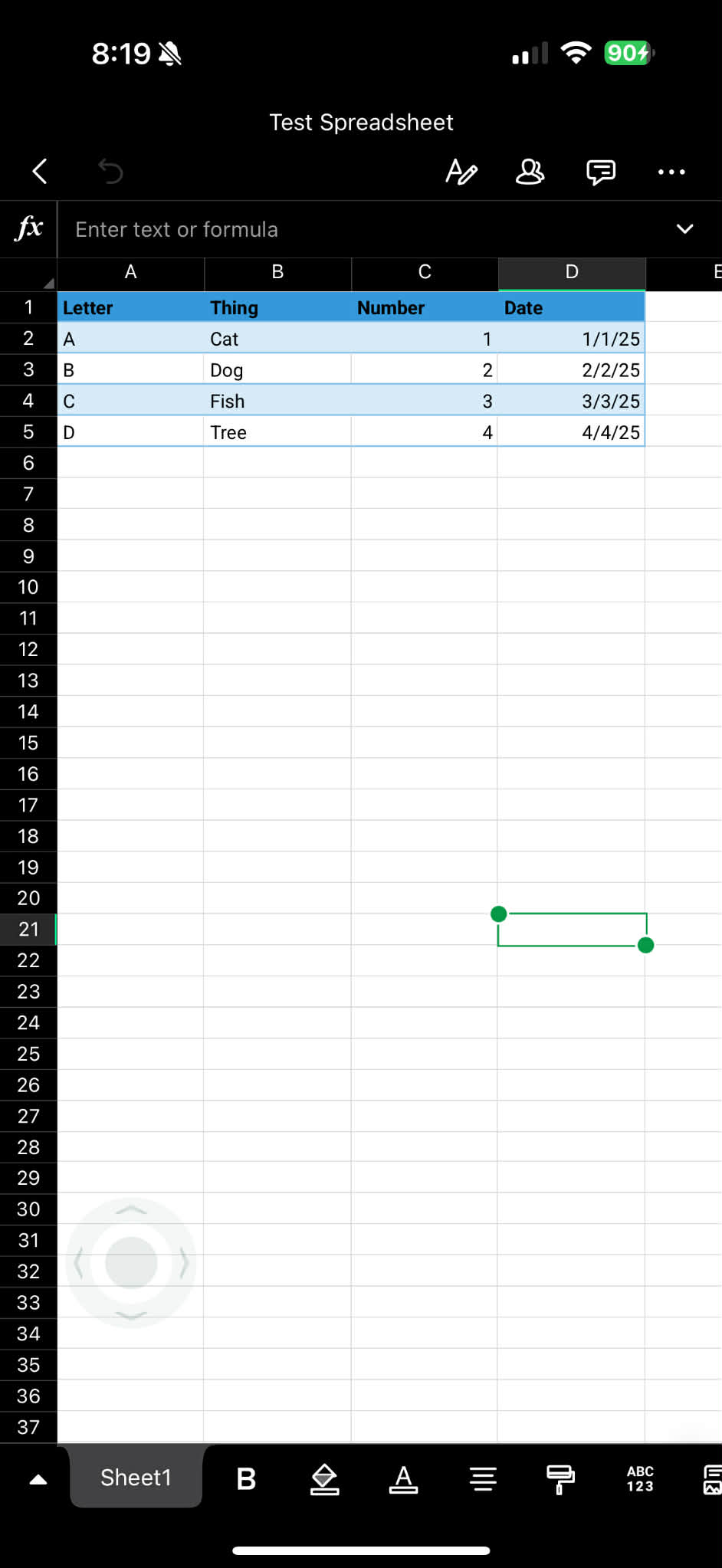
iPadOS looks the same as iOS, but it does have the filter button at the top. however, when I select the row to filter and click on filter button, I get an error: "Please choose a valid range to apply filter."
I've never seen a spreadsheet app not apply a filter to the selected top row of a sheet. I had thought maybe it wasn't working because I was using an imported spreadsheet, but the same happens when I create a new spreadsheet to test. I've tried filtering the whole top row of the sheet, the top row of the table, and nothing works. adding the filter on desktop works, nothing on mobile. I can't even un-filter/show all results on mobile if I've left the sheet filtered from my last use on desktop.
The worst part is these filters USED to work, when I started using Zoho (maybe a year ago now?) and so I transitioned all my files over. And now they're broken.
What can I do to resolve this? Not being able to use the filter function on spreadsheets on mobile defeats the purpose of using mobile apps.