Maintain knowledge base integrity by moderating article comments
Hello everyone,
A knowledge base provides a self-service platform where customers can refer to articles, user manuals, and other resources to learn about the company's products or services and troubleshoot problems. Often, readers leave a comment on the article if they are unable to follow an instruction or require more information on the topic.
This allows the business to identify gaps quickly and update the content for the larger audience to maintain integrity of the knowledge they are sharing.
However, there is often a mix of responses. Even if most are legitimate questions or requests for clarification, sometimes people may post irrelevant comments, spam content, or use inappropriate language which risks harming the business's reputation or even violating regulatory guidelines.
To maintain the quality, relevance, and integrity of the knowledge base, the businesses can set up moderation. Giving businesses the ability to moderate the comments gives them the power to validate what goes public and what does not.

With this enhancement, all comments posted by Help Center users will require review and approval before becoming public.
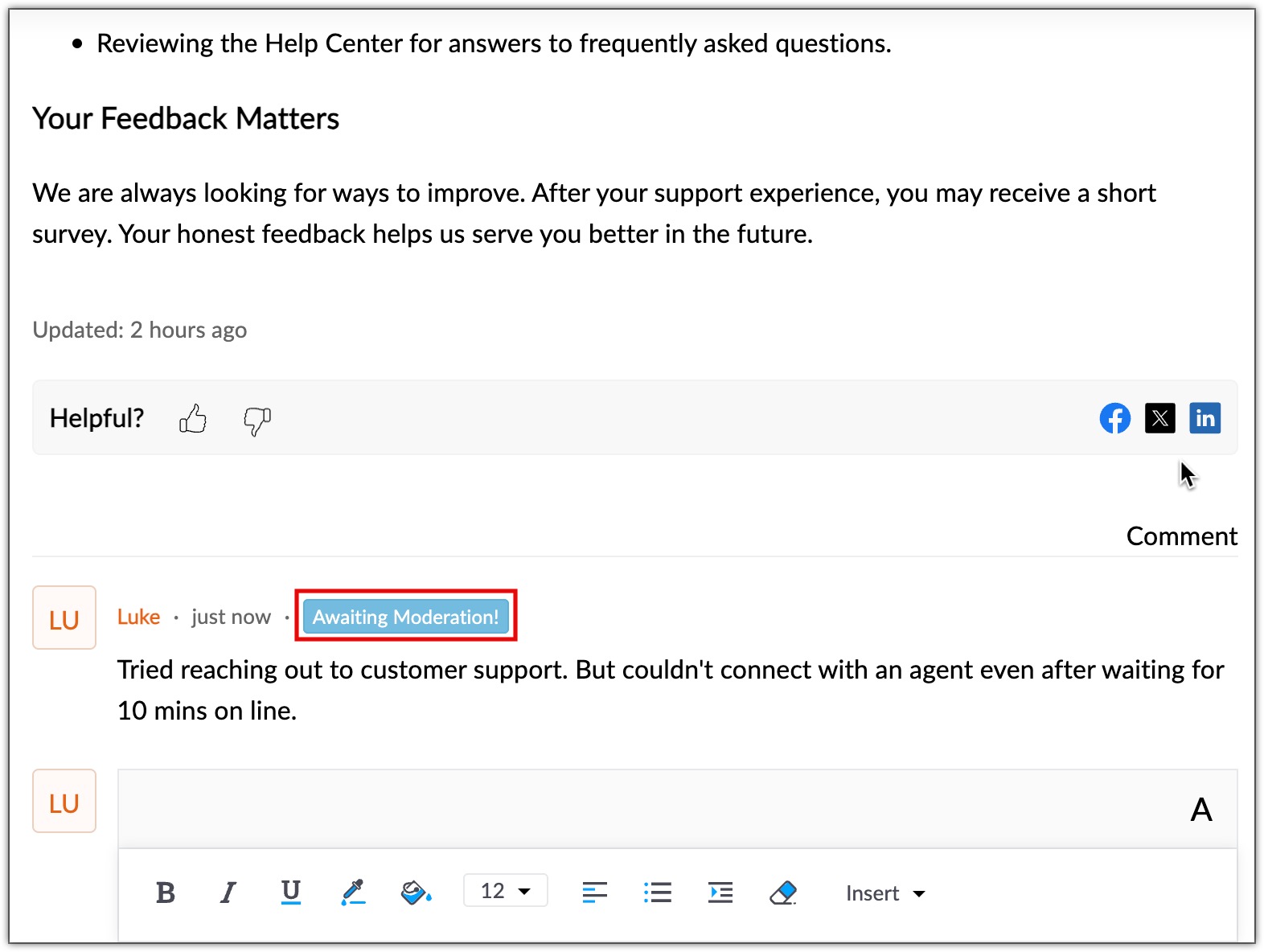
Customize moderation settings
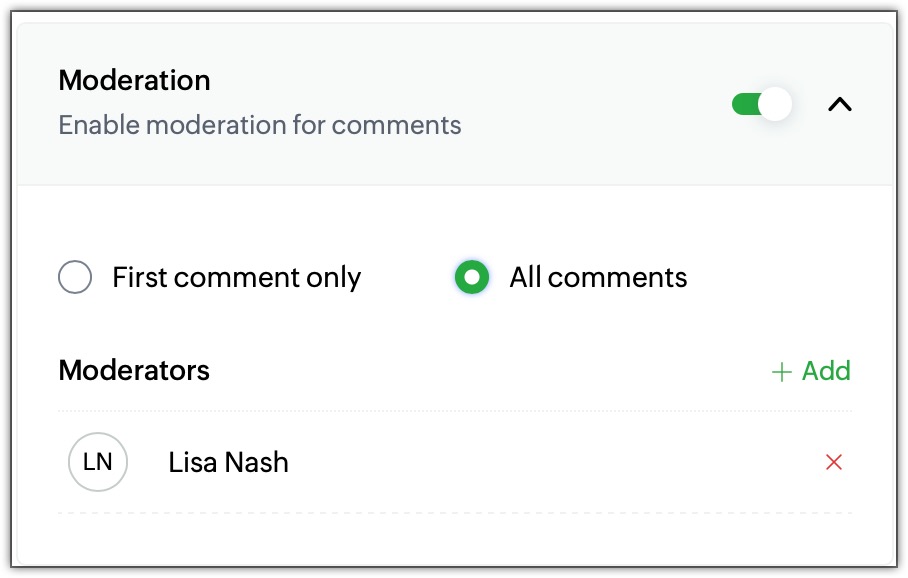
Administrators can configure moderation settings based on their needs. They can choose whether only a user’s first comment requires approval or if all comments should be sent for approval.
The admins can also assign moderators to specific categories, allowing them to review, validate, and approve comments submitted on the articles.
What can moderators do?
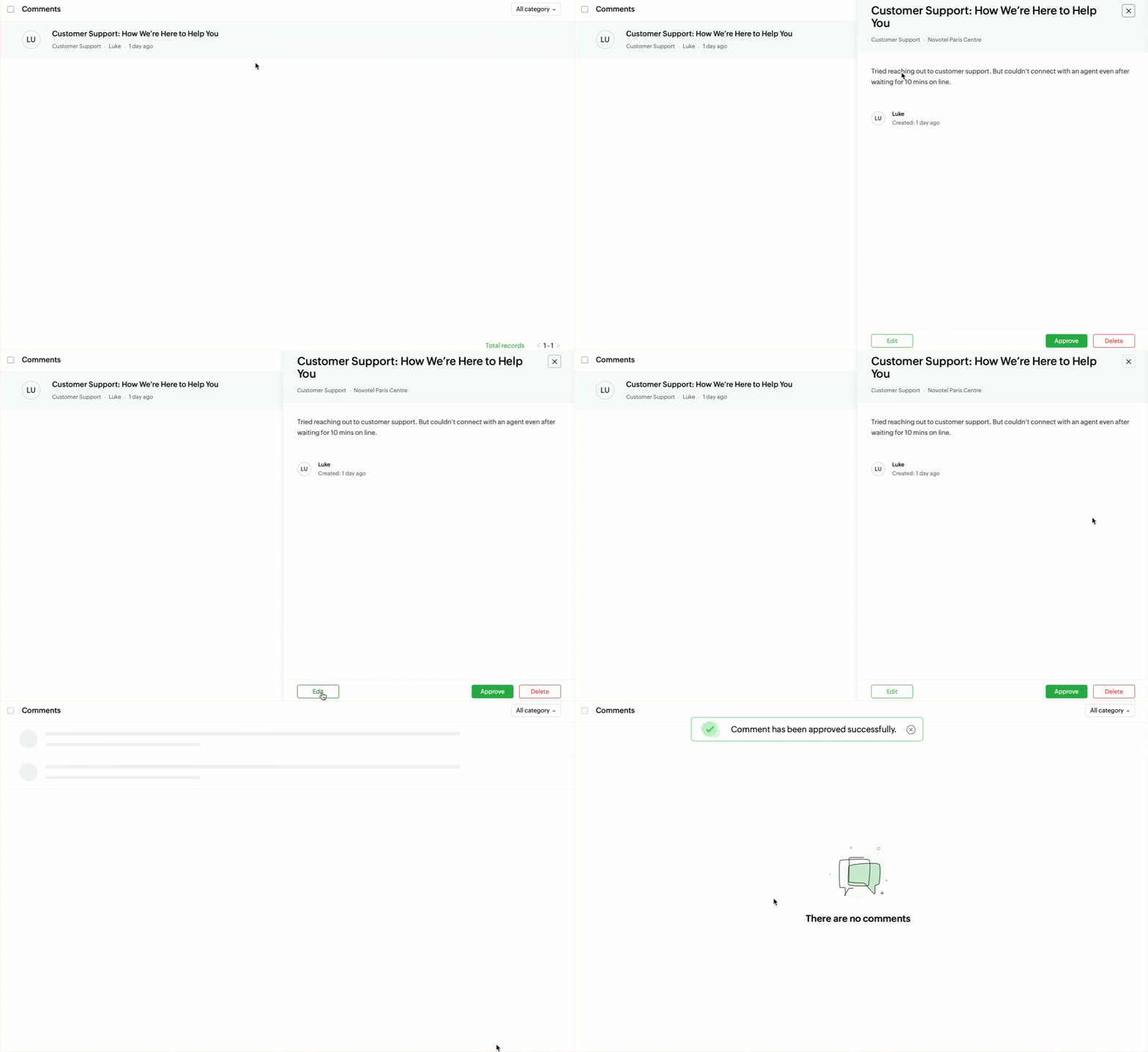
Under the Moderation tab, moderators can perform the following actions:
Waiting Approval – When an end user submits a comment, it is sent for approval. Moderators can review the comment and choose to approve or reject it. Once approved, the comment becomes visible to all users.
Moderated – Admins or moderators can place a user under moderation if they suspect spam activity. Any comment posted by a moderated user will always require approval, regardless of the overall moderation settings.

This update is now available for all users across data centers.
Kindly refer to the help doc: Managing Moderation Settings in the Knowledge Base Module: For Admins and Moderators
PM: @Rajaram Iyyankalai
Regards,
B. Akshaya | Zoho Desk - User Education