Moving merge fields in Writer's merge templates
Hey, community!
Are you struggling to reposition merge fields within your Writer documents? Here’s a handy workaround to help you place them wherever needed.
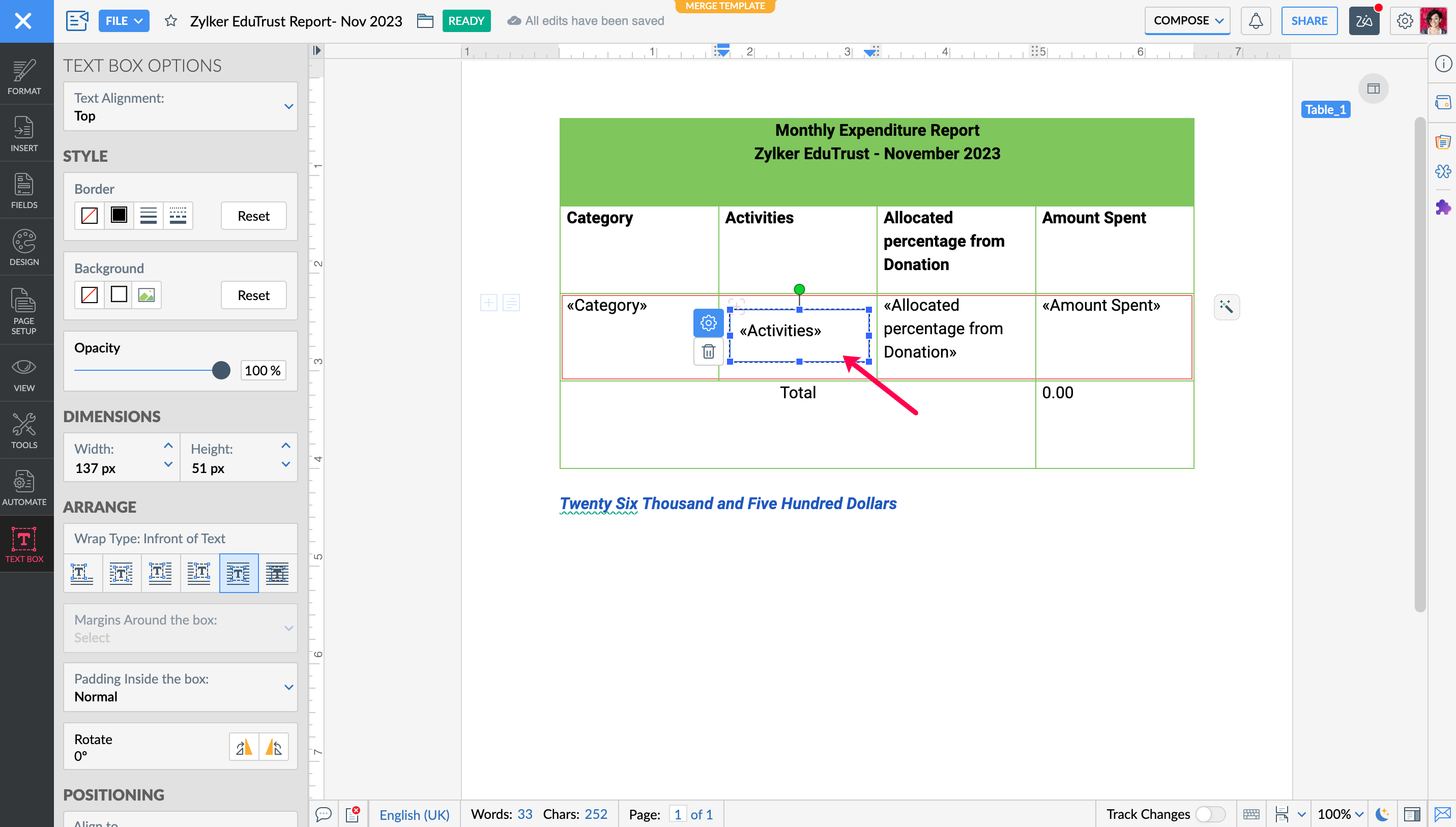
- Insert a text box into your document. Do this by navigating to the Insert menu and selecting Text Box.
- Within the text box, insert your merge field. This can be done by clicking Automate > Fields and then choosing your desired merge field.
- Now that your merge field is within a text box, you can move it around the document. Simply click and drag the text box to the desired location.
Try this out today and hit us up in the comments or write to support@zohowriter.com if you have any questions!
We'll be back with more tips and tricks.
Until then,
Happy writing and automating!