SalesIQ operators will not receive any messages if customers do not answer the Pre-Chat questions in Flow Controls.
Hi Zoho SalesIQ Team,
SalesIQ operators will not receive any messages if customers do not answer the Pre-Chat questions in Flow Controls and continue sending messages without completing the required responses.
The Problem
When a customer initiates a conversation and sends multiple messages, Operators cannot see or receive any of these messages in SalesIQ if the customer fails to complete the initial form fields or Answer AI questions.
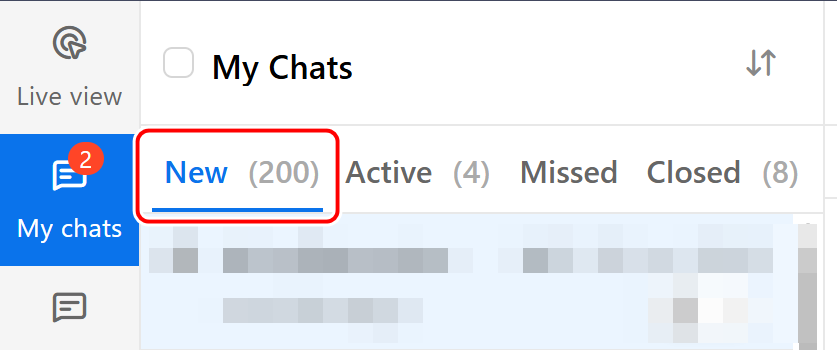
The incoming chat does not appear under SalesIQ > My Chats, causing operators to entirely miss the opportunity to engage with the customer.
This happens when a field in the chat flow has Validate > "Mark this field as mandatory" enabled, and the customer neither answers the question nor clicks "Skip."
Our Current Settings
Forms (Online/Offline Fields):
Validate > "Mark this field as mandatory"is enabled.Chat Notification Settings:
Auto-assign to operator with the least number of chatsis selected.Idle Chat Handling: Set to close chats in 24 hours (now this option cannot be disabled).
Note: This Flow Controls behavior currently affects all connected channels (Web Chat, LINE, WhatApp).
Expected
The ideal solution would be:
- New Toggle Option: Provide an enable/disable option that allows incoming customer messages to be routed and displayed to operators immediately, without forcing the customer to complete mandatory form fields or AI questions first.
- While the chat is still in “New Tab”, before it becomes “Active” or is accepted by an operator?
Example when a customer sends a message, the conversation should instantly appear in My Chats > New (or Unassigned). Meanwhile, the AI can continue its process in the background (e.g., asking for a phone number or email). And operators can accept immediately. - Even if the customer does not respond to the AI or answer the workflow questions form, operators should still be able to manually accept the chat.
- Can this be resolved using a SalesIQ workflow script?