Simplify Mass Replies with Predefined Templates and Snippets
Hello everyone,
We are happy to introduce a new enhancement to Mass Reply that helps agents respond to customers quickly and consistently. With the addition of Email Templates and Snippets in the reply window, agents can use predefined messages while replying to multiple tickets at once. This eliminates repetitive typing, reduces errors, and ensures that communication stays clear and consistent.
Whether you send reminders, updates or standard follow-up messages, this enhancement allows to insert pre written content directly into the email editor, saving time and improving the quality of responses.
What's new in Mass Reply?
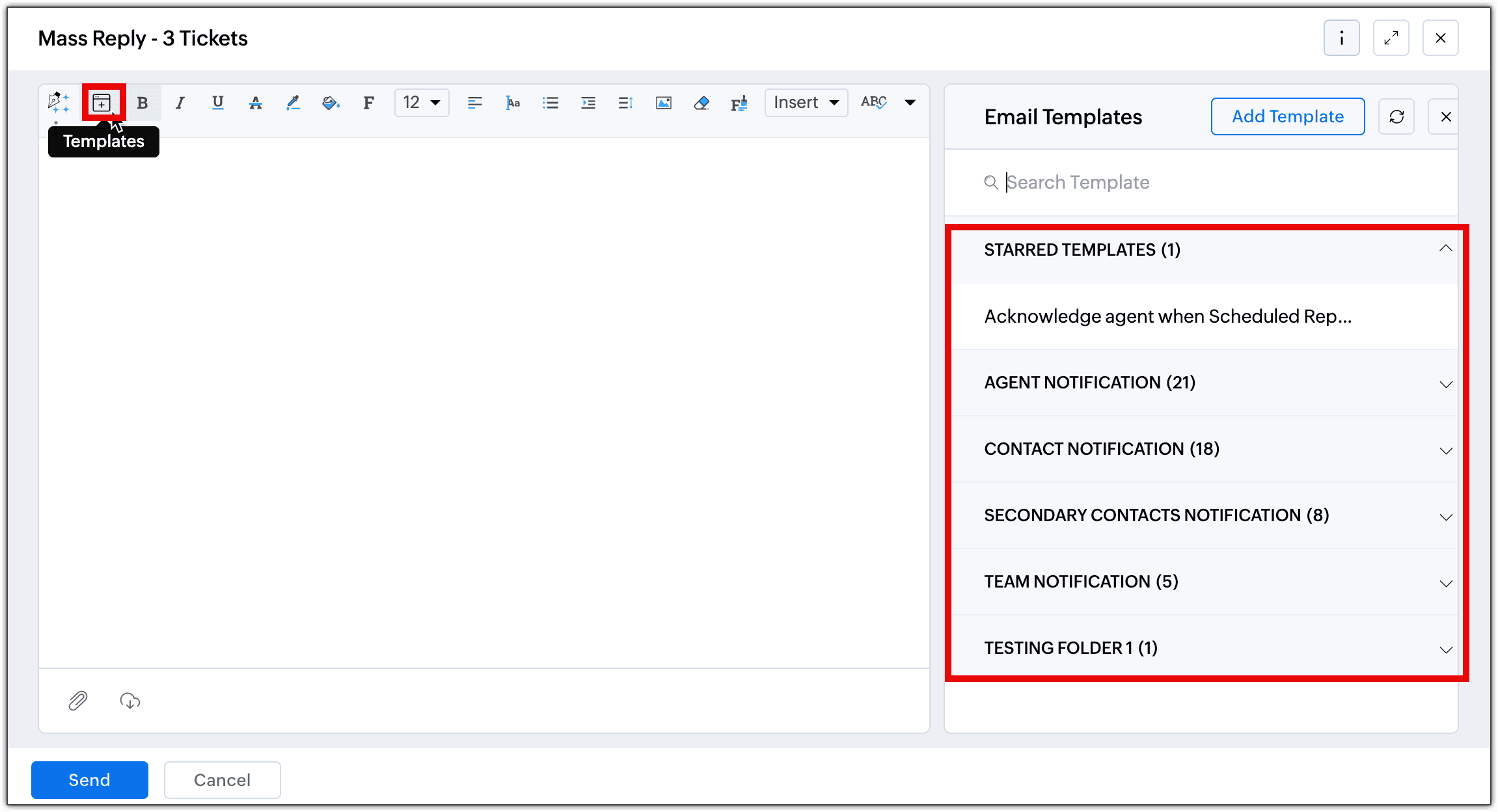
Agents can now access Templates and Snippets directly from the Mass Reply editor. When responding to selected tickets, clicking the Reply button opens the email window with:
- Templates: All the available templates are listed down. Agents can select one and insert it into the message.
- Snippets: Agents can view all the snippets created by them and shared with them and use it while sending a mass response.

Once the desired content is inserted, the content can be reviewed and sent in one go.
Kindly refer to the help doc: Using email template and snippets in Mass reply for more information.
This feature is now available to users of Professional and Enterprise editions across DCs.
Product Manager: @Sumaya Howth
Regards,
Ramya Ajith | Zoho Desk - User Education