Tip #82 – Let Zia Answer Bot Handle the Questions So You Can Focus on the Fix – 'Insider Insights'
Tip #82 – Let Zia Answer Bot Handle the Questions So You Can Focus on the Fix – 'Insider Insights'
Hello Zoho Assist Community!
Imagine you're in the middle of a critical remote session. The customer, a project manager at a mid-sized firm, has been locked out of a key application right before an important deadline. You've seen this issue before and you know the fix is documented somewhere in your knowledge base, but finding the right article means switching tabs, searching, skimming through multiple documents, and coming back to the session. The customer is watching the clock. Every second of silence feels longer than it is.
Now multiply that across your entire support team. Ten technicians, each handling multiple sessions a day, all pausing mid-session to dig through the same articles for the same recurring questions. The time lost adds up, and so does the frustration on both ends of the session.
That's where Zia Answer Bot comes in.
What is Zia Answer Bot?
Answer Bot is an AI-powered assistant built into Zoho Assist that supports technicians during live remote support sessions. It works by indexing your organization's Knowledge Base articles and using them to deliver instant, accurate answers to technician queries, right when they need them, without leaving the session. The result: faster resolutions, fewer interruptions, and technicians freed up to focus on what actually needs their attention.
Getting started
Setting up Answer Bot is straightforward. Once configured by a super admin or admin, you upload your Knowledge Base articles to train the bot, activate it for the department, and it's ready to use. Every session created under that department will have Answer Bot available from the moment it goes live.
Using it during a session
Once active, click Answer Bot from the top menu bar during a live session, type your question, and get an instant response drawn from your indexed knowledge base.
Here's what that looks like in practice: a technician mid-session encounters a VPN configuration error they've resolved before. Instead of pausing to search through documentation, they type the issue into Answer Bot and get the relevant steps instantly, without breaking the flow of the session. The customer gets a faster resolution, and the technician stays focused on the task at hand.
Over time, this adds up. Repetitive queries get handled in seconds, response times improve, and technicians can dedicate their attention to the complex issues that genuinely need hands-on troubleshooting.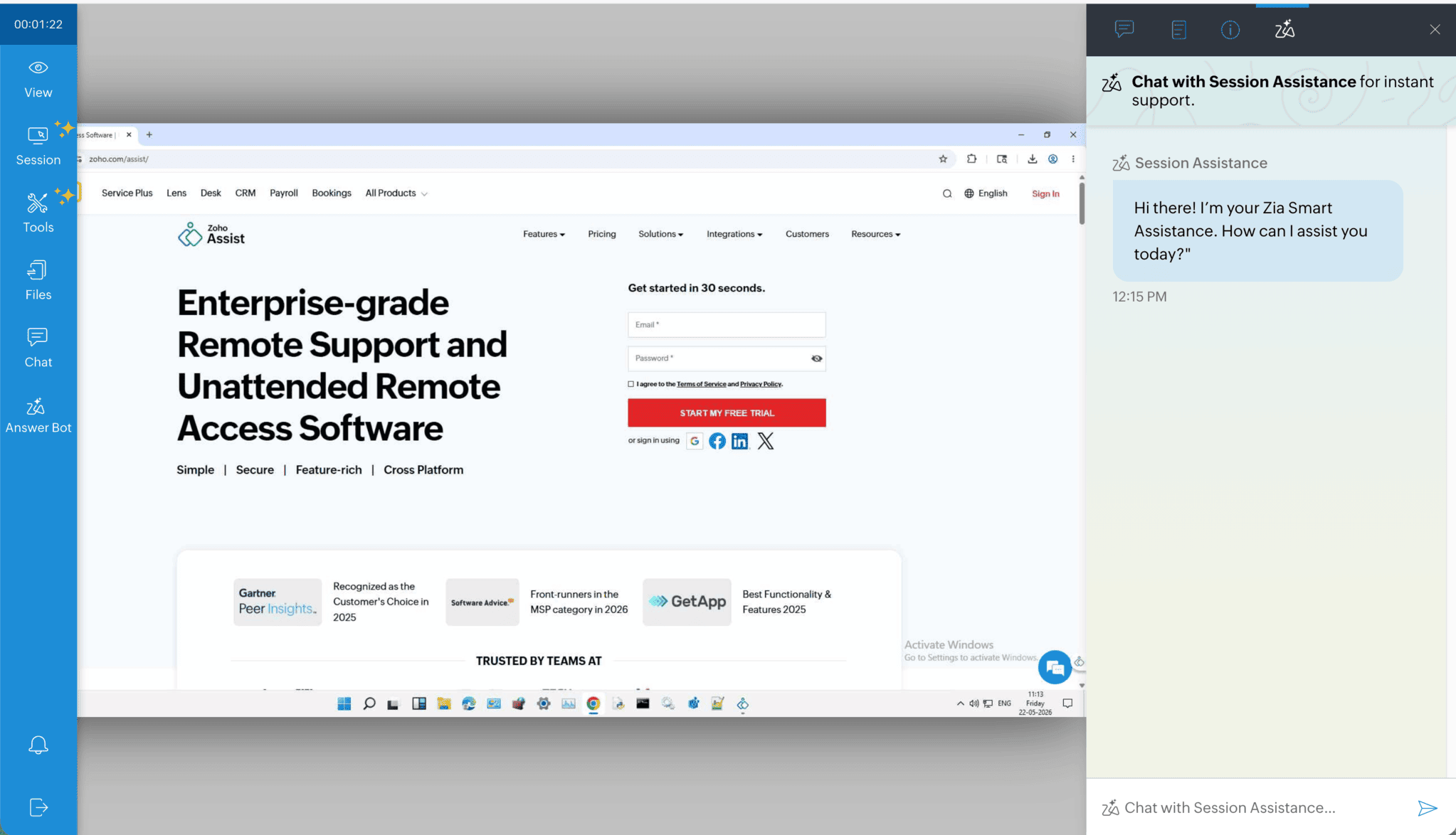
Note:
Answer Bot supports English only.
Accepted formats: .doc, .docx, .pdf, and .txt (max 10 MB per file).
The more well-maintained your KB articles, the better the bot performs.
Use tags to organize articles. Unused tags are deleted automatically.
Article names can be edited, and outdated articles can be deleted anytime.
Have you set up Zia Answer Bot yet? We'd love to hear how it's working for your team. Drop your experience in the comments below!
For help or questions, reach out to us at support@zohoassist.com. We're always happy to help!