Bonjour à tous,
Comme vous le savez, Zoho cherche en permanence à vous proposer des logiciels complets et au plus proche de vos attentes. C'est pourquoi toute l'équipe Zoho Desk est fière de vous présenter la nouvelle version de votre logiciel de service client, pleine d'améliorations et de nouveautés pour vous permettre de proposer le meilleur suivi client possible ! Découvrez ci dessous la liste de nos nouveautés :
Messagerie instantanée
La plateforme de messagerie instantanée de Zoho Desk permet aux clients de joindre votre entreprise via WhatsApp, Telegram, LINE et WeChat.
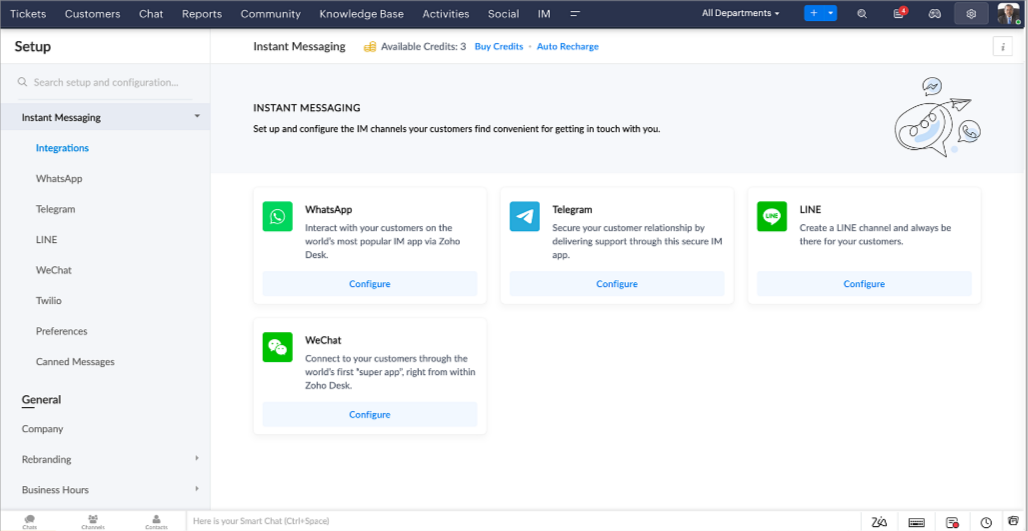
Zoho Desk vous avertit des chats entrants en temps réel afin que vous puissiez vous connecter avec les clients à partir de l'interface. Dans ce même temps, vous pouvez :
- Suivre le contact du client, les informations du ticket, l'historique des conversations inter-canaux et les détails de la pièce jointe dans la fenêtre de chat du client pour un contexte immédiat.
- Accéder et joindre des articles de la base de connaissances directement depuis la section de saisie, utiliser des réponses prédéfinies et ajouter des émojis.
- Participez à plusieurs chats simultanément sur plusieurs canaux sans changer d'onglet.
- Attribuez des conversations à vos coéquipiers.
- Convertissez les conversations en tickets pour un suivi simplifié
Et pour les fans d'automatisation, pas de panique ! Les flux de travail, les Blueprints, les règles d'affectation et les accords sur le niveau de service, sont aussi applicables pour les tickets créés à partir de la messagerie instantanée. Il est également possible de définir des réponses automatiques lorsque vous êtes absent.
Vous pouvez faire en sorte que les clients puissent vous contacter facilement en installant des QR codes dans vos magasins ou en intégrant notre bouton "Contactez-nous", sur votre site web. Ils peuvent même vous joindre par le biais d'une recherche directe d'entreprise sur une plateforme de messagerie instantanée comme Telegram.
Conversations guidées et mixtes
Comme vous le savez, la plupart des questions n'ont pas de réponses simples. Elles nécessitent souvent un suivi, et beaucoup de contexte, avant de trouver une solution. C'est là que les conversations guidées interviennent : une plateforme de libre-service proactive, en low code, qui simplifie la résolution des questions complexes de vos clients.
Choisissez parmi une série de questions ou de réponses prédéfinies pour créer un flux et guider les clients, et à tout moment, vous pouvez les diriger vers une interaction humaine. Cette mixité entre les bots et agents du service client permet une grande flexibilité et augmente le nombre de tickets résolus.
Voici comment nous avons utilisé les conversations guidées pour Zoholics (notre conférence annuelle d'utilisateurs) :
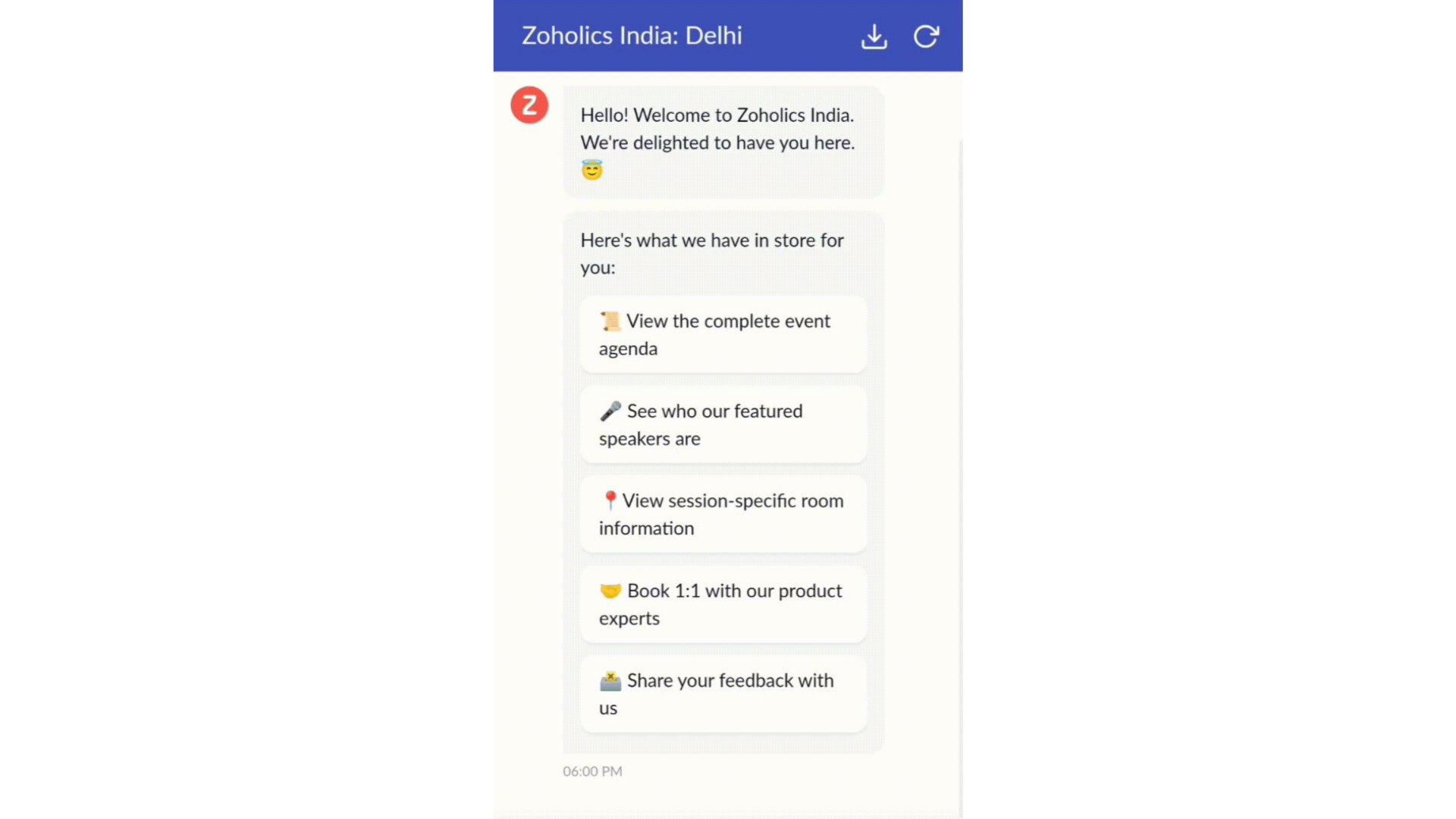
- Constructeur par glisser-déposer
Construisez votre flux de conversations guidées à l'aide de blocs de réponse, tels que du texte, des images, une devise, une date et une heure ... Pour construire ce flux, il suffit de glisser-déposer des blocs, d'ajouter des variables ou des espaces dynamiques, et de connecter ces blocs pour créer un chemin d'étapes.
- Des Webhooks pour une intégration transparente
En configurant les blocs de Webhooks, vous pouvez construire votre flux de conversation pour interagir avec les processus de Zoho Desk, mais aussi d'autres services Zoho ou des applications tierces. Par exemple, si l'utilisateur est déjà votre contact, le bloc Webhook récupérera ses informations directement dans votre CRM, plutôt que de lui demander de les fournir à chaque fois.
Vous pouvez enfin prévisualiser et mettre en œuvre votre flux final en l'associant à votre centre d'aide ASAP sur votre site web, vos pages de renvoi et vos applications mobiles.
Une expérience améliorée
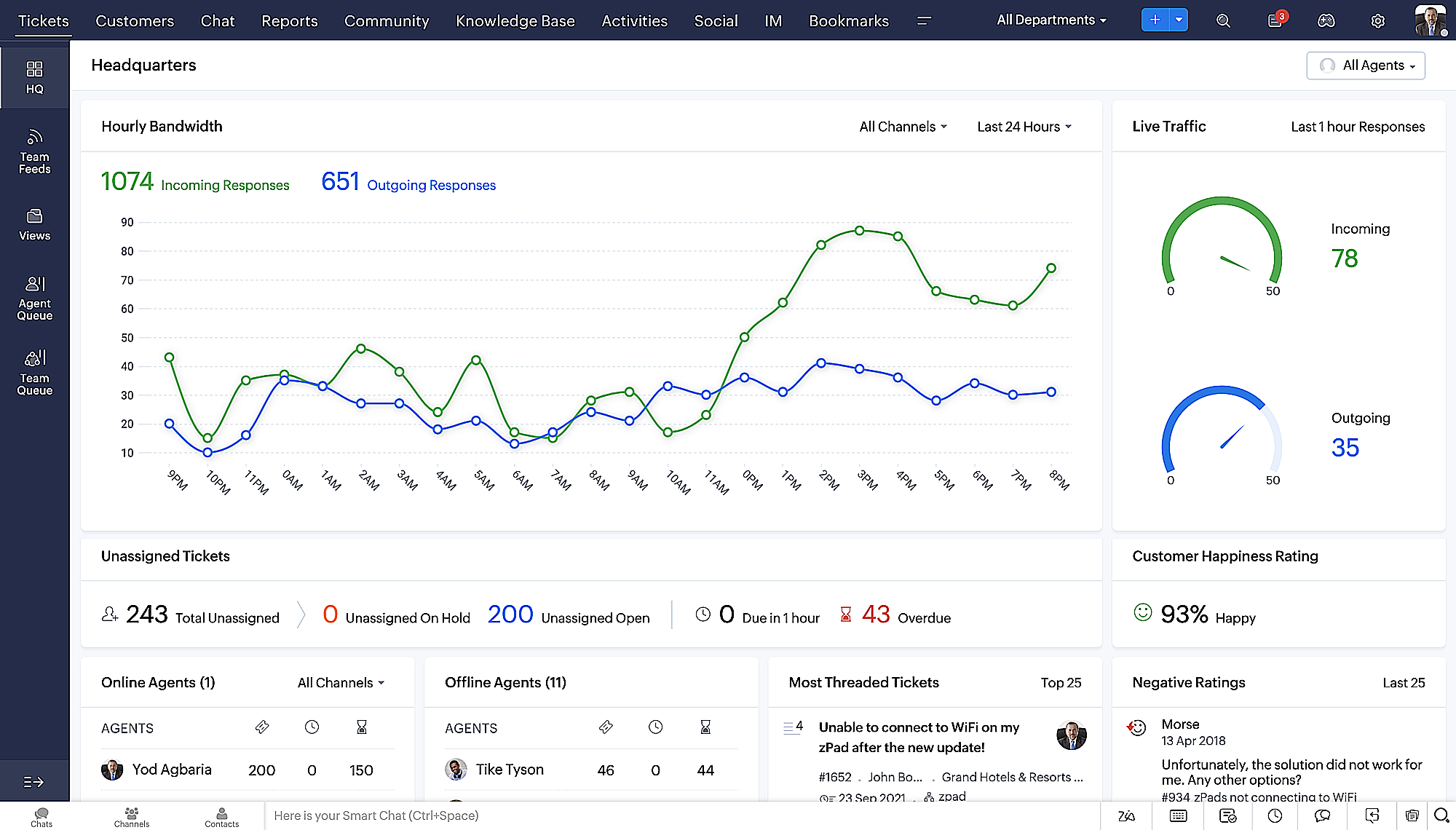
On ne saurait trop insister sur l'importance pour les équipes de support client d'avoir un accès rapide aux informations clients. Nous avons donc optimisé notre interface utilisateur et facilité la navigation entre les différents écrans pour faciliter cette recherche. Nous avons également revu certaines mises en page pour vous donner une image globale de vos clients et de vos tickets sur une interface unique.
- Une vue d'ensemble, avec une disposition des données plus poussée et une apparence générale remaniée
- Vue détaillée des tickets avec des fils de discussion par code couleur pour une navigation plus facile entre les conversations et les commentaires
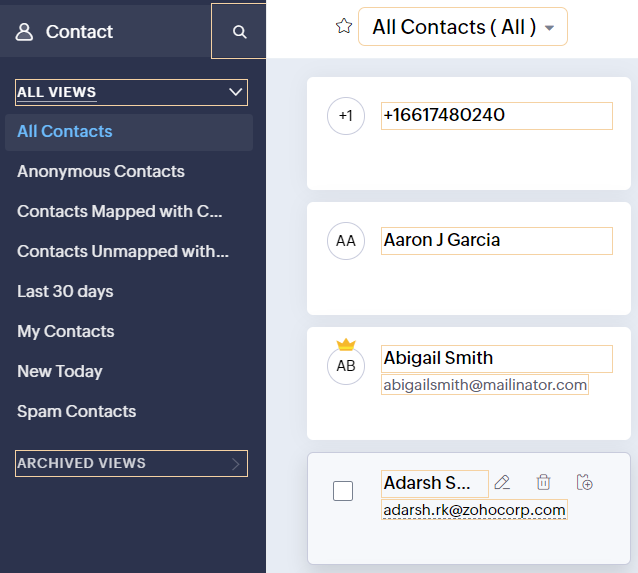
- Vue détaillée des contacts avec boutons d'ajout rapide, section des tickets en attente et aperçu des tickets
- Vue de la file d'attente des tickets avec des options de menu déroulant, pour donner des mises à jour sans ouvrir la vue détaillée des tickets
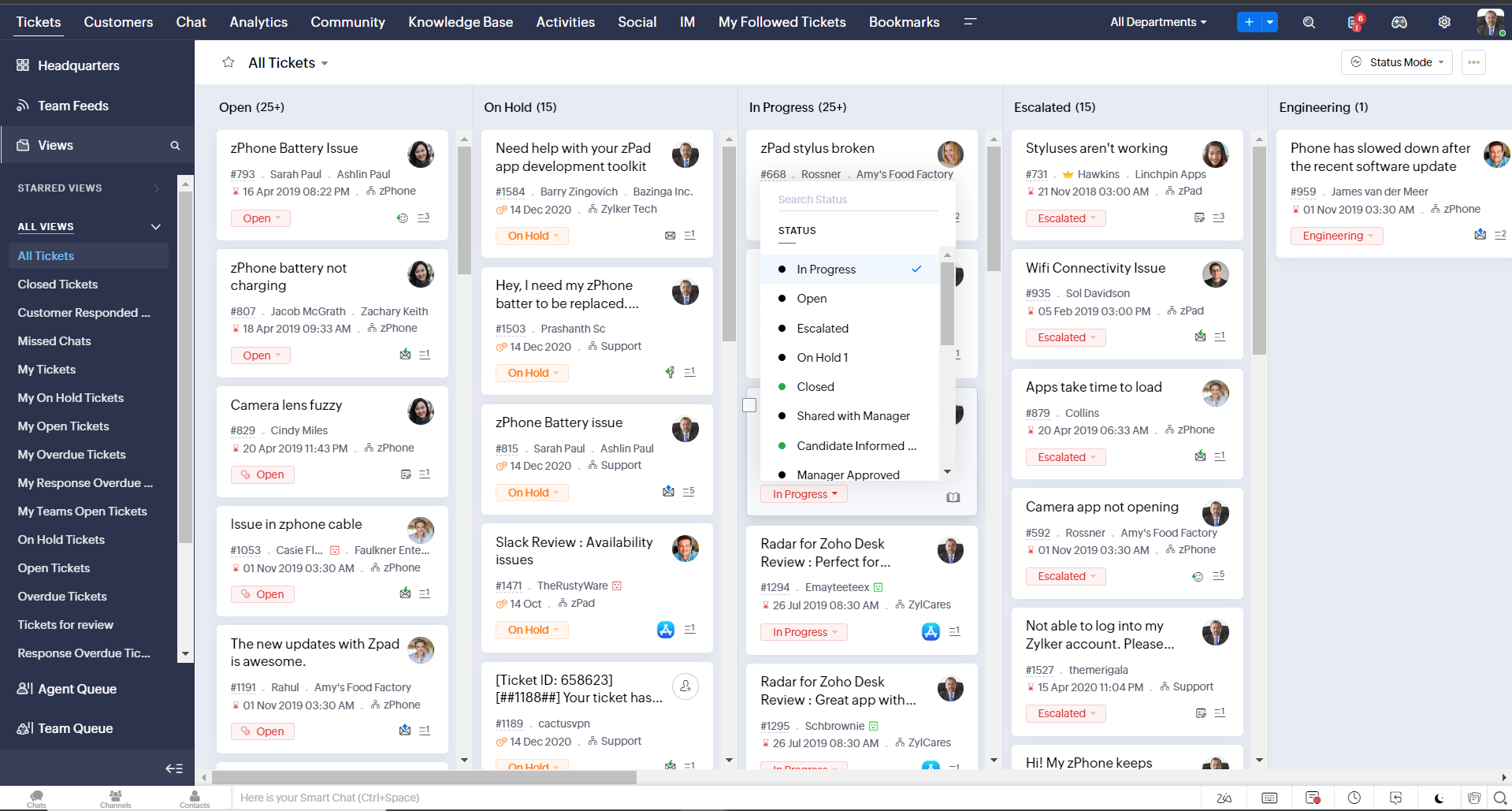
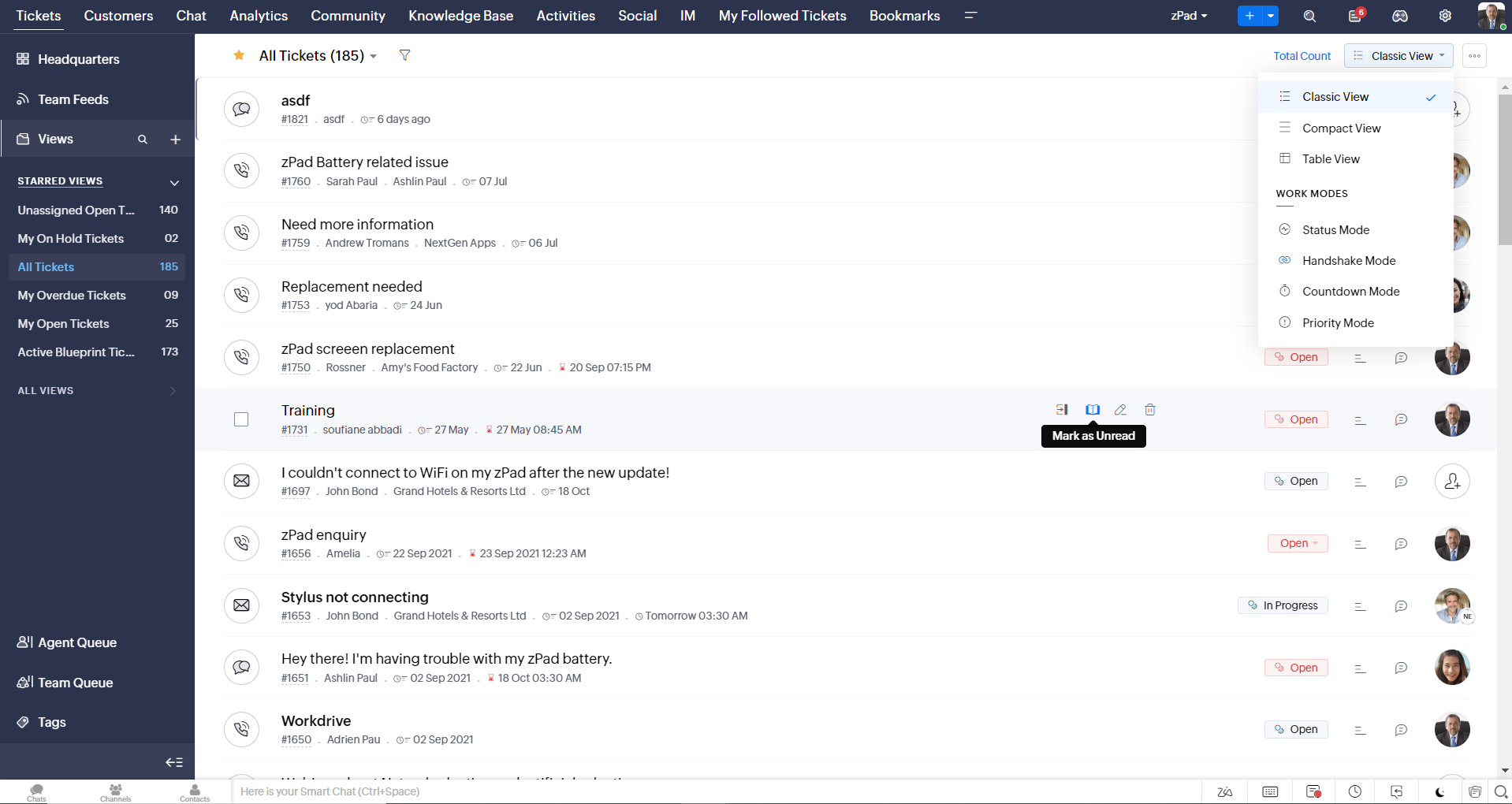
- Une nouvelle option "marquer comme lu/non lu" dans la vue de la liste des tickets, et une liste déroulante consolidée des modes de travail dans le module des tickets
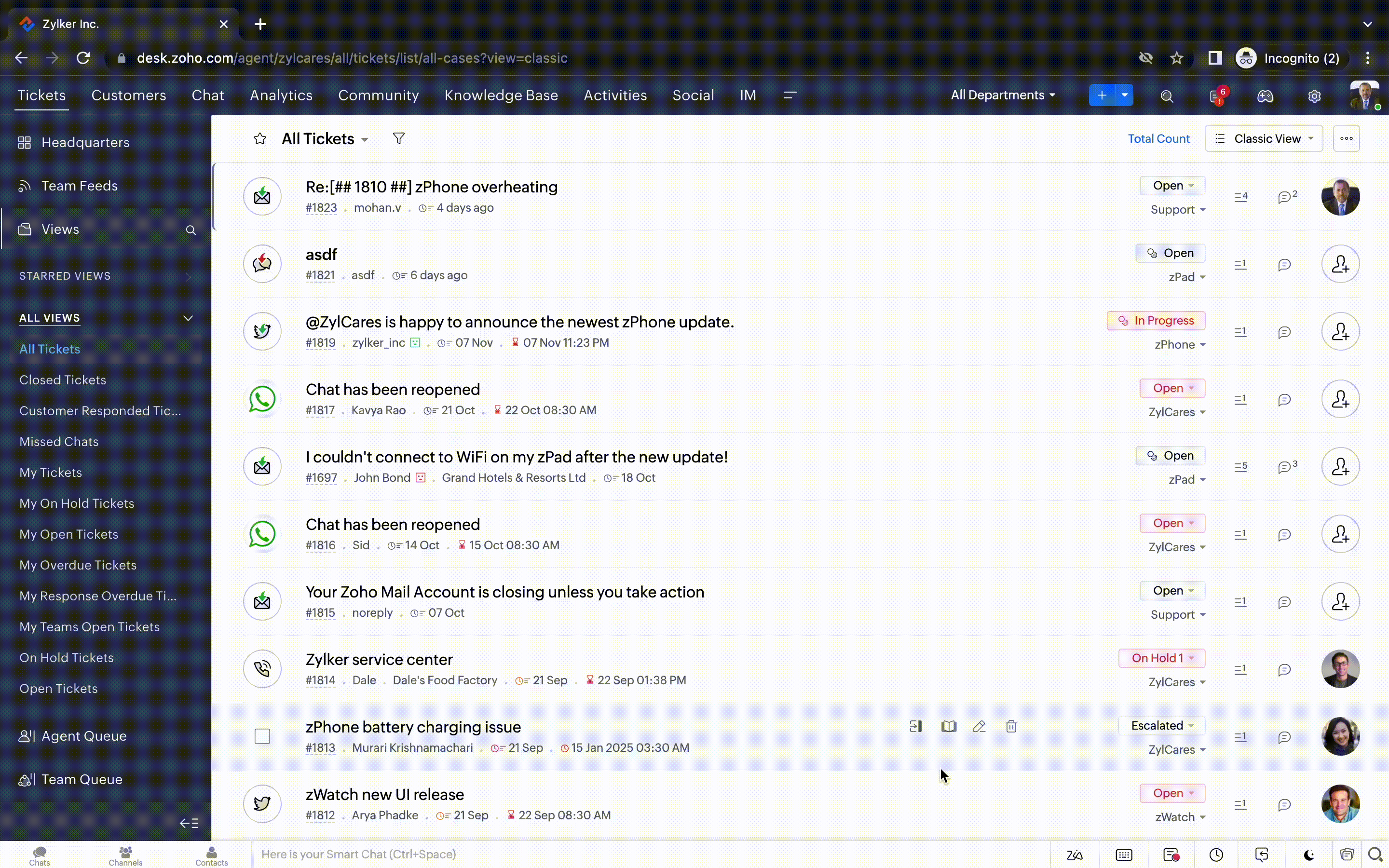
- Défilement infini pour un repérage plus rapide des tickets et ne pas se perdre entre des dizaines de pages
Nouvelles options de personnalisation pour les utilisateurs :
- Mode sombre pour une expérience de visualisation et de lecture confortable
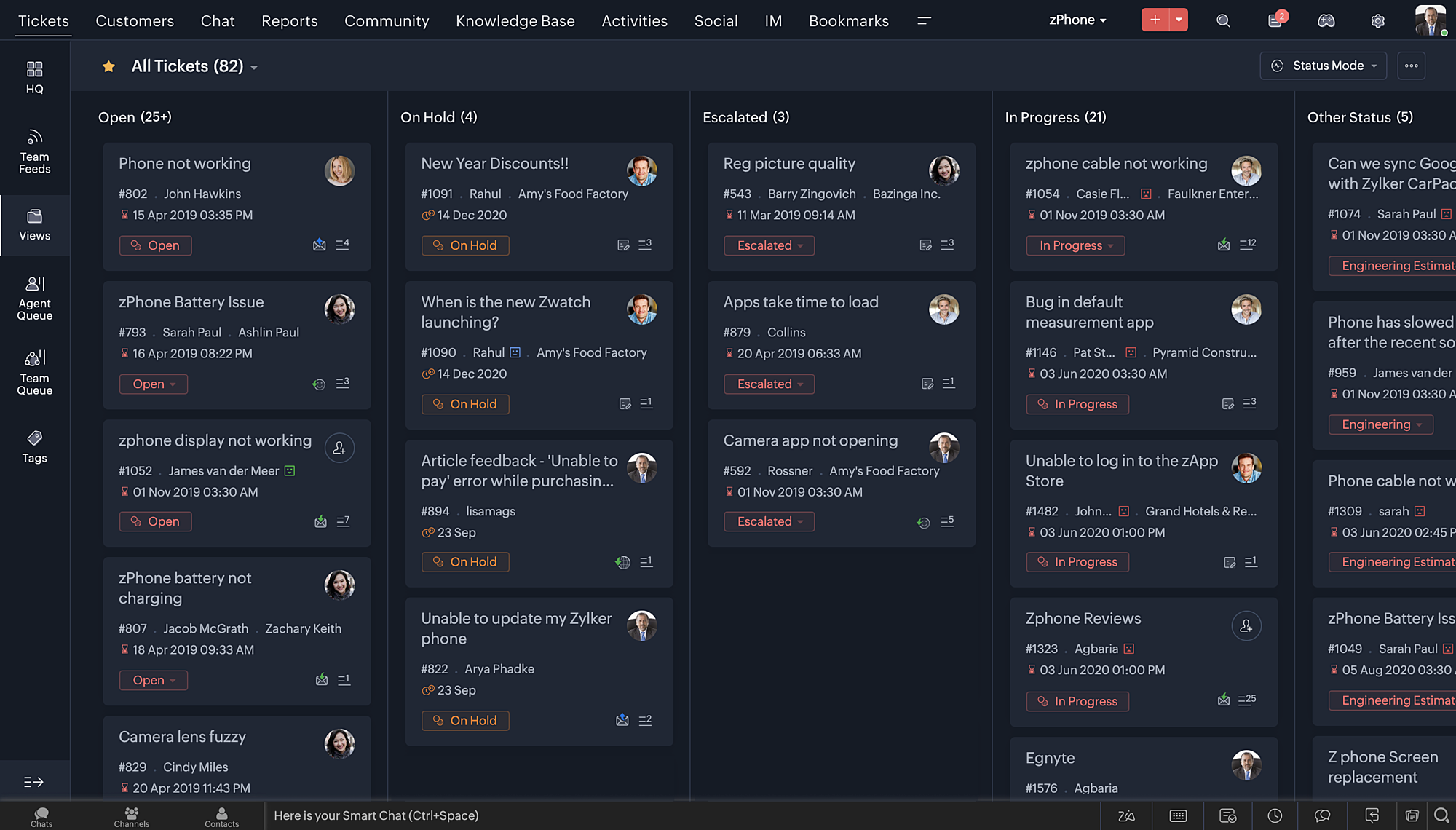
- De nouveaux thèmes pour visualiser votre bureau dans votre couleur préférée
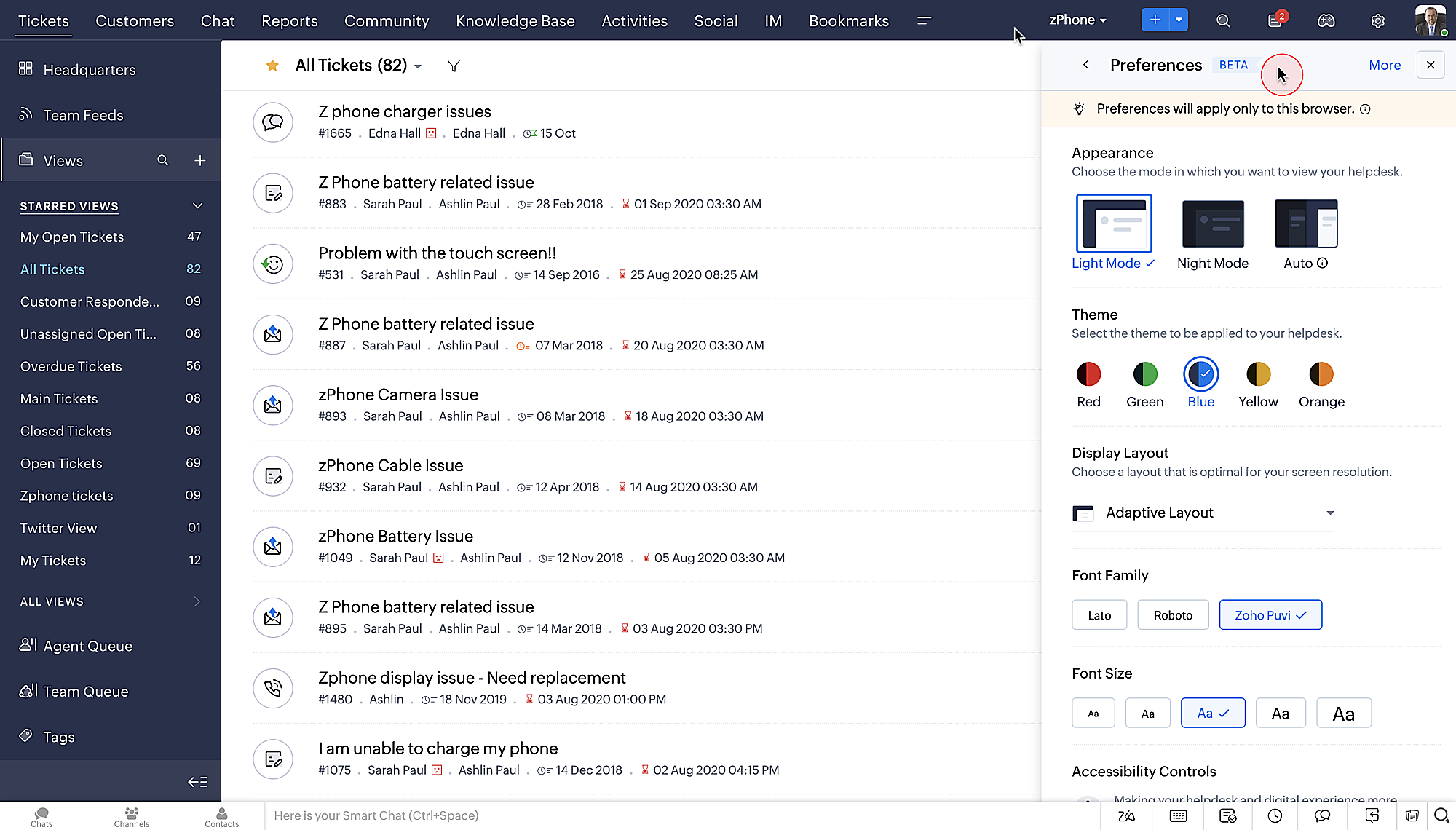
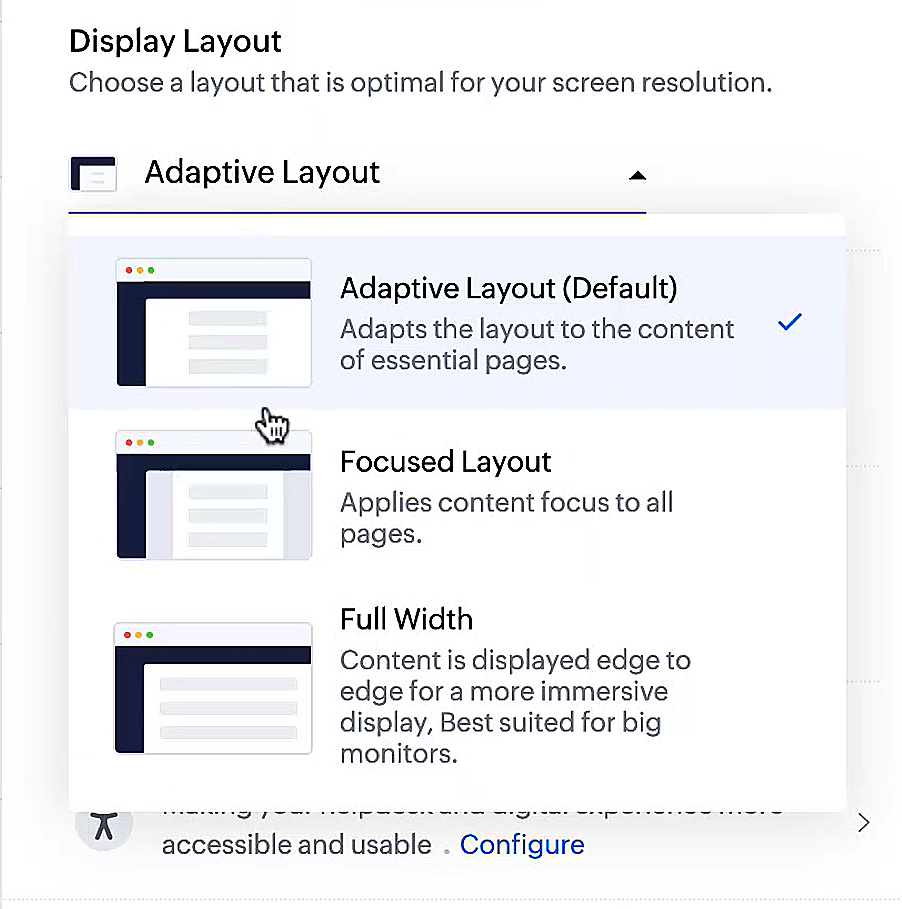
- Des mises en page d'affichage qui vous permettent de choisir la façon dont votre contenu vous est présenté.
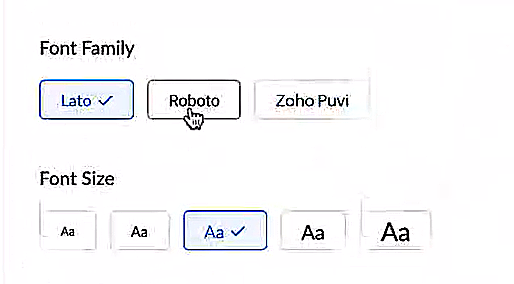
- De nouveaux types et tailles de police pour que votre texte corresponde exactement à vos préférences.
Une plus grande accessibilité
Nous avons ajouté plusieurs options pour répondre à vos besoins en matière de vision, de motricité et d'apprentissage pour proposer un outil adapté à tous. Mettre en évidence les informations essentielles comme l'ID et/ou le propriétaire du ticket et les détails de contact dans une couleur différente.
- Souligner les liens pour augmenter la visibilité de ceux qui sont cliquables.
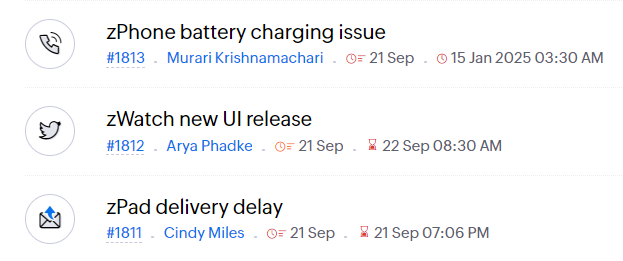
- Souligner la zone d'intérêt et le lien pour les mettre en avant
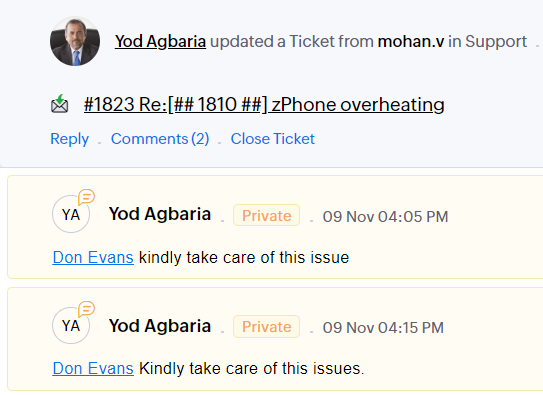
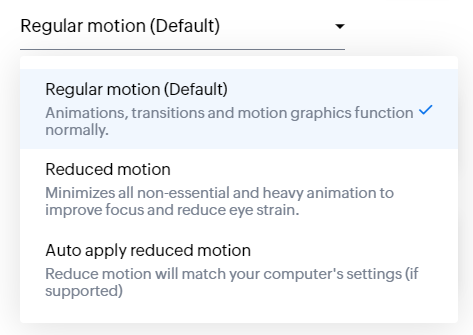
- Les "contrôles d'animation" optimisent les animations et les transitions dans l'ensemble de votre service d'assistance
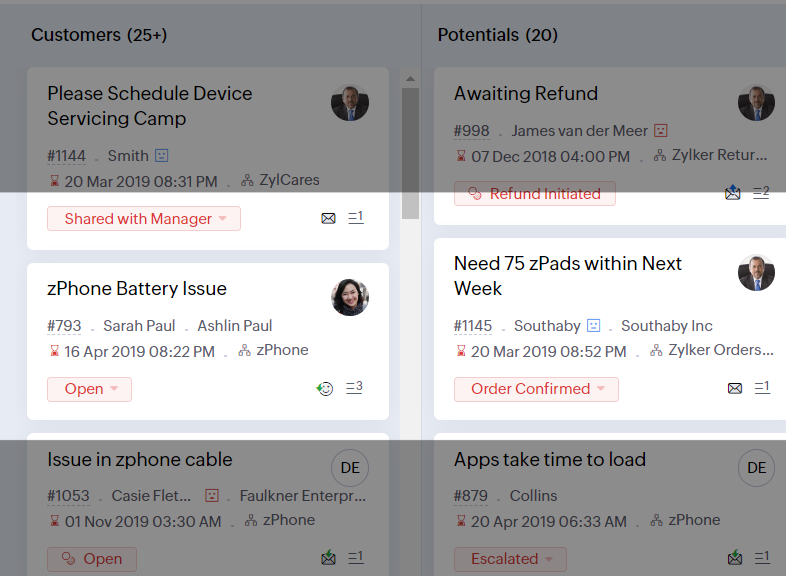
- Reading Mask élimine les distractions en masquant le texte que vous n'êtes pas en train de lire
- Il est également possible de zoomer sur un contenu et d'ajuster la taille de la police pour que la page soit facile à lire
Avec toutes les nouvelles fonctionnalités de l'édition Zoho Desk 2023, les entreprises ont maintenant plus de pouvoir pour rendre à la fois leurs agents et clients plus heureux.
Nous aimerions savoir ce que vous pensez de ces nouvelles fonctionnalités ! Partagez vos réactions dans nos commentaires ou sur les réseaux sociaux. Nouveau sur Zoho Desk ? Vous pouvez vous inscrire à l'essai gratuit
ici.
Recent Topics
The Social Playbook - January edition: Getting started with content creation
Social media isn’t just about posting some random content. It’s about why certain content works, how brands stand out, and what makes people pause mid-scroll. The Social Playbook is a monthly community series where we break all of that down. Through real
Peppol: Accept Bill (Belgium)
Hi, This topic might help you if you're facing the same in Belgium. We are facing an issue while accepting a supplier bill received by Peppol in Zoho Books. There is a popup with an error message: This bill acceptance could not be completed, so it was
Import Error: Empty values for mandatory fields - Closing Date
Hello, I've tried multiple times to import a CVS Potential list from another Zoho account. But the error message I get is: Empty values for mandatory fields - Closing Date There are valid dates in this field, so I don't understand why this error messages
Adding custom "lookup" fields in Zoho Customization
How can I add a second “lookup” field in Zoho? I’m trying to create another lookup that pulls from my Contacts, but the option doesn’t appear in the module customization sidebar. In many cases, a single work order involves multiple contacts. Ideally,
Special characters (like â, â, æ) breaking when input in a field (encoding issue)
Hey everyone, We are currently dealing with a probably encoding issue when we populate a field (mostly but not exclusively, 'Last Name' for Leads and Contracts). If the user manually inputs special characters (like ä, â, á etc.) from Scandinavian languages,
Welcome to the Zoho ERP Community Forum
Hello everyone, We are thrilled to launch Zoho ERP (India edition), a software to manage your business operations from end to end. We’ve created this community forum as a space for you to ask questions, comment answers, provide feedback, and share your
Customizable UI components in pages | Theme builder
Anyone know when these roadmap items are scheduled for release? They were originally scheduled for Q4 2025. https://www.zoho.com/creator/product-roadmap.html
Feature Requests - Contact Coloured Picklist Visibility & Field Visibility During Ticket Creation
Hi Desk Team, I have 2 feature requests for you. Since Coloured Picklists are now available in Desk, It would be great if the colours were visible on the Related Details (Contact Information) when creating a ticket. In the screenshot below, I have 2 fields
How to integrate XML with Zoho CRM
Hi, I have an eCom service provider that gives me a dynamic XML that contains order information, clients, shipments... The XML link is the only thing I have. No Oath or key, No API get... I want to integrate it into Zoho CRM. I am not a developer nor
Feature Request - Ability to Customise Contact Info Card on Ticket Details View
Hi Desk Team, I've added a "Contact Priority" and "Account Prioirty" field and it would be very useful to agents if they could see that information in the Contact Info card on the Ticket Details view. It would be great if we could choose some fields to
Tax in Quote
Each row item in a quote has a tax value. At the total numbers at the bottom, there is also a Tax entry. If you select tax in both of the (line item, and the total), the tax doubles. My assumption is that the Tax total should be totalling the tax from
Zoho Flow integration with Facebook Messenger and Whatsapp
Hi there, any plans of adding integrations with Facebook Messenger and Whatsapp into Zoho Flow? Seems that more and more business are delivering automated updates such as "your order is received", "your order has been shipped" and so on via these two platforms. Not sure if Whatsapp has the API access needed i am pretty sure that Facebook Messenger has... Kind regards Bo Thygesen
Notes badge as a quick action in the list view
Hello all, We are introducing the Notes badge in the list view of all modules as a quick action you can perform for each record, in addition to the existing Activity badge. With this enhancement, users will have quick visibility into the notes associated
Really want the field "Company" in the activities module!
Hi team! Something we are really missing is able to see the field Company when working in the activities module. We have a lot of tasks and need to see what company it's related to. It's really annoying to not be able to see it.🙈 Thx!
Multi-currency and Products
One of the main reasons I have gone down the Zoho route is because I need multi-currency support. However, I find that products can only be priced in the home currency, We sell to the US and UK. However, we maintain different price lists for each.
Campaigns unsubscribe/manage preferences links
Hi, Where can I edit the unscubscribe and manage preferences link in the footer of the email. I would like it so that when you click 'manage preferences' an form opens up that allows the person to choose what type of emails they do and don't wish to
email address somehow still not verified (?!)
L.S. After creating a new email template in CRM I was about to send a group email to my clients, then Zoho CRM announced that they would change the sender address to some kind of Zoho-e-ddress because my email address "has not been verified". Not only
Marketing Tip #17: Add credibility to your online store with Review Widgets
One of the fastest ways to build trust in an online store is to show real customer feedback right where people are deciding to buy. Third-party widgets let you embed things like Google Reviews, Instagram feeds, or even a WhatsApp chat button. These add
adding several team members to an Opportunity
How can we add several team members to one opportunity for collaboration? I have researched and only found something called Deal Team which I cannot find in my CRM to configure.
CRM gets location smart with the all new Map View: visualize records, locate records within any radius, and more
Hello all, We've introduced a new way to work with location data in Zoho CRM: the Map View. Instead of scrolling through endless lists, your records now appear as pins on a map. Built on top of the all-new address field and powered by Mappls (MapMyIndia),
PDF Annotation is here - Mark Up PDFs Your Way!
Reviewing PDFs just got a whole lot easier. You can now annotate PDFs directly in Zoho Notebook. Highlight important sections, add text, insert images, apply watermarks, and mark up documents in detail without leaving your notes. No app switching. No
Bulk update Profile Permissions
Dears, What should we do if we add new forms or reports and need to update more than 20 permissions? Updating them one by one feels pretty harsh, doesn’t it?
From Zoho CRM to Paper : Design & Print Data Directly using Canvas Print View
Hello Everyone, We are excited to announce a new addition to your Canvas in Zoho CRM - Print View. Canvas print view helps you transform your custom CRM layouts into print-ready documents, so you can bring your digital data to the physical world with
Unify Overlapping Functionalities Across Zoho Products
Hi Zoho One Team, We would like to raise a concern about the current overlap of core functionalities across various Zoho applications. While Zoho offers a rich suite of tools, many applications include similar or identical features—such as shift management,
Filter in fields from Jira extension
We have installed the Jira extension so we can maken Jira issues from Zoho desk. In Zoho desk I can also see the Jira issue status for example but I can not filter on this field. I would like to setup an filter showing me the closed Jira issues. How can
text length in list report mobile/tablet
Is there a way to make the full text of a text field appear in the list report on mobile and tablet? With custom layouts, the text is always truncated after a certain number of characters.
Zoho Creator customer portal limitation | Zoho One
I'm asking you all for any feedback as to the logic or reasoning behind drastically limiting portal users when Zoho already meters based on number of records. I'm a single-seat, Zoho One Enterprise license holder. If my portal users are going to add records, wouldn't that increase revenue for Zoho as that is how Creator is monetized? Why limit my customer portal to only THREE external users when more users would equate to more records being entered into the database?!? (See help ticket reply below.)
Link Contacts to Billed Accounts
Hello, I want to do a survey on all my customers of 2025. For that I want to select all contacts linked to accounts who where billed in 2025. How to I create this link to I can then use Zoho Survey with this database of contacts?
Export all of our manuals from Zoho Learn in one go
Hi, I know there's a way to export manuals in Zoho Learn, but I want to export everything in one go so it won't take so long. I can't see a way to do this, can I get some assistance or is this a feature in the pipeline? Thanks, Hannah
Bring Zoho Shifts Capabilities into Zoho People Shift Module
Hello Zoho People Product Team, After a deep review of the Zoho People Shift module and a direct comparison with Zoho Shifts, we would like to raise a feature request and serious concern regarding the current state of shift management in Zoho People.
Historical Sales Info - Blend with Finance Invoice Line Items, Access in CRM and Desk
My company has been using Zoho One since 2021, with sales data going back through 2020. However, we have been in business much longer, and we have historical sales information that we want to have at our fingertips when talking with customers (usually
Is there API Doc for Zoho Survey?
Hi everyone, Is there API doc for Zoho Survey? Currently evaluating a solution - use case to automate survey administration especially for internal use. But after a brief search, I couldn't find API doc for this. So I thought I should ask here. Than
Pre-Zoho Sales Info - Best Way to Add to Desk / CRM
My company has been using Zoho One since 2021, with sales data going back through 2020. However, we have been in business much longer, and we have historical sales information that we want to have at our fingertips when talking with customers (usually
Shift-Centric View for Assigning and Managing Shifts in Zoho People
Hello Zoho People Product Team, Greetings and hope you are doing well. This feature request is related to Zoho People - please don't move it to zoho one! We would like to submit a feature request regarding the shift assignment and management view in Zoho
CRM function REST API response format
Is there a way to control the JSON response returned by the CRM function REST API? If I call a function using either OAuth or an API key it returns a 200 OK response with a string in the format shown below. I am using a particular feature of an external
Add Employee Availability Functionality to Zoho People Shift Module
Hello Zoho People Product Team, Greetings and hope you are doing well. We would like to submit a feature request to enhance the Zoho People Shift module by adding employee availability management, similar to the functionality available in Zoho Shifts.
Using MPN across multiple SKUs and inventory tracking
I have several different SKU's that share a common MPN and would like to track inventory by MPN. SKU1 has MPN1 assigned SKU2 has MPN1 assigned Here is an example If I start with 5 of MPN 1 in stock I want each SKU1 and SKU2 to show as 5 in stock, If I
Unable to Access Application:
Whenever I try to access my application from the desktop, say I am editing it and want to test something in the desktop environment I get: An error has occurred. An internal error has occurred. Please check the URL , or try refreshing the page I can edit
Cannot see Application from Lookup field
Hi all, I am trying to access data for an application on our account via a lookup field; however, the application doesn't appear in the dropdown at all. Can anyone shed any light on this, please? I have asked Zoho support; however, they're just as confused,
Cannot see correct DNS config for mail after moving domain to another provider
I have moved my domain from one provider to another and after that zoho mail stopped working (expected). Problem is, zoho mail admin panel still shows (10 hours after move) that all records are correct while I haven't changed anything in my domain DNS
Next Page