Bring your CRM data straight into your presentations in Zoho Show
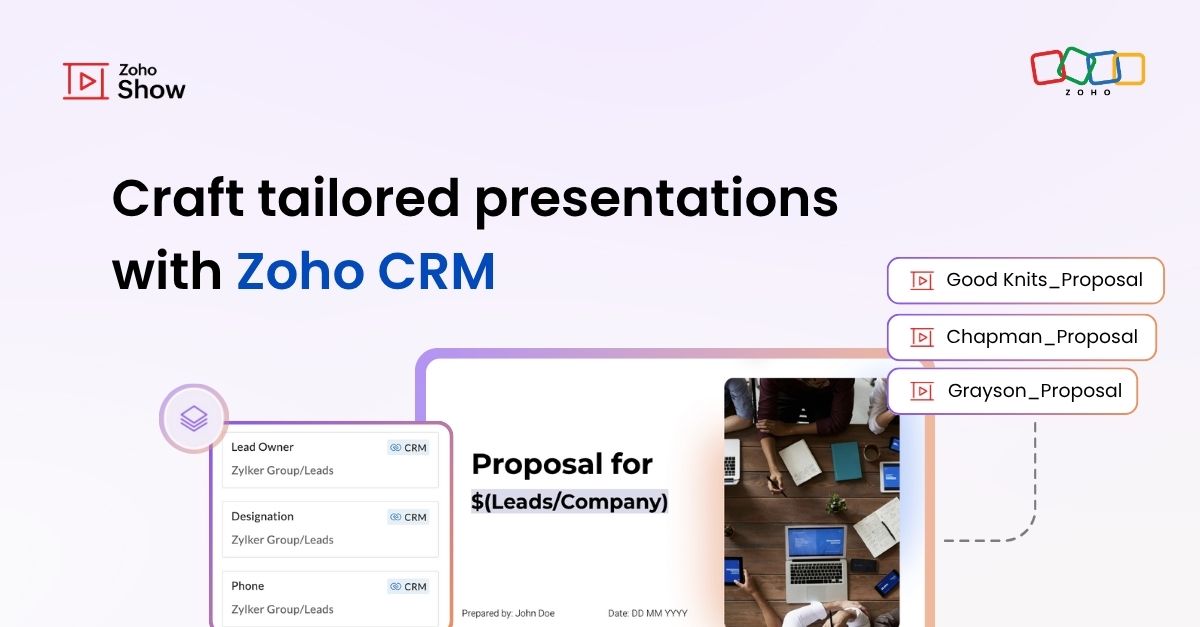
Let's say you are working on a presentation about your team's sales pipeline for an upcoming strategy meeting. All the information you need about clients and leads is in Zoho CRM, but you end up copying details from the CRM into your slides, adjusting names, checking for errors, and making sure everything looks just right. It’s a repetitive task, takes longer than it should, and small mistakes can easily slip through.
Let's say you are working on a presentation about your team's sales pipeline for an upcoming strategy meeting. All the information you need about clients and leads is in Zoho CRM, but you end up copying details from the CRM into your slides, adjusting names, checking for errors, and making sure everything looks just right. It’s a repetitive task, takes longer than it should, and small mistakes can easily slip through.
To simplify this process, Zoho Show now lets you pull client details directly from Zoho CRM into your presentations. No more manual entry. Just select the fields you need, and your slides update with the right information.
How it works
To get started, open Data Fields under the Text option in Zoho Show. Switch to the External tab and connect your Zoho CRM account.
Select your CRM organization and choose a single module (such as Leads, Accounts, or Contacts).
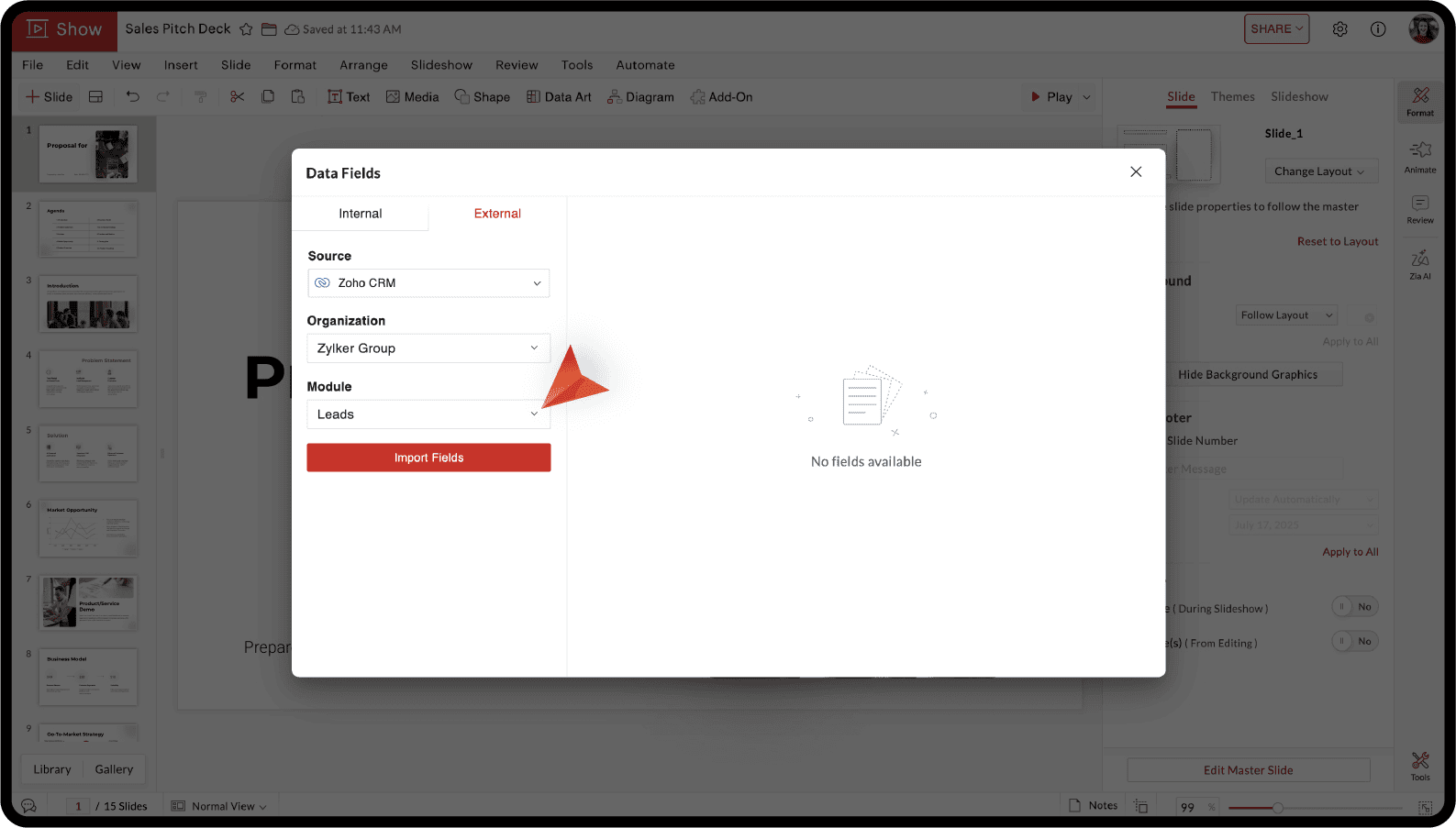
Choose the text field you want to use from the list of available fields in that module and import to add it to your slide. You can also type "$" to insert a data field to your slide.
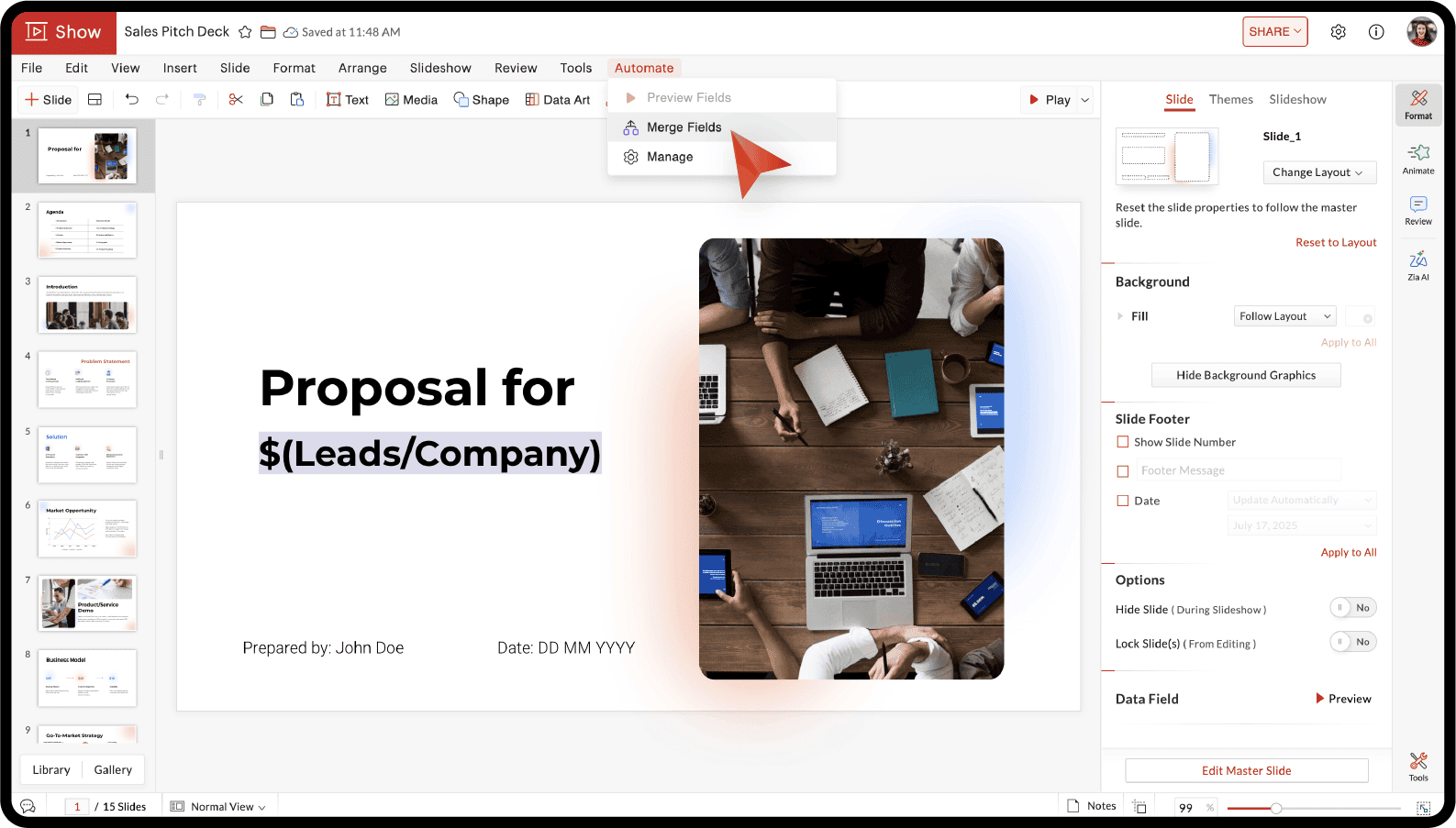
Next, to create presentations by merging different records, go to Automate > Merge Fields.
Select the identifying field, choose the records you want, and you can either create separate presentations for each record or combine them into one.
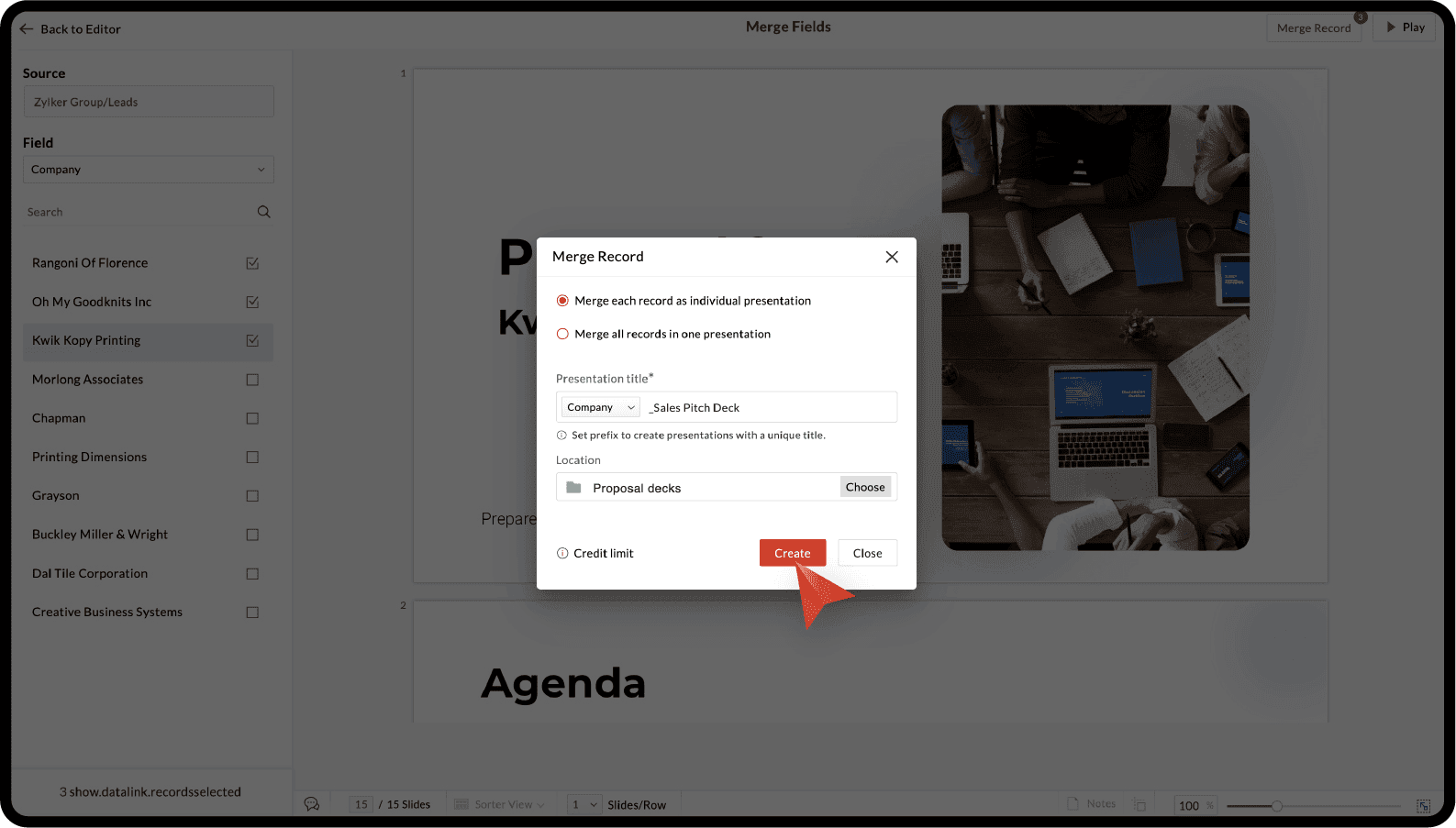
Now, select a folder in Zoho WorkDrive to save the presentations and you are all done!
For more details, you can refer to the Zoho CRM integration with Zoho Show help article.
If customer presentations are part of your job, whether in sales, marketing, or account management, this integration can be a real time-saver.
Try this out and let us know what you think in the comments section below. If you have any specific questions suggestions, please feel free to write to us at support@zohoshow.com.