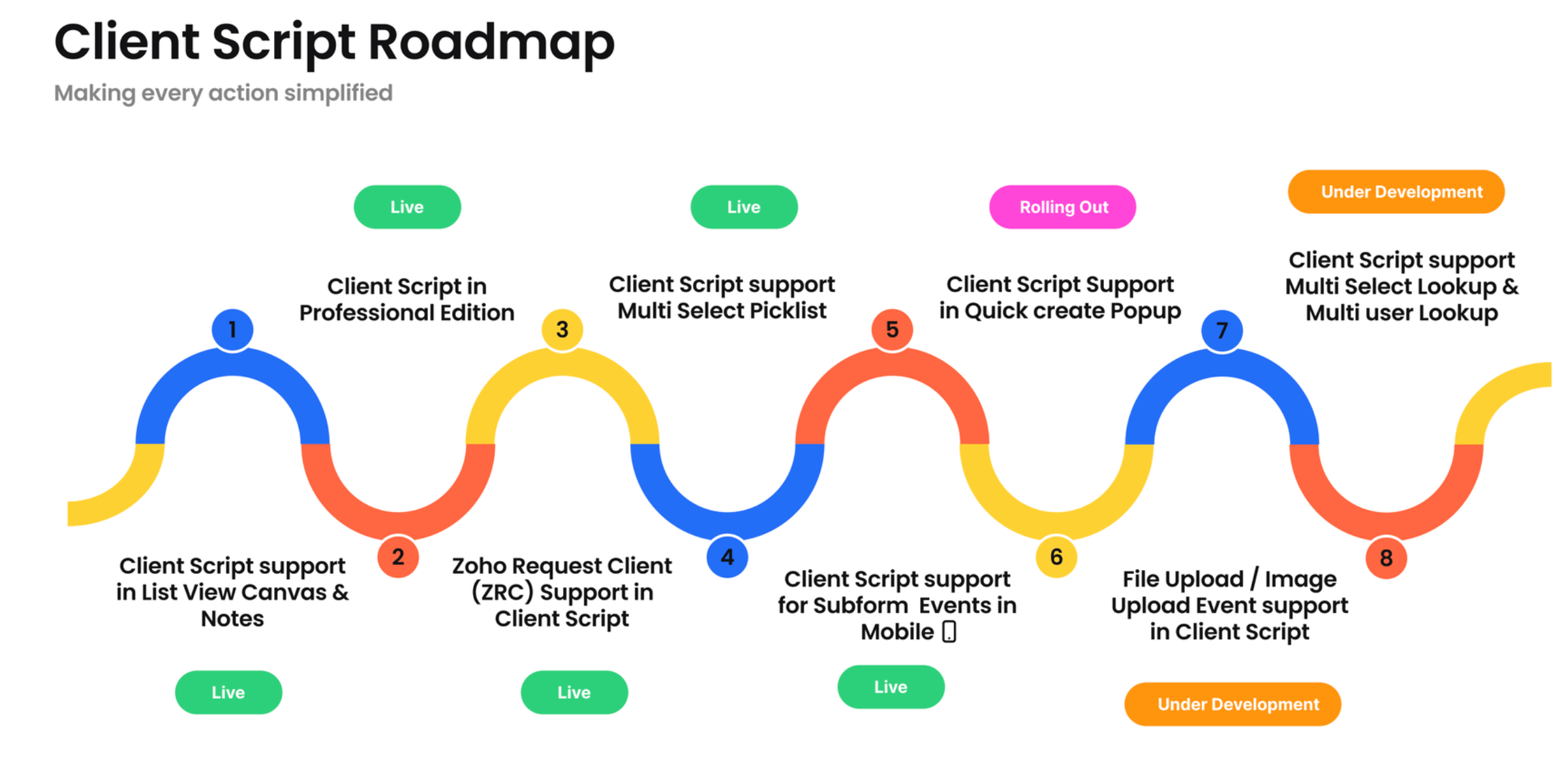
Client Script Support for Quick Create
Hello Everyone!
We are back with another exciting and highly awaited update in Client Script! Over the past months, many of you shared your insights and requests, asking for the power to extend Client Script functionality to Quick Create forms. This capability is now being rolled out in phases, letting you unlock customization for your Quick Create forms.

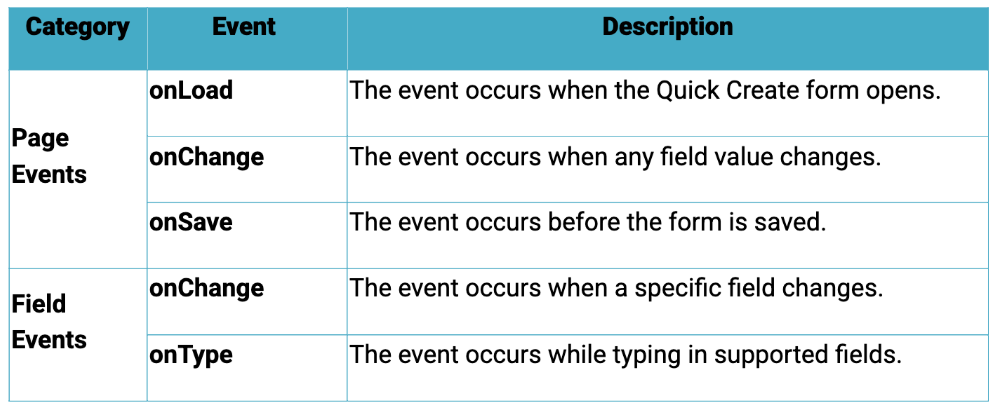
Quick Create component is a mini form used to create a record and associate it to the parent record from a lookup field. Client Script support for Quick Create forms lets you trigger actions on load, change, or save.
Quick Create Form Supported Events
Here is the list of Events available for Quick Create Forms.
Get contextual data effortlessly
We have introduced a new Client Script variable $Client.rootContext. It is a ZDK client variable designed to handle scenarios involving multiple execution contexts, such as Quick Create, where a form can be opened from different pages. It points to the original page from which the form was launched, allowing client scripts to access parent record data and enable context-aware actions like auto-population and validation.
With $Client.rootContext you can,
Access the parent page record details
Auto populate Quick Create fields based on the source record
- Use familiar ZDK Page utilities in the root context
This makes context aware Quick Create customizations simpler and more reliable.
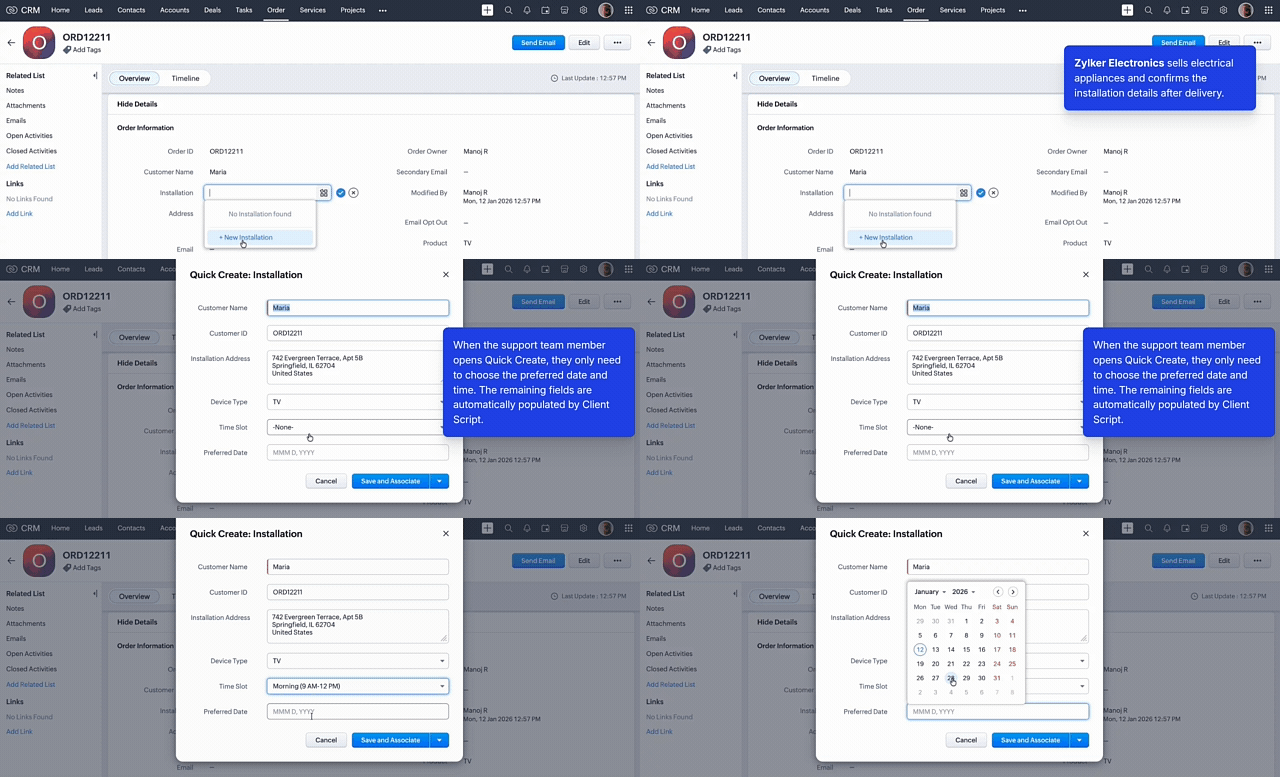
Use Case : Open pre-populated quick create "Installation Support" form:
Lets see how to use this support to open pre-populated quick create "Installation Support" form.
Click here to view the source code.
In this implementation, the Customer Name, ID, Address, and Device Type are fetched from the Detail page using $Client.rootContext.
Happy Client Scripting 😊