Custom fields for calls and an enhanced call creation form
Greetings,
I hope you're all doing well. We're happy to announce a few recent enhancements we've made to Bigin's Calls module. We'll go over each one in detail.
Enhanced call creation form in Bigin
What is this enhancement about?
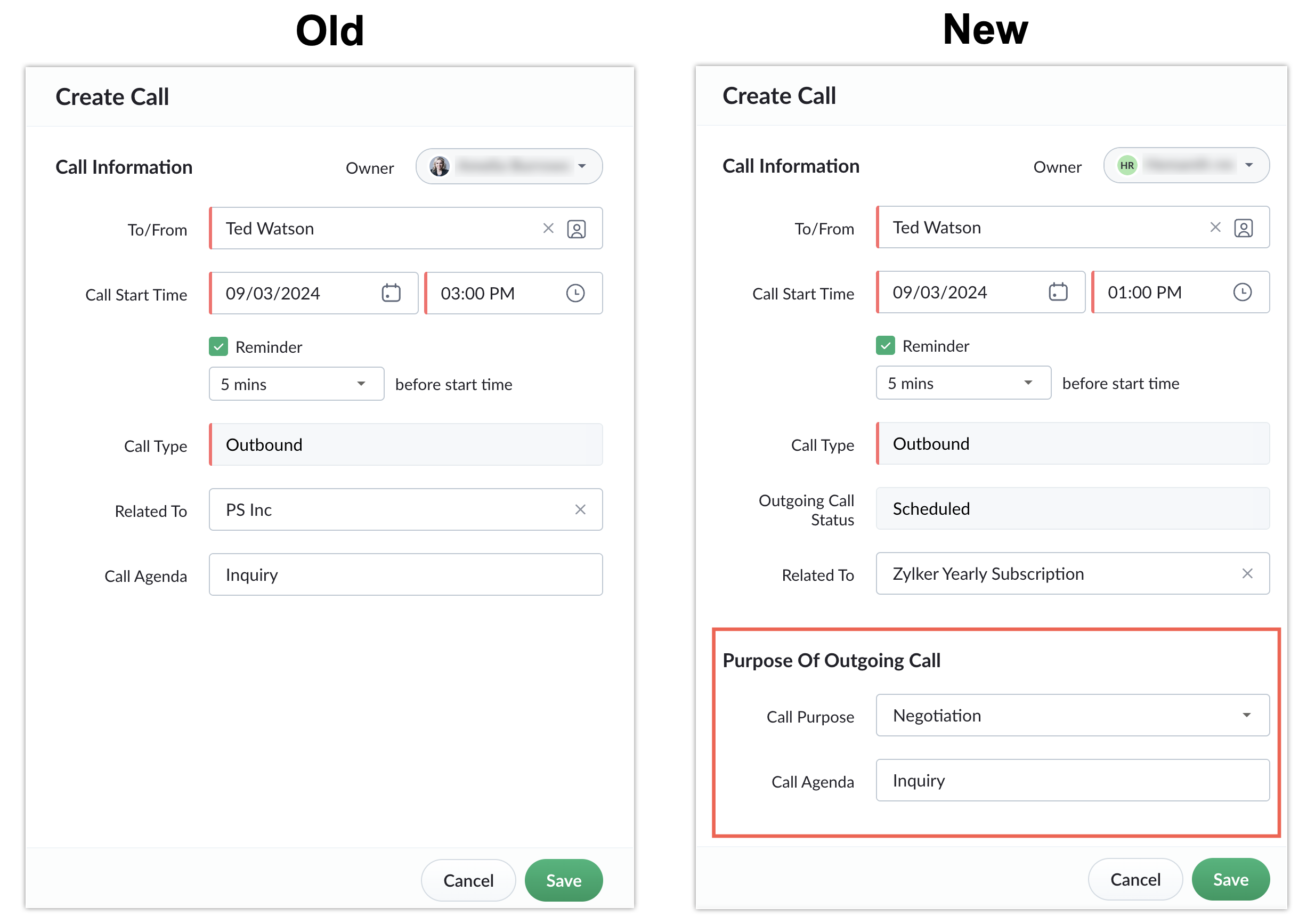
This update includes three new sections and six additional fields that offer better clarity and organization while logging or scheduling calls. The new structure enables you to manage calls more effectively by grouping information based on call type and status.
What problem does it solve?
The enhanced call creation form simplifies the process of tracking and managing calls by categorizing fields into relevant sections, provides clarity into call purposes and outcomes, improves integration with telephony services, and enables users to document key details more efficiently.
What's new in this enhancement?
The update introduces three new sections:
Purpose of outgoing call
Outcome of outgoing call
Reason for incoming call
Each section is tailored to specific call types and statuses to ensure relevant fields are displayed situationally. We've also added six new fields to help capture detailed information, including Outgoing Call Status, Call Result, Call Purpose, Voice Recording, Scheduled in Bigin, and Telephony External ID.

Introducing custom fields for the Calls module
What is this enhancement about?
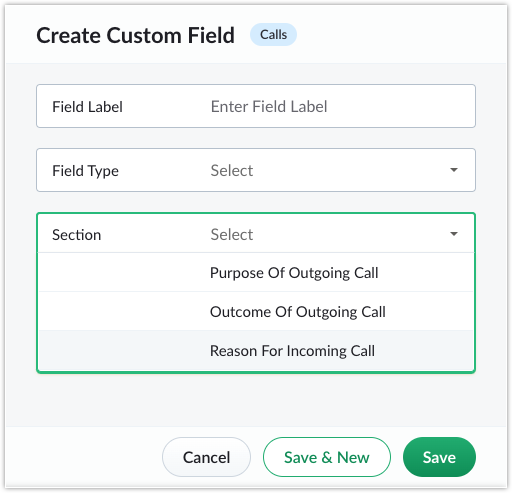
We've enhanced the Calls Create Form, enabling you to personalize your experience by creating and organizing custom fields. A new picklist feature simplifies the process by organizing fields into relevant sections.
What problem does it solve?
Previously, the Calls module offered limited flexibility for customizing fields. With this update, you can create specific fields tailored to your unique requirements, such as tracking additional information or categorizing calls more effectively. The predefined options for field types and sections simplify the process of capturing diverse data points.
What's new?
You can now create custom fields with the following types and sub-types:
Picklist: Single select, multi-select
Text: Single-line, multi-line
Number: Whole number, decimal, percent
Date: Date picker, date and time
Note:
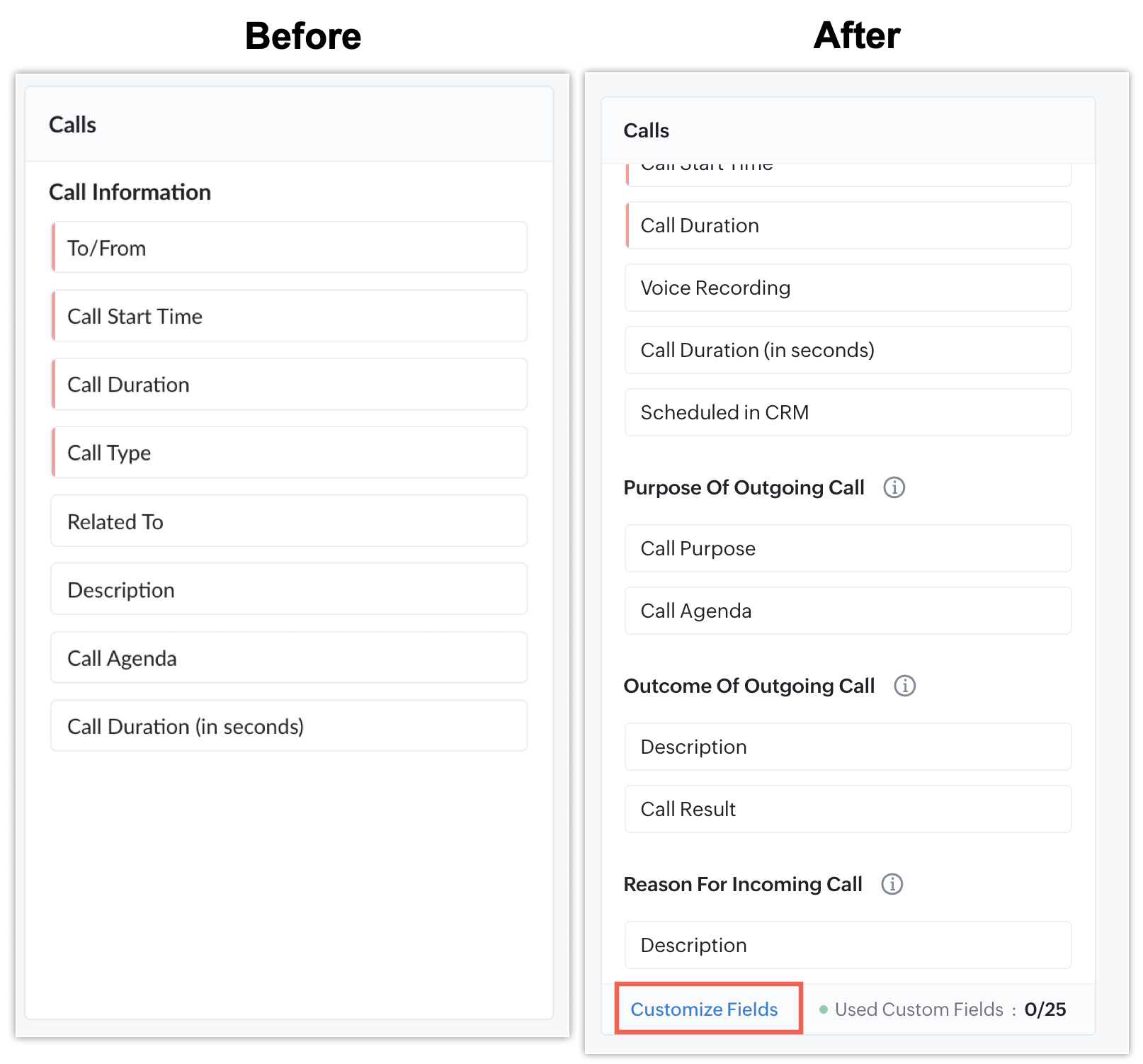
The Call Information section is fixed and does not support customization.
The Call Purpose and Call Result fields can only be rearranged within their respective sections.
The Description field cannot be moved.
You can create custom fields based on the following base limits (add-on limits do not apply):
Bigin 360 Plan: Up to 50 custom fields
Premier Plan: Up to 25 custom fields
Express Plan: Up to 10 custom fields
Who can access these enhancements?
This enhancement has been available to all newly signed-up Bigin users since October 2024. Existing users will gain access gradually through a phased rollout following this release. If you are a long-term Bigin user interested in this enhancement, please reach out to support@bigin.com to get early access in your Bigin account.