Edit and Delete options in Comments
A lot of teams have been using ticket comments extensively to
collaborate everyday. Notification Center further improved this
experience by bringing real-time updates.
As we continue to build more improvements to this experience,
we've shipped a small-yet-important one today:
edit & delete ticket comments
.
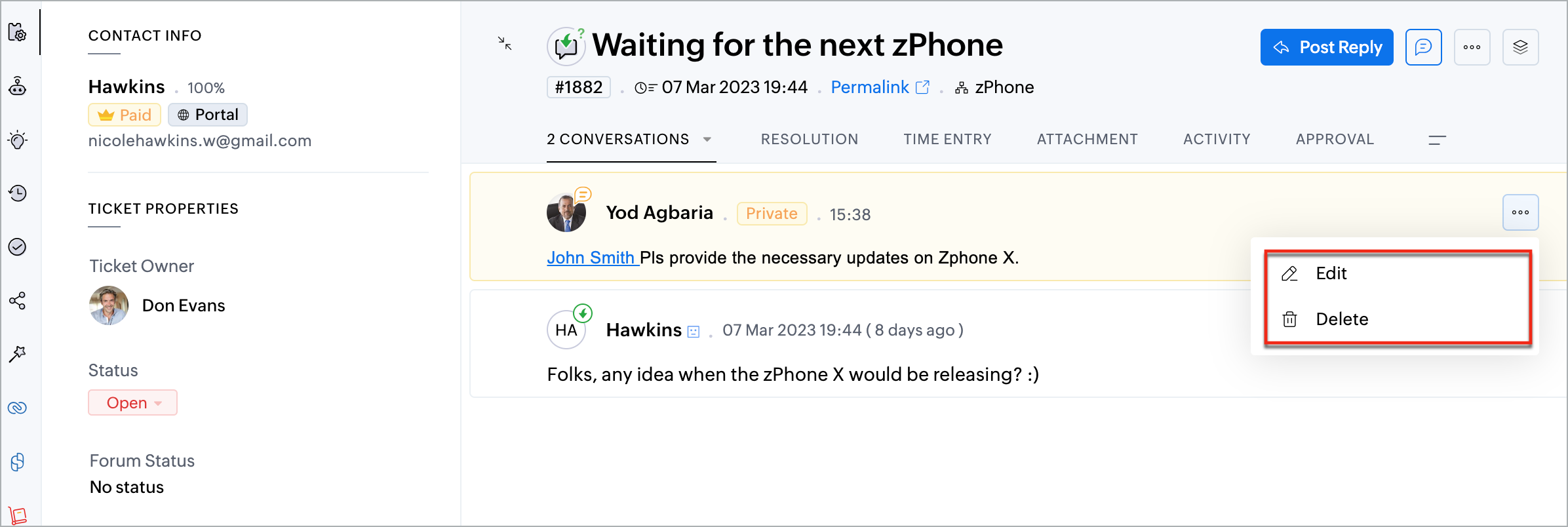
You'll find both these options right next to the comment you
made.
By default, comment authors can edit their comments while
administrators can edit all comments. Likewise, comment authors can
delete their comments while administrators can delete any
comment.
You can customize this using profiles as well. Just allow the
'Modify Comment' permission for a particular profile and all users
under that profile will be able to edit & delete comments.
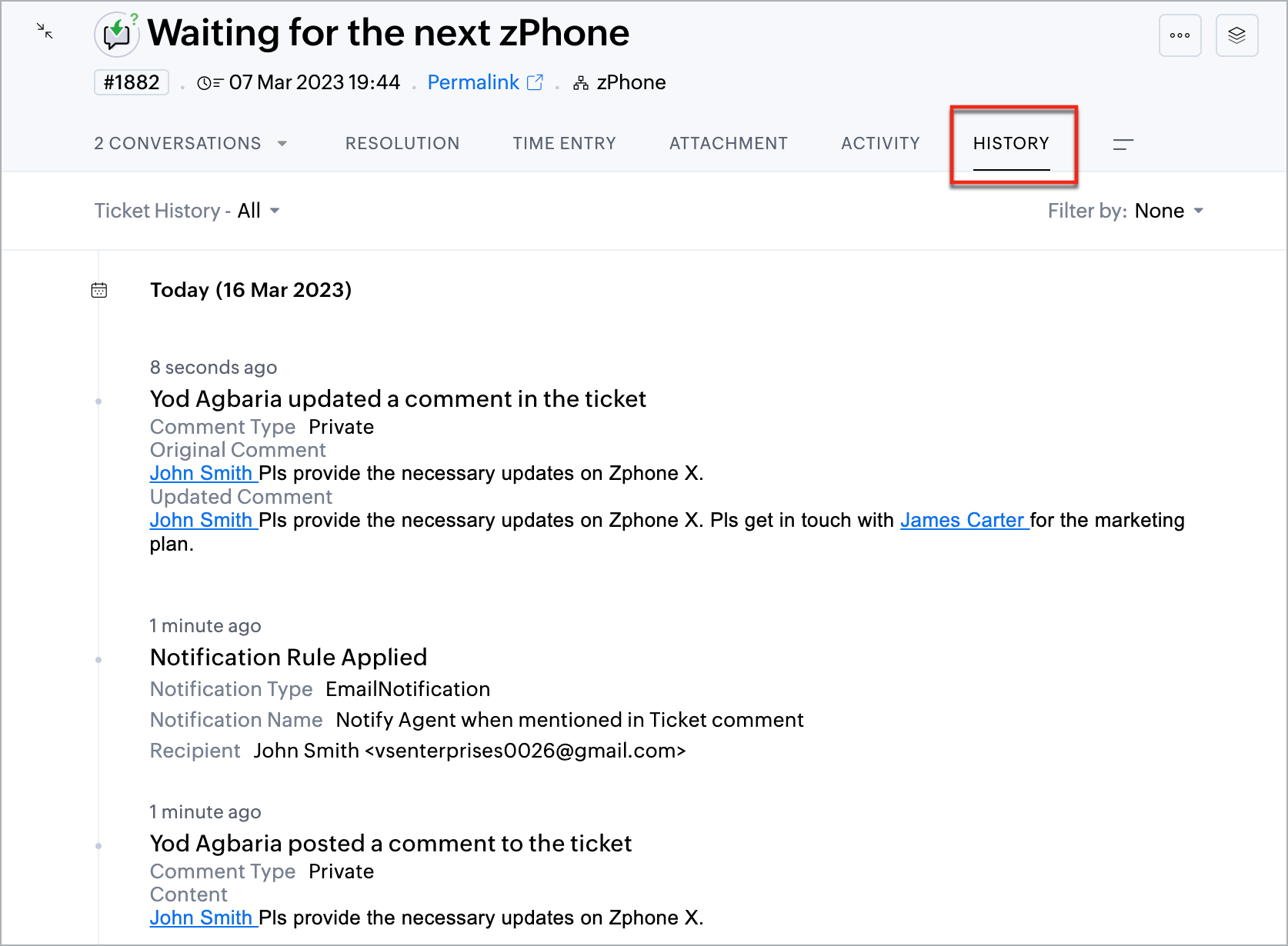
In addition to this, you can also check out each comment's
revision history.
As always, feel free to respond below and let us know what
you think. If you have any ideas on how to improve collaboration
within your customer service team, we'd love to hear those
too!