Instantly locate any feature inside Sheet with Feature Finder
We count on spreadsheets to store voluminous sets of data, so we can analyze and revise them later. Zoho Sheet provides multiple features to simplify your data-related tasks. But at times, selecting the required feature to perform a desired action can feel overwhelming.
What if you could locate the feature you're looking for instantly? Presenting Feature Finder: a tool that helps you narrow down Zoho Sheet's available functions and features.
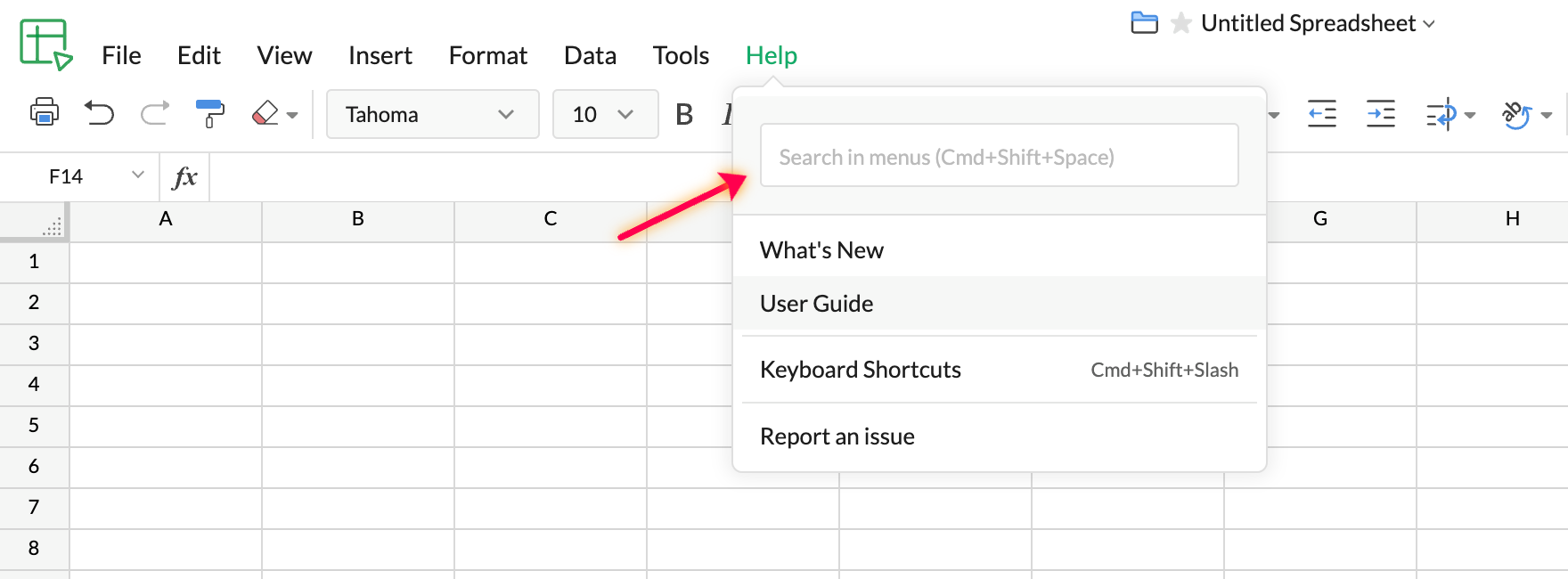
With this tool, you don't have to hover over menus and drop-downs. That comes in handy when you want to save time, or if you're new to Zoho Sheet. Search in the language of your choice in as many as 39 languages.
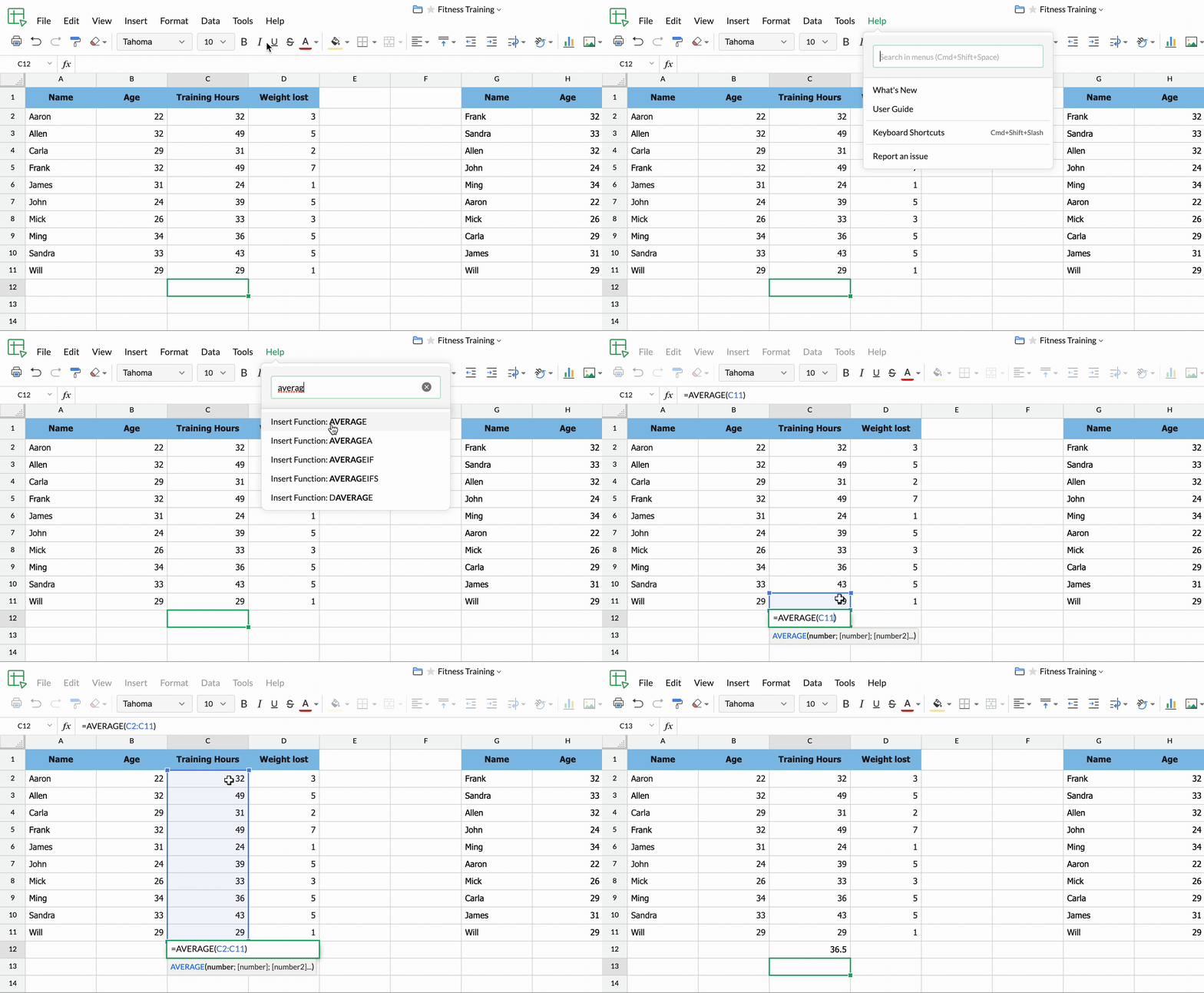
Insert necessary functions directly
Zoho Sheet supports around 400 functions, and you can directly apply any function to your values in an instant. All you need to do is type the required formula into Feature Finder.
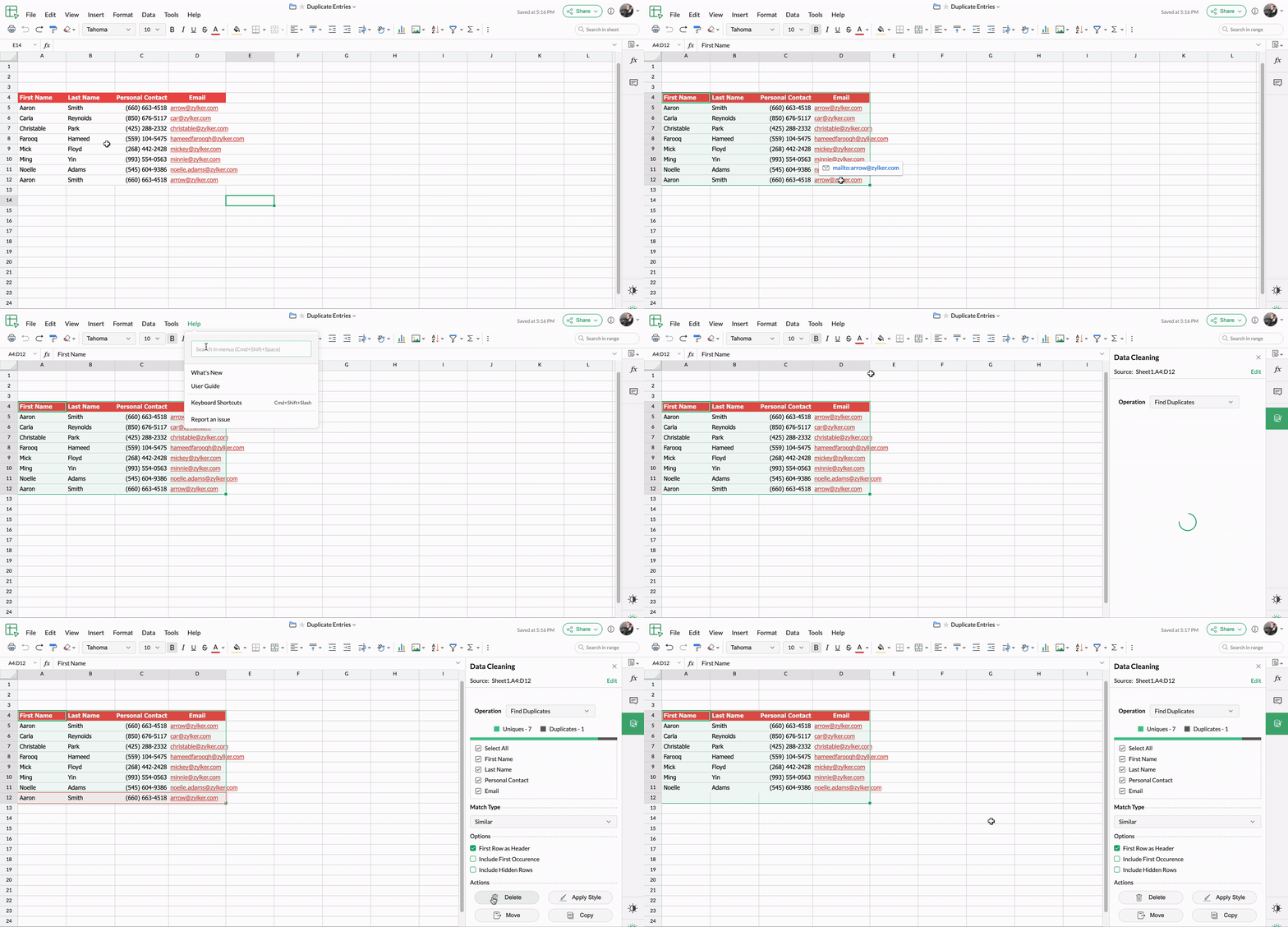
Find duplicate entries in one go
Find duplicate values or records in your spreadsheet in a single click and proceed with comparison and analysis.
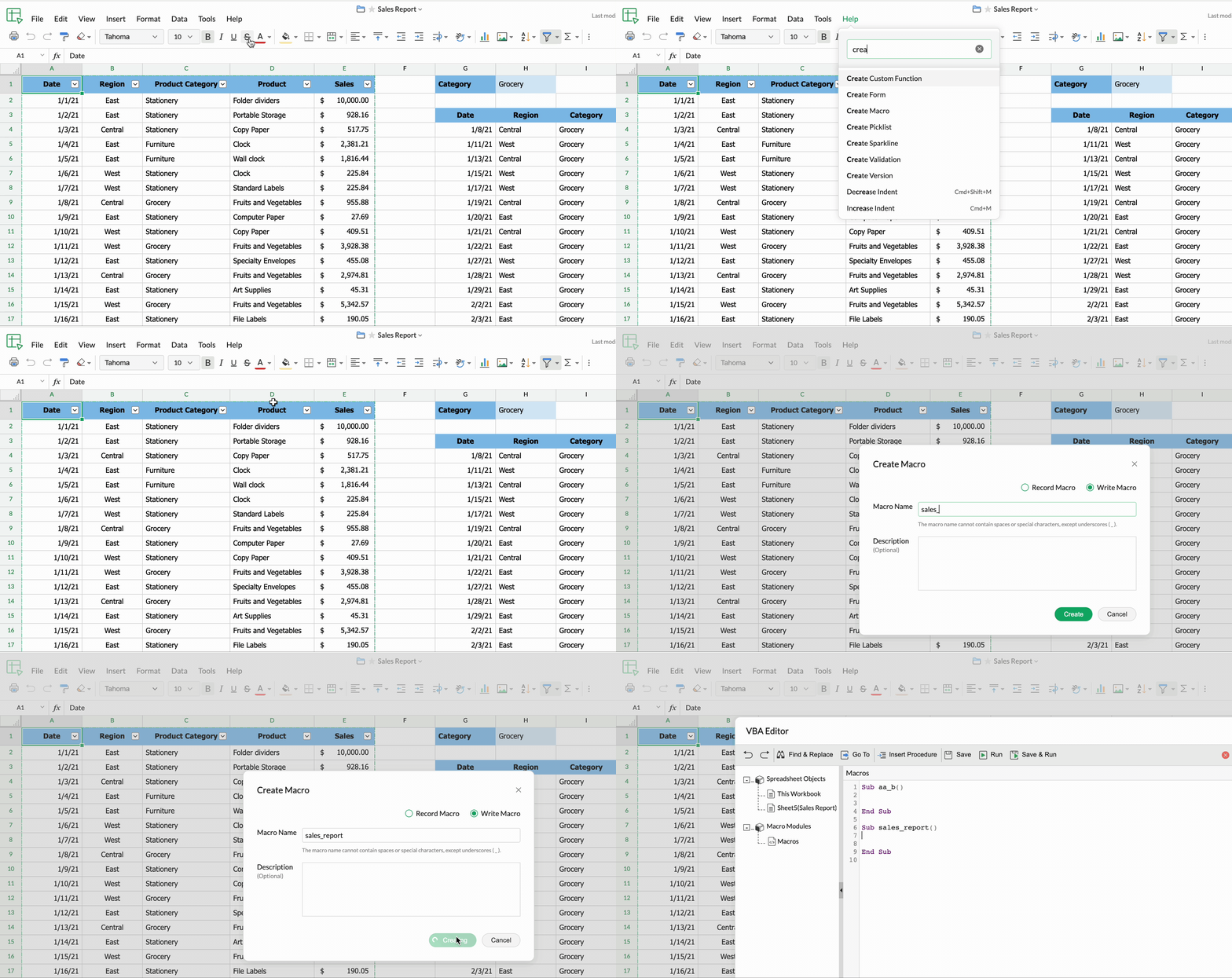
Create or record a macro
Create a VB macro or record a macro quickly, and auto-execute your tasks.
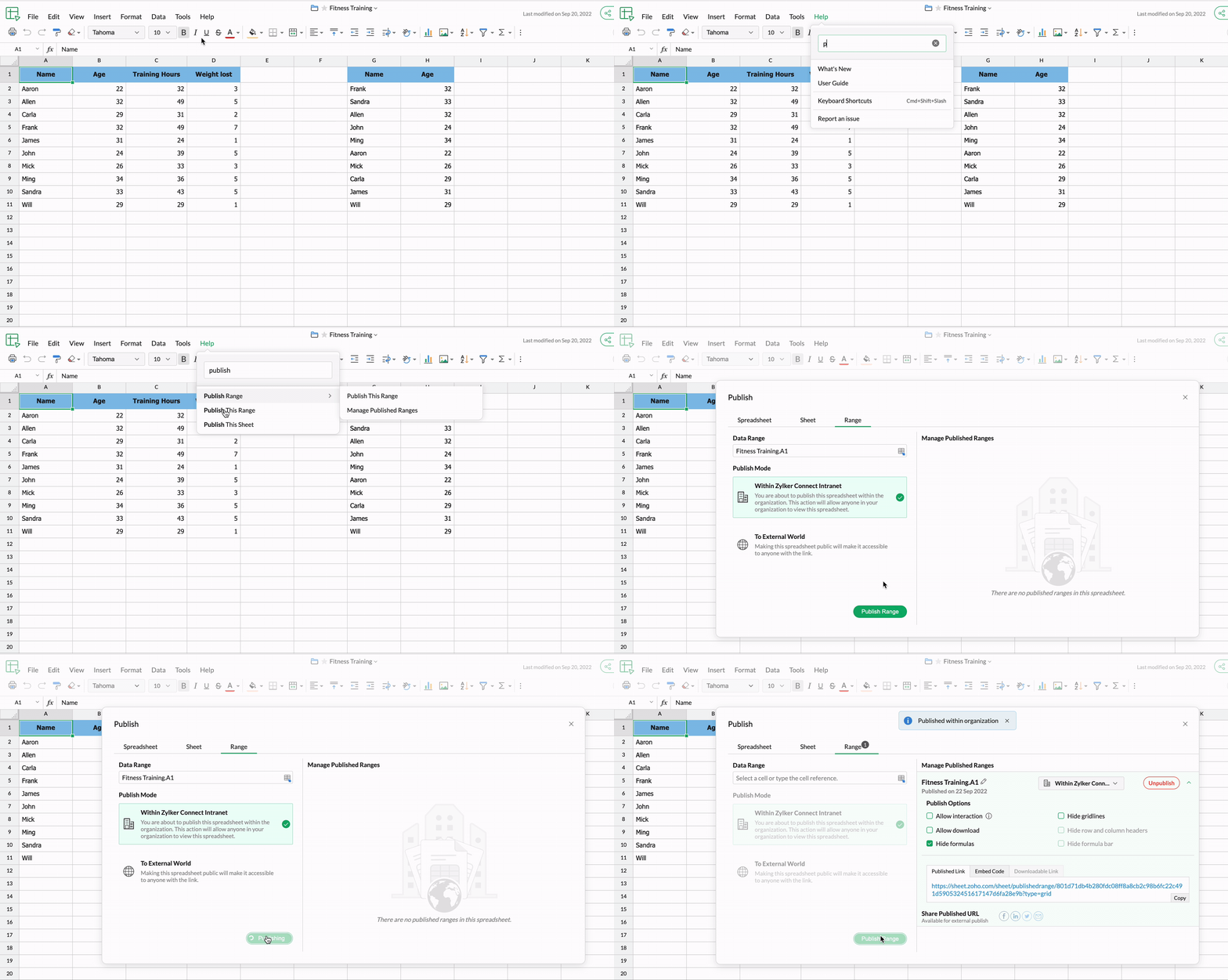
Publish any range of cells in a single click
Quickly publish any range of cells within your organization or to the external world.
Note: You can also access Feature Finder with the keyboard shortcut: Cmd+Shift+Space.
Try out Feature Finder and share your feedback in the comments section below! You can also write to us at support@zohosheet.com. For future updates, follow our community.