Introducing bot filtering for accurate analytics
 Update : This feature has been revamped. For the most current information and improved functionalities, please visit the updated version here.
Dear Zoho Campaigns Users,
We're happy to introduce bot filtering to enhance the accuracy of your email campaign analytics. This new feature is designed to help you filter out bot-generated opens and clicks, which will ensure your campaign reports reflect genuine recipient engagement.
What are bot clicks?
Bot clicks are activities performed by automated software rather than humans. These programs typically scan emails for security purposes, such as checking for viruses or malicious links. As a result, bot clicks may create false engagement metrics by showing multiple clicks from a single contact even though no one actually interacted with the email.
Why bot filtering matters
Bot-generated opens and clicks in email campaigns lead to inaccurate campaign performance metrics. To tackle this issue, the bot filtering feature enables users to eliminate bot activity from their campaign reports.
Key features of bot filtering
Toggle on/off: Easily enable or disable bot filtering through a simple toggle switch in the Settings > General Settings section.
Accurate reporting: When enabled, bot filtering will automatically exclude bot opens and clicks from your campaign reports and provide a clearer picture of your audience's engagement.
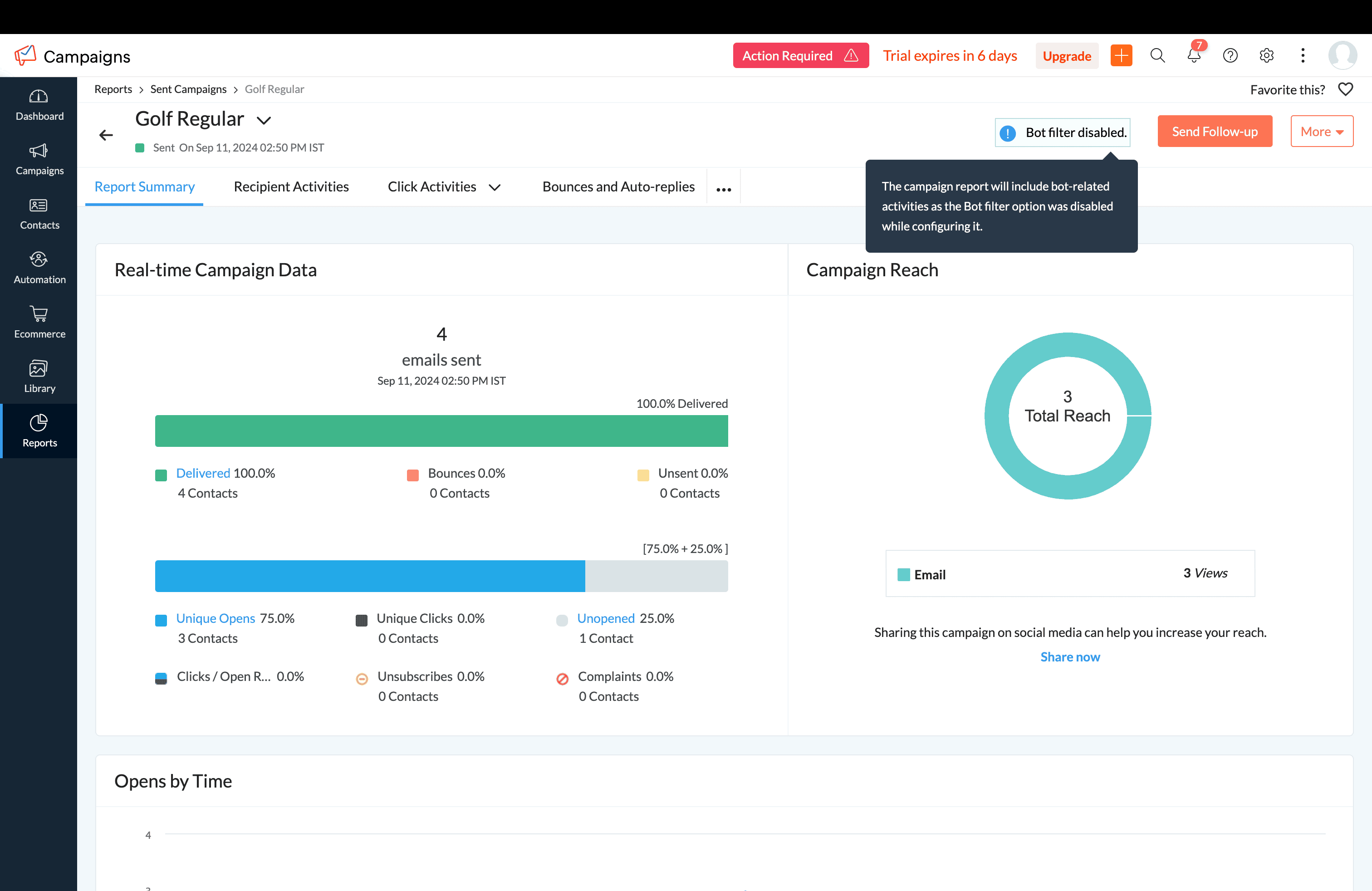
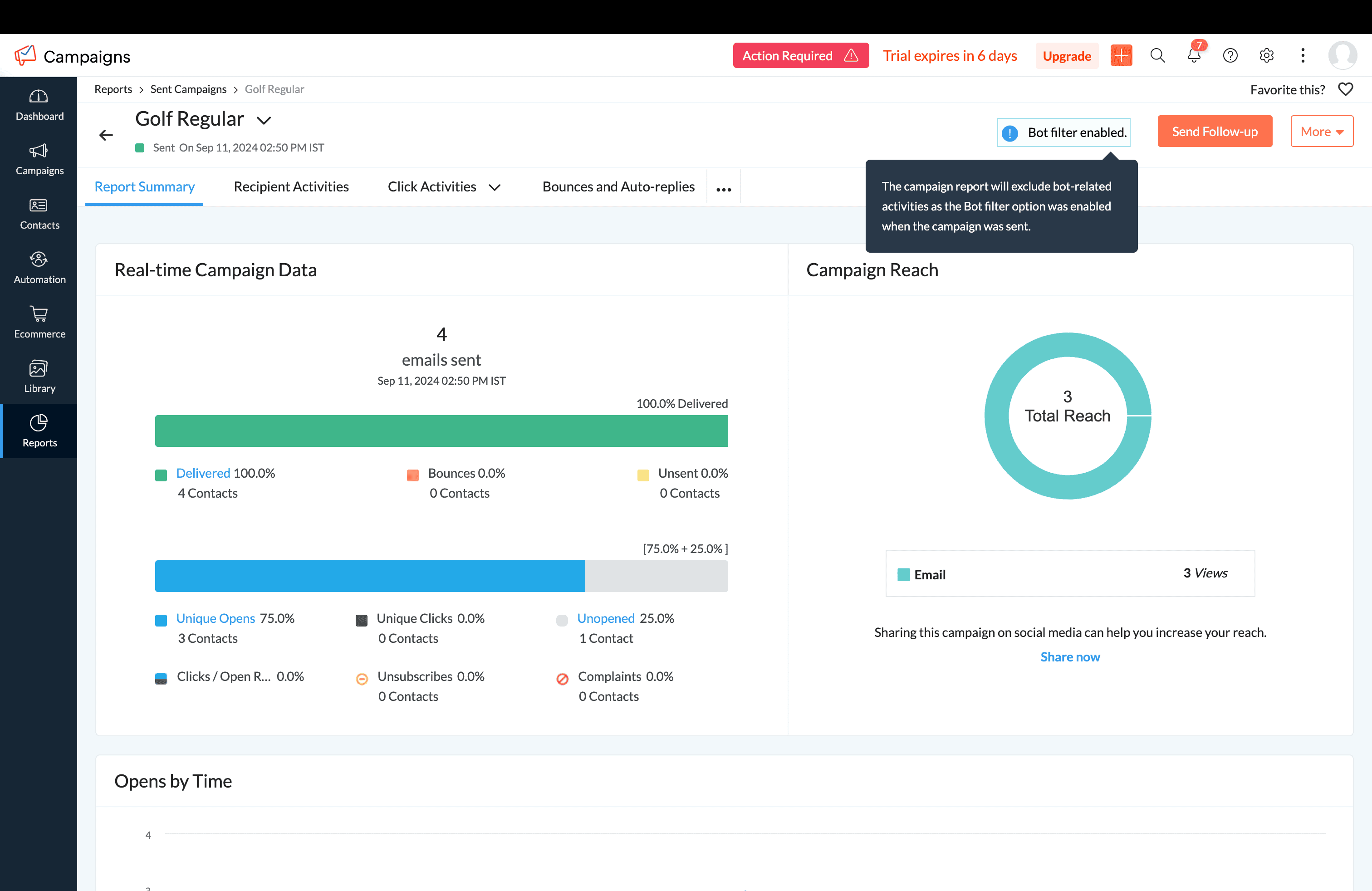
Transparency: We already have a visual indicator in your campaign reports to let you know whether bot filtering is active to ensure you have full transparency in your data analysis.
How it works
Default setting:
For new users
By default, bot filtering is turned off, meaning all opens and clicks—including those from bots—are included in your reports. You can choose to turn it on from the settings.
For existing users
By default, bot filtering is turned on, meaning all opens and clicks—including those from bots—are excluded in your reports. You can choose to disable it from the settings
 Note: To provide more granular insights, we're incorporating detailed bot data into our email campaign reporting. This will empower users to monitor performance closely and take informed actions.Due to the simultaneous development of report handling improvements, we have revised the anticipated release date. You can expect this release to go live by Jan 2025.
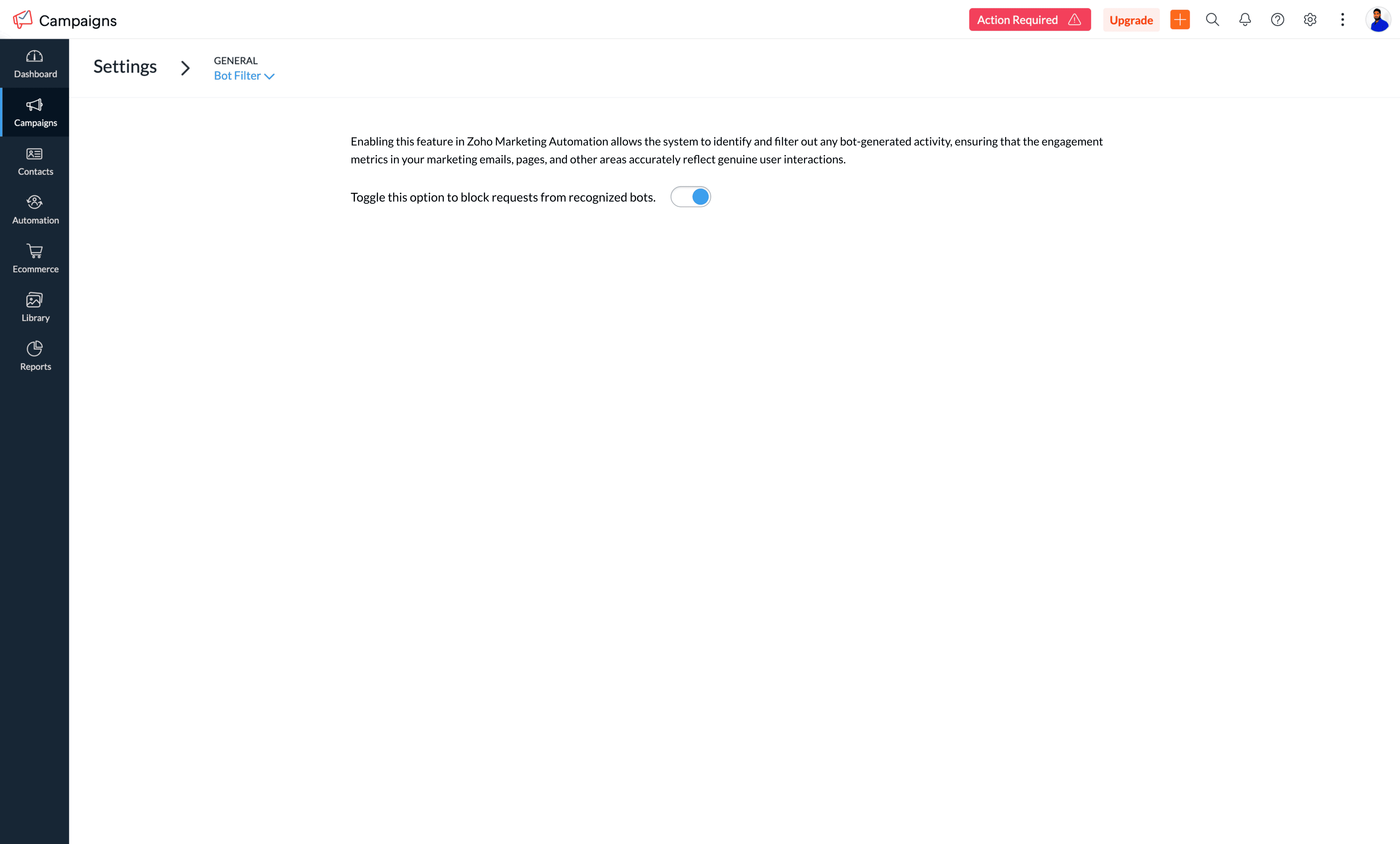
Locate the Bot Filter link under Settings > General settings.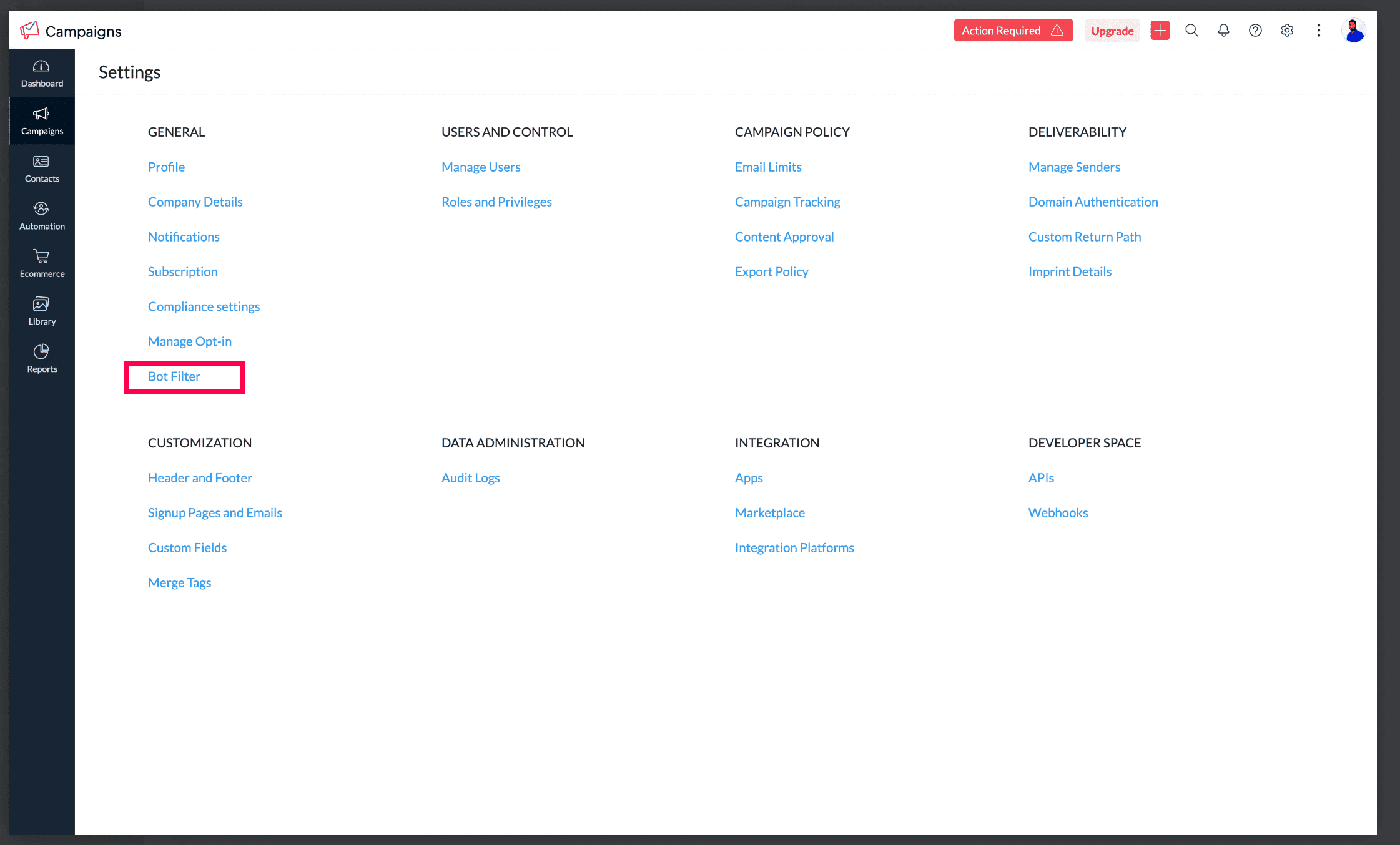
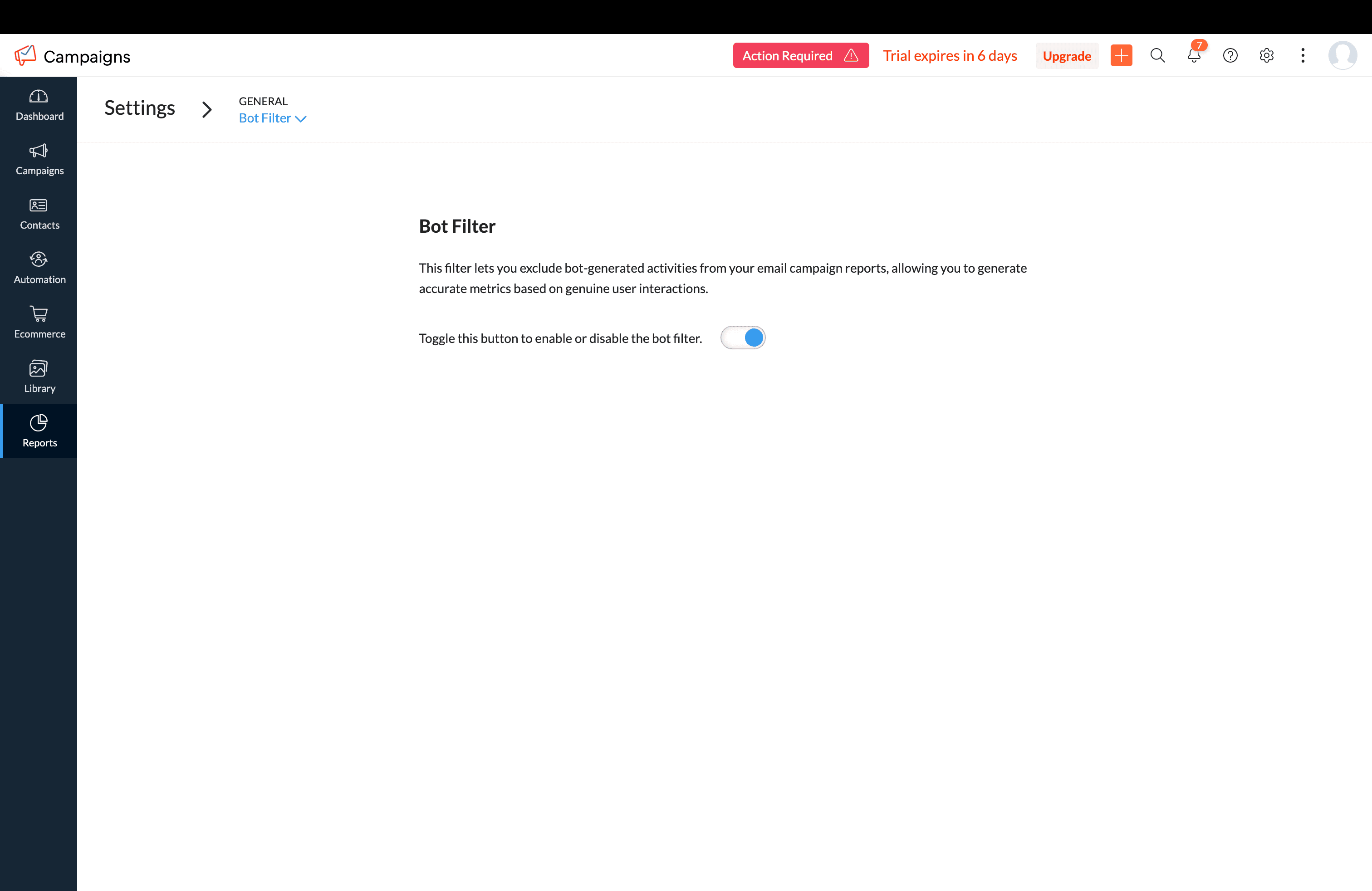
Step 2: Toggle the bot filtering option
In the Bot Filter setting, click the bot filtering toggle to enable the feature.
Step 3: Confirmation pop-up screen to enable
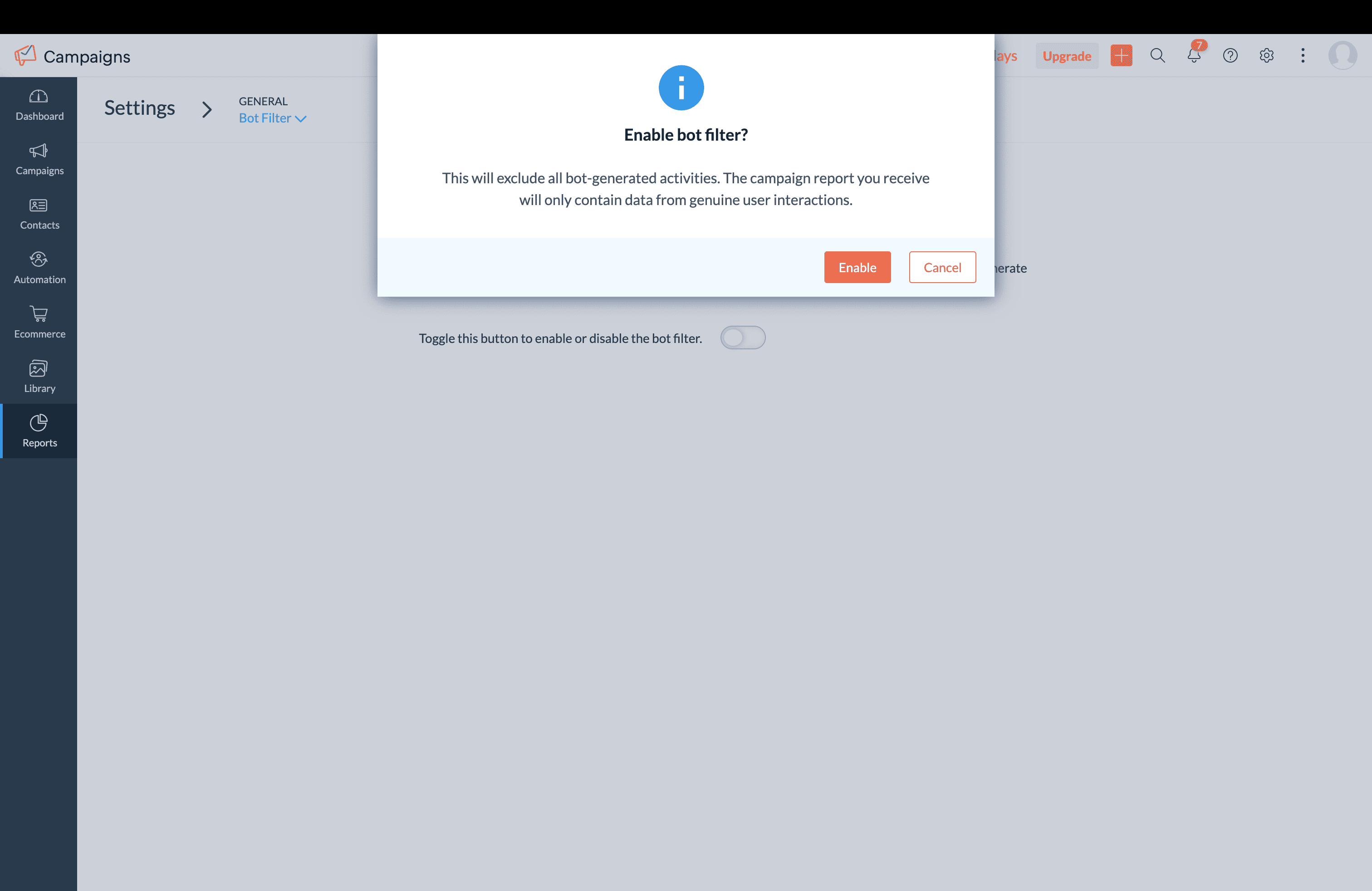
When you enable this option, a pop-up will appear to confirm your decision. Click Go ahead to enable the feature, which will be applicable to all upcoming campaigns.
Step 4: Enable/disable the option
Filter enabled: If the bot filter setting is enabled, all bot opens/clicks will be excluded from email campaign reports and overall reports.
Filter disabled: If the bot filter setting is disabled, all bot opens/clicks will be included in email campaign reports and overall reports.
Here's how you can see it in the campaign reports,
When the bot filter setting is disabled
When the bot filter setting is enabled

Note:
Open rates may decrease when the bot filter is enabled.
Follow-up actions, such as journeys and response action components, will not be triggered by bot interactions.
For example, if a user disables bot filtering before sending a campaign but re-enables it afterward, the email campaign report will still reflect bot-related activities. This occurs because the settings were disabled at the time the campaign was sent.
Please note that Apple Mail Privacy Protection (MPP) opens are not currently filtered in this update. We are working on a solution to handle Apple MPP opens and will provide another update soon.
Bot filter option when campaign was sent | Bot filter option after the campaign was sent | Bot-related activities in campaign reports |
Enabled | Disabled | Excluded |
Disabled | Enabled | Included |
Step 5: Pop-up confirmation to disable bot filtering
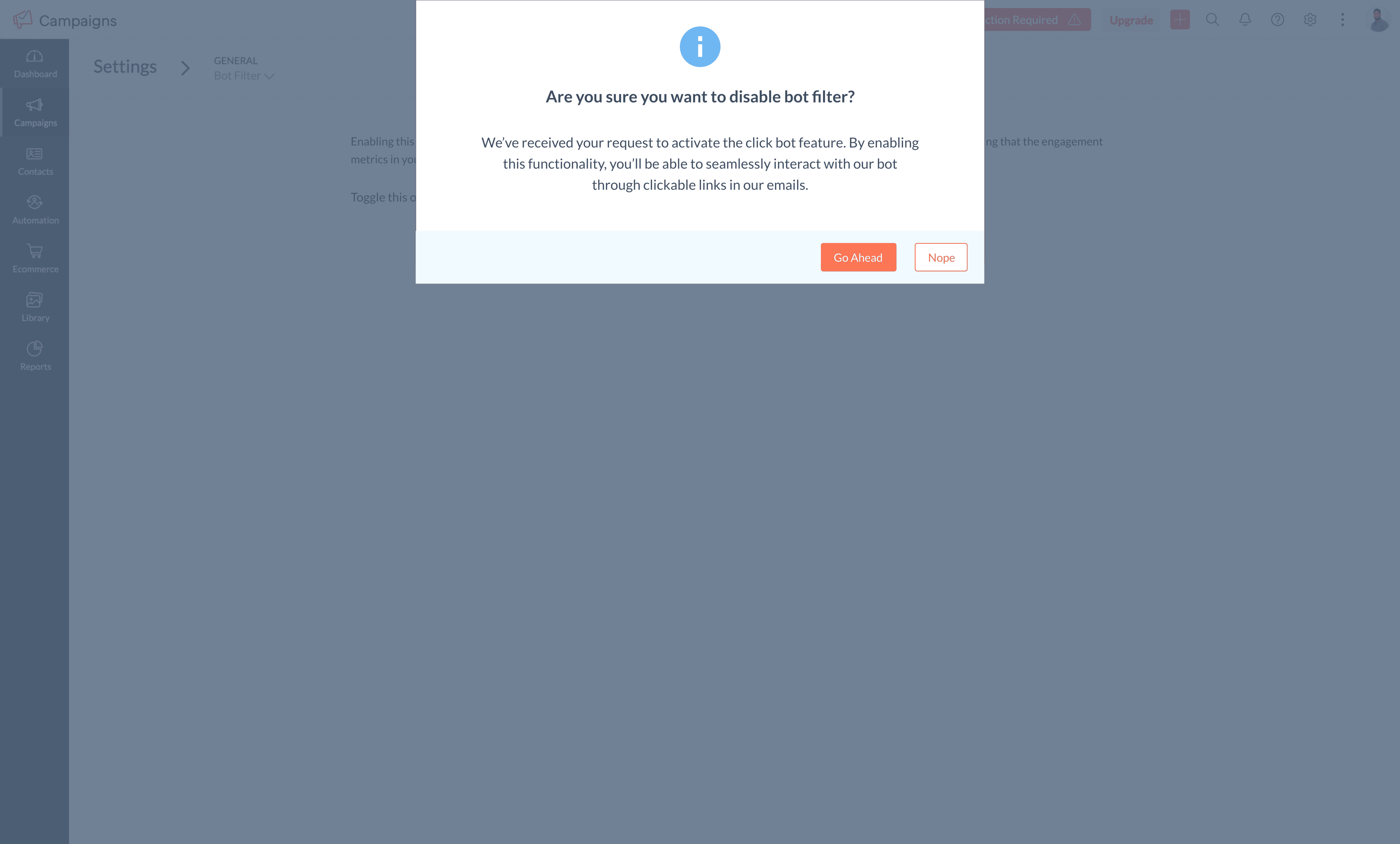
You'll see a pop-up while disabling bot filtering.
This update is likely to go live by Oct first week.
We're here to help
As always, our support team is ready to assist you with any questions you may have about bot filtering or any other feature in Zoho Campaigns.
We're confident that bot filtering will provide you with more reliable insights and enable better decision-making and more optimal marketing strategies.
Happy campaigning!
Best regards,
The Zoho Campaigns Team