Introducing Zoho POS for the Kingdom of Saudi Arabia
Hey everyone,
We are excited to kick-start December with a completely personalized edition of POS for retail businesses in Saudi Arabia to help run your operations with ease. It offers four different subscription plans—Free, Standard, Professional, and Premium—which are equipped with a wide range of features for businesses with varied needs and requirements.
What's new in the Saudi Arabic edition
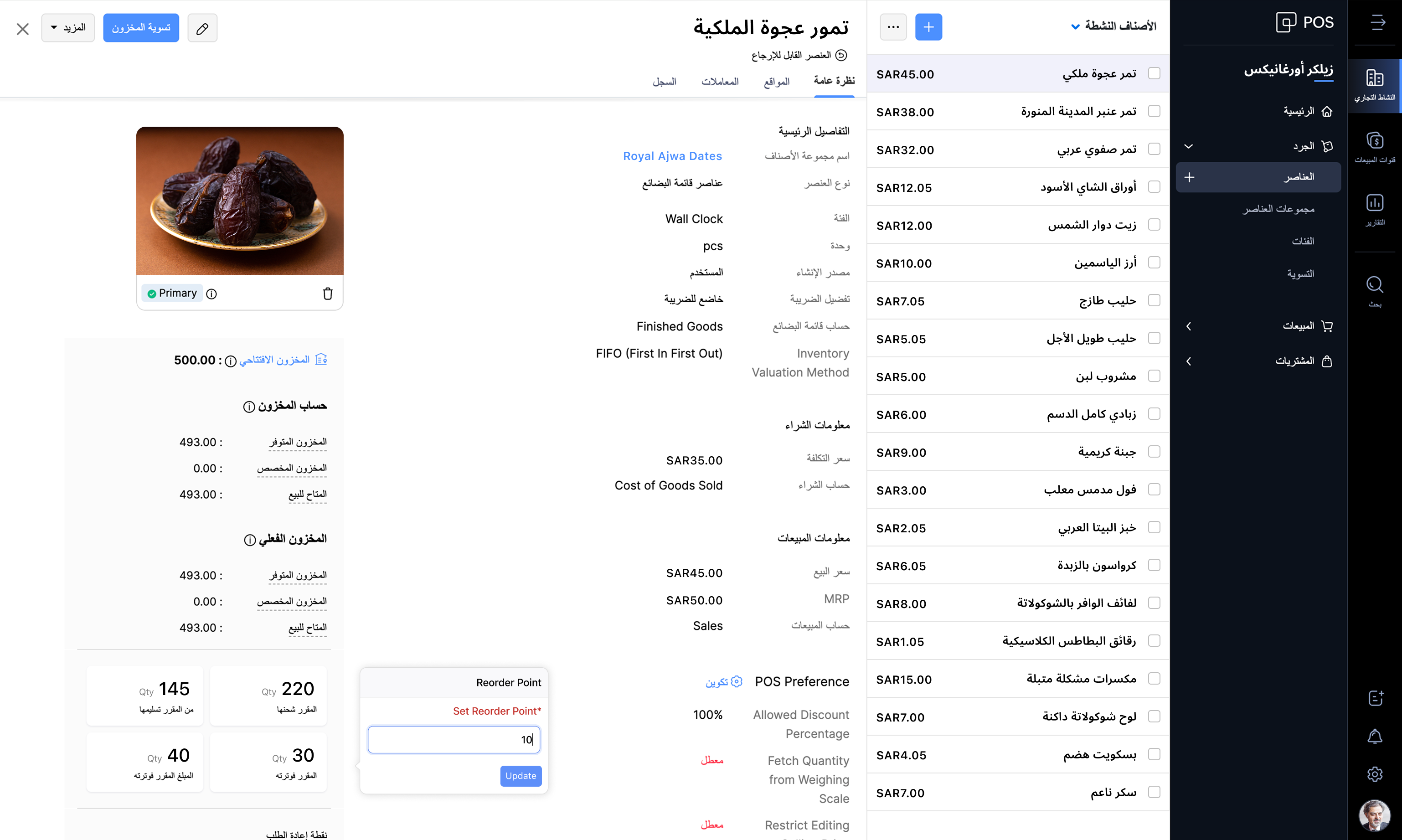
Access the product in Arabic
Zoho POS supports the Arabic language along with English, making it easy for businesses to manage operations in the backend and also at the checkout counter. The Windows app also comes with 17 different languages, such as Arabic, English, French, Portuguese, Hindi, Urdu, and so on, personalizing the experience of the salesperson at the point of sale.
Web application
Windows application

Billing made easy
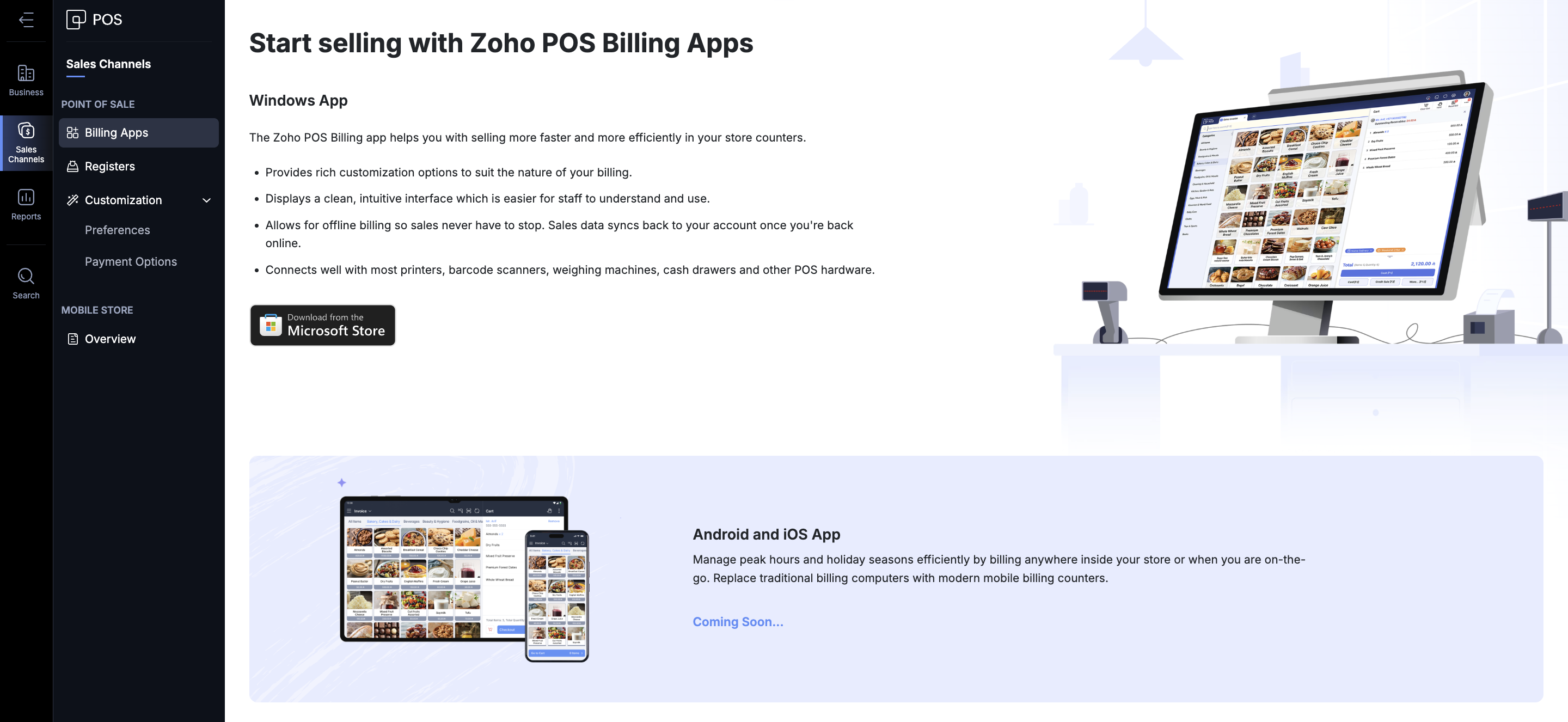
Zoho POS offers various ways in which you can process a sale. You get the Zoho POS app for the Windows operating system, mobile apps for Android and iOS (coming soon), to help speed up sales at the store. You can create invoices, sales orders, process refunds and exchanges, accept payments, and record each transaction. The total sales carried out during a specific time (session) can also be monitored and tracked from the Windows application. The app can be integrated with your hardware components such as scales, cash drawer, pole displays, and printers. Even in the event of an internet disruption, Zoho POS continues to work for you and saves bills offline. Once the internet connection is restored, the data gets synchronized with the web application, ensuring smooth operation at all times.
Stay VAT compliant
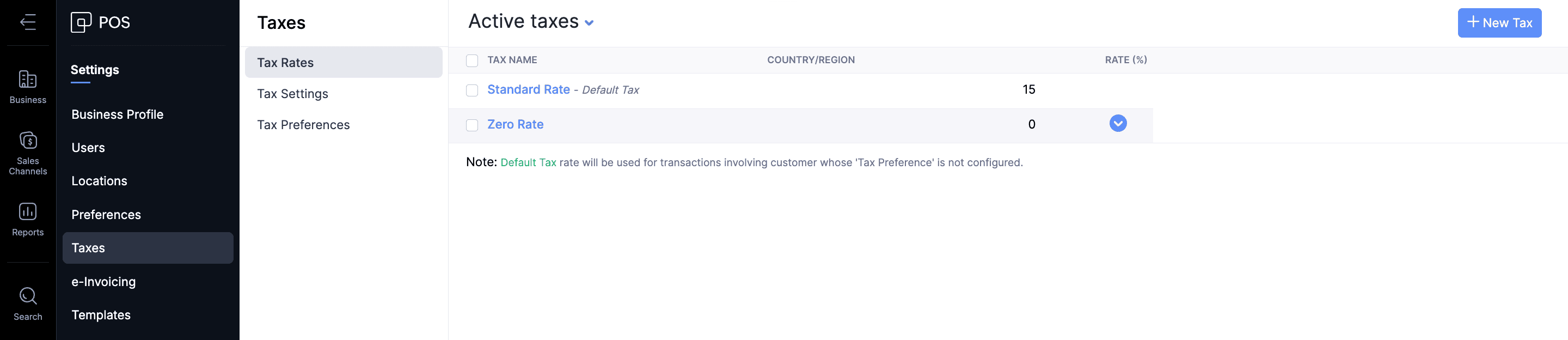
The Value Added Taxes applicable to the products and services offered by businesses can be seamlessly integrated with your sales process in Zoho POS. All tax rate categories, such as standard-rated, zero-rated, and exempt supplies, can be incorporated for the items in Zoho POS, ensuring that your business stays compliant with the regulations.
Create ZATCA-compliant invoices
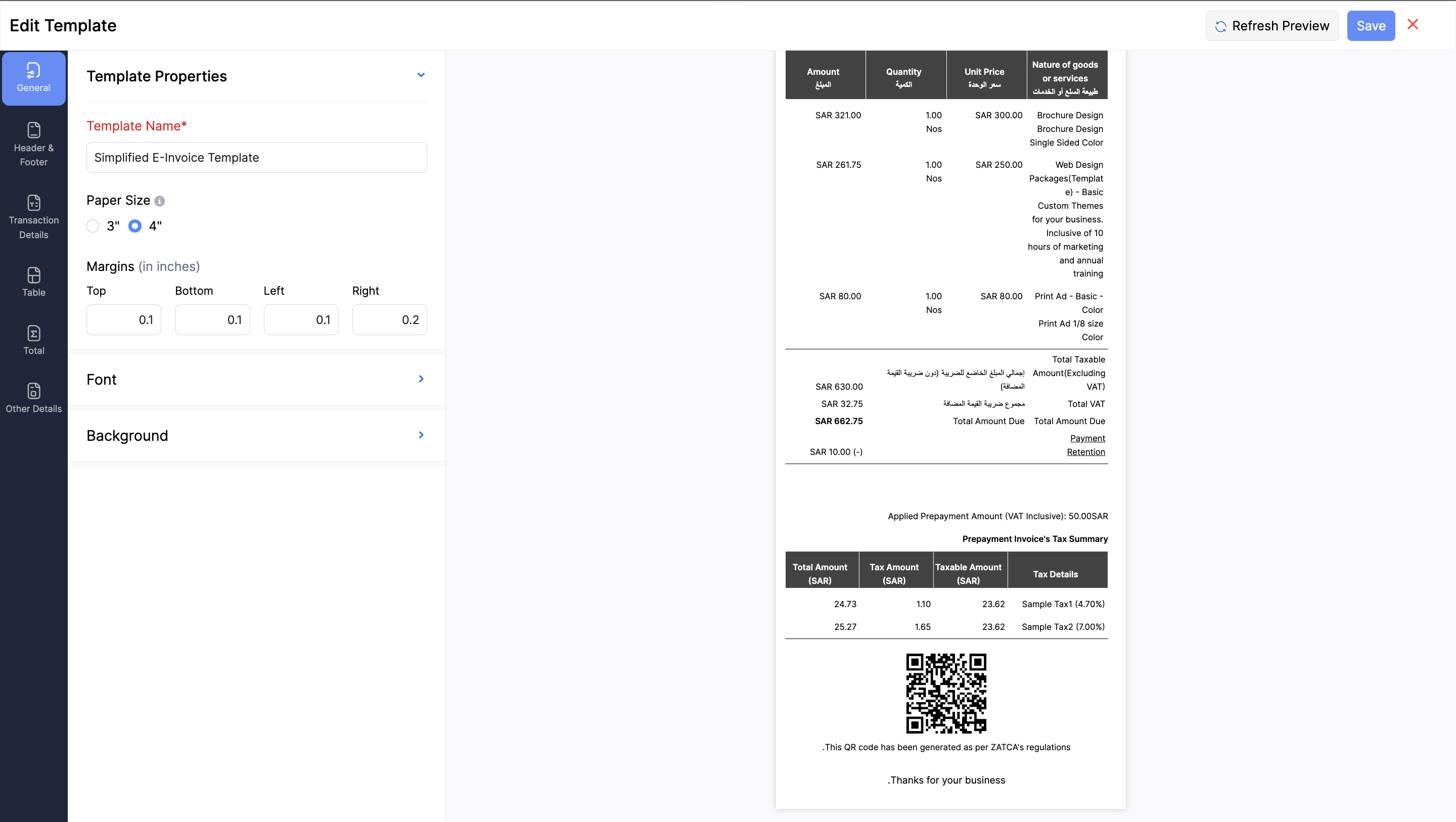
As part of ZATCA's Phase 1 regulations, it's mandatory for businesses serving customers in Saudi Arabia to generate an e-invoice at the point of sale. It should contain all the key information, such as: Retailer’s name, Retailer’s VAT Registration Number (TRN), Invoice date and time, Total invoice amount (including VAT), and the Total VAT amount. Zoho POS is equipped with everything you need to stay compliant with these regulations by helping you generate e-invoices in Arabic, with QR codes that contain all necessary information.
Monitor your business performance anytime, anywhere
For any business, monitoring key performance indicators is important to understand and make crucial decisions regarding various processes involved in your business. This becomes tricky when you are on the move. We aim to address that difficulty with the help of the Business Manager app for Zoho POS, which lets you track all the important business metrics from the palm of your hand, wherever you are. The web application also comes with in-depth reports and dashboards to stay on top of sales, inventory, payments, purchases, and so on.

Expand and manage multiple locations
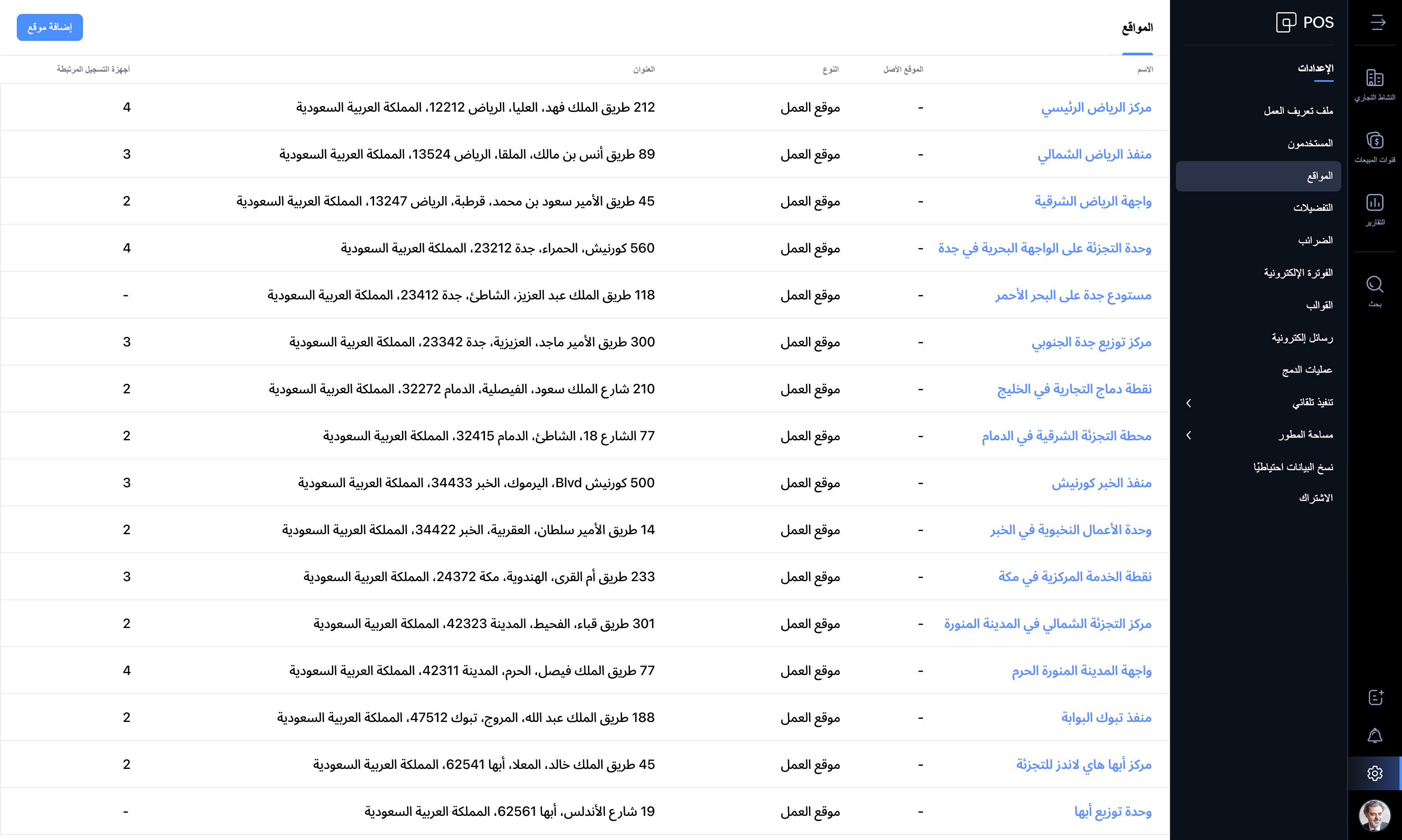
Businesses of all sizes can make the best use of Zoho POS, and the best part is that it grows with your business. When you have businesses in multiple locations, Zoho POS acts as the central hub, managing the inventory, purchases, and sales. You can create multiple locations, and the stocks can be adjusted seamlessly across all locations.
Zoho POS offers everything you need to manage your retail store operations seamlessly. We're updating the product every month with features and enhancements for continuous improvement. Check out Zoho POS's release notes.
Get started with your 15-day trial today.
Have questions? Reach us at support@zohopos.com.
Thank you!
Topic Participants
Arun Kumar V
Recent Topics
Sorting columns in Zoho Projects
Hi, In project management best practice, sorting columns (ascending, descending) is an important tool. Sorting dates to see the order of tasks starting, sorting on priority or even on planned hours is a must for an efficient project control. Currently,Zoho CRM - Calendar Cards View - Let Users Decide What Is Displayed On Calendar Entries
Imagine planning your week of face-to-face meetings across three counties. You’re trying to group appointments by location to make the best use of your time, but Zoho CRM’s calendar doesn’t show where each meeting is happening. You’re left trying to rememberZoho Inventory - How to pay a supplier up front then receive multiple deliveries
How do we manage situations where we pay a supplier up front, then the receive the products in increments? Example Workflow: Create Purchase Order > Receive Bill for full amount > Receive Items 2 or more deliveries. Currently, once a Bill is created againstHow can I add or change the active customer in Zoho Projects?
I'm trying to change the customer in an active Zoho project. Is it possible to add or change the customer?What happens when someone clicks 'unsubscribe' in a zoho CRM email
Hello, As per, i am going round in circles trying to find an answer to these 2 question. I have an email template that has an unsubscribe link in the footer in zoho CRM. First, what happens when someone clicks it - where does the contact get unsubscribedZoho CRM - Scheduled Reports Which Contain Chart
Hi Zoho CRM Team, I'm requesting that the Report Export and Scheduling feature be enhanced to include a chart, if one has been created on a report. At the moment I have a report which shows Sales This Week by Deal Owner and a pie chart at the top of theCan I add Conditional merge tags on my Templates?
Hi I was wondering if I can use Conditional Mail Merge tags inside my Email templates/Quotes etc within the CRM? In spanish and in our business we use gender and academic degree salutations , ie: Dr., Dra., Sr., Srta., so the beginning of an email / letterCadences
I have just started using Cadences for follow-up up email pipeline. Is it just me or do you find the functionality very basic? For example, it will tell me (if I go looking for it) if someone has replied to a follow-up and been unenrolled; but it won'tCanvas View in Zoho Recruit
Is it possible or would it be possible to have the new 'Canvas View' in Zoho Recruit?Zoho Inventory - Move Orders
Quick question about Move Orders... Why is there no status to say something like "Draft", "In Progress" and "Completed", similar to Transfer Orders? I'm assuming that when something needs to be moved it should be planned in Inventory, executed and thenKaizen #215 - Workflow APIs - Part 3 - Create and Update Workflow Rules
Welcome back to another week of Kaizen! Over the last couple of weeks, we’ve joined Zylker Cloud Services as they review and improve their workflows. In Part 1, we discovered and audited their sprawling workflow landscape. In Part 2, we learned how toDataPrep Bigquery Connection failed
Hello everybody, I want to create a connnection beetwen Bigquery and Dataprep but when I try to connect my project I got this error Loading tables has failed. Table list fetched from the data source expired.Utilisation de Zoho en conformité avec l’article 286 du Code général des impôts (CGI)
Cher(e) client(e), Conformément à l’article 286 du Code général des impôts (CGI) impose aux entreprises assujetties à la TVA d’utiliser des systèmes de caisse ou de gestion commerciale certifiés lorsqu’elles enregistrent des ventes à des particuliers.Issue in Zoho People Regularization – Incorrect Hour Calculation
I have noticed that when applying attendance regularization in Zoho People for previous dates, the total working hours are not calculated correctly. For example, even if the check-in is 10:00 AM and check-out is 6:00 PM, the system shows an incorrectFree Webinar : Unlock AI driven business insights with Zoho Inventory + Zoho Analytics
Are you tired of switching between apps and exporting data to build customized reports? Say hello to smarter & streamlined insights! Join us for this exclusive webinar where we explore the power of the Zoho Inventory–Zoho Analytics integration. LearnAllow Multiple usage units to items while adding them to sales/purchase transactions
The usage unit of items added in zoho books are static right now and can not be changed. But certain items are received or sold in multiple usage units. One example is fabric. It can be bought in Meters, inches, kgs or other units. Another example wouldPO receive quantities
At last, Zoho has finally got around to allowing us to receive a larger qty than recorded in the PO :-) Saves us all from editing the PO's before receiving larger quantities ( usual for us ) ! It's still in "beta" but available upon request, I've testedAnalytics : How to share to an external client ?
We have a use case where a client wants a portal so that several of his users can view dashboards that we have created for them in Zoho Analytics. They are not part of our company or Zoho One account. The clients want the ability to have user specific,Reference Deal Categories in Deluge
Hello, Is there a way to reference Deal Category in deluge functions? So for our Deals, we have several different WON stages in a pipeline. Rather than type each stage into our functions, we'd like to be able to reference the Deal Category. SimilarUsers Name & Email in Reports
Hi, I would like to show the Users Name from their Zoho Acount in All Entries/Reports as well as the current Account Email. Thanks DanEmpowered Custom Views: Cross-Module Criteria Now Supported in Zoho CRM
Hello everyone, We’re excited to introduce cross-module criteria support in custom views! Custom views provide personalized perspectives on your data and that you can save for future use. You can share these views with all users or specific individualsWorkflow Creation with Zia gets stuck
It gets stuck here:Unable to Add Asset to Work Order Due to Different Contact and Company
Hello Zoho Team, I’m facing an issue in our environment related to asset linking in Work Orders. Here’s the situation: When our engineers go for field activities, they initially create the Work Order using the salesperson’s contact details. After completingI NEED MORE CUSTOM FIELDS!!!
Why can I only have 60 custom fields! It's not enough. I want another 100 extra custom fields to do what's necessary for my business! I'm sure I can't be the only one with this problem!!! How hard would it be to fix this? Just fix it for me please atZoho Webinar et Zapier : de la prise de rendez-vous aux relances — une automatisation performante
Organiser un webinaire réussi et gérer efficacement les participants peut être un véritable défi. Avec Zoho Webinar et Zapier, vous pouvez rendre vos processus plus simples. Vous gagnez du temps en automatisant les tâches répétitives. Résultat : une expérienceTicket Stages Report
From data to decisions: A deep dive into ticketing system reports Ticket stages refer to the series of transitions from the moment a support ticket is created until it is closed. It moves through various stages based on the actions taken at each preceding【参加無料】今年最後のZoho ユーザー交流会|東京・大阪・名古屋で開催! 活用事例&ユーザー同士の情報交換
ユーザーの皆さま、こんにちは。コミュニティチームの中野です。 11月に東京、大阪、名古屋の3都市でZoho ユーザー交流会を開催します! 毎回ご好評いただいている本イベントでは、実際の Zohoユーザーによるリアルな活用事例の共有や 参加者同士でノウハウを交換し合うグループワークを予定しています。 「他社の活用を参考にしたい」「Zoho をもっと使いこなしたい」方にぴったりの場です。 初参加の方もぜひお気軽にご参加ください! ーーーーーーーーーーーーーーーーーーーーーーーーーーーーーーーーーーーーーSlow Performance on desk.zoho.com. 11/3/2025
I’m not seeing any active service alerts for desk.zoho.com, but everyone on our account is currently experiencing very slow load times when opening or navigating tickets. We’ve already tried the standard troubleshooting steps — clearing cache and cookies,Create View to See Tickets Closed within the last 3 days
I'm trying to create a view in Zoho Desk that shows me "recently closed ticket," which I will define as tickets closed in the last 3 days. I want this view to update so that whenever I click to view it is recalculates and shows me tickets closed withinRecurring Events Not Appearing in "My Events" and therefore not syncing with Google Apps
We use the Google Sync functionality for our events, and it appears to have been working fine except: I've created a set of recurring events that I noticed were missing from my Google Apps calendar. Upon further research, it appears this is occurringExport your notes from Notebook!
Dear users, The long awaited feature is now live. Yes, you can now export your notes from Notebook app in bulk. But the feature has just started with web app alone for now. You can try the export feature as mentioned below: Go to our web app, https://notebook.zoho.com Go to 'Settings' > 'Export' Now, select the format: You can select either ZNote or HTML Once done, you can use the same to import or can have this a local backup of your notes. Note: Export for other platforms are in development andDissociate account from contact
Hello, When I make the call through the API to "Dissociate account from contact" using, /api/v1/contacts/**integer**/accounts/**integer**/dissociate I get this response back, 422Unprocessable Entity (WebDAV) (RFC 4918) { "errorCode": "INVALID_DATA", "message":Zoho Desk and Zoho People Integration - is it possible in order to alert whether an agent is available
Hi, We use Zoho People for our employees to log absence (Paid Time Off etc). I was wondering if it was possible that this information can be shared in to Zoho Desk, so that when allocating a ticket to an agent, if they are on leave there is an onscreenAdd Save button to Expense form
A save button would be very helpful on the expense form. Currently there is a Save and Close button. When we want to itemize an expense, this option would be very helpful. For example, if we have a hotel expense that also has room service, which is aCall transcrition working for ringcentral?
I don't see anything about what telephony providers can be used. The Zoho support person A said that RingCentral isn't supported. Zoho support person B said that it works, just make sure the call recording link works. Excellent instructions here: CallHow to Send Email from within a custom module (with or without an email template)
It is possible to send an email from the Deals module. However, I can't find a way to send an email from any of our custom modules. I have tried adding an email field to the modules (even though we don't really want one or need it there). That doesn'tZoho Inventory - Managing Items With Multiple Suppliers
Hi community, I'm working on a project at the moment for a car parts wholesale business. Each Item (part) has its own original manufacturer part number (sometimes more than one part number for the same item). When purchasing parts from 3rd party suppliers,How do I see the total leads during a certain period?
I understand I can get the count of leads and potentials but the total number of leads in a certain period should be equal to Leads+potentials because when we convert a lead it gets moved to potentials and no longer exists there. is there a way i couldWhere is the Global Search field?
I am looking for an alternative to SF.com. Zoho CRM seems to be work fine, and be customizable in terms of the fields and reports. But there's one big thing missing and it's going to prevent us from using it: there's no global search box at the top ofAPI 500 Error
Hello amazing ZOHO Projects Community, I get this message. How can we solve this? { "error": { "status_code": "500", "method": "GET", "instance": "/api/v3/portal/2010147XXXX/projects/2679160000003XXXX/timesheet", "title": "INTERNAL_SERVER_ERROR", "error_type":Next Page