MDM Conditional Access - Sprints
Hello Sprinters!
In the iOS version (v1.2.19) of the Zoho Sprints mobile app, we have brought in support for an amazing list of functionalities.
Here are those:
1. MDM Conditional Access:
Conditional access allows organisations to restrict employees/users access to the applications on provisioned devices via MDM and through “Security Policy” configured from Zoho Directory.
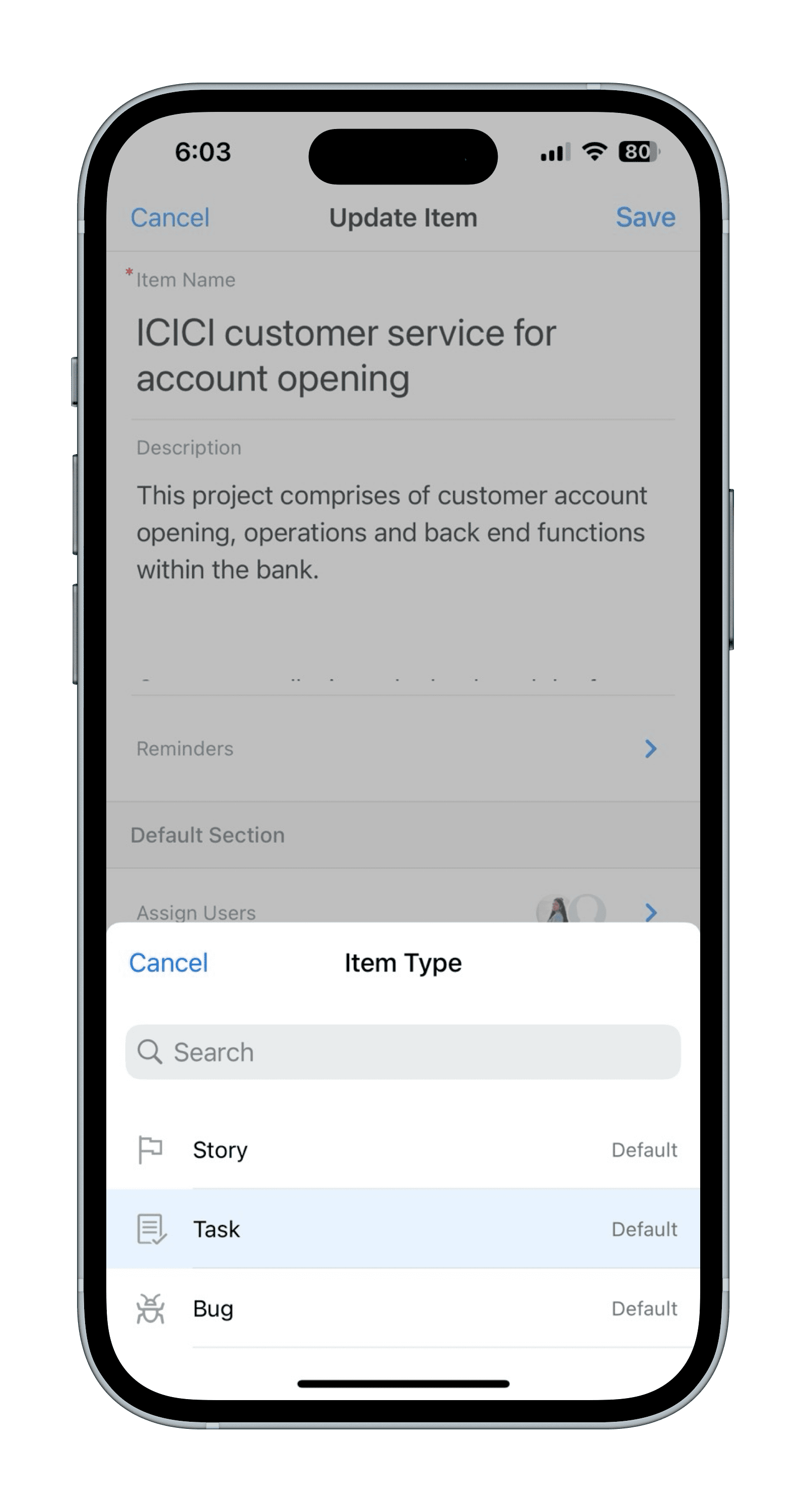
2. Modify Item Type:
You can now easily modify the item type (e.g., Story/Task/Bug) directly from the Edit Item form, for both items and subitems. Please refer to the screenshot depicted below:
3. Note Management:
You can now add, edit, and delete comments directly from the Feed or Feed details page for Sprints, Release, Epic, and Meetings.
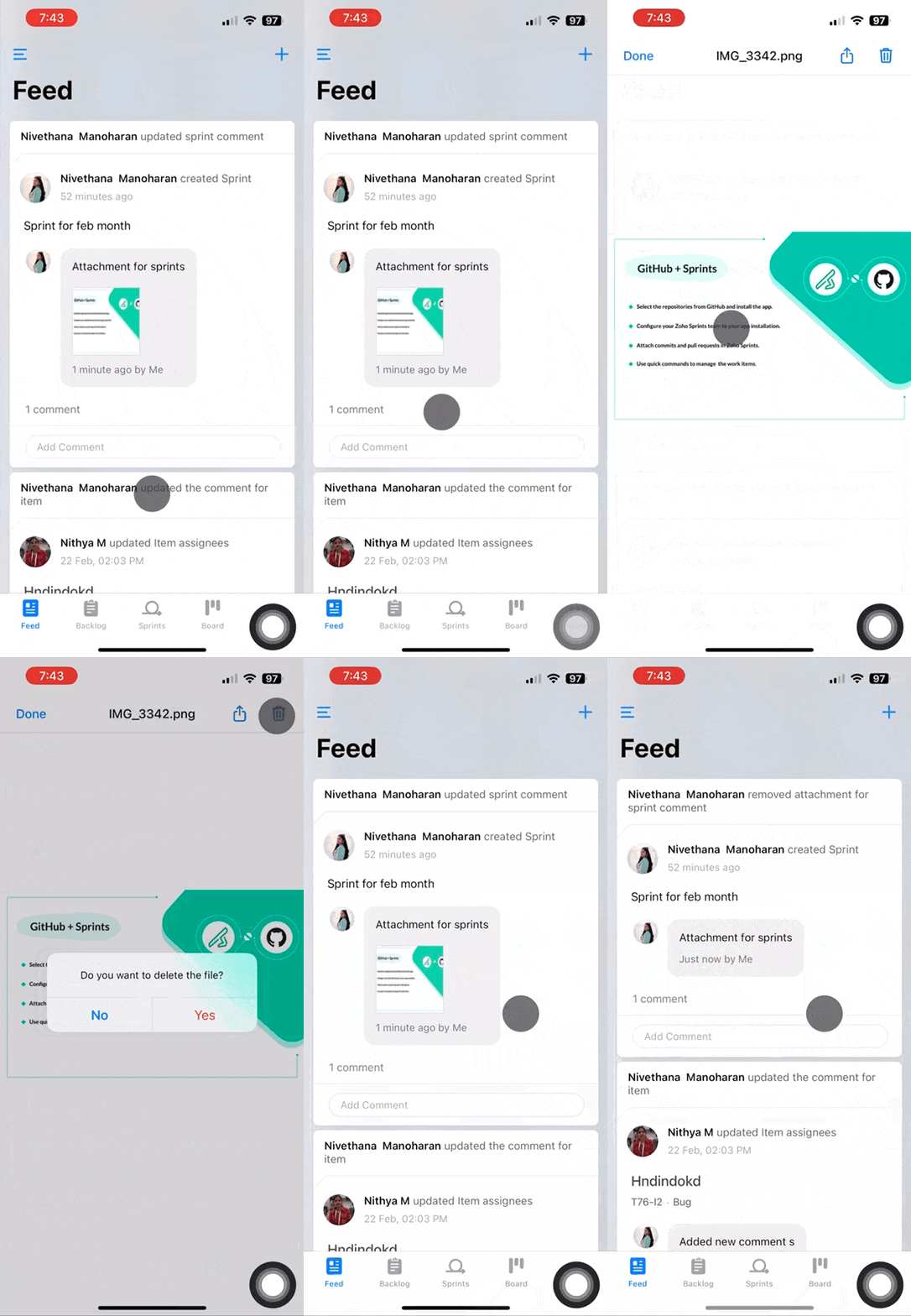
4. Delete Comment Attachments:You can now add, edit, and delete comments directly from the Feed or Feed details page for Sprints, Release, Epic, and Meetings.
With this update, you can delete attachments added to comment of Sprints, Release, Epic, or Meeting type directly from the Feed or Feed details page. Please refer to the GIF depicted below:
To access the above listed features, please update the app to its latest version either by directly going on to the App Store or by using the link given below:
Zoho Sprints app - App Store
Should you need any assistance with the app, please write to us at 'sprints@zohomobile.com' or submit feedback from within the app (Steps: Tap 'Hamburger icon' at the top left corner > select the 'Settings' (gear icon) option > select the 'Feedback' option)
Good day!