One cell, multiple formats, unlimited possibilities.
Spreadsheet formats are more than an aesthetic choice. Proper formatting helps audiences understand your spreadsheet better. Zoho Sheet now allows you to format different parts of your content in cells however you want.
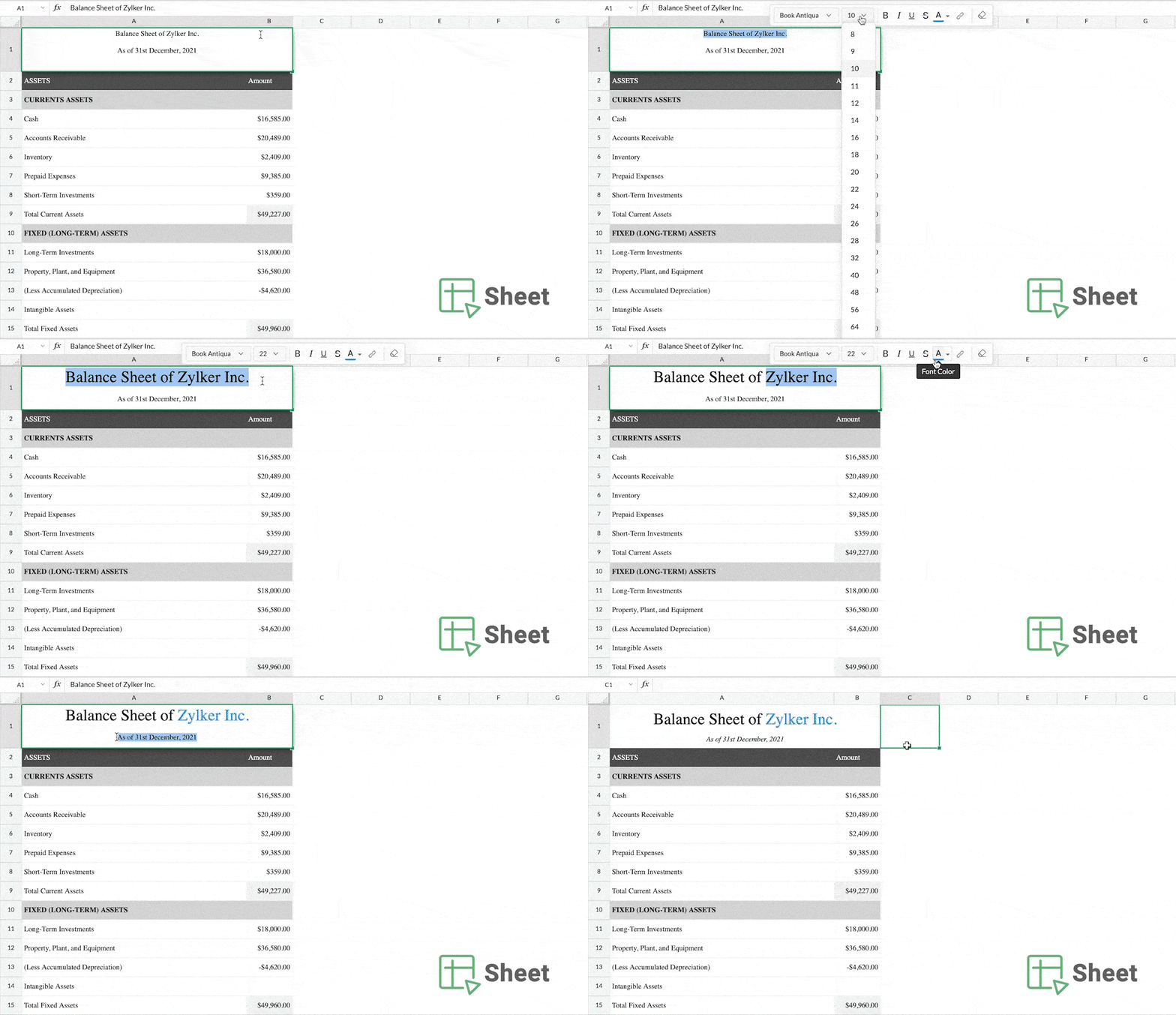
What can you do with the new formatting options?
Let's suppose you have a cell that reads "Financial statements for 2021-22". You'd like to highlight the year so it stands out from the rest of the text.
In Zoho Sheet, you can add emphasis to portions of text within a cell using the different formatting options, from the contextual short cut menu. You can also enter your content as multiple lines within the cell, use the text overflow/wrap options to stylize your spreadsheets.
What formatting options can you apply?
- Bold
- Italic
- Underline
- Strikethrough
- Font Family
- Font Size
- Font Color
- Hyperlink
Try this feature out and let us know what you think. You can also send questions to support@zohosheet.com. Follow our community for more such product updates, spreadsheet tips and forum discussions.