Slicers are now available in Zoho Sheet—filter your data interactively

Slicers are now available in Zoho Sheet—filter your data interactively

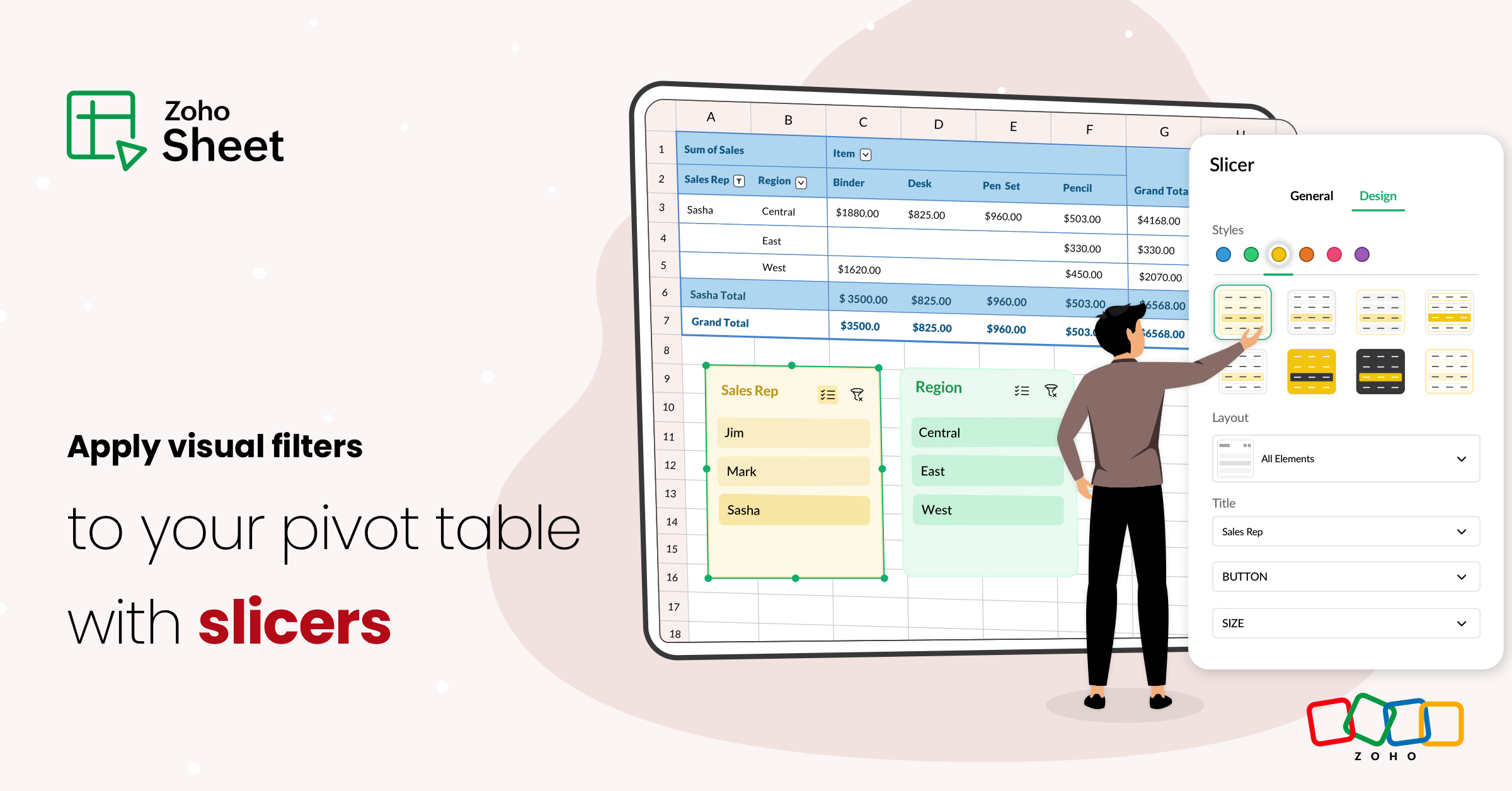
At Zoho Sheet, we diligently track user requests and feedback. In line with this, based on extensive user requests, we've integrated Slicers to pivot tables and are delighted to announce its release. Slicers are interactive visual filters that have add, edit, customize, and delete options.

How do slicers differ from usual filters?


Spreadsheet filters are handy to sort relevant data from an extensive data set. While traditional filters are applied as drop-downs within the table, slicers are prominent graphical elements with buttons that you can place anywhere inside the sheet. 


Establish multiple pivot connections


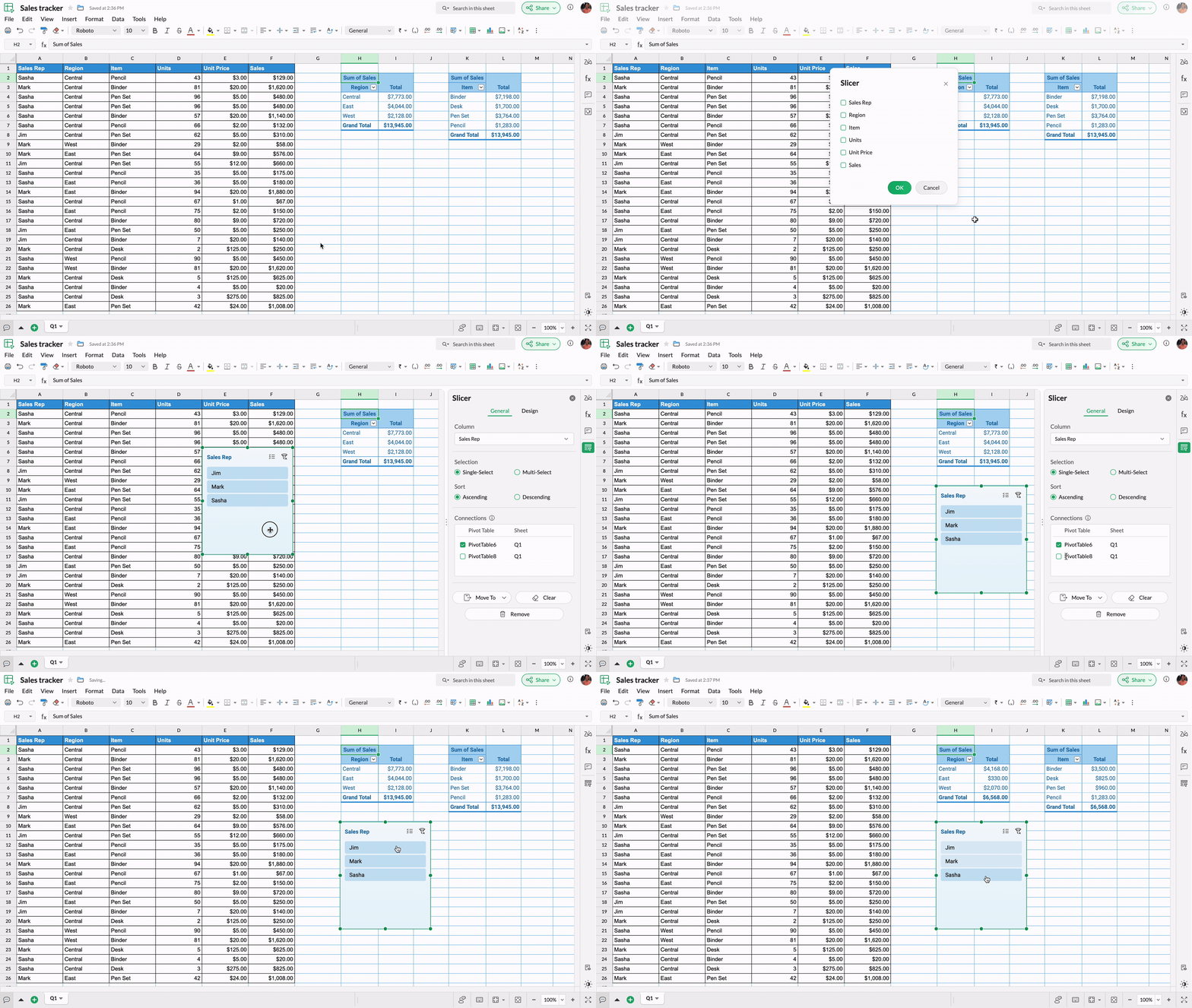
Slicers allow you to establish connections between multiple pivot tables in your spreadsheet, allowing you to filter and analyze data simultaneously, provided the tables share the same source data. You can choose to add or remove connections at any time.

Personalize your slicers


Like every other object in Zoho Sheet, you can customize slicers and their buttons based on the layout, height, weight, and font, and smartly align with other objects in your spreadsheet.


Slicers are useful, especially when multiple pivot tables are connected, in building interactive spreadsheet dashboards.

Try the new slicer option in Zoho Sheet and tell us your feedback. Follow our community to receive all the latest product-related announcements and updates.

    • Sticky Posts

    • Introducing Forms in Zoho Sheet

      We hereby bring you the power of ​forms in Zoho Sheet. ​Now, build and create your own customized forms using Zoho Sheet. Be it compiling a questionnaire or rolling out a survey, Zoho Sheet can do it all for you. Forms is an excellent feature that helps you collect information in the simplest of ways and having it in Zoho Sheet takes it a notch higher. Build Simple yet Powerful forms Building forms using Zoho Sheet is fairly simple. The exclusive 'Form' tab lets you create one quickly. Whether you
    • What's new in Zoho Sheet: Simplify data entry and collaboration

      Hello, Zoho Sheet community! Last year, our team was focused on research and development so we could deliver updates that enhance your spreadsheet experience. This year, we’re excited to deliver those enhancements—but we'll be rolling them out incrementally
    • Slicers are now available in Zoho Sheet—filter your data interactively

      At Zoho Sheet, we diligently track user requests and feedback. In line with this, based on extensive user requests, we've integrated Slicers to pivot tables and are delighted to announce its release. Slicers are interactive visual filters that have add,
    • Introducing Data Bars: Graphically represent changes in data within the cells

      Conditional formatting has helped millions of spreadsheet users analyze and highlight their data more efficiently. In addition to the classic rules, color scales, and icon sets available in Zoho Sheet, you can now apply Data Bars, a convenient method
    • Feature enhancement: Highlight rows based on a cell value

      Hello Sheet users, We're excited to announce a new feature enhacement, shaped directly by your valuable feedback! As you might know, conditional formatting is a great tool for anyone dealing with large data sets. Previously, if you’ve ever wanted to draw