Spotlight series #25 - Create presentation outlines using Zoho Show's Chrome extension
Hello all, the feature in this month's spotlight is Zoho Show's Chrome extension.
The first step to creating a good presentation is outlining your ideas—a crucial process that sets the foundation for everything that follows. But this often involves extensive research, juggling countless tabs, and switching back and forth trying to put everything together. It’s a time-consuming and frustrating task that can drain your focus and creativity.
That’s where Zoho Show’s Chrome extension can help. In this post, we’ll dive into its features and how they can help you kickstart your presentation creation process in a much simpler way.
Draft presentations in Chrome while you research
Once you install the extension, click on it to start using it. This will open a pop-up where you can find three options: Create Draft, Create Presentation, and Import pptx.
Click Draft to outline your ideas by entering text or an image. You can also add images by dragging and dropping them from any website. These drafts will be saved automatically.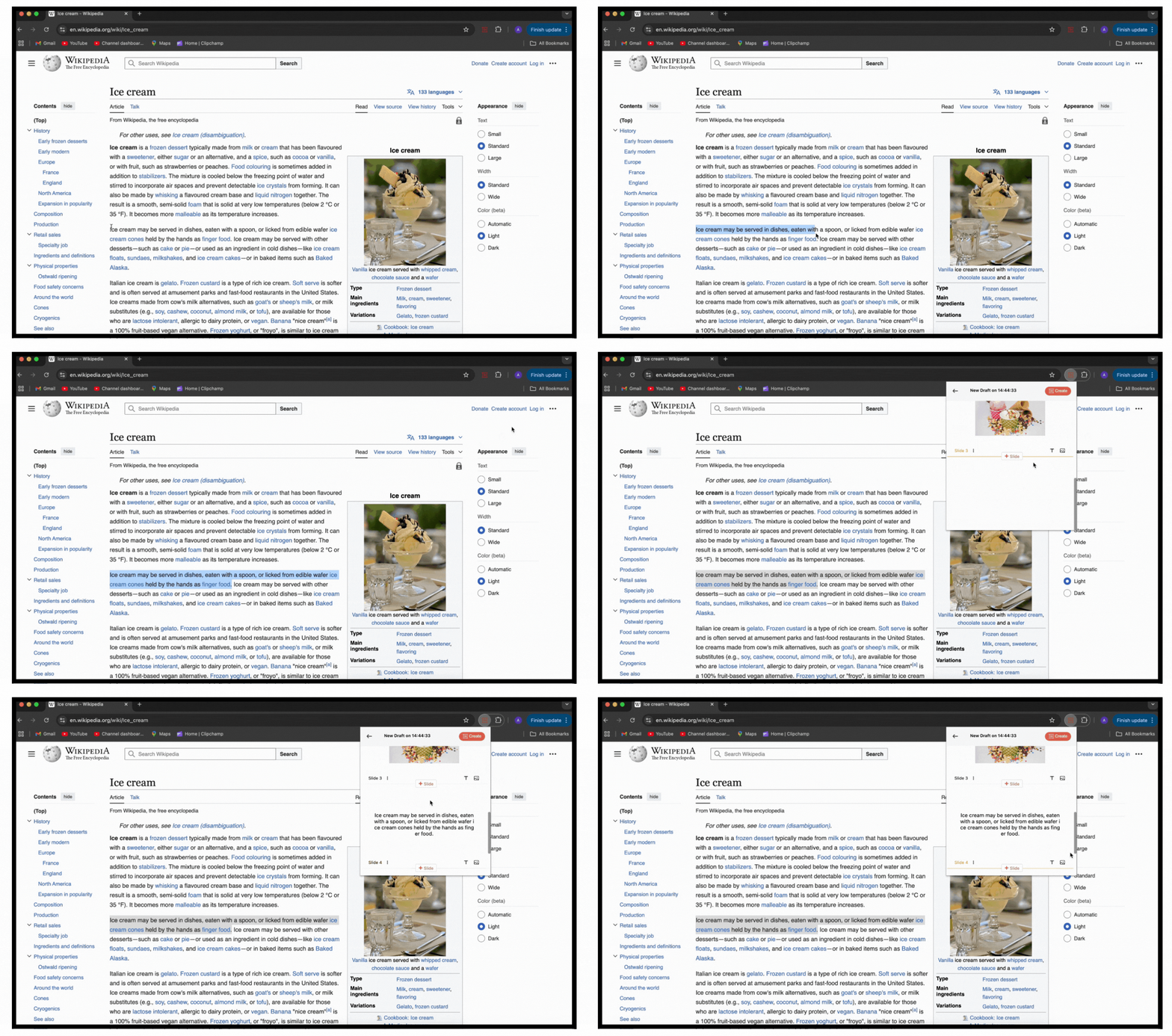
Create and access new presentations
The Show extension also provides you with a shortcut to create and access your presentations without having to go to the listing page.
Select the Presentations tab in the extension to view the list of all your recent presentations. Select one to start editing, or click the adjacent Play icon to present it on the go. The presentation will open in a new tab.
You can also create a new presentation using Zoho Show extension by choosing the Create Presentation option. A new presentation will open in a new tab.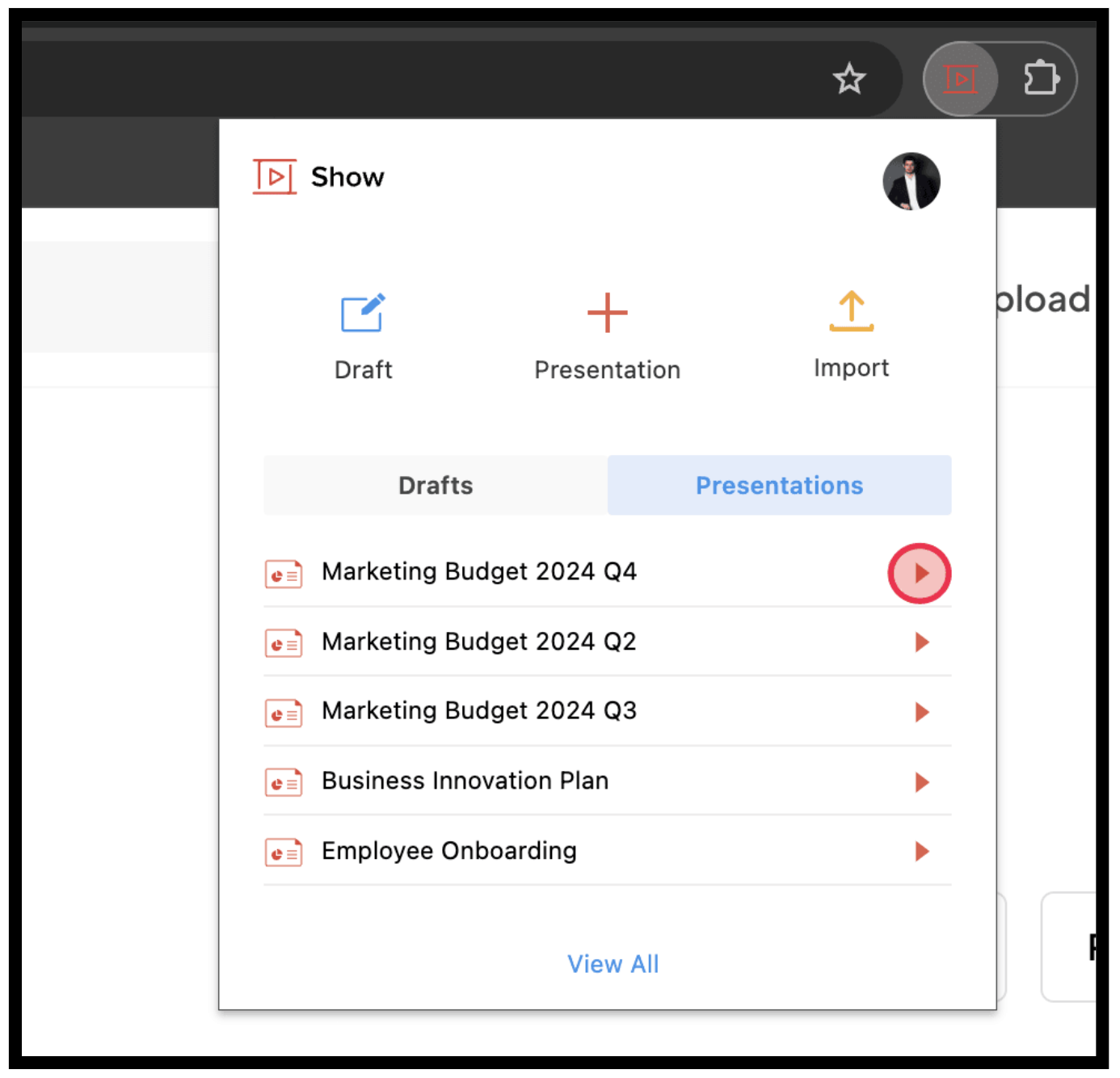
Import presentations

Zoho Show’s Chrome extension is perfect for multitaskers juggling research and content creation. It saves time and provides a comfortable way to create and manage drafts directly from your browser. Unlock this tool to accelerate your presentation creation process.
Give it a try and share your thoughts in the comments below!