The improved portal experience: Introducing the template view for inventory modules, enhanced configurations, and PDF export support

Availability: Open for all DCs.

Editions: All
Hello everyone,
You can now achieve a seamless, brand-aligned portal experience with our enhanced configuration options and the new template view for inventory modules. Your clients will now be able to view as well as interact with data in a clearer, more consistent format.
Let's look at what's new:
- Template view for inventory modules for portal users:
The portal configuration page now allows you to assign the Template View as the detail view for inventory modules. This aligns with how users typically view these in external systems (such as Amazon) as the detail view for inventory modules like Quotes, Invoices, Sales Orders, and Purchase Orders.This will help them consume data in a familiar, structured format that enhances clarity and usability.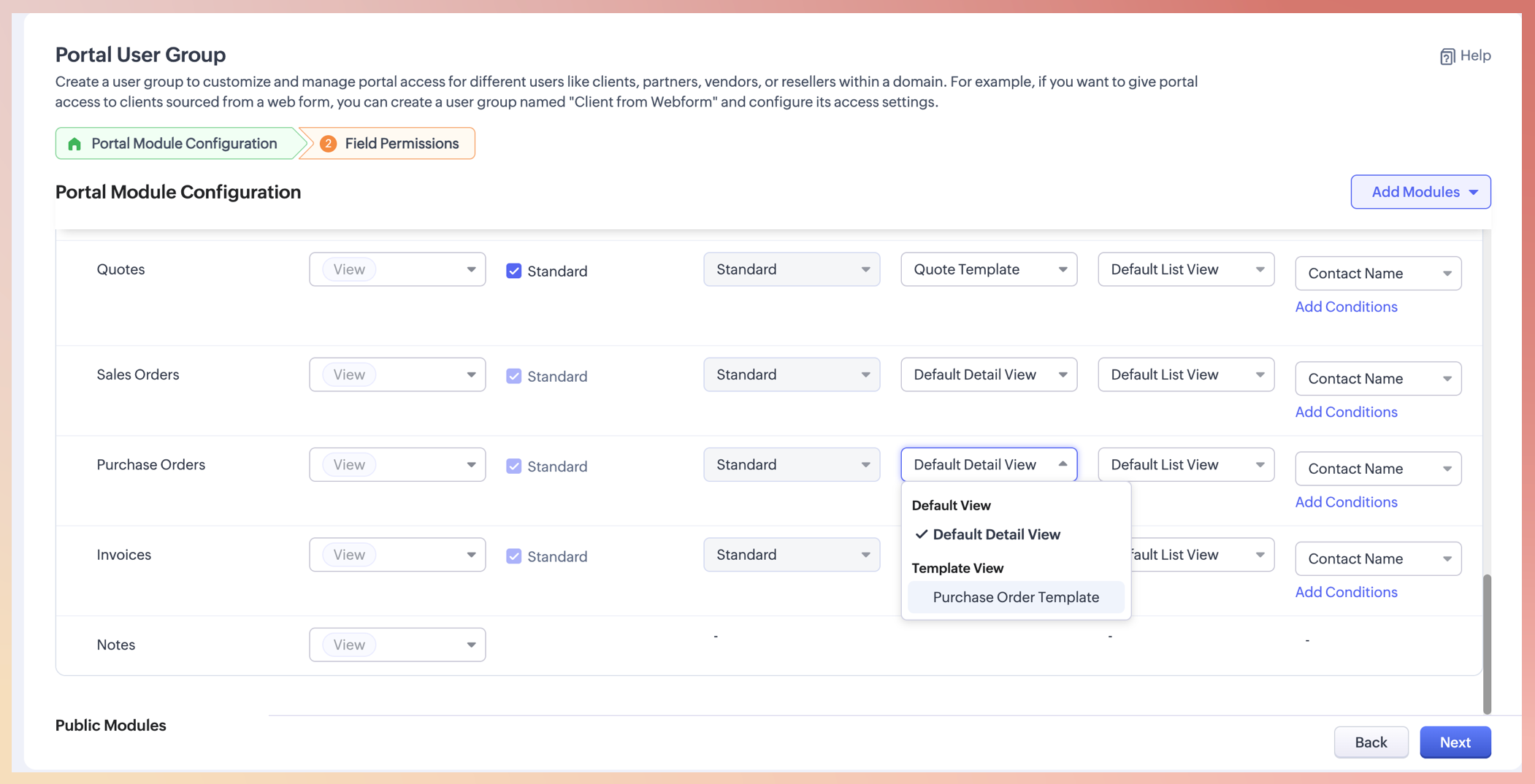
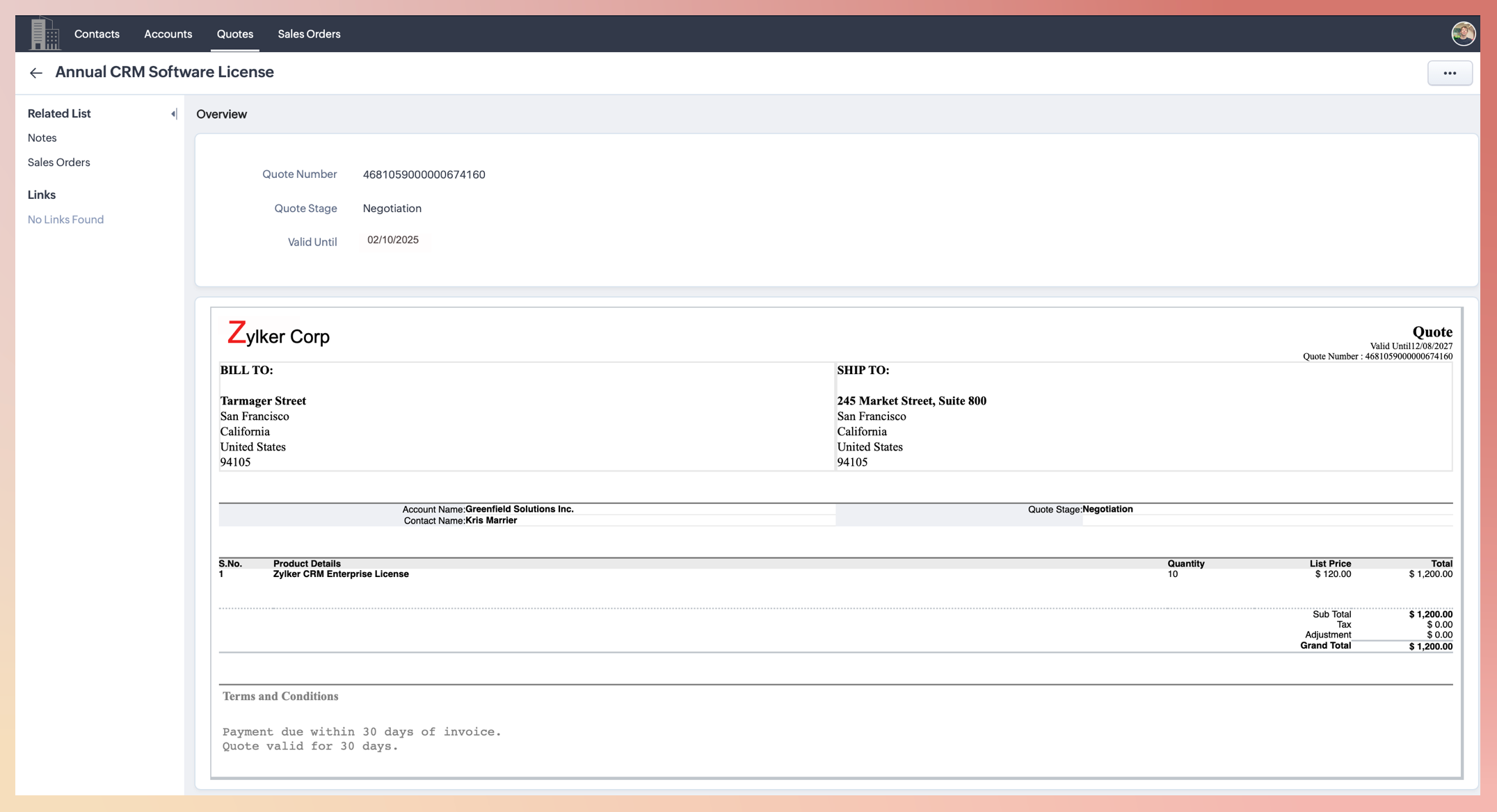

Notes:
Only upon assigning a template view for inventory modules can one view the same from the portal account.
Pre-defined templates will be available by default for modules like Quotes and Invoices.
You can also include custom-created templates for even more flexibility.
This ensures portal users can view inventory-related records in a format that matches expectations and industry standards.
- Portal configuration across modules now includes more nuanced options:
The assignment of List, Detail, and Create views will now appear in the configuration page.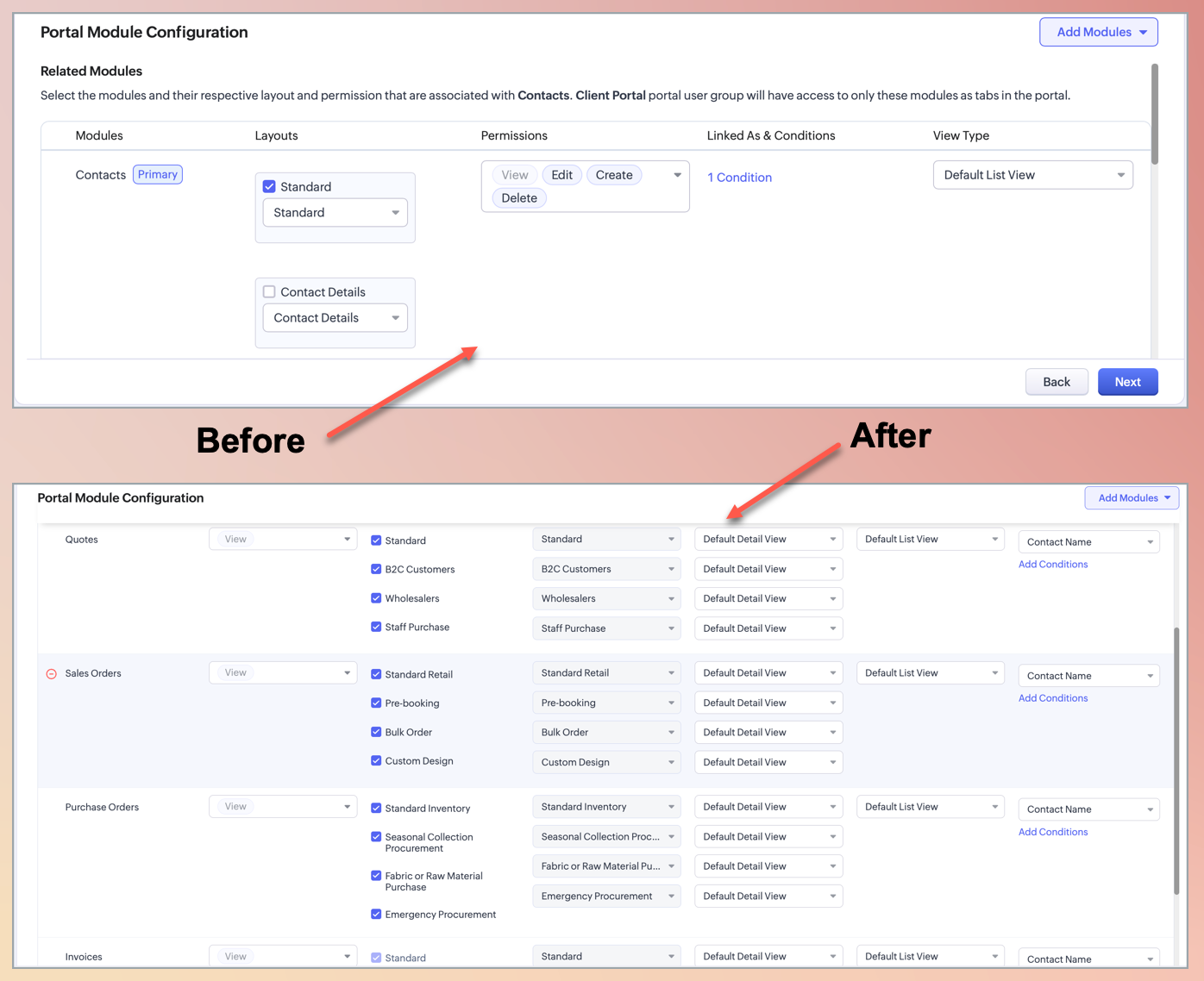
The portal configuration section now includes dedicated columns for List View, Detail View, and Create View, as opposed to the common List View section that was available earlier.
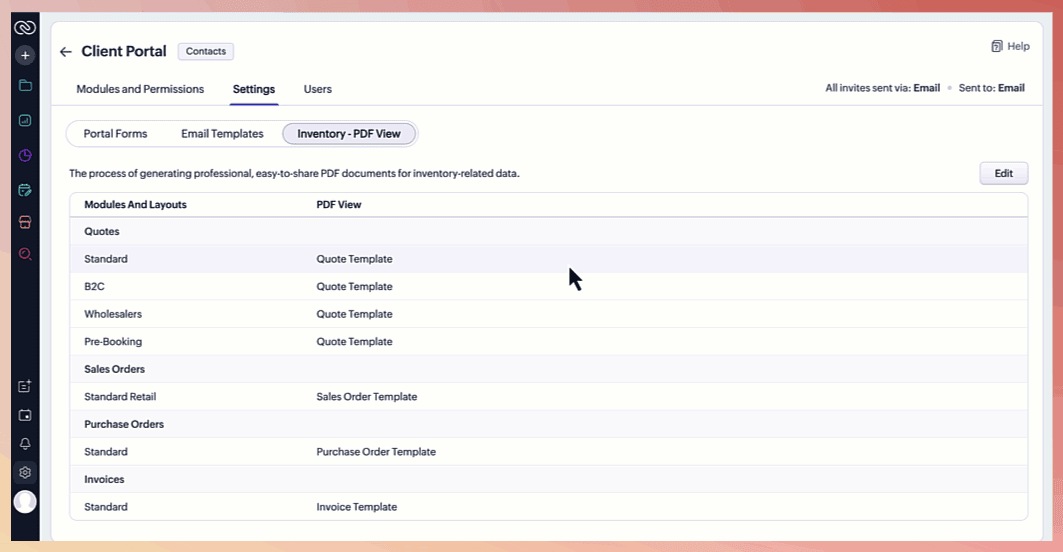
This makes it easier to customize what clients see and access, ensuring that they interact with only relevant, contextual data for their needs. - PDF export optionThirdly, an Export to PDF option—under the More menu—will now be extended to portal users as well.
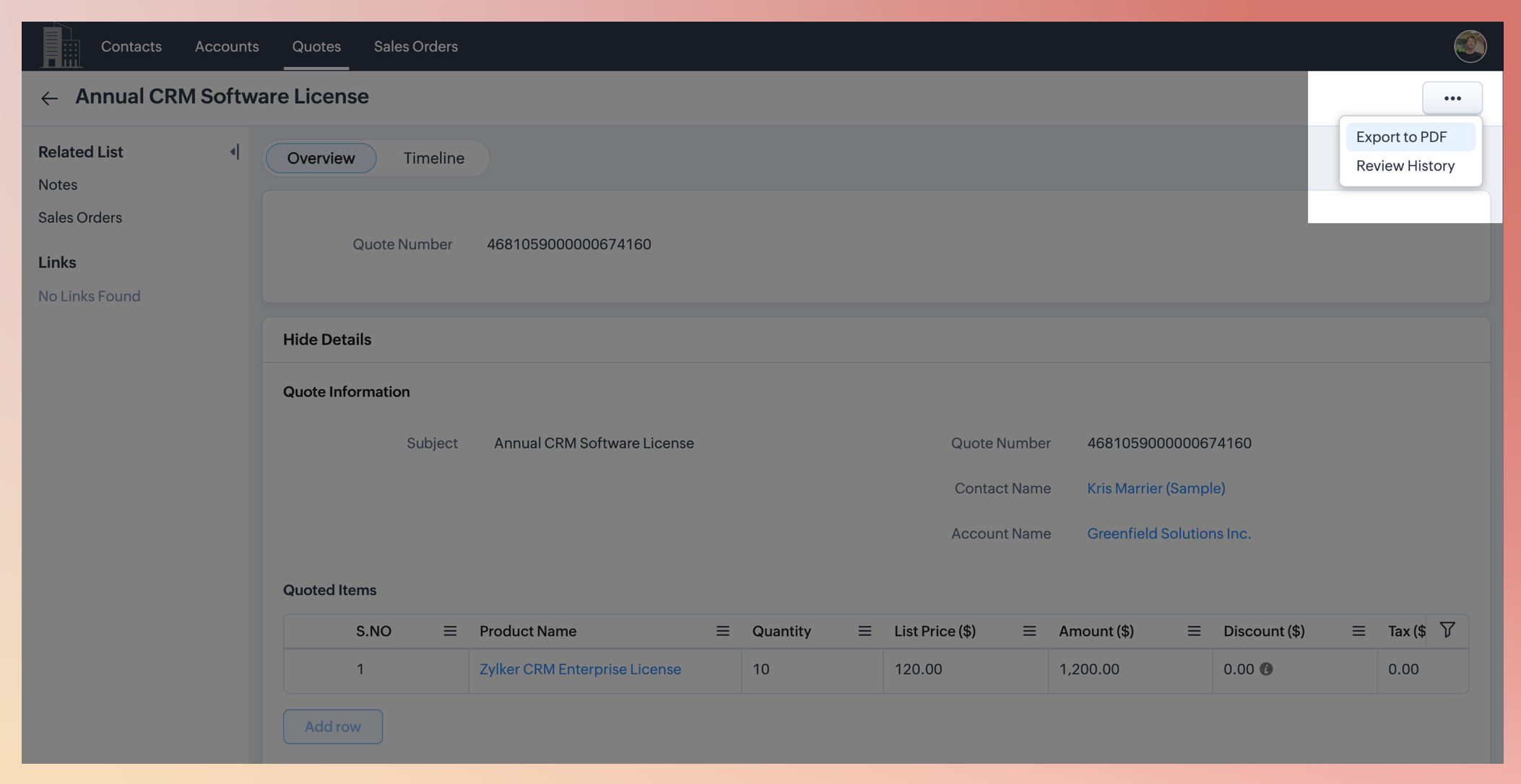 The default template set will be used when the portal user opts to export to PDF.Note: The template selection to download pdf will be available from Settings > Inventory PDF View.