Tip #46- Turn Every Session into an Insight with Zoho Assist survey report- 'Insider Insights'
Delivering exceptional remote support isn’t just about resolving issues, it’s about understanding how both customers and technicians experience each session. That’s where Survey Report in Zoho Assist come in. You can configure and customize survey questions for both the Technician and Customer Surveys. Check out this tip on how to add questions.
To access survey report, log in to your Zoho Assist account using the correct credentials, and then navigate to Reports → Survey Report in the left panel. Under the survey section, you can see the Technician Survey and Customer Survey. Both surveys offer a summary of the post-session feedback using the survey, so you can see if the customer was satisfied with the session.
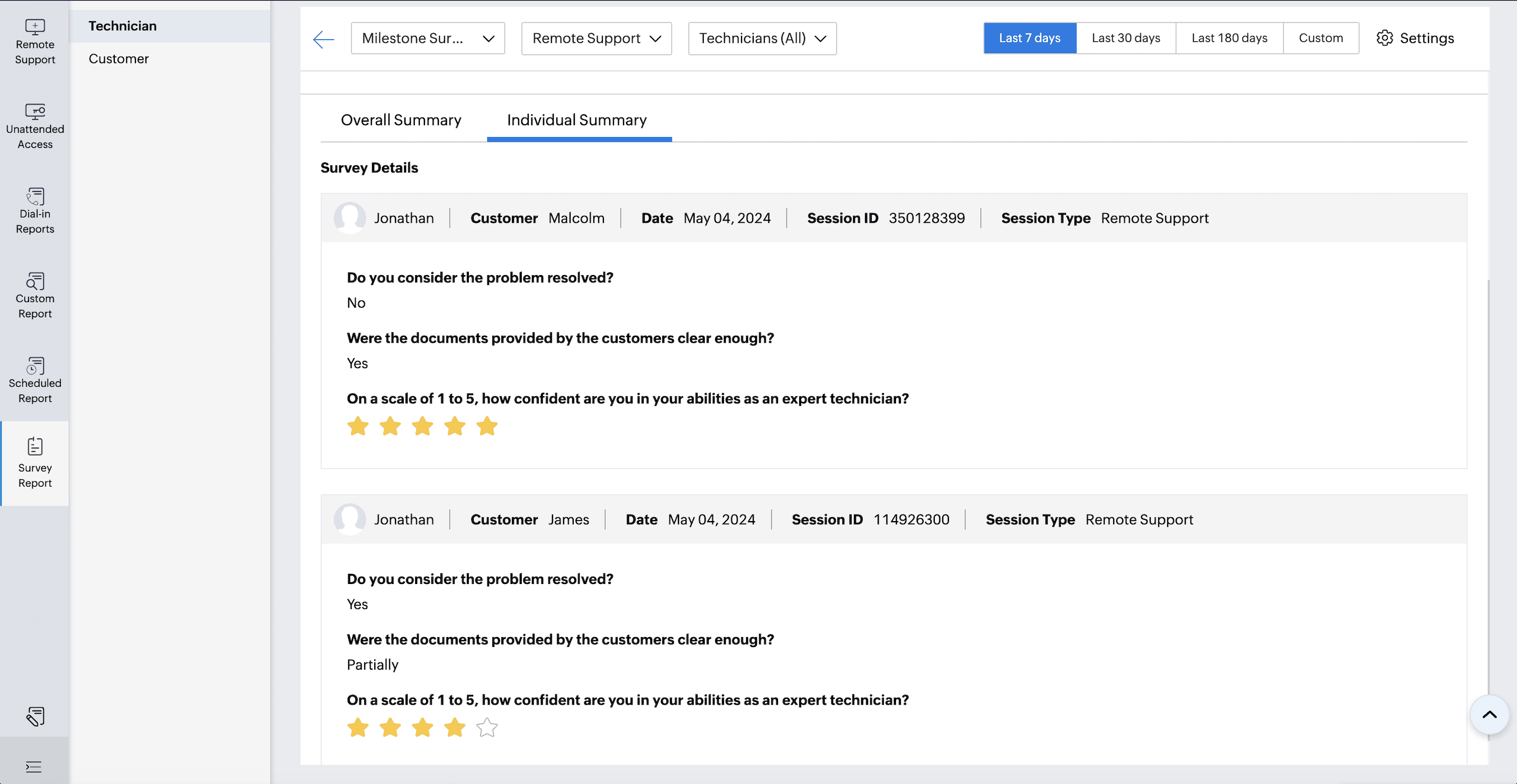
The Technician Survey captures feedback from support technicians after each session, helping identify experiences and areas for improvement. Admins and Super Admins can view the responses either as a Overall Summary of all responses or as an Individual Summary which allows for reflection for each session's feedback. Survey questions can evaluate the quality of the tech session, connection issues, tool performance issues, as well as usability issues, challenges, workflow, and overall experiencing. The summary report also allows admin to compare technician performance over time and clearer trends.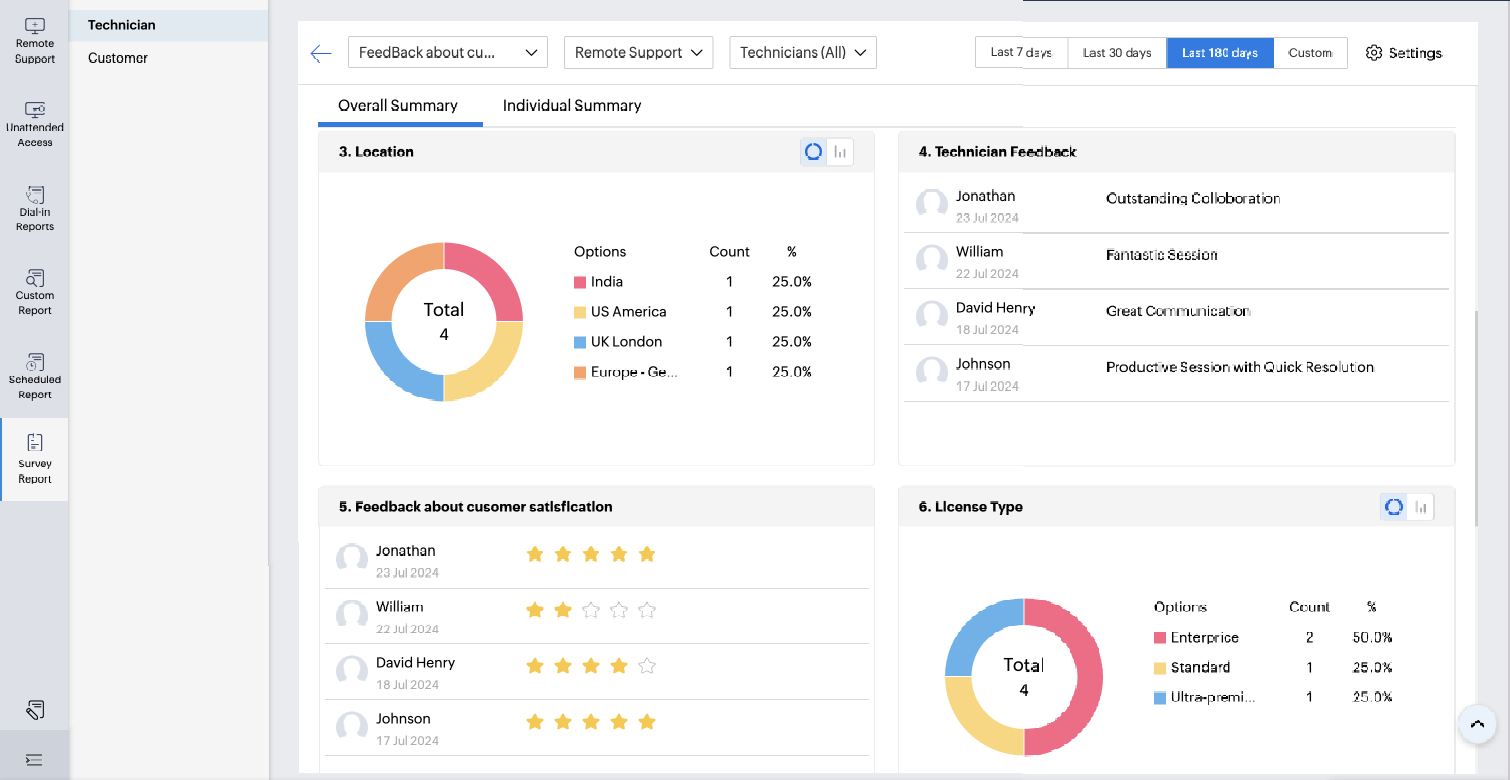
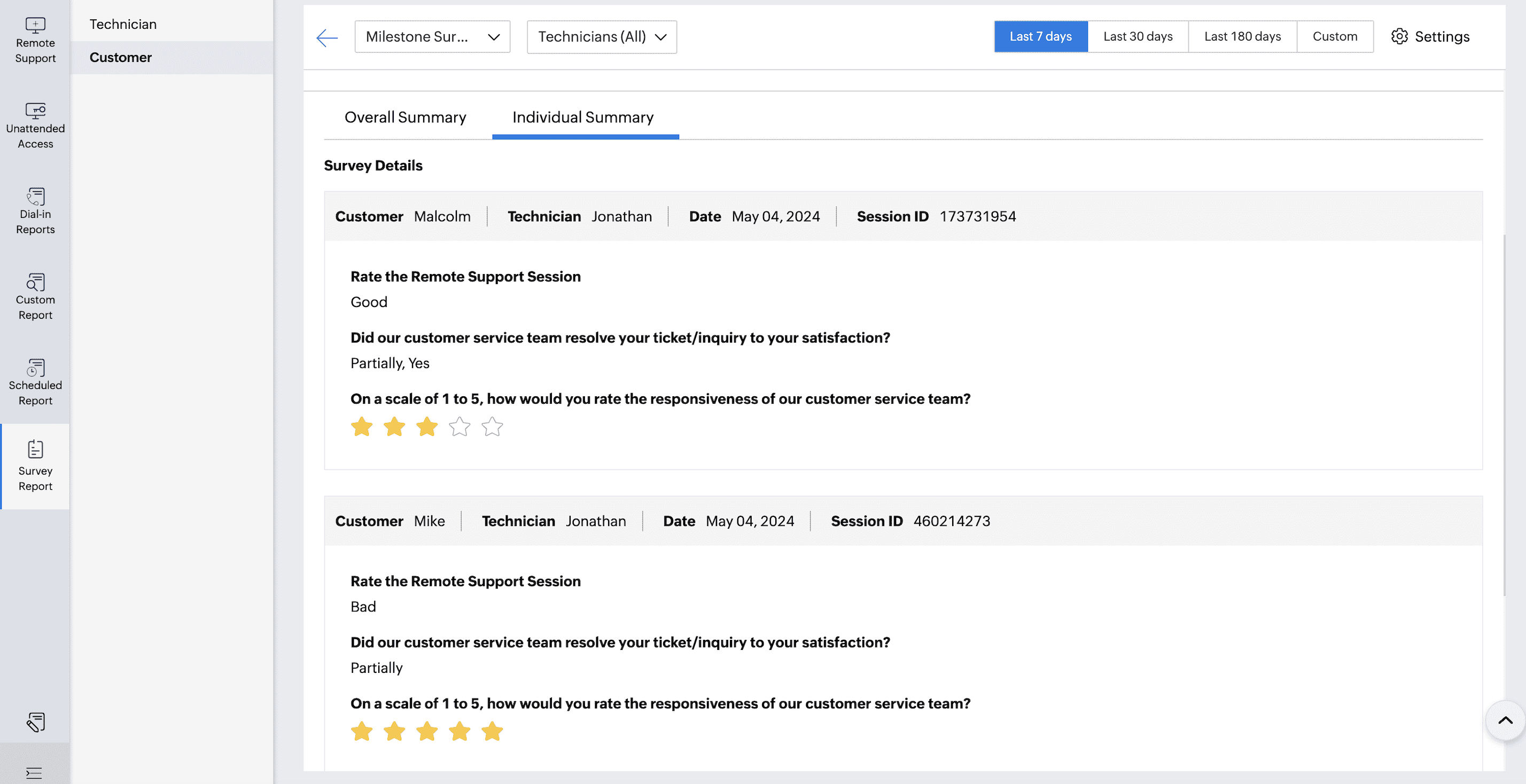
The Customer Survey collects data directly from end users after a remote session ends. The data includes a rating about the session quality experienced, comments and suggestions from customers, and data around the quality of the session, responsiveness of the technician, and the effectiveness of the session resolution. It also collects trending data that can help track levels of satisfaction across multiple sessions which subsequently allow for identifying trends, and continuing to improve the service you provide.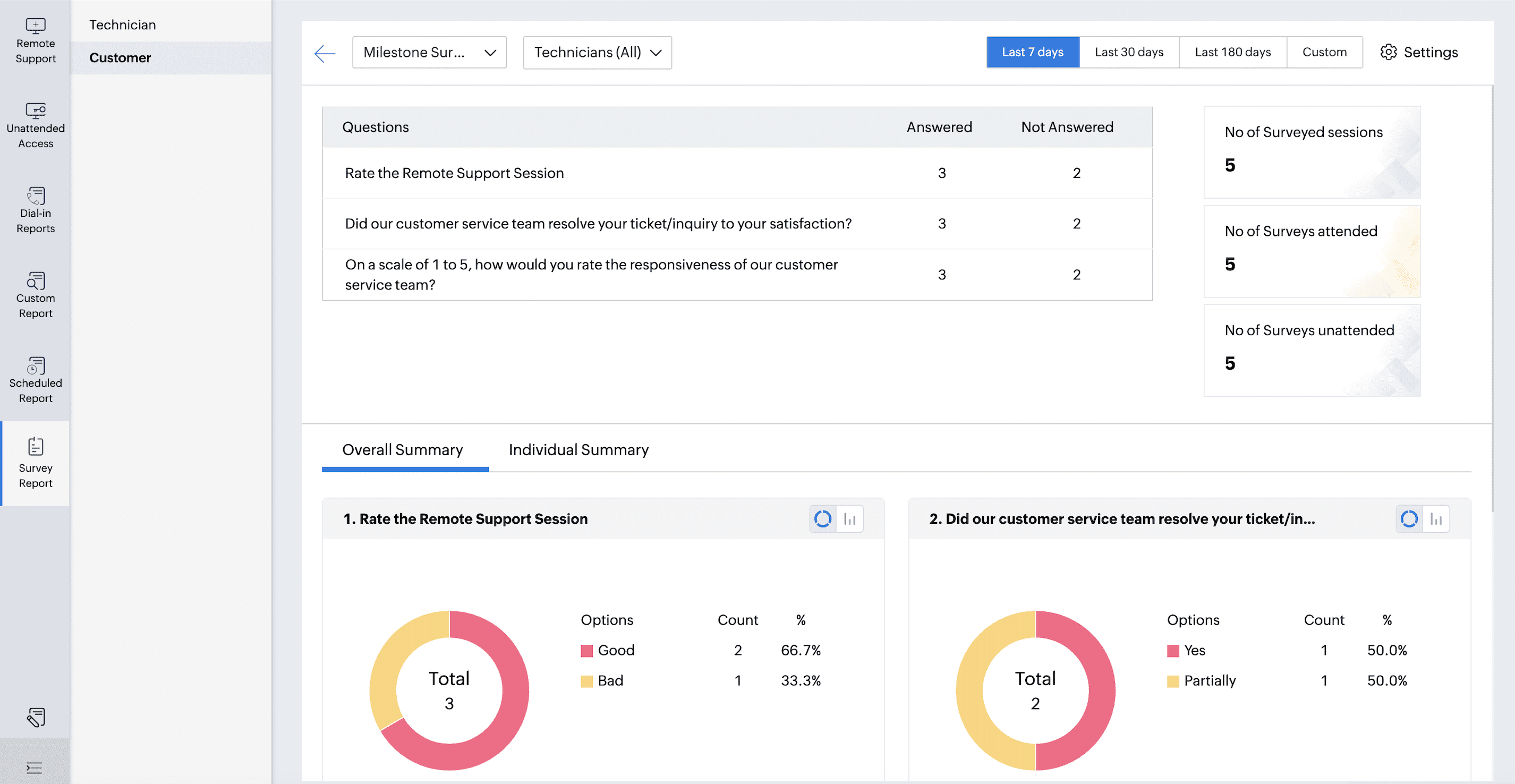
Benefits of Survey Report
Find actionable insights around customer and technician perspectives.
Identify opportunities for improvement in service delivery and technician performance.
Evaluate satisfaction trends and workflow performance over time.
Continue to develop data-driven decision-making for continuous improvement in service.
Cultivate a more open and feedback driven culture in your support.
Survey Report provide a means to assess the performance of your support operation. By evaluating the feedback that you derive from customers and technicians, you will take a holistic view of performance, discover opportunities, and ultimately improve the quality of service as a whole.