Hello everyone,
Zoho Subscriptions is set to receive a massive update, with a bunch of new features and usability improvements. This update will also provide a shared user experience with other apps from the Zoho Finance suite, such as Zoho Books or Zoho Inventory.
Here's a quick peek at some of the features that will be available to you soon:
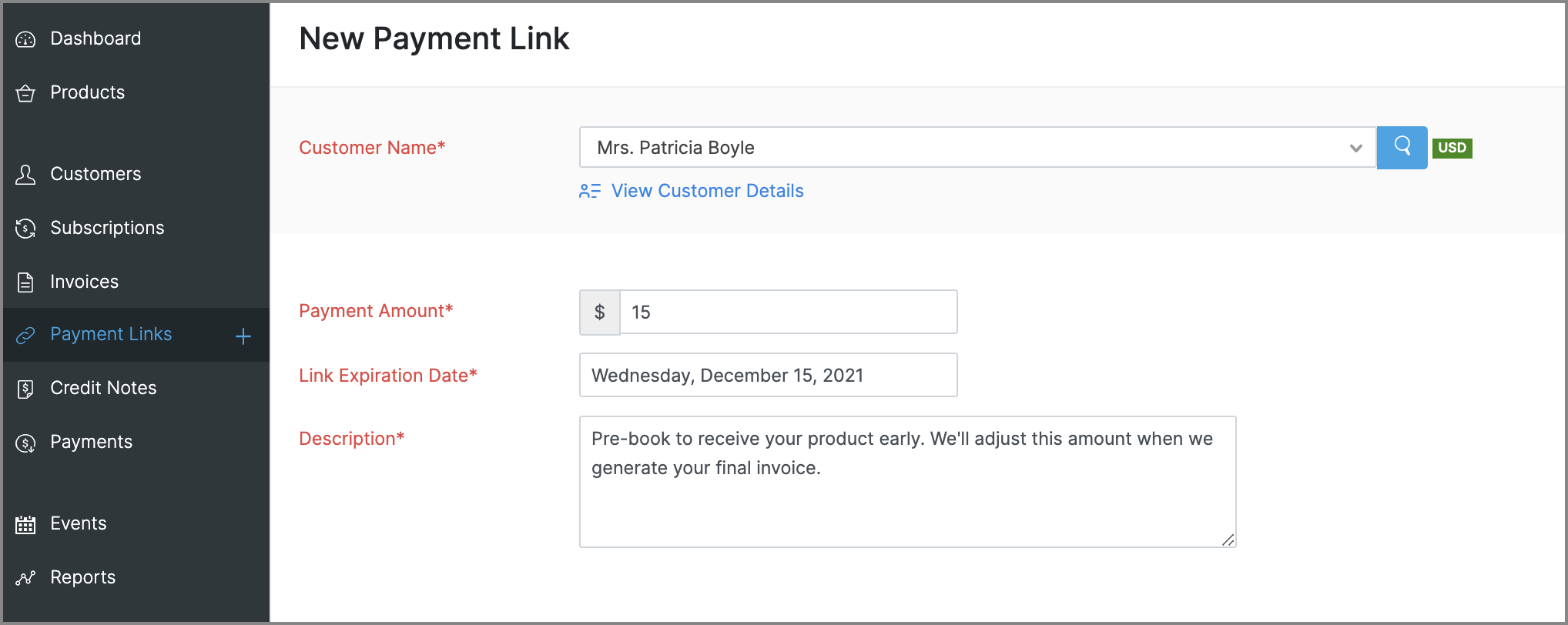
Payment Links for ad hoc payments
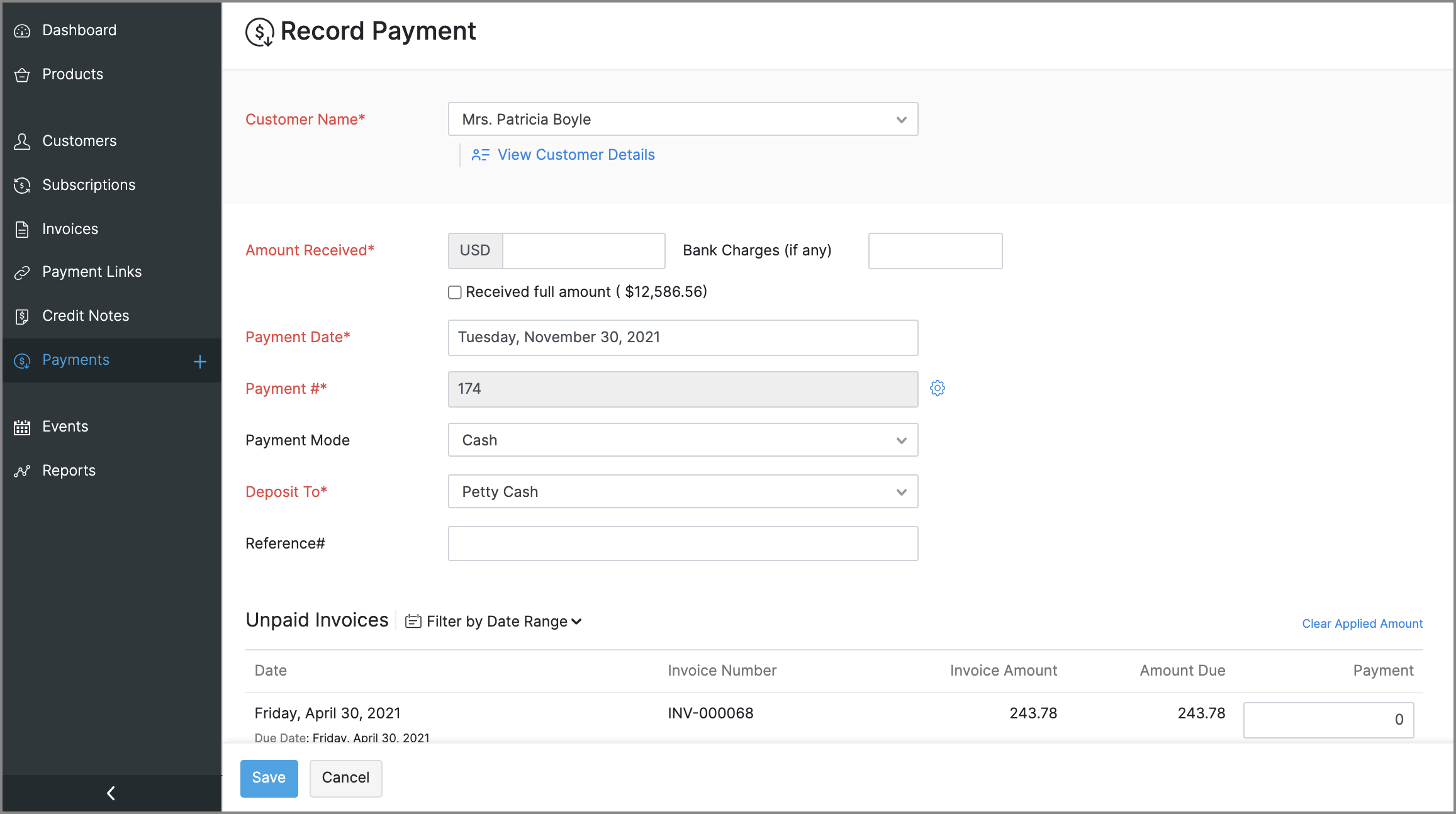
This is a new feature that will let you request and accept one-time payments from customers by sending them payment links, which they can use to make online payments to you. These payments can be for miscellaneous reasons that need not be related to any subscriptions, such as an advance payment or a convenience fee.
Enhancements to reports
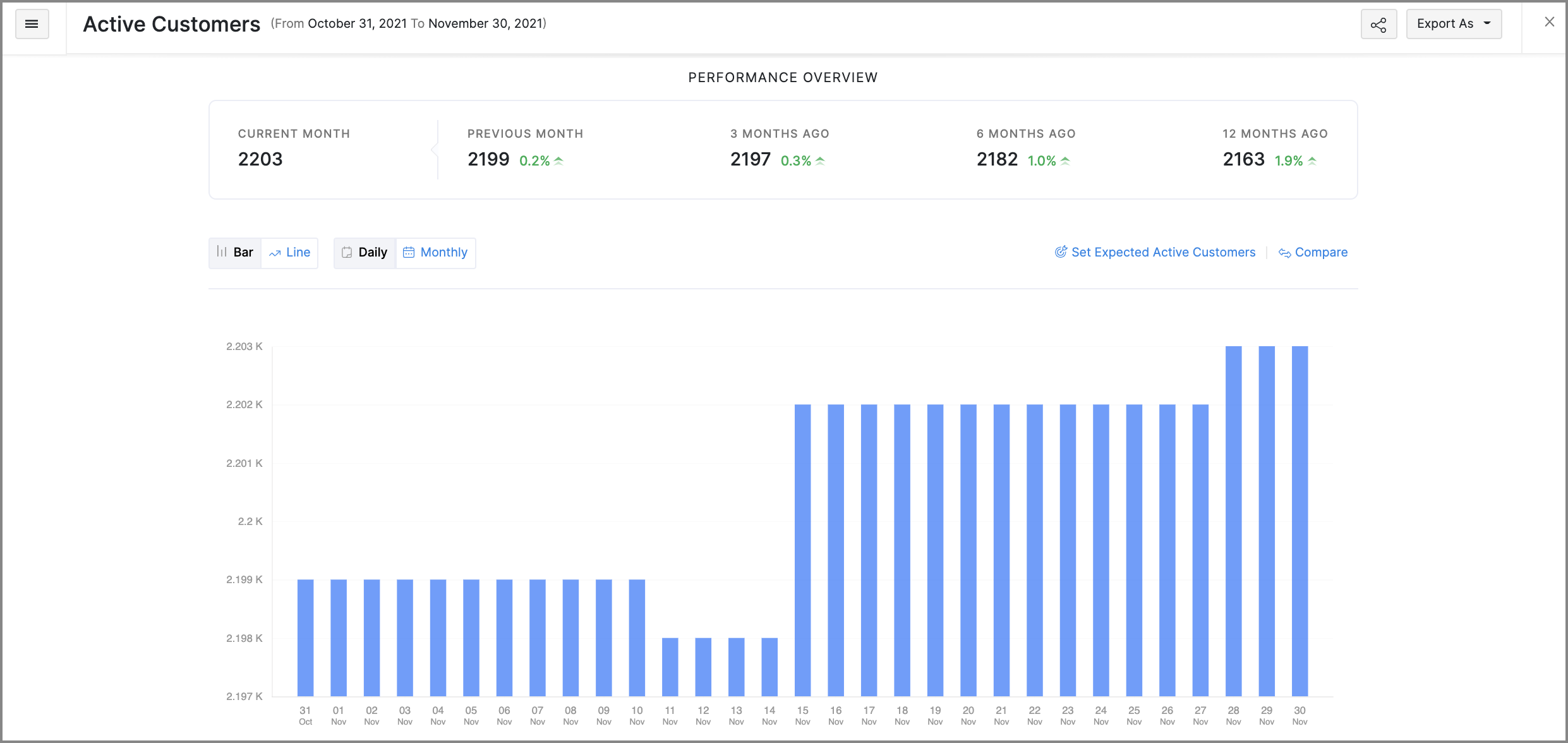
- Revamped UI: Most reports will get a slicker UI, that's more intuitive and puts commonly used customization features in places that are easier to access. Some reports will also get comparative percentage changes across different periods, along with the option to set expected figures as a benchmark. Here's a glimpse of what the new UI will look like:
- Favorites: Mark frequently visited reports as favorites to pin them at the top of the Reports module.
- Share reports: You can quickly share the reports that you've generated with other users and set the level of access they have for that report as well.
- Schedule reports: You can schedule some reports to be generated routinely and emailed to the recipients that you choose.
More control for emails
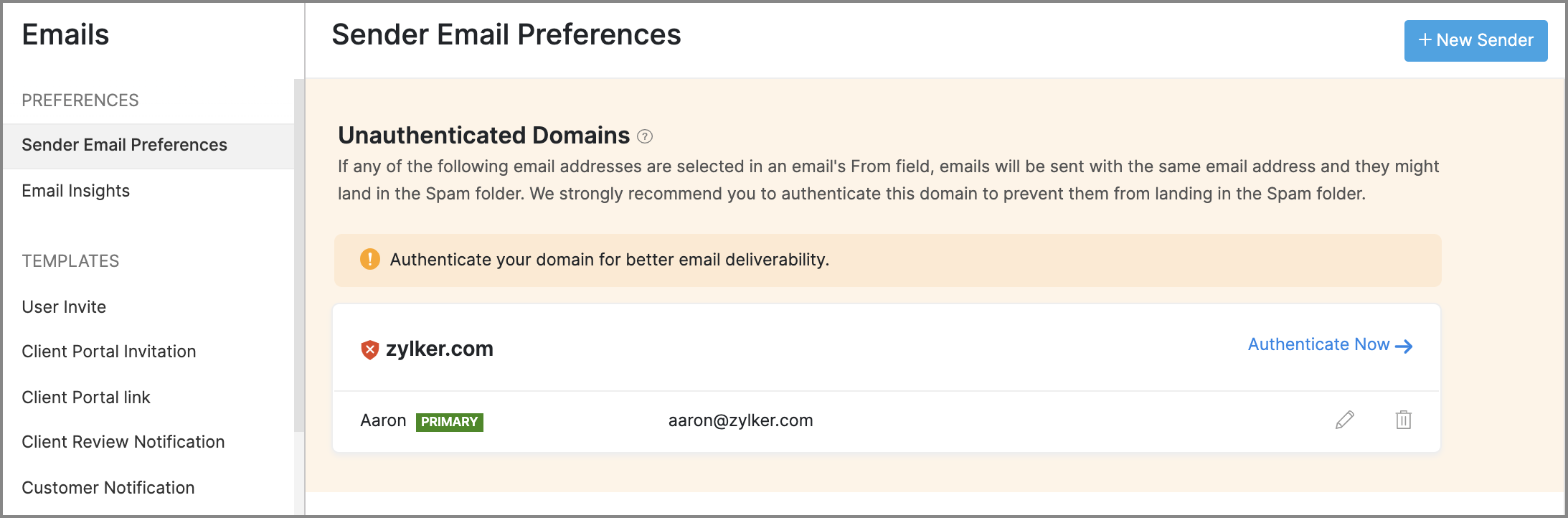
- Sender Email Preferences will allow you to manage the From address of emails that are sent from Zoho Subscriptions. It will also assist you in adding SPF and DKIM records for your domain, to prevent your emails from landing in a recipient's spam or trash folder.
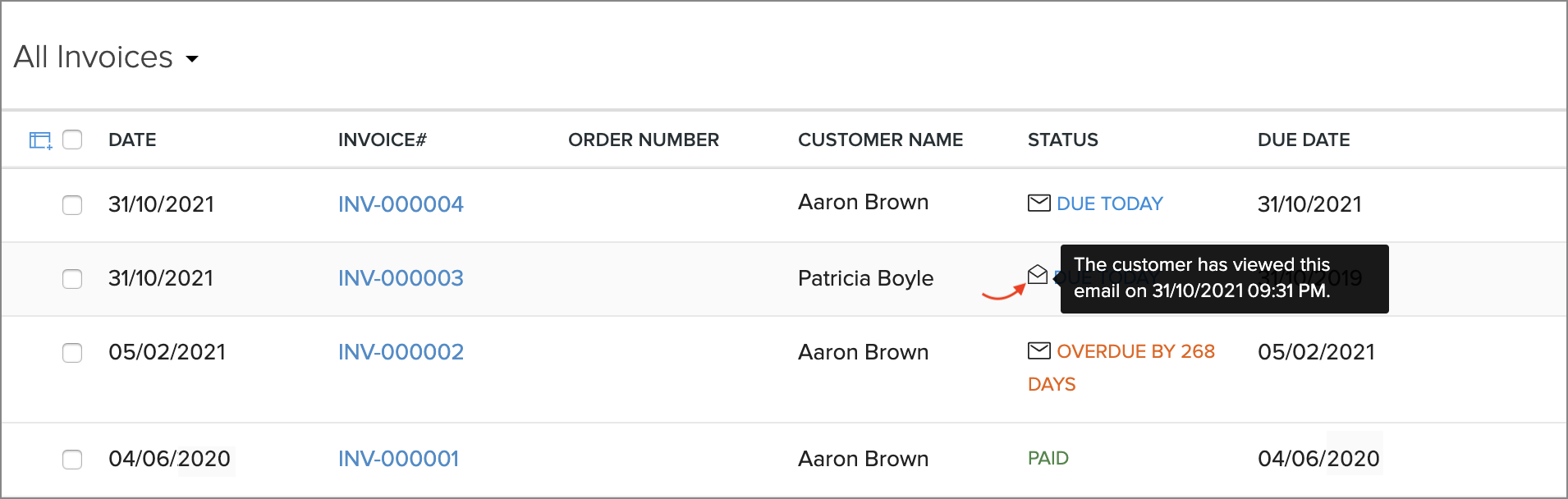
- Email Insights lets you keep track of the notification emails that have been sent to customers. You will be able to know if an email was opened, and exactly when it was opened, which can help in deciding when to initiate follow-up conversations with customers.
Revamped modules
The following modules will receive new features and improvements all-around:
General usability improvements
Throughout the app, you will find changes that aid with usability and accessibility. Here are some that will be evidently visible:
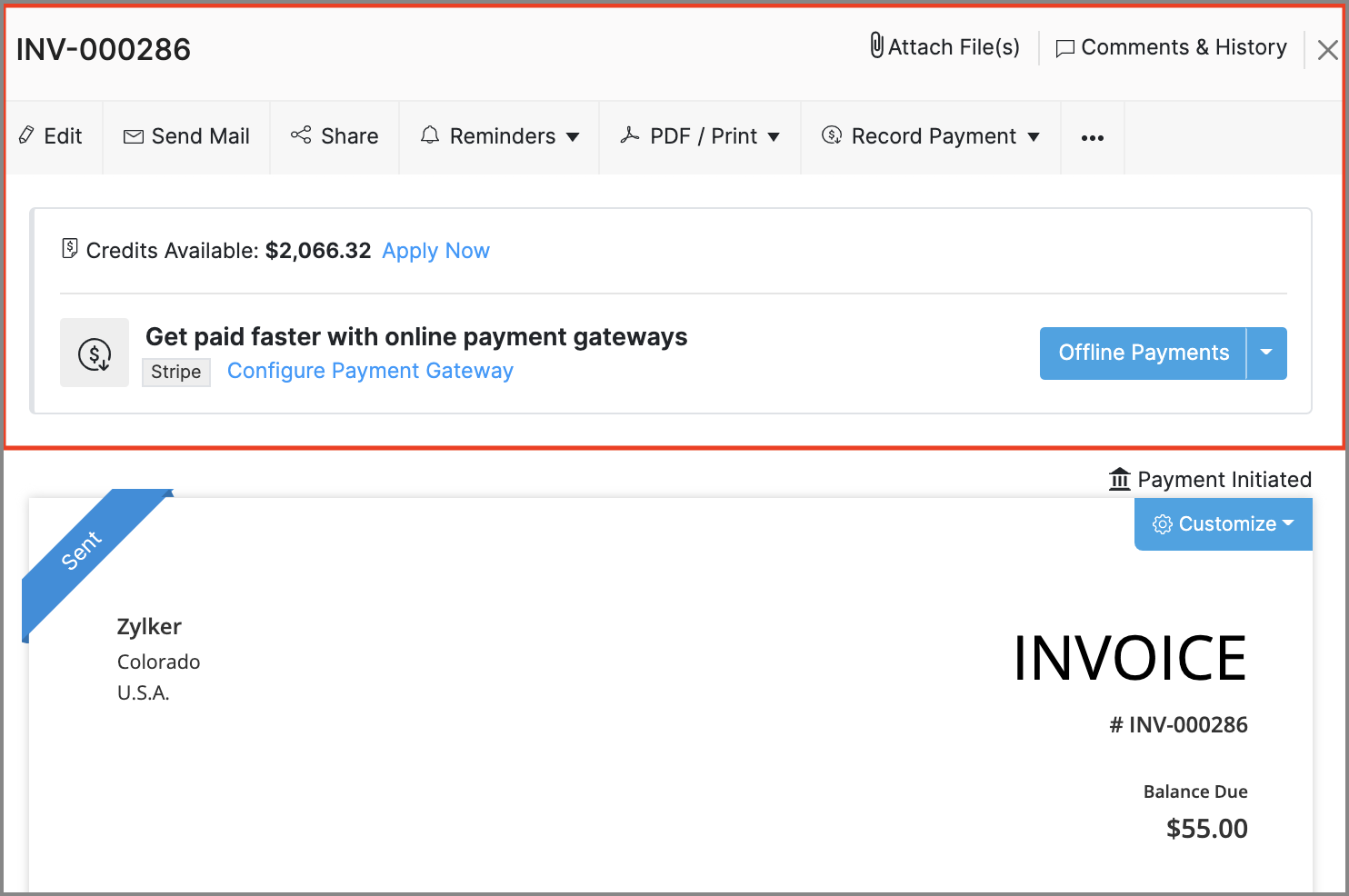
- Invoice Details: The action bar in the invoice details screen has been revamped. The new design adds text to previously standalone icons and also groups certain options to make them easier to find.
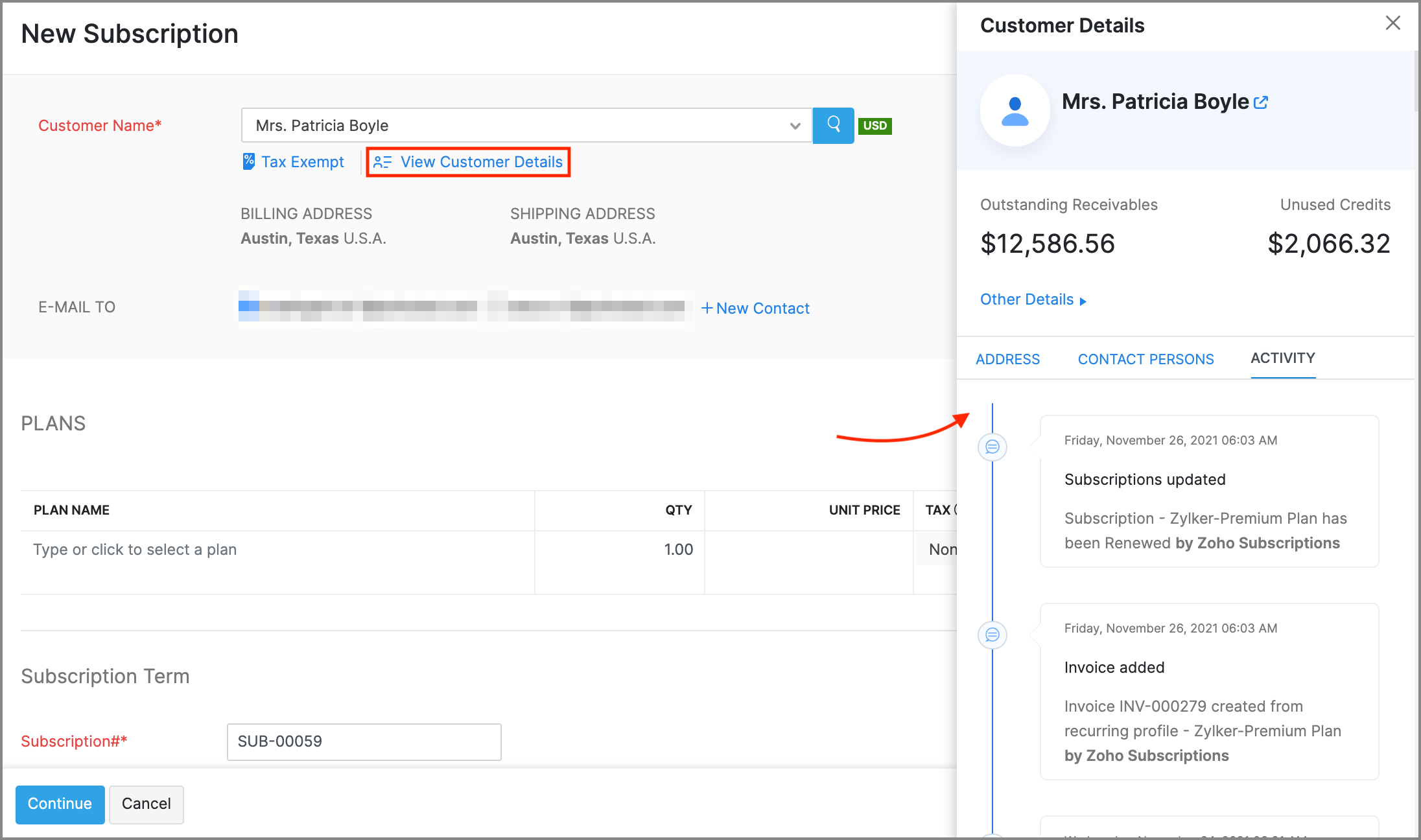
- Recent Activities: The recent activities dropdown, that's always present near the search bar will assist in navigation by listing any transactions or customers that have recently been updated, created or visited.
- Online Payments: The Online Payments section in Settings > Integrations, will be moved out to its own spot in Settings, and all the payment gateway integrations that are available will be grouped based on the type of payment methods that they support.
Right-to-left interface: If your organization's language is set to Arabic, Zoho Subscriptions' entire interface, including navigation bars and other visual elements will be switched to a right-to-left style, so Arabic speakers will feel right at home.
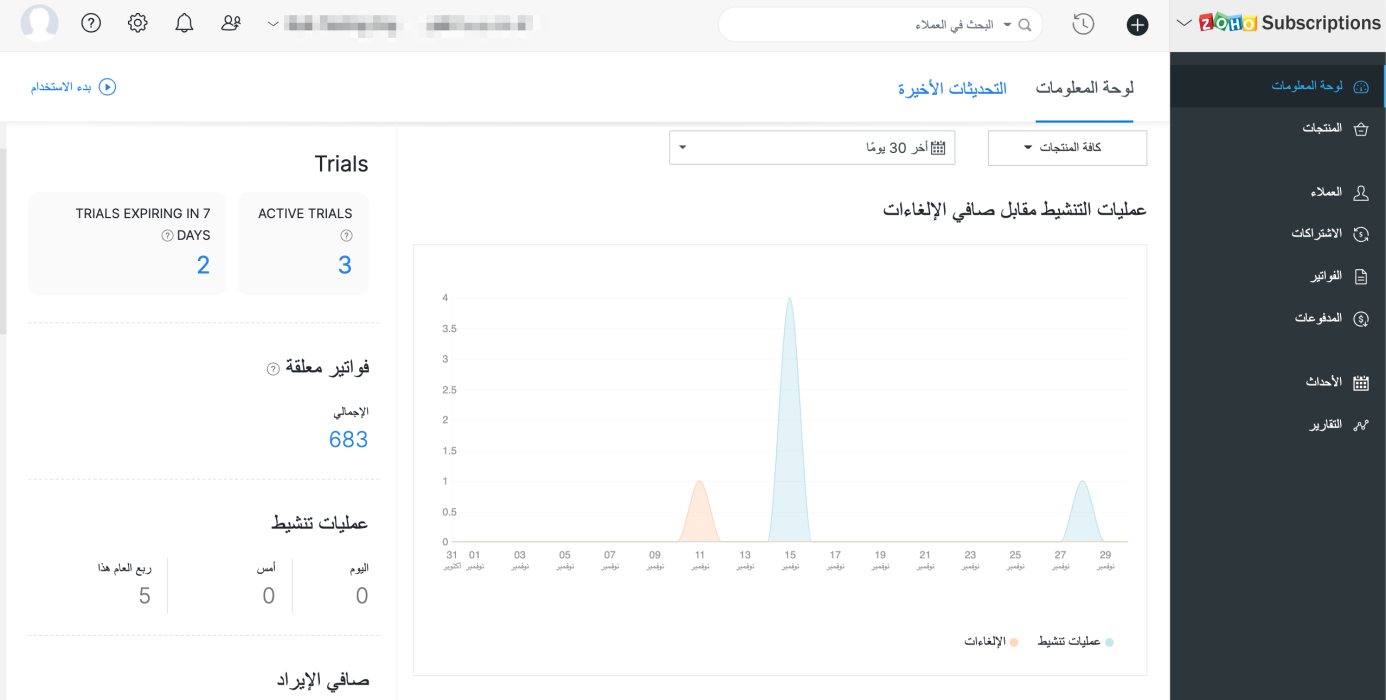
New and improved settings
Apart from bolstering some existing modules with more preferences, there will also be new sections in Settings, to accommodate preferences for the newly added features.
Here's what will change in Settings:
- Users and Roles: You will be provided with an extensive range of configurations for how users can access reports.
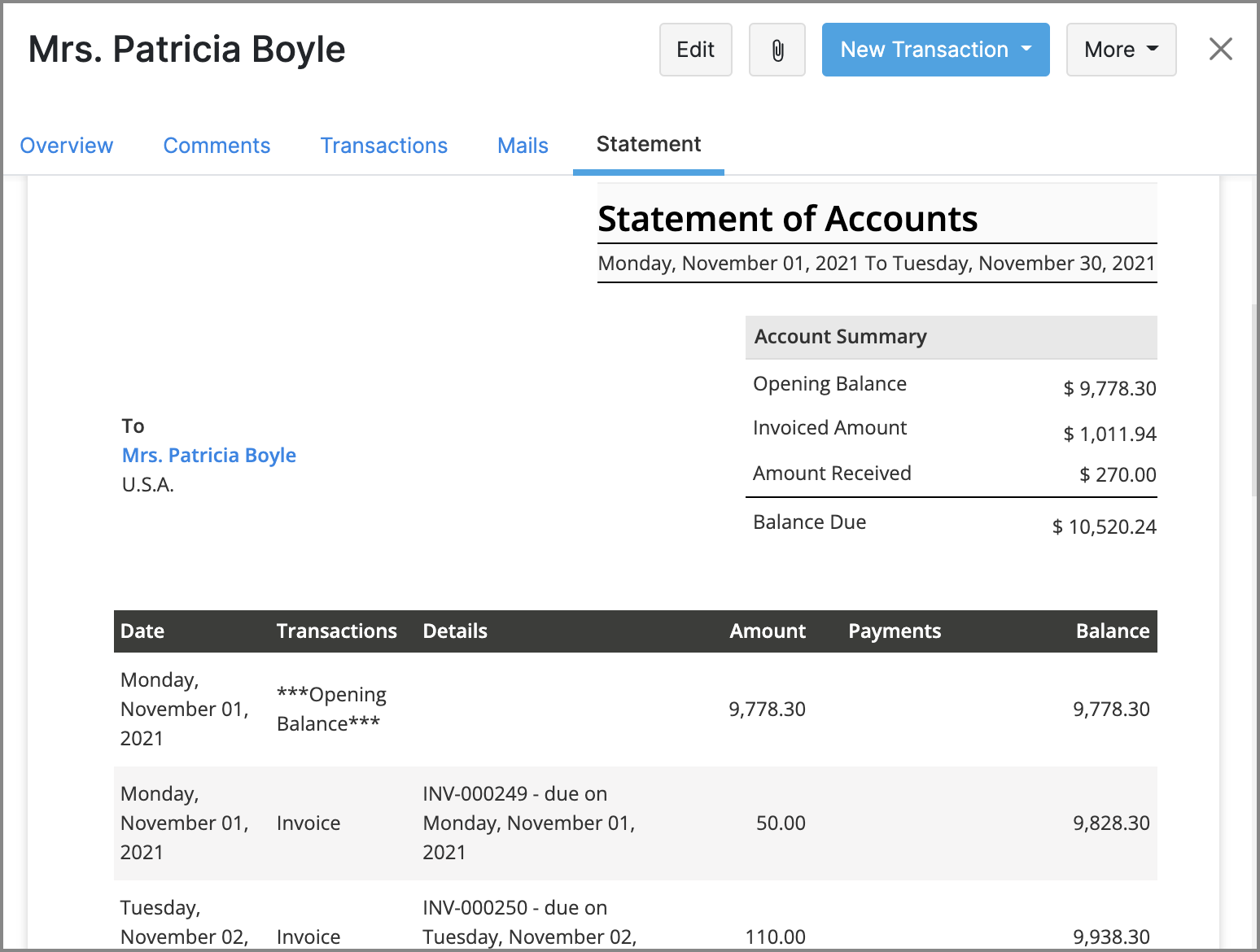
- Templates: The existing Templates section will house templates for two new documents: Customer Statements & Payment Receipts. The template editor will also see improvements, such as the ability to add annexure content and adjust the width of individual rows in item tables.
- Reporting Tags: A new section to manage reporting tags will be added.
- Emails: The existing Email Notifications section will be renamed to Emails, and will direct towards Sender Email Preferences, Email Insights, and templates for email notifications.
The following changes will be made in Settings > Preferences.
- General: This is a new section that will contain common preferences, such as options for your organization's address format or PDF attachments in emails.
- Payments: The existing Payments section will be renamed to Payments Received, along with preferences fo custom fields and custom buttons.
- Delivery Notes & Packing Slips: These are two new sections, which will let you configure the layout and label names for delivery notes and packing slips.
- Users: This is a new section which will allow you to configure custom fields for the users of your organization.
These are some of the major features and improvements that will be available in Zoho Subscriptions. We'll reveal a full list of the new features and shed more light on the ones mentioned above soon.
We'll release these features in the weeks that follow. We can't wait for you to try them out! You can also write to us at support@zohosubscriptions.com if you'd like early access to these features. Your feedback is valuable to us, so make sure to let us know what you think about these updates in the comments below!
Best regards,
The Zoho Subscriptions Team
Recent Topics
Can we add custom fields to portal community profiles?
How do we add custom fields to our profile pages in our portal community? If we have the ability to add custom fields, will we be able to access those fields via API? We want to use our Desk community in our help portal as our primary community and would
Weekly Sales Summary
Is it possible to generate a weekly report in Zoho Books to show -$$ amount of estimates generated -# of estimates generated by Salesperson -$$ amount of Sales Orders created -$$ amount of Invoices generated
Client Portal ZOHO ONE
Dear Zoho one is fantastic option for companies but it seems to me that it is still an aggregation of aps let me explain I have zoho books with client portal so client access their invoice then I have zoho project with client portal so they can access their project but not their invoice without another URL another LOGIN Are you planning in creating a beautiful UI portal for client so we can control access to client in one location to multiple aps at least unify project and invoice aps that would
Restrict Addresses in Zoho Forms?
In the address field, is there a way to restrict the addresses that auto populate (via Zoho Maps or Google Maps) to a specific state (I know it's possible with the country). Additionally, how often does the address in Zoho Maps get updated? Certain addresses
Do Individual Forums within Categories, in Desk Community, Produce Their Own RSS Feed?
Do Individual Forums within Categories, in Desk Community, Produce Their Own RSS Feed? If not, can anyone share a work-around that could help me get an RSS feed for individual category forums?
ASAP Widget Not showing "My Tickets"ed
Hello Team, I have created a ZOHO ASAP Widget and embedded to my portal app.clearvuiq.com , widget renders ok and I can open tickets from widget. However I want my opened tickets to be visible in the widget. How can I achieve that?
Add Zoho Forms to Zoho CRM Plus bundle
Great Zoho apps like CRM and Desk have very limited form builders when it comes to form and field rules, design, integration and deployment options. Many of my clients who use Zoho CRM Plus often hit limitations with the built in forms in CRM or Desk and are then disappointed to hear that they have to additionally pay for Zoho Forms to get all these great forms functionalities. Please consider adding Zoho Forms in the Zoho CRM Plus bundle. Best regards, Mladen Svraka Zoho Certified Consultant and
Zia Actions: AI-powered Workflow Automation for Faster and Smarter Execution
Hello everyone, Workflows got a notch better with AI-based actions. Actions such as field extraction, prediction, auto reply, and content generation facilitate quick execution with improved speed and accuracy. Zia can intercept useful details in newly
How to view CRM Sales Orders in Desk
What's the usual way to view all CRM sales orders linked to a contact, when viewing a ticket in Desk? I don't want to have to open a new tab to see the order in CRM. And the Desk CRM sidebar doesn't seem to be configurable. Would I have to use an extension
Kaizen #219: Actions API - Webhooks APIs - Part 1
Hello all!! Welcome back to a fresh Kaizen week. In the previous weeks, we covered Workflow Rules APIs, Actions APIs - Email Notification APIs, Tasks Update API, and Field Update API. This week, we will continue with another Actions API - Webhooks API
Pricing Strategies: #3 Services never Stop with just Plans
"Hey, while you're here, could you also take a look at the vegetable patch?" Aaron hears that line almost every week. He runs a small gardening service, the kind where customers subscribe to a simple monthly plan that includes basic maintenance, mowing,
Presenting ABM for Zoho CRM: Expand and retain your customers with precision
Picture this scenario: You're a growing SaaS company ready to launch a powerful business suite, and are looking to gain traction and momentum. But as a business with a tight budget, you know acquiring new customers is slow, expensive, and often delivers
Lead Blueprint transition in custom list view
Hi, Is It possible to insert the Blueprint transition label in a custom Canvas list view? I am using Lead module. I see the status, but it would be great if our users could execute the Blueprint right from the list view without having to enter the detailed
Cropping Photos for Zoho Sites
Hi, I'm wondering if there is a built in crop tool for zoho sites for my photos so I can crop them and see what the crop looks like on the site?
Deluge scripts
Why is there not a search function to make it easier to find the script of interest when modifications are required.
WorkDrive and CRM not in sync
1/ There is a CRM file upload field with WorkDrive file set as the source: 2/ Then the file is renamed in WorkDrive (outside CRM): 3/ The File in CRM is not synced after the change in WorkDrive; the file name (reference) in CRM record is not updated (here
zoho sheet stuck
I Need help. ZOHO sheets stuck on the loading screen. I've already deleted the system cache and cookies of my browser (google chrome) but it's still not opening.
bulk edit records and run internal logic
hi there is few logics in manner "it this than that" logics work well when i edit entry openning it one by one (via workflow "on add/edit - on success" , for custom field "on update/on user input") but when i try bulk edit records - logic does not work. how can i turn on logic to work as programmed - for mass editing records via bulk edit?
Duplicate Accounts
Hi There, I am looking for a solution, script, workflow or anything to solve an issue we have - in our customers section we have a rule that doesn't allow duplicates, however Zoho will allow customers with xxxxx and xxxxx PLC or LTD so effectivley we
Invoice Ref. Field
Hello Team, Currently, the Invoice Ref. field is set to a Number type with a maximum limit of 9 digits. However, we often receive customer invoices that contain up to 12 digits. In some cases, the invoice reference includes not only numbers but also letters
WebDAV / FTP / SFTP protocols for syncing
I believe the Zoho for Desktop app is built using a proprietary protocol. For the growing number of people using services such as odrive to sync multiple accounts from various providers (Google, Dropbox, Box, OneDrive, etc.) it would be really helpful
Emails sent through Bigin are not posting in IMAP Sent folder
I have set up my email to work from within Bigin using IMAP. I am using IMAP so I can sync my email across multiple devices - phone / laptop / desktop / iPad / etc. I want all my emails to populate my email client (outlook & iphone email) whether or
Possible for first Signer of Sign Form to specify the next signer in the sequence
We have many use cases where multiple signers need sign the same document. We'd love to be able to use sign forms, where the a signer who uses the Sign Form link can specify the name and email address for the next person in the sequence.
BUG: Can't copy-paste data outside Sheet
Currently I can't paste data copied from inside any of my Zoho Sheet files to any other app. Copy-paste works inside the sheet It does NOT work between two different sheets These sheets are built from automation templates Everything works fine if I create
Zoho CRM Community Digest November 2025 | Part 1
Hello Everyone! Here’s what came through in the first half of November: new updates and a few helpful community discussions with real, notable solutions. Product Updates: Android App Update: Inctroducing Swipe Actions You can now swipe left or right on
Upload own Background Image and set Camera to 16:9
Hi, in all known online meeting tools, I can set up a background image reflecting our corporate design. This doesn't work in Cliq. Additionally, Cliq detects our cameras as 4:3, showing black bars on the right and left sides during the meeting. Where
The Social Wall: November 2025
We’re nearing the end of the year, and the holiday season is officially kicking in! It’s that time when sales peak and your social media game needs to be stronger than ever. We’re back with exciting new updates across AI, analytics, and the mobile app
Auto-Invite Users to Portals in Zoho CRM based on Conditions
Hello Everyone, You can now automate portal invitations in Zoho CRM with the new Auto-Invite users feature in Portal management. No more manually enabling portal access one by one. With this enhancement, you can automatically send invites for users to
Truesync for Linux
Is Truesync available on linux ?
Rich Text For Notes in Zoho CRM
Hello everyone, As you know, notes are essential for recording information and ensuring smooth communication across your records. With our latest update, you can now use Rich Text formatting to organize and structure your notes more efficiently. By using
Hidding/excluding specific picklist options from filter
Hi. Is it possible to hide/exclude specific picklist options from this filter? I don't want them to be shown when someone tries to filter in the leads module
Add Attachment Support to Zoho Flow Mailhook / Email Trigger Module
Dear Zoho Support Team, We hope you are well. We would like to kindly request a feature enhancement for the Mailhook module in Zoho Flow. Currently, the email trigger in Zoho Flow provides access to the message body, subject, from address, and to address,
Zoho DataPrep switching Date Format
When using a pipeline that is importing Zoho Analytics data into Zoho DataPrep, the month and day of date fields are switched for some columns. For example, a Zoho Analytics record of "Nov. 8, 2025" will appear in Zoho DataPrep as "2025/08/11" in "yyyy/MM/dd"
Subforms to Capture Multi-Row Data in Job Sheets
Subforms transform your job sheets from simple checklists to powerful, data-rich forms. In field service work — whether maintenance, inspection, installation, or repair — a single job can involve multiple repeatable entries: readings, parts used, activities
年内最後のユーザー向けイベント:5名限定! 課題解決型ワークショップイベント Zoho ワークアウト開催のお知らせ (12/18)
ANNOUNCEMENT 1 REPLY INSIGHTS ユーザーの皆さま、こんにちは。Zoho ユーザーコミュニティチームの中野です。 12月開催のZoho ワークアウトについてお知らせします。 今回はZoomにて、オンライン開催します。 参加登録はこちら(無料) https://us02web.zoom.us/meeting/register/QHn6kJAcRs-znJ1l5jk0ww ━━━━━━━━━━━━━━━━━━━━━━━━ Zoho ワークアウトとは? Zoho ユーザー同士で交流しながら、サービスに関する疑問や不明点の解消を目的とした「Zoho
Add "Fetch Composite Item" Action for Inventory
I want to make a Flow that uses information returned in the GET call for Composite Items, and it's not currently available in Zoho Flow. Please consider adding this functionality.
Adress Labels for sending of the oder und barcode
We want to print with my address labels to stick on the order of the ware can. there are these options?
printing individual labels - Dymo LabelWriter
I am trying to print individual labels to my Dymo LabelWriter - has anyone done this? Latest Update (December 2025): The Canvas Print View is now available! We encourage you all to try it out and share your feedback with us. Learn more here: Zoho CRM
Zoho Creator for Agriculture
Greetings, I am starting to work on Zoho Creator specifically for the agricultural field, any recommendations, tips or ideas that might be helpful ? Also, if you are interested by any means in working on such project, kindly contact me. The project is
Custom Print Layout
I would like to create a custom print layout of a Lead or Contact. Is there a way to do that? What I mean is that if I'm viewing a specific lead or contact I'd like to be able to print or export that lead/contact and only print and/or export certain information.
Next Page