Weekly Tips :Instantly find what you need with Attachment Viewer
Your inbox must be packed with project emails, shared notes, and scattered attachments. You are looking for one specific file—a presentation slide or maybe a media clip from a team update—but don’t want to dig through endless email threads or switch between apps.
Instead, what if you could access a space where all your attachments are neatly organized by type in one place—all without leaving your inbox?
Attachment Viewer
Attachment viewer offers a single consolidated view of all the attachments received in a single place. You can view the attachments sent to you by email, or shared to you via Streams or added in your Tasks or Notes in a centralized view. The files are neatly sorted based on their types:
Images
Documents
Media Files
Compressed Files and
Other types
Access Attachment Viewer
Log into your Zoho Mail account.
In the right pane of your Mailbox, click on the Attachment Viewer icon.
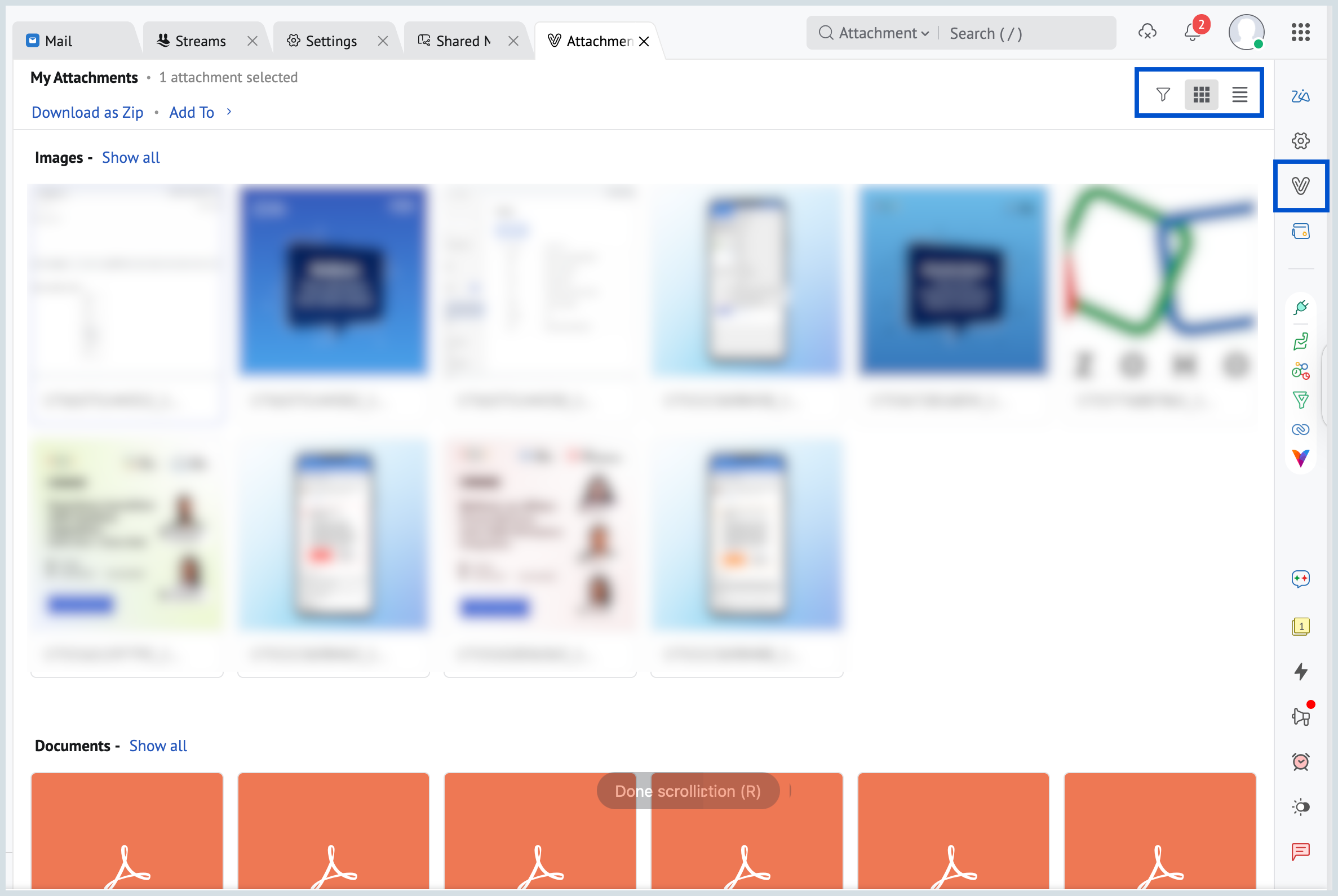
All your attachments will be listed.
You can use the filter option to filter available at the top right corner and view your attachments based on your requirements.
By default, the attachments will be displayed as Thumbnails. You can choose either the List View or the Thumbnail View from the right corner of the Attachment viewer.
No more digging through emails—Zoho Mail's Attachment Viewer brings all your files to your fingertips, instantly.