March is here with a fresh wave of updates to Zoho Billing. From making compliance easier, reporting more flexible, to making day-to-day workflows smoother across the board. Here's everything that's new this month.
Introducing Usage-Based Billing Reports
You can now access four new reports under the Usage Billing section to gain complete visibility into how usage is recorded and billed. These reports also help you monitor fund allocations and track drawdown activity across all subscriptions.
The four reports available are:
- Usage Summary
- Usage Details
- Prepaid Summary
- Prepaid Details
You can track your usage through a set of reports tailored to your billing type. If you have Usage Billing enabled, the Usage Summary and Usage Details reports are available to you. If your organization uses Prepaid Billing with Drawdown, you also get access to the Prepaid Summary and Prepaid Details reports.

Note: This feature is currently in Early Access.
To access these reports, go to Reports > Usage Billing Group and select the report you need.
Manage Module Visibility for Plans, Addons, and Coupons
You can now choose which modules are active in your organization. If your business doesn't use Plans, Addons, or Coupons, you can simply disable them to keep your workspace clean and focused.
To configure these settings, go to Settings > Setup & Configuration > General.
Track Activity Logs for Projects
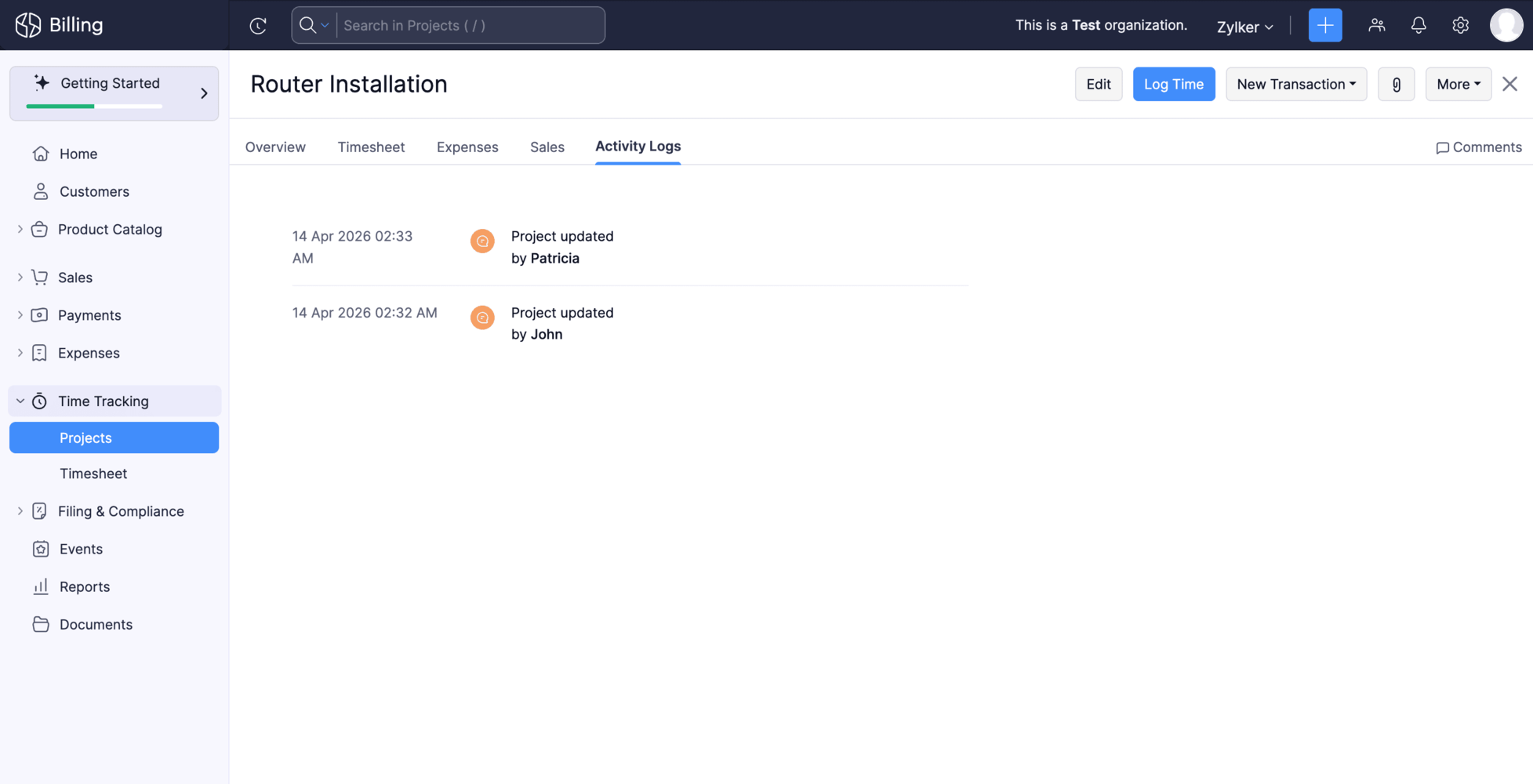
Keeping tabs on what's happening across your projects just got easier. Each project now has a dedicated Activity Logs tab that gives you a consolidated view of all project-related changes and actions, making it easier to track changes and stay on top of what's happening across your projects.
To access it, open any project and navigate to the Activity Logs tab.
Create Custom Fields for Locations Module
Your locations can now hold more than just standard address details. You can create and associate custom fields with the Locations module to capture any additional information your business needs.
To set it up, go to Settings > Organization, select the Locations module, and create your fields. To include them in your address format, go to Settings > General > Organization Address Format, click the Insert Placeholders dropdown, and select your custom field.
Note : This feature is currently in Early Access. Manage Custom Reports as an Admin
Admins now have full control over custom reports across the organization. You can edit, clone, and delete any custom report, including those created by other users without needing to track down the original owner.
Create Custom Fields for Contact Persons
You can now create and manage custom fields for contact persons to capture information specific to your business needs.
To create one, go to Settings > Module Settings > General > Customer > Field Customization > + New Custom Field to create custom fields for your customers.
Write-Off Multiple Invoices at Once
You can now write-off multiple invoices at once. Select the invoices you want to write off, provide the write-off date and reason, and the details will be applied to all selected invoices. Bulk write-off is available for the Unpaid, Open (Sent), Partially Paid, Late Fee, and Custom View filters.
Note: This update is currently only available for the Global edition
Filter Custom Reports by Date Range
You can now apply date range filters directly within a custom report. Previously, if you wanted to view a custom report for a specific period say, just last quarter or a particular month you had to edit the report each time. Now, a date range filter is available right on the report page, letting you view your data instantly.
To view custom report for a specific period, go to any custom report and select from the Date Range dropdown.
Voiding Invoices Now Updates the Usage Status
Usage records linked to an invoice will now automatically move back to Pending if the invoice is voided.
What this means for you:
- Keeps your billing data accurate and in sync
- Makes re-billing error-free
Log Usage Records for Earlier Dates
You can now create usage records for any date from when a subscription was activated. This makes it easier to log missed or delayed usage entries and correct historical data.
Why this helps:
- Log missed or delayed usage entries
- Correct historical data
Stay Compliant with Income Tax Act 2025 — TDS and TCS Updates. [India Edition]
Effective 1 April 2026, the Income Tax Act 2025 (ITCA 2025) replaces the Income Tax Act, 1961. Zoho Billing has been updated to reflect the revised TDS and TCS rates as announced in the Union Budget 2026-27. You can continue filing TDS and TCS returns accurately without any manual intervention.
Try these updates now and share your thoughts in the comments! Need help getting started? Reach out to our support team at support@zohobilling.com. We look forward to your feedback and helping you make the most of these features!


