Dear user,
Update alert! We're making a bunch of enhancements to improve your experience with Zoho Campaigns (visible in your account starting on August 10, 2023).
What are we changing, exactly? We're glad you asked! :D
The changes are focused on the following:
- Introducing Workspaces: an all-new feature in Campaigns
- Streamlined integration capabilities
- Revamped roles and privileges functionality
The updates will be implemented in phases so you can transition smoothly. Once you've set up topic management (if not done already), move on to the integration setup, and wrap everything up neatly by setting up the new roles and privileges upgrades. Yep, it's that simple! Let's look at it one step at a time.
Integrations
Moving forward, integration will be moved to the organization level. Only the admin of your Zoho Campaigns account (and the other application to be integrated) will have the authority to perform integrations and syncs. Each integration will be limited to one sync.
Starting on August 10, 2023, when you access the Integrations page within the product, you'll encounter a warning message indicating that migration is required. By clicking on this message and selecting Migrate Now, you can initiate the migration process. You'll be presented with information to review. Once done, click Proceed to continue. For the next step, select an existing organization account to set up the sync. This is similar to how you've been initiating syncs in the existing version of Zoho Campaigns.
Why the change?
- Our goal is to introduce instant sync for all the integrations in Zoho Campaigns. This update marks the initial phase towards achieving our goal.
- Right now any user within the same account can create a sync and this brings in more confusion because it would be the same contacts that they bring in from the other application. Even though duplicate contacts will be ignored in the current setup, this new update will be of more help to admin and users to streamline processes within the same account.
- Only the person who created the sync will be able to delete the sync in the account right now. With this update, more privileges are given to the admin.
How's this useful?
Streamlining processes is a good thing. By having a single admin perform integrations and managing one sync per integration, the process becomes organized, de-cluttered, and less confusing, resulting in more consistent data.
How do GoToWebinar, Zoho Meeting, Zoho Backstage, and Eventbrite integrations work now?
Currently, it's possible to create separate syncs for past and upcoming webinars or events.
What's changing?
Since the syncs are unified, only one sync will remain active and all these syncs will be instant to maintain a continuous flow of data. After the admin migrates to the new setup, a new sync flow should be created. All the registrants and attendees from the past and upcoming webinars/events will be synced. The old flow will be disconnected. i.e., syncs created before the migration won't be retained after the migration.
Why the change?
If you're conducting an event or a webinar, you are required to create separate syncs for each of the webinars and events. This update simplifies the process and reduces the time and effort required to manage multiple syncs.
How do Google Analytics integrations work now?
Data in Google Analytics will be pushed to Zoho Campaigns, where all analytics-related information can be viewed.
What's changing?
- Google Analytics will be updated to the newest version (i.e., version 4).
- You won't be able to find screens related to Google Analytics in Zoho Campaigns.
- You'll have to get all analytics-related information directly from Google Analytics.
FAQs
What happens to existing syncs?
Existing syncs will work normally until you migrate to the new setup. Once you migrate, existing active syncs will remain active until July 15, 2024, after which the syncs will be deprecated.
Can the synced account be changed later? If so, what about the data and the actions the syncs perform?
Yes, your organization's admin will be able to change the synced account later. The data of the previously synced account will be available for reference.
Roles and privileges
How do roles and privileges work now?
- Roles and privileges are assigned to users in an organization to control their account access.
- The available roles are Standard Admin and Standard User, and the two levels of data access privileges include Self and Others.
- Users can also create custom roles based on the organization's needs.
What's changing?
Zoho Campaigns now provides four default roles: Admin, Manager, Editor, and Viewer. If you've already created additional roles in your account, those will be migrated to the new setup. Admins will still be able to create new roles and make changes to their privileges. Default roles are not editable.
Why the change?
We have the concept of Self and Others in Zoho Campaigns which makes team collaboration difficult, particularly regarding the management of user role and access to data. The current setup makes it difficult for admin to maintain control within the organization.
Currently, users with Self privilege will be able to create sender addresses and custom fields and these cannot be deleted by the admin. This lack of control makes it challenging for admins to manage the account effectively and keep it organized according to their requirements. The new setup enhances the overall user experience and provides better control and organization options for admins.
How's this useful to me?
At Zoho, we're committed to security and privacy. These changes bring tighter security and control over your organization's data. For example, a designer at your organization can be given an Editor access and a marketer can be given a Manager access in order to launch a campaign. This fine-grained access control allows your organization to be responsible with the data.
FAQs
Can I customize the privileges of different roles?
If you are the admin of your organization, you will be able to create new custom roles and control their privileges. Unfortunately, you cannot customize the privileges for default roles.
Introducing Workspaces for marketing teams
Note: Only for Professional edition accounts.
A workspace is a separate space within Zoho Campaigns to create and organize campaigns and workflows. It enables organization admins to create multiple spaces within a single account which can be accessed by multiple individuals. Admins have the authority to determine who can access each workspace based on the specific needs of the business.
To illustrate this, let's consider the example of Zylker, a product based company with different products that caters to various needs of a business. To ensure clarity and efficiency in managing these different products and teams, Zylker admin can create separate workspaces for each of the products, add users to each workspace (their respective products), and carry out marketing activities without encountering any confusion or complications.
By using workspaces, Zylker can maintain a clear separation of data and ensure customer data of one product (workspace) is not accessible to those responsible for managing other products (workspaces). This enhances data security and minimizes the risk of confusion or errors when coordinating marketing efforts.
Altogether,
- Workspace provide a practical solution for organizing and managing different aspects of your business within a single account.
- Workspace streamlines your marketing activities, assign appropriate user access, and maintain data integrity across various departments or business units.
- Workspace stores campaigns, workflows, and contacts and users will have restricted access to them.
- Admins can add all contacts or contacts matching a given criteria into a workspace.
- Users can have one role in one workspace and a different role in another workspace.
How will it function going forward?
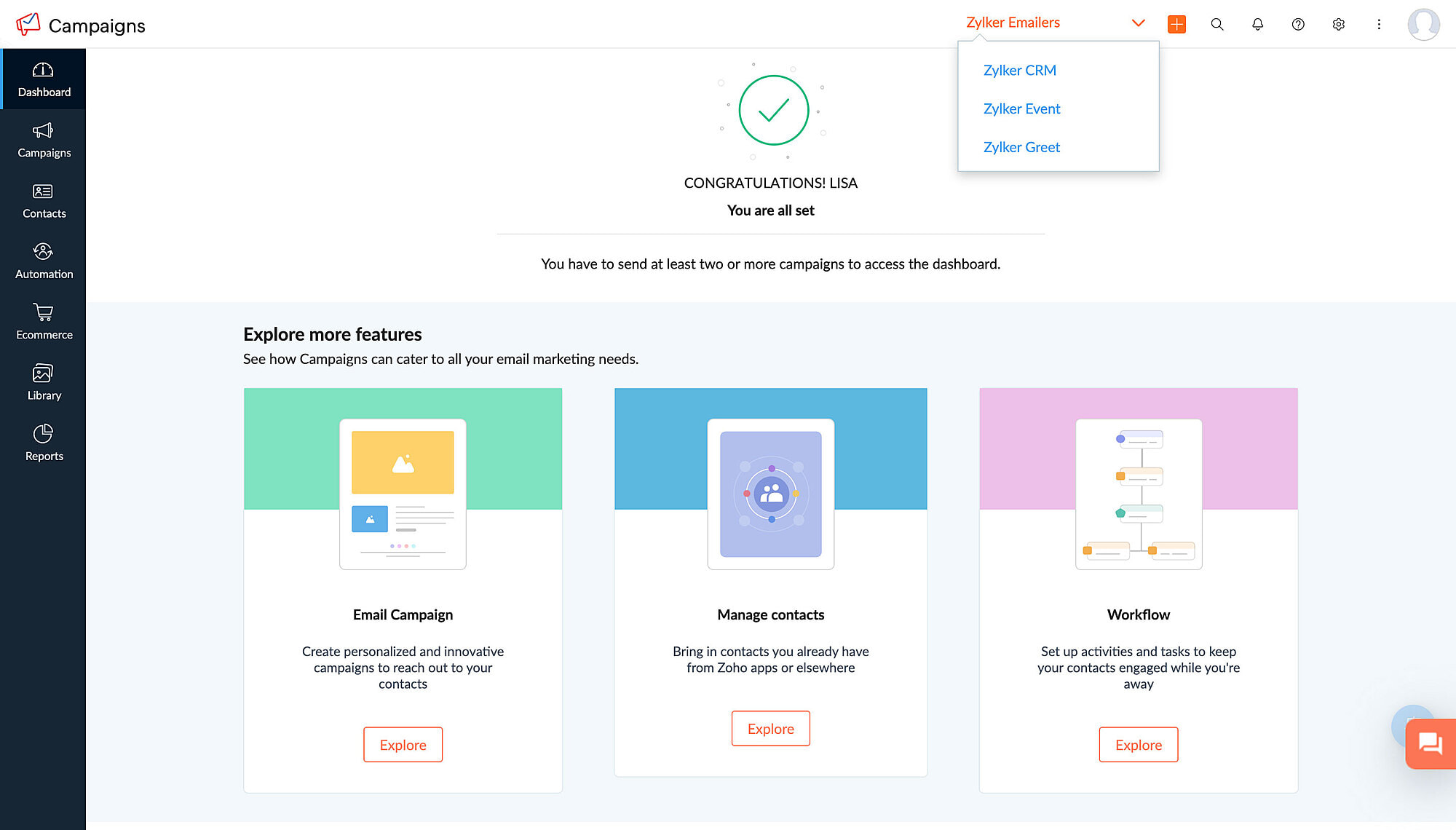
After migrating to the new integration setup and assigning roles and privileges, a workspace will be created in your account by default. Admins will be able to create as many workspaces in the account as needed, assign users to each workspace, bring in all contacts or a restricted set of contacts as defined by a specified criteria, and switch between workspaces within the same account. This makes it much easier to manage campaigns across multiple organizations/teams, and also provides greater flexibility and control over campaign management.
FAQs
Where can I find workspaces in my account?
If you're an admin and would like to set up workspaces for your account, navigate to Settings > Users and Controls > Workspace.
Will I still be able to access campaigns and data from different workspaces?
If you're an admin, you'll be able to access campaigns and data from different workspaces. If not, you can access workspaces to which your admin has provided you access.
Is there a limit to the number of workspaces I can have in my account?
No, there is no limit to the number of workspaces that you can create in your account.
Is there a limit to the number of workspaces I can be a part of if I'm not an admin?
No, there is no limit to this either.
We understand that these changes require some adjustment, which is why we're giving you plenty of time for migration. All these updates will be implemented in Zoho Campaigns on August 10, 2023 and you will be able to migrate to this setup until July 15, 2024, after which it will become default for all users.
Please note that these updates doesn't affect the pricing or the subscription plan. If you have any questions or concerns regarding these updates, please reach out to us at support@zohocampaigns.com. We'll be more than happy to assist you throughout the process!
Best regards,
Team Zoho Campaigns
Recent Topics
Missing Import Options
Hello, do I miss something or is there no space import option inside of this application? In ClickUp, you can import from every common application. We don't want to go through every page and export them one by one. That wastes time. We want to centralize
CRM x WorkDrive: File storage for new CRM signups is now powered by WorkDrive
Availability Editions: All DCs: All Release plan: Released for new signups in all DCs. It will be enabled for existing users in a phased manner in the upcoming months. Help documentation: Documents in Zoho CRM Manage folders in Documents tab Manage files
Is it possible to enforce a single default task for all users in a Zoho Projects ?
In Zoho Projects, the Tasks module provides multiple views, including List, Gantt, and Kanban. Additionally, users can create and switch to their own custom views. During project review meetings, this flexibility creates confusion because different users
Admin asked me for Backend Details when I wanted to verify my ZeptoMail Account
Please provide the backend details where you will be adding the SMTP/API information of ZeptoMail Who knows what this means?
Timeline Tracker
Hi Team, I am currently using Zoho Creator – Blueprint Workflows, and I would like to know if there is a way to track a timeline of the approval process within a Blueprint. Specifically, I am looking for details such as: Who submitted the record Who clicked
[Free Webinar] Zoho Creator webinars - Learning Table and Creator Tech Connect Series in 2026
Hello everyone, Wishing you all a wonderful new year! May 2026 and the years ahead bring more opportunities, growth, and learning your way 🙂 We’re excited to kick off the 2026 edition of the Learning Table Series and Creator Tech Connect Series ! Learning
Reply and react to comments
Hi everyone! We're excited to bring to you a couple of new features that'll make your sprint process simpler. A cloud application brings with it an array of social media features that can be efficiently used in your organizational setup. As an agile scrum
Restrict Users access to login into CRM?
I’m wanting my employees to be able to utilize the Zoho CRM Lookup field within Zoho Forms. For them to use lookup field in Zoho Forms it is my understanding that they need to be licensed for Forms and the CRM. However, I don’t want them to be able to
How to set page defaults in zoho writer?
hi, everytime i open the zoho writer i have to change the default page settings to - A4 from letter, margins to narrow and header and footer to 0. I cannot set this as default as that option is grayed out! so I am unable to click it. I saved the document
Where is the settings option in zoho writer?
hi, my zoho writer on windows has menu fonts too large. where do i find the settings to change this option? my screen resolution is correct and other apps/softwares in windows have no issues. regards
Module Customisation - Lookup function not available
Good evening, Within my business, I can have multiple customers, who have multiple mobile assets. When I set these assets up, I enter information such as vehicle registration, Vehicle identification number (VIN), Unit number, YOM, in addition to others.
zoho click, and nord VPN
Unfortunately, we've been having problems with Zoho Click, where essentially the line cuts off after about a minute's worth of conversation every time we are on VPN. Is there a way we can change this within the settings so it does not cut the line off
Zoho Calender
a) does the clanender in zoho project allow you to see the name of the event in the celnder view, it currently says either "Task (1) or "Milestoen (1)" b) Alternatively does the calender in Zoho project integrate with zoho calender?
I Need Help Verifying Ownership of My Zoho Help Desk on Google Search Console
I added my Zoho desk portal to Google Search Console, but since i do not have access to the html code of my theme, i could not verify ownership of my portal on Google search console. I want you to help me place the html code given to me from Google search
Matching ZOHO Payments in Banking
Our company has recently integrated ZOHO Payments into our system. This seemed really convenient at first because our customers could pay their account balance by clicking on a link imbedded in the emailed invoice. Unfortunately, we can't figure out how
Team Gamification
Would love to motivate, engage and encourage our team with our social media posts. Would like to include Gamification features of Social Media in Zoho Social or Marketing Automation. And also bring in Social Advocacy tools/tracking/management to these,
Power up your Kiosk Studio with Real-Time Data Capture, Client Scripts & More!
Hello Everyone, We’re thrilled to announce a powerful set of enhancements to Kiosk Studio in Zoho CRM. These new updates give you more flexibility, faster record handling, and real-time data capture, making your Kiosk flows smarter and more efficient
New Enhancements to Zoho CRM and Zoho Creator Integration
Hello Everyone, We’ve rolled out enhancements to the Zoho Creator and Zoho CRM integration to align with recent updates made to the Zoho Creator platform. With enhancements to both the UI and functionality, This update also tightens access control by
Work Type - Limitation
Hello, I'm setting up work types and have noticed, a limitation on the parts area to 10 lines. Can this be increased to 20 or greater? In addition to this, when I attempt to add the work type to a work order, the correct labour hours doesn't flow through.
Emails sent through Bigin are not posting in IMAP Sent folder
I have set up my email to work from within Bigin using IMAP. I am using IMAP so I can sync my email across multiple devices - phone / laptop / desktop / iPad / etc. I want all my emails to populate my email client (outlook & iphone email) whether or
Adding Default Module Image into mail merge field
As with most people finding their way to these forums i have a specific requirement that doesn't seem to be supported by Zoho I have created 2 custom modules to suit my purpose 1 is an inventory type module that lists aluminium extrusions, and all relevant
Turning the page for Zoho SalesIQ: 2025 to 2026
As we wrap up 2025, we would like to take a moment to reflect on what we set out to achieve this year, what we’ve delivered, and where we’re headed next. What we focused on in 2025 This year was all about strengthening the core of engagement and AI, making
Stage-probability mapping feature in custom module
Hi, I'm building a custom module for manage projects. I would like to implement the stage-probability feature that Potentials has. Is this possible?
Temporary Outage in Zoho Cliq Affecting US Users – July 23, 2025
We experienced a service disruption in Zoho Cliq that impacted core functionality for users in the US region. The issue occurred between Jul 23, 2025, 06:54:00 PM IST and 07:13:13 PM IST, lasting approximately 19 minutes. To restore service stability,
Why Sharing Rules do Not support relative date comparison???
I am creating a Sharing Rule and simply want to share where "Last Day of Coverage" (Date field) is Greater than TODAY (Starting Tomorrow). However, sharing rules don't have the option to compare a date field to a relative date (like today), only to Static
Zoho Cliq not working on airplanes
Hi, My team and I have been having this constant issue of cliq not working when connected to an airplane's wifi. Is there a reason for this? We have tried on different Airlines and it doesn't work on any of them. We need assistance here since we are constantly
Problem with Workdrive folders
I'm having a problem a problem accessing files in a Zoho work drive folder when using the Zoho writer app. The problem folder appears grayed out in the Zoho work drive window in both the online and writer application. However I can open the folder in
Send Supervisor Rule Emails Within Ticket Context in Zoho Desk
Dear Zoho Desk Team, I hope this message finds you well. Currently, emails sent via Supervisor Rules in Zoho Desk are sent outside of the ticket context. As a result, if a client replies to such emails, their response creates a new ticket instead of appending
Multi-currency and Products
One of the main reasons I have gone down the Zoho route is because I need multi-currency support. However, I find that products can only be priced in the home currency, We sell to the US and UK. However, we maintain different price lists for each.
Create an Eye-Catching Announcement Widget for Your Help Center
Hello Everyone! In this week’s edition, let’s explore how to keep your customers updated with exciting news in the Help Center. See how ZylkerMobile wowed their customers by bringing updates right to their portal. ZylkerMobile, the renowned brand for
Send Whatsapp with API including custom placeholders
Is is possible to initiate a session on whatsapp IM channel with a template that includes params (placeholders) that are passed on the API call? This is very usefull to send a Utility message for a transactional notification including an order number
Customer Management: #6 Common Mistakes in Customer Handling
Managing customers doesn't usually fall apart overnight. More often, slight gaps in the process slowly become bigger problems. Incidents like missed follow-ups, billing confusion, and unhappy customers will lead to revenue loss. Many businesses don't
Zoho Desk iOS app update: UI enhancement of picklist and multi picklist fields
Hello everyone! We have enhanced the UI of the picklist and multiselect picklist fields on the Zoho Desk iOS app to provide a more refined, efficient, and user-friendly experience. We have now supported an option to Search within the picklist and multiselect
Zoho Desk iOS app update: Revamped scribbles with Apple pencil kit
Hello everyone! We’re excited to introduce a revamped Scribble experience, rebuilt from the ground up using Apple PencilKit for smooth strokes, proper scaling, and seamless image uploads. Please update the app to the latest version directly from the App
Zoho Desk Android app update: Norwegian language support
Hello everyone! In the most recent Android version of the Zoho Desk app update, we have brought in support to access the app in Norwegian language. We have introduced the Norwegian language on the IM module of the Zoho Desk app as well. Please update
Field Description is very small
Hello, The field Description in the activity is very small. Why don't try open a new window, or a bigger popup, or increase the width of the "popup". Example:
Is it possible to roll up all Contact emails to the Account view?
Is there a way to track all emails associated with an Account in one single view? Currently, email history is visible when opening an individual Contact record. However, since multiple Contacts are often associated with a single Account, it would be beneficial
Function #53: Transaction Level Profitability for Invoices
Hello everyone, and welcome back to our series! We have previously provided custom functions for calculating the profitability of a quote and a sales order. There may be instances where the invoice may differ from its corresponding quote or sales order.
Payment Vouchers
Is there any Payment Vouchers in Zoho? How can we create payment for non-trade vendors, i.e. professional fees, rent, and payment to commissioner income tax?
API in E-Invoice/GST portal
Hi, Do I have to change the api in gst/e-invoice portal as I use zoho e books for my e-invoicing. If yes, please confirm the process.
Next Page