Zoho Sign - Zoho CRM extension upgrade
We've updated Zoho Sign extension for Zoho CRM with significant internal changes.
Impact on existing Zoho Sign extension users
- Visit Zoho Sign's extension for Zoho CRM in Marketplace.
- Click the Update button next to the Version field.
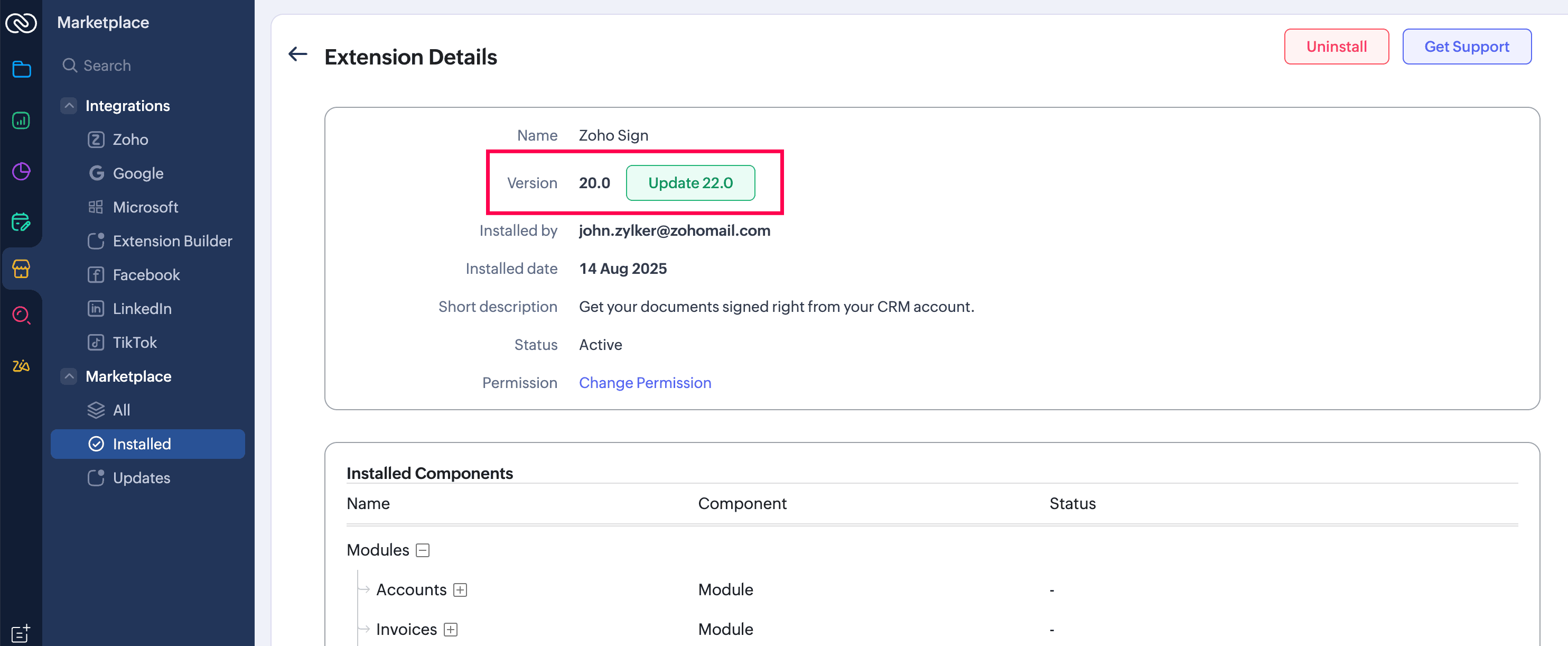
If you are using the Zoho Sign extension in your custom module, along with updating the extension to the latest version, you must update the button's URL with the revised version provided below. Please note that all signing workflows and integration behavior remain unchanged.
Existing URL
https://extensions.zoho.com/plugin/zohosign/handler?action=createZohoSignDocument&module=<Module_Name>&rec_id=<Record_ID_from_Fields_dropdown>&rec_name=<Record_Name_from_Fields_dropdown>&crmzgid=${Organization.Organization Id}
Revised URL
https://<Endpoint_URL_based_on_DC>/api/v1/integrations/zohocrm/homepage?module=<Module_API_Name>&record_id=<Record_ID_from_Fields_dropdown>&crmzgid=${Organization.Organization Id}&record_name=<Record_Name_from_Fields_dropdown>
The URL's endpoint must be changed according to your account's data center.
The updated extension's version may vary based on the data center, as shown in the table below. If you are about to try the extension for the first time, you will find the latest version in the marketplace.
Data center | Updated version | Endpoint URL |
US | 22.0 | |
IN | ||
EU | ||
CA | ||
SA | ||
JP | ||
AU |
Iyou encounter any issues drop an email to support@zohosign.com (support@eu.zohosign.com for EU).