[Action Required] : Update Shopify Access Scope to fetch complete order history
Hello Shopify Users!
Shopify has updated the access scope for apps under developer portal. With this change, the read_orders scope now provides access only to the last 60 days of order history.
To access older historical orders, Shopify requires a separate scope called read_all_orders, which must be explicitly requested and approved for the app.
What this means for you
If your Shopify connector currently uses the read_orders scope, Zoho Analytics will be able to fetch only the most recent 60 days of order data.
To fetch all historical Shopify orders, the app must be granted the read_all_orders scope by Shopify, and you must then re-authenticate the connector.
Required action to fetch full historical data
Once the read_all_orders scope is approved for the app, please complete the following steps:
Add the read_all_orders scope to the Shopify authentication app.
Under Apps > Versions > Access tab, open Request Access link.
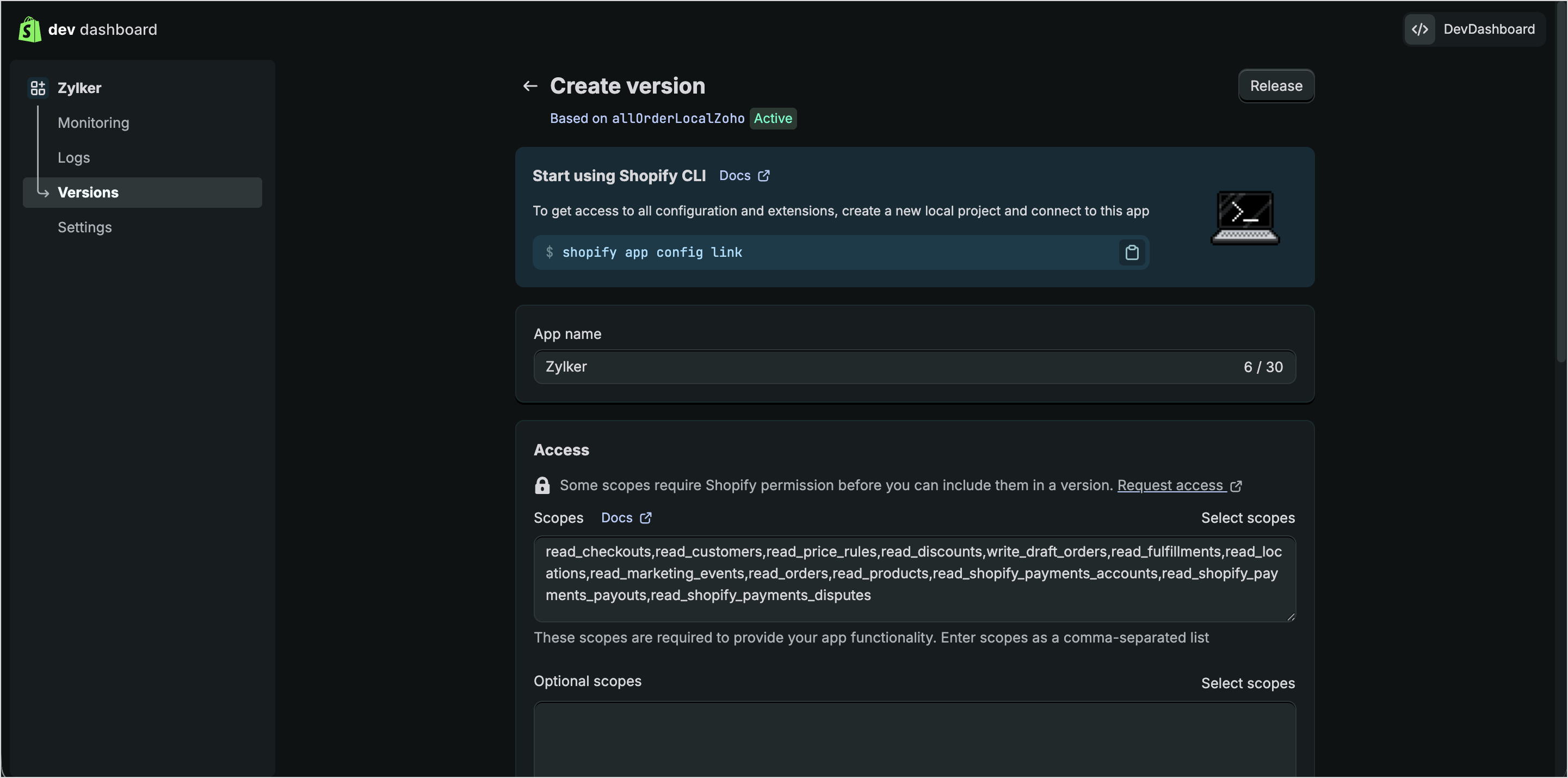
Under All access requests, navigate to Read all order Scope, click Request access.

Mention the reason to access orders older than 60 days and submit.
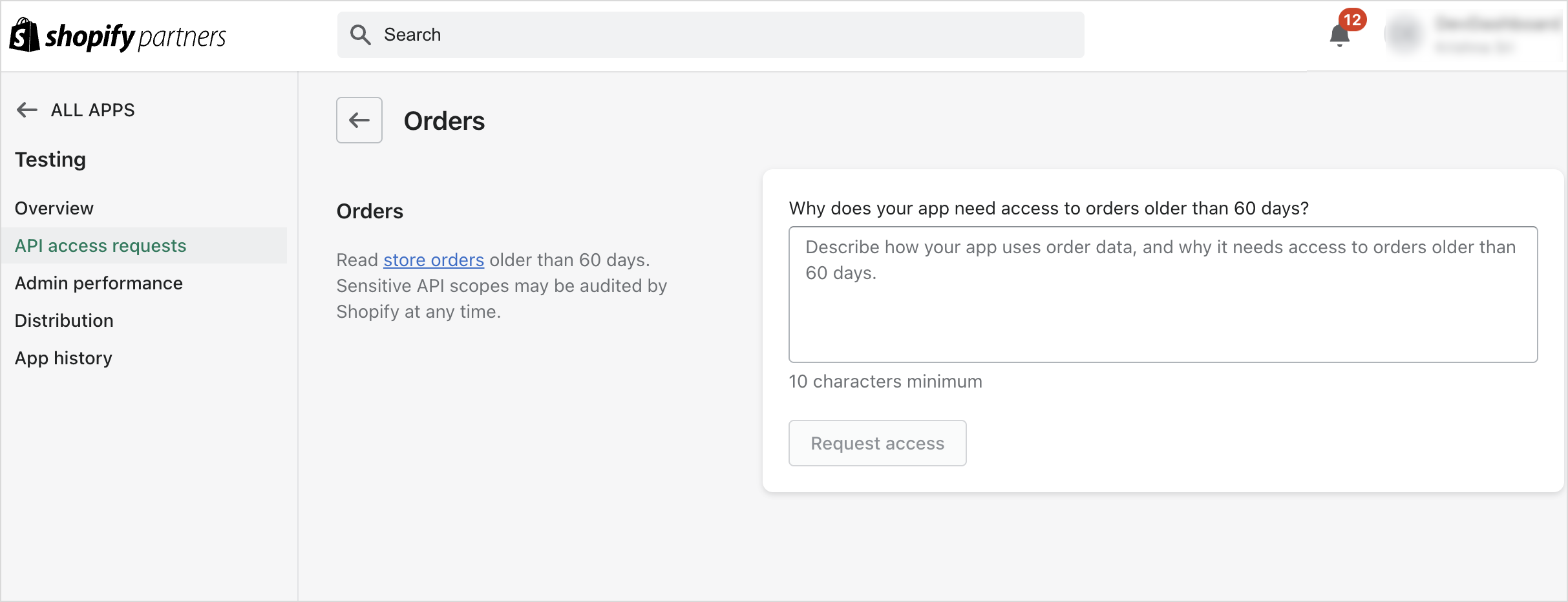
You will now have access to all orders. Now "read_all_orders" scope will list in authentication app and select that scope and save the app.

Re-authenticate
Re-authenticate the Shopify connector in Zoho Analytics.
After re-authentication, go to the Data Source page and click Full Data Fetch to retrieve all historical order data.
For new users
For new Shopify connector setups, please note that:
read_orders will fetch only the last 60 days of orders.
Full historical order import is possible only after read_all_orders access is approved and follow above step to get all orders.
If you have any questions or need help with re-authentication, please contact our support team at support@zohoanalytics.com.