Announcing Zoho Analytics 6.0 - An AI Powered Self-Service BI & Analytics Platform!
That’s why we’re excited to announce the launch of Zoho Analytics 6.0! This powerful new version brings together business users, data analysts, data engineers, and data scientists on a single platform, making data-driven decision-making easier and more accessible for all. Welcome to a new era of analytics!
Data Connectors and Data Management
New Connectors
We are enhancing our existing portfolio of over 500+ advanced analytics connectors by adding more than 25 connectors to this list. These additions cater to big data platforms and business applications, including Yellowbrick, ClickHouse, Dremio, Oracle Netsuite, Databricks, Monday.com, Airtable, Qualtrics, ClickUp, and several others.
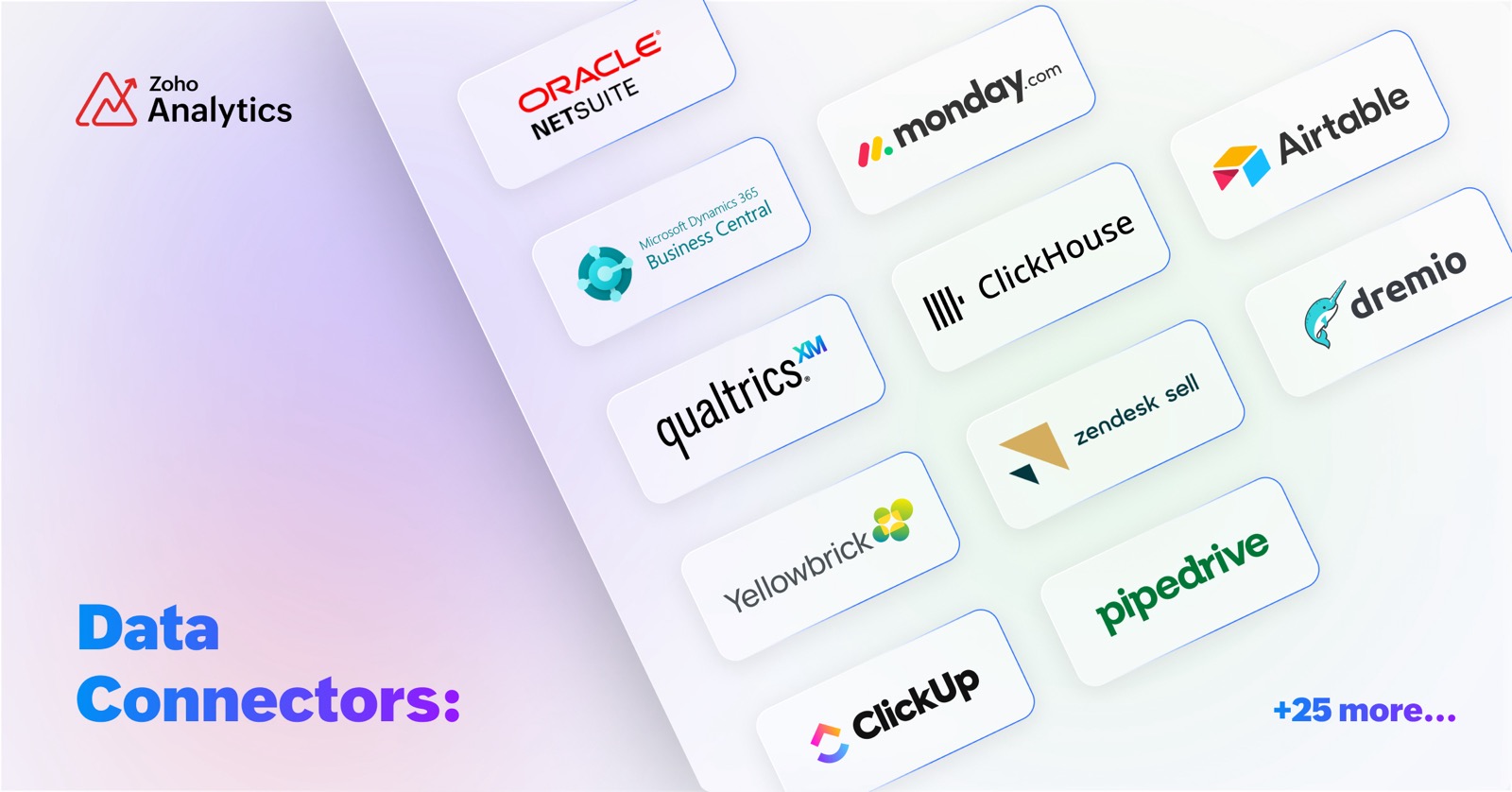
Effectively analyze your data from different business applications by using our pre-built reports and dashboards. Additional features in Zoho Analytics like Sync history, Audit History, and Undo Import allow you to manage all data sources, including the connectors.
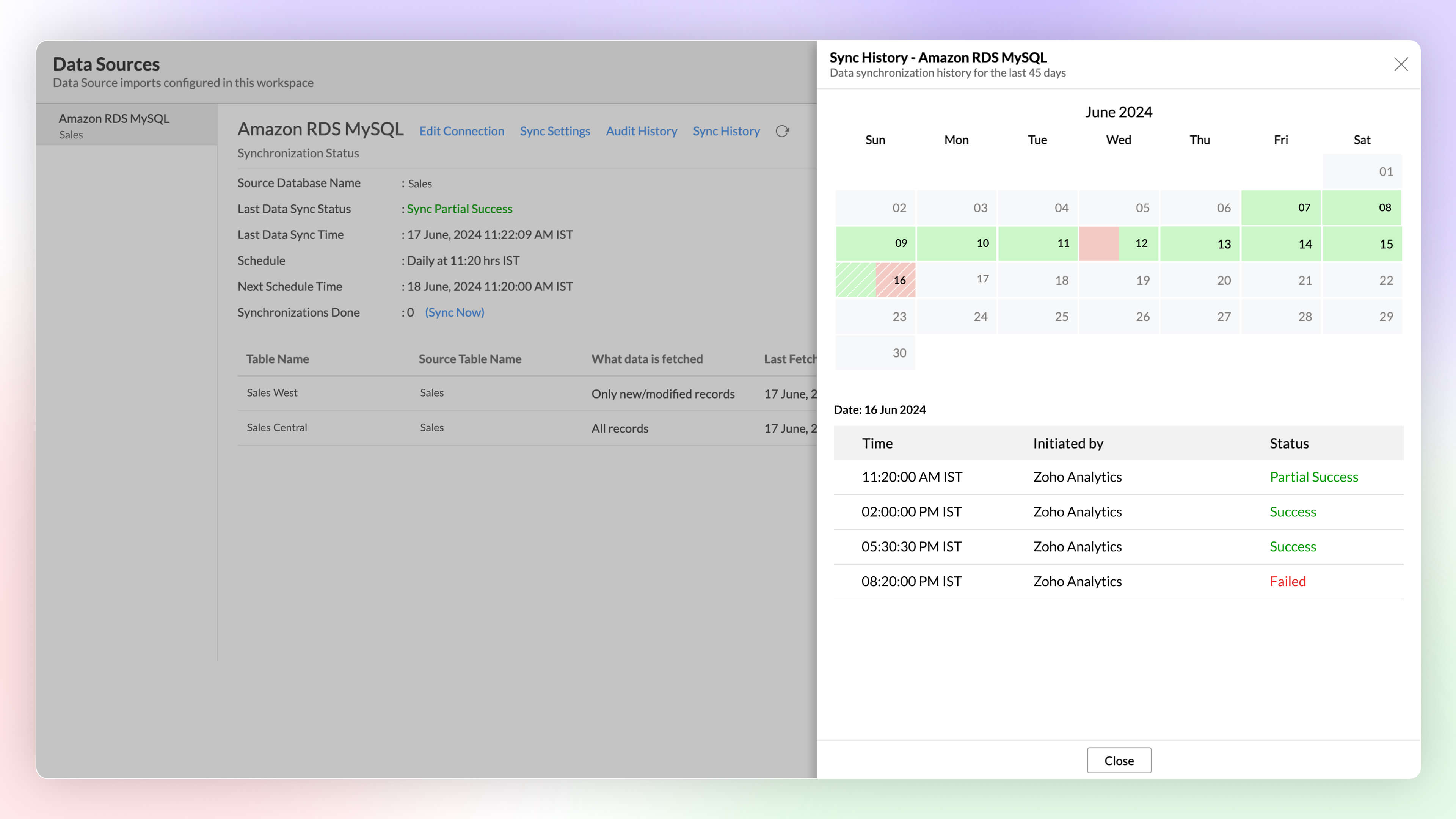
Sync History
Get a detailed overview of data synchronization activities using Sync history in Zoho Analytics. It helps administrators monitor the status of each sync easily, as successful syncs are highlighted in green, while failed syncs appear in red, along with reasons for the failure and required actions.
Click here to learn more.
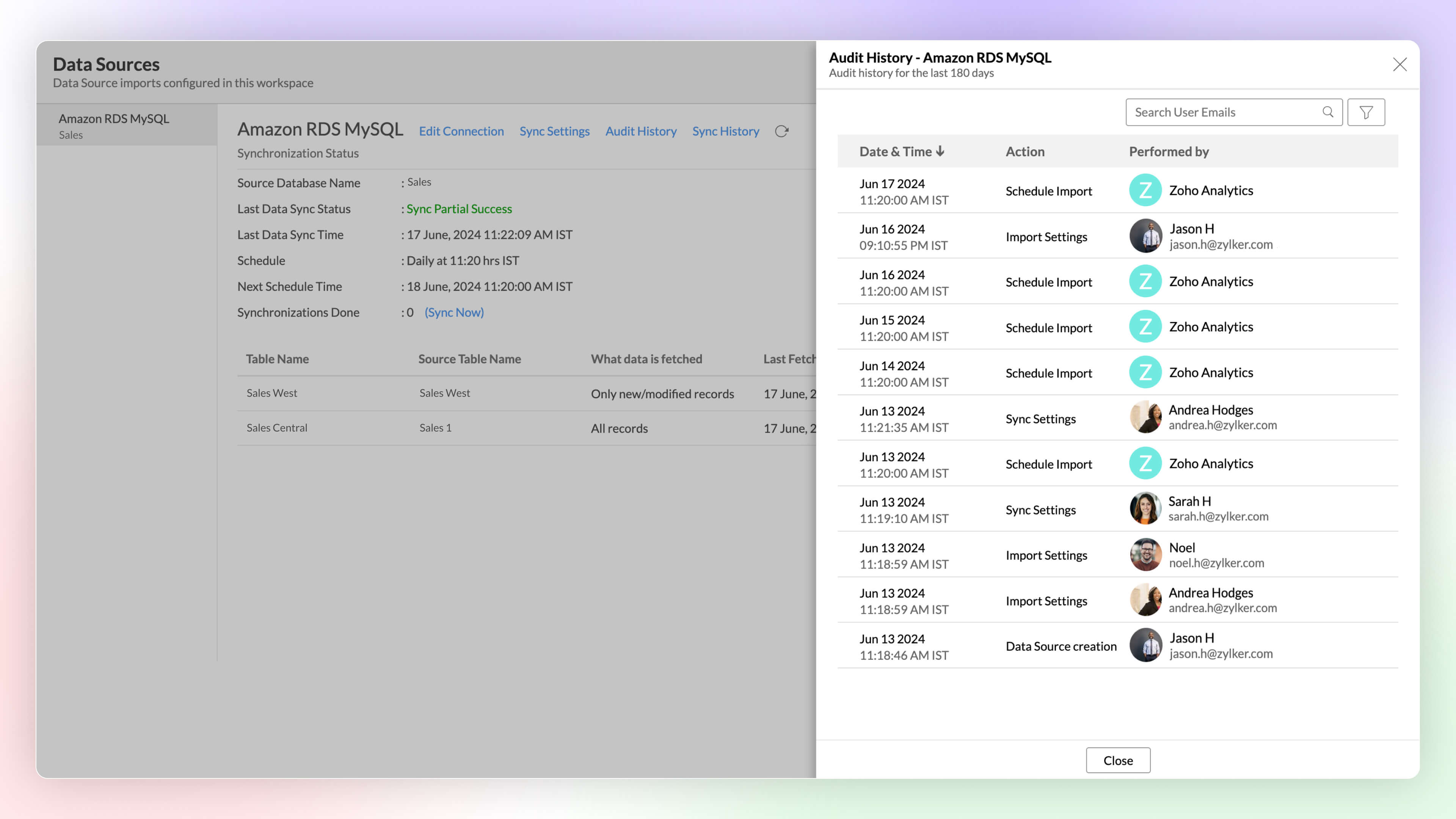
Audit History
Keep a full track of user and system activities using Audit History in Zoho Analytics. it helps you ensure security and resolve issues easily, using the timestamps and details of the administrator responsible for each action.
Click here to learn more.
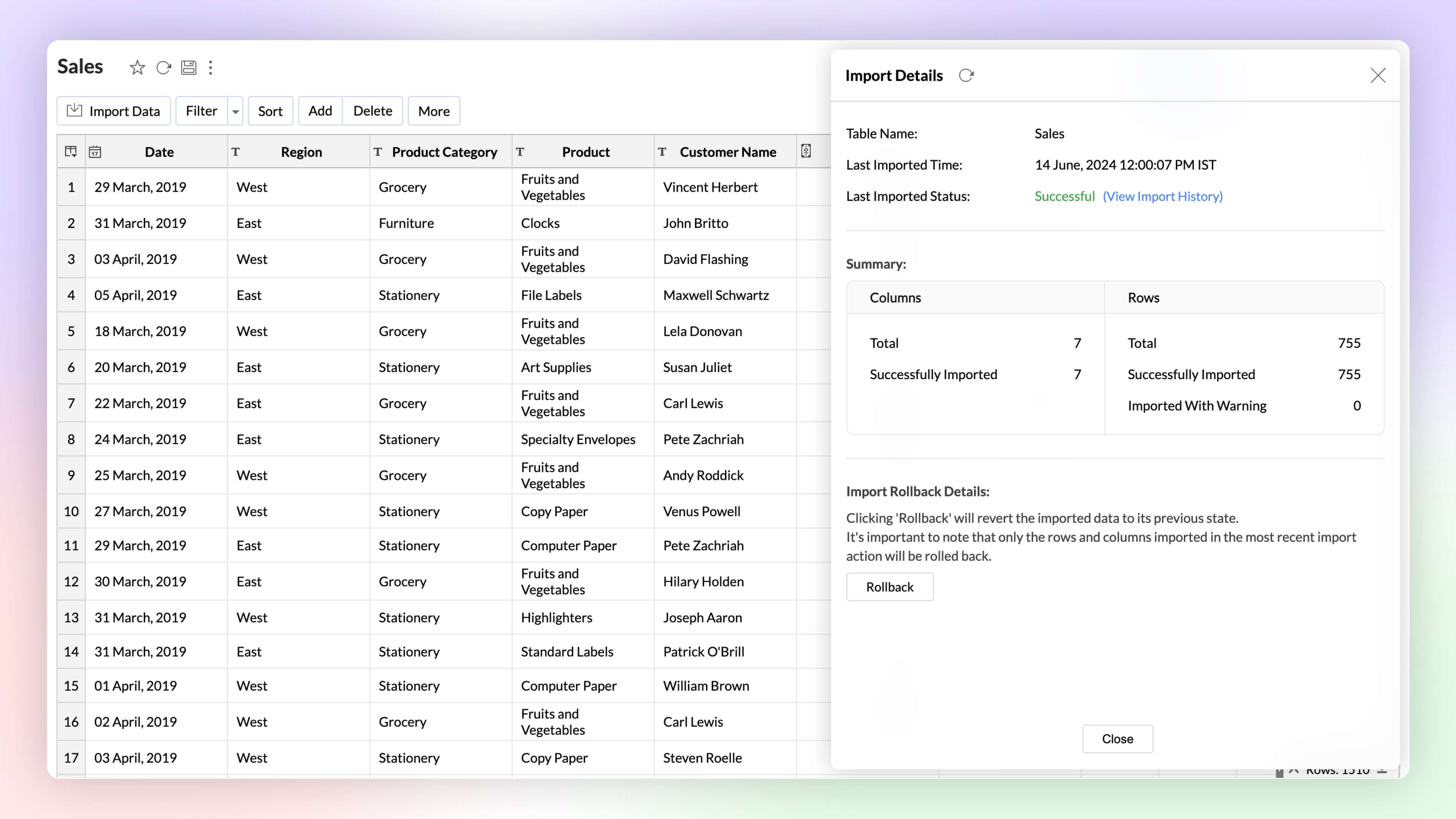
Undo Import Enterprise Plan
Automated imports can sometimes have errors and inconsistencies in data, and this can affect the data quality and the results. The import rollback capability reverts the current data import version to its previous version without affecting the existing data flow and analysis, ensuring data integrity.
Click here to learn more.
Data Pipelines Premium Plan
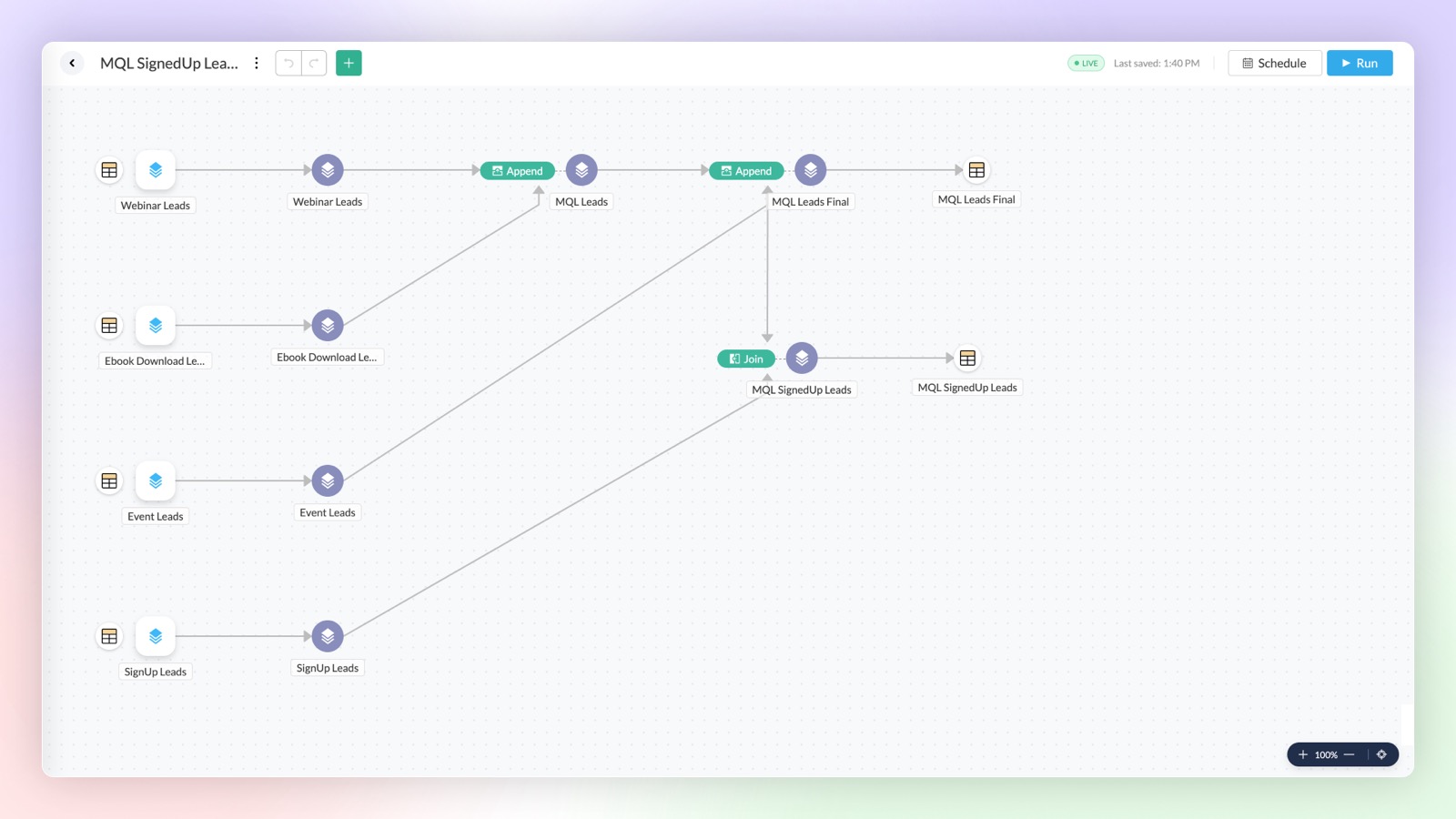
Set up and create data pipelines to setup powerful transformations on your datasets. You can create data pipelines with the no-code visual pipeline builder and perform various transforms on your data like join, append, pivot, and unpivot.
Click here to learn more.
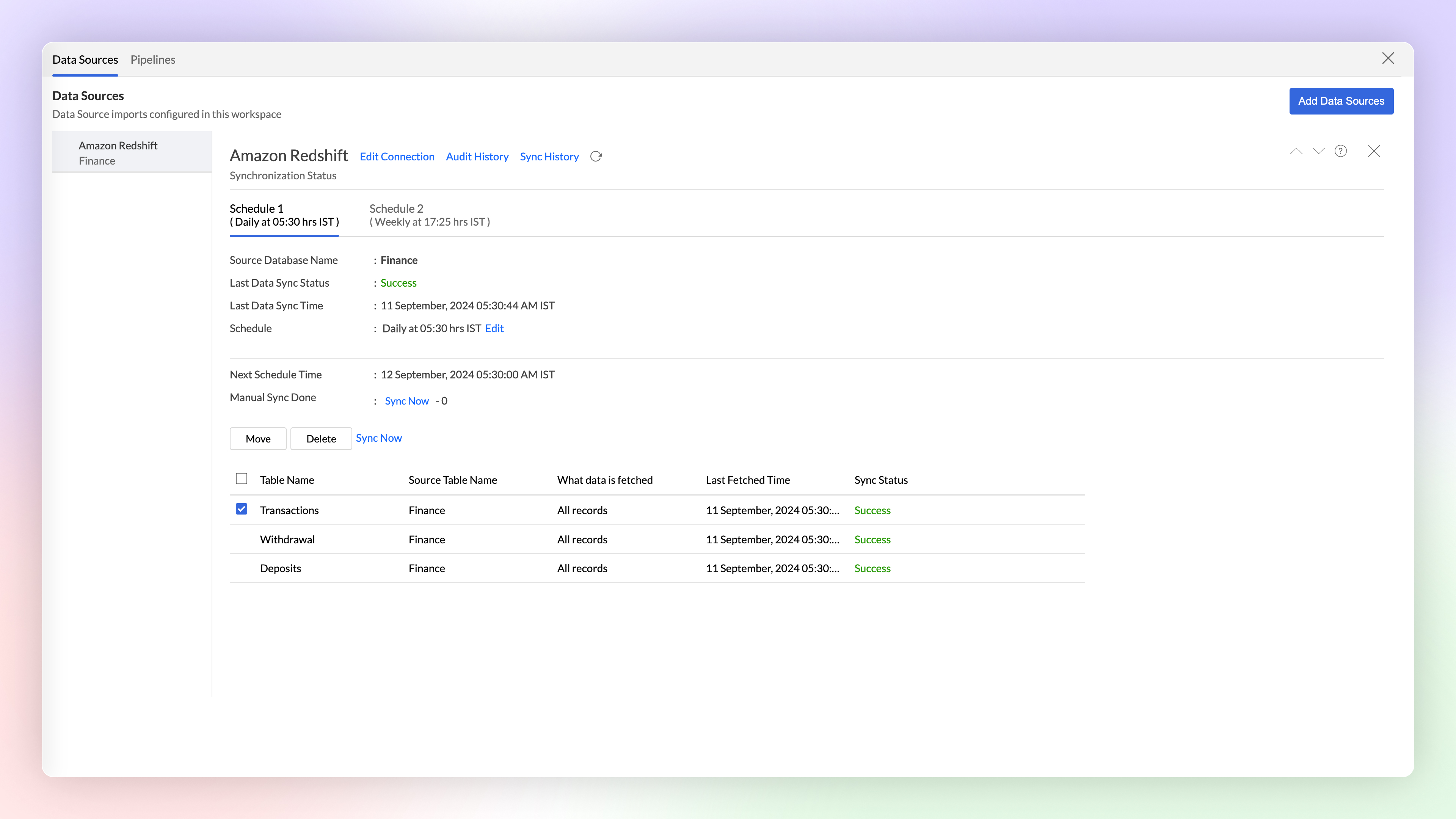
Multiple Schedule Intervals for Tables
Syncing multiple tables at the same interval, just because they share a source, isn't always optimal. That's why we've introduced flexible scheduling options per connection. Now, each table can have its own unique sync interval, allowing you to better meet its specific requirements.
Click here to learn more.
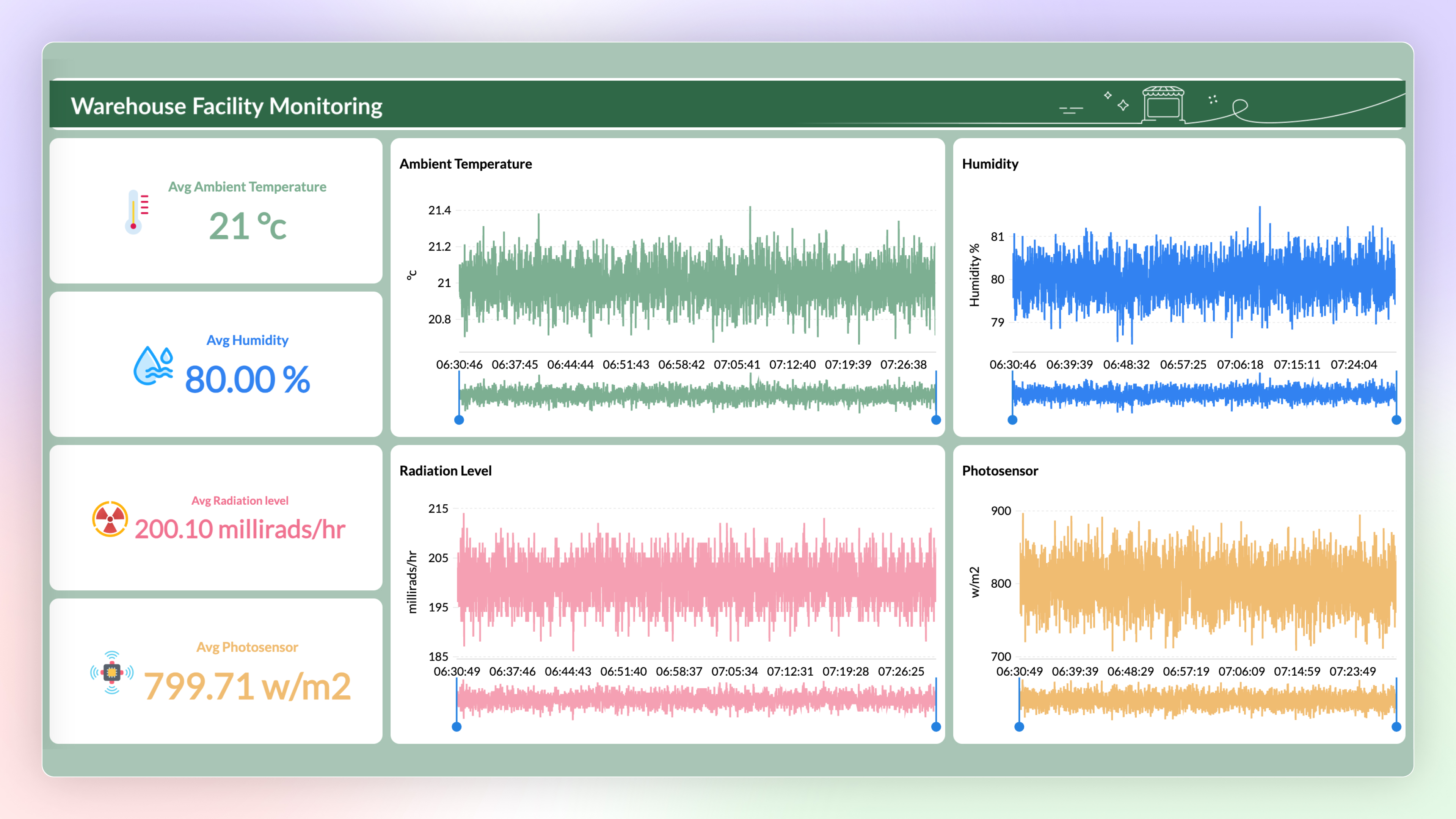
Stream Data Processing Premium Plan
Now you can use Stream Analytics to analyze the data from live streams. The data can be streamed into Zoho Analytics using API and Google Pub-Sub Push Subscription and can be visualized using Zoho Analytics to get real-time insights.
Data Bucketing
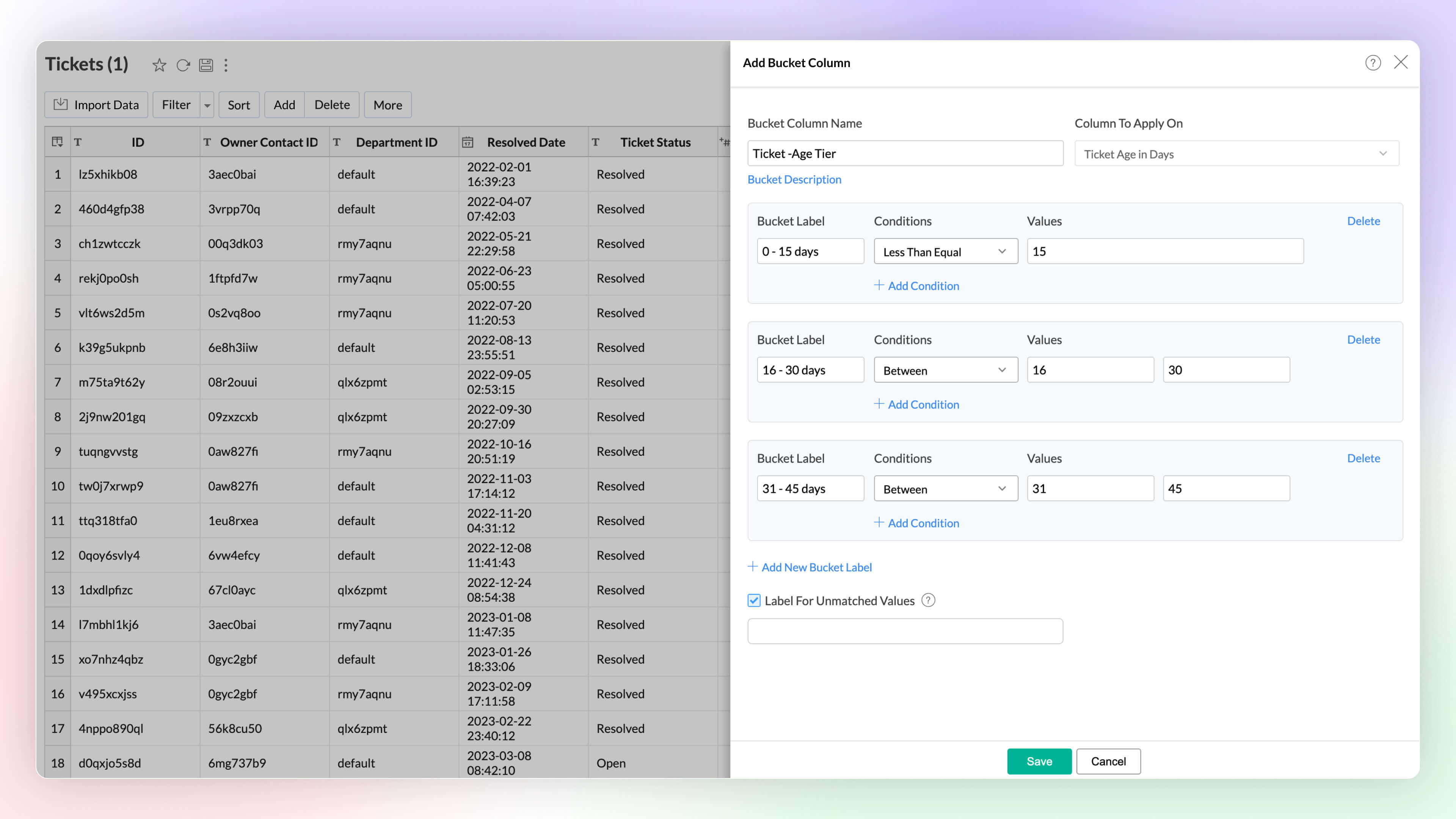
Data bucketing in Zoho Analytics allows you to transform your data into categorical bins, reducing distinct values and simplifying analysis. This feature, now built-in, replaces the need for complex formulas.
Click here to learn more.
Dynamic Image / URL
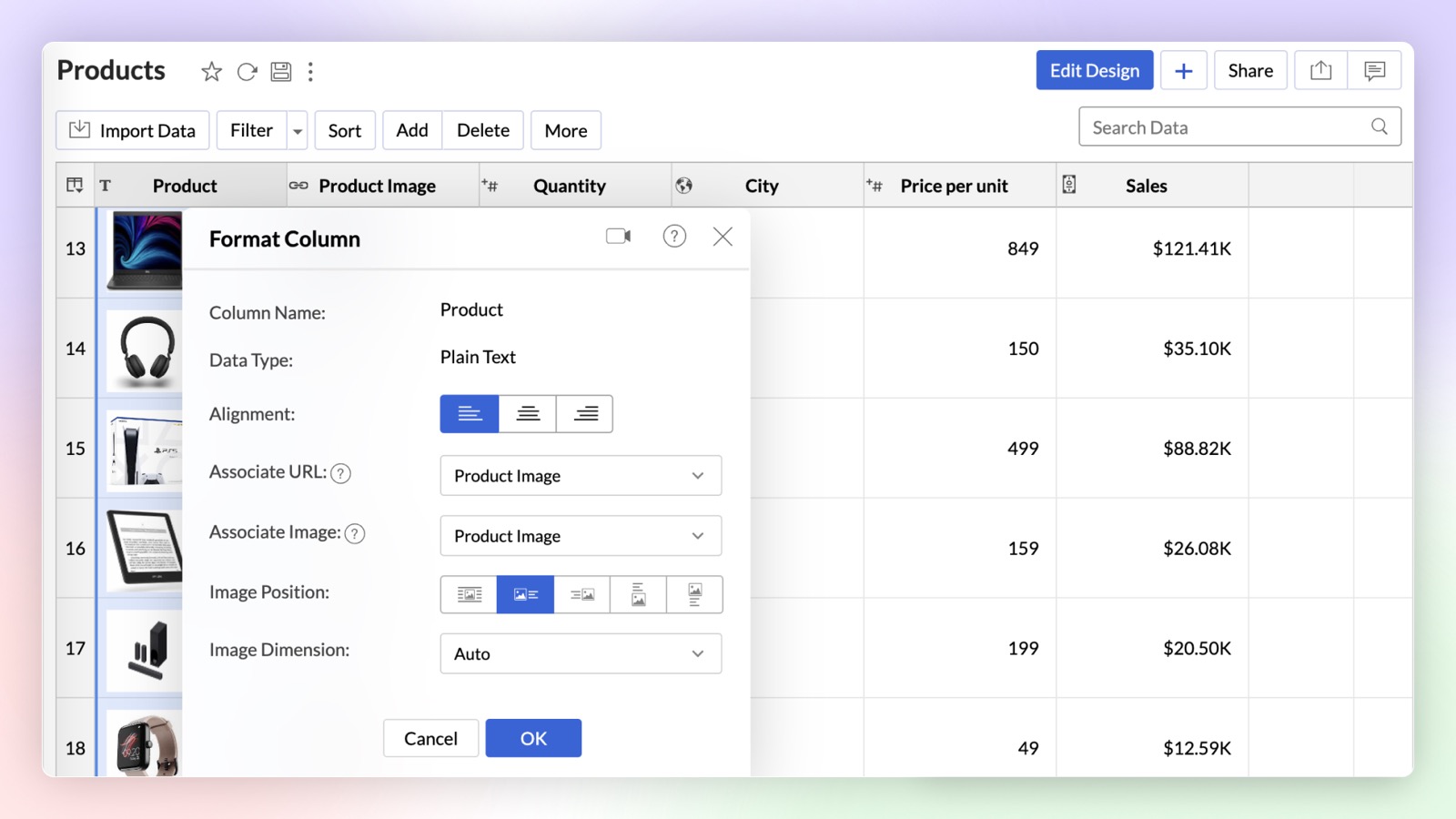
You can now dynamically associate a URL column with a text column in Zoho Analytics. On associating URL as a link or image, the text column will be either hyperlinked or an image will be displayed alongside the text.
Click here to learn more.
Unified Metrics
Unified Metrics in Zoho Analytics consolidates and standardizes all the metrics (aggregates) from different data sources/tables in a workspace. Now you can promote consistency and avoid duplication of metrics across the tables with ease.
Click here to learn more.
Real-time data sync for Zoho CRM Enterprise Plan
You can now analyze up-to-the-minute CRM data in Zoho Analytics. Zoho CRM users can use the Advanced Analytic connector for Zoho CRM to analyze and visually present real-time data effortlessly.
Dataiku Plug-in
You can now analyze and visualize data in Dataiku ML models using the Zoho Analytics Plugin in Dataiku. Zoho Analytics plugin is now available in Dataiku Plugins page.
Enhancement in Live Connect
Zoho Analytics now allows data sources with Live Connect to be added to workspaces alongside other data sources. Previously, Live Connect sources could not be combined with other data sources in the same workspace.
Click here to learn more.
Visual Analytics
Chart Enhancements
New Chart Types
Zoho Analytics supports 7 new chart types (on top of 50+ existing ones) with extensive customization options to enhance the presentation and interpretation of the data.
- Sankey charts Sankey charts are ideal for visualizing data flow between nodes and tracking event movement through connected lines. In Zoho Analytics, you can customize node and link colors, adjusting them individually or globally, and set link colors based on source or target nodes. You can choose a basic Sankey chart for simple flows or an Alluvial Chart for complex, multi-stage flows.
- Racing charts are animated views that are best suited for visualizing the changes in the data over a period of time where the relative ranking of categories is important. They highlight and help comprehend the fluctuations and progression in the data. These types of charts grab the user's attention instantly, providing an immersive experience and helping craft a compelling story about the data.
- Spark lines are compact charts that show the trends and variations in the data without taking up much space. They are widely used alongside pivot tables and help grasp trends and allow quick comparison of metrics across different fields. Zoho Analytics supports three variations that includes line chart, area chart, and bar chart.
- Geo Map Layering, add multiple data layers to the geo map to visualize various dimensions of information. This feature includes interactive options for enhanced data exploration.
- Sunburst charts represent hierarchical data through a series of rings, or concentric circles. Each ring corresponds to a level in the hierarchy. The central or innermost circle represents the root node, or the top-level category. Moving outwards, each subsequent ring represents a subcategory, where the outermost ring is the leaf node. The size of each arc in the ring is proportional to the value of the data.
- Conversion bar charts show the connected stages of a process and the gradual decrease in data as it moves through different stages of the process. Each stage is represented by a bar, with a step or stair case pattern indicating the shift in values (along with conversion percentage) at each stage.
-
Tree Map is a visualization composed of differently-sized rectangles that represent your data values. This is beneficial when you want to depict the part to whole relationship among various categories.

Interactive Chart Customizations
Experience real-time updates as you customize your chart with the new Chart Settings interface, now available on the right side pane. It provides enhanced customization options with live visual feedback.
Click here to learn more.
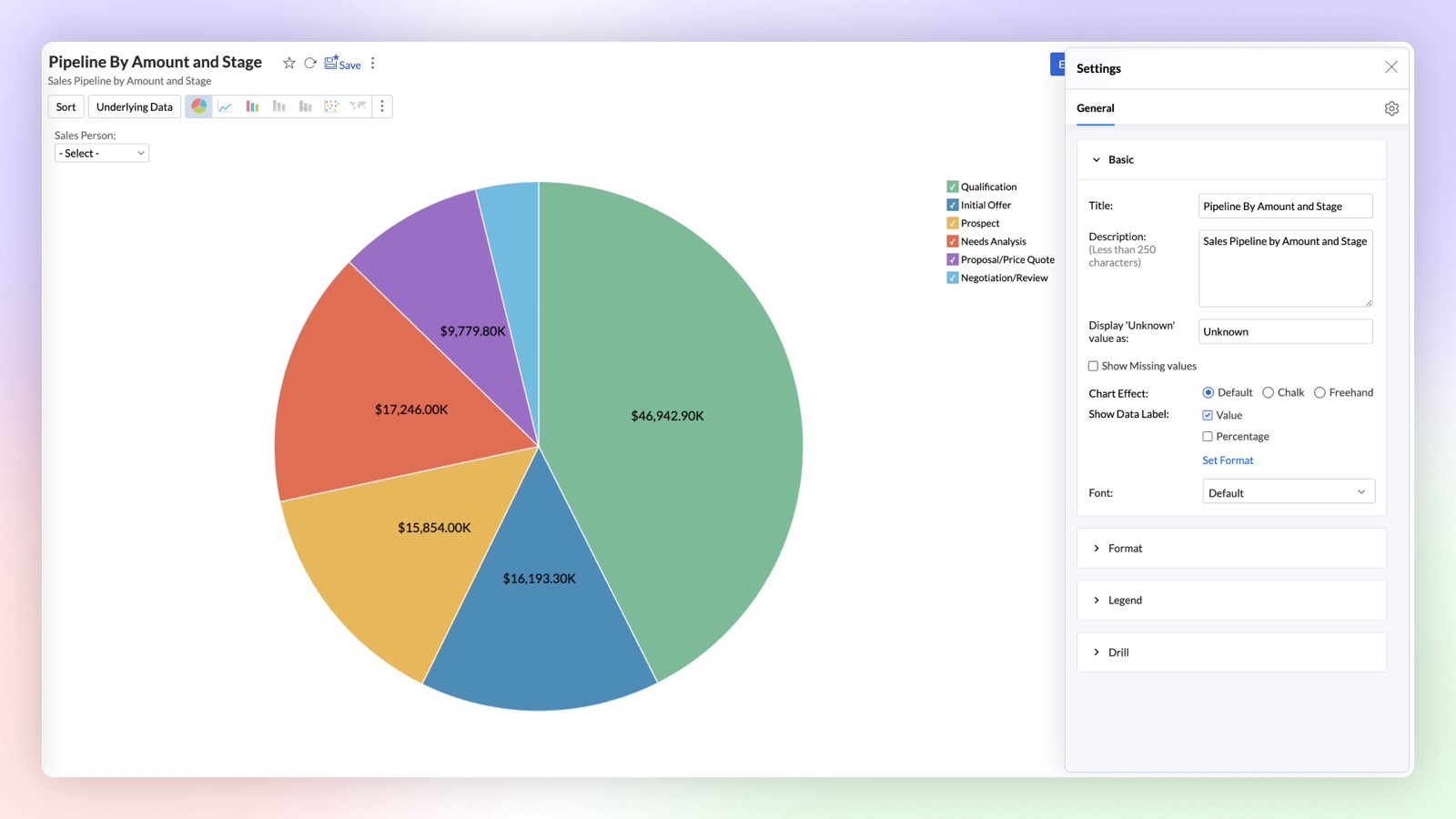
Chart Creation as API
Chart creation APIs in Zoho Analytics allow you to programmatically generate various types of charts by customizing data inputs, applying filters, and configuring chart properties. These APIs offer flexibility to create dynamic visual reports directly through code.
Pivot enhancements
Conditional Formatting over other columns in Pivot
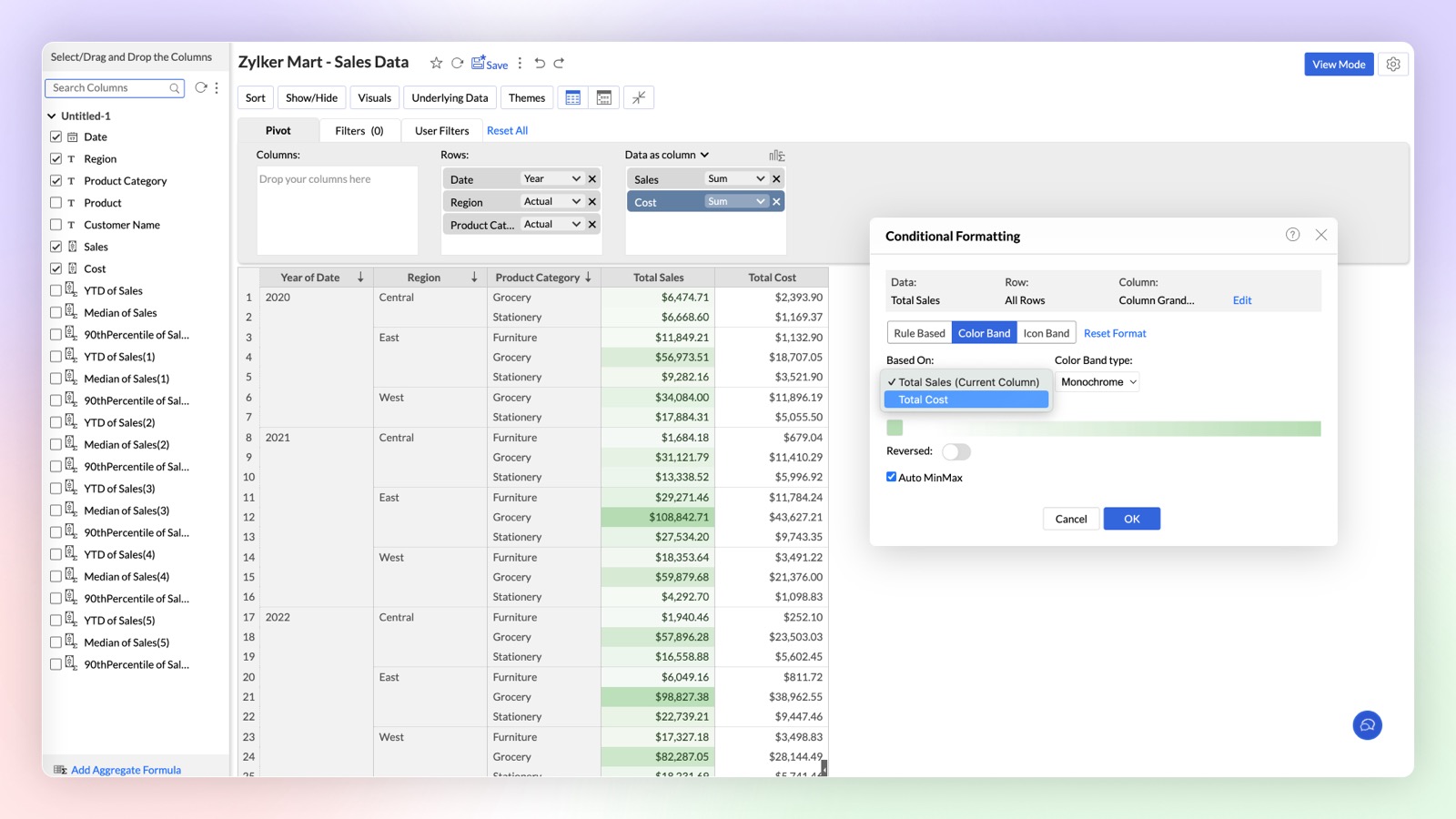
This enhancement empowers you to create more dynamic and insightful Pivot Tables by allowing you to apply conditional formatting rules over any column based on the values of another column.
Click here to learn more.
New Conditional Formatting: Color & Icon Bands
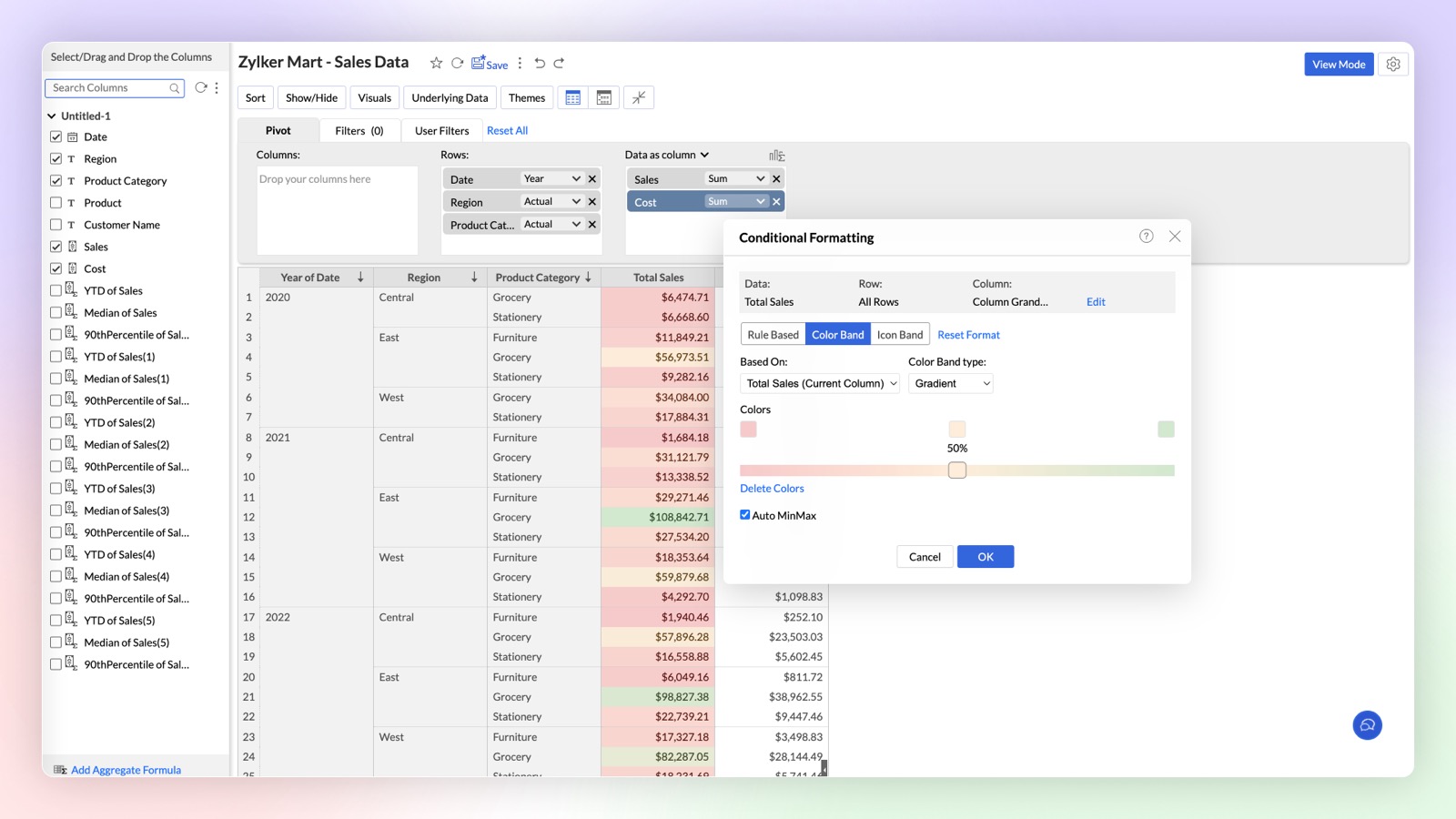
Zoho Analytics introduces enhanced Conditional Formatting with Color and Icon Bands in Pivot Tables. This update brings a new level of visual customization, allowing you to highlight critical data points and enhance data comprehension directly within your Pivot Tables.
Click here to learn more.
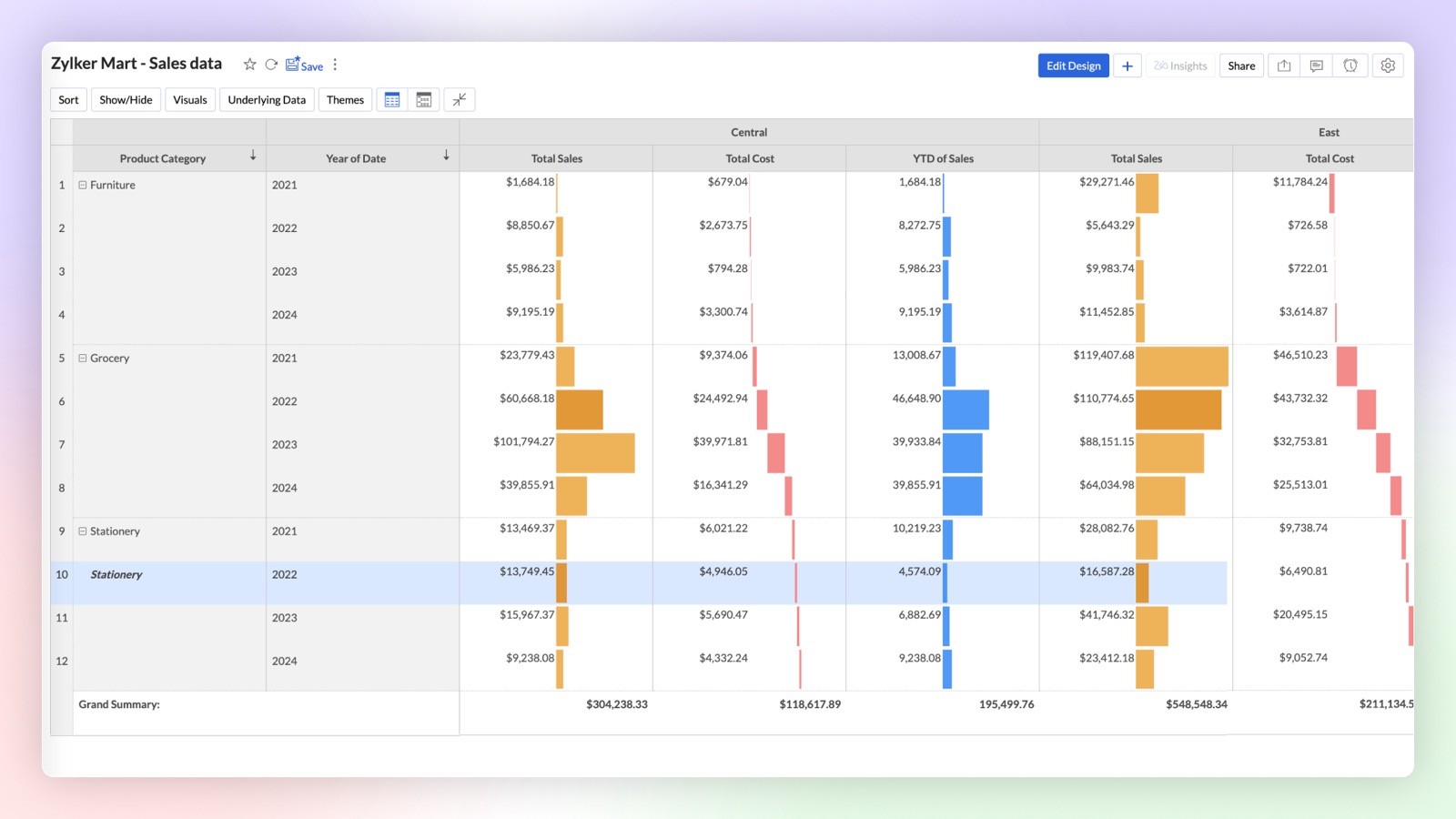
Data Bars & Waterfall Charts in Pivot
Introducing Data Bars and Waterfall (Bar Range) Charts in pivot tables to analyze complex data sets and highlight key insights directly within your pivot tables. Upgrade your data visualization game with Data Bars and Waterfall Charts in Zoho Analytics. Start transforming your Pivot Tables into powerful storytelling tools today!
Dashboard Enhancements
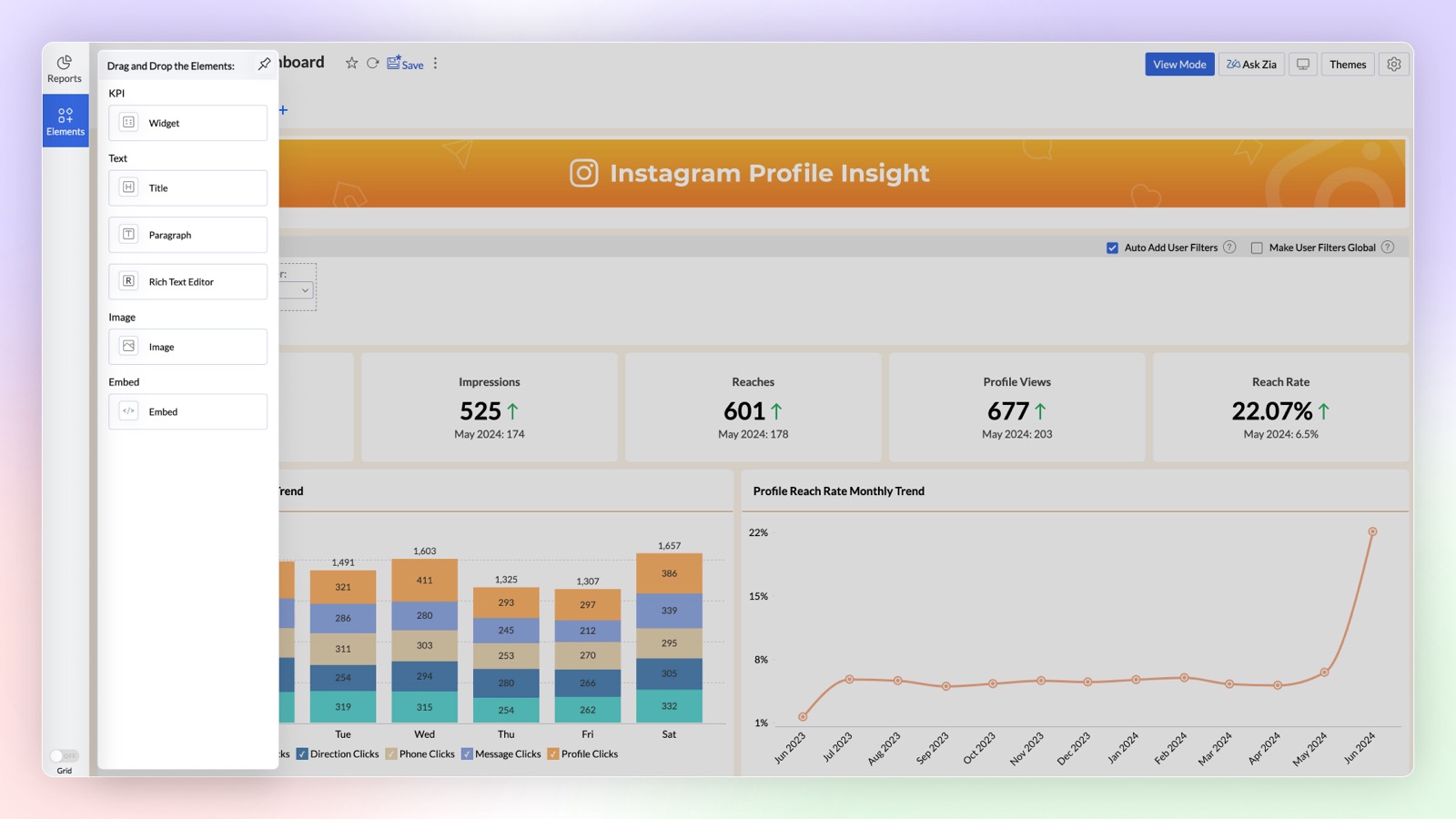
Add Elements in Dashboard
The Dashboard Designer interface now includes an "Add Elements" section for easily incorporating widgets, text, images, and embedded URLs into your dashboard. Simply drag and drop these elements to add them. The Text element offers enhanced formatting options, while the Image element features a built-in editor for direct image customization.
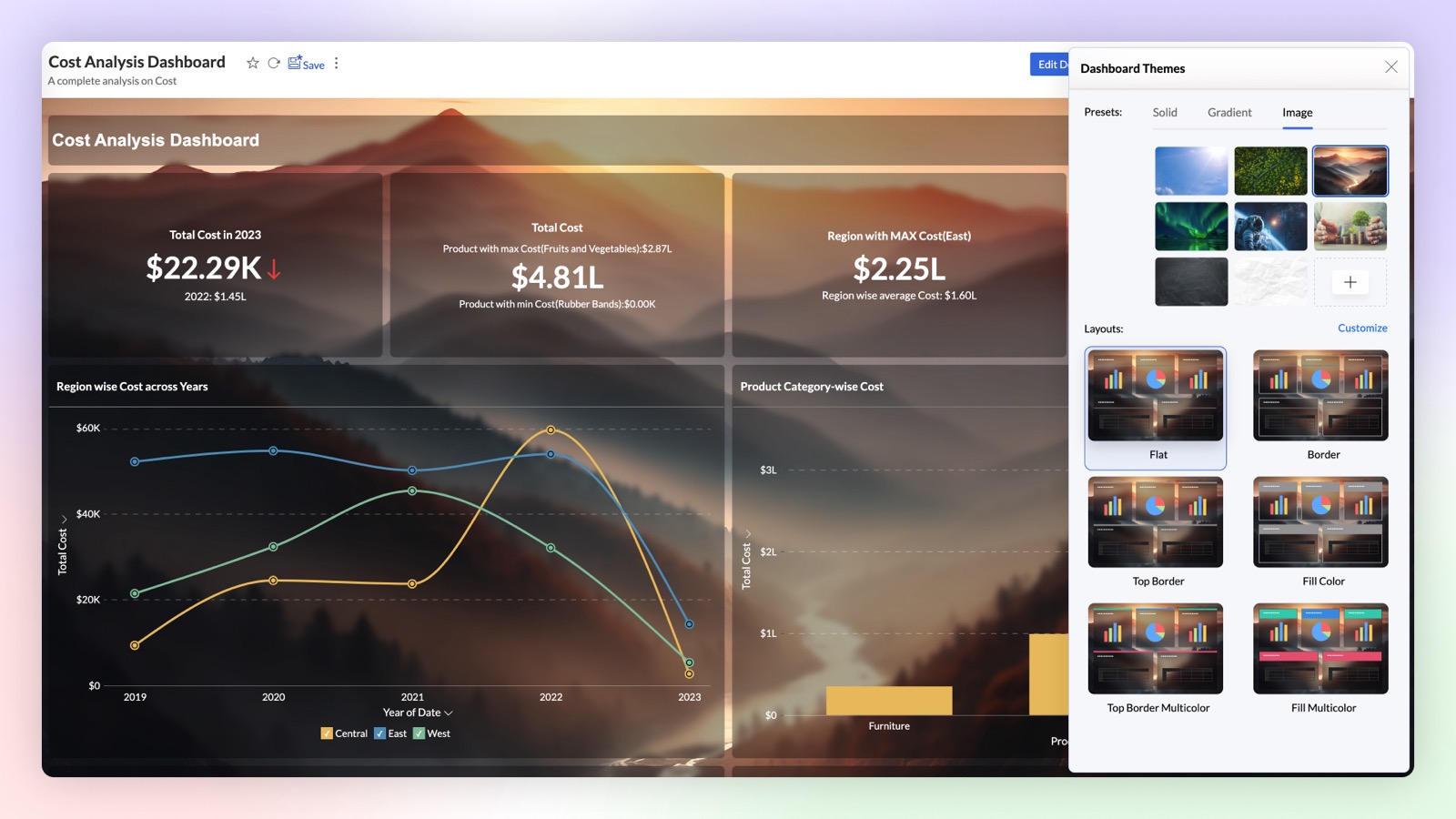
Enhanced Themes and Background in Dashboard
Want to create stunning dashboards with reports over transparent cards and image as background? Try our new themes and background card effect feature. With wide customization options to improve the visual aesthetics, this helps enhance the clarity of the reports and widgets.
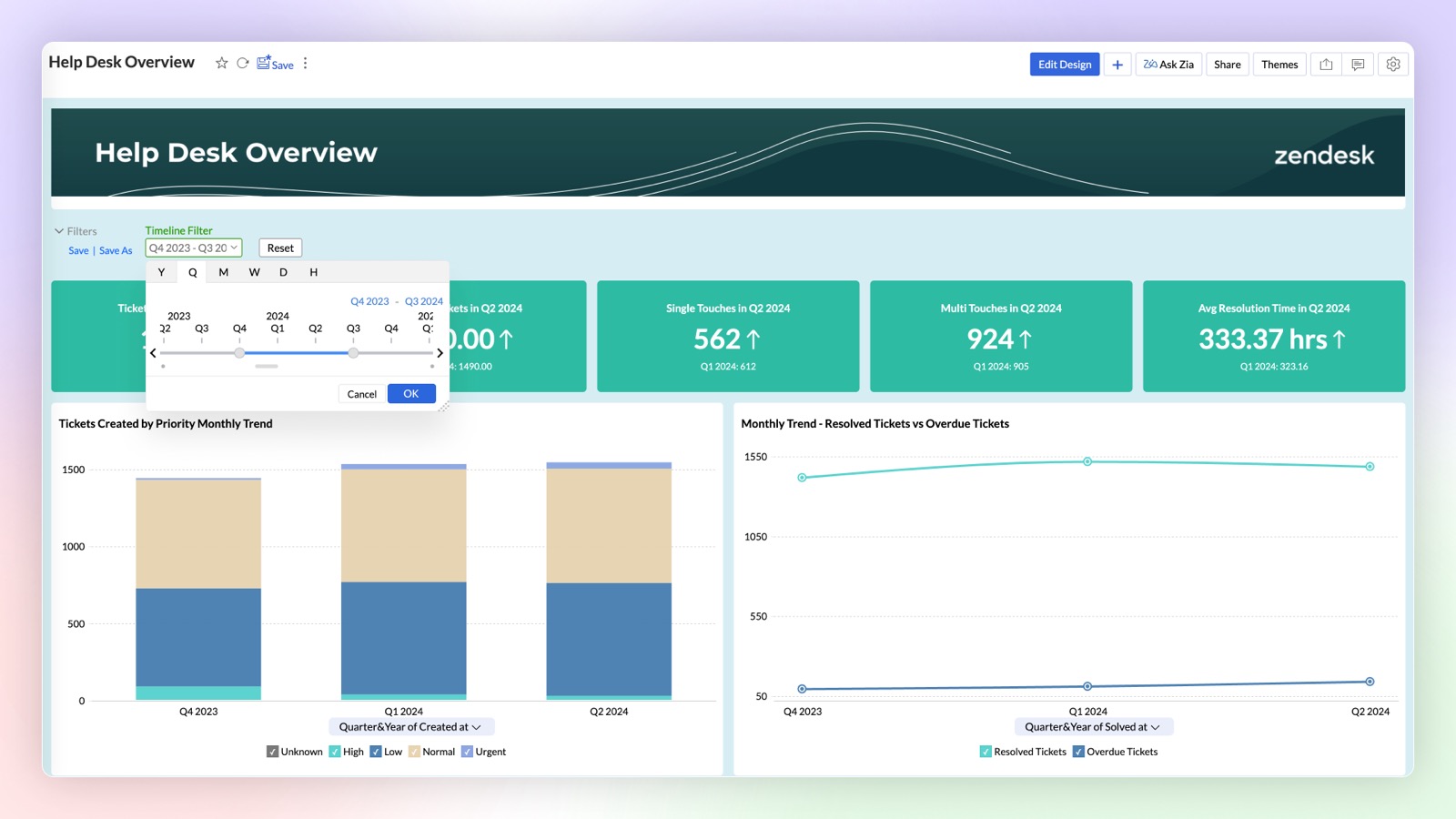
Changing date functions based on Time Slicer
Enhance user interaction on your dashboard by dynamically adjusting the date functions of reports based on the applied Time Slicer. The selected date function and interval in the Time Slicer will automatically update the date functions across all reports within the dashboard.
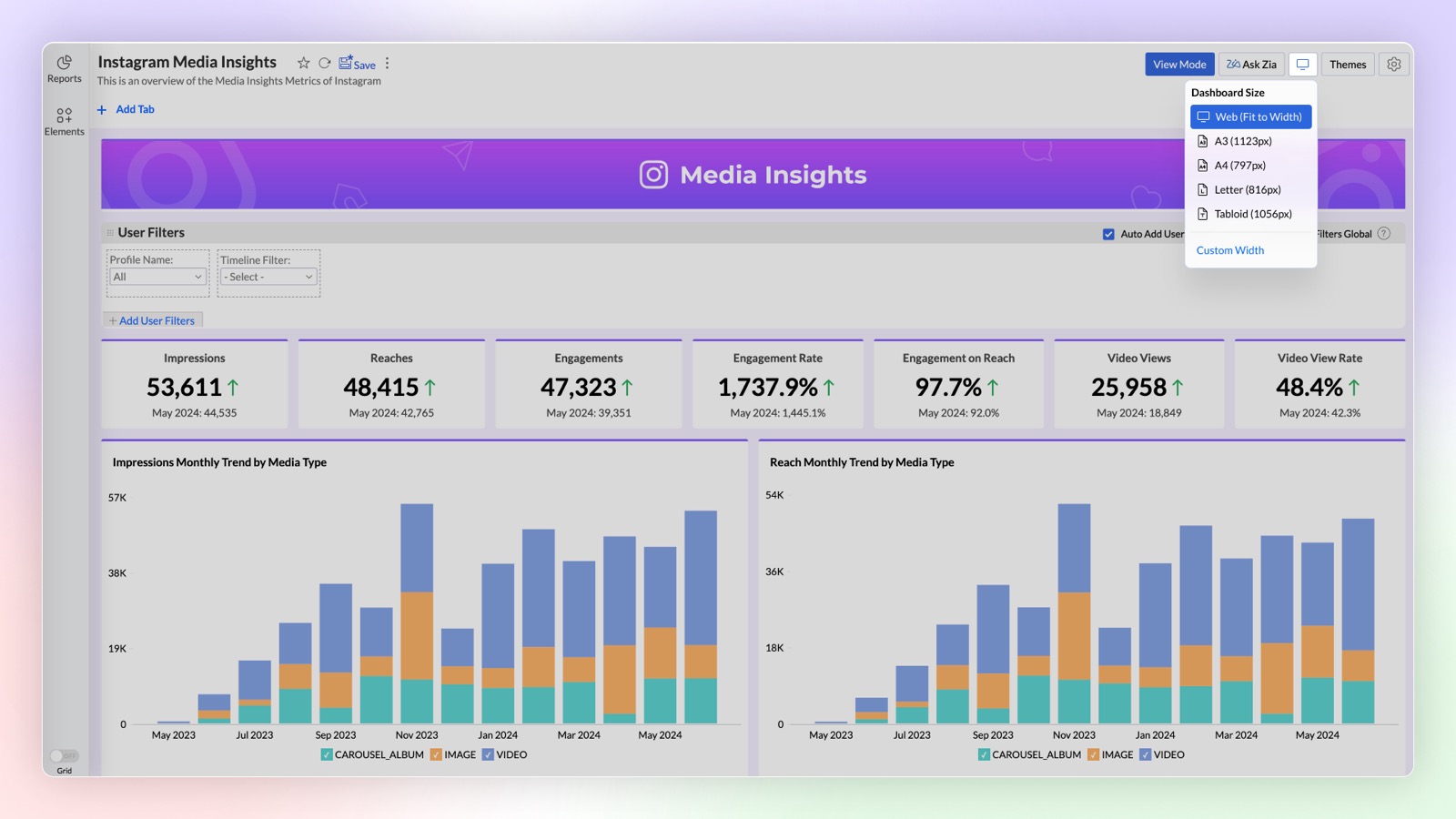
Customizing the width of Dashboard Designer Area
You can now customize the width of the Dashboard layout to suit your specific design needs. By setting the desired width, you can also design dashboards that could fit in applications where you are embedding them, ensuring a visually appealing layout.
Widget Enhancements
- Image support in widgets: Enhance your dashboard’s visual appeal and user engagement by adding custom icons to KPI widgets to convey information at a glance, without lengthy descriptions. You can use the in-built image customization options like changing color, cropping, etc., to cater your needs.
- Widgets with forecast: Based on your current data trend, get a better understanding of how close you are to your goals by adding forecast value to your widgets.
Export as PPT
You can now export a dashboard as a Microsoft PowerPoint file. The snapshot of each view in the dashboard will be exported as an individual slide.
Copy and Paste Reports in Dashboard
Now you can easily copy and paste the reports in your dashboard from one tab to another.
Interactive Customizations
Global User Filters
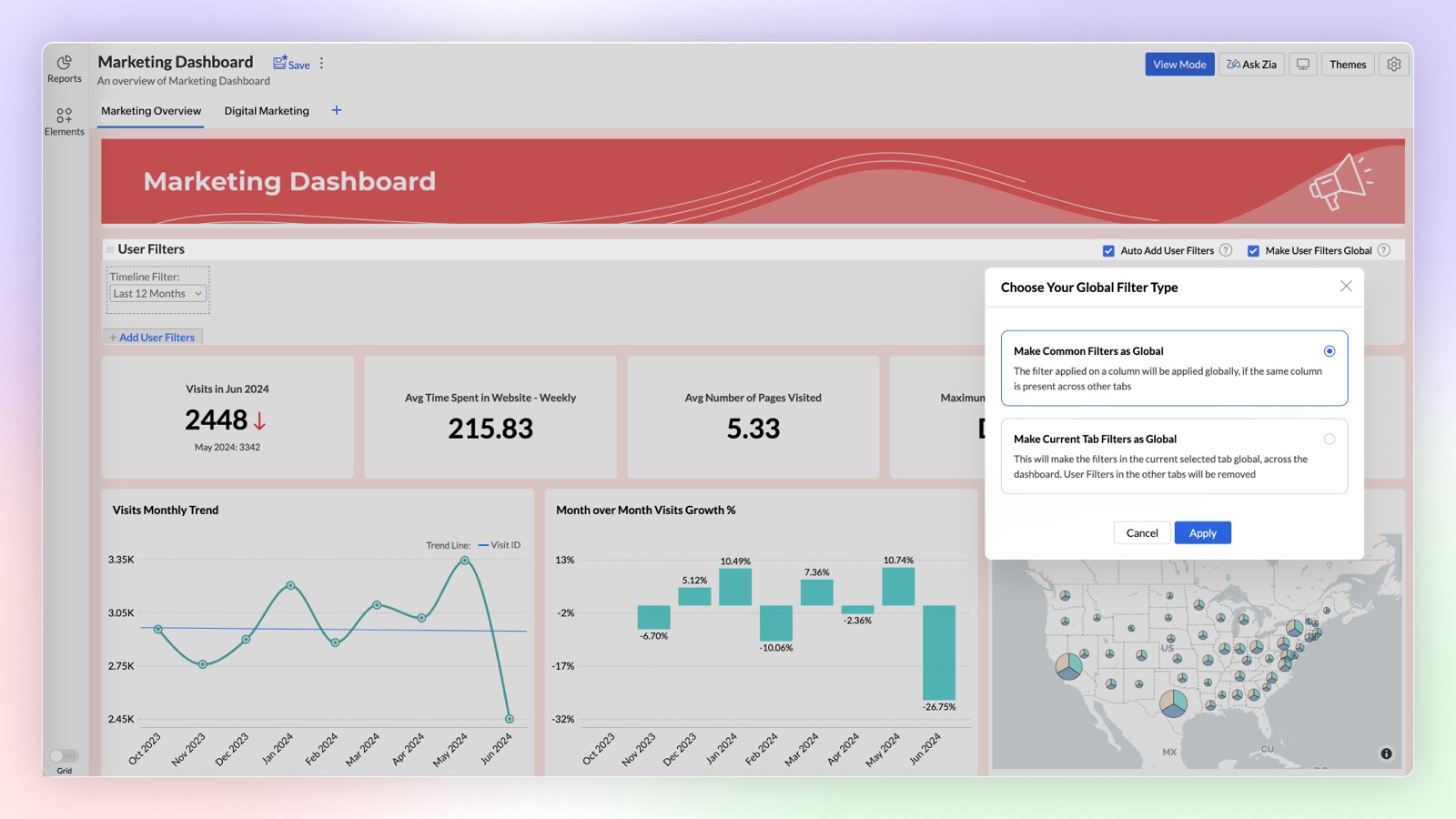
Expand the functionality of Global User Filters in your dashboard for deeper analysis with our latest enhancement. You can either select common filters across tabs as global filters or apply the same filter to all tabs when they share the same base data.
Click here to learn more.
Sharing User Filter Presets
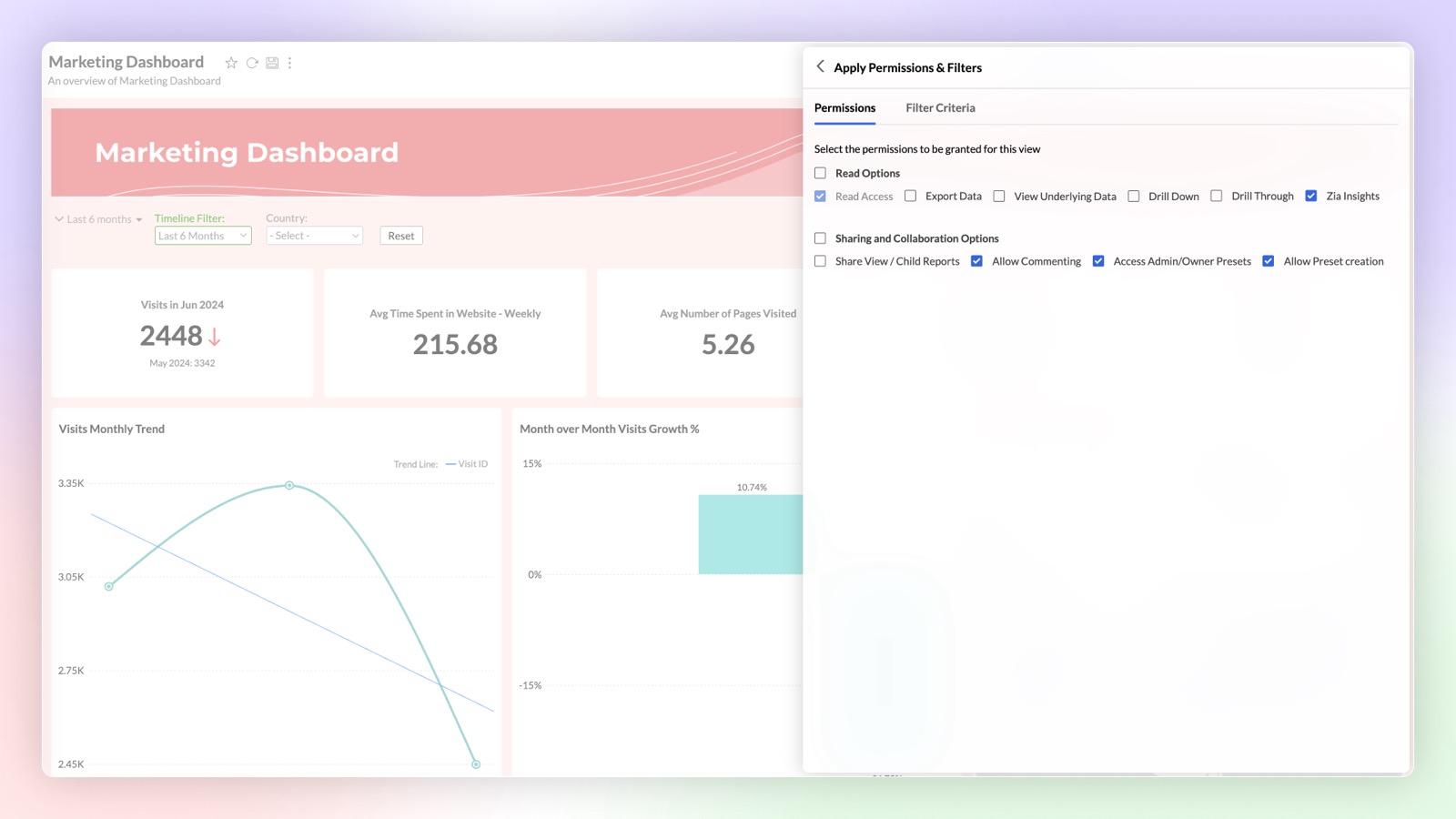
You can now share saved user filter presets with other users. Dashboard users can utilize the shared presets or create their own custom presets.
Drill Through
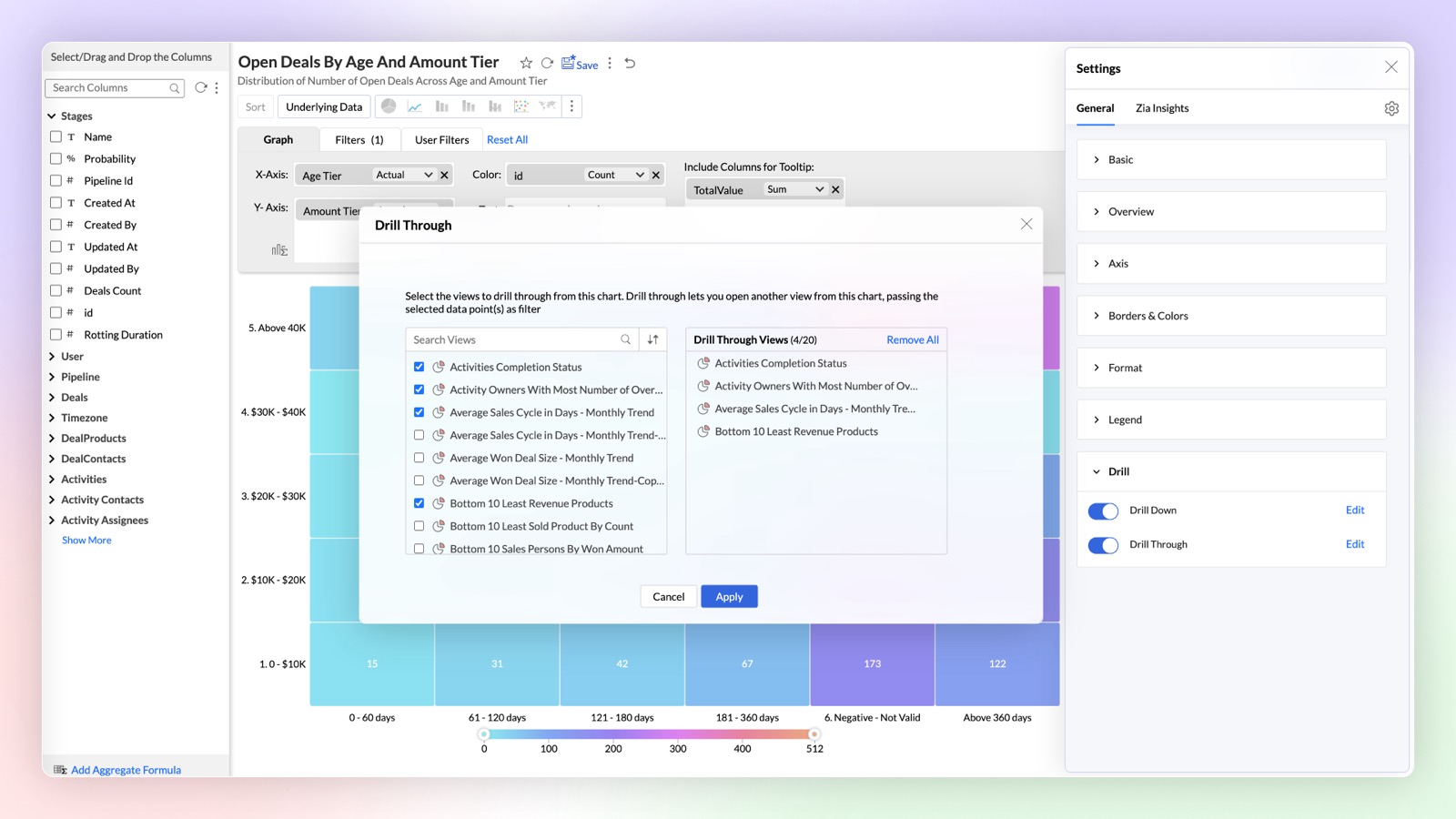
Navigate and view the reports related to the specific data points using the drill through function. You can easily link all the related reports specific to a metric or dimension.
Click here to learn more.
Generative AI Infused Analytics
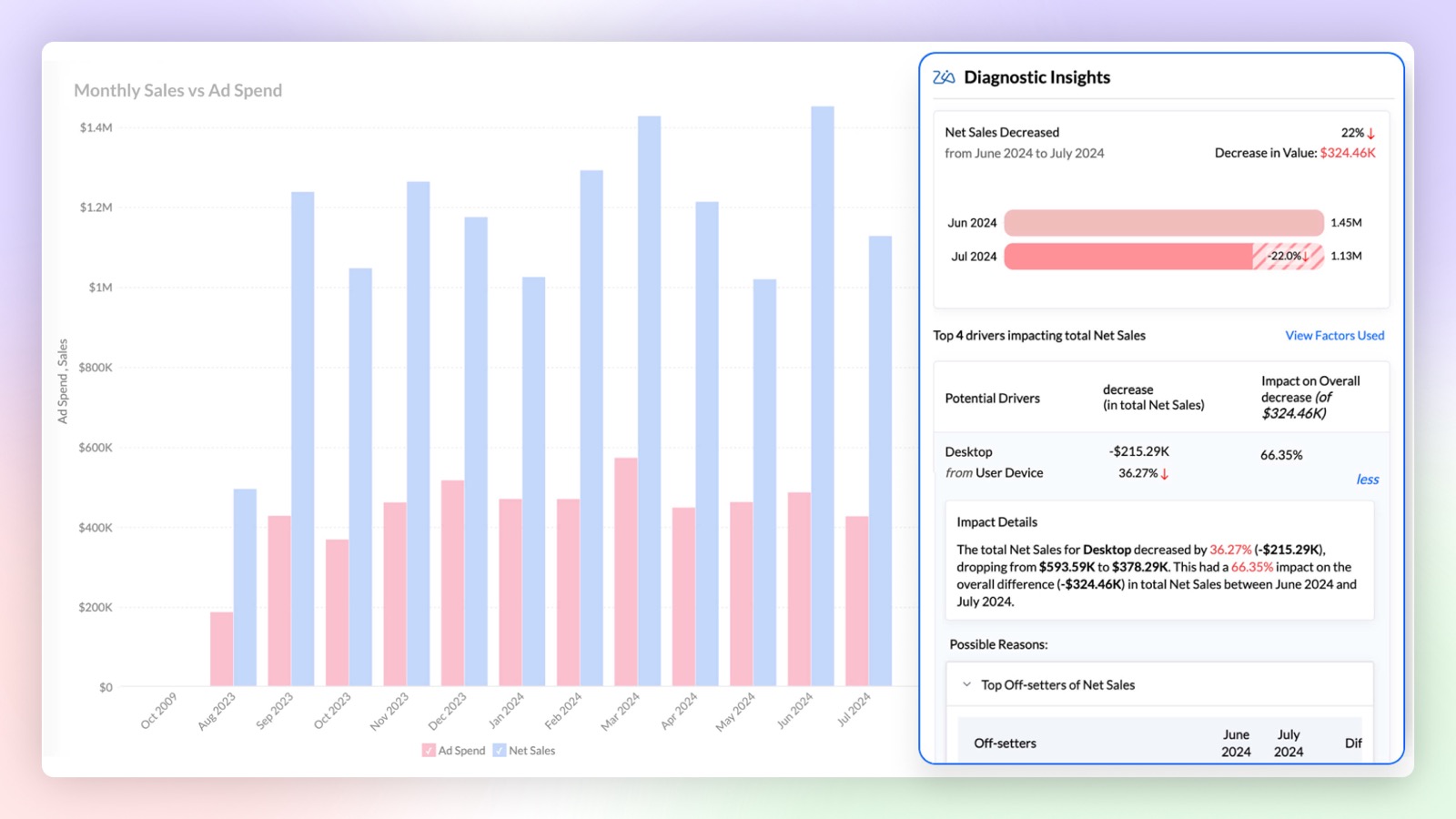
Diagnostics Insights
Find out the reason 'Why' behind any insight with diagnostic insights. Analyze the key drivers with significant impact and take informed actions based on these insights.
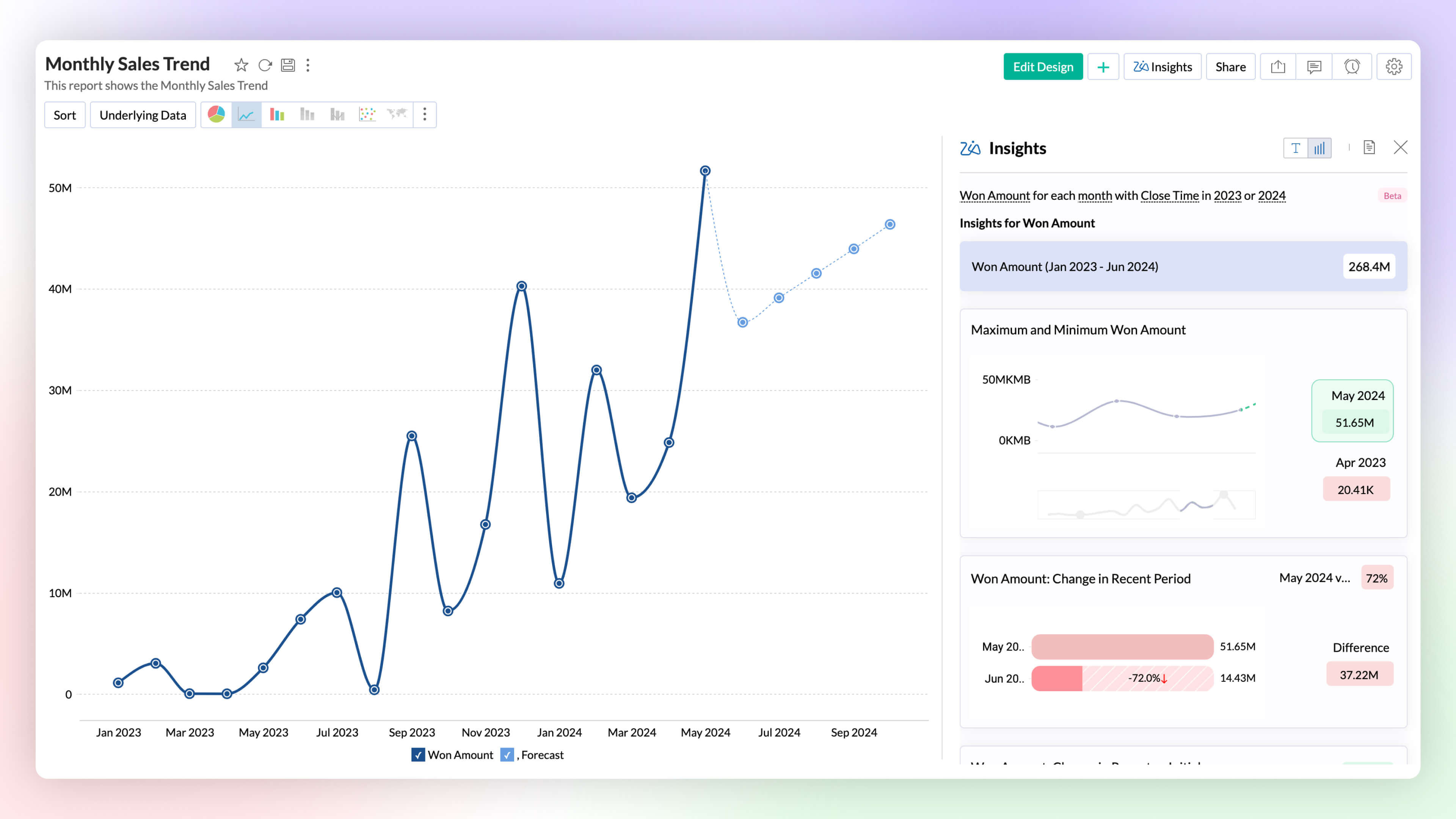
Visual Zia Insights
Zia Insights now provides visual narratives! Visuals help process information far more efficiently than lengthy text descriptions. These visuals facilitate multi-dimensional interpretations like comparison, contribution, distribution, trends and proportions.
Click here to learn more.
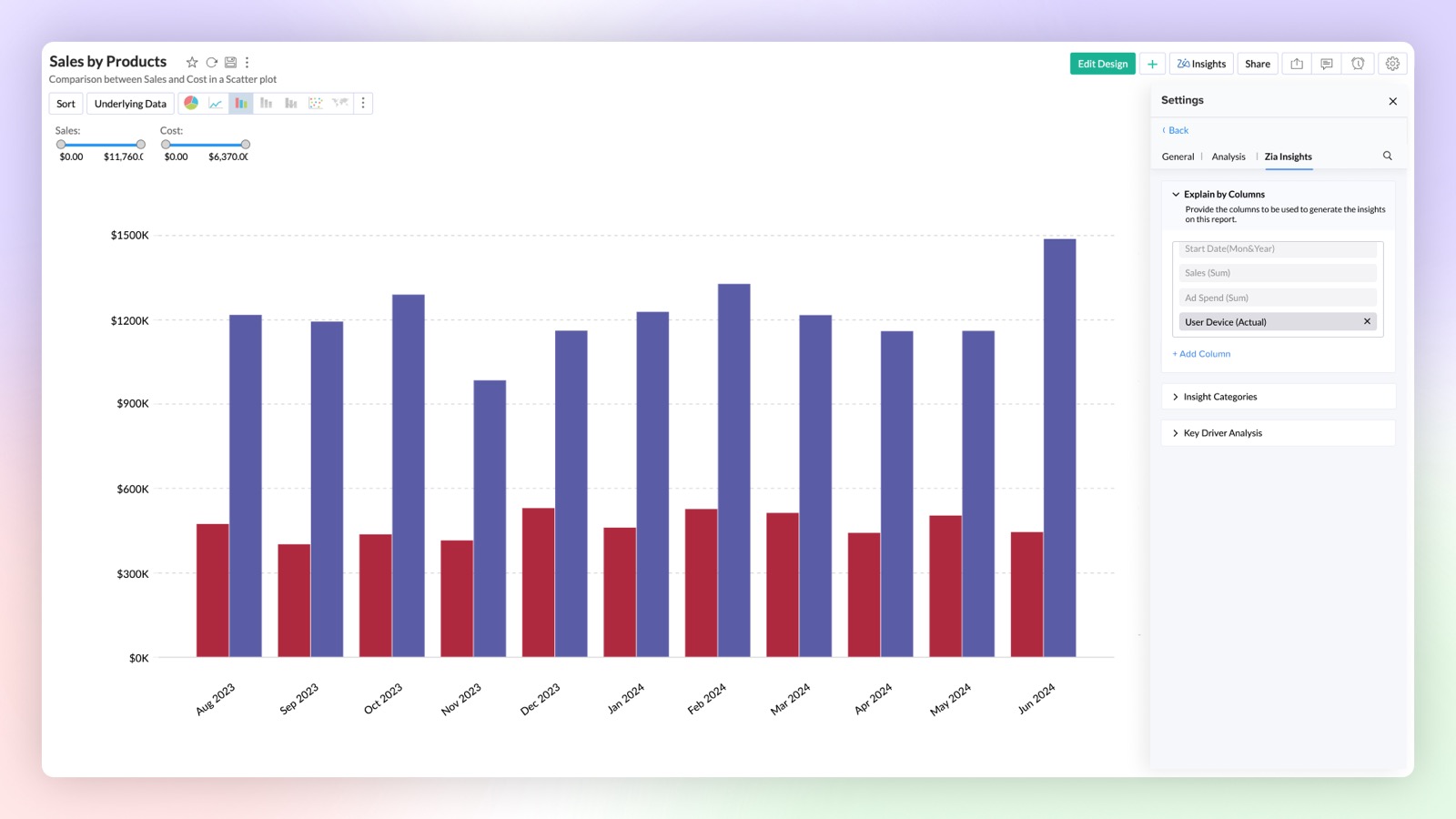
Configurable Insights
Customize the insights generated by Ask Zia to focus on the columns of your choice. This feature provides configurable insights tailored to your selected data.
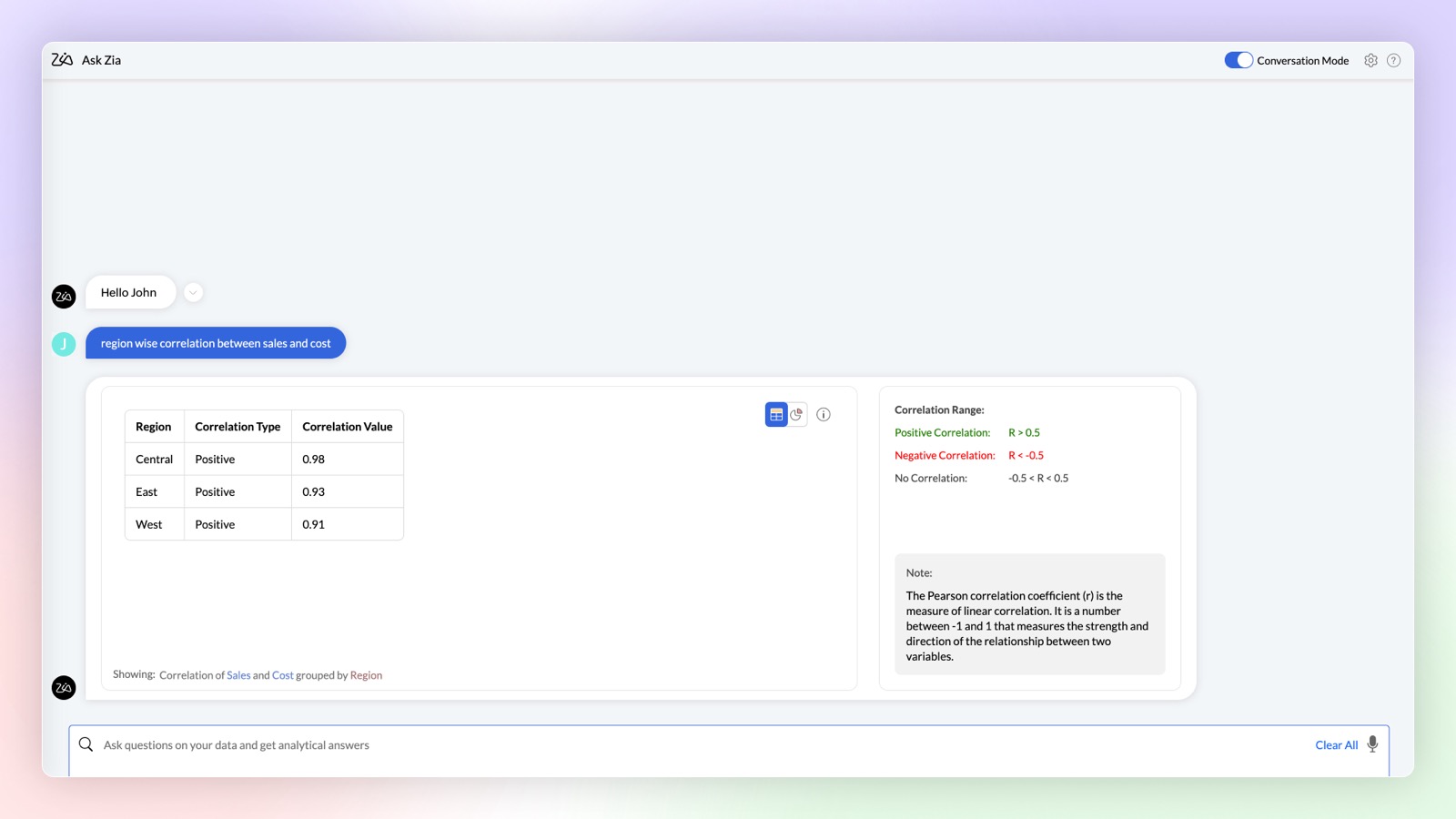
Complex Queries
Ask Zia in conversation mode can now provide you with results for complex mathematical queries to find correlation and trend strength in your data.
Click here to learn more.
Enhancements in OpenAI Integration
- Increase the accuracy of your OpenAI results in Ask Zia by using your workspace metadata. This can be done by enabling the OpenAI RAG (Retrieval-Augmented Generation) feature in Organization Settings.
- You can now use OpenAI in Ask Zia conversation mode to create formulas and make data preparation easier by helping you build complex queries. Type your needs in simple language and get answers instantly.
- Workspace Admins can also use OpenAI integration in Ask Zia.
Ask Zia Bot in Microsoft Teams
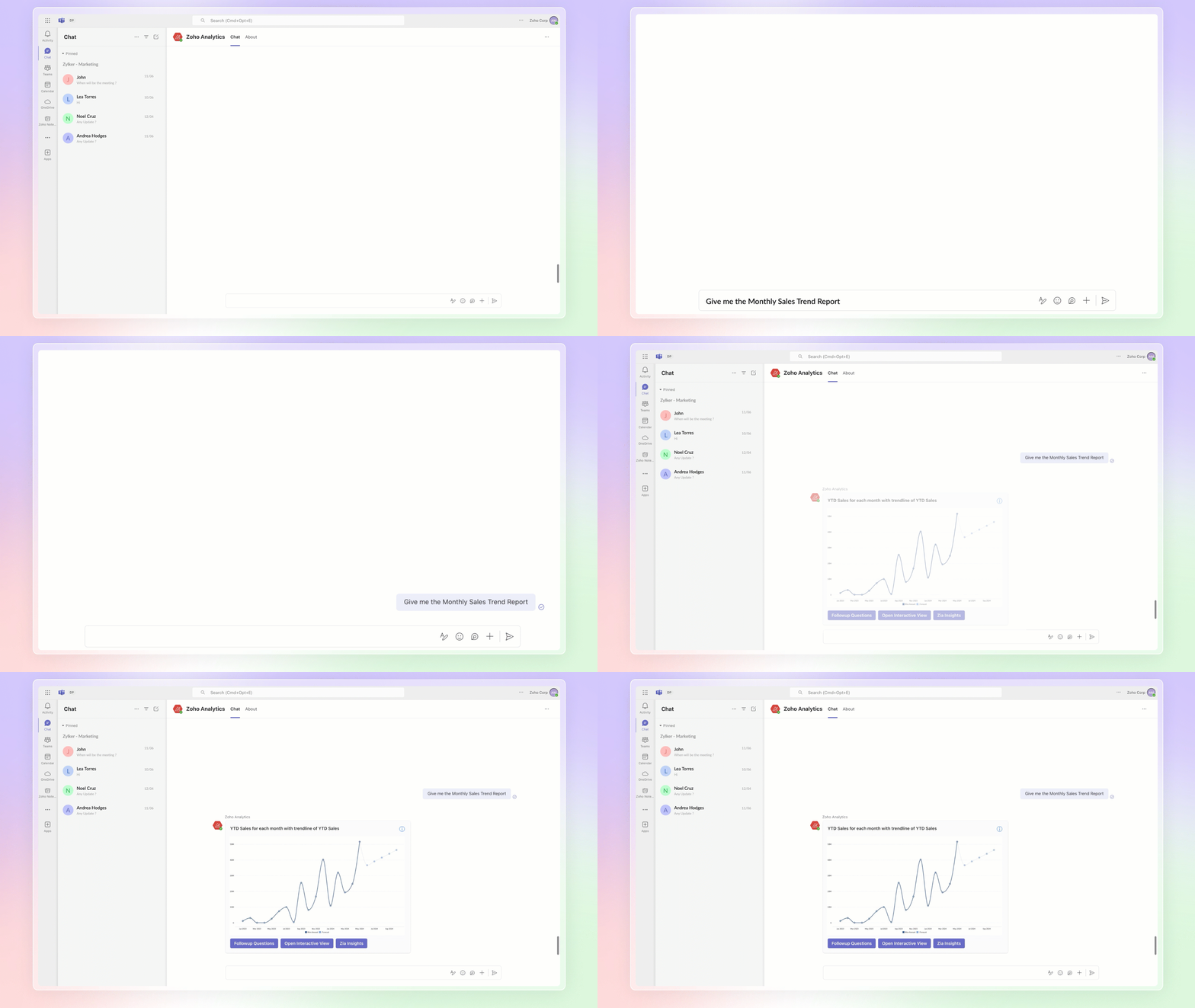
Combine the generative AI capabilities of Zoho Analytics' Ask Zia with Microsoft Teams. Get answers to your data queries, access key business insights quickly, predict future trends, and build reports right from within Microsoft Teams with Ask Zia bot.
Click here to learn more.
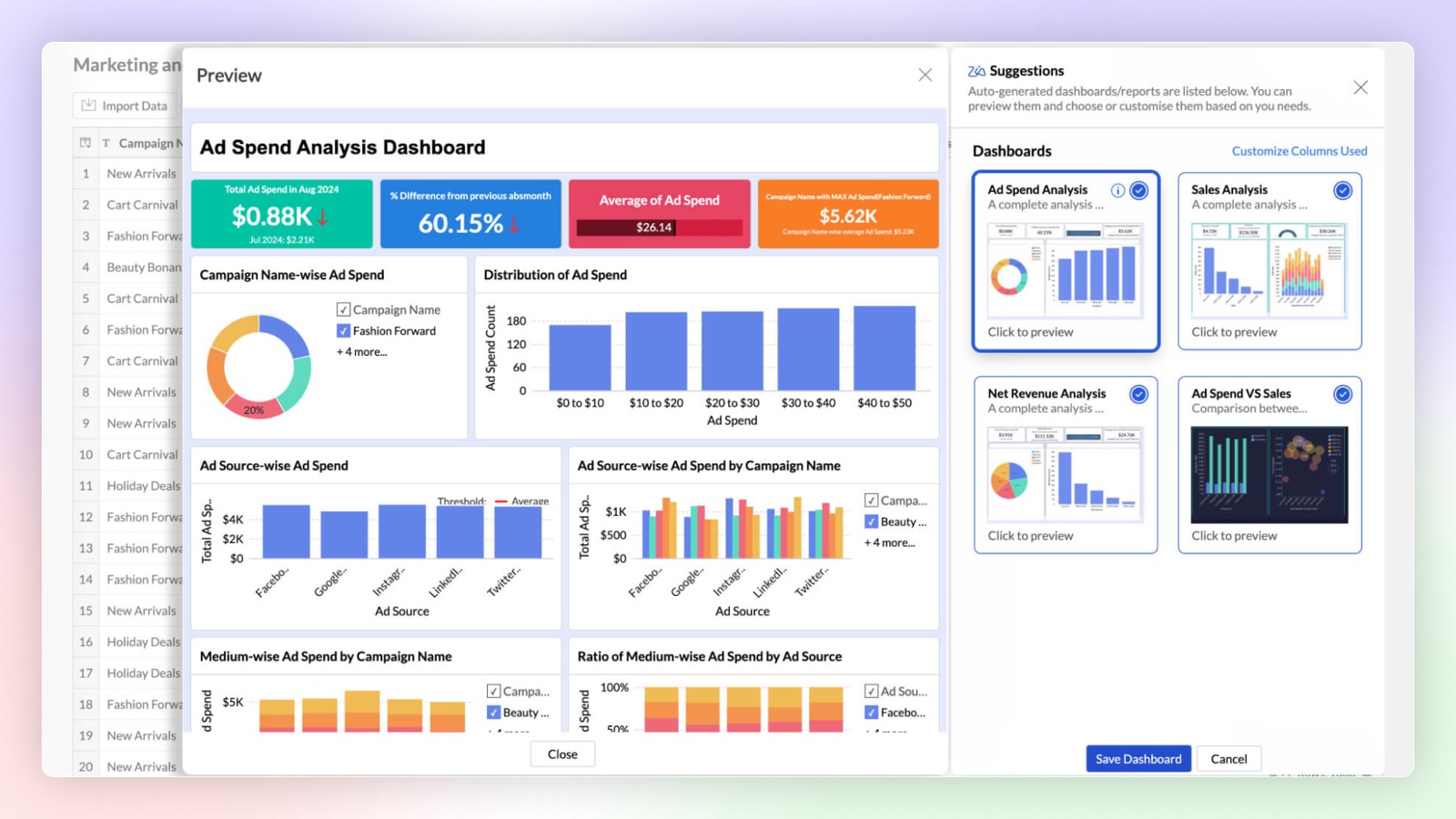
Auto Analyze 2.0
Zoho Analytics offers enhanced control over auto-generated reports and dashboards. You can choose from a list of generated reports and dashboards before adding them, and also select which columns should be auto-analyzed.
Click here to learn more.
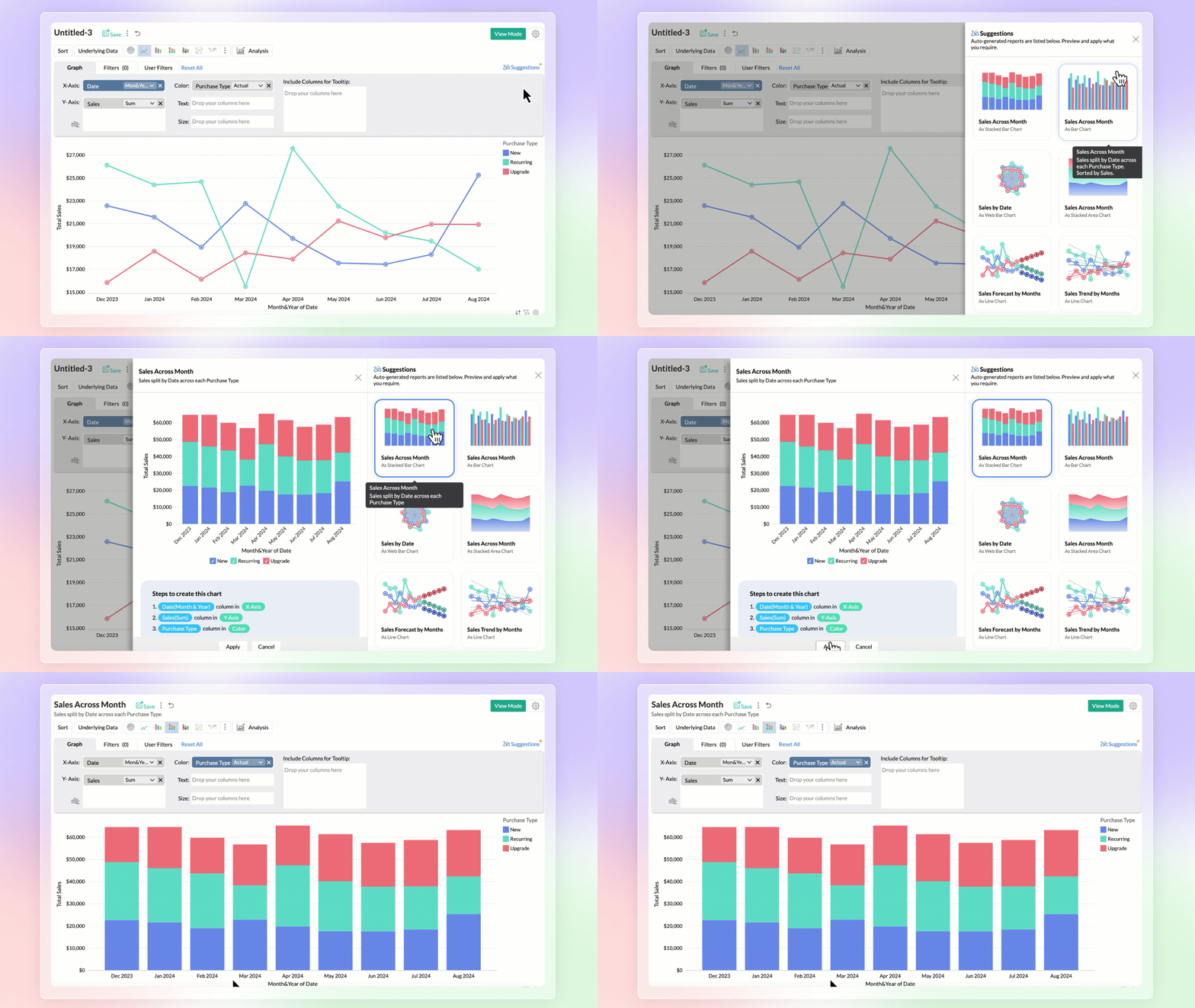
Zia Suggestions
Introducing the new Zia Suggestions, where you can receive smart chart recommendations during the creation process. Zia provides tailored chart options based on your data, allowing you to preview and apply them with a single click.
Click here to learn more.
Predictive AI
Anomaly Detection
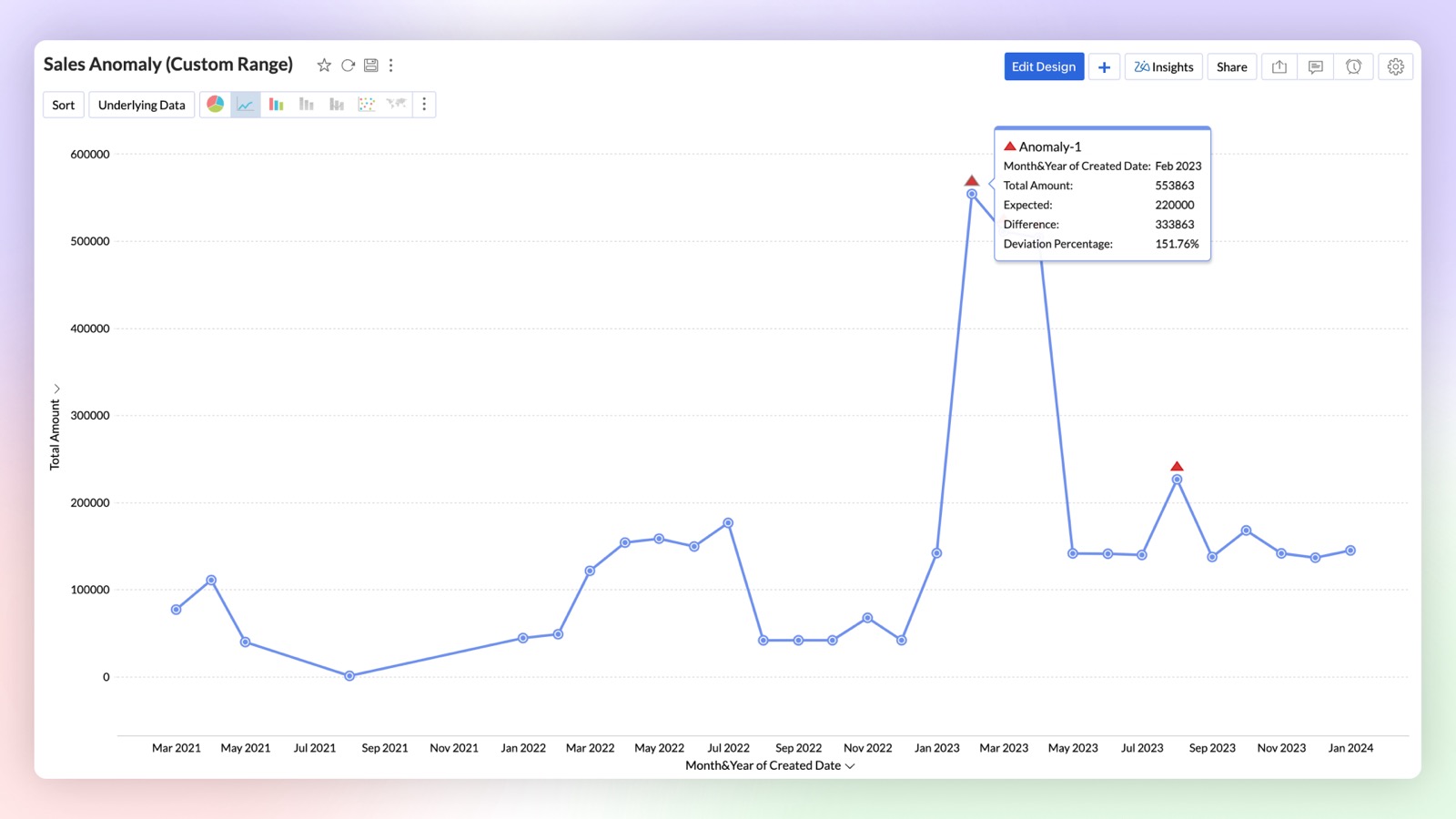
Anomaly detection allows you to easily identify outliers in your data or metrics. You can now create charts that visually highlight these anomalies for quick attention and action. Zoho Analytics uses advanced machine learning algorithms and statistical models to detect outliers. You can also set data alerts based on anomalies to ensure timely identification of vital change in the key business metrics and potential issues.
Click here to learn more.
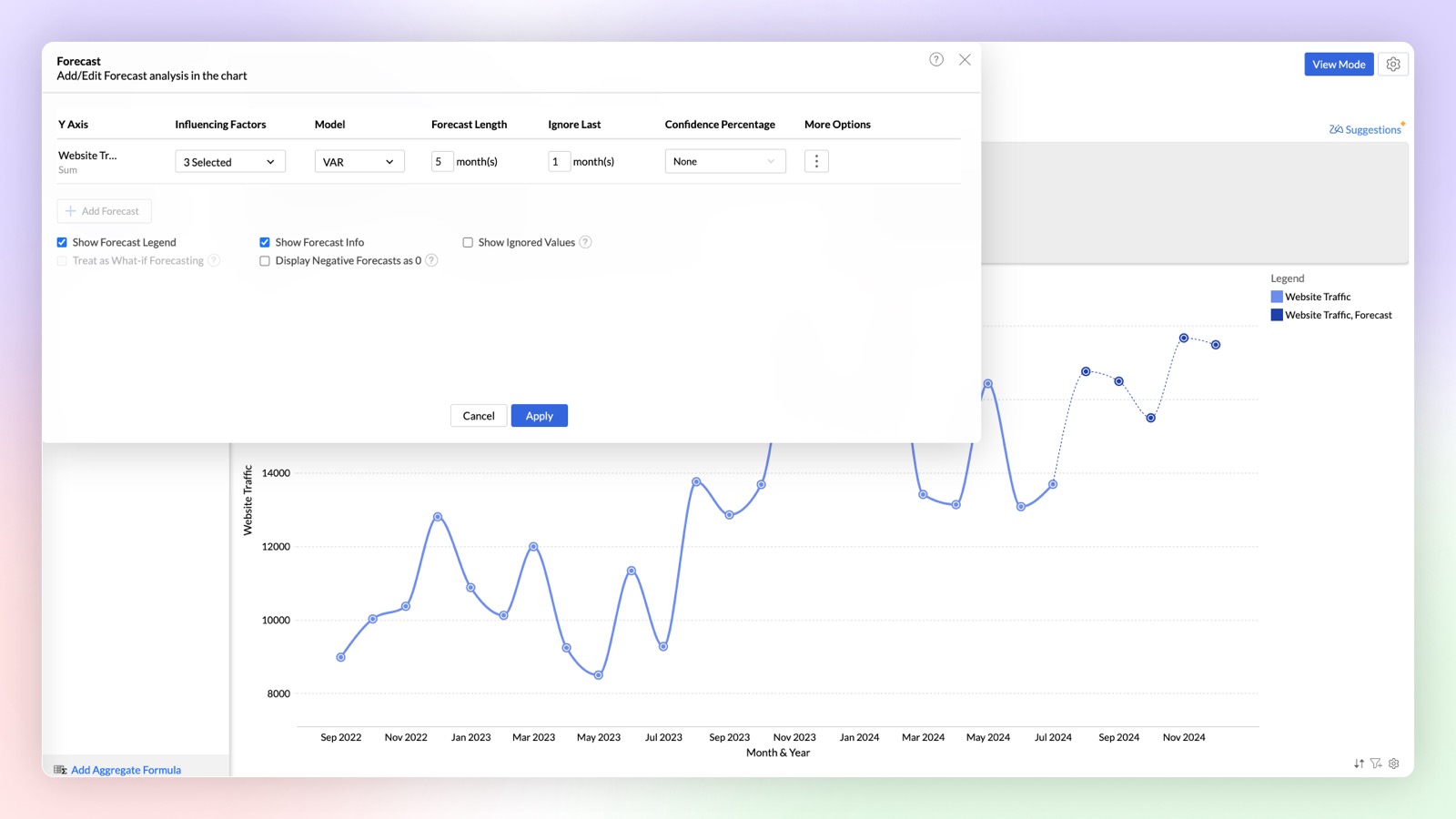
Influencing Factors in Forecasting (Multi-variate forecasting)
Try our new influencing factors option in forecasting, that enables you to provide dependent factors for accurate prediction of outcomes. For example, when you forecast a sales metric it will just predict purely based on historical data, but you can get more accurate predictions in forecast by considering influencing (dependent) factors like marketing spending, sign ups, etc.,
Click here to learn more.
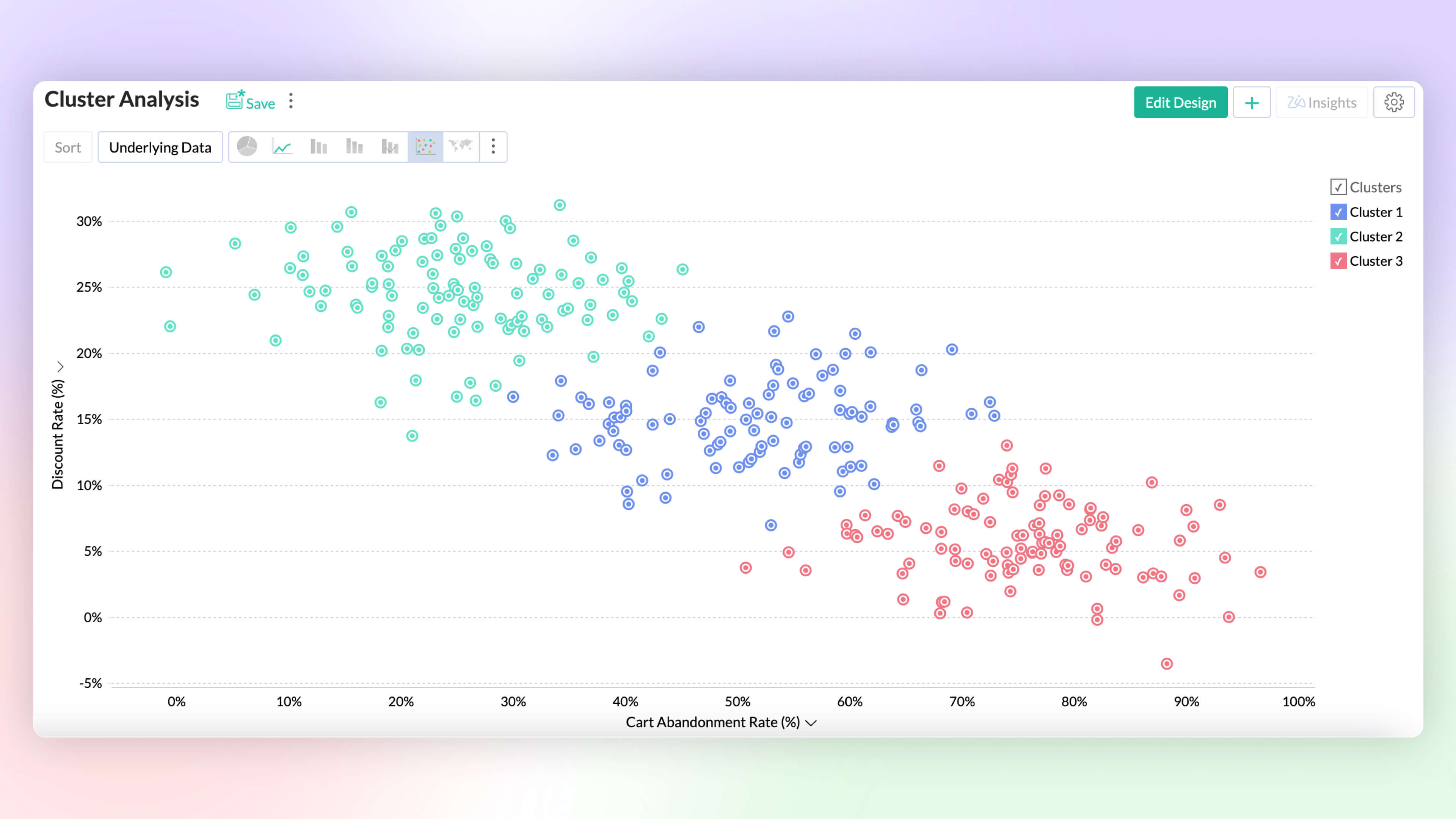
Cluster Analysis Premium Plan
Visualize data grouped as clusters using a variety of ML models (k-mean, k-mode, and k-prototype). Intuitively segment and analyze data groups, for common patterns and affinity.
Click here to learn more.
Data Science & Machine Learning Studio
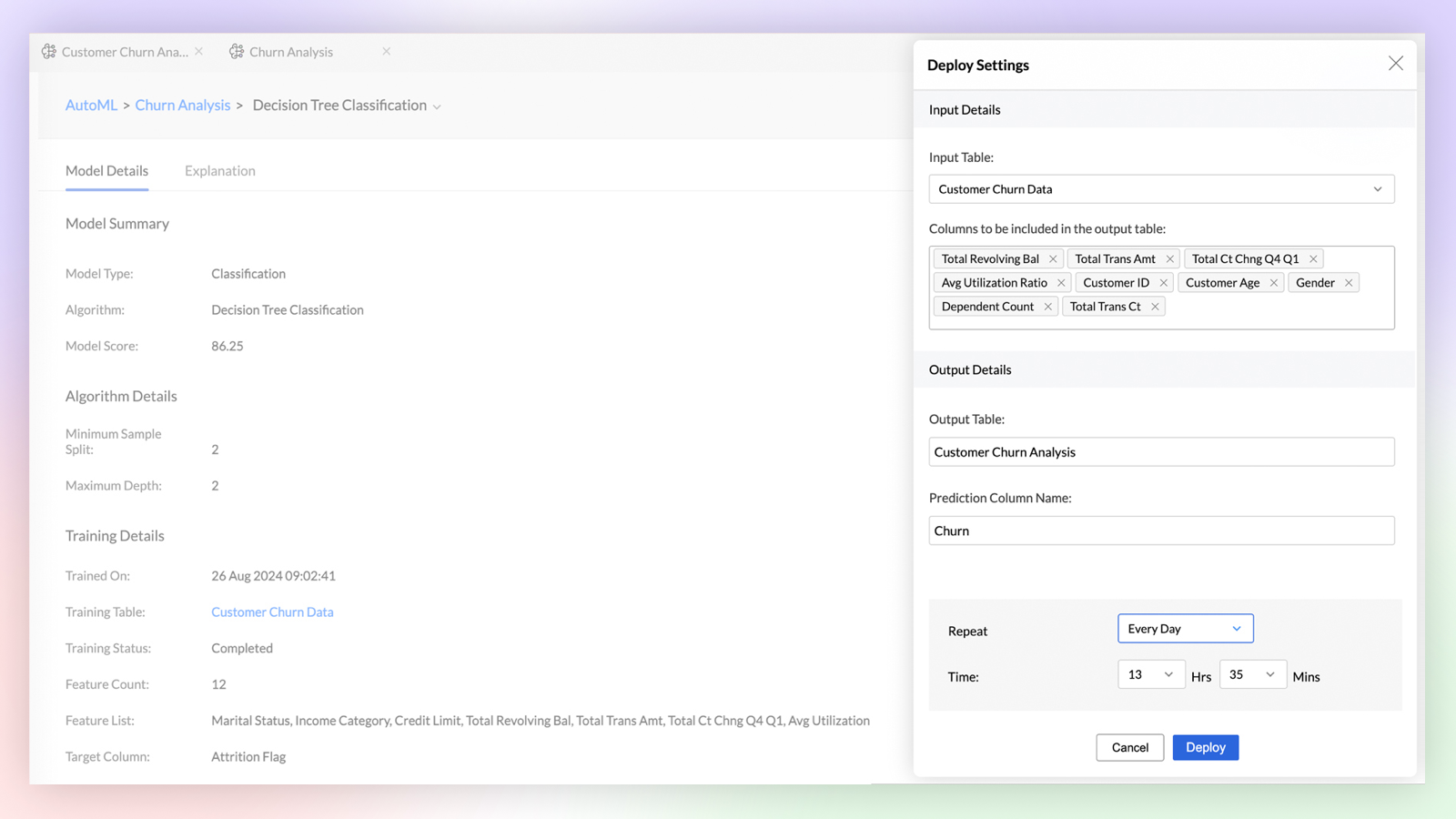
Auto ML Enterprise Plan
Build custom machine learning models with No-code assistant. Easily train, test, compare, deploy and manage models. Perform feature engineering, parameter tuning and model analysis as you build models.
Click here to learn more.
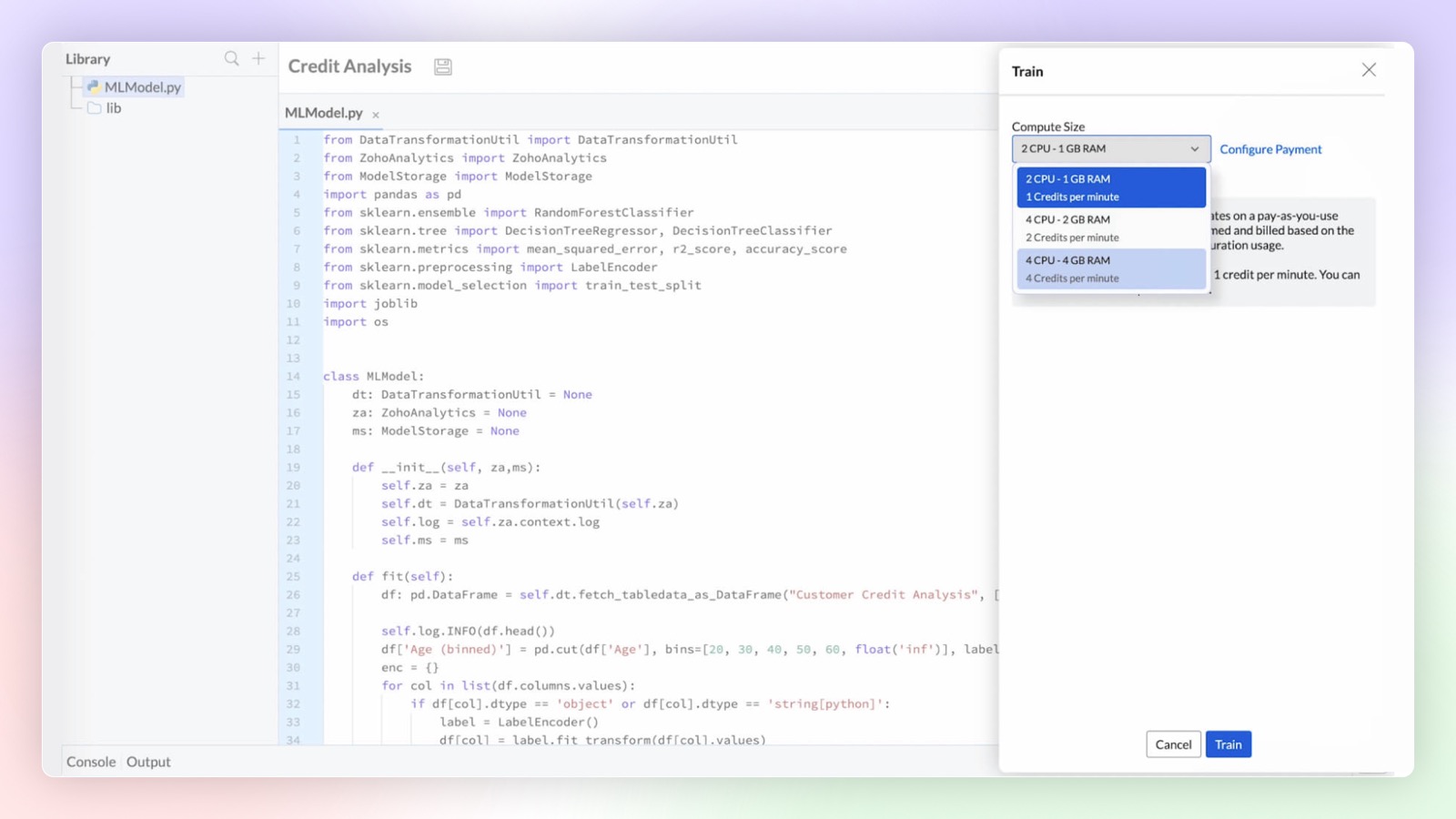
Code Studio Enterprise Plan
Develop custom models and data transformations using Python code studio. Build them from scratch or import them from other sources. Integrated Python development environment with Zia code suggester for accelerated development.
Click here to learn more.
Platform Extensibility
Linked Workspaces
Linked Workspaces in Zoho Analytics establishes a connection between two distinct workspaces, allowing them to push views from one workspace to another. In this connection, one acts as a primary workspace and the other acts as a child workspace. The views from a primary workspace can be effortlessly pushed to multiple child workspaces with a single click or set to synchronize periodically for automatic updates.
Custom Connector Premium Plan
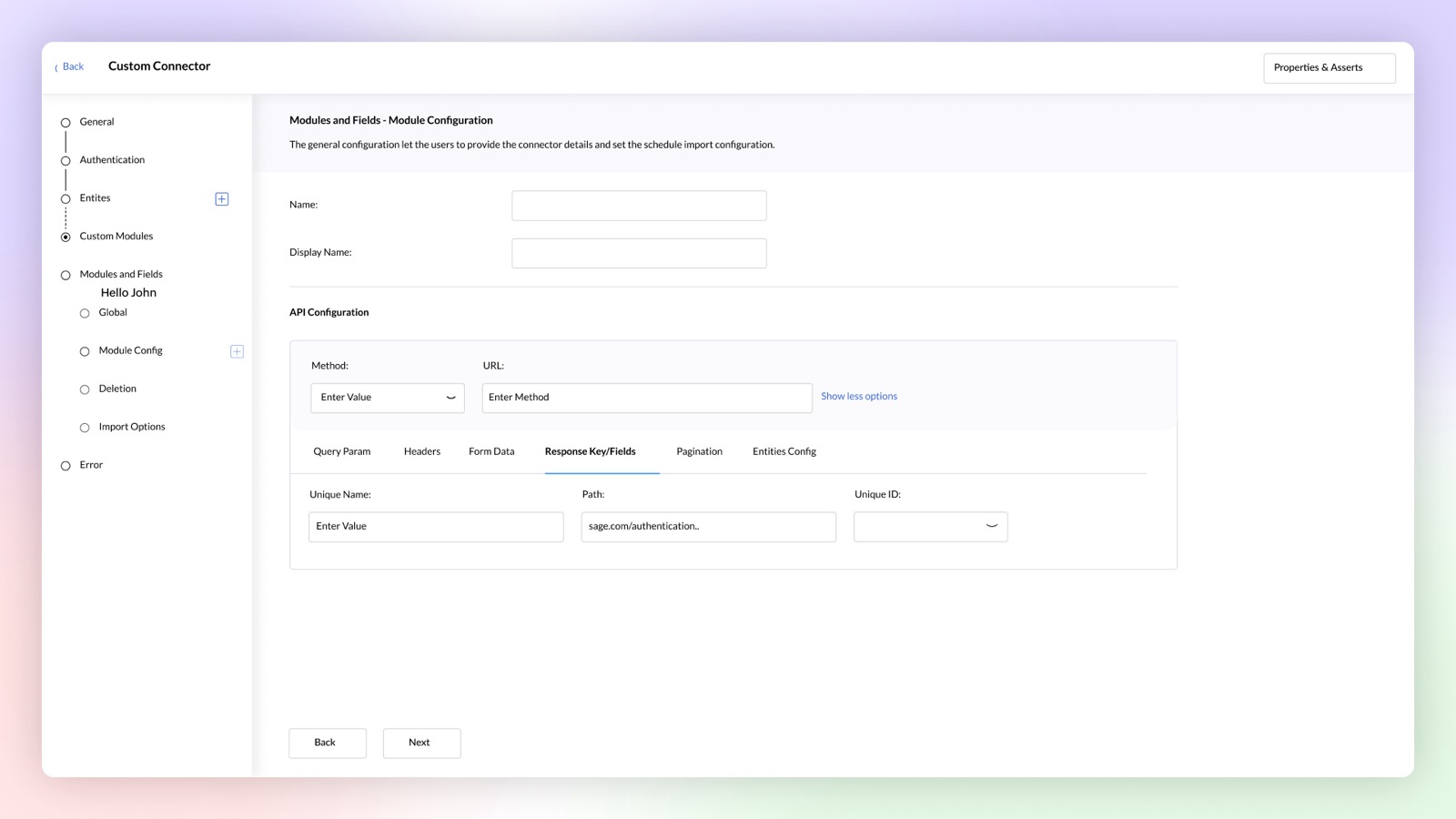
Build your own data connector for any application using a no-code connector builder. Publish and sell your custom connectors on Zoho Marketplace, if required.
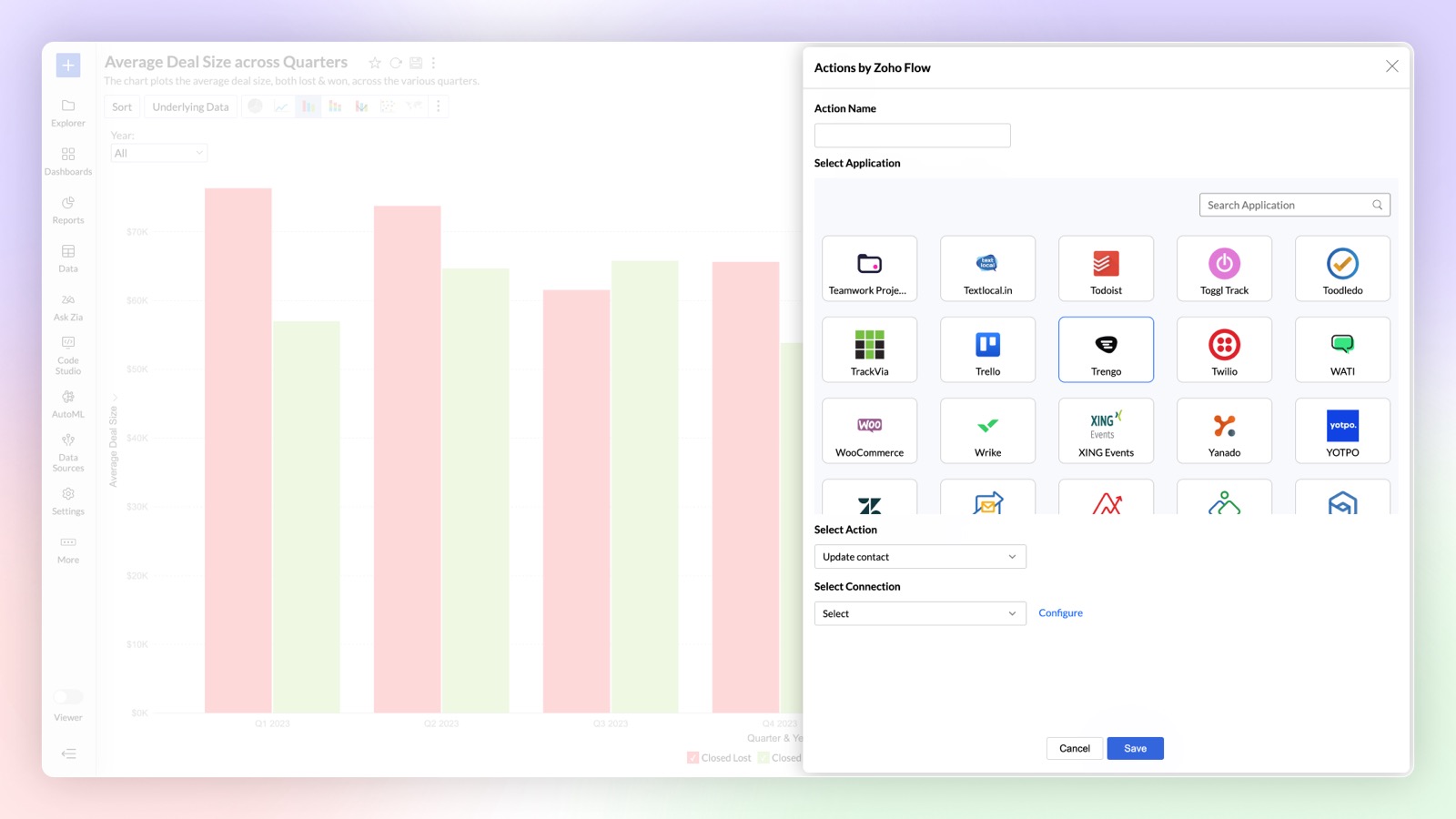
Zoho Flow in Alerts Premium Plan
You can now use Zoho Flow to perform actions in other applications whenever an alert is triggered in Zoho Analytics using Zoho Flow. For example, a ticket can be created in Zendesk based on the alert triggered in Zoho Analytics.
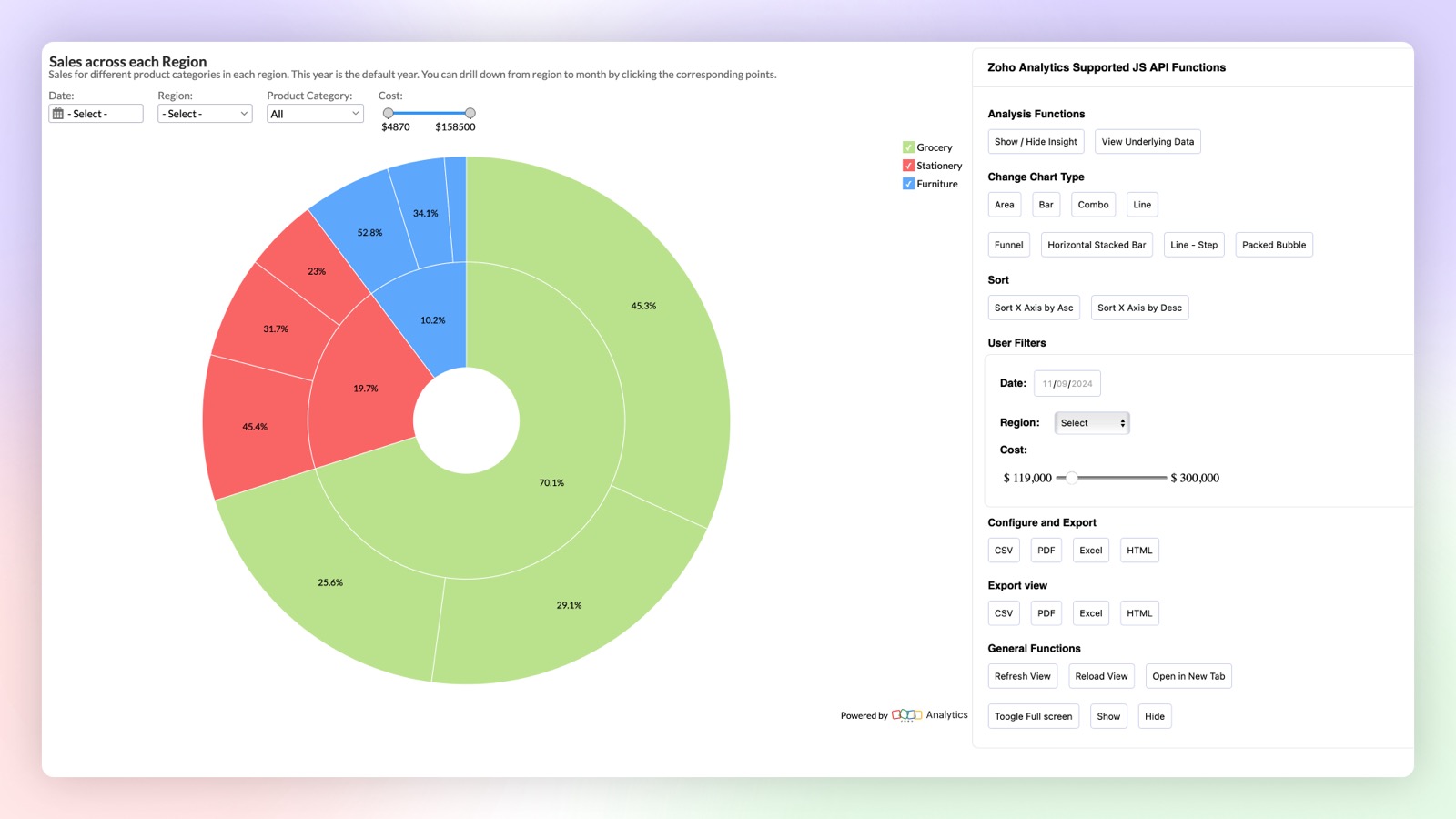
Client SDK
New Javascript based Client SDK to extend & customize the user experience of reports within embedded applications. You can control interactions like sort, export, user filters, change chart type and other actions with the JS API.
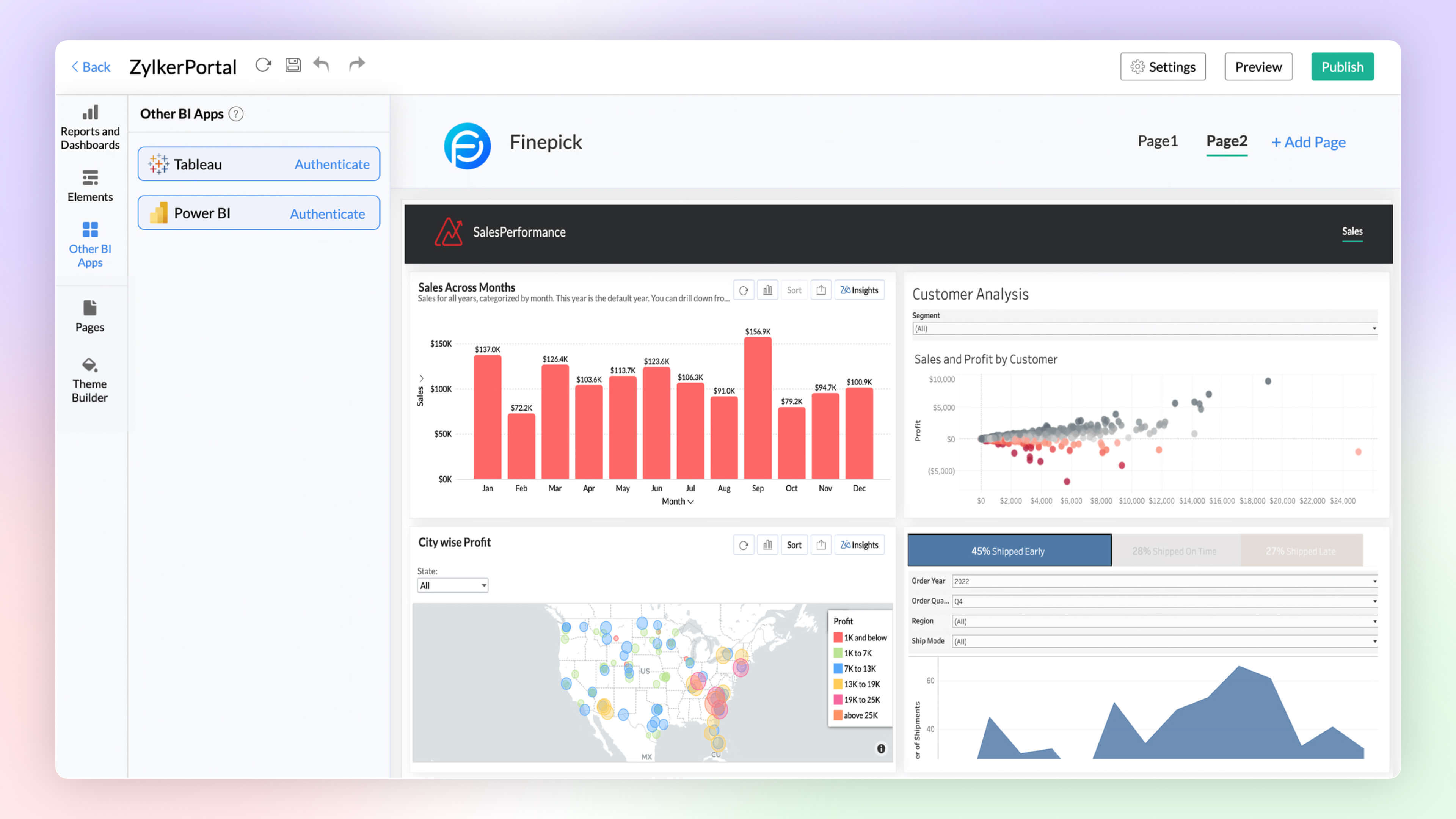
BI Fabric
Create unified BI portals by collating insights from other BI applications such as Tableau and Power BI along with Zoho Analytics. Setup fine-grained access control on the portal for secure access. Unified BI Fabric portal helps in easy access to insights from a centralized portal, breaking the boundaries across BI services.
Click here to learn more.
Security Enhancements
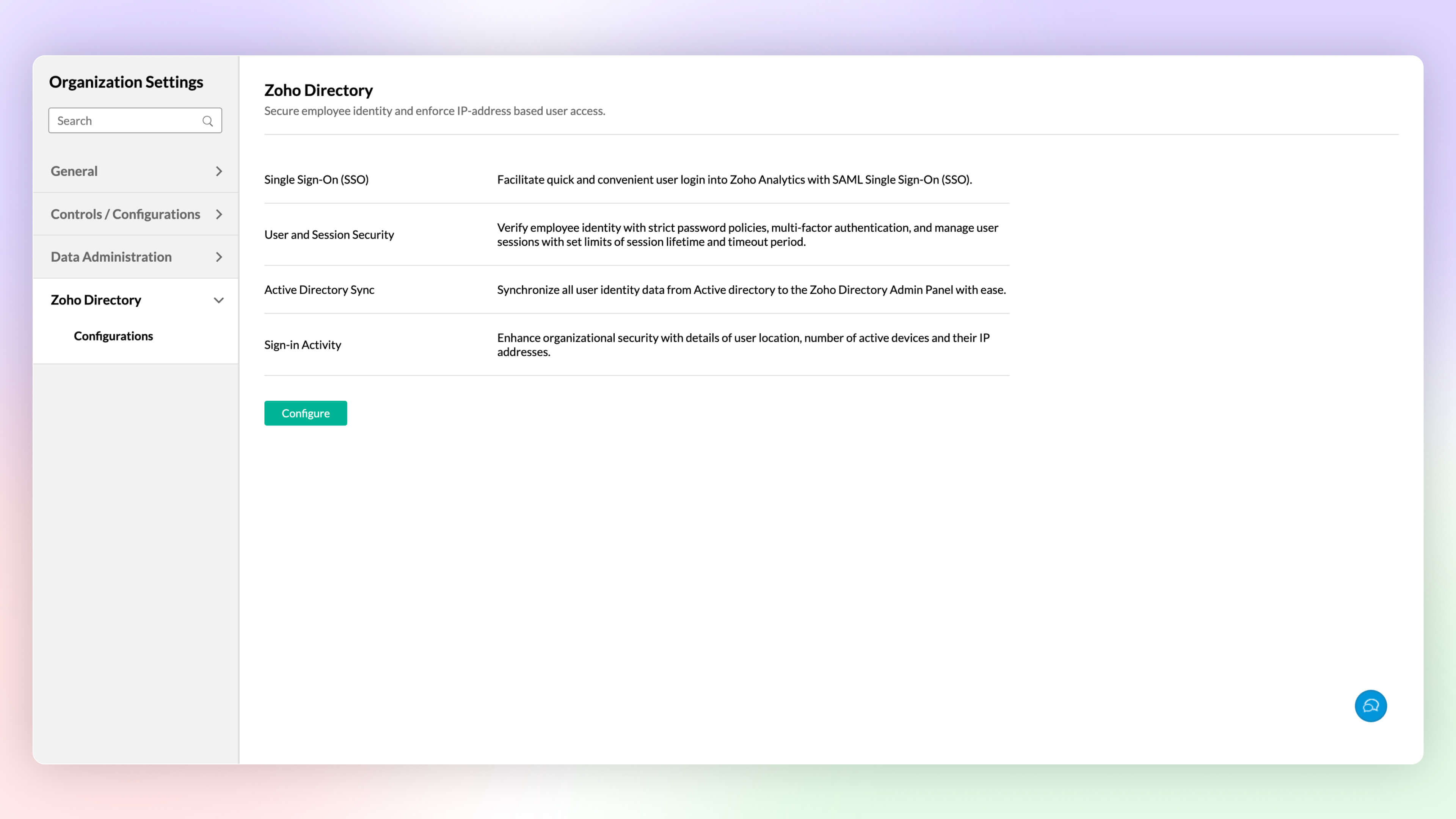
Zoho Directory
Zoho Analytics integration with Zoho Directory allows administrators to setup single sign-on, Active Directory sync, handle user access management and more.
Click here to learn more.
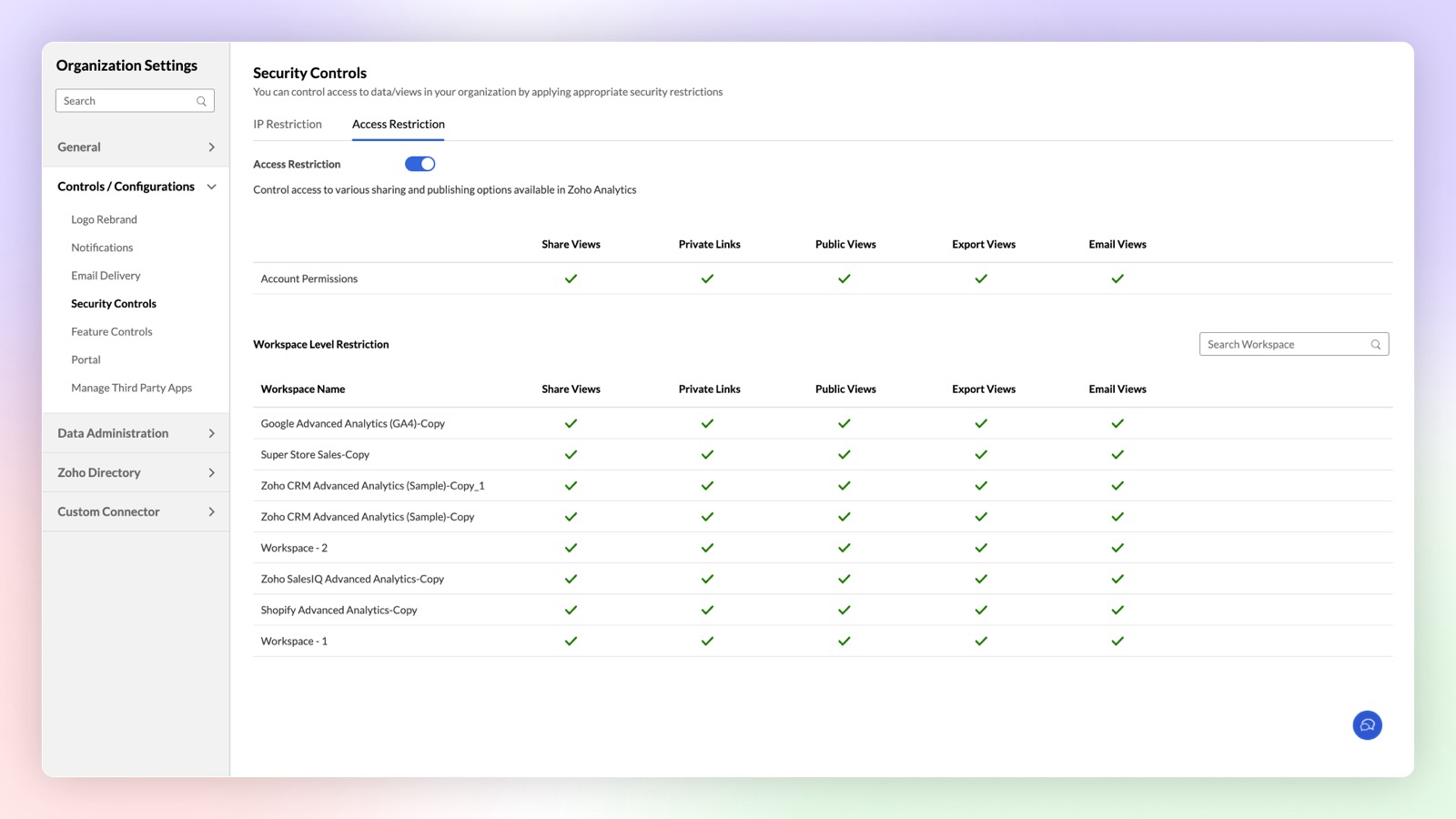
Access Restriction
Zoho Analytics now offers enhanced security controls to setup fine-grained access restrictions at the workspace level. Apart from the organization level access restriction controls, this new update allows you to setup different restrictions for different workspaces.
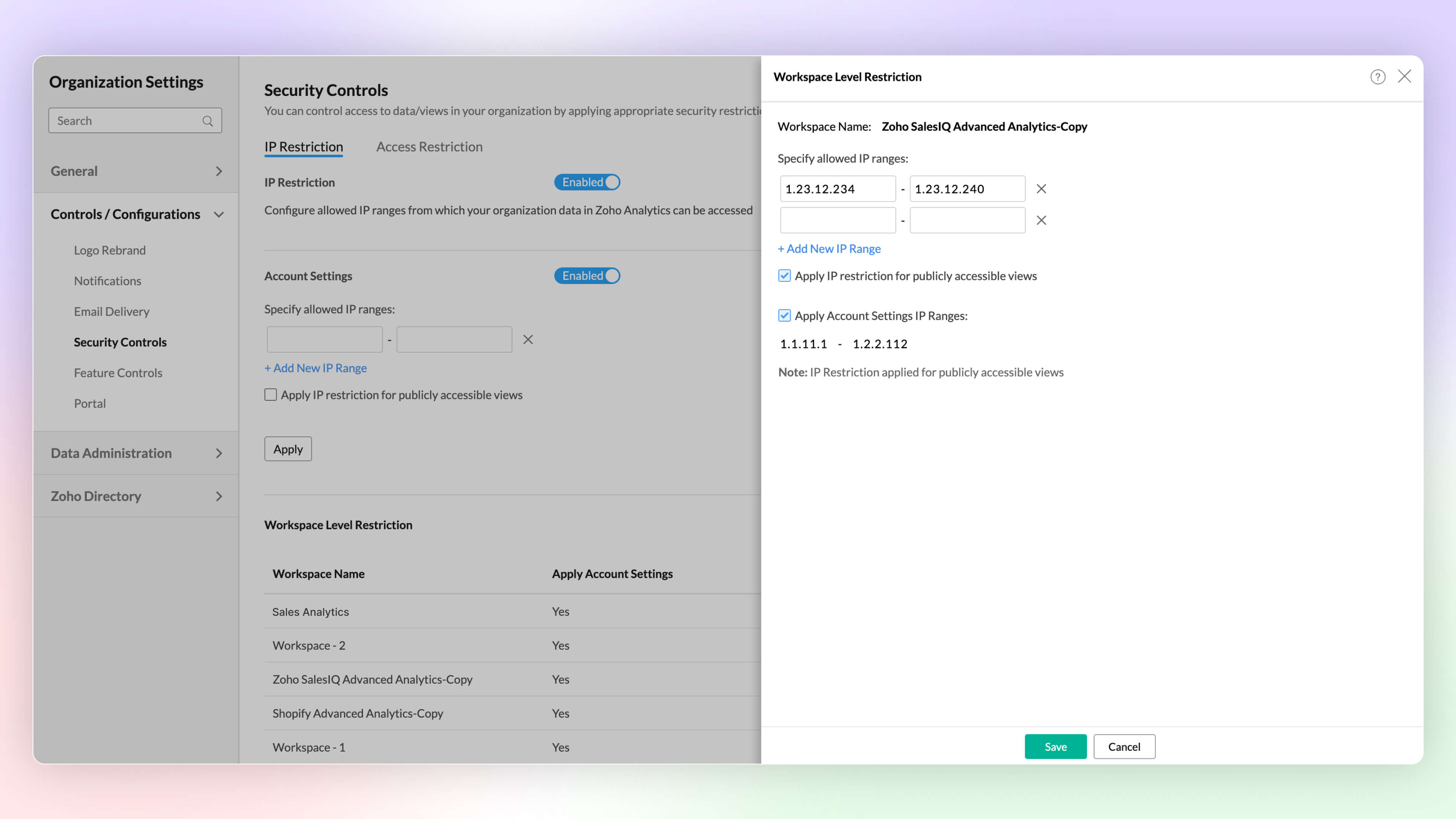
IP Restriction
Configure workspace-level IP restrictions for enhanced security and prevent unauthorized access. Previously, IP restrictions were available only at the account level.
Click here to learn more.
Other Updates
UI Enhancements
New Intuitive and User-friendly Interface
Zoho Analytics' new user experience features glass-morphism, offering a modern, translucent design that improves visual clarity. This sleek update makes data visualization more intuitive and user-friendly.
Right to Left User Interface
Zoho Analytics now supports a right to left user interface. This option is best suited for languages like Arabic and Hebrew that are read from right to left.
Puvi Font Support
Zoho Analytics now supports Zoho's own font, Puvi. You can try this new font from the Profile tab.
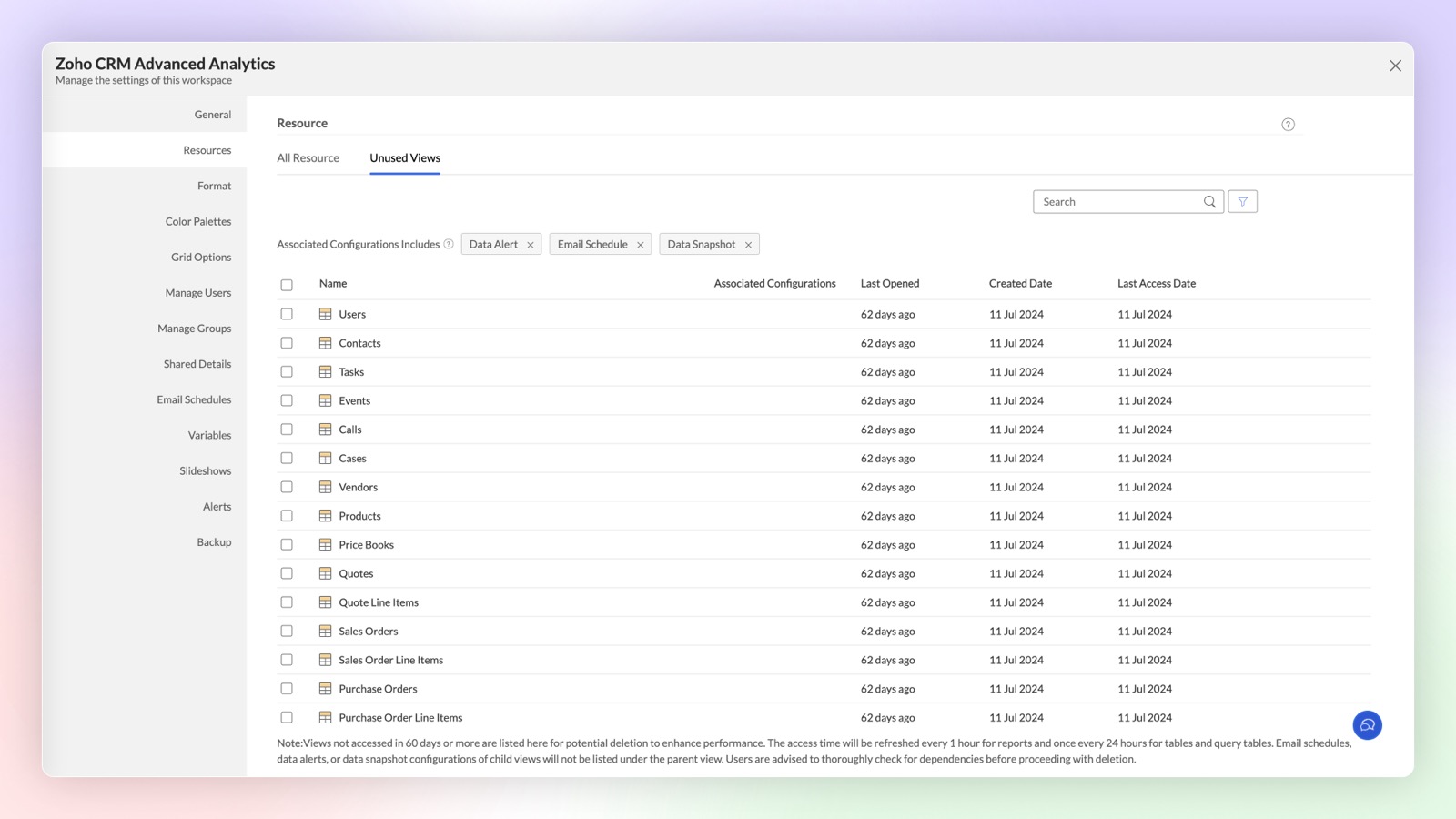
Unused Views in Workspace
Views and tables created in Zoho Analytics may sometimes go unused for extended periods due to reduced relevance. These inactive views and tables are now categorized under the "Unused Views" section at the workspace level, helping you decide whether to maintain or remove them.
Share to Slack
Improve collaboration and increase productivity by integrating Slack and Zoho Analytics.You can now easily share tables, reports, and dashboards to Slack users by this integration.
Click here to learn more.
Topic Participants
Rakesh Ramkumar B
Tejesh
Bhuvaneshwaran
HEINER MISAS PARRADO
Storytelling BeanCounter - www.storytellingbeancounter.com
Sticky Posts
What's New in Zoho Analytics - February 2026
Hello Users! We're back with another round of updates for Zoho Analytics. This month's release focuses on giving you greater flexibility in how you visualize, manage, and act on your data - with new features like custom visualizations, remote MCP server,What's New in Zoho Analytics - January 2026
Hello Users! We are starting the year with a strong lineup of updates, marking the beginning of many improvements planned to enhance your analytics experience. Explore the latest improvements built to boost performance, simplify analysis, and help youWhat's New in Zoho Analytics - November 2025
We're thrilled to announce a significant update focused on expanding your data connectivity, enhancing visualization capabilities, and delivering a more powerful, intuitive, and performant analytics experience. Here’s a look at what’s new. Explore What'sWhat's New in Zoho Analytics - October 2025
Hello Users! We're are back with a fresh set of updates and enhancements to make data analysis faster and more insightful. Take a quick look at what’s new and see how these updates can power up your reports and dashboards. Explore What's New! ExtremeWhat’s New in Zoho Analytics – September 2025
Hello Users!! In this month’s update, we’re raising the bar across multiple touchpoints, from how you bring in data, plan and track projects to how you design and brand your dashboards. We’ve added the all-new Gantt chart for project visualization, expanded
Recent Topics
Actual vs Minimum
Hi all, I am sure I am not the only one having this need. We are implementing billing on a 30-minute increment, with a minimum of 30 minutes per ticket. My question is, is there a way to create a formula or function to track both the minimum bill vs theGenerate leads from instagram
hello i have question. If connect instagram using zoho social, it is possible to get lead from instagram? example if someone send me direct message or comment on my post and then they generate to leadKaizen #234 - Automating Deal Handoff with Zia Assistant API, Workflow, Deluge, and Widget in Zoho CRM
Hello all! Welcome back to a fresh Kaizen week. In this post, we will explore how to automate the deal handoff process in Zoho CRM using Zia Assistant API + Workflow + Deluge + Widgets. Here’s how the final output looks when a deal is reassigned 1. DealHow do you print a refund check to customer?
Maybe this is a dumb question, but how does anyone print a refund check to a customer? We cant find anywhere to either just print a check and pick a customer, or where to do so from a credit note.Ability to assign Invoice Ownership through Deluge in FSM
Hi, As part of our process, when a service appointment is completed, we automated the creation of the invoice based on a specific business logic using Deluge. When we do that, the "Owner" of the invoice in Zoho FSM is defaulted to the SuperAdmin. ThisEnhancement to ICR’s field prompting: Preferred data extraction using advanced field prompting
Dear Customers, We hope you’re well A quick background Intelligent Character Recognition (ICR) comes as part of Zia’s optical recognition capability called Zia Vision. When we introduced it last April, the data extraction was training-based and was applicableSee a list of all records enrolled in a cadence?
I am looking for a way to see a list of all leads or contact currently enrolled in a cadence. I do not see any way to do this through the cadence UI.Limitation in chart of accounts
There is a limitation of 4000 accounts in chart of accounts Zoho needs to remove this limitHow do I change the account bank charges are charged to?
I want bank charges charged to my Credit Card Fees account. Is there a way to do this?Real signature in Zoho Expense PDF report ?
Hello ! Is there a way to put a real signature on the signature line when a PDF report is generated in Zoho Expense? Through Zoho Sign or another way? Can't seem to make it work.Copy paste settings
Hello all i have 2 organizations running in ZOHO books in one organization i have customised Tax rates, codes and customized templates instead of manually doing again in org 2 can i have some shortcut to copy paste or export and import??Custom TDS on Vendor Credits via API
Hi, We are using Zoho Books APIs for posting Bills and vendor credits. We are unable to post custom TDS amount posting vendor credits. Can you please share the API spec and Payload that need to be sent for Custom TDS for Vendor Credits."Unlink" Advance from Bill without Deleting the Payment Record
I am writing to highlight a significant workflow issue in Zoho Books (India Edition) regarding Vendor Advances and Bills. The Scenario: I recorded an Advance Payment to a vendor. I matched/reconciled this payment in the Banking module. I received a BillWhat is the best way to convert MSG file to Word format?
The best way to convert MSG files to Word format is by using a reliable and professional tool Aryson MSG file Converter. Manual methods are often time-consuming and may not preserve email formatting, attachments, or metadata accurately. In contrast, ArysonZoho Projects : Task should auto-update to 'In Progress' if timer started
Namaskaram. Right now, if a Task's timer is started, the Task stays in 'Not Started' status. One has to manually update it to 'In Progress'. From a #uxdesign standpoint, it is an unnecessarily two step process to start working on a task. It would be better that, if I start the timer on a task, it should automatically change to 'In Progress' status. Crafted with ❤️ Zoho Gurus | Zoho One Practice Team @ CubeYogi Zoho Authorised Partner | 7+ Yrs | 200+ Projects | 100+ CustomersInvoice template with sales tax totals
Hi everyone, I am trying to edit my invoice template so that only the total sales tax collected for my tax group shows up. Right now, under by sub total, each individual tax shows up and that takes up a lot of unnessary space, so I just want the oneZoho Delayed Posting & Loss of Article Thumbnails on BlueSky
Hello! I am wondering if anyone else has had the either of the following issues when posting to socials via Zoho and if there is a fix? 1. Post says it is scheduled or it is live when sent off via Zoho but it doesn't show up on socials till some timeConnection Not Secure (Certificate Mismatch) Error
Hi, Just a fyi, when you go to https://bigin.zohocloud.ca/bigin/Home you get a "Your Connection Is Not private" error. (Certificate mismatch to domain.) I get to that page after I have signed up and signed in as a customer and select the Access BiginUnable to create new finance account in Zoho Books Android app due to missing account number field.
Free plan I have enabled a setting via the website requiring unique account codes to be specified for all accounts. When using the android app, go to expenses, new expense, select account, new account. Promoted to enter the Account name and description.Recording the Investment
Hello, - One Investor Invested to our company, So how do we record investment which we received in our bank in the Zoho books ? - How do we record if we provide shares to the investor in the Zoho books? ThanksClient and Vendor portal at the same time
We have companies that serve both as clients and vendors and they are linked. However, we have a problem giving them access to the vendor/client portal. If they accept the invitation from the client portal, when we try to invite them to the vendor portalIntegrate Multiple ZohoBooks organization with zoho projects
We have successfully connected our Zoho Books with Zoho Projects for synronizing timesheet data. Our Business specialty is, that the staff of the Main company (A) is working on several projects, but the Clients are sometimes contracted and paying to aWays to calculate the difference form two years or months
Hi to everyone I have this request: I need to show the difference or variation from two periods (years or months) whether using a Pivot View or a graph, in this is case is better in a Pivot view. In the pivot view I will have the amount or results fromCareer site URL - Suggestion to modify URL of non-english job posting
Hi, I would like to suggest making a few modification to career sites that are not in english. Currently, the URL are a mix of different languages and are very long. It makes for very unprofessional looking URLs... Here is an example of one of our URLIntroducing Contract Settings & Backdated Contracts in Zoho Contracts
We are rolling out updates that give you more control over how contracts are created and managed in Zoho Contracts. From defining default workflows with Contract Settings to aligning agreements with real timelines using Backdated Contracts, these enhancementsCelebrating our customers on International Client's Day
Hi everyone, Every customer is part of our Zoho Desk family, and we wouldn’t want to miss celebrating you on this special day. This International Client's Day, we’d like to take a moment to appreciate every customer who has helped us grow and build meaningfulFaster Ticket Response with use of Snippets in comments
Hello everyone, Responding to tickets often involves repeating the same messages, whether it is sharing updates with customers or leaving notes for internal collaboration. To make this easier and more consistent, we are allowing agents to use snippetsImproving Zoho Creator's email deliverability
Hi all, We're pleased to announce updates to email handling in Zoho Creator to improve the deliverability of the emails sent from the Creator platform. These updates have been designed keeping in mind the fact that emails from domains with strong senderWhat's New in Zoho Billing | February 2026
February brings a powerful set of updates to Zoho Billing, from smarter subscription management and flexible payment options to better reporting and more control over your hosted pages. Here's everything that's new this February. Create SubscriptionsReassign Partially Saved Entries
Hi, I would like to be able to go to Partially Saved Entries and like the option to delete them I would like the option to multi-select and be able to reassign them to another user to complete (Such as when a user has left the company). Thanks DanDisplaying only unread tickets in ticket view
Hello, I was wondering if someone might be able to help me with this one. We use filters to display our ticket list, typically using a saved filter which displays the tickets which are overdue or due today. What I'd really like is another filter thatWhat is a realistic turnaround time for account review for ZeptoMail?
On signing up it said 2-3 business days. I am on business-day 6 and have had zero contact of any kind. No follow-up questions, no approval or decline. Attempts to "leave a message" or use the "Contact Us" form have just vanished without a trace. It stillZoho Books: tax is not automatically pulled from product-data anymore - why?
Hi, until a short time ago, you could set a default taxrate for each product/item. This taxrate automatically appeared each time the item was chosen in an invoice or quote. Why does this not work anymore? The field is still there at the product record,Issue creating a YTD report with last years numbers
I am looking to create a widget to compare the YTD leads we have in 2023 to the YTD leads we had in 2022. I'm having issues with the aggregate formula creation to gain access to the 2022 Leads YTD data point. Feeling like this is a common view of dataBrand Studio Projects in Analytics
Hi All, Currently pulling my hair out over trying to link together some social media posts for a reporting dashboard in Analytics, so I thought I'd see if anyone on here had a solution. Our Marketing Team created a LinkedIn campaign in Zoho Brand Studio,Manage Testing Process in Zoho Sprints
Agile framework supports a robust quality assurance system that incorporates continuous testing throughout the development lifecycle of the product. The agile testing team focuses on planning the testing around the development, identifying defects earlyAnnouncing the Zohotshots of the ZDC Hackathon 2025
Hey everyone, The wait is finally over! After weeks of building, experimenting, and pushing creative boundaries, we’re excited to announce the winners of the second edition of the ZDC Hackathon. This edition brought together an incredible community ofZOHO CRM Button Integration
Hi Team, I’m currently working with Zoho CRM along with a custom application where I fetch deal details from the CRM and use them based on my requirements for each deal. Now, I want to enhance this setup. I plan to create a button on the Deal Detail pageMajor journey crash and not loading. Zoho Marketing Automation
Hi all. Last night (19MAR, 2026) Marketing Automation for a specific journey completely crashed, and since the crash the specific journey has failed to load at all (blank journey canvas, no journey appears, no menu accessible) but other separate journey'sSubtotals per Header
Hey, we would like to display subtotals per header in our invoices:Next Page