Workflows vs Macros in Zoho Desk: Key Differences, Use Cases & Best Practices
 This post is part of the "Desk Automation Series," Chapter 1. Through this series, we will help you choose the right automation type in Zoho Desk by comparing commonly confused automations through real scenarios and business processes, so you can clearly see what to use, when, and why.
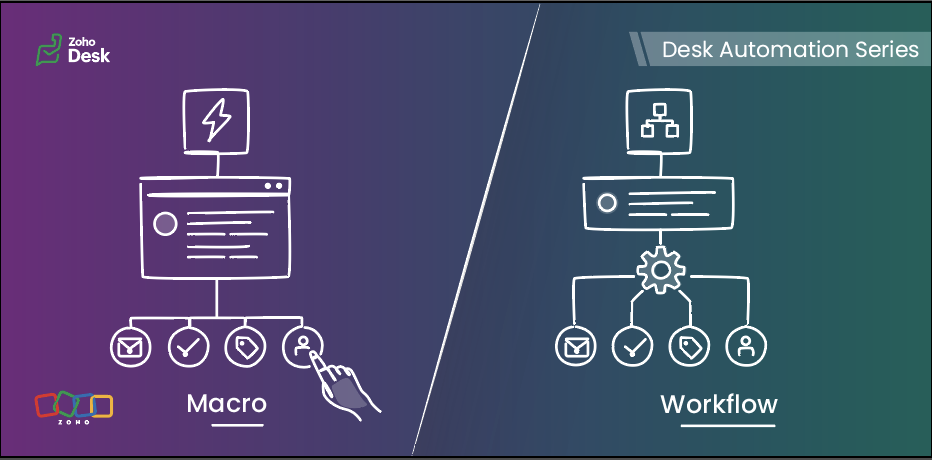
In simple terms, workflows are meant for automatic actions based on ticket data, whereas macros help agents complete repeated actions faster after reviewing the ticket.
This guide will help you understand the difference between the two, so you can decide:
- what your system should handle automatically
- what your agents should trigger while working on a ticket

Workflows run automatically when defined criteria are met, while macros are applied by agents as they work on a ticket.
Workflows
Workflows help businesses bring structure, accountability, and momentum to support operations. When defined conditions are met, Zoho Desk executes actions automatically in the background, enabling teams to handle volume with more control, fewer process gaps, and stronger execution quality.
How workflows work :
A workflow consists of three parts:
When — the trigger
(ticket created, ticket edited, field update, etc)
If — the criteria
(The criteria used to filter records that meet specific conditions)
Then — the actions
(update fields, assign tickets, send notifications, change status, call custom functions)
Once active, the workflow runs for tickets that meet its criteria.
When to use workflows
Use workflows when:
- An action must run whenever specific conditions are met
- The action should not depend on an agent remembering to do it
- Needs to be ensured that the same action is taken for every similar scenario
- Trigger actions the moment conditions are met, without waiting for manual input
- Reduce operational load and keep processes moving without adding effort
- Keep critical actions running reliably in the background
Typical examples:
- Assigning tickets based on category or department
- Setting priority for specific customer types
- Updating fields when a ticket is modified
- Reassigning tickets to another team based on defined rules
- Using Zia actions in the workflow to predict field values from ticket context or extract details such as order IDs, dates, or product names and map them to ticket fields.
Macros
Macros allow agents to perform multiple actions on a ticket in a single click. They are available inside the ticket and are applied manually. These operations can be performed on mass tickets as well.
Macros help your agents complete repeated actions quickly, with better speed and consistency, once they know what the ticket needs.
How macros work
A macro can:
- Update fields
- Send an alert
- Add tasks
- Execute custom functions
- Move ticket to specific department
When to use macros
Use macros when:
- Agents need to perform the same manual actions across similar tickets
- The ticket needs to be reviewed before any action is applied
- The same set of actions needs to be applied to multiple tickets at once
- The next set of actions depends on a deeper understanding of the ticket context
Typical examples:
- Applying a follow-up response after troubleshooting
- Ticket transfer to a different department based on agent’s manual interpretation
- Sending emails and updating ticket fields in a single manual action
- Creating follow-up tasks while updating ticket details after review
- Applying the same set of field updates across similar tickets
Macros help agents complete routine updates without performing each step manually.
Key differences at a glance
Feature | Workflows | Macros |
Primary purpose | Automate actions based on predefined conditions to reduce manual effort and standardize processes. | Enable agents to execute a set of actions (emails, tasks, field updates) together after reviewing a ticket. |
Triggered by | System-driven events such as ticket creation, updates, replies, or specific field changes. | Manually triggered by agents from within tickets or in bulk view. |
Agent involvement | Not required | Required for every execution |
How actions are executed | Runs automatically in the background when conditions are met | Runs as per manually selected action |
Best suited for | Routing tickets, updating fields, sending alerts, and handling rule-based or event-driven actions | Applying repeated actions such as sending acknowledgement emails, creating tasks, and updating fields during ticket handling |
Decision basis | Based on ticket data, conditions, and system events | Based on agent review and ticket context |
Choosing the right automation tool
Use a workflow when:
- The action must always run for certain tickets
- The criteria matches the ticket context
- The action is triggered by ticket events such as creation, updates, or replies
Use a macro when:
- Agents perform the same set of actions frequently
- The action is applied after reviewing the ticket
- The update depends on agent confirmation before execution
A practical scenario
Let’s look at how both tools work together in a realistic business scenario using a fictional organization, Zylker Travel.
Zylker Travel handles support for hotel bookings, holiday packages, cancellations, airport transfers, and special stay requests.
New ticket created for a booking with check-in within 24 hours
Use: Workflow
When the ticket is created and the check-in date falls within the next 24 hours, the workflow:
- Sets the priority to High
- Assigns the ticket to the urgent reservations team
- Sends an internal notification
This happens automatically based on ticket data.
Customer asks to cancel a reservation
Use: Macro
The agent:
- Reviews the booking type
- Confirms eligibility
- Applies the cancellation macro
The macro:
- Send an email alert to the customer
- Update the ticket status
- Update a refund-related field, such as refund percentage, if that is available as a ticket field
- Move the ticket to the Finance department for the next step
Special request completed (late check-out, airport transfer, or room upgrade)
Use: Macro
After confirming the request is fulfilled, the agent applies a closure macro that:
- Sends the confirmation message
- Updates the status to Closed
Refund request crosses a defined value threshold
Use: Workflow
When a ticket is created or updated and the refund amount exceeds a defined threshold, the workflow can:
- Set the priority to High
- Assign the ticket to a senior support or finance queue
- Notify the relevant internal team
This is a workflow because the action is based on ticket data and should happen consistently without waiting for agent action.
Manual transfer after review
Use: Macro
Sometimes, the right department cannot be determined from the initial ticket data alone. After reviewing the conversation, the agent can apply a macro that:
- then moves the ticket to the right department
- creates a follow-up task
Booking upgrade request
A customer asks to upgrade a confirmed booking.
Use: Workflow and Macro
Workflow:
When the ticket is created with upgrade or booking modification, the workflow can:
- Assign it to the booking changes team
- Set priority based on travel date
- Add or update tags for categorization (for example, “Upgrade request”)
- Send an internal notification to the team
- Update initial ticket fields such as request type or category
Macro:
After the agent checks availability and pricing, they can apply a macro to:
- Send the upgrade response
- Update the ticket status to Waiting for customer confirmation
- Update review-based ticket fields such as upgrade status
- Move the ticket to the next department if required
Why both:
The workflow handles routing and priority automatically. The macro helps the agent complete the response after review.
Workflows vs Macros in common business scenarios
Scenario | Best-suited automation | Why |
Order status replies in e-commerce | Macro | The agent selects the reply after reviewing the ticket |
Internal approval escalation for refunds | Workflow | Based on defined criteria |
Closing resolved tickets with a standard note | Macro | Triggered when the agent confirms resolution |
Follow-up message after troubleshooting | Macro | Sent after agent confirmation |
Guidelines for quick selection
- A rule must always run when defined conditions are met → Workflow
- Routing based on ticket data or ticket events → Workflow
- The action is triggered by ticket events such as creation, update, or reply → Workflow
- Repeated manual ticket actions → Macro
- An action needs to be applied after the agent reviews the ticket → Macro
- The next step depends on agent judgment or confirmation → Macro
Best practices
For workflows
- Keep conditions specific and business-driven
- Avoid multiple workflows updating the same field unless required
- Document the purpose of each workflow
- Test in a limited scope before enabling for all tickets
- Review workflows after process changes
For macros
- Create team-specific macros
- Keep response templates easy to edit
- Use clear naming so agents can find them quickly
- Remove unused macros periodically
- Do not use macros for actions that must run automatically
The verdict
In Zoho Desk, workflows bring control. Macros bring speed.
Put them together, and you get the best of both worlds: structured automation for your business, effortless execution for your teams, and a smoother experience for every customer.
Topic Participants
Amrita U
Sticky Posts
Register for Zoho Desk Beta Community
With the start of the year, we have decided to take a small step in making the life of our customers a little easier. We now have easy access to all our upcoming features and a faster way to request for beta access. We open betas for some of our featuresShare your Zoho Desk story with us!
Tell us how you use Zoho Desk for your business and inspire others with your story. Be it a simple workflow rule that helps you navigate complex processes or a macro that saves your team a lot of time; share it here and help the community learn and grow with shared knowledge.Tip #1: Learn to pick the right channels
Mail, live chat, telephony, social media, web forms—there are so many support channels out there. Trying to pick the right channels to offer your customers can get pretty confusing. Emails are most useful when the customer wants to put things on record. However, escalated or complicated issues should not be resolved over email because it's slow and impersonal. When you need immediate responses, live chat is more suitable. It's also quick and convenient, so it's the go-to channel for small issues.Welcome to Zoho Desk Community - Say hello here!
Hello everyone! Though we have been here for a while, it’s time to formally establish the Zoho Desk Community; we’re really happy to have you all here! This can be the place where you take a moment to introduce yourself to the rest of the community. We’d love to hear all about you, what you do, what company or industry you work for, how you use Zoho Desk and anything else that you will like to share! Here’s a little about me. I am Chinmayee. I have been associated with Zoho since 2014. I joined hereWebinar 1: Blueprint for Customer Service
With the launch of a host of new features in Zoho Desk, we thought it’ll be great to have a few webinars to help our customers make the most of them. We’re starting off with our most talked about feature, Blueprint in Zoho Desk. You can register for the Blueprint webinar here: The webinar will be delivered by our in-house product experts. This is a good opportunity to ask questions to our experts and understand how Blueprint can help you automate your service processes. We look forward to seeing
Recent Topics
Zoho Desk API returning 403 SCOPE_MISMATCH for Ticket Search API
Hello Zoho Support Team, We are experiencing an authorization issue with the Zoho Desk Ticket Search API. Our integration was working correctly yesterday, but we are now receiving the following error when calling the Search Tickets endpoint: API: GETSet connection link name from variable in invokeurl
Hi, guys. How to set in parameter "connection" a variable, instead of a string. connectionLinkName = manager.get('connectionLinkName').toString(); response = invokeurl [ url :"https://www.googleapis.com/calendar/v3/freeBusy" type :POST parameters:requestParams.toString()Introducing the Zoho Campaigns MCP server
Hello everyone, We are pleased to announce that Zoho Campaigns is now available in Zoho MCP. You can now connect your Zoho Campaigns organization to AI tools such as Claude, ChatGPT, GitHub Copilot in VS Code, and Cursor, and manage your email marketingSubForm Custom Sort - Deluge Workflows
I have been experimenting with the Custom Order function of Subforms, it works beautifully within the subform itself and retains the sorting order. However, I need to be able to iterate through the records in Deluge using the sort order (The usage caseHow to embed Google Analytics GA4 tracking on a standalone Public Page (outside Customer Portal)?
Hi, Is there an official or recommended way to embed Google Analytics (GA4) tracking directly onto a standalone public Zoho Creator Page (outside of a Customer Portal)? I’m considering using an invisible Custom JS Widget as a workaround, but I’d loveBank feeds automation is broken - requires manual intervention and authentication
Yodlee supports Australian Open Banking CDR protocols natively, but Zoho Books' implementation is still triggering legacy screen-scraping MFA blocks on CBA and other business banking accounts. When will Zoho update its Australian bank feed pipeline toCannot Access Subform Display Order in Deluge
As highlighted in this community post, we still have to deal with the significant limitation of not being able to access the user-sorted order of subform rows through Deluge. This creates a major disconnect between the UI capabilities and backend automation,Process FOR loop for subform items in the order of the manual sorting
Hi Guys, I have searched everywhere and tried everything, but I still not able to resolve one particular challenge. I have a subform in my Invoice with rows for each item. I made it so that we can change the order of the items manually. I need to be ableAugmenting subform capabilities
Greetings, everyone! Finally, the day has come for us to announce some of the most anticipated, requested, and exciting updates to subforms in Zoho Creator. As you're aware, subforms are an integral part of Creator forms, as they help in establishingBuild appointment scheduling into your vibe-coded apps with Zoho Bookings
Exploring vibe coding? Wondering how an app built with AI can handle appointment scheduling? Join our upcoming live webinar to discover how Zoho Bookings APIs can help connect applications to scheduling capabilities. Here's what we'll explore: • ShowIs there a way to make Reason For Loss field mandatory at Closed Lost stage?
Hi guys, Reason For Loss system picklist appears on Verify Details page but it is not mandatory so as a result, AEs tend to omit it (leave at default value -None-). Is there a way to make it mandatory at Closed Lost? I tried layout rule but this fieldCannot reorder fields in Page Layout in Expenses and Purchase Requests
It is very inconvenient that the custom fields in Page Layout cannot be re-ordered. The only way is to remove the fields and re-create them; however, it is impractical. This would affect the reports and dashboards we are having. Not able to re-order theRequest for Zoho Desk Version and Module Details
Kindly help us confirm the version of Zoho Desk currently being used in our portal, along with the module/edition name. We require this information urgently for our internal documentation.How to customize the displayed name of contacts in Trident?
Hello, For work purposes, I sort different customers into different folders, and I also change their display names in Contacts so I can easily recognize them later. However, Trident doesn’t seem to support this. Even after I edit a contact’s name in Contacts,User and mailbox reports in Zoho Mail: Review account status, storage, and login activity of users
Administrators often need answers to questions such as which users have never logged in, whose storage is almost full, or which mailboxes are accessed through POP or IMAP. The User and Mailbox reports in the Zoho Mail Admin Console provide these detailsZOHO CRM APP - SALESINBOX
Is it possible to access SALESINBOX in the CRM MOBILE APPUnbundle feature for composite items
We receive composite items from our vendors and sell them either individually or create other composite items out of them. So, there is a lot of bundling and unbundling involved with our composite items. Previously, this feature was supported in formTip #96 – See more of the remote screen with Virtual Monitor – 'Insider Insights'
Hello Zoho Assist Community! Say you're supporting a device that has no monitor attached, like a server in a closet or a kiosk PC. You connect, and the screen is tiny, blurry, or distorted. Text overlaps and windows end up in odd places. TroubleshootingUnderstanding transactional channels in Zoho CPaaS
Every interaction with a business creates an opportunity to communicate.Whether it's welcoming a new user, confirming a payment, sharing an order update, or verifying a login, timely communication keeps users informed and connected. But how do businessesAutoscan Settings
I saw that autoscan is now included in my plan which is great however when I import pdf invoices from my main supplier which contain inventory lines and some also include shipping charges the autoscan doesn't match any of the items and also misses theHow to resubscribe to email after using unsubscribe link in Zoho
I was testing the unsubscribe link feature from our contacts module in ZohoCRM and I sent my personal email a version of an email template with the default embedded unsubscribe link to see if it would utilize the "Email Opt Out" field to track un-subscription.WhatsApp Calling Integration via Zoho Desk
Dear Zoho Desk Team, I would like to request a feature that allows users to call WhatsApp numbers directly via Zoho Desk. This integration would enable sending and receiving calls to and from WhatsApp numbers over the internet, without the need for traditional[ZohoDesk] Improve Status View with a new editeble kanban view
A kanban view with more information about the ticket and the contact who created the ticket would be valueble. I would like to edit the fields with the ones i like to see at one glance. Like in CRM where you can edit the canvas view, i would like to editNo access to contact categories in Zoho Mail Apps
I have set up a number of contact categories for my organization. When I compose an email using a web browser these categories are visible. When I compose an email using your Android or iOS Apps no contact categories are visible. Is this expected? IfZoho Plug In
Is there anyone out there who is able to use it? I have seen lots of problems posted, unable to get any satisfactory suppport at the moment! I would be really appreciate hearing from users that have it installed and working, my team are loosing belief it will ever work. Be great to hear from those that have a more positive experienceOutlook to Zoho sync
I am the admin for our company and I have (1) single user that is having difficulties with her emails syncing. I have found where the problem is, but I don't know 100% if what is happening is how the plug-in works or if it's a setup issue. My boss createdCant' find the CRM plug in for outlook
I want to be able to tag emails that I have received into accounts. But I can't find the plug in for out look in the other apps section. Where can I download it from?Problems with Zoho CRM Microsoft Outlook Plug-In (Add-On)
I am having problems with the Zoho CRM Microsoft Outlook Plug-In. I was able to install and setup the Plug-In correctly I believe in Microsoft Outlook, but contacts are now being created in Zoho CRM when an email is sent from MS Outlook. A contact is created and appears under Contacts in Zoho CRM but no other information is populated in the fields; for instance only the name is there (for instance "rfairley" ) which matches the beginning of their email address; but no phone numbers. Also, otherzoho for outlook
it would be woderfull to be able to add an email to a case, just as it is possible to add an email to a potential VincentMail Addon issue
Hi, I am trying to make the mail add on feature work without clutter. The issues is that all emails from the contact are being listed in every opportunity that contact is involved in/ linked to. I want to filter out the emails that are not relevant to the opportunity. It is ok to have all the mails of a contact under in the contact module. But under the opportunity it shall show only the relevant emails. Is there a way i could do this? Atleast if I could manually assign or amend the listed emailsEliminate duplicate tickets in one department using Email Deduplication
Hello everyone, A department can have multiple email addresses designed for different purposes for example, support@zpad.com and help@zpad.com. When a customer sends an email or thread response to both addresses, or includes both in the To, CC, or BCC"Pinning" a Note
It would be really helpful to have a way to "Pin" a note to the top of the notes section. This is really important when you have something important about someone and do not want the note to get buried farther and farther down the note stream. For instance:Feature Request - Copy Reschedule Link
Hi Bookings Team, I had a client contact me today, to let me know that she can't make a meeting she booked this week. I can't remember if I included a reschedule link in email notifications, but I was thinking that it would be great if I could just openIssue While Rescheduling Interviews in Zoho Recruit
Dear Zoho Support Team, We are facing an issue with the Interview Rescheduling functionality in Zoho Recruit integrated with Microsoft Teams. Problem Description When an interview is rescheduled through Zoho Recruit: The new interview is created successfullyEnhancement Request for Job Publishing Management in Zoho Recruit
Provide a centralized view to Publish/Unpublish job openings across: - Job Portals - Career Portal - Employee Referral Portal Add filters to view job openings based on: Published to Career Portal Published to Employee Referral Portal Published to specificMass Update Option for Changing Work Order Owner
Hello FSM Team/Mr. Abid, We would like to inquire if there is an option to mass update or bulk change the Owner of Work Orders in Zoho FSM. Current Situation: At the moment, the Owner of a Work Order can only be changed individually, which becomes time-consumingCategorize Items with Item Headers
Hello customers, Did you ever want to classify items based on specific categories to help your customers understand your invoice better? With the new Item Header feature, you can easily categorize items in your invoices and estimates and give them a common title. Item Headers are available in the Invoices, the Recurring Invoices and the Estimates module. It can be carried forward from estimates to invoices at the time of converting the estimates. To add an item header: Go to the Estimates, InvoicesCareers Site & Job Openings
Hello, It would be good to have a section in the careers site with past and inactive jobs. On that note, active jobs to automatically move to this section once the target date in the job opening is reached. At the moment, Recruit administrator will haveTeamInbox - Configure Email Sending Delay
Hello, The feature in Zoho Mail to automatically DELAY a sent message by X minutes is a wonderful feature to catch mistakes before they are sent out. Is this possible with TeamInbox? If not, is it on the roadmap to add it in? ThanksZoho Desk API Custom Module not all data is showing up
When i get a record by id for my new module: responseDetailed = invokeurl [ url :"https://desk.zoho.eu/api/v1/cm_tickets_CM/" + record.getJSON("id") type :GET parameters:"" connection:"desk_connection" ]; The response doesnt contain all fields, the fieldNext Page