Automation Series: Restrict Task Updates Outside Planned Dates
When a project follows the waterfall methodology, it is important to execute the tasks in a sequential order in which they are planned. Deviating from the initial plan may cause disparity between the project scope and the outcome. Codex Script in Zoho Projects let users to restrict task updates when a user tries to modify a task outside the planned start and end dates.
For instance, when a food-processing unit extracts essence from fresh produce, the produce has to be sanitised and incubated with enzymes first. The extraction can begin only after the initial steps are completed.
If an employee updates the extraction task before its planned start date, the process will no longer work. If someone edits the incubation task after its end date, details such as temperature, pH, and batch ID can be changed after the task is done. A Codex script executed with a “before update” event condition blocks both kinds of edits. This way, each step happens in the planned order, and the task records stay accurate.
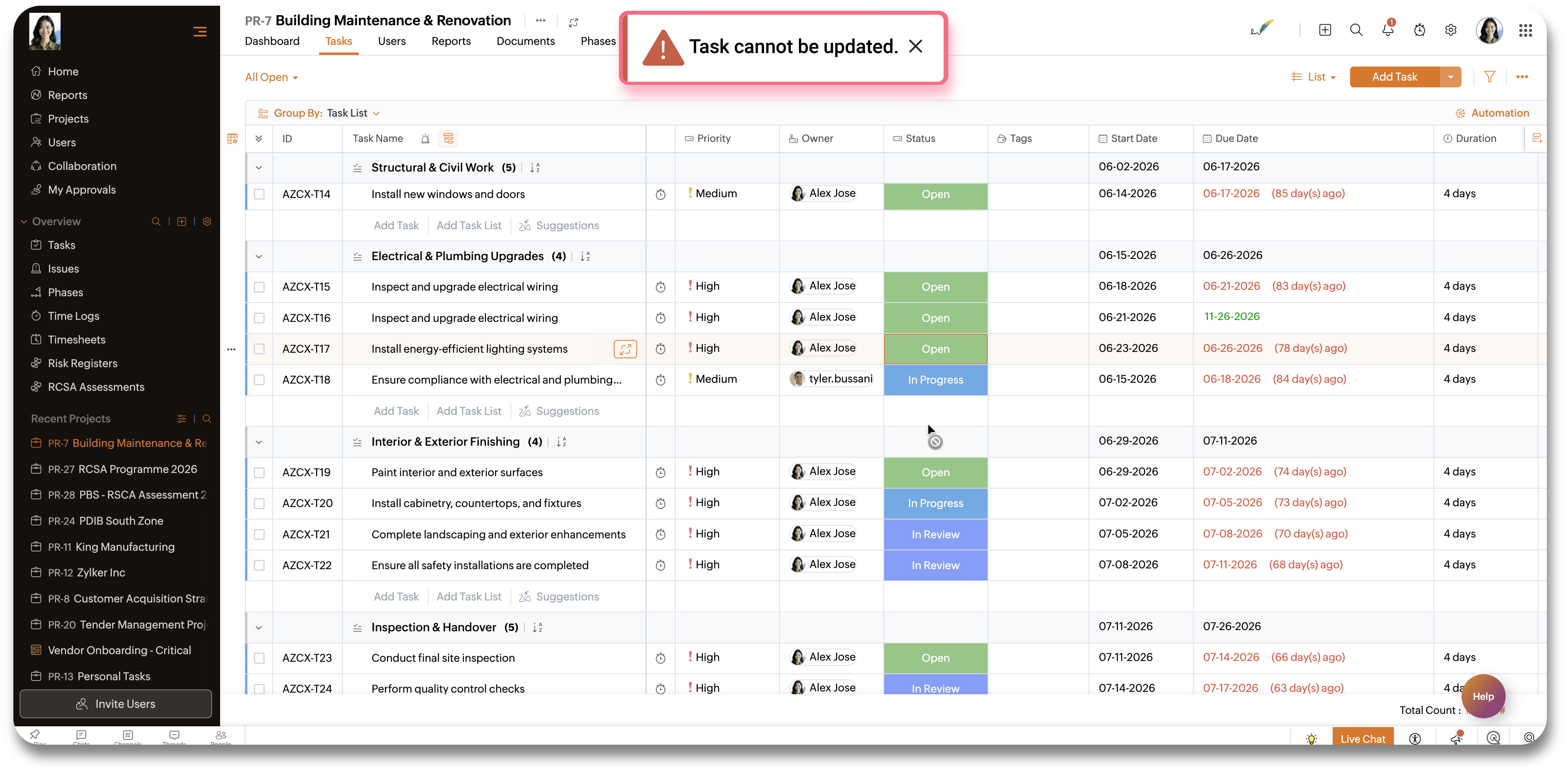
To configure this in your Zoho Projects portal,
- Navigate to the upper-right corner of the page and click
→ Developer Space → CodeX Scripts.
- Click Create CodeX Script in the upper-right corner.
- Enter the CodeX Script Name.
- Select the Task Module, required Layout and "Before Update" Event from the drop-down.
- Add the following Codex script in the script editor.
- Click Save to execute the script.
- function main() {
- const today = new Date();
- const start = new Date(current.record.start_date);
- const end = new Date(current.record.end_date);
- today.setHours(0, 0, 0, 0);
- start.setHours(0, 0, 0, 0);
- end.setHours(0, 0, 0, 0);
- if (today < start || today > end) {
- throw new ScriptError("Task cannot be updated.");
- }
- }
Once the script is saved, users will not be able to update the task details outside the planned date range.
We hope you found this post to be helpful. If you have any questions, please leave a comment below or email us at support@zohoprojects.com.