Experience Zoho Show on Mac now!
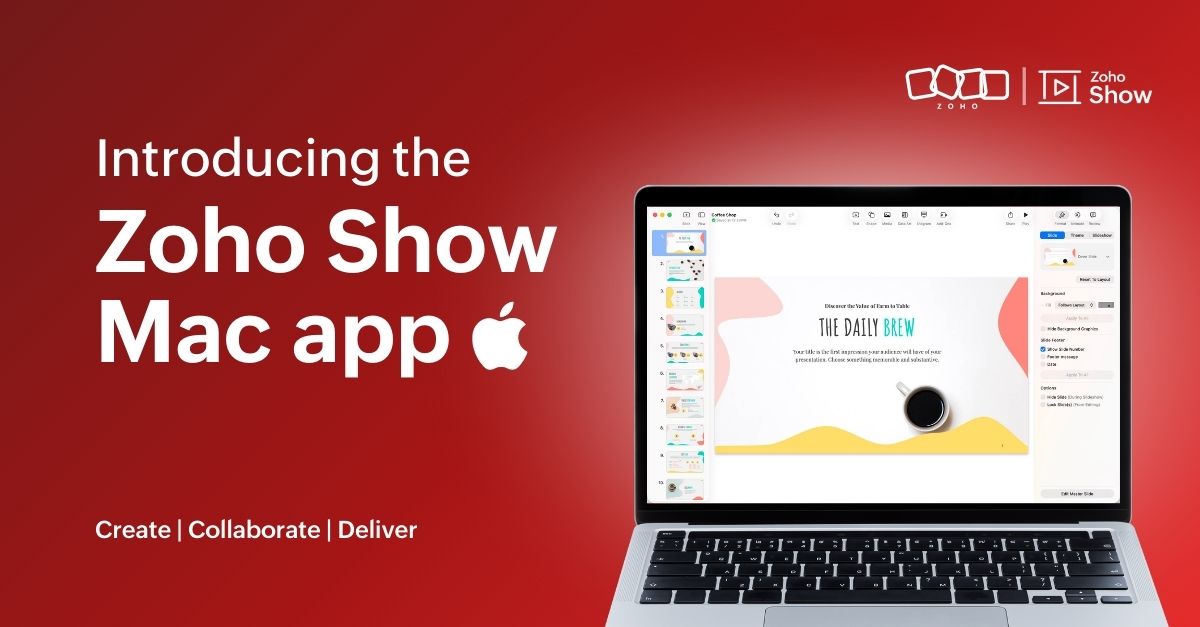
Experience Zoho Show on Mac now!


Work today isn’t tied to a single place, time, or routine. It happens in cafes between meetings, on flights, or late at night when ideas strike. And when ins, your tools need to be ready, wherever you are.
That’s why we built the Zoho Show app for Mac. It gives you the freedom to create and edit presentations offline, open local files, and work in an interface that feels familiar on your desktop.
Here's what you can look forward to:

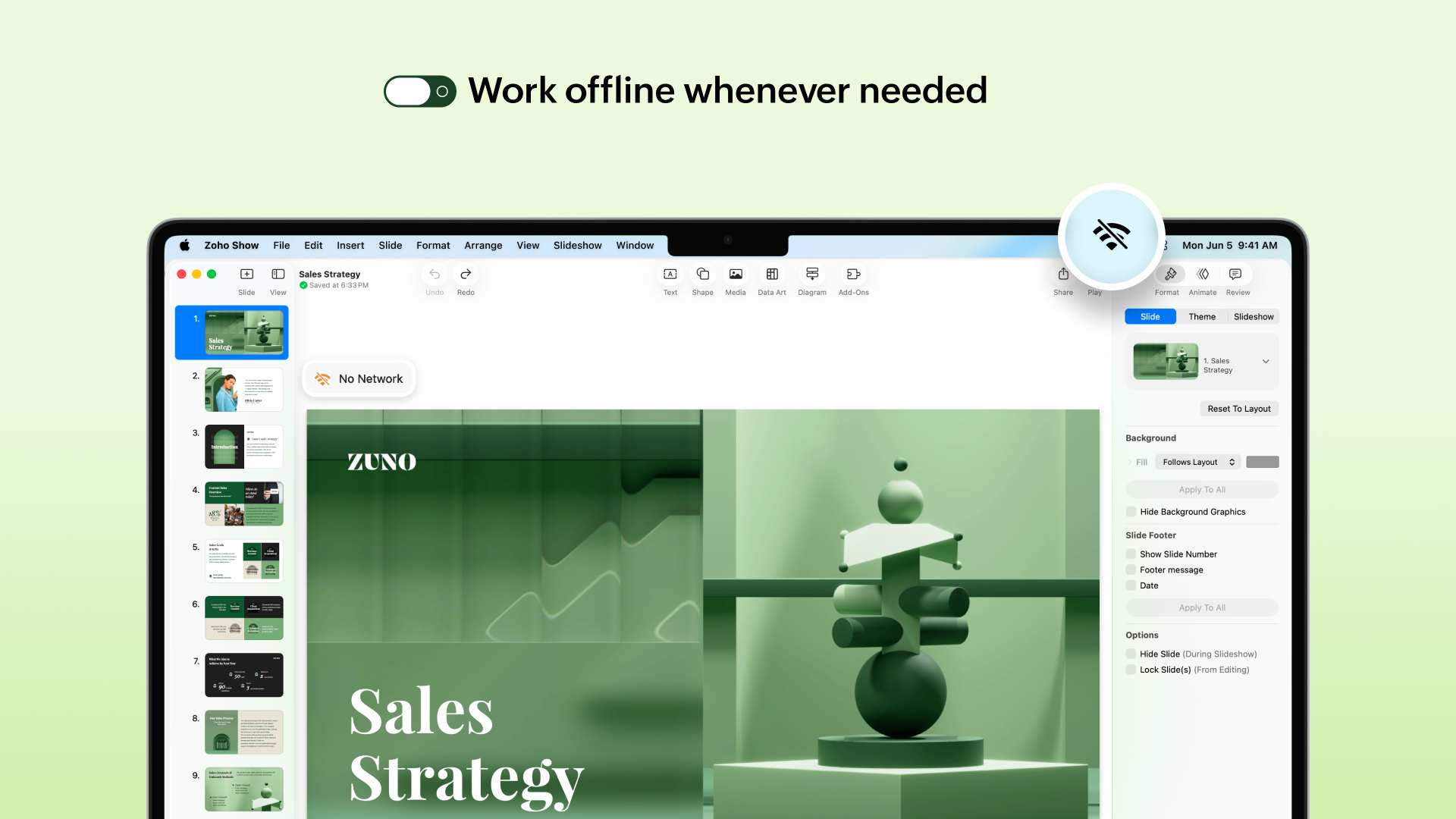
Access presentations offline
No more worrying about unstable internet! The Mac app lets you create new presentations or work on the existing ones even when you are offline. Any edits you make will automatically sync the next time you’re online.


Work on local files
Got a presentation saved on your desktop? You can open it in the Zoho Show Mac app, edit it, collaborate with your team, and present, all in one place. These files sync to your cloud account too (if you are signed in), so you can switch between devices easily.

Continue without signing up
You can now work on presentations without having to sign up. However, if you want to save it to your account or access existing presentations you have created in Zoho Show, you will have to log in or sign up.

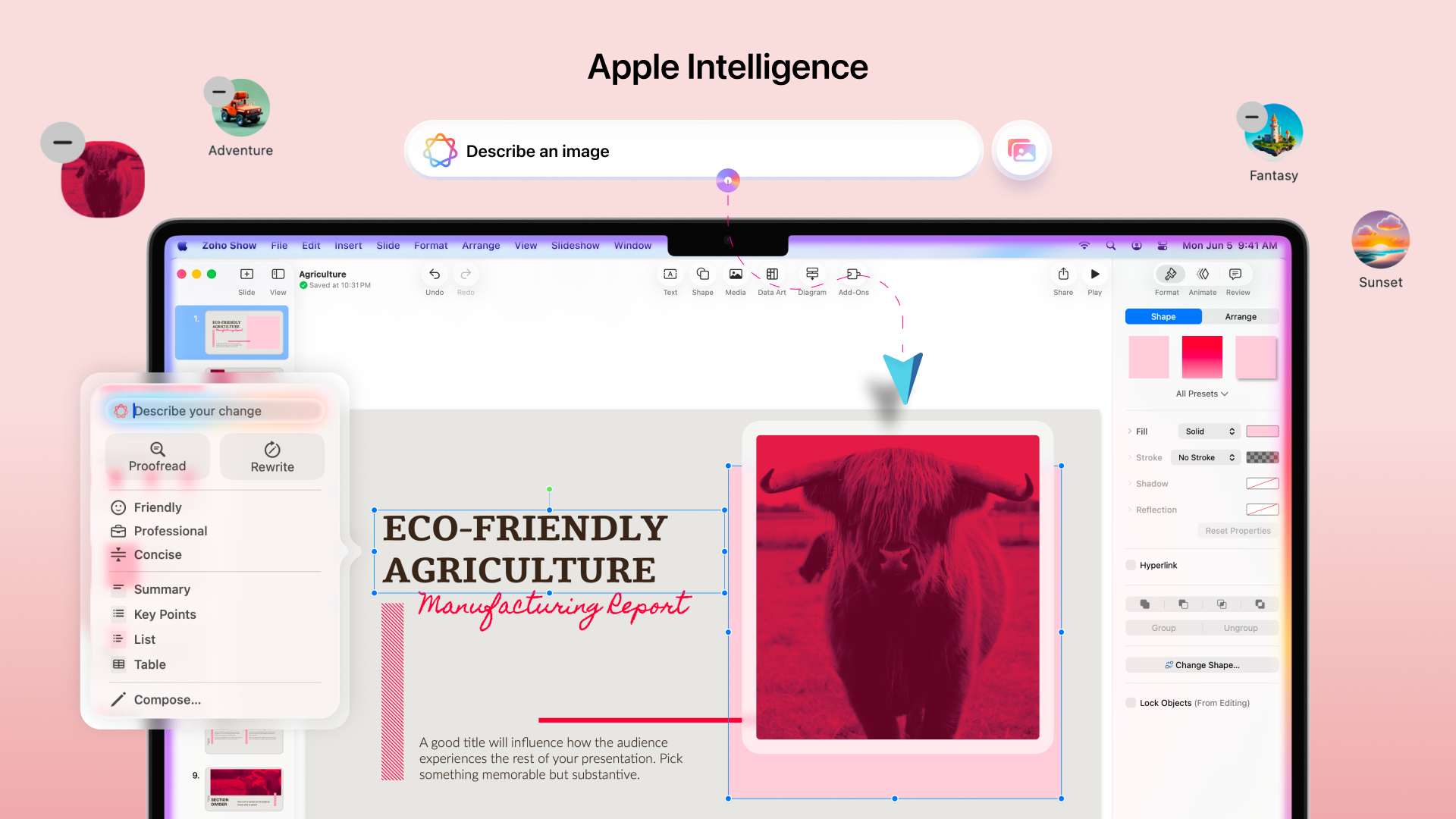
Work with the added power of Apple Intelligence
Apple Intelligence in the Mac app brings smart writing and visual creation tools right into your workspace. It helps you refine text, adjust tone, and generate images that match your ideas.


The Mac app comes packed with all the features you already love in Zoho Show, from built-in templates, animations, and transitions to collaboration tools. Even more features like Library and Zia AI are on the way.

If you're not just a Mac user but someone who’s all in on Apple, you're covered. Zoho Show also works well on iPhone, iPad, Apple TV, and even supports SharePlay.

We're also working on Handoff support, so you can switch between your Apple devices without missing a beat.

We are excited for you to try it out! Let us know about your experience in the comments section below. If you have any suggestions or queries write to us at support@zohoshow.com.

    • Sticky Posts

    • Introducing Zoho Show extension in Your Chrome Browser

      Hi everyone, Over the years, Chrome's feature-rich support extensions have grown to offer additional ways to easily access your favorite tools from anywhere. Today, Zoho Show is excited to announce our integration with Google Chrome as an extension app to help build and access presentations directly from your browser.   Zoho Show for Google Chrome is a free extension that allows you to dive straight into drafting your presentation material. Simply install the Show extension from the Chrome Web Store
    • Take your presentations anywhere with the Zoho Show app for iOS

      We're excited to announce the launch of the Show app for iOS. Our new presentation app gives you the power to view and present slideshows on your iPhone and iPad devices wherever and whenever you want.   The Show iOS app has a host of features that will make your presentations engaging and dynamic: Access all your presentations with a single tap Sign in to your Zoho Show account to view your slides and deliver presentations on-the-go. The app stores all the presentations you've created in the My
    • Introducing All New Zoho Show - Create and Design Stunning Presentations.

      Hello,   Whether you're a first-time presenter or an expert looking to make a lasting impression, Zoho Show is the tool for you. Whatever your expertise, the All New Zoho Show's contextual user interface lets you create all kinds of slides, from plain text on a simple background to complex presentations with animations, tweets, charts, media files, and lots more.   The UI doesn't leave you to figure everything out yourself, but presents something you can easily use. It's clear, obvious, and intuitive.
    • Three smart ways to share your presentation with Zoho Show.

      "What is the best way to share a presentation?", a lingering question that is asked after every live session or a meeting. Sharing presentations can be time consuming. It can be done, either by attaching the file to an email or by saving it in a pen drive. But what happens when your file size is large or your team is spread across the globe? Zoho Show lets you share your presentations both internally and externally without worrying about the file size. You can share your slides as a link and decide
    • Convey Your Ideas and Convince Your Audience with Zoho Show

      Visual presentations are highly impactful and it is a no-brainer that your audience gets attracted to them. The use of images and videos help you reach your objectives by emphasizing your ideas more effectively.  According to the psychologist Jerome Bruner of New York University, "people only remember 10% of what they hear and 20% of what they read, but about 80% of what they see and do." For example, if the above data on its own, was presented visually, there is an 80% chance that the information
    • Recent Topics

    • Adding Markdown text using Zoho Desk API into the Knowledge Base

      Hi Zoho Community members, We currently maintain the documentation of out company in its website. This documentation is written in markdown text format and we would like to add it in Zoho Knowledge Base. Do you know if there is REST API functionality
    • Order of Departments in Help Desk

      In the end user portal, , the departments are sorted by the date of creation of the department (or perhaps their id). Is there a way to choose the display order of the departments or at least to be able to sort them alphabetically?
    • COGS - Account showing negetive

      I have multiple COGS account and in these all there is one account is negetive so suggest why it is showing negetive value.?
    • Create CRM Deal from Books Quote and Auto Update Deal Stage

      I want to set up an automation where, whenever a Quote is created in Zoho Books, a Deal is automatically created in Zoho CRM with the Quote amount, customer details, and some custom fields from Zoho Books. Additionally, when the Sales Order is converted
    • %PaymentLink%

      Does not work. Software creates a BAD link. ....and yes payment options are turned on. Link on the invoice pdf once opened will work but this template is a joke.
    • Google Photos

      I am hoping that my question already has a fix. I current have Google synced accounts that I want to get away from. One in particular on is Google photos. Is there any software, or 3rd parties that I can join to back my photos up straight to specifically designated file in the ZOHO cloud that's tied to Docs? Please advise... Mike 
    • 1stDibs Integration to Zoho Inventory

      Hello is it possible to integrate my Zoho inventory and 1stDibs?
    • Introducing Assemblies and Kits in Zoho Inventory

      Hello customers, We’re excited to share a major revamp to Zoho Inventory that brings both clarity and flexibility to your inventory management experience! Presenting Assemblies and Kits We’re thrilled to introduce Assemblies and Kits, which replaces the
    • Zoho Books Items Categorisation/Grouping/Folder

      Is there a way to do items categorisation? a folder structure? Product Type A - Option 1/2/3 Product Type B - Option 1/2/3 Current problem : I have more than 50 items on the list, its hard for team to navigate.
    • Cash payments before invoice date

      We have been using zoho books for our hospitality business for some time and have been very happy with the system. However in 2025 an update was pushed through and we are now not able to record payments for invoices before the invoice date. the case scenario
    • Copy / Duplicate Workflow

      I have workflows setup that are very similar to each other. We have a monitoring system watching servers, and all notifications - no matter what client it is about - will come from a  noreply@ address which is not very helpful in having it auto assigned to the right account. I have setup a workflow that will change the contact name of the ticket (currently it would say noreply@) to the correct customer which is based on the subject line, as that mentions which server the alert it is about. I need
    • Transfer between two customers (Peters Rental account to Peters Private account)

      we are a Property Management company. Our customers have to accounts (registered as two customers - Peter Rental and Peter Private On the rental account all income and costs fron rental activities are noted. On the private account all private are noted
    • Automation#18: Automatically Fetch Values from Contacts to the Tickets Module

      Hello Everyone, Welcome to this week's edition, where you can seamlessly sync fields from the Contacts to the Tickets module. For efficient business operations, it's crucial to have details mapped across different modules. Zylker Secure offers antivirus
    • Charge multiple invoices

      We use auto-charge/recurring invoicing for 100's of clients. If we create a single manual invoice we can charge it to the credit card for these clients with the CC added to their recurring invoices. If a client has multiple outstanding invoices, is there a way to make one charge for all of the invoices instead of a separate charge to the cc for each invoice?
    • Handling/tracking escalation management in Zoho

      Hi all, I am working on finding a tool to register and track our escalation management process. Specifically, this is about client escalations, typically related to project delivery issues. The idea is that we could have some sort of form with core questions
    • CRM gets location smart with the all new Map View: visualize records, locate records within any radius, and more

      Hello all, We've introduced a new way to work with location data in Zoho CRM: the Map View. Instead of scrolling through endless lists, your records now appear as pins on a map. Built on top of the all-new address field and powered by Mappls (MapMyIndia),
    • Global Choice List share ownership

      I have created several forms that use one or more Global Choice Lists. These lists have been published to Org. I would like to allow one or more admins to edit the choices in these lists. Any help appreciated. Geoff
    • Setting up property management in Zoho Books

      Hi, I run a property management business that manages property complexes. There are multiple owners, some owning more than one property on the same complex. My role is to manage the fees they pay for maintenance of common areas, such as the swimming pool
    • How to prevent users from switching price lists in an order?

      Hi, I have Zoho Finance integrated with Zoho CRM. My team will be placing orders through the CRM using the Finance module. When creating a new customer I will assign it a price list, I don't want the sales rep to switch to a different Price List, other
    • Zoho Learn and Zoho CRM integration

      I would like to see an integration between Zoho Learn and Zoho CRM. 1. To be able to add articles in a related list in all modules 2. Zia to suggest related articles in a Deal or Case or Lead 3. Ability to read / search articles during a call / follow
    • Mollie Connect in Zoho Books

      Have noticed that Zoho Books is missing the most popular payment provider in Europe: Mollie. Knowing that Mollie has a solid Java SDK, why is this not yet implemented in Zoho Books for European customers?  More info: https://docs.mollie.com/oauth/ov
    • Unable to change Lookup field from Multi Select to Single Select

      I am trying to change a Lookup field in my Zoho Creator form from Multi Select to Single Select, but I am unable to find any option to do this.
    • Cliq iOS can't see shared screen

      Hello, I had this morning a video call with a colleague. She is using Cliq Desktop MacOS and wanted to share her screen with me. I'm on iPad. I noticed, while she shared her screen, I could only see her video, but not the shared screen... Does Cliq iOS is able to display shared screen, or is it somewhere else to be found ? Regards
    • Zoho Learn Zapier Integration

      Hello all, Is there any plan to integrate Zoho Learn with Zapier? It seems almost all Zoho products are in Zapier, with the exception of Learn and Marketing Automation.
    • Simple Callback Notifications Needed

      My team are terrible at remembering their CRM callbacks, often due to how long in the future they are set for. Is there a way i can set an e-mail notification for when a callback is due? For example we set it for 9am one day and five minutes before they
    • Is it possible to transfer data from one related list to another within the same module ?

      In the Leads module, there is an existing default Product related list that already contains data. Recently, I added a custom multi-lookup field, which created a new related list in the same Leads module. Now, I need to move the existing data from the
    • Personal Data (RODO), Cookies / Trackers - ePrivacy

      I have noticed several issues that should be addressed on the customer support page. Zoho Desk provides the support portal, but it currently lacks the following options: A GDPR and personal data processing consent checkbox before logging in, located in
    • email association with CRM

      Why is it 2024 (almost 2025) and Zoho has not figured out how to integrate email with CRM? It is so inconsistent at associating emails within CRM. I am an attorney. I have clients and work with other attorneys. Attorney John Doe is associated with multiple
    • How to set a multi-lookup field as mandatory?

    • Allow Multiple Scheduled Appointments with Zoho Support

      Dear Zoho Team, I hope you're doing well. First, thank you for introducing the option to schedule support calls via the Zoho CRM booking link. This has been a fantastic enhancement, eliminating the need for back-and-forth coordination when scheduling
    • Audit Log for Zoho One Admin Panel

      Dear Zoho One Team, We would like to request the addition of an Audit Log feature in the Zoho One Admin Panel. This log should provide visibility into any changes made within the Zoho One admin panel and directory, including but not limited to: Adding,
    • Can I re-send the Customer Satisfaction Survey after a ticket closure?

      Hello, Some customers does not answer the survey right after closure, is it possible to re-send after a few days or weeks? Best Regards!
    • Personalize your booking pages with Custom CSS

      Greetings from the Zoho Bookings team! We’re introducing Custom CSS for Zoho Bookings, designed to give you complete control over the look and feel of your booking pages. With this new feature, you can upload your own CSS file to customize colors, fonts,
    • Bug: OAuth 2.0 State Parameter fails with Pipe Delimiters (RFC 6749 Non-Compliance)

      I've discovered a bug in how Zoho's API Console handles the OAuth 2.0 authorization flow when the state parameter contains pipe characters (|), and I'm hoping the Zoho team can address this in a future update. The Issue Zoho's OAuth 2.0 implementation
    • Custom Function to increment a value by one

      Hi, I'm trying to find a solution to set up a counter on CRM records that tracks how many times certain actions have taken place. As a specific example: We have a field on Deals called "Times Close Updated". This starts at 0 on record creation. I'd like
    • Zoho Books Extension: What Happens If Custom Fields Already Exist?

      When developing Zoho Books extensions, what happens if the target Zoho Books organization already has a custom field with the same API name as one defined in the extension? I’m asking because we originally created an on-Books version of this functionality,
    • Access token generate from the refresh token not working for API

      Dear Sir/Madam, When I use my refresh token to obtain new access_token, that token return INVALID_TOKEN when the same API is called. I made sure that my api site is correct and match the auth web site. However the original access_token work fine.
    • To print Multiple delivery notes in batches

      In Zoho Books, we can print a Delivery Note from an Invoice using the Print Delivery Note option, but it is non-editable and always prints all line items from the invoice. Our requirement is to deliver invoiced items in batches and print delivery notes
    • Feature Request: Enable Custom PDF Layout Editor for All Modules (Including Package Slips)

      Hello Zoho Community and Product Team, I am writing to share a suggestion that would significantly enhance the customization capabilities within Zoho Books. We all appreciate the power of the Custom PDF Layouts (the "New" template engine) that allows
    • HEIC File Type Viewer

      Hi, It would be nice to be able to click on the images in the All Entries/Reports Tables which are HEIC the same as JPG, PNG, etc. so they open in a viewer from Zoho or the Attachment Service, today HEIC requires you to download each image and open it
    • Next Page