Extension Pointers - Simple yet significant pointers #2: Connectors
Updating a published connector and the associated API details with the extension
Updating a published connector
Once a connector is published, any changes made in the connector, such as adding a new API, editing an existing API, or making changes to the connector configuration details, requires publishing the connector again in order for the updates to be reflected in the connector.
How does it work?
- Go to the connector you want to update.
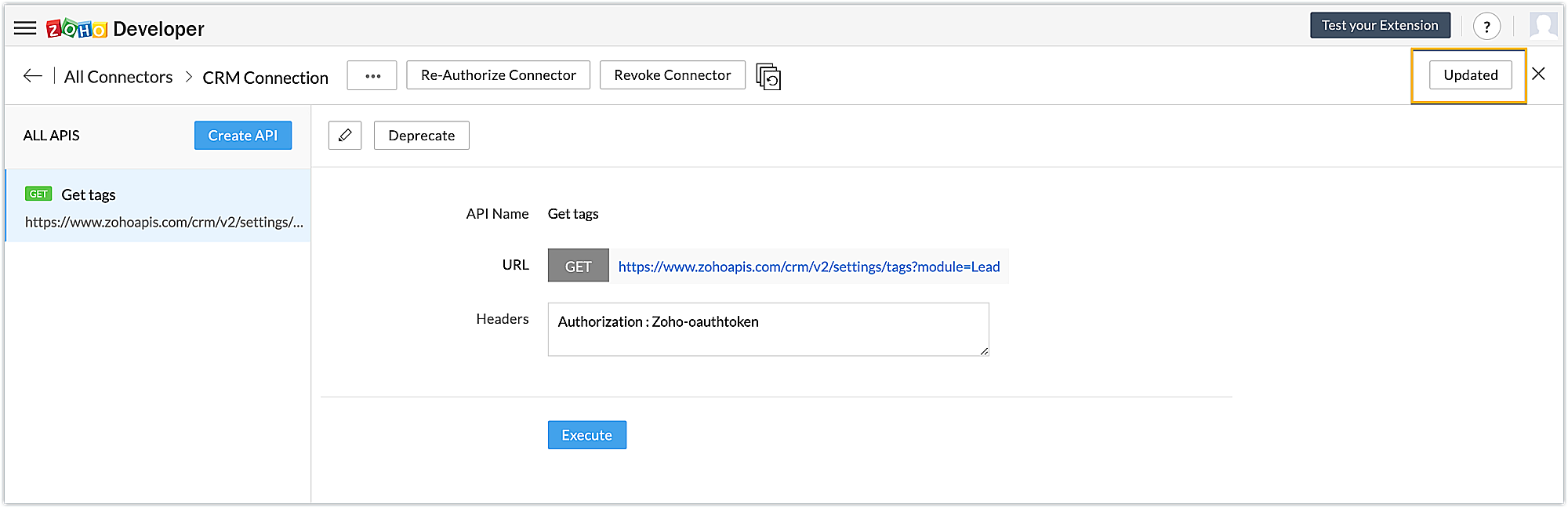
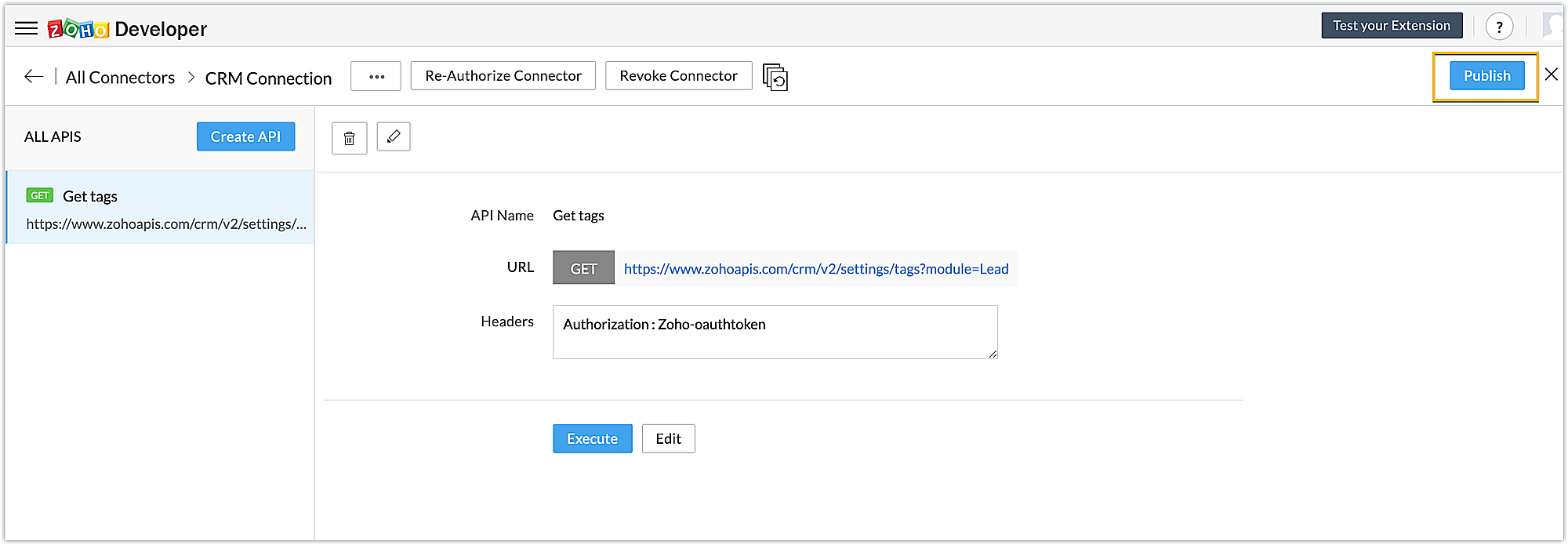
- Once you have made the required changes, the Updated button in the top-right corner will change to Publish.
- Click the Publish button to publish the connector again.
Associating the updated published connector details with the extension
To make the new details of the updated published connector be reflected in the extension as well, the association with the extension has to also be updated again.
How does it work?
- In the associated connectors section, click the View All API's button next to the connector that you republished after making changes.
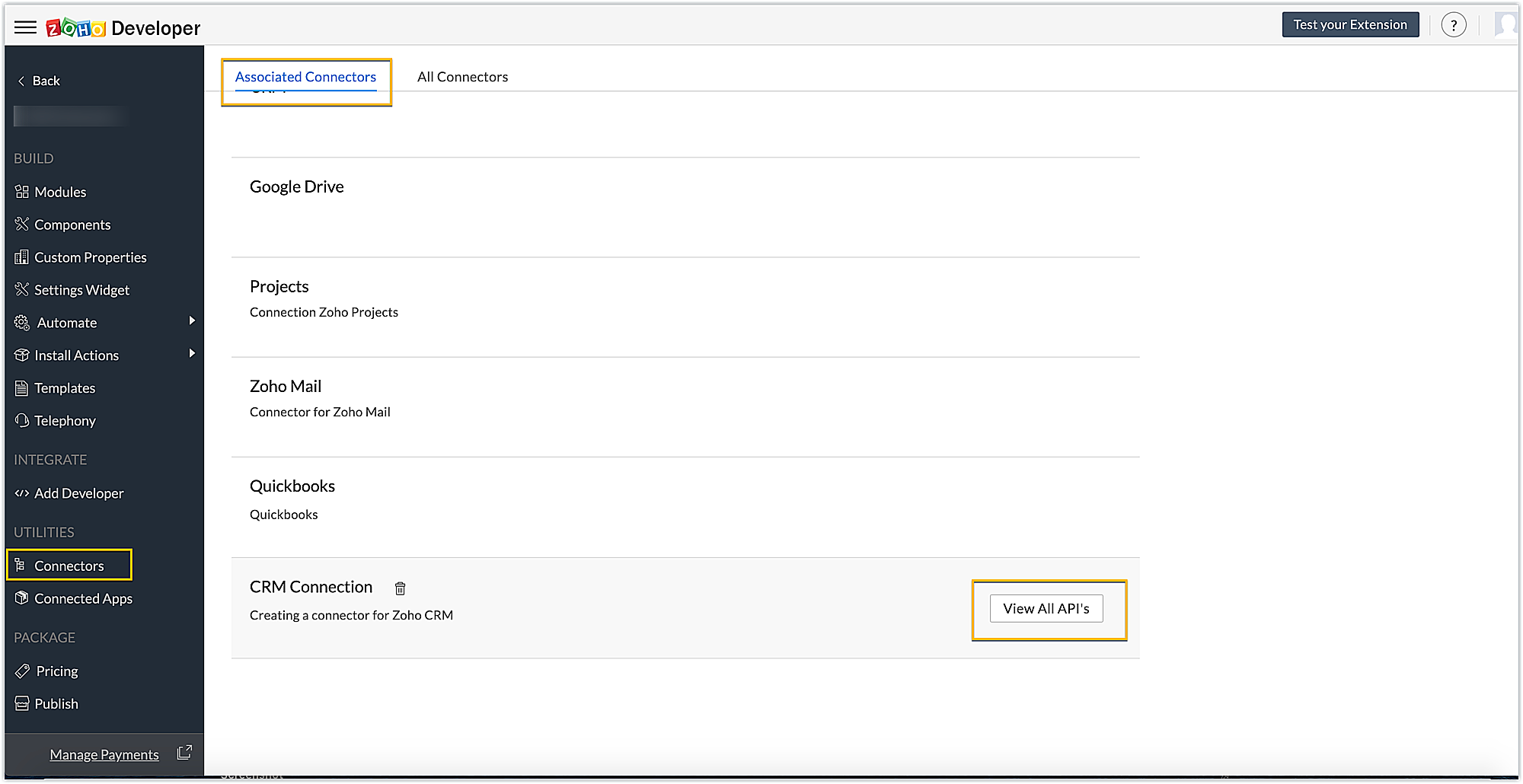
- Click the Update button. Once the new changes are reflected, the Update button will change to Updated.
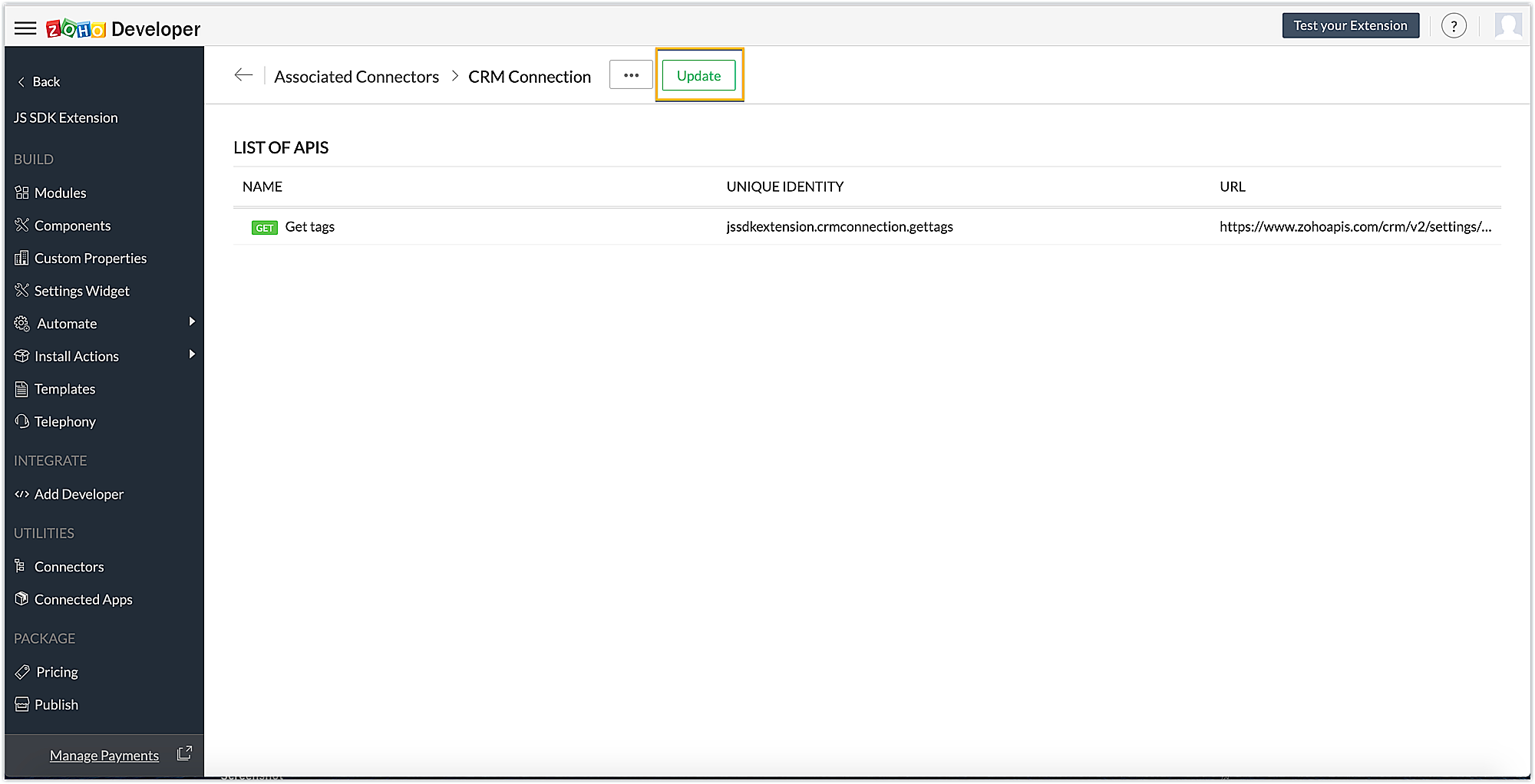
- This allows the connector's new changes to be reflected so they can be used as part of the extension's functionality to which it is linked.
SEE ALSO: