Form Encryption is here!

Form Encryption is here!

Hey form builders,

If your data is sensitive enough that a breach would have real consequences, be it reputational, legal, or otherwise, Form Encryption is built for you. Here's a short version of what it does.

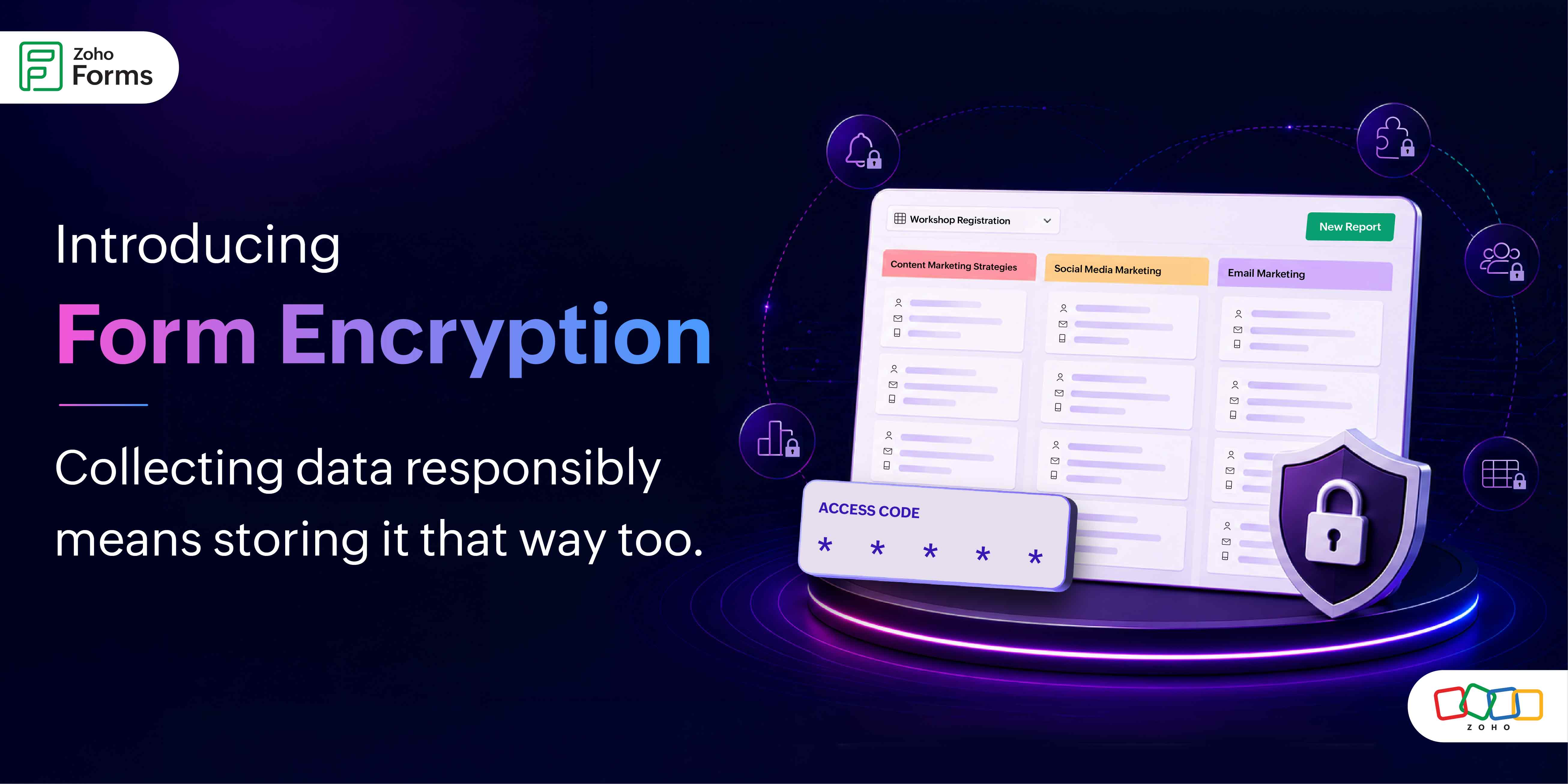
Every encrypted form gets protected by an Access Code that only you set. Without this code, the data is completely unreadable. Even if someone gains unauthorized access, they walk away with gibberish.

How it works (without the technical overwhelm)

Setup follows a clean two-step structure.

Step 1: Org-level enablement
Your organization's super admin enables Form Encryption at the org level. This is a one-time setup, the master switch that makes encryption available for forms across your organization. Once it's enabled, form admins can start encrypting individual forms.

Step 2: Form-level configuration
When you're ready to encrypt a specific form, you'll set a 6-character alphanumeric Access Code. This code is yours alone. If you forget it, you can have it sent to your registered email.

Once encryption is enabled on a form, every time someone tries to access the data (all entries, reports, approvals, tasks), they are prompted for the code. Sessions stay open for 30 minutes after a successful entry, then lock again automatically. 

The permanent part and why it matters

Once a form is encrypted, the data stays encrypted permanently. Security that can be switched off on a bad day isn't real security. The permanence is the point.
One practical implication is that you cannot encrypt a form that already has existing records. If you're planning to use Form Encryption, configure it before you start collecting responses. Set it up on a fresh form, not one that already has data in it.

The trade offs 

Encryption means data doesn't flow freely.

Notifications
Configured Email, SMS, WhatsApp, and mobile app notifications will still be sent but by default, they won't include form field data in the notification body.

Exports
Data export as PDF or CSV, downloading attachments, scheduled report mailers can be restricted depending on your org-level permissions. Your org admin controls this at the top level; form admins can customize within those boundaries.

Integrations and webhooks
These require deliberate permission at both the org level and the form level. 
The permission model is layered. Org admins set the ceiling, form admins work within it. It gives teams flexibility without compromising the overall security posture.


For Zoho Sign field users
The Zoho Sign field which lets respondents sign documents right inside a form cannot be added to an encrypted form if integrations and webhooks are restricted at either the org or form level. If your workflow needs both signing and encryption, make sure integrations are permitted first.

Managing access across your team

Real-world workflows involve multiple people, and we've built that into the encryption design.

Sharing the access code
Form admins can send the access code to collaborators directly via email.

Approvers
When adding an approver to an encrypted form, there's a dedicated option called Notify Approvers with Access Code. It includes the code in the approval notification they receive, so they can access the approvals section without a separate back-and-forth with the form admin.

Locked users
If a user enters the wrong access code five times in a row, their access to the form data locks automatically.

This prevents brute-force attempts while still being recoverable.
Form admins can view a list of all locked users in the encryption settings and unlock them individually or all at once.


30-minute unlock window
This session model means authorized users aren't re-entering the code constantly. But it also means access doesn't stay open indefinitely on an unattended browser.

A few important things to know before you enable it

We want to set expectations clearly so there are no surprises:
  1. When you disable organization-level encryption, you will no longer be able to encrypt new forms. However, any forms that were previously encrypted will remain encrypted.
  2. A form once encrypted will remain permanently encrypted, even if you disable the organization-level encryption settings. It cannot be disabled from the form-level encryption settings either.
  3. Form encryption cannot be configured on forms that already have existing records. Start fresh.
  4. Encrypted forms and HIPAA-enabled forms are mutually exclusive. Only one can be active at a time on a given form.
  5. If a feature is restricted at the organization level, you cannot enable it on your encrypted form. 

We'd love to hear from those of you who've been asking for this. If you have any questions, drop them below - we're here and paying attention.

Cheers, 
Samhita
Zoho Forms
    • Sticky Posts

    • Password-Protected PDFs in Zoho Forms

      Hello form builders, PDFs generated from your form submissions travel through email, across devices, and between hands you didn't intend. For a restaurant's event inquiry, that's fine. But for a signed legal agreement, a loan application, or personal
    • Introducing Spotlight Forms

      Hey form builders! If someone opens your form, sees the wall of fields ahead, and quietly closes the tab. It may not be because the questions were hard. It could be because the experience felt like too much. Which is why we have now introduced a new form
    • Access millions of Unsplash photos directly from the Theme Builder

      Hello form builders, We're excited to introduce a new enhancement to the Zoho Forms Theme Builder. You can now browse and apply millions of high-quality images from Unsplash without leaving the Theme Builder. There's no need to download images, switch
    • Introducing the Yes/No field: Binary decisions made beautiful

      Greetings, form architects! What would you do when you need a simple yes/no answer on your form? Normally, you add a Radio field. Type Yes. Type No. Until now. The new Yes/No field is purpose-built for binary decisions. It is preconfigured, visually consistent,
    • Form Encryption is here!

      Hey form builders, If your data is sensitive enough that a breach would have real consequences, be it reputational, legal, or otherwise, Form Encryption is built for you. Here's a short version of what it does. Every encrypted form gets protected by an
    • Recent Topics

    • All new Address Field in Zoho CRM: maintain structured and accurate address inputs

      Availability Update: 29 September 2025: It's currently available for all new sign-ups and for existing Zoho CRM orgs which are in the Professional edition exclusively for IN DC users. 2 March 2026: Available to users in all DCs except US and EU DC. 24
    • Zoho CRM - Email/Message icon for Deal List View

      Hi Team, My idea is to include a message icon at the start of the row of Deals when an unread message has been received. This would really help highlight the Deals where urgent action is required. Thanks for considering this request. Regards, Ashley
    • Is there a way to show contact emails in the Account?

      I know I can see the emails I have sent and received on a Contact detail view, but I want to be able to see all the emails that have been sent and received between all an Accounts Contacts on the Account Detail view. That way when I see the Account detail
    • CRM x WorkDrive: We're rolling out the WorkDrive-powered file storage experience for existing users

      Release plan: Gradual rollout to customers without file storage add-ons, in this order: 1. Standalone CRM 2. CRM Plus and Zoho One DCs: All | Editions: All Available now for: - Standalone CRM accounts in Free and Standard editions without file storage
    • HR Helpdesk Cases

      We have Zoho One Enterprise. I'm trying to find HR Helpdesk Cases, but my UI does not match the documentation. I'm not sure how to move forward.
    • Tip #7 - Siri shortcuts in Zoho CRM

      Hello Everyone, Here is a tip about the 'Siri Shortcuts' feature and how it works in the iOS version of the Zoho CRM mobile app. What are Siri shortcuts? Siri Shortcuts are quick actions across your apps on iOS. They can perform an action automatically
    • Automatic Department and Employee Sync Between Zoho One and Zoho People

      Dear Zoho Support, I'm writing to propose a valuable feature request that would streamline data management and improve user experience within the Zoho ecosystem: automatic synchronization between departments and employees in Zoho One and Zoho People.
    • Nothing triggers a Journey

      I have been on the phone with Zoho support and they claim their development team needs to investigate more. However, I've found this is a pretty standard answer after a call takes any amount of time. After that, it's days and even weeks before it actually
    • Manually Backorder Sales Order and/or Change Sales Order Status

      Is there an option to manually 'backorder' a sales order, or otherwise change it's status?  In some cases, we receive orders for products that are out of stock, but we already have issued POs to our suppliers for replenishment.   Ex- we created a PO on
    • Backorder process review - Automating Removal of Sales Order from "On Hold" When PO is Received

      Hello Zoho Inventory Team, Currently, sales orders in On Hold status are released only when the bill for the purchase order is created. In our workflow, it would be much more efficient if the sales order could automatically move out of On Hold as soon
    • Kaizen #254 - Building a Temporal Lead Score Decay System in Zoho CRM

      Hello, CRM Wizards! Welcome to a fresh week of Kaizen. In this post, we will build a temporal lead score decay system that works alongside your existing scoring rules by introducing percentage-based score decay driven solely by customer inactivity. By
    • Metadata API Access to Functions

      I think it would be incredibly helpful to have api access to every function's code. Our team primarily uses deluge functions to update fields across modules according to business logic. I would like to create a visual dependancy model for our CRM, but
    • API actions/approvals endpoint returns UNAPPROVABLE despite user having full permissions and being the assigned approver

      Hi Team, We are trying to programmatically approve a record via the CRM API but consistently receive an UNAPPROVABLE error, even though the same user can approve the record without issue from the UI. Endpoint called: POST https://www.zohoapis.com/crm/v6/{module}/{record_id}/actions/approvals
    • Upcoming Change: Increased character limits for module and field labels

      To provide greater flexibility in customizing your CRM, we are increasing the maximum character limits for module labels and field labels in Zoho CRM. What's changing? Label Current Limit New Limit Module Label 25 characters 50 characters Subform Module
    • Get a realistic picture of your revenue with Forecast Adjustments in Zoho CRM

      #crm25q1 Dear Customers, We hope you're doing well! Today, we're here with an important enhancement for business decision makers: forecast adjustments. Let's get straight to it! With technology on the rise and CX at its core, businesses are constantly
    • I am not able to check in and checkout in zoho people even location access allowed

      This issue i am facing in mackbook air m1, I allowed location in chrome browser and i also tried in safari but getting similar issue. Please have a look ASAP.
    • WhatsApp Vendors Module

      Hello, so WhatsApp works with the below, mainly with the customer side modules. Can we get functionality on the vendor side modules, i.e., PO, Bills, Vendor Credits, Payments Made, Purchase Received? WhatsApp is often the preferred method of communication
    • Upload ticket attachments via Drag-&-Drop

      Hello, if you want to upload a file to the ticket attachment you need to click the button and use the file browser to select and upload the desired file. In many cases, it would be much more efficient if you could simply drag the file to the browser window...
    • Introducing parent-child ticketing in Zoho Desk [Early access]

      Hello Zoho Desk users! We have introduced the parent-child ticketing system to help customer service teams ensure efficient resolution of issues involving multiple, related tickets. You can now combine repetitive and interconnected tickets into parent-child
    • Elevate your Radar experience: Best practices part 3

      In the Spotlight: Zoho Desk's Radar app Customer support requires human intelligence combined with emotional intelligence. How about these coupled with contextual intelligence? These elevate the customer support experience. When providing support through
    • Migrating my email from GMAIL to ZOHO MAIL..........

      I am a long time GMAIL user and I really only understand how they operate, but after reviewing your tutorials and forums online, it is quite unbelievable how much more and how much more streamlined ZOHO mail is, not to mention ZOHO's wonderful, more advanced capabilities. I do have several questions about transitioning over to ZOHO.  Primarily, where is the best place to start, what do I do first? And how hard is it actually to move all my business and personal accounts over here?  When I sign up
    • Unable to send message;Reason:553 Relaying disallowed. Invalid Domain

      Hi, Now when I try to reply to an email, I see the Unable to send message;Reason:553 Relaying disallowed. Invalid Domain voicemessagedownloader.com error. I tested sending an email when I set it up in the past and it worked. I have checked the Zoho Organization
    • RFID Scanner/Adapter Solution for barcode scanning

      Hello, We will be trialing using barcode scanning for item verification during our picking process. Using a phone or a tablet is awkward and uncomfortable. Are there any Zoho compatible RFID scanners, or an RFID device/adapter that will connect with a
    • Approval Process not retriggering after rejection when stage is manually changed back

      We have an Approval Process on the Opportunities module that triggers when Stage is changed to Negotiation (Execute on: Edit Only). On rejection, a field update action reverts Stage back to Proposal. The issue: after rejection, AE can manually changes
    • Free Webinar Alert! Workdrive + Office Suite in Zoho Workplace: Create, co-edit and collaborate

      Hello Zoho Community! Looking for a better way to create, manage, and collaborate on your business documents? Join our upcoming webinar to discover how Zoho WorkDrive and the Zoho Office Suite (Writer, Sheet, and Show) help teams to work together from
    • Updating Sales orders on hold

      Surely updating irrelevant fields such as shipping date should be allowed when sales orders are awaiting back orders? Maybe the PO is going to be late arriving so we have to change the shipment date of the Sales order ! Not even allowed through the api - {"code":36014,"message":"Sales orders that have been shipped or on hold cannot be updated."}
    • Two-Factor Authentication in Zoho Mail: Add an extra layer of security to your organization

      Account security is a critical aspect of managing any organization's email. With increasing risks of unauthorized access, a single password may not always be sufficient to keep accounts protected. Zoho Mail's Two-Factor Authentication (TFA) addresses
    • Dark Mode - Font Colors Don't Work

      When editing a document in Dark Mode and selecting font colors, they don't show up on screen.  Viewing/editing the same document in Light Mode shows them just fine.
    • API to post drafts for social media

      I we want to post draft posts to our zoho social account and then approve and schedule them within Zoho social. is this possible with for example: https://apis.zoho.com/social/v2/post TIA Jon
    • How to show product cards in your chatbot

      Hey everyone, If you are using Guided Conversations to help customers find products, you have probably run into this problem: the bot gives customers a list of options, but they still have no idea which one to pick. There will be no images, no specs,
    • Changing settings for auto logoff

      I've noticed that when I haven't used Cliq for a while, I have to re-enter my password. That is really clumsy, especially if you have a complicated password. Because it won't be filled in automatically. Is there a way to change that behaviour? We are
    • How do you create invoices before sending them through Zoho Invoice?

      Hi everyone, I'm curious how other businesses handle their invoicing workflow before sending invoices through Zoho Invoice. Do you: Create invoices directly inside Zoho? Prepare them first in another invoice tool or template? Use Excel or Word before
    • ZML Error/Bug

      Hi, I would like to request for your help regarding this kind of behavior. Requested_Start_Time & End_Time - date-time fields https://......#Page:PH_Calendar_Page?reqDate=08-04-2026 https://......#Page:PH_Calendar_Page?reqDate=07-31-2026 https://....#Page:PH_Calendar_Page?reqDate=08-03-2026
    • Item with name in different languate

      Hello, is there a way to have an item with its name in different languages? For example: I sell an item in different markets and I'd like to have a Proposal and the Invoice with the Item Name in a specific language. Rino Bertolotto Zoho Specialist, STESA srl
    • Email notification for followers

      Is there a way to enable email notification for followers of a support ticket? ie: Ticket #123 is owned by Agent#1, Agent#2 adds themselves as a follower. Whenever ticket #123 receives an email from the customer, Agent#1 receives an email. Agent#2 would
    • Migration of emails from Yandex to Zoho

      I am trying to migrate an yandex mail account to zoho mail account. I am confused with all the related articles/informations in the net. Could someone please outline the process to do it, just thinking about me as a novice with limited knowledge or experience. A couple of questions from the knowledge gained. 1. I believe we have to delete the yandex current MX from the website records and add Zoho MX. What happens to the emails as we remove the mail exchange record. Yandex stops updating emails and
    • Auto-fill from logged-in user's profile for Name Fields in Subforms

      Hi, The Name field is great, but I see you can't tick the Initial Value option of "Auto-fill from logged-in user's profile" when it is on a Subform, why not? Thanks Dan
    • Calling a function within another function

      Hello there, I have just found out that you can simply call up functions in other functions, regardless of the department. You can't create functions with the same name twice, even though you are in a different department. If you try it, you don't get
    • 【続々公開】Zoholics Japan 2026 セッション情報を更新しました!

      ユーザーの皆さま、こんにちは! Zoholics Japan 2026のセッション情報を続々と公開しています! 今年は3つのトラックで、Zohoの最新情報やAI活用、製品アップデート、 活用事例など、多彩なセッションをお届けします。 現在公開中のセッション(一部) ・Zoho CRM 製品アップデート ・Zoho CRM Plus 製品アップデート ・Zoho Community セッション ・Zoho Desk セッション ・中堅・成長企業の人事DX ~AI時代に何から始めるべきか?~ ・Zoho
    • Zoho CRM Community Digest - July 2026 | Part 1

      Hello everyone, July is here! The first two weeks brought six CRM updates ranging from privacy-ready webforms to a significantly more powerful Layout Rules engine, two community wins worth a look (a dashboard workaround for spotting leads with no activities,
    • Next Page