Implement JWT Authentication Mechanism for Help Center
Hello everyone!
 This feature is released in a phased manner and will be available only to those who request for it. To request early access, click the registration link and provide your details. We will enable the feature for your Desk account.
 In the Desk help center, end-users can be categorized as either guest users or authenticated users based on their decision to log in or not.
- Guest Users: Guest Users, those who opt not to log in, have access to the knowledge base tab, where they can view help articles, submit tickets, and participate in the user community.
- Authenticated Users: Authenticated Users, those who opt to log in to the help center, have access to the knowledge base tab, viewing help articles, submitting tickets, viewing their submitted tickets, and actively participating in the user community. Authenticated users can perform various actions, such as following a topic, adding a topic, and commenting on existing posts.
Authenticated users currently have the option to access the help center through self-signup or SAML authentication mechanisms.
- Self-signup: The self-signup option enables users to independently register and log in to the help center using their preferred credentials.
- SAML: Security Assertion Markup Language is a mechanism used for exchanging authentic and authorized data between applications, particularly between an identity provider (IdP). Admins can configure SAML-based single sign-on (SSO) for end users, so they can access the help center without being prompted to enter separate login credentials.
We are now introducing another form of authentication mechanism called: JWT.
What is JWT Authentication?
JWT, or JSON Web Token, is a compact, URL-safe means of representing claims between two parties. In simpler terms, it's a secure way to transmit information between parties, ensuring the integrity and authenticity of the data being exchanged. In the context of the Desk Help Center, this means a more robust and reliable authentication process for the end-users. Admins can now configure the JWT-based authentication mechanism in Zoho Desk, adding an extra layer of security and control over user access for the help center.
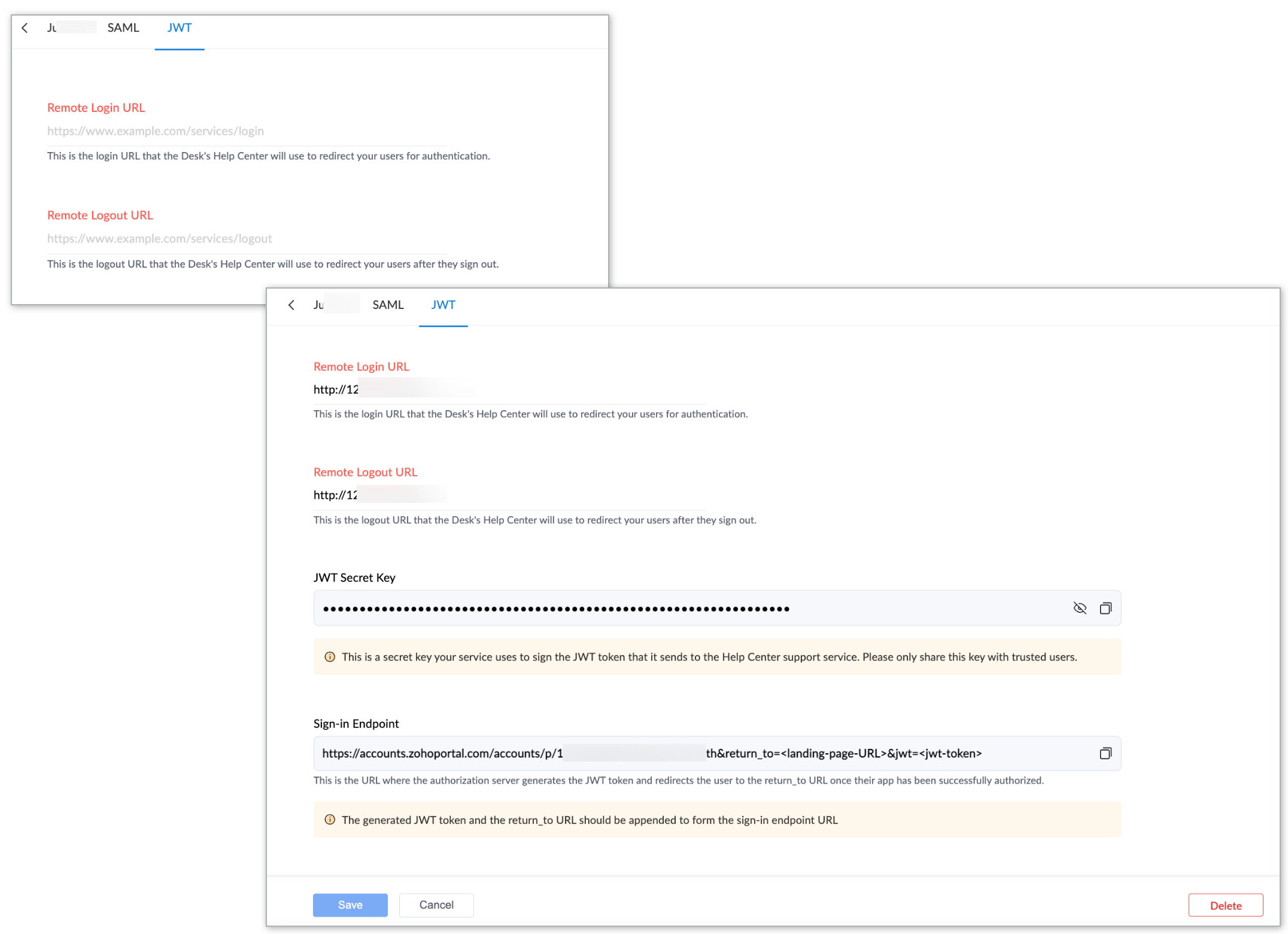
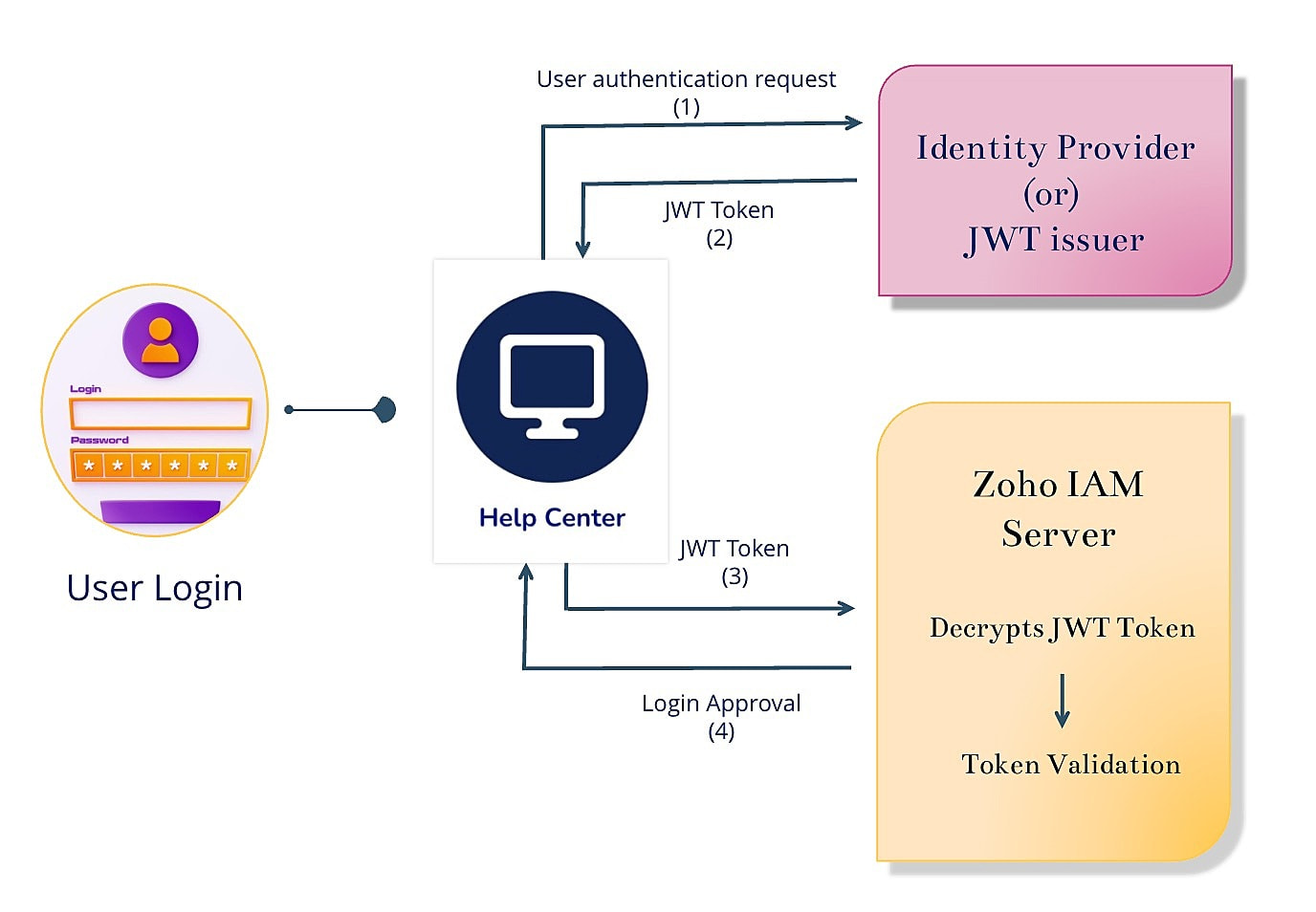
This feature is now available for standard, professional, and enterprise plan users across data centers. For more information about the configuration, please refer to the help doc on JWT authentication mechanism for help center.

Important Note: Deprecation of Remote Authentication mechanism
Sooner the remote authentication mechanism for the help center will be deprecated hence requesting all existing users relying on the Remote Authentication mechanism to migrate to either SAML or JWT at their earliest convenience.
We believe that these updates will contribute to a more secure and efficient help center experience. For any questions or feedback, feel free to share them with us in the comments section.
Thanks and have a great day!
Regards,
Varsha P.
Zoho Desk | User Education