Introduction de l'extension Sticky Notes de Zoho Notebook
Bonjour à vous fans de Zoho Notebook,
Que ce soit pour gribouiller ou ajouter des rappels , les notes adhésives sont sans aucun doute addictives et pratiques à utiliser.
La plupart des gens trouvent cependant que l'organisation de toutes ces notes est une tâche contraignante. C'est là qu'interviennent les notes numériques, qui ont révolutionné la prise de notes. Parmi toutes les applications de prise de notes disponibles sur le marché, Notebook a toujours été la plateforme la plus performante pour ajouter tous les types de notes. Et nous avons avons du nouveau à vous proposer !
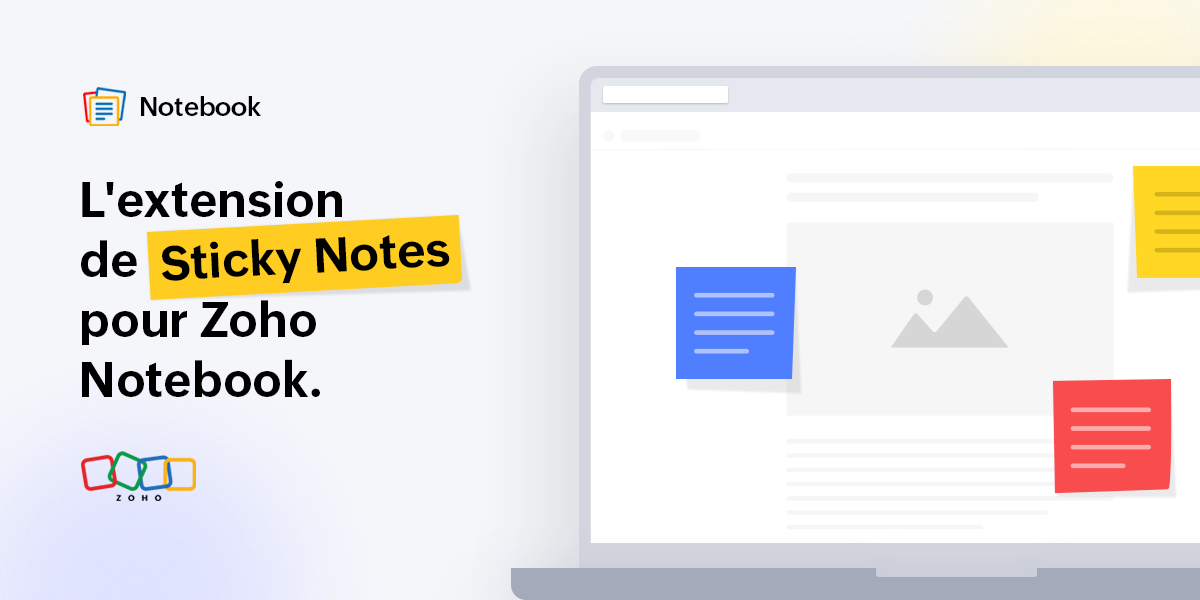
Nous sommes ravis de vous présenter l'extension Sticky Notes dans le cadre de notre Web Clipper conçu pour vos navigateurs Web préférés ! Elle vous permet de créer des notes sur n'importe quelle page que vous lisez en ligne, sans avoir à changer d'onglet, et de les sauvegarder dans l'application Notebook afin de pouvoir vous y référer plus tard.
Collez vos notes partout
Lisez-vous un article intéressant ? À tout moment, vous pouvez noter vos lignes ou réflexions préférées de l'article sur les Sticky Notes épinglées à la page. Ces notes ne seront pas supprimées même si vous fermez ou rechargez la page. Ainsi, lorsque vous ouvrirez à nouveau la page, vous verrez vos notes collées au même endroit et vous pourrez les consulter à nouveau.
Glisser-déposer en déplacement
Ajoutez des images d'une page web à vos notes en les faisant simplement glisser dans les notes. Cette fonctionnalité vous permet de gagner du temps et de faciliter votre travail. Vous pouvez également glisser-déposer du texte dans vos notes. Pratique, n'est-ce pas ?
Faites des captures d'écran et des remarques
Vous pouvez faire autant de captures d'écran que vous le souhaitez de l'article que vous lisez en un simple clic à partir des notes et faire des remarques rapides tout en utilisant plusieurs options : texte, formes, surligner, recadrer et bien plus encore. La capture d'écran est alors automatiquement ajoutée à la note correspondante.
Des astuces géniales pour les actions rapides
Ci-dessous, nous avons traité toutes les autres actions rapides qui vous permettront de vous amuser avec Sticky Notes :
- Accès à vos notes depuis n'importe quel appareil et prise de notes où que vous soyez. Tous vos stickies seront automatiquement synchronisés sur le cloud.
- Modifier les options de mise en forme du texte (gras, italique, souligné, barré) dans vos notes et créer des notes bien organisées.
- Supprimer la note si vous n'en avez plus besoin, ou supprimer la note de la page web (vous pouvez toujours y accéder dans l'application).
- Sélectionner le texte d'un article que vous lisez et cliquez sur l'icône Notebook, et votre texte surligné sera automatiquement ajouté à la note.
- Les options de réduction et d'agrandissement disponibles en haut à droite du sticky notes vous permettront de la redimensionner en toute simplicité.
Essayez l'extension Sticky Notes et n'hésitez pas à nous faire part de vos commentaires.
L'équipe Zoho France
Topic Participants
Kinjal Lodaya
Sticky Posts
Les Zoholics sont de retour !
Bonjour à tous, Nous avons (encore une fois) une bonne nouvelle à vous partager : nous allons enfin pouvoir nous rencontrer ! Et pas dans n'importe quel contexte, mais lors de notre conférence annuelle : les Zoholics ! Mais que sont les Zoholics me direz-vousNovembre : un résumé de ce qui s'est passé le mois dernier sur Community
Bonjour à tous, L'année 2021 arrive presque à sa fin, mais nous continuons à avoir de nombreuses actualités à vous partager. En voici un résumé ! Nous avons eu notre première session "Ask The Experts" sur notre nouvelle version Zoho One 2021 et vousAoût : Un résumé de ce qui s'est passé le mois dernier sur Community
Bonjour à tous, Et bonne rentrée ! Comme chaque mois voici un résumé de ce qui s'est passé sur Community et dans l'actualité de Zoho en général. La grande nouvelle de mois d'Août est l'arrivée de la fonction Canvas : le premier studio de conception pourJuillet : Un résumé de ce qui s'est passé le mois dernier sur Community
Bonjour à tous, Le premier mois de l'été se termine, et si certain profitent d'un repos bien mérité, sur Community on continue à en apprendre toujours plus sur nos produits Zoho. Notre série sur Zoho CRM se réinvente avec la découverte de notre fonctionCommunity Digest - Résumé de mai 2021
Bonjour à tous, Que s'est il passé en Mai sur notre page Community France ? En plus de nos articles Trucs et Astuces, vous avez été nombreux a réagir, nous poser des questions ou encore publier vos propres conseils ! Vos les différents sujets abordés
Recent Topics
Shared Mailbox - Mark as read for all users
Hi all, Maybe someone can help me out. At the moment we have a shared mailbox without streams. When a users reads an mail or marks it as read other users will not see this. How can we resolve this? We now archive the mails when read and followed up. HoweverCan I export to PDF in Zoho Learn
I have seen help pages where export to pdf options are available but I do not see that option available from the application. I see that exprt is available in my free trial version but that is only to html pages. I need to be able to export my manualsStaff rules
Hi! Do you people know what are the default staff rules when a new booking is created? We have two staff members in my team (me as the admin, and my employee). As we share the same services, I'm wondering how Zoho will pick the staff for new apointments.Add Image Upload Field to Zoho Bookings Registration Form
Hi, We would like to request the addition of an image upload field to the Zoho Bookings registration form. Currently, Zoho Bookings only supports text-based fields (e.g., Single Line, Multi-Line, Email, Checkbox, Dropdown, Radio Button, and Date), butMerge Tags Output Incorrect Placeholder Text After CRM Sync
Hi everyone, I’m experiencing an issue with merge tags in Zoho Campaigns after last sync of contacts and leads from Zoho CRM (days before everything worked perfectly). Here’s the situation (seems like a default configuration in Campaigns) : My leads haveWindows agent 2025_M02 release notes
Agent Version: 111.0.3.300 Release date: 24 February, 2025 Various Major enhancements to improve overall performance and optimize the user experience. Squashed a few bugs to improve overall product quality.Windows agent 2025_M01 release notes
Agent Version: 111.0.3.299 Release date: 05 February, 2025 Major Enhancement: Live Monitor feature compatibility released. Major Enhancement: Updated Scaling for multi technician cases with Android and Web based viewers. Various other bug fixes and performancehow to record deferred revenue?
Dear Zoho Team, We issue invoices relating to 12-month web hosting service. When we issue the invoice, we should record the entire amount of the invoice as DEFERRED REVENUE (ie. $10 x 12 mths = $120, balance sheet item). After the particular month of the hosting service, $10 of revenue has been earned and deferred revenue amount will be $110. We must keep adjusting the balance sheet and income statement over the course of the service until the company has fulfilled its obligation of services andNarrative 13: Importing your data
Behind the scenes of a successful ticketing system: BTS Series Narrative 13: Importing your data When importing data into an application, it is crucial to prevent data loss or duplication. These types of errors can hinder the development of a clean andBlueprint Not Triggering When Lead Status Is Updated by Workflow (IndiaMART Integration)
I have set up a blueprint that triggers when a lead’s status is “New Lead.” Our CRM is integrated with IndiaMART, and when leads are created from IndiaMART, their Lead Status is initially set to None. To handle this, I created a workflow that automaticallyUpdate Subform in specific field(Status) without affecting other fields in Zoho CRM using Deluge?
Scenario: PRODUCT Module(change name Plot) in any product status change From Available to Booked then on PROJECT Custom Module have Subform So, Subform name is Property Details now in that Subform 1 field is STATUS that update according to product statusYouTube Live #2: Agreement Intelligence with Zoho Sign's eSign AI assistant
Hi there, We're back again with our YouTube live series and this time, we'll take you through our holistic agreement intelligence powered signature workflows. Struggling to draft an agreement? Need help double-checking clauses and going through complicatedCan I Build a POS using ZOHO creator and integrate it with ZOHO Books?
Hello, I have a Zoho Books account and I was wondering if I can have a POS system that integrates with it. Primarily with Inventory, Customers and Payment and ofcourse Create invoices and credit notes. So, would Zoho creator provide me with this solution? Thank you,An important update for Zoho Cliq desktop users
The latest version of the Zoho Cliq desktop app (v1.8.0) will no longer be supported on macOS 10.15 Catalina and earlier versions. This is because the framework we use (Electron) no longer supports some older macOS versions. If you’re using macOS 10.15New Toolbar in Zoho Sheet
We have revamped our toolbar design in this new version of Zoho Sheet. Below are some screenshots to help you get accustomed to this new interface. Click on the picture below to view the animated image in its original size. Scroll down this post to learn about the changes. Highlight of Changes: The previous format tab is now split into 2 tabs - Home and Format. The Home tab contains the commonly used functions and the Format tab holds formatting related options. Under the Home tab towards the farZoho inbuilt Telephony made a lot of issues!
Hi there, I am a user that I am working with zoho inbuilt telephony around 1 month. Non of my colleagues are happy with this app! most of the time customer cannot hear my customer service team, customers say our voice is breaking. whenever Telephony supportSending workflow notifications using popular chat services
Hello everyone, We have introduced instant and scheduled notifications on some of the most popular chat platforms to facilitate easy collaboration, quick action, and wider reach. Workflow notifications can be sent to the following chat platforms: ZohoAdding Images to a Quote in Zoho CRM
We are currently preparing to use Quotes in Zoho CRM and we are building out our Quote templates. We came across an issue of not being to add Images of the products to the Quote - specifically in the body of the Quote templates. This is a problem,Applications built with Zoho Creator
Hi, I’m really interested in seeing how others have built their application using Zoho Creator, especially those designed for external users (clients, vendors, or the public). If you’ve developed something along those lines and don’t mind sharing, I’dIs it posssible to add Asap Widget on Wordpress?
I have tried to add the ASAP widget so users could iniciate chats and see the KB information but nothings seems to work. I have tried to add the script using a php snippet that adds the to the footers and also tried one for the header in the functioRequire ticket resolution
Hi Zoho team, Is there a way to require resolution even if an agent did not use a blueprint? for example, our blueprint has a "resolve" transition but what if agent revoked blueprint and manually set the status of ticket to closed? Is there a way whereTables from ZohoSheets remove images when updated from source
I have a few tables from a ZohoSheet in a ZohoWriter document that will remove the images in the cells when I refresh from the source. The source still has the images in the table when I go to refresh. After updating from the source, as you can see theAPI Pagination Error: 'from' Parameter Limit
Hello, I am encountering an error while paging through the Zoho Desk API results: Status code: 422 - {"errorCode":"UNPROCESSABLE_ENTITY","message":"The value passed for field 'from' exceeds the range of '0-4999'."} Is 5000 the maximum number of recordsHow to go to the next open ticket in the queue when agents closes ticket
Zoho Desk When agent closes a ticket - eg when they choose 'Send and Close" - where is the setting that automatically redirects them to the next open ticket in the queue?CRM verify details pop-up
Was there a UI change recently that involves the Verify Details pop-up when changing the Stage of a Deal to certain things? I can't for the life of me find a workflow or function, blueprint, validation rule, layout rule ect that would randomly make itCustom templates for calendar report
What about being able to design custom templates for the calendar report, as well as for other types of reports? I think more users are waiting for this.Disable payment thank-you emails
Hello, can someone please tell me how to disable sending of the "Payment Thank-You" emails?Maximum tags possible in Contacts Records
I read in some documentation that Zoho allows a total of 200 tags across all records. Is this correct? So is it not possible to have one tag per record for 500 records?Any way to "Pay with Check" or "Refund with Check" for Credit Notes?
When we have a Bill in Zoho Books, we can select the "Pay with Check" option which then allows us to print/cut the check directly out of Zoho Books. When we created a Credit Note and want to refund the customer, is there any way to Refund with Check,CRM Mobile reports
When our engineers finish a job they like to email the customer a job report. This is best done todate as an email template but we can find no way to include an image field from that module. Is there any other options?¿How to integrate Zoho Inventory to Zoho SalesIQ?
Is it possible to integrate Zoho Inventory with SalesIQ? I want to integrate it because I have a bot in Zoobot that uses a ChatGPT assistant. I need it to check the inventory of our items so it can determine whether or not our items are available.When Zoho Tables Beta will be open to EU data center
Hello all, We in EU are looking at you all using and testing and are getting jealous :) When we will be able to get into the beta also? We don't mind testing and playing with beta software. Thank you!Start Form on a different page (i.e., hide form pages)?
I have a Zoho form that uses the `Field Alias - Prefill URL` feature. My goal is to have a pre-filled field that directs the user to a specific starting page in the form. For example: The URL will have a field alias that will auto-populate a field withHow can we disable "My Requests"?
We are not using this functionality in our system at all and our users get confused.PayPal payment received recording problem
Hi, A little while back one of our customers used the PayPal payment option to pay an invoice For some reason though the payment is showing up twice within the Payments section of the invoice! Instead of setting the invoice value to ZERO, it now shows a negative value Anyone else face this problem? I've checked PayPal and there is only 1 payment in reality... A bug? Actonia ps: for anyone from Zoho Customer Service or tech team, its Invoice 785 in our accountserver response: 451.4.7.1
Good day. Some email clients of our domain receive an error about sending and receiving letters. while for the rest everything works fine. access to the mail made by pop protocol. Bless the mistakes: "server response: 451.4.7.1 System error".string(87) "{"code":"INVALID_TOKEN","details":{},"message":"invalid oauth token","status":"error"} " grtting this error
Using access token i am trying to add sales orders through api but it is throwing errors like the above i have mentioned. Please help me for thatHow to mute chat notification sound by default in Zoho SalesIQ?
We’ve recently embedded the Zoho SalesIQ chatbot on our website, and we’ve noticed that notification sounds sometimes play even when the visitor hasn’t interacted with the chat widget yet. We’re trying to understand two things: Why do these sounds occurKanban View for Projects.
At our organization, we describe active projects with various statuses like "In Proofing" or "Printing" or "Mailing". In the Projects view, one can set these project statuses by selecting from the appropriate drop-down. While this works, it's difficult to view and comprehend the progress of all of your projects relative to each other in a table. Creating a Kanban view for projects where I can move them from one status to another allows me to see where each project is in the order of our workflow.How to Hide Article Links in SalesIQ Answer Bot Responses
I have published an article in SalesIQ, and the Answer Bot is fetching the data and responding correctly. However, it is also displaying the article link, which I don’t want. How can I remove the link so that only the message is shown?Next Page