Marketplace Extension - Zoho Desk Android update
Hello, Everyone!
In the most recent Zoho Desk Android app update, we have extended the support for marketplace extensions in the following locations:
- Top Band (Navigation Drawer)
- Ticket Add/ Edit Form
- Ticket Sub Tab
- Ticket Details More Option
Top Band (Navigation Drawer):
These marketplace extensions can be accessed upon tapping the hamburger icon (three horizontal line) at the top left corner within the mobile app. The extensions will be listed at the bottom of the navigation drawer.

Ticket Form
You can now access the extensions while creating or editing a ticket within the Zoho Desk mobile app. To access these marketplace extensions, add/ edit a ticket and tap the ellipsis icon (three dots) at the top right corner.

Ticket Sub Tab
To access the extensions under the sub tab, please follow the steps mentioned below:
- Open a ticket on the Zoho Desk mobile app.
- Tap the double down arrow(activities) icon within the ticket details screen.
- Scroll down to access the marketplace extensions.

Ticket Details More Option
The extensions under the more option can be accessed by opening a ticket and tapping the ellipsis icon (three dots).
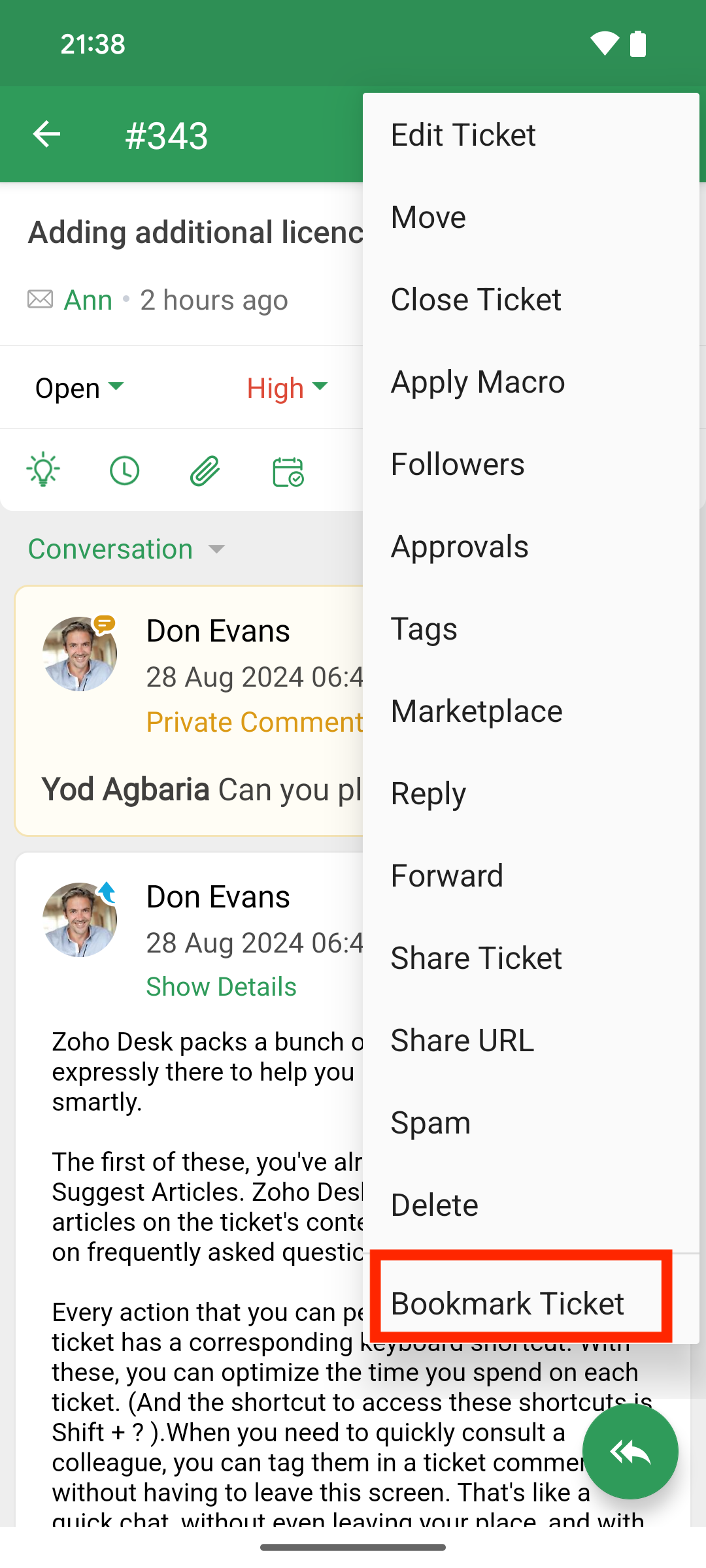
The extensions under the more option can be accessed by opening a ticket and tapping the ellipsis icon (three dots).
Do tryout the feature and write to us at desk@zohomobile.com or submit feedback (Open the Zoho Desk app > go on to settings > select 'Feedback') anytime you need any assistance and we'll be happy to assist you.
Have a great day!
Regards,
Sneha
Sneha