Remember all the ways we've posted?

Remember all the ways we've posted?

The world celebrates World Postal Day in 2025 with the theme “#PostForPeople: Local Service. Global Reach". The story of the “post” is a story of human connection itself, evolving from simple handwritten notes carried over long distances to instant digital messages that span continents in seconds. The earliest forms of postal service happened through couriers on horseback or carrier pigeons. Over time, letters became the most cherished medium. A handwritten note or a postcard delivered by a postman carried not just information but emotions that left deep, lasting impressions.
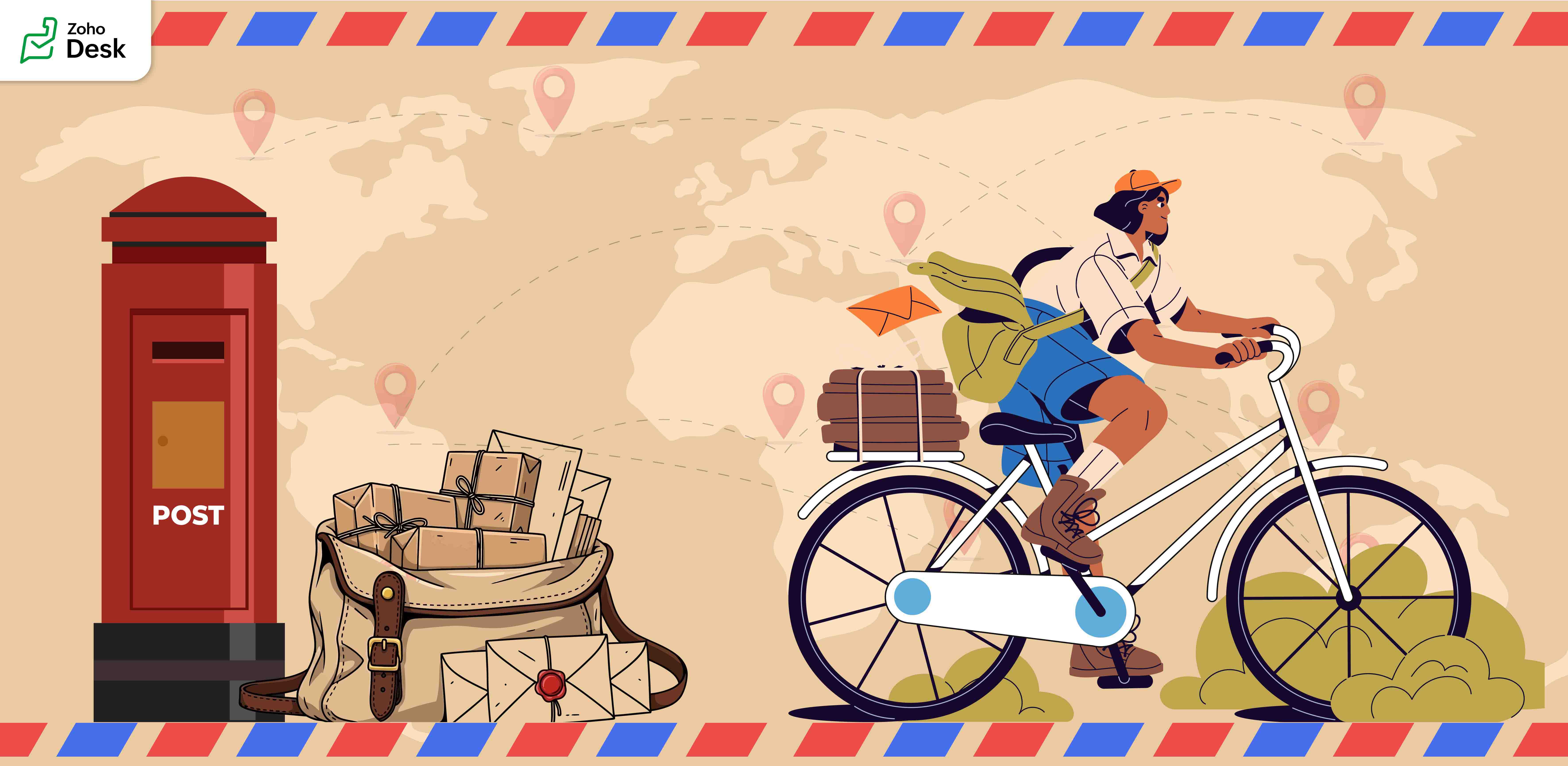
Before telephones arrived, people relied on letters to share stories and maintain relationships. Waiting days to receive a reply made conversations slow, thoughtful, and beautifully meaningful. As technology advanced, telegrams shortened the waiting period, and soon telephones brought voices closer. Then, emails transformed communication by offering a fast, reliable way to connect with friends or business partners.
Today, the very idea of a “post” has taken on new meanings. We no longer only “post” letters. We post on Facebook, LinkedIn, community forums, and personal messaging apps. A post means sharing knowledge, raising awareness, asking for help, and staying connected with people worldwide.

Parallels with Zoho Desk's journey

This journey from handwritten notes to digital posts mirrors the story of Zoho Desk. From a humble beginning in the rural town of Tenkasi, Zoho Desk is built to serve the world. What started locally is now a global platform that helps businesses connect with their customers in meaningful ways. In every support conversation, every ticket resolved, and every interaction logged, we see the same purpose that powers the postal system, the purpose to connect, communicate, and create impact.
Just as letters made deep and lasting impressions on the recipients, every interaction through Zoho Desk has the power to leave a mark. A ticket update, an email reply, a phone call, or a follow-up task; each carries meaning and builds trust. These are not just transactions; they are conversations that shape relationships. Like the handwritten letters of the past, they show care, understanding, and intent.
Our Community Forum inside Zoho Desk is a digital equivalent of a town square or a community postbox. It is the place to brainstorm ideas, ask questions, discuss solutions, and make connections. Every post in this forum is meant to help each other and share experiences. Like letters, postcards, and telegrams, Zoho Desk plays a role in shaping human connections.
Here are some features that embody the spirit of posting and connecting:
  1. Comments added to tickets are like little messages that help teams collaborate seamlessly.
  2. Ticket tags function like stamps on envelopes, making it easy to identify and retrieve related issues.
  3. Much like a letter that could bring joy to a friend, every email response, chat message, and resolved ticket has the potential to reassure, guide, and strengthen connections with customers.
On this World Postal Day, we celebrate the journey of postal services as well as reflect on how posting has evolved into something much bigger, a way of creating and sustaining relationships, both personal and professional. At Zoho Desk, we carry this spirit by enabling our customers to “post” effectively, meaningfully, and with care.
"Thank you for being part of the Zoho Desk family. Every conversation you create, every ticket resolved, and every post you share contributes to a larger story of connection and trust. Just as letters leave lasting imprints in the hearts of loved ones, we hope Zoho Desk helps you create meaningful connections with your customers, connections that endure, inspire, and grow."
Like this post from our Zoho Desk to yours, we look forward to posts from you.
Happy Posting!
Regards,
Lydia | Zoho Desk 

    • Sticky Posts

    • Register for Zoho Desk Beta Community

      With the start of the year, we have decided to take a small step in making the life of our customers a little easier. We now have easy access to all our upcoming features and a faster way to request for beta access. We open betas for some of our features
    • Share your Zoho Desk story with us!

      Tell us how you use Zoho Desk for your business and inspire others with your story. Be it a simple workflow rule that helps you navigate complex processes or a macro that saves your team a lot of time; share it here and help the community learn and grow with shared knowledge. 
    • Tip #1: Learn to pick the right channels

      Mail, live chat, telephony, social media, web forms—there are so many support channels out there. Trying to pick the right channels to offer your customers can get pretty confusing. Emails are most useful when the customer wants to put things on record. However, escalated or complicated issues should not be resolved over email because it's slow and impersonal.  When you need immediate responses, live chat is more suitable. It's also quick and convenient, so it's the go-to channel for small issues. 
    • Welcome to Zoho Desk Community - Say hello here!

      Hello everyone! Though we have been here for a while, it’s time to formally establish the Zoho Desk Community; we’re really happy to have you all here! This can be the place where you take a moment to introduce yourself to the rest of the community. We’d love to hear all about you, what you do, what company or industry you work for, how you use Zoho Desk and anything else that you will like to share! Here’s a little about me. I am Chinmayee. I have been associated with Zoho since 2014. I joined here
    • Webinar 1: Blueprint for Customer Service

      With the launch of a host of new features in Zoho Desk, we thought it’ll be great to have a few webinars to help our customers make the most of them. We’re starting off with our most talked about feature, Blueprint in Zoho Desk. You can register for the Blueprint webinar here: The webinar will be delivered by our in-house product experts. This is a good opportunity to ask questions to our experts and understand how Blueprint can help you automate your service processes. We look forward to seeing
    • Recent Topics

    • Zoho CRM Integration Form + Custom Fields

      Hi! I've created an Integration Form from Zoho CRM's Vendors Module, but I can choose a few standard fields and no custom fields I've created in Zoho CRM. There is a plan to add this feature soon? Thanks in advance.
    • [URGENT] Cannot access Functions tab in CRM

      Navigating to /settings/functions/myFunctions gives this error message: "Sorry, something went wrong. Please try again later." I raised this issue with Zoho Support on Monday (3 days ago) but have not heard back. I'm sure it's clear how important it is
    • Important changes to note for Zoho Sign users in Saudi Arabia

      Dear Zoho Sign users, If your Zoho Sign account is hosted in our Saudi Arabia data centre, here's an important update on digital signature certificates in the Kingdom of Saudi Arabia. What's changing Going forward, the "Sign via Zoho Sign" option will
    • Cloning a View

      When I clone a View, it doesn't make a copy; it only creates a new copy with the same default fields as if I were creating a new view. What is the purpose of cloning if it doesn't bring in the same fields? Thanks Rudy
    • Zoho Desk MCP doesn't expose all functions

      Hello, I'd like to be able to draft (rather than send) ticket replies using Claude Cowork. However, the Zoho Desk MCP doesn't currently offer that, despite it being available in the API (https://desk.zoho.com/DeskAPIDocument#Threads#Threads_DraftEmailReply).
    • Number of Reopn

      Hi Zoho, Is there any appropriate API call for This URL "http://support.zoho.com/api/v1/dashboards/reopenedTickets?...." what I thought is the resulting output of this call has data for number of reopen... "https://desk.zoho.com/api/v1/tickets/" + Ticket_ID
    • Can I use merge tags with a conditional clause?

      Similar to Mailchimp's "IF / ELSE / ENDIF" functionality, I want to be able to display a sentence with a personalised field only if that merge tag is not empty for the given record. Is this possible on Zoho Campaigns? See http://kb.mailchimp.com/article/how-do-conditional-smart-merge-tags-work for how it works on Mailchimp. Thanks Phil
    • Question - why no way to input a 'tool description' and 'tree of 'tools'

      Every business is different, with different business processes. To be truly useful Zoho MCP needs to have user editable tool descriptions (or ruleset) and a 'tool tree' so that the LLM is context aware when being used. For example, the tool description
    • Personalize your booking pages with Custom CSS

      Greetings from the Zoho Bookings team! We’re introducing Custom CSS for Zoho Bookings, designed to give you complete control over the look and feel of your booking pages. With this new feature, you can upload your own CSS file to customize colors, fonts,
    • CRM API v9?

      v8 has been around for a while. any plans / estimates for v9?
    • Associate records via the Multi-select lookup RELATED LIST via API

      In the REST API, is there a way to associate records for a multi-select lookup related list other than via the linking module? There are two methods for the lookup: 1. via insert records API 2. via the linking module ...as described in https://help.zoho.com/portal/en/community/topic/kaizen-125-manipulating-multi-select-lookup-fields-mxn-using-zoho-crm-apis
    • Calendar report with order options and more quick view templates

      I think many of us regularly work with calendar-style reports. It would be great to be able to customize the quick view with new templates and have options to sort the entries for each day of the calendar by different criteria. I think this is an interesting
    • Kaizen #125 Manipulating Multi-Select Lookup fields (MxN) using Zoho CRM APIs

      Hello everyone! Welcome back to another week of Kaizen. In last week's post in the Kaizen series, we discussed how subforms work in Zoho CRM and how to manipulate subform data using Zoho CRM APIs. In this post, we will discuss how to manipulate a multi-select
    • Ability to run report over 180 days

      Is there a reason Zoho limits the ability to run reports for records older than 180 days? In my view, the only reason I can think of is that it forces us to pay for Advanced Analytics (which I do).
    • Writer is horrible

      Form filling is about unusable for complex forms! I am so tired of it. GET IT TOGETHER ZOHO.
    • Zoho Books and TRAINING SALES receipt label for eTims?

      Hi, Can Zoho Books implement TRAINING SALES receipts and push them to eTims for test? In other words how can we send to Zoho or even create in Zoho training mode invoices and TEST the workflow POS>Zoho Books>eTims and back without actually registering
    • Canvas Detail View Related List Sorting

      Hello, I am having an issue finding a way to sort a related list within a canvas detail view. I have sorted the related list on the page layout associated with the canvas view, but that does not transfer to the canvas view. What am I missing?
    • Workflow Assistance in Zoho CRM

      Our client's sales team visits customers on-site and currently fills a physical paper form to capture customer details, and then separately re-enters the same data into Zoho CRM via the mobile app — resulting in double data entry. We want the salesperson
    • How do I post a new question in Zoho Community forums?

      Hi everyone, I’m new to the Zoho Community and I’m trying to figure out how to properly create and publish a new topic in the forum. When I visit the community page, I can’t clearly find the option like “Add Topic” or “Post Question.” Could someone guide
    • Zoho CRM Kiosk question – Passing Screen Fields to a Function

      I am building a Kiosk in Zoho CRM to create new Supplier (Vendors) records. Current setup: Screen 1 contains user input fields: Supplier Name (Vendor_Name) First Name (First_Name) I created a Deluge function: createSupplier(vendor_name, first_name) The
    • Any Zoho Books users in the Kenyan Hospitality industry? How to set service items for eTims?

      Hello, We are opening a coffee shop in Kenya and would like to know if there are any Zoho books users in hospitality service industry in Kenya? We would love to know: 1. how do you cope with the absence of the mandatory Tourism Levy 2% tax option? 2.
    • Cloning Item With Images Or The Option With Images

      Hello, when I clone an item, I expect the images to carry over to the cloned item, however this is not the case in Inventory. Please make it possible for the images to get cloned or at least can we get a pop up asking if we want to clone the images as
    • Zoho Books | Product updates | May 2026

      Hello users, We're back with the latest updates and enhancements we've rolled out in Zoho Books. From sales tax automation to scanning receipts for free, explore the updates designed to upgrade your bookkeeping experience. Sales Tax Automation [US & Canada
    • Blueprint Not Triggering When Lead Status Is Updated by Workflow (IndiaMART Integration)

      I have set up a blueprint that triggers when a lead’s status is “New Lead.” Our CRM is integrated with IndiaMART, and when leads are created from IndiaMART, their Lead Status is initially set to None. To handle this, I created a workflow that automatically
    • Zoho Books | Product updates | June 2026

      Hello users, Welcome to this month's roundup of what's new in Zoho Books! We have an exciting line-up this time. The highlight is the launch of the all-new France Edition with full ISCA compliance. We're also introducing features such as Layout Rules
    • [Product Update] Locations module migration in Zoho Books integration with Zoho Analytics

      Dear Customers, As Zoho Books are starting to support an advance version of the Branches/Warehouses module called the Locations module, users who choose to migrate to the Locations module in Zoho Books will also be migrated in Zoho Analytics-Zoho Books
    • Does Zoho Learn integrate with Zoho Connect,People,Workdrive,Project,Desk?

      Can we propose Zoho LEarn as a centralised Knowledge Portal tool that can get synched with the other Zoho products and serve as a central Knowledge repository?
    • Request to Update Billing Information and Payment Method

      Hello, I’m using Zoho and I would like to update the billing information and change the payment card to our company card. Could you please let me know how I can do this? Thank you in advance for your help.
    • Zoho Analytics "Esc" key problem

      I frequently use the Escape (Esc) key while building dashboards, reports, and writing SQL queries. Since the recent updates to Zoho Analytics, the Esc key no longer behaves as expected. When writing SQL queries, pressing Esc to dismiss a suggestion now
    • Zoho Analytics Filter Bug

      I encountered a bug where typing the letter "A" in the drop-down filter of a table or query table causes the drop-down to close unexpectedly. For example, when typing "Today", the drop-down list closes as soon as "a" is entered. I tested this on another
    • Using Email Triggers on Zoho Flow

      Hello, I'm sending the email to create the variables as this article says: https://help.zoho.com/portal/en/kb/flow/user-guide/create-a-flow/articles/email-trigger#How_email_trigger_works But the collection of the variables only seems to work when the
    • How to customize the "Placeholder Text" separately from the "Field Label" on the Booking Form?

      Hi, I am currently customizing the Booking Form for one of my Workspaces in Zoho Bookings, and I need some help adjusting a custom text field. Right now, when I create a custom text field, the gray "placeholder text" inside the text box automatically
    • What's New in Zoho Inventory | April & May 2026

      Hello users, We're excited to roll out the latest Zoho Inventory updates for April and May 2026. These enhancements are designed to make your daily operations smoother and more efficient, from advanced inventory management and flexible pricing to automated
    • Introducing Spotlight Forms

      Hey form builders! If someone opens your form, sees the wall of fields ahead, and quietly closes the tab. It may not be because the questions were hard. It could be because the experience felt like too much. Which is why we have now introduced a new form
    • Related products & AI product recommendations through commerce API.

      Hello Zoho team I’m looking to add related products and AI product recommendations to my Zoho Commerce webshop with custom storefront. Is this supported through the API? And if not, is this on your roadmap? Thanks in advance David
    • Why don't Zia agents support file uploads?

      I am trying to build a Zia Agent that allows uploading of a PDF file and uses the GLM5 model to process it and extract information. But agents.zoho.com has no way to enable file uploads on the agent. Additionally, GLM5 based agents keep outputting their
    • Pasting Images in Zoho Desk ignores cursor location

      My team has reported an issue which started recently where when we paste an image into a new or existing reply or comment, the pasted image seems to ignore the current cursor location instead paste itself at the last character present in the reply/comment,
    • 'Pinned' notes feature of a pipeline record

      Hi team, Could you please implement a feature which will allow users to pin different notes so that they will appear at the very top of the notes tab in a pipeline record. Sometimes we have a wide range of notes on a record which means more important
    • How do I get my cell height to auto adjust?

      I'm evaluating Zoho Sheet as a replacement for Google Spreadsheet. Using latest version of Safari, and experiencing the same issues in Chrome. A few bugs/things I can't figure out: Auto adjusting cell height when importing from Google Docs or creating a new document Turning off the auto date formatting for X.Y.Z where they are all integers.. (This is extremely important, as our requirements are written as outlines.. "X.Y.Z" corresponds to a requirement ID.. which is then turning into a date) The
    • Announcing new features in Trident for Mac (1.37.0)

      Hello everyone! We’re excited to introduce the latest updates to Trident, which are designed to take workplace communication to the next level. Let’s dive into the details. Import EML archives directly into Trident. You can now import EML archives into
    • Next Page