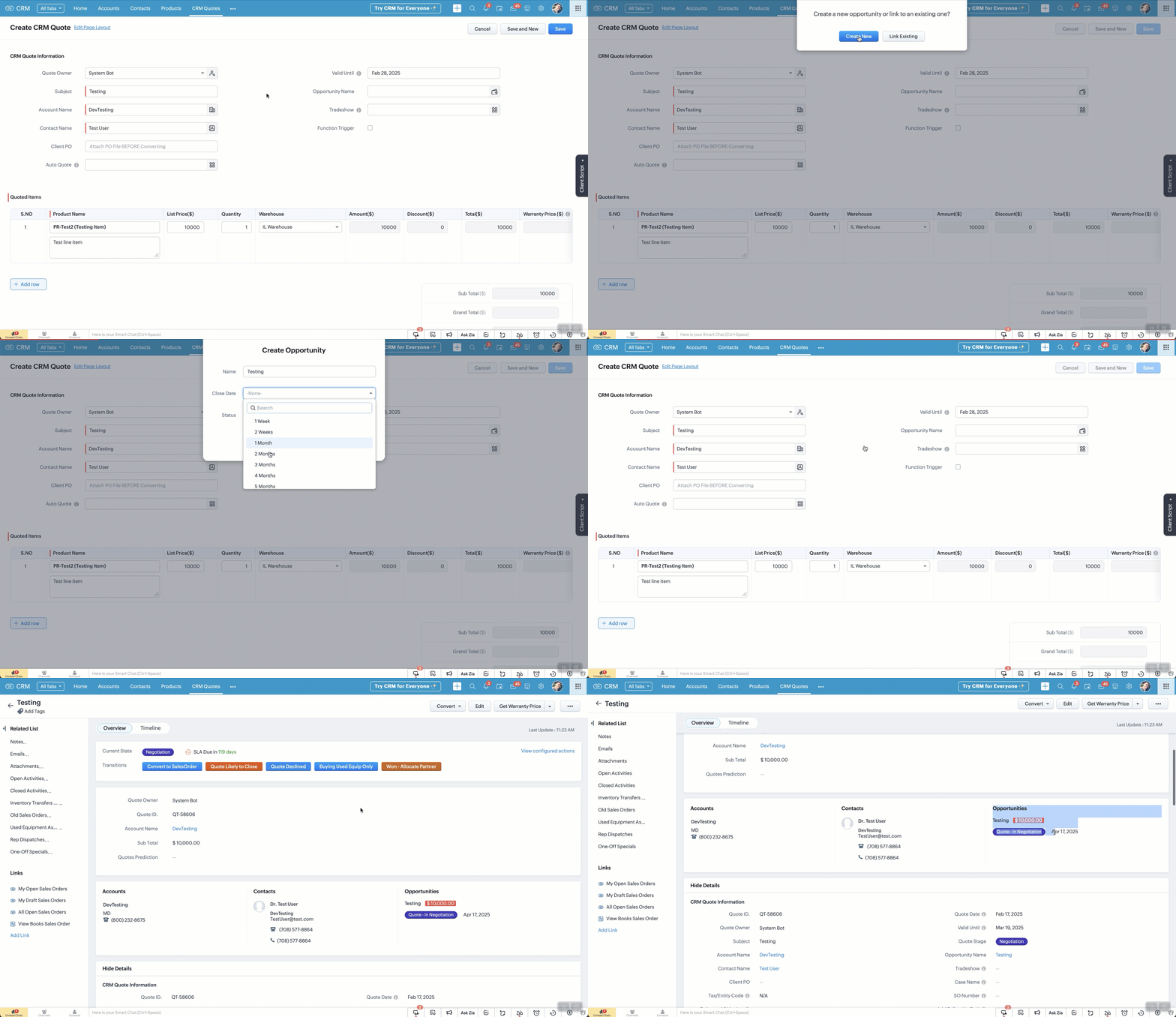
User Tips: Auto-Create Opportunity/Deal upon Quote Save (PART 1)
Problem:
We use quotes which convert to sales orders but Users / Sales Reps do not create opportunities / deals and go straight to creating a quote. This leads to poor reporting. Implementing this solution improves reporting and makes it easier for users.
Summary Solution:
If a quote is created / edited. OnSave a client script checks to see if a deal is linked. If NOT (and it's over $x) then the user is prompted to Create One (via popup) or Link an Existing One. They can't save the quote until this is done.
Prompt options:
- If Create One is selected, the user selects options clicks save
- If Link One is selected, the user is directed to links an existing deal from the lookup field (manually).
Steps involved.
- Create a Client Script for "Edit Page", "Create Page" and paste in the code below.
- Change your API names as needed and click save.
Pro's of this method
- Opportunities / Deals get auto-created
- Allows for more accurate reporting
Con's of this method
- It won't help training your reps to create deals before a quote is needed!
- If you're not familiar with Client Script, you'll likely struggle
FAQ:
- When the quote is marked as won...
- When a quote subtotal is updated...
- When you have multiple quotes...
- When a note is added to the quote... will it update the deal?
- No to all of the above BUT you can implement a workflow to achieve this (see PART 2, coming soon)
- What will PART 2 of the solution do?
- If a quote is marked as won, the deal will update
- If quote subtotal is updated, the deal amount will update
- If multiple quotes are linked, the quote with highest amount will be used
- If a quote note is added, it gets auto-added to the deal
- If a quote is marked as Declined the deal is updated, unless it has other active quotes, then it does not change the deal stage
- Does it assign the correct Account, Contact and Owner?
- Yes. It takes the details from the Quote
- Does this solve every scenario?
- Absolutely not!!
- I don't know Client Script, can I still implement this?
- Yes, however it will likely come with some frustration but it's worth it!
- Do I need multiple scripts for each action (create, edit, clone?)
- Ideally you would have a static resource that you call just once... if you don't know what that is, then it's easier to create one script for each.
Steps for Creating Quote (repeat for edit or clone):
- Go to Settings > Client Script
- Click "New Script" and add name, description.
- Category: Module.
- Page: Create Page (Standard)
- Module: Quotes
- Layout: whichever is relevant to you
- Event Details:
- Type: Page Event
- Event: onSave
- Click "Next" and paste in code below (see auto-create-deal.txt)
- Note: Please verify all your API names match up.