What's New in Zoho Billing | Q3 2025

What's New in Zoho Billing | Q3 2025

Hello everyone, 

We are excited to share the latest set of updates and enhancements made to Zoho Billing in Q3 2025. From the latest GST updates to multi-level discounting, Zia-powered report summaries, and customizable web forms, these updates are designed to make your billing operations faster and more intuitive.

If you missed the previous updates, you can check out What's New in Zoho Billing Q2 2025.

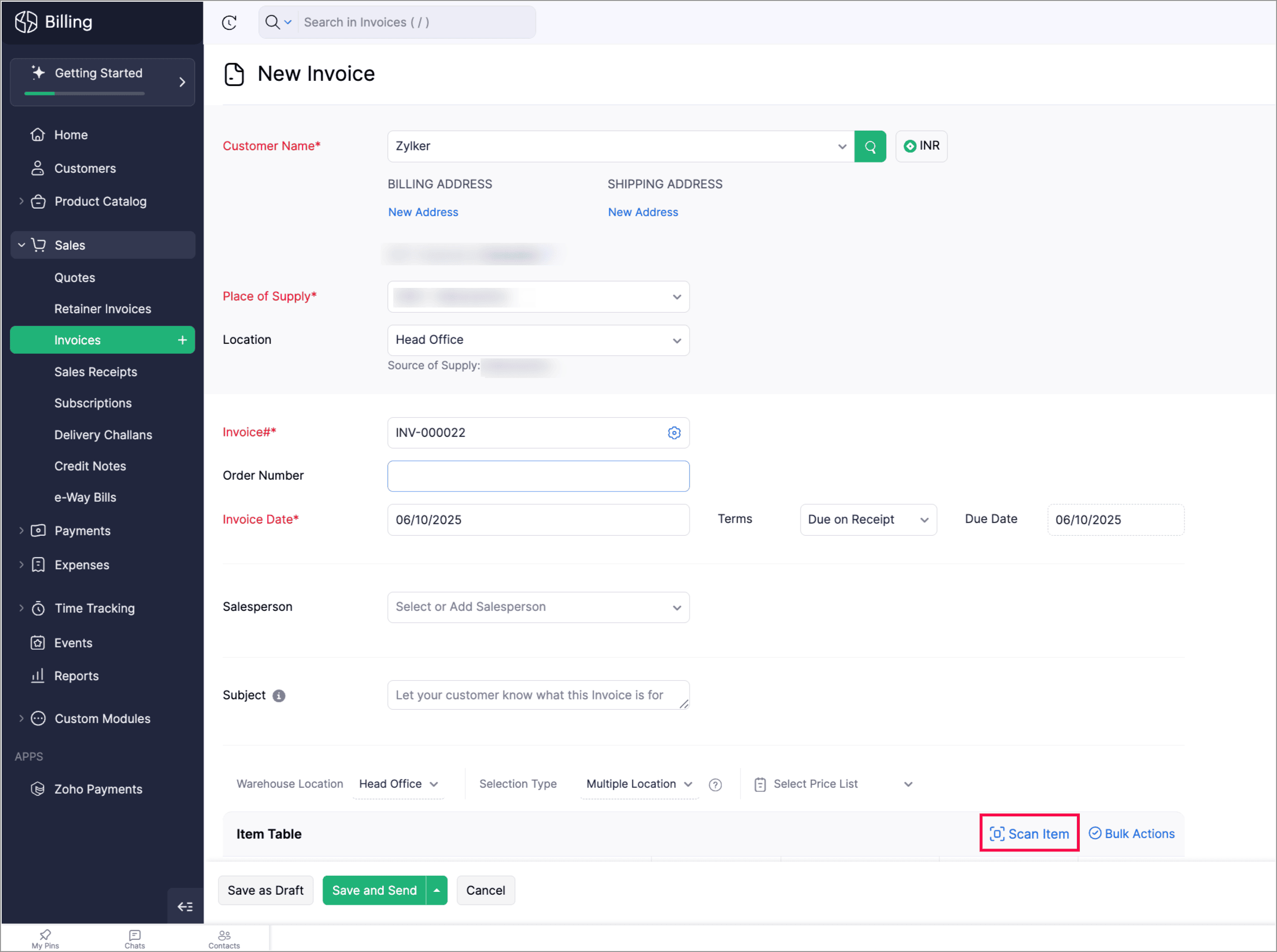
Scan To Add Items in Invoices

Zoho Billing now supports the Scan Items option in invoices, allowing you to quickly scan and add them to invoices. You can also scan an item multiple times to increase its quantity in the existing line item.

You can find it in: Sales > Invoices > Edit or create an invoice > Scan items. 


Apply Multi-Level Discount to Transactions

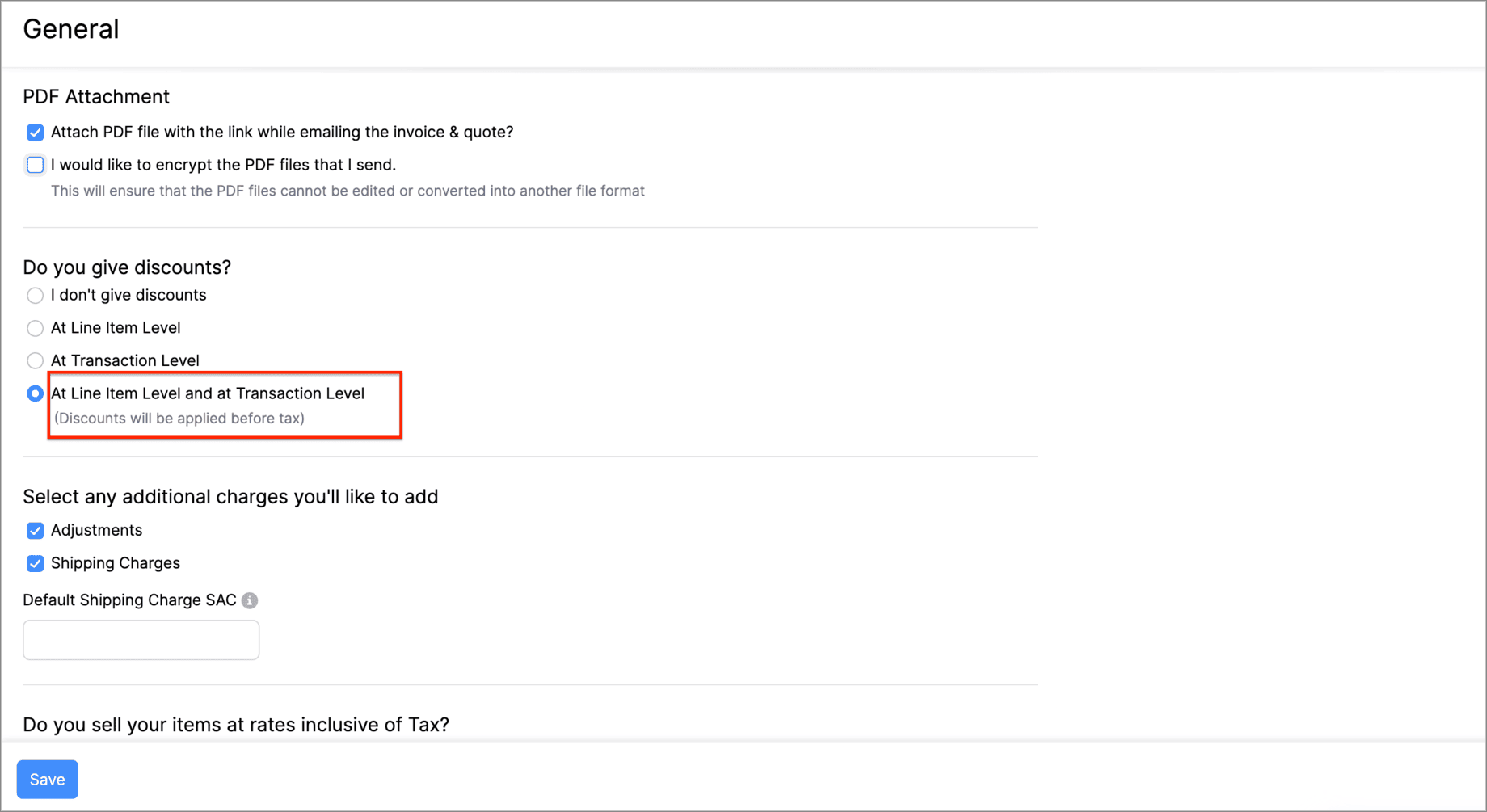
You can now apply discounts at both the line-item level and the transaction-level simultaneously. This means that you can offer specific discounts on individual items or services while also applying an overall discount to the entire transaction. 

Let's say you run a weekend sale and would like to provide a 10% discount for some items and offer a 5% transaction level discount as a part of your weekend sale. You can do this using the Multi-Level Discount option.

Go to Settings > General > Do you give discounts? > At Line Item Level and at Transaction level.


Gold Movements is Now Supported in e-Way Bills [India Edition]

You can now generate e-way bills for gold intra-state movements in Zoho Billing.  

Set the threshold value for generating e-way bills when transporting gold items within the same state. You can then start creating e-way bills for gold movements from the e-Way Bills module under Sales on the left side bar.
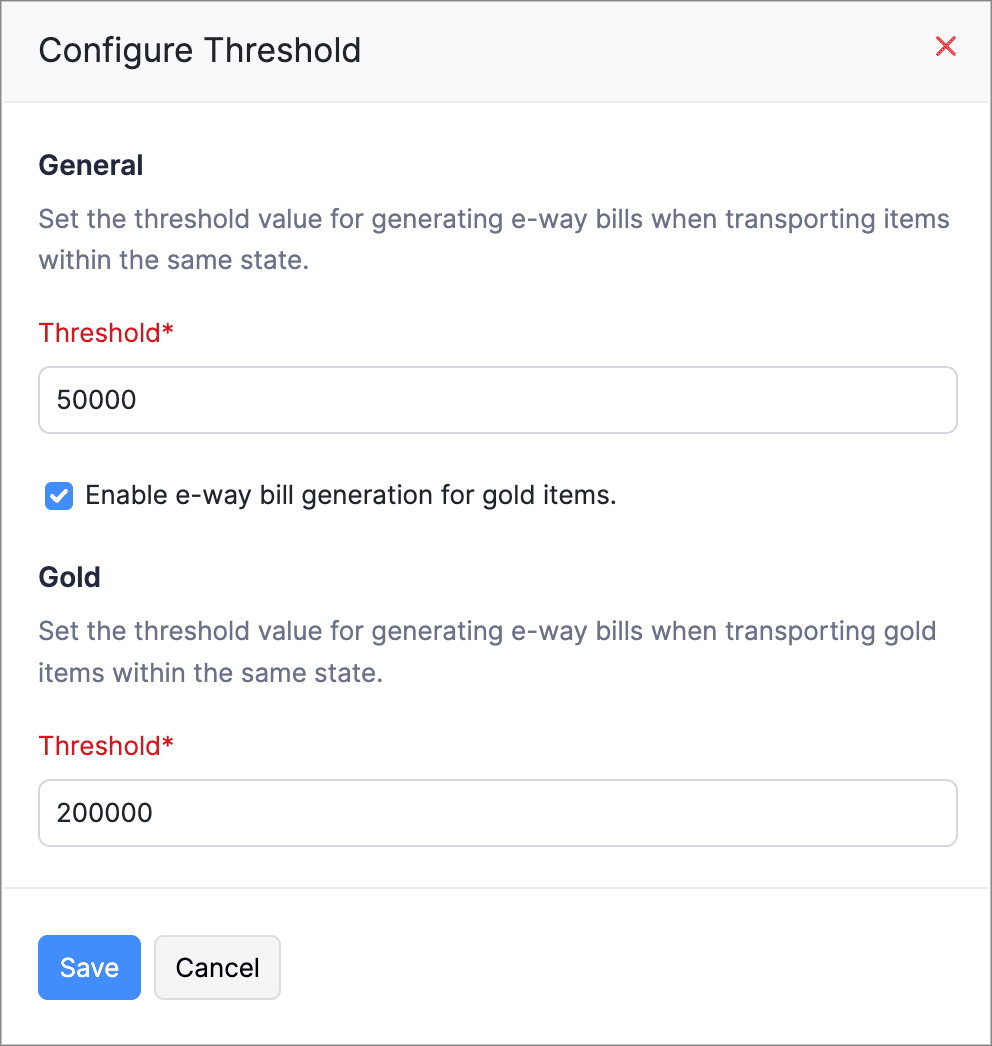
Here's how you can configure the threshold: Go to Settings > e-Way Bills > GSTIN which is connected to the e-Way Bill portal > Configure Threshold.


Access Widgets in Your Preferred Language

We’ve enhanced language customization to help you have a localized experience when accessing widgets.

You can define key–value pairs in language-specific JSON files (for example, en.json, ta.json, etc.) and display the widget content based on your organization’s language.
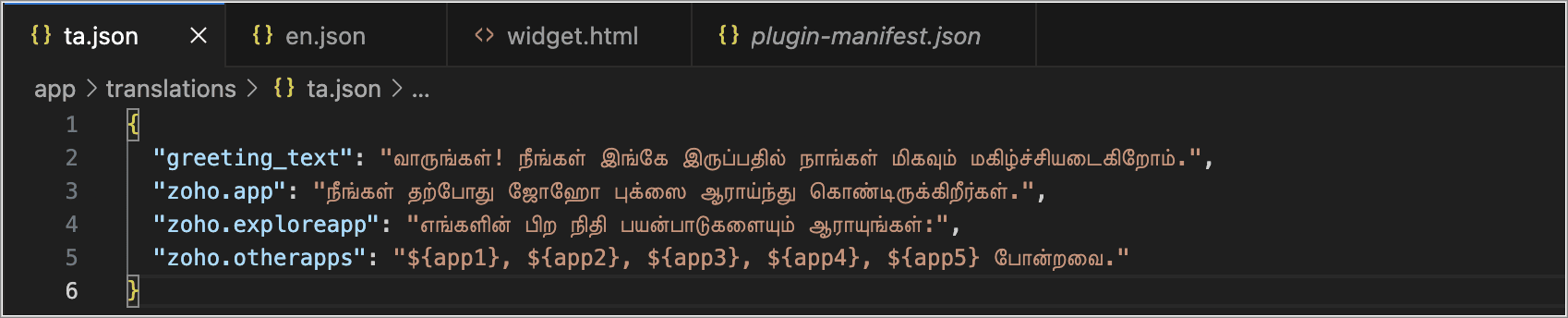
Create language-specific JSON files with key–value pairs and upload them into your widget when you access the widget, and the content in your widgets will automatically appear in that language.


Postpone Subscriptions' Billing Date

You can now change the Next Billing Date of subscriptions. When you change, it you can view the charges for the extended period and choose how you would like to handle the charges.

You can:

  • Choose to charge for the extension; a prorated child invoice will be generated based on the length of the extension.

  • Or, you can choose only to change the billing date. This will add the prorated amount to the invoice generated on the next billing date.
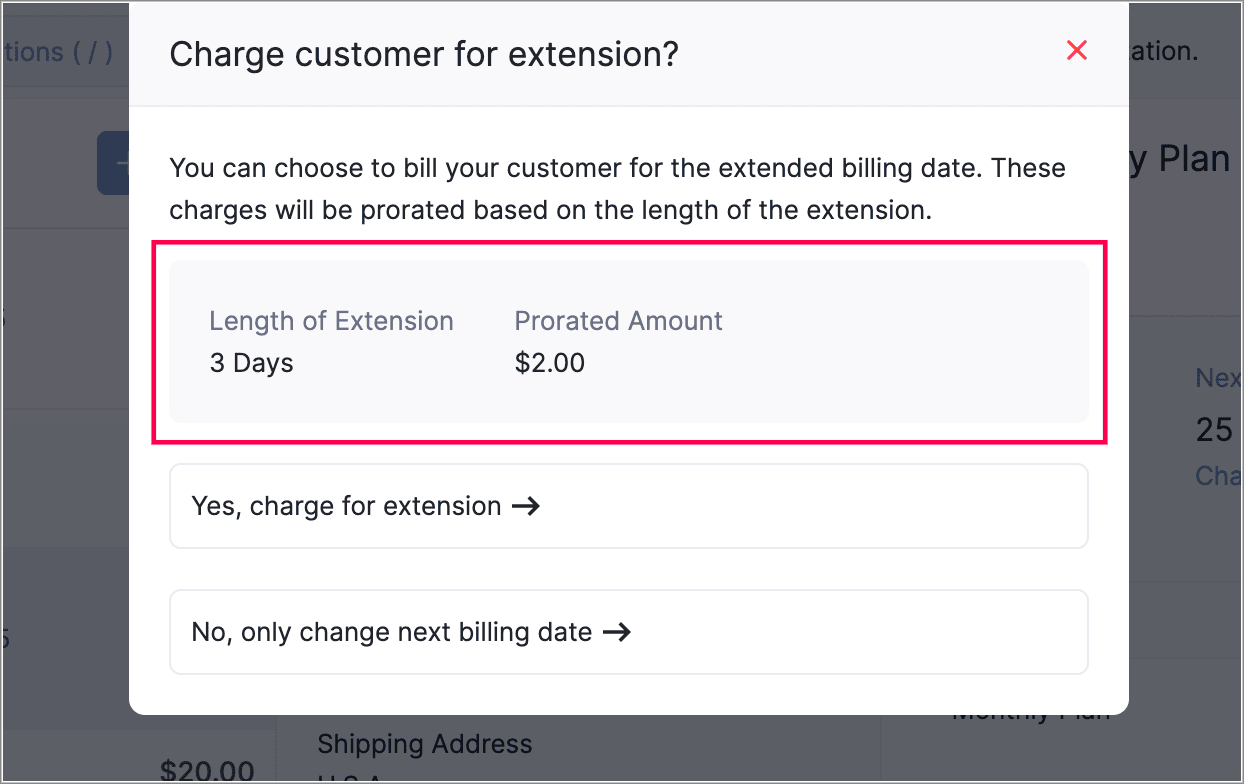
This gives you more flexibility in managing billing dates. You can also view the prorated amount for the adjusted days before charging your customers.


View Proration Break-Up in Subscription Summary
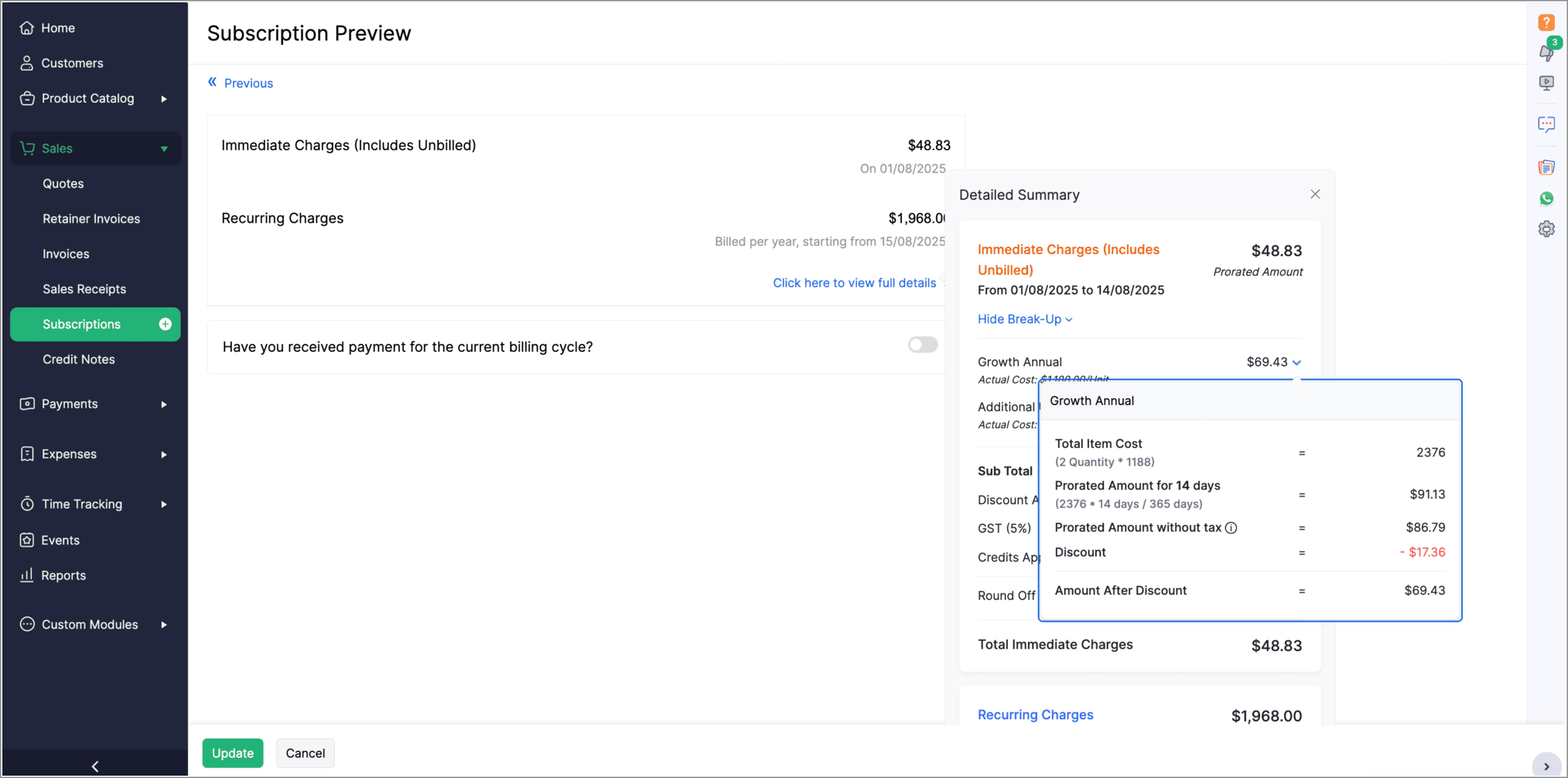
The Subscription Preview page has been enhanced to give a clearer view of prorated charges for plans and addons. The summary section now shows the detailed proration break-up for each plan and addon. To see this, go to the view full details in the Subscription Preview page.


Introducing PayNow Payment Method

We now support PayNow as a payment method via Stripe integration. PayNow is a Singapore-based payment option that lets your customers pay in SGD by scanning a QR code through supported banks and non-bank financial institutions.

Note: This payment method is not supported in the India edition of Zoho Billing.

Generate AI Summaries with Zia Insights

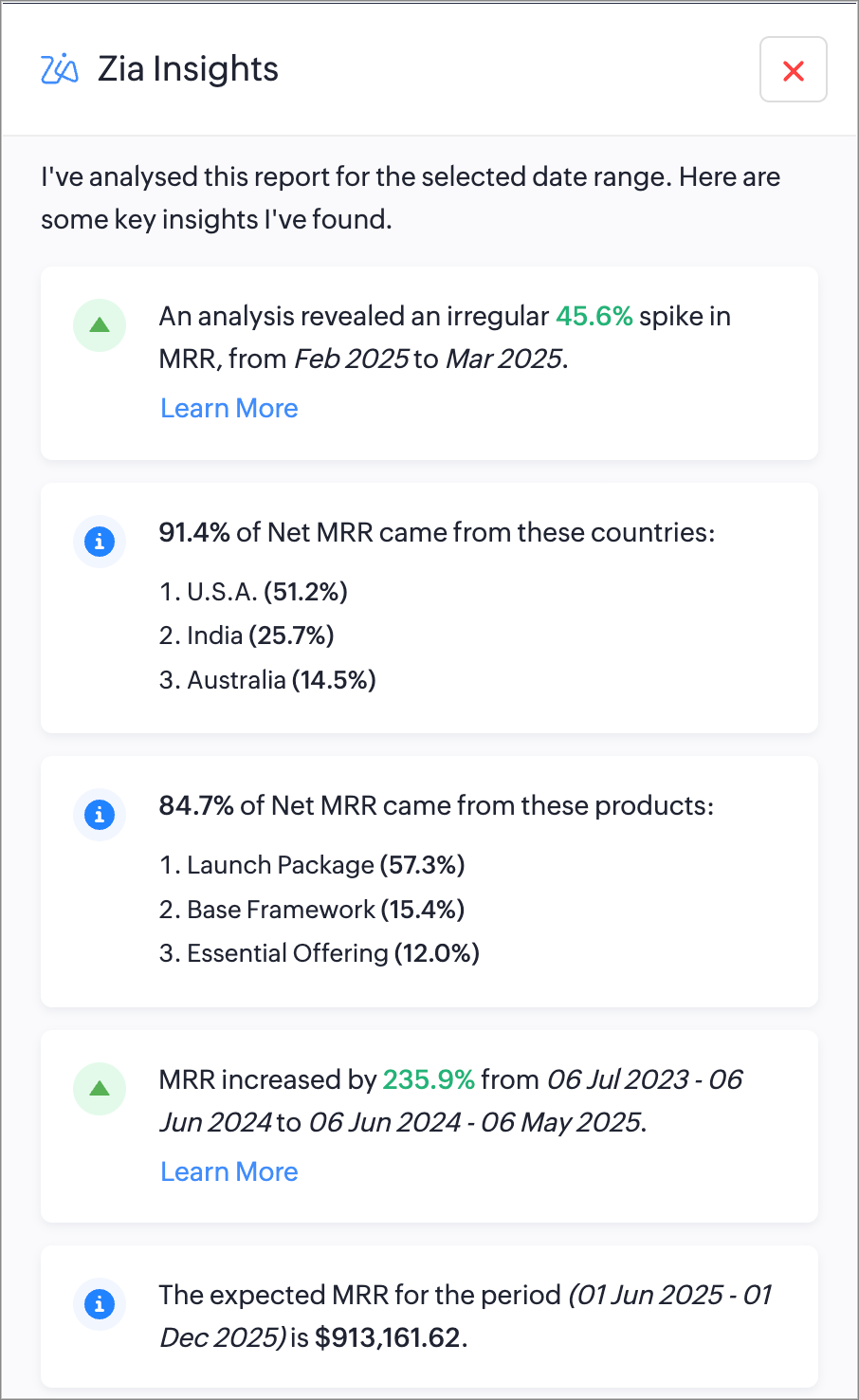
You can now use Zia Insights to generate AI-powered summaries, detect anomalies, spot top contributors, compare performance over time, and forecast trends within reports. Zia Insights can identify any unusual spike or dip in your reports, highlight the possible cause, give region-specific analysis, and can also predict future trends based on your organzation's records. Learn More

Increase API Limits From the API Dashboard

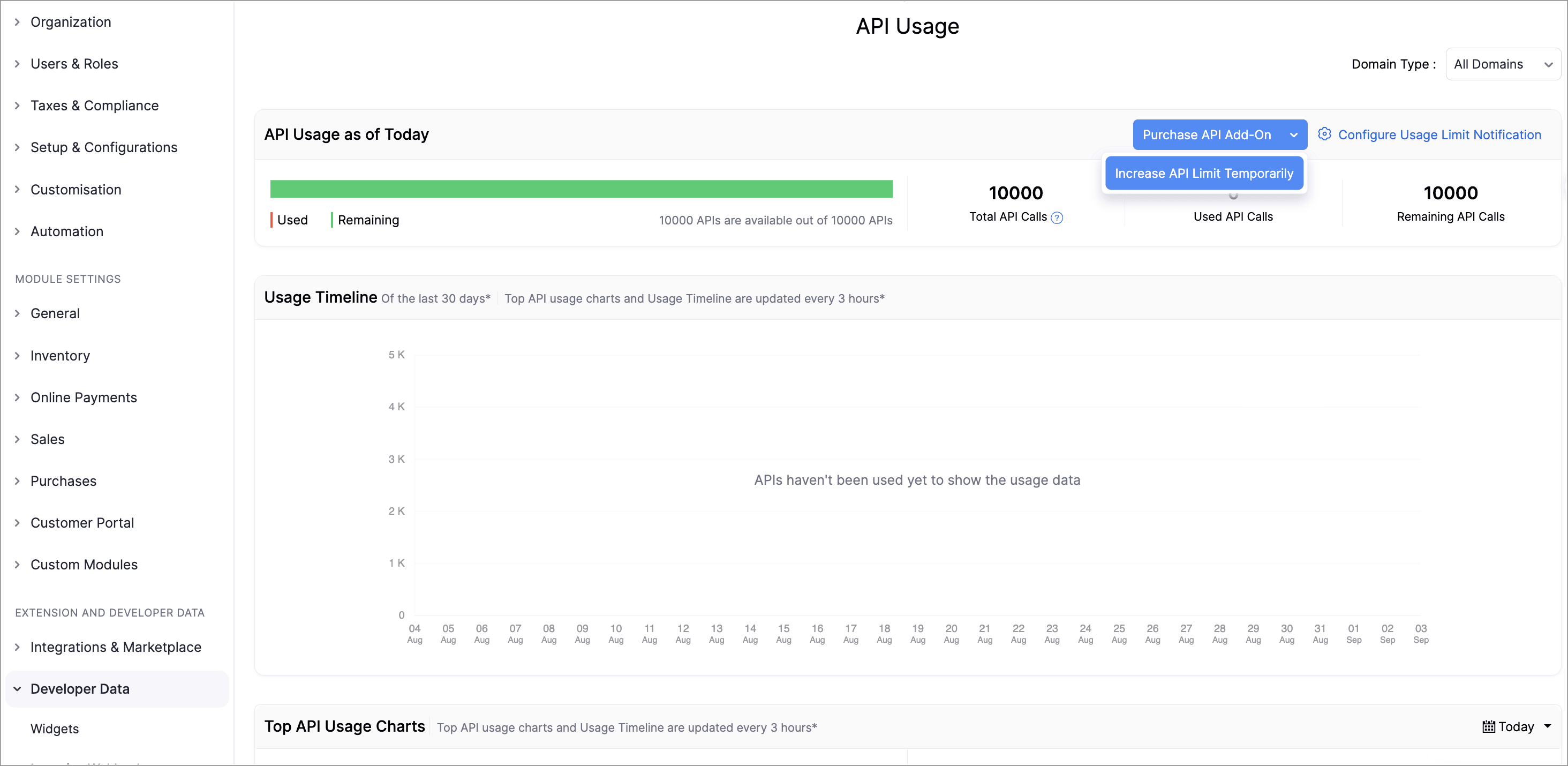
Admins can now temporarily increase API limits directly from the API Dashboard. You can boost your API limit by 50% of your current plan for one week, with automatic reset afterward. You can request multiple boosts consecutively once the previous one expires and can also purchase additional API addons directly from the dashboard.

This enhancement provides greater control, faster response to usage surges, and a streamlined workflow to keep your operations running smoothly.

To increase your API limits, go to Settings > API usage > Purchase API Add-on or Increase API Limit Temporarily.
Lookup Custom Fields Support for Locations

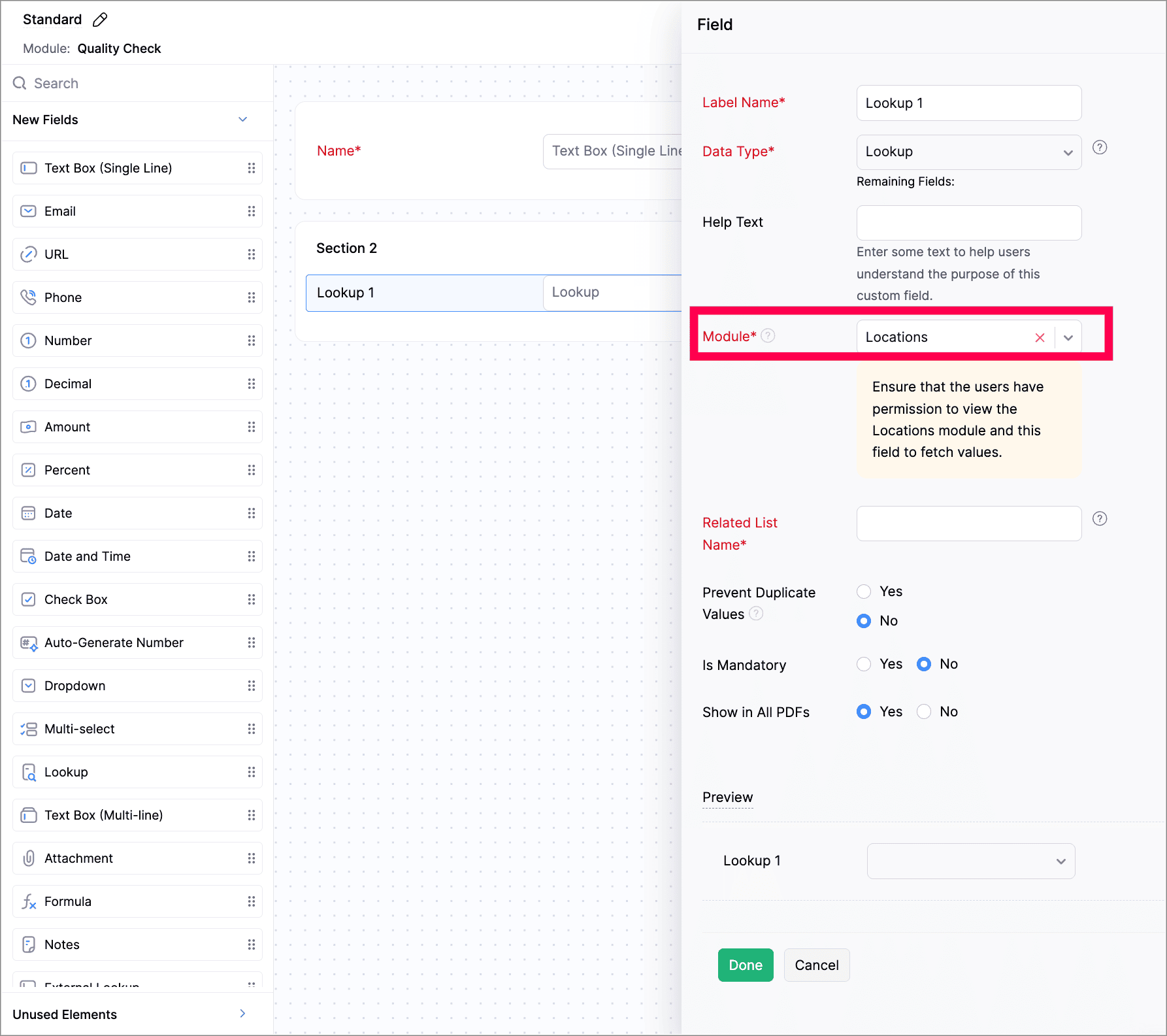
We've now introduced lookup custom fields for Locations. You can now use lookup custom fields for Locations in both Custom Fields and Custom Modules.

While creating a new custom field, select Lookup as the data type and select Locations from the Module dropdown. While creating a custom module, add a section to your module and select Locations.

Customize PDF File Names

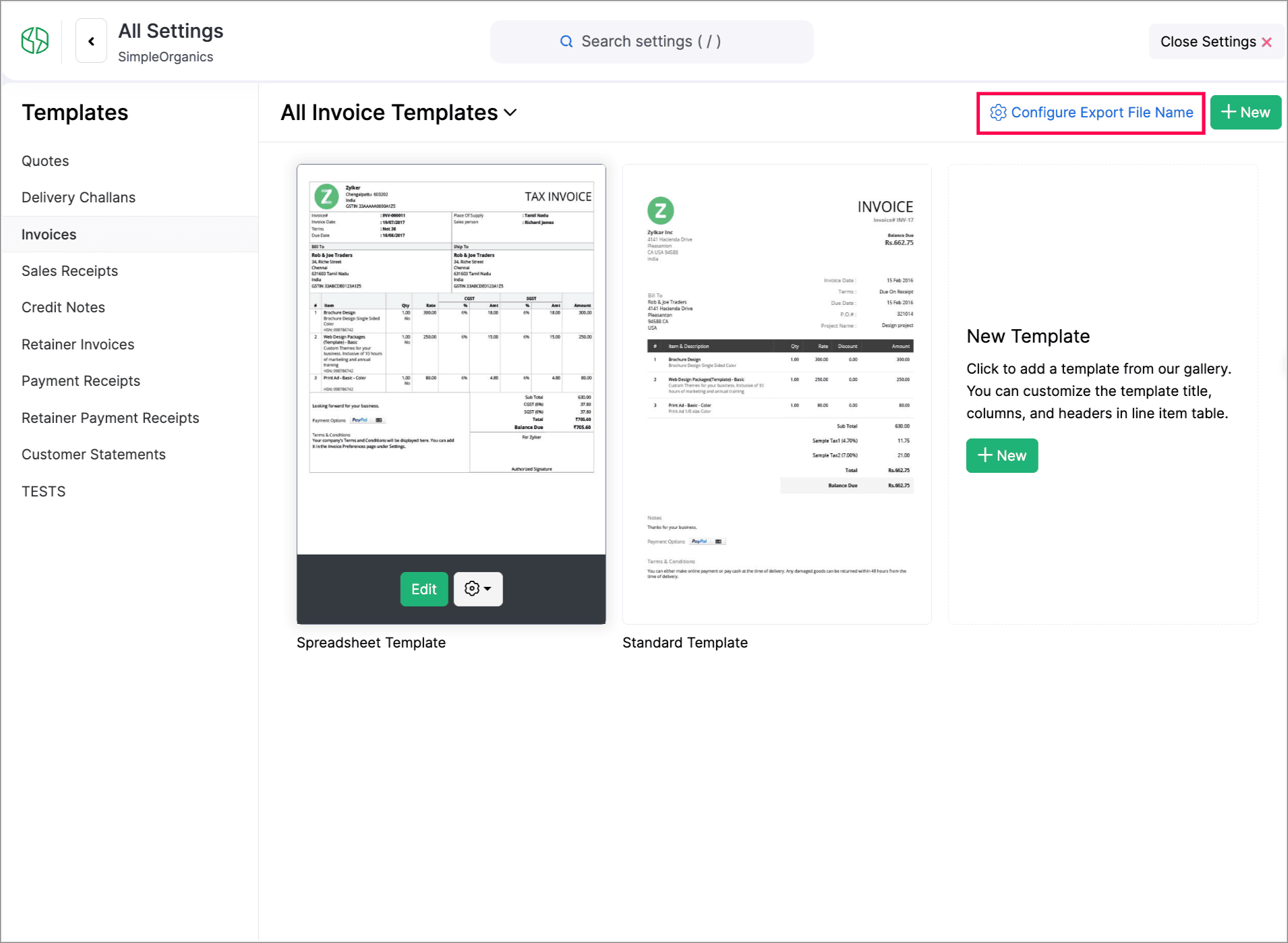
You can now customize PDF file names during export. You can set how your PDFs should be named using placeholders of transaction numbers, dates, customer names, organization names, and salesperson names.

To do this, go to Settings > Customization > PDF Templates > Configure Export File Name to set it up.


Create Web Forms for Custom Modules

We have introduced Web forms to collect and create records directly in a custom module via a unique link. You can configure layouts, success actions, and CAPTCHA. Once the web form is created and the unique link is generated, users can access and submit data. The submitted data will be stored in the module upon approval. Learn More
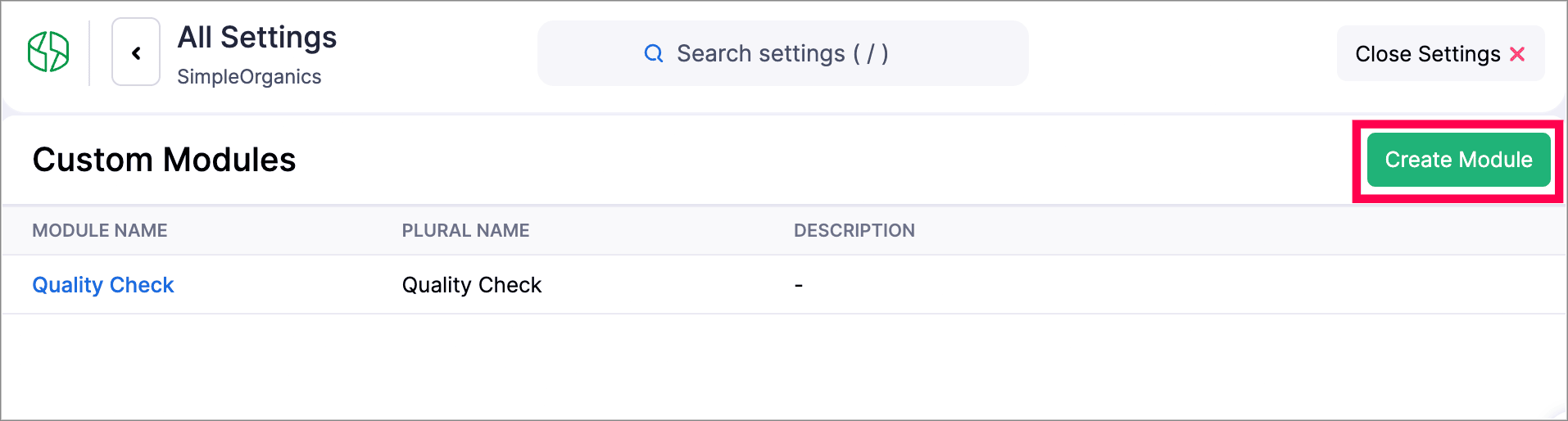
Navigate to Settings > Developer & Data > Web Forms to create a new Web form.


Other Feature Enhancements

  • Zoho Billing now supports the new GST slabs. Migrate to the revised 18%, 5%, and 40% slab, using the banner of your organization to update rates (via HSN/SAC), preview changes, schedule migration, track progress, and download audit-ready files.

  • You can now use the column customization and custom views in Timesheet, allowing users to select preferred columns and create personalized views for easier timesheet management.

  • We have enhanced our Custom Modules, you can now attach up to 10 documents for each record in your custom modules. Learn how it works.

  • Zoho Billing now supports custom views for Sales Receipts, allowing you to personalize and organize your sales receipt list view.


We hope you enjoy exploring these new features and enhancements in Zoho Billing! Each update is designed to make your billing experience simpler, smarter, and more efficient.


We’ll be back with even more improvements as we continue to elevate your billing and subscription management experience.


You can also visit the What's New timeline for bite-sized information about our previous feature updates and enhancements. If you require any assistance, please write to our dedicated support team at support@zohobilling.com – we'd be happy to help!


    • Sticky Posts

    • Zoho Finance Workshop 2023 is coming to the USA. Get exclusive training on Zoho Finance apps, one-on-ones, and more.

      Hello all, We'd like to invite you to our biggest Zoho Finance workshop in the United States. After a brief break, we are excited to be back. This year, we're bringing together our customers and community members for two days of curated hands-on sessions,
    • Zoho Subscriptions wins IDC's 2020 SaaS CSAT Award for Subscription Billing

      Dear customers, We're excited to share that Zoho Subscriptions has won IDC's 2020 SaaS Customer Satisfaction Award! As a team, we cherish each and every milestone with our customer community. And this particular award, focusing on customer satisfaction,
    • Introducing: SMS notifications via Zoho Subscriptions

      Dear customers, We hope you are doing well! We are happy to announce that you can now send SMS notifications to your customers right from Zoho Subscriptions. To facilitate this, we've integrated with Twilio, a leader in the business communication space.
    • What's new this December in Zoho Subscriptions

      The year is almost over and we here at Zoho Subscriptions have released new features and updates on the month of November. Let's take a look at the features we have worked on in the past month. Zendesk Integration The Zoho Subscriptions app for Zendesk allows your customer support executive to access customer details in an instant. You will be able to view the customer information from Zoho Subscriptions right from your ticket view. On enabling the integration, you will be able to: Get your customer
    • Recent Topics

    • Zia Agents looks promising, but I still cannot deploy my first agent or connect WhatsApp after weeks of support tickets

      Hi Everyone, I am posting here because I am stuck and need practical help from someone who has successfully deployed a Zia Agent with WhatsApp. Zia Agents looks like a very promising product. I have watched the platform expand quickly, and I have noticed
    • Valid characters for use in email addresses using Zoho's apps/APIs

      We have found an issue with the + sign character in zoho subs - we are allowed to create a customer with an email address that has a plus sign but the API doesn't allow the + so the billing portal is not created. We are going to prevent users from using
    • Feature Request – Per-Channel Pre-Chat Form Controls

      We'd like the ability to enable/disable the pre-chat form on a per-channel basis, rather than having a single global setting. On the website widget, asking for name and email before chat starts makes sense. On WhatsApp, however, email isn't necessary
    • Remove the mandatory Name Card buttons (or at least make them optional)

      Please remove the mandatory Name Card buttons (or at least make them optional) A recent change to the Name Card in Zoho SalesIQ (currently affecting WhatsApp) introduced mandatory buttons before a visitor can provide their name. I believe this change
    • Copy + Paste in Notes: Text color and text background are not retained

      I've recently started using Zoho Notebook as an Evernote replacement. When copying and pasting text within Zoho Notes, I notice that the formatting of the text (text color and background color) is not retained when pasting. Only the attributes "Bold"
    • Need to show discount before total after subtotal

      Need to show discount before total after subtotal on my estimate template (see attachment)
    • Google Ads Data is Publicly available in Zoho CRM

      We recently discovered that ALL of the following Google Ads fields are visible to all users in our CRM that have access to either Leads or Contacts modules. Not only is this troubling and inconvenient, it should be unacceptable. It also creates a mess
    • Zoho Books bill pay option not available with zoho one

      Why isn't Zoho Books bill pay add-on not available for Zoho one customers not even as a purchasable option. I think this is very inconvenient for companies wanting to use this feature all in one system
    • Bounce rates

      Where can I see my bounce rates for: 1. Each email I send out, and 2. in total?
    • Add a Parameter to the ZOHO CRM Deluge sendmail to denote priority (defaulting to normal if unspecified)

      Hello! There is a similar thread for Creator out there that is 2 years old, but I'd like to raise it in the ZOHO CRM category as well. Would you kindly update the existing Deluge sendmail function to allow a priority parameter? The parameter should allow
    • Email outbox is now available in the sandbox

      Hello all! Testing emails without visibility has always been a blind spot in the sandbox. With the new Outbox, that gap is closed. You can now view and verify every email triggered from your sandbox, whether it’s through workflows, approvals, or mass
    • Transform your line of items into line items: ICR can now record your table values as subform values

      Enhancement in Zoho CRM Dear Customers, We hope you're well! Zia Vision’s ICR capability can now recognize, extract, and store tabulated values in your subforms. An ideal example is a university application form. It has printed fields and handwritten
    • is it possible to add more than one Whatsapp Phone Number to be integrated to Zoho CRM?

      so I have successfully added one Whatsapp number like this from this User Interface it seems I can't add a new Whatsapp Number. I need to add a new Whatsapp Number so I can control the lead assignment if a chat sent to Whatsapp Phone Number 1 then assign
    • Add the ability to Hide Pages in Page Rules

      Hi, We have Field Rules to show and hide fields and we have page Rules, but we can't hide a page in Page Rules so it isn't completed before the previous page (And then have the Deny Rules to prevent submitting without both pages completed), we can only
    • Calendar Year View?

      Is there a way I can view the calendar in year view? Maybe create a page with a view like this?
    • Automation Series: Auto-update Project End Date When a Task is Rescheduled

      When a project is planned, tasks are scheduled within the projects timeline. Any delay in the predecessor tasks can delay dependent tasks, which can in turn impact the project timeline. Unless the project is manually rescheduled, the end date might not
    • What is a realistic turnaround time for account review for ZeptoMail?

      On signing up it said 2-3 business days. I am on business-day 6 and have had zero contact of any kind. No follow-up questions, no approval or decline. Attempts to "leave a message" or use the "Contact Us" form have just vanished without a trace. It still
    • Zoho Social | Instagram Integration in Zoho Desk

      Good day Zoho team! I have a question. If we link the Instagram business account to our Facebook page, and we integrate the Facebook to Social in Zoho Desk, the "Messages" from Facebook will be converted into Ticket right? Does it also convert the Instagram
    • Rich-text fields in Zoho CRM

      Moderation Update: During the initial release of Rich Text fields, it was supported only in the Enterprise and Ultimate editions. We have gradually extended Rich Text fields to all the paid editions of Zoho CRM. Hello everyone, We're thrilled to announce
    • Tip #52: Practical uses of Zia Search in Zoho Sprints

      If your agile team uses multiple Zoho apps, your team members might often find themselves switching between those apps looking for related information. When the data you're looking for is spread across different workspaces within Zoho environment, rely
    • New field in Zoho Forms: Validate structured data with the Regex field

      Have you ever received form submissions where the information looked almost correct but wasn't quite in the format you expected? Maybe an employee ID was missing a character. A PAN number was entered in lowercase. A license number had an extra space.
    • Import Excel from email into CRM

      I receive a daily Excel file by email and I would like to have it automatically imported into a custom Zoho CRM module. Do you think there's anything that can be done? My first idea was searching for a native option in CRM, such as "send an email to a
    • Approve records efficiently: Useful enhancements to My Jobs module and Approval process in Zoho CRM

      Dear Customers, As you might know, approval process is a process automation tool that allows you to automate approvals in your organization and My Jobs is where you approve requests from a single point of view. Here's how you'd go about it: You’d add
    • Zoho Connect is now even smarter and more personalized

      Hello everyone, We’re excited to introduce new features and enhancements to help you personalize the employee experience, connect workplace knowledge with AI, and create more engaging dashboards. Deliver relevant dashboards with Audience With Audience,
    • Stop Zoho Projects From Automatically Adding Client Users

      I have a custom function that creates a Zoho Project for every Quote attached to a Deal when it moves to Closed Won. Everything works fine, except for the fact that connecting a Zoho Project to the CRM automatically takes the Contact associated with the
    • Global "Search" in FSM

      I'm missing the global Search function like in CRM. This should save us a lot of time. We don't now upfront if the customer is a Contact or a Company. So now we have to guess in what module to start a search/filter. Also looking up an address, phone number,
    • Canvas not working

      I have a canvas running. I selected it as the default for all options, but mainly want it for Portals. It isn't working. I selected Assign Canvas in both the Dtailed View and in the module itself. Nothing has happened. Any help?
    • LinkedIn RSC is now live in Zoho Recruit

      LinkedIn Recruiter System Connect (RSC) is here. Your Zoho Recruit data (candidates, jobs, notes, stage updates, resume attachments, and more) now syncs with LinkedIn in real time. Note: LinkedIn RSC is included with your LinkedIn Recruiter Corporate
    • Add the Zoom Option to the Camera

      Hi, I use the ZOHO Forms Camera so I can manage metadata, compression, etc. but this doesnt have the zoom parameter activated, so when we have photos in a tight space and want to use 0.5 for example, we can't, can this be enabled please. Thanks Dan
    • The Social Wall: July 2026

      Hello everyone! We're halfway through the year, and we bring to you three new updates designed to help you experiment with your content, discover your top-performing posts, and automate your engagement workflow. Instagram Trial Reels Instagram trial reels
    • What's New in Zoho Invoice | April – June 2026

      Hello everyone! We're back with the latest updates and enhancements we've rolled out in Zoho Invoice from April to June 2026. Here's what's new this quarter: Connect Zoho Invoice to AI Using Zoho MCP Customize Accessibility Preferences Attach Annexure
    • Help with SEO

      Hi There, I have recently published a site and added some Keywords in the SEO settings. Searching Google I currently don't find my site though. When do these settings take effect? In the SEO settings there is also a section "Sitemap" I can change settings for "frequency" and "Priority" What do these settings do? Kind regards
    • HR Helpdesk Cases

      We have Zoho One Enterprise. I'm trying to find HR Helpdesk Cases, but my UI does not match the documentation. I'm not sure how to move forward.
    • Zoho Books Placeholder: Inventory Counts

      I was hoping to figure out how to find the placeholders for inventory counts by item. We use Location based inventory tracking, so I dont know if that affects things. I want my PDF and Printed PICK LISTS to show the Quantity Available to Pick. I have
    • Undocumented Books API error message - 1000 - The requested action could not be completed. Please try again. | Unexpected error

      This code sometimes throws this error 1000 - The requested action could not be completed. Please try again. | Unexpected error What does it mean? result = zoho.books.updateRecord("salesorders",organization.get("organization_id"),salesorder_id,sales_
    • Please critique my CRM design

      I run a disability healthcare business with 2 business units. We run on Zoho One and are re-designing our CRM. We have developed the design concept ourselves, and I am hoping to get some critical feedback: 1) Noting that this is an early design of the
    • CRM x WorkDrive: We're rolling out the WorkDrive-powered file storage experience for existing users

      Release plan: Gradual rollout to customers without file storage add-ons, in this order: 1. Standalone CRM 2. CRM Plus and Zoho One DCs: All | Editions: All Available now for: - Standalone CRM accounts in Free and Standard editions without file storage
    • Error in Batch Details Stock Reportt

      I am a new user of zoho inventory. When extracting batch details stock report as of dec 2025, the report takes into account transactions that happen this year. Thus causing discrepancies when comparing with Stock Report. Is this a global error? Can zoho
    • Invoice template, how to change the text under "Notes" and "Terms and Conditions"

      In "Invoice templates", there are two text/info sections at the bottom:"Notes" and "Terms and Conditions". It is possible to change the names of these two headings, but how is it possible to change/alter the text under it. As a standard it says "Thank you for your business" under Notes - I need to change it into something different- How? Thank you.
    • Zoho Commerce B2B

      Hello, I have signed up for a Zoho Commerce B2B product demo but it's not clear to me how the B2B experience would look for my customers, in a couple of ways. 1) Some of my customers are on terms and some pay upfront with credit card. How do I hide/show
    • Next Page