What's New in Zoho Subscriptions – November 2021
Hello everyone,
We're always listening to feedback, and have added some highly requested features to Zoho Subscriptions this month. Here's what's new:
Charge setup fees upfront
You can now charge the setup fee for subscriptions upfront, i.e., the setup fee alone will be charged in a separate invoice at the beginning of the trial period. This can be useful if your business involves operational overhead for new customers, but you'd still like to offer them a trial period–e.g., a broadband provider that requires router installation charges or a rental car subscription that requires an initial safety deposit.
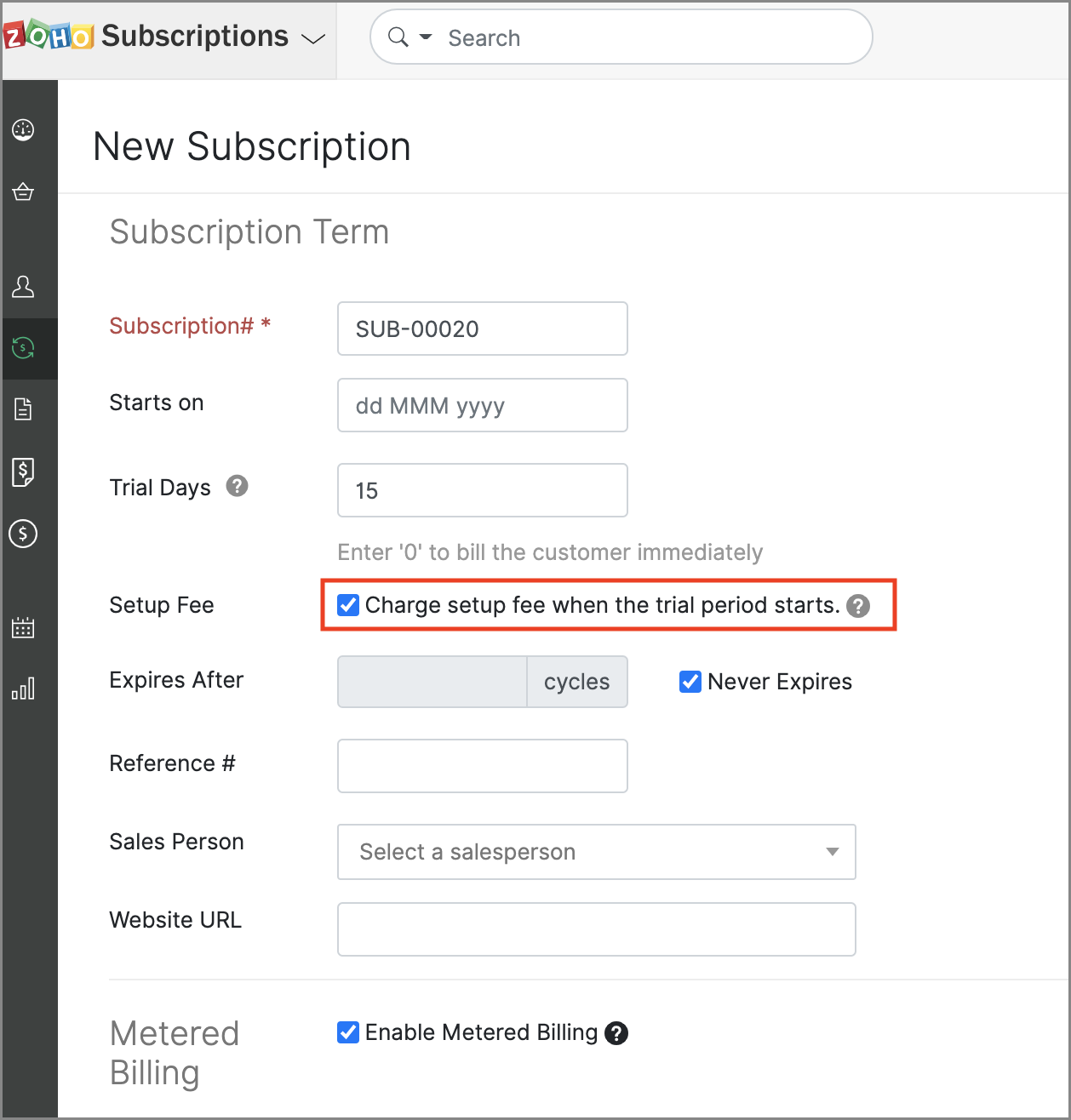
You can enable this option when creating or editing new plans, and can also configure it at the transaction-level when creating new subscriptions.
Enhanced Razorpay integration (India edition)
The Razorpay integration now lets you collect your customers' payment details securely, via the Hosted Payment Pages. With RBI's auto-charge related regulations in effect, we hope this can prevent some of your customers' subscriptions from churning unnecessarily.
To add new payment information, you can use the Request Payment Method option in the Customers module.
Include addons in Embed Widgets
If your business offers addons for subscriptions, you can now include them directly in a product's Embed Widget. This way, the name of the included addons will be displayed in the widget, and when your customers click it, they will be directed to a hosted payment page with the addons included. You can even set the default quantity of these addons!
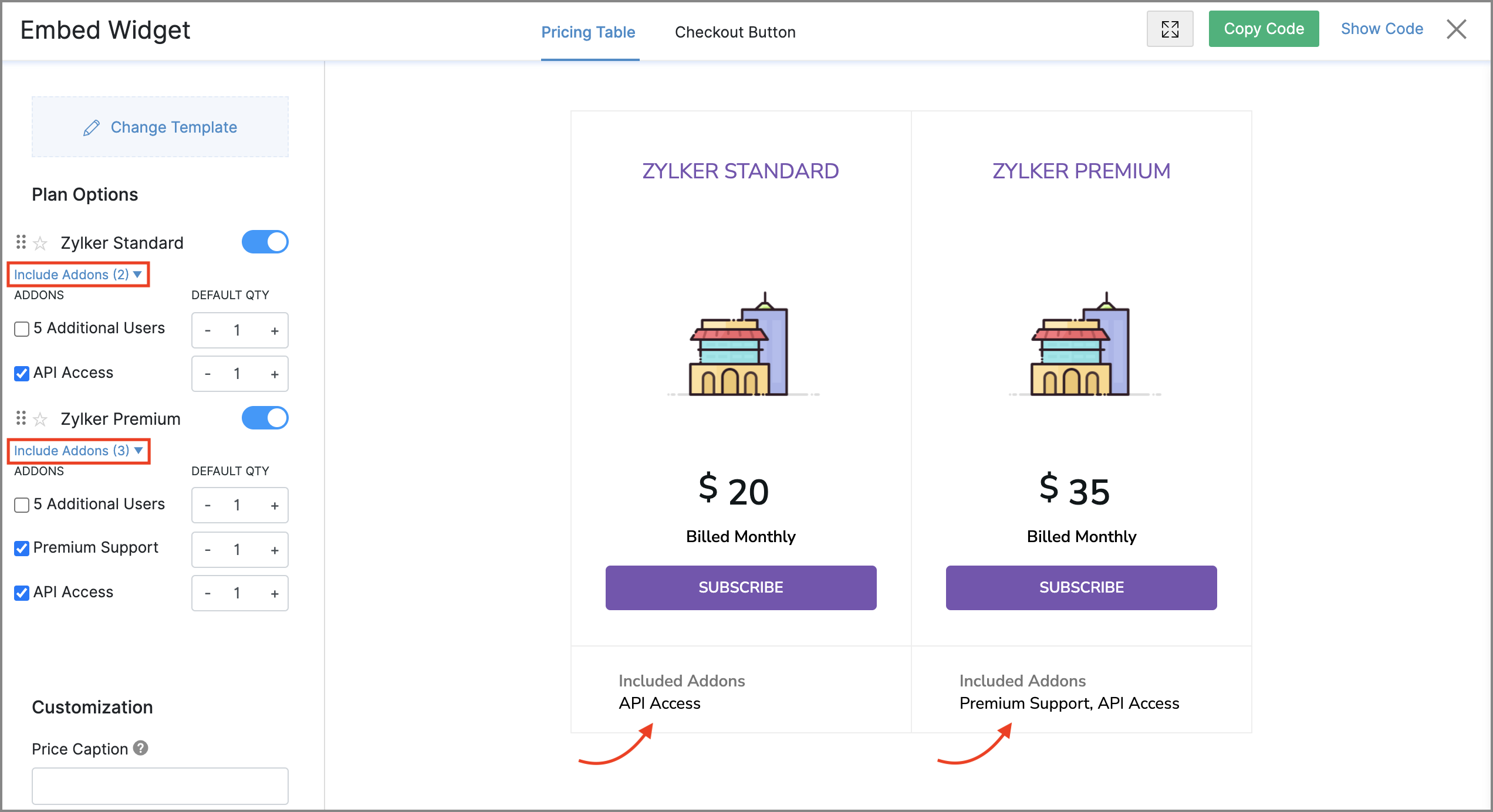
There are 2 steps to include addons in widgets:
- Check the Include in Widget option when editing or creating addons.
- Go to the Products module, select a product and click Embed Widget from the More dropdown. Here, you will be able to select the addons and their default quantity.
You can view a list of all the previously released features from the What's New timeline.
Our mobile apps received updates too, so be sure to head over to the App Store or Google Play Store and update them, if you haven't already.
We hope you like the new features! Do try them and let us know what you think in the comments below, or write to us at support@zohosubscriptions.com. We'd love to hear from you.
Best regards,
The Zoho Subscriptions Team