Zoho Desk's Instant Messaging Update | Connect with customers via WhatsApp from the Tickets module
Hello All,
We are excited to announce an enhancement for the Instant Messaging module: you can now send outbound WhatsApp messages to your customers from Desk's Ticket module.
Outbound WhatsApp messages can be sent to one or more recipients' mobile devices, helping your team engage with users on their preferred platform to deliver fast, effective service.
When sending a WhatsApp message, you must use a template message—a customized message that has been pre-approved by WhatsApp.
Learn more: Quick tips for creating message templates
We are excited to announce an enhancement for the Instant Messaging module: you can now send outbound WhatsApp messages to your customers from Desk's Ticket module.
Outbound WhatsApp messages can be sent to one or more recipients' mobile devices, helping your team engage with users on their preferred platform to deliver fast, effective service.
When sending a WhatsApp message, you must use a template message—a customized message that has been pre-approved by WhatsApp.
Learn more: Quick tips for creating message templates
Note: Each template needs to be created in advance and submitted to WhatsApp for approval before it can be used.
How do you send an outbound message via the Tickets module?
It's simple to send messages to customers through WhatsApp directly from Desk's Tickets module.
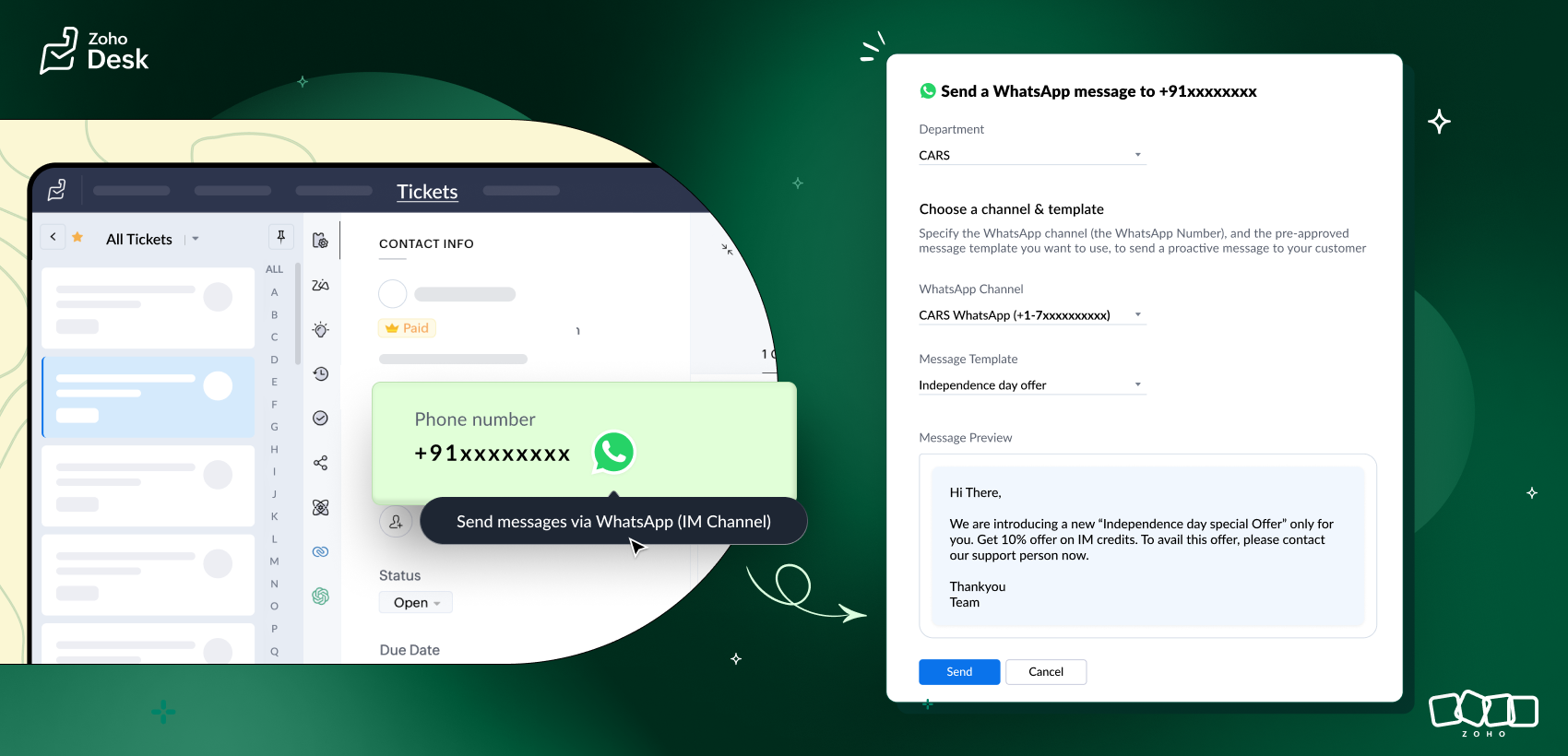
To send a WhatsApp message, open the Tickets module and find the ticket. Tap the ticket to open the detail view, then tap the WhatsApp logo beside the phone number under the contact info. This will open the WhatsApp Template Messaging screen, where you can select a template message from the list of options and send it.
Learn more: Sending WhatsApp messages from Tickets
Try this feature now and drop your suggestions in the comments section.
Watch this space for more exciting updates on Instant Messaging capabilities!
Cheers,
Kavya
The Zoho Desk Team