Action required: WhatsApp now uses BSUID as the primary identifier
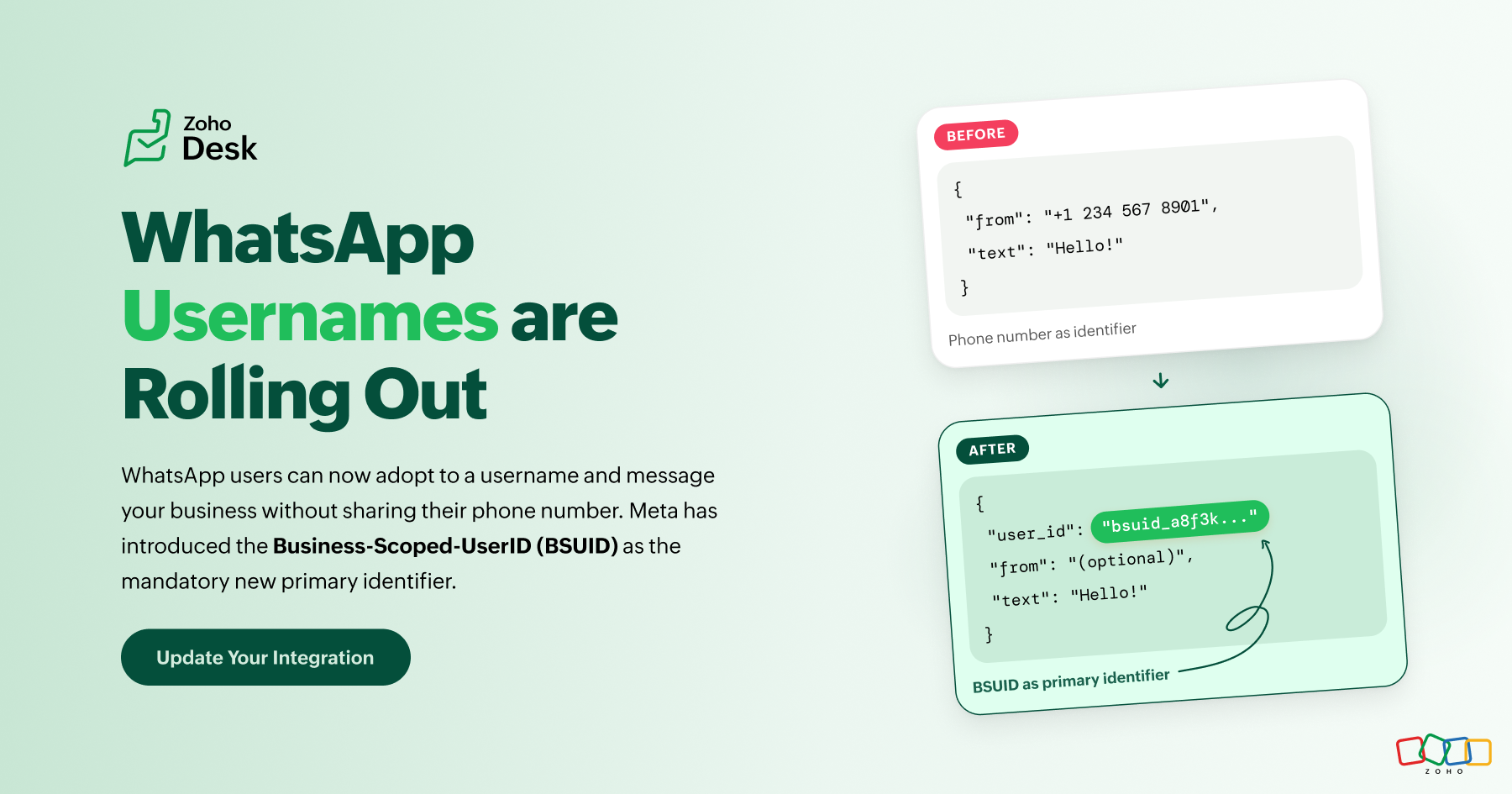
WhatsApp is introducing usernames, which allow customers to interact with businesses without sharing their phone numbers. To handle this, supporting the Business-Scoped User ID (BSUID) is now mandatory for all WhatsApp Business Platform partners and businesses, including Click-to-WhatsApp (CTWA) advertisers.
Going forward, BSUID should be treated as the primary customer identifier, while phone numbers should be stored as supporting information whenever they are available. See Meta's official documentation ↗
What is a BSUID?
A Business-Scoped User ID (BSUID) is a unique identifier that Meta generates for every customer and business relationship. It appears in webhook payloads as the user_id parameter and can be used to identify and message WhatsApp users even when their phone number is unavailable.
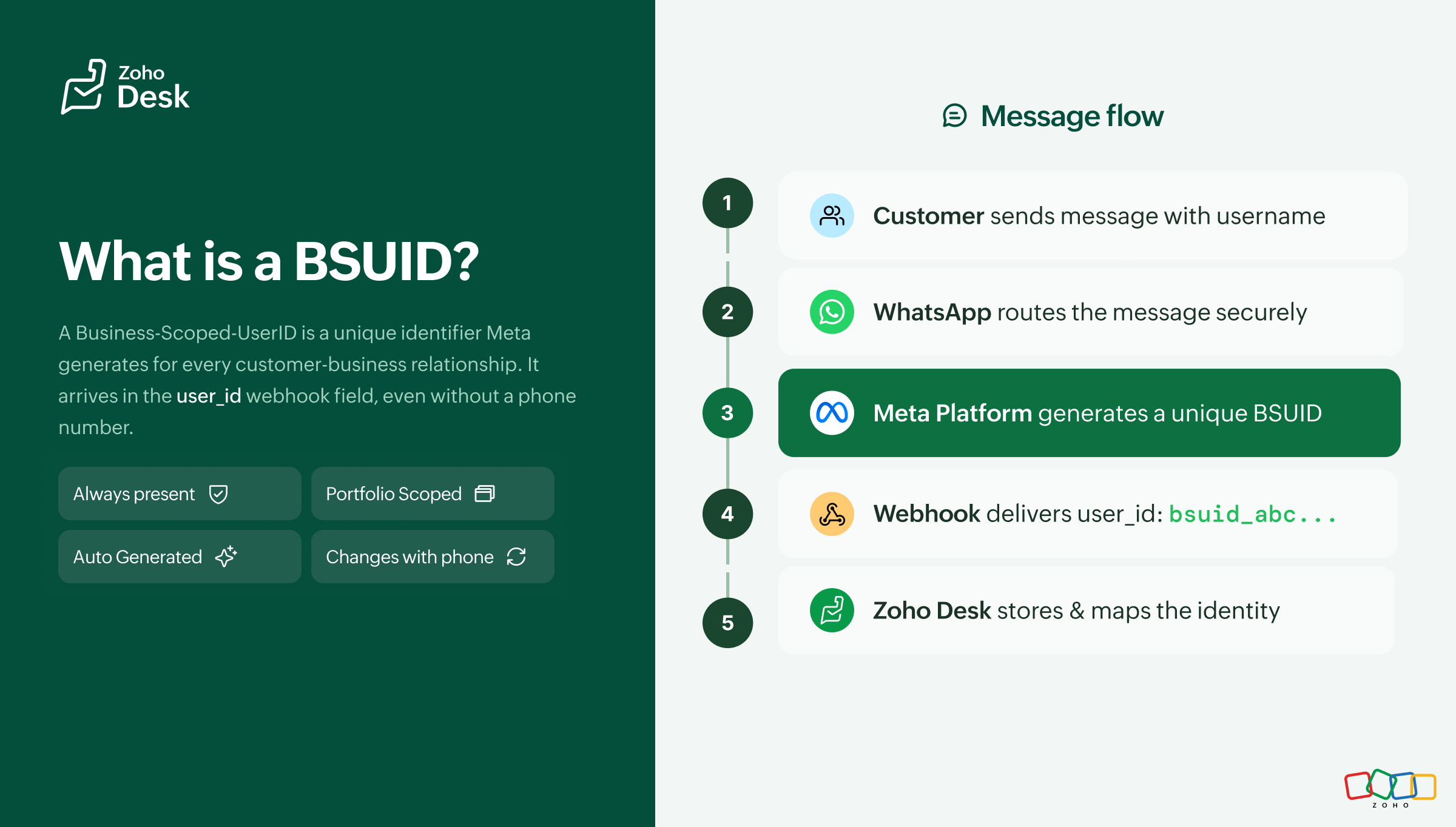
user_id webhook field, but storing it against a contact record requires your integration to be explicitly configured to do so. See the Action Checklist below.When will you still see a phone number?
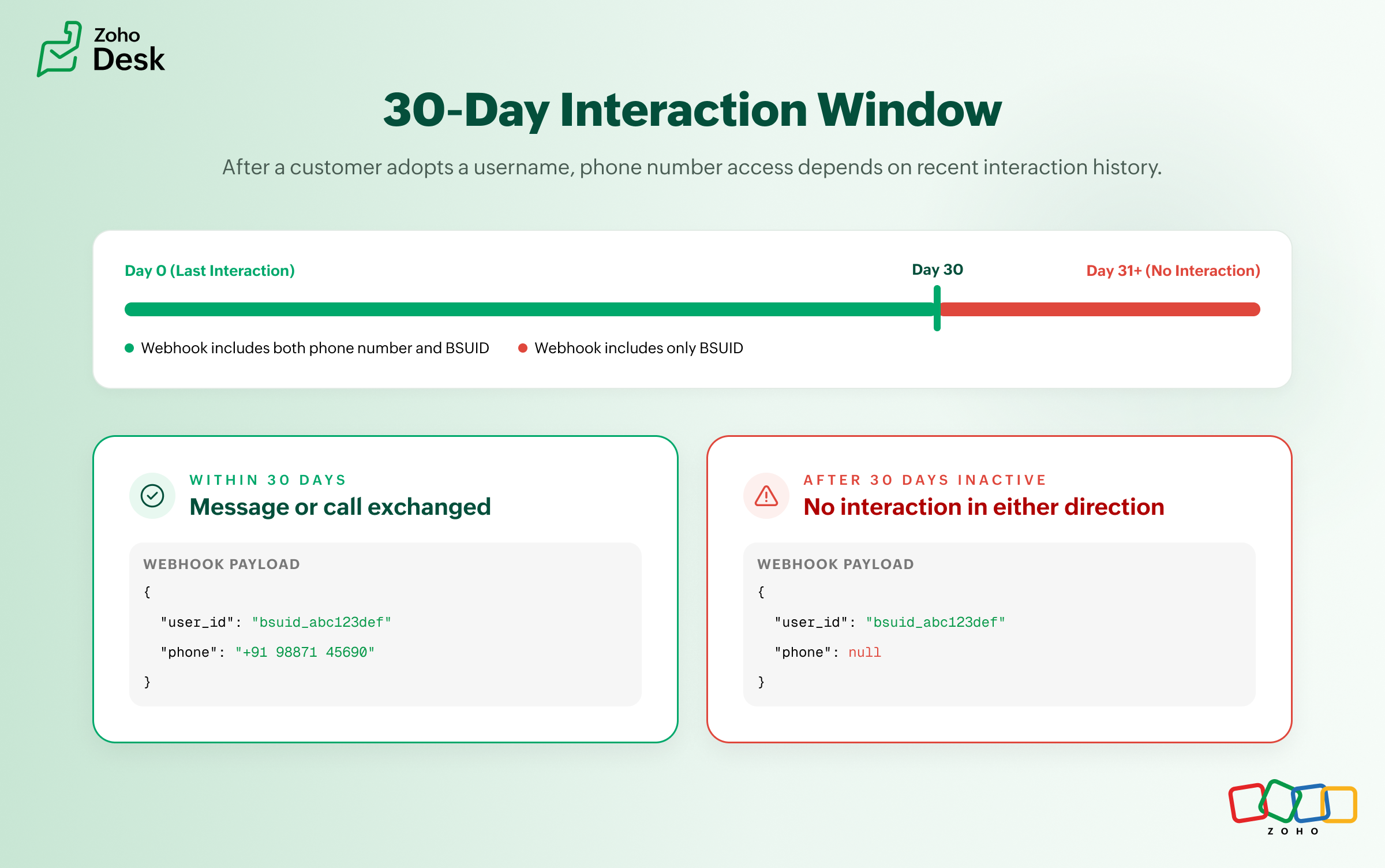
Phone numbers are no longer guaranteed in every webhook payload. A phone number will continue to appear when one of the following conditions is met:
| Condition | Explanation |
|---|---|
| 30-day interaction window | Your business phone number has sent a message or call to the customer, or received a message or call from the customer, within the previous 30 days. The window resets with each qualifying interaction in either direction. |
| Condition | Explanation |
|---|---|
| Contact Book mapping exists | The customer's phone number and BSUID have been stored in Meta's Contact Book through a real interaction after April 2026. |
What is the Contact Book?
The Contact Book is a Meta-hosted mapping between a customer's phone number and their BSUID. It is enabled by default, scoped to the business portfolio level, and requires no additional integration work. Any real message or call between your business and a customer after April 2026 automatically stores the phone-to-BSUID mapping. This helps preserve phone number visibility in future webhooks, even after a customer adopts a username.
- Interactions that occurred before April 2026 are not recorded retroactively. Customers returning after a long gap who now use a username may initially appear as new contacts.
- Disabling the Contact Book permanently removes all stored mappings and they cannot be recovered. To manage this setting, go to Meta Business Suite > Business Settings > Business Info.
- Contact Book data is scoped per business portfolio. Any interaction between any business phone number within the portfolio and a customer triggers storage. Mappings are not shared across different portfolios, even when those portfolios belong to the same Meta Business Account.
See also: Learn more about Contact Book ↗
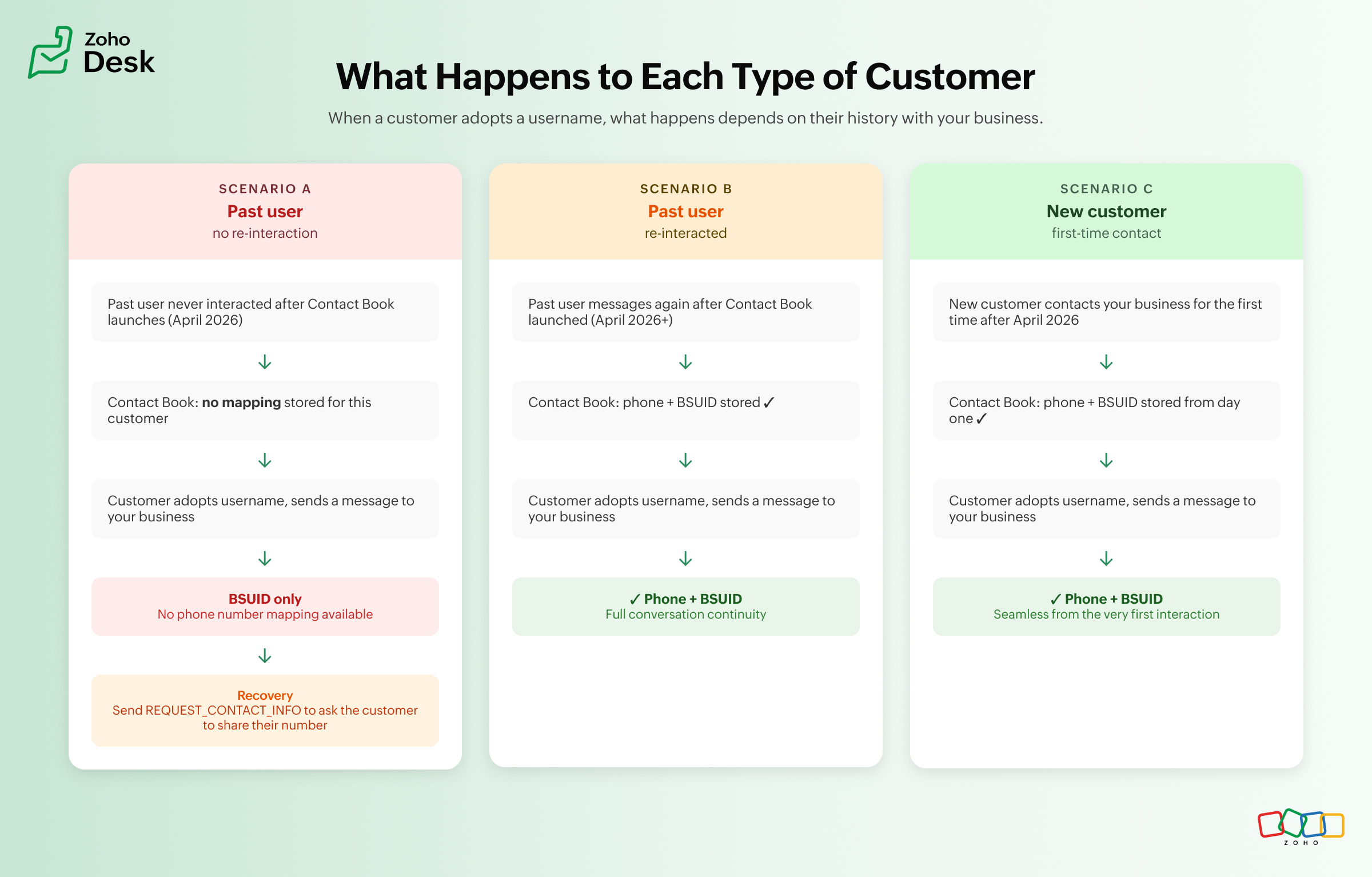
The three scenarios you will encounter
As usernames become more common, businesses are likely to encounter one of the following scenarios. Refer to the diagram in the original article for a visual breakdown.
What happens when you only have a BSUID?
A BSUID allows your business to continue existing conversations, route tickets while maintaining conversation history, and send most WhatsApp message types.
If your business process depends on a phone number, you can request it using the REQUEST_CONTACT_INFO button, available in utility and marketing templates and interactive messages. When the customer shares their number, a contacts webhook is triggered and the phone number and BSUID mapping is stored in the Contact Book automatically. If the customer declines, the conversation continues using the BSUID.
What this means for your day-to-day work in Zoho Desk
| Area | Impact |
|---|---|
| Finding customers | Searching by phone number may no longer work for customers who have adopted usernames and fall outside the phone number sharing window. Searching by BSUID becomes increasingly important. |
| Conversation history | Customers who last interacted before Contact Book became available and return using a username may initially appear as new contacts. |
| Automations and workflowsz | Any custom workflow, macro, integration, or automation that relies exclusively on phone numbers should be reviewed to ensure it also supports BSUIDs. |
| Click-to-WhatsApp ads | Zoho Desk IM does not currently support CTWA. Until it is available, conversations from CTWA ads where the customer has adopted a username and falls outside the phone number sharing window may not be processed correctly. No action is needed from administrators at this stage. |
| Broadcast messages | Existing broadcasts to known phone numbers continue to work without any change. Broadcasting to BSUID-only contacts requires the outbound BSUID API, which went live in July 2026. Review your broadcast workflows if you plan to reach customers who do not have a phone number on record. |
| Authentication workflows | No change. One-tap, zero-tap, and copy code authentication templates still require phone numbers. |
| Multiple business portfolios | Without Parent BSUID, the same customer appears as separate identities across different portfolios. |
Managing multiple business portfolios
If your organization manages more than one Meta Business portfolio, Parent BSUID links customer identities across portfolios that belong to the same Meta Business Account. See Meta's guidance on Parent BSUID ↗

Action checklist
Use the following checklist to prepare your IM WhatsApp integration for BSUID support:
user_id (BSUID) field from all incoming webhook events.