Add Video block needs improvement
I regularly send out links to videos in my campaigns and I find that built in video block is never good enough to use in my campaigns, so I have to make a thumbnail in Canva and upload it or screenshot the actual video on YouTube.
The concept of the video block is great and it would save me time if I could use it.
My constructive criticism is:
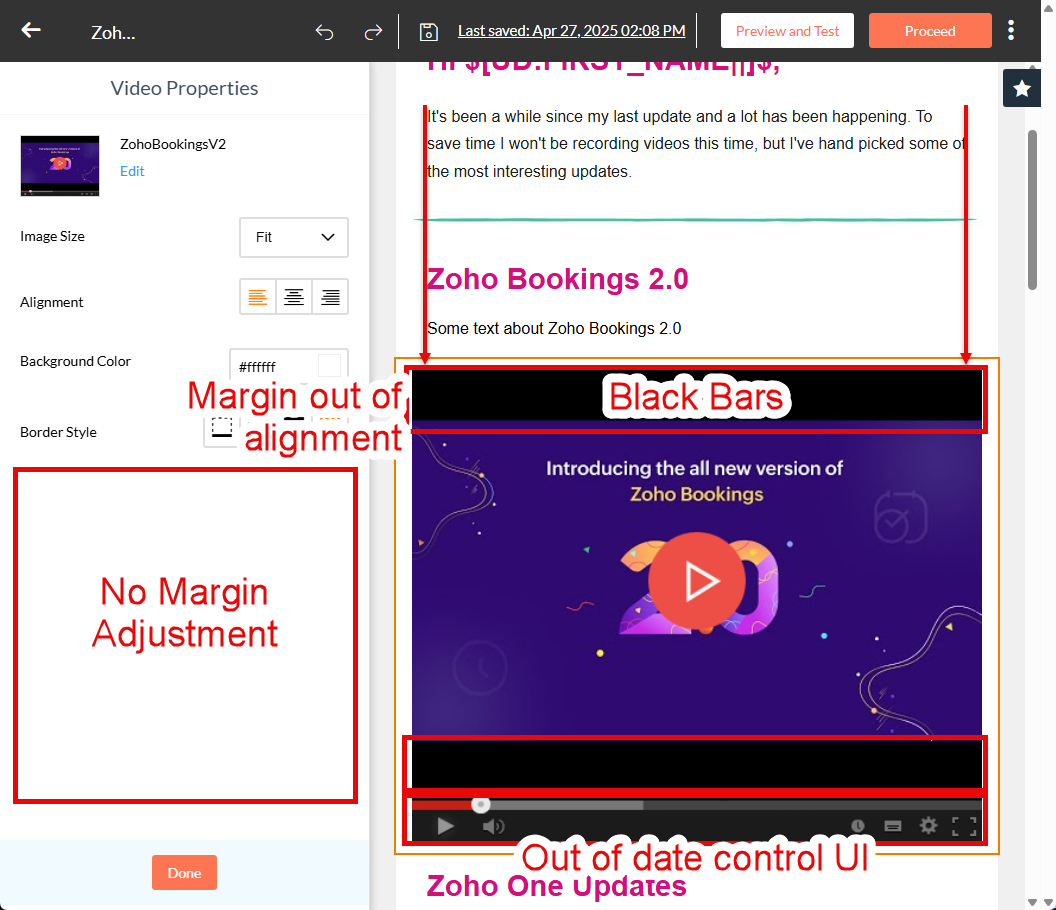
- There are always black bars above and below the video which looks unpolished
- The player controls are out of date compared to YouTube's current UI (but I could live with it as is)
- There is no way to adjust the margins of this block so it doesn't align with the text on the page
I don't know when this was last updated, but I'm sure Zoho Campaigns team can do a lot better than this now.
Below is an example from a campaign I started writing recently.
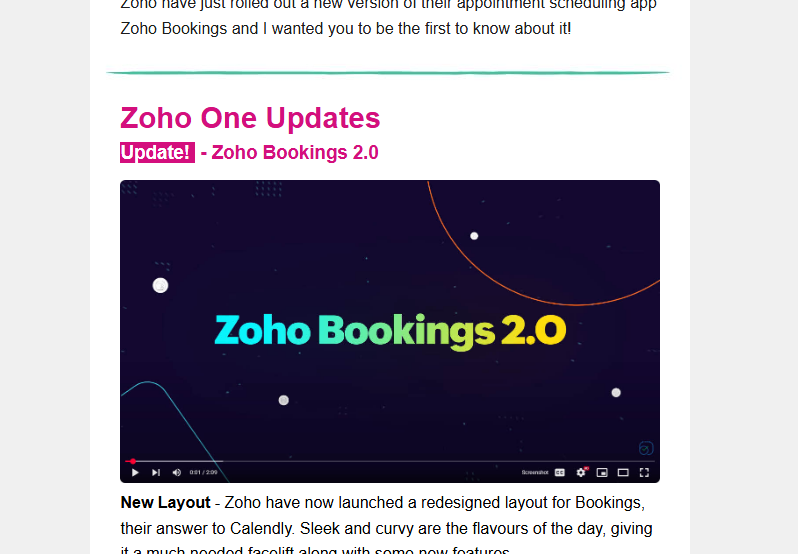
Example of screenshot direct from YouTube. The downside here is that player controls appear quite small but the overall look is better. I wish I could just achieve this in the tool, even if the player controls were generic.
An additional benefit would be the ability to choose a frame from the video for the thumbnail.
I hope this feedback helps improve the tool.