Workflows vs Macros in Zoho Desk: Key Differences, Use Cases & Best Practices

Workflows vs Macros in Zoho Desk: Key Differences, Use Cases & Best Practices

Workflows vs Macros in Zoho Desk: Choosing the right help desk automation
InfoThis post is part of the "Desk Automation Series," Chapter 1. Through this series, we will help you choose the right automation type in Zoho Desk by comparing commonly confused automations through real scenarios and business processes, so you can clearly see what to use, when, and why.
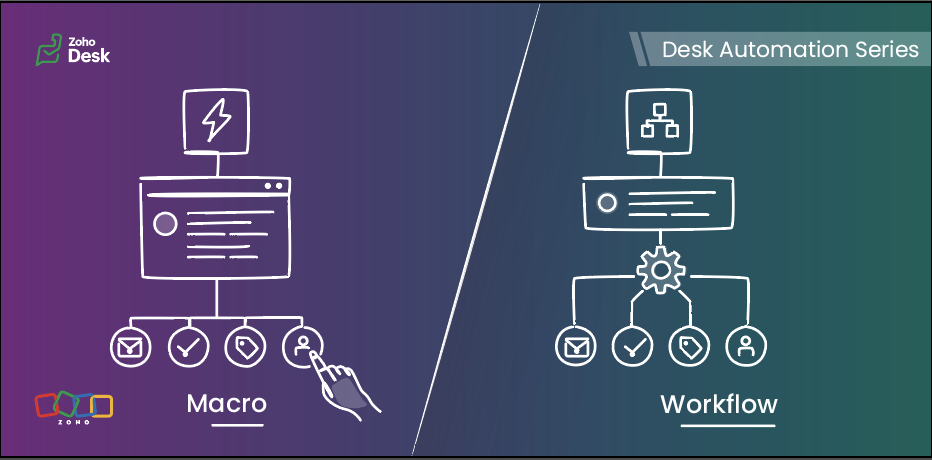

When you are running support at scale, not every task should be handled manually, and not every action should be fully automated either. Some steps need to happen instantly in the background, while others are better left to agents after they review the ticket.

That is exactly where workflows and macros in Zoho Desk make a difference.

In simple terms, workflows are meant for automatic actions based on ticket data, whereas macros help agents complete repeated actions faster after reviewing the ticket.

This guide will help you understand the difference between the two, so you can decide:

  • what your system should handle automatically 
  • what your agents should trigger while working on a ticket 
Quote


Workflows run automatically when defined criteria are met, while macros are applied by agents as they work on a ticket.

Workflows  

Workflows help businesses bring structure, accountability, and momentum to support operations. When defined conditions are met, Zoho Desk executes actions automatically in the background, enabling teams to handle volume with more control, fewer process gaps, and stronger execution quality.

How workflows work  :

A workflow consists of three parts:

When — the trigger
 (ticket created, ticket edited, field update, etc)

If — the criteria

(The criteria used to filter records that meet specific conditions)

Then — the actions
(update fields, assign tickets, send notifications, change status, call custom functions)

Once active, the workflow runs for tickets that meet its criteria.


When to use workflows
  

Use workflows when:

  • An action must run whenever specific conditions are met
  • The action should not depend on an agent remembering to do it
  • Needs to be ensured that the same action is taken for every similar scenario
  • Trigger actions the moment conditions are met, without waiting for manual input 
  • Reduce operational load and keep processes moving without adding effort 
  • Keep critical actions running reliably in the background 

Typical examples:

  • Assigning tickets based on category or department
  • Setting priority for specific customer types
  • Updating fields when a ticket is modified
  • Reassigning tickets to another team based on defined rules
  • Using Zia actions in the workflow to predict field values from ticket context or extract details such as order IDs, dates, or product names and map them to ticket fields. 

Macros  

Macros allow agents to perform multiple actions on a ticket in a single click. They are available inside the ticket and are applied manually. These operations can be performed on mass tickets as well.

Macros help your agents complete repeated actions quickly, with better speed and consistency, once they know what the ticket needs.


How macros work
  

A macro can:

  • Update fields
  • Send an alert
  • Add tasks
  • Execute custom functions
  • Move ticket to specific department

When to use macros  

Use macros when:

  • Agents need to perform the same manual actions across similar tickets
  • The ticket needs to be reviewed before any action is applied
  • The same set of actions needs to be applied to multiple tickets at once
  • The next set of actions depends on a deeper understanding of the ticket context 

Typical examples:

  • Applying a follow-up response after troubleshooting
  • Ticket transfer to a different department based on agent’s manual interpretation
  • Sending emails and updating ticket fields in a single manual action 
  • Creating follow-up tasks while updating ticket details after review 
  • Applying the same set of field updates across similar tickets  

Macros help agents complete routine updates without performing each step manually.

Key differences at a glance  

Feature

Workflows

Macros

Primary purpose

Automate actions based on predefined conditions to reduce manual effort and standardize processes.

Enable agents to execute a set of actions (emails, tasks, field updates) together after reviewing a ticket.

Triggered by

System-driven events such as ticket creation, updates, replies, or specific field changes.

Manually triggered by agents from within tickets or in bulk view.

Agent involvement

Not required

Required for every execution

How actions are executed

Runs automatically in the background when conditions are met

Runs as per manually selected action

Best suited for

Routing tickets, updating fields, sending alerts, and handling rule-based or event-driven actions

Applying repeated actions such as sending acknowledgement emails, creating tasks, and updating fields during ticket handling

Decision basis

Based on ticket data, conditions, and system events

Based on agent review and ticket context

Choosing the right automation tool  

Use a workflow when:  

  • The action must always run for certain tickets 
  • The criteria matches the ticket context 
  • The action is triggered by ticket events such as creation, updates, or replies 

Use a macro when:  

  • Agents perform the same set of actions frequently 
  • The action is applied after reviewing the ticket 
  • The update depends on agent confirmation before execution

A practical scenario  

Let’s look at how both tools work together in a realistic business scenario using a fictional organization, Zylker Travel.

Zylker Travel handles support for hotel bookings, holiday packages, cancellations, airport transfers, and special stay requests.


New ticket created for a booking with check-in within 24 hours  

Use: Workflow

When the ticket is created and the check-in date falls within the next 24 hours, the workflow:

  • Sets the priority to High
  • Assigns the ticket to the urgent reservations team
  • Sends an internal notification

This happens automatically based on ticket data.


Customer asks to cancel a reservation

Use: Macro

The agent:

  • Reviews the booking type
  • Confirms eligibility
  • Applies the cancellation macro

The macro:

  • Send an email alert to the customer 
  • Update the ticket status 
  • Update a refund-related field, such as refund percentage, if that is available as a ticket field 
  • Move the ticket to the Finance department for the next step
     

Special request completed (late check-out, airport transfer, or room upgrade)  

Use: Macro

After confirming the request is fulfilled, the agent applies a closure macro that:

  • Sends the confirmation message
  • Updates the status to Closed


Refund request crosses a defined value threshold

Use: Workflow
When a ticket is created or updated and the refund amount exceeds a defined threshold, the workflow can:

  • Set the priority to High 
  • Assign the ticket to a senior support or finance queue 
  • Notify the relevant internal team 

This is a workflow because the action is based on ticket data and should happen consistently without waiting for agent action.


Manual transfer after review  

Use: Macro

Sometimes, the right department cannot be determined from the initial ticket data alone. After reviewing the conversation, the agent can apply a macro that:

  • then moves the ticket to the right department 
  • creates a follow-up task 


Booking upgrade request
  

A customer asks to upgrade a confirmed booking.

Use: Workflow and Macro

Workflow:

When the ticket is created with upgrade or booking modification, the workflow can:

  • Assign it to the booking changes team 
  • Set priority based on travel date 
  • Add or update tags for categorization (for example, “Upgrade request”) 
  • Send an internal notification to the team 
  • Update initial ticket fields such as request type or category 

Macro:
After the agent checks availability and pricing, they can apply a macro to:

  • Send the upgrade response 
  • Update the ticket status to Waiting for customer confirmation
  • Update review-based ticket fields such as upgrade status
  • Move the ticket to the next department if required

Why both:
The workflow handles routing and priority automatically. The macro helps the agent complete the response after review.


Workflows vs Macros in common business scenarios  

Scenario

Best-suited automation

Why

Order status replies in e-commerce

Macro

The agent selects the reply after reviewing the ticket

Internal approval escalation for refunds

Workflow

Based on defined criteria

Closing resolved tickets with a standard note

Macro

Triggered when the agent confirms resolution

Follow-up message after troubleshooting

Macro

Sent after agent confirmation


Guidelines for quick selection
  

  • A rule must always run when defined conditions are met Workflow
  • Routing based on ticket data or ticket events Workflow
  • The action is triggered by ticket events such as creation, update, or reply Workflow
  • Repeated manual ticket actions Macro
  • An action needs to be applied after the agent reviews the ticket Macro
  • The next step depends on agent judgment or confirmation Macro

Best practices  

For workflows  

  • Keep conditions specific and business-driven
  • Avoid multiple workflows updating the same field unless required
  • Document the purpose of each workflow
  • Test in a limited scope before enabling for all tickets
  • Review workflows after process changes

For macros  

  • Create team-specific macros
  • Keep response templates easy to edit
  • Use clear naming so agents can find them quickly
  • Remove unused macros periodically
  • Do not use macros for actions that must run automatically


The verdict  

In Zoho Desk, workflows bring control. Macros bring speed.

Put them together, and you get the best of both worlds: structured automation for your business, effortless execution for your teams, and a smoother experience for every customer.

    Access your files securely from anywhere

        All-in-one knowledge management and training platform for your employees and customers.


                              Zoho Developer Community


                                                    • Desk Community Learning Series


                                                    • Digest


                                                    • Functions


                                                    • Meetups


                                                    • Kbase


                                                    • Resources


                                                    • Glossary


                                                    • Desk Marketplace


                                                    • MVP Corner


                                                    • Word of the Day


                                                    • Ask the Experts


                                                              • Sticky Posts

                                                              • Register for Zoho Desk Beta Community

                                                                With the start of the year, we have decided to take a small step in making the life of our customers a little easier. We now have easy access to all our upcoming features and a faster way to request for beta access. We open betas for some of our features
                                                              • Share your Zoho Desk story with us!

                                                                Tell us how you use Zoho Desk for your business and inspire others with your story. Be it a simple workflow rule that helps you navigate complex processes or a macro that saves your team a lot of time; share it here and help the community learn and grow with shared knowledge. 
                                                              • Tip #1: Learn to pick the right channels

                                                                Mail, live chat, telephony, social media, web forms—there are so many support channels out there. Trying to pick the right channels to offer your customers can get pretty confusing. Emails are most useful when the customer wants to put things on record. However, escalated or complicated issues should not be resolved over email because it's slow and impersonal.  When you need immediate responses, live chat is more suitable. It's also quick and convenient, so it's the go-to channel for small issues. 
                                                              • Welcome to Zoho Desk Community - Say hello here!

                                                                Hello everyone! Though we have been here for a while, it’s time to formally establish the Zoho Desk Community; we’re really happy to have you all here! This can be the place where you take a moment to introduce yourself to the rest of the community. We’d love to hear all about you, what you do, what company or industry you work for, how you use Zoho Desk and anything else that you will like to share! Here’s a little about me. I am Chinmayee. I have been associated with Zoho since 2014. I joined here
                                                              • Webinar 1: Blueprint for Customer Service

                                                                With the launch of a host of new features in Zoho Desk, we thought it’ll be great to have a few webinars to help our customers make the most of them. We’re starting off with our most talked about feature, Blueprint in Zoho Desk. You can register for the Blueprint webinar here: The webinar will be delivered by our in-house product experts. This is a good opportunity to ask questions to our experts and understand how Blueprint can help you automate your service processes. We look forward to seeing


                                                              Manage your brands on social media


                                                                    Zoho TeamInbox Resources


                                                                        Zoho CRM Plus Resources

                                                                          Zoho Books Resources


                                                                            Zoho Subscriptions Resources

                                                                              Zoho Projects Resources


                                                                                Zoho Sprints Resources


                                                                                  Qntrl Resources


                                                                                    Zoho Creator Resources


                                                                                        Zoho CRM Resources

                                                                                        • CRM Community Learning Series

                                                                                          CRM Community Learning Series


                                                                                        • Kaizen

                                                                                          Kaizen

                                                                                        • Functions

                                                                                          Functions

                                                                                        • Meetups

                                                                                          Meetups

                                                                                        • Kbase

                                                                                          Kbase

                                                                                        • Resources

                                                                                          Resources

                                                                                        • Digest

                                                                                          Digest

                                                                                        • CRM Marketplace

                                                                                          CRM Marketplace

                                                                                        • MVP Corner

                                                                                          MVP Corner


                                                                                            Design. Discuss. Deliver.

                                                                                            Create visually engaging stories with Zoho Show.

                                                                                            Get Started Now


                                                                                              Zoho Show Resources

                                                                                                Zoho Writer

                                                                                                Get Started. Write Away!

                                                                                                Writer is a powerful online word processor, designed for collaborative work.

                                                                                                  Zoho CRM コンテンツ


                                                                                                    Nederlandse Hulpbronnen


                                                                                                        ご検討中の方


                                                                                                                • Recent Topics

                                                                                                                • Installing/Using Python Package in Zoho Creator

                                                                                                                  Hi, I have a Python function in my ZC application that depends on a specific Python package.  If I was running this on my own server, I would just install the package using pip (e.g. pip3 install stripe). Is there a way to install the package in my ZC
                                                                                                                • I dont have acess to my own domain emails

                                                                                                                  an agency made these 3 emails for us , including the one im using here. but the super admin access is through the agency email. i want to reclaim my admin console access to these emails. how can i contact zoho support?
                                                                                                                • Email Parameter in Create Lead API

                                                                                                                  In the Create Lead API , the email parameter as mandatory. This is creating issues because many leads only have mobile numbers and no email address. This is especially a problem for businesses focusing on WhatsApp marketing in Zoho Marketing Automation,
                                                                                                                • Domain Activation Pending

                                                                                                                  Hello Zoho Support, I have resent the domain activation email for abovecapital.online several times, but I still have not received the activation link. Please check the email delivery status and help me resend the activation email or update the registrant
                                                                                                                • Zoho Webinar - Sharing System Audio (NOT AVAILABLE)

                                                                                                                  Hi, We are having a serious problem with Zoho Webinar. In the webinars we run, we very often share the audio from a video we are streaming directly from YouTube or other applications. Until recently we were using Zoom, but as we use other Zoho applications
                                                                                                                • IP blocked on SMTP

                                                                                                                  Please unblock my server IP: 135.181.19.115 We are using WP Mail SMTP for legitimate transactional emails.
                                                                                                                • Zoho rejecting external email – “Email policy violation detected”

                                                                                                                  Hello, I was informed by external senders that their emails to my addresses were rejected by Zoho Mail. The emails were sent from external domains (including pfms.ba.gov.br domains), not from my own domain. However, Zoho rejected the messages with the
                                                                                                                • unable to log in on iphone and unable to log in one auth

                                                                                                                  im unable to log in to my mobile
                                                                                                                • Tip #48: An exclusive system for risk management

                                                                                                                  Zoho Sprints' risk management feature gives teams a structured, industry-grade system for identifying, quantifying, and mitigating risks to eliminate probable impact. Project or product teams that run on Zoho Sprints might be using sprints, work items,
                                                                                                                • Follow-Up: No Response to Previous Inquiry on Workplace Plan Scalability

                                                                                                                  I have previously sent a few emails to your support address but have not received any response. I am unsure whether my messages are being delivered successfully or possibly filtered as spam. My most recent inquiry was regarding clarification on user scalability
                                                                                                                • Unable to receive any email

                                                                                                                  Hello I have several problems. I am unable to receive any emails sent to my Zoho account. Also, when I send an email, my account appears in the spam folder, and my profile picture doesn't appear; instead, a question mark appears.
                                                                                                                • Block opening tickets vía email DESK

                                                                                                                  Hello, I want to block the functionality of opening tickets when someone send an email to our support email address. Actually everybody in the world can open a ticket in our systen just sending an email to our support email address I don´t want this feature!!!! Please help! Thank you, Unai
                                                                                                                • Zoho Books | Product updates | May 2026

                                                                                                                  Hello users, We're back with the latest updates and enhancements we've rolled out in Zoho Books. From sales tax automation to scanning receipts for free, explore the updates designed to upgrade your bookkeeping experience. Sales Tax Automation [US & Canada
                                                                                                                • Edit a previous reconciliation

                                                                                                                  I realized that during my March bank reconciliation, I chose the wrong check to reconcile (they were for the same amount on the same date, I just chose the wrong check to reconcile). So now, the incorrect check is showing as un-reconciled. Is there any way I can edit a previous reconciliation (this is 7 months ago) so I can adjust the check that was reconciled? The amounts are exactly the same and it won't change my ending balance.
                                                                                                                • Not able to receive mails

                                                                                                                  Am able to send mails. But not able to receive. The mail bounces back saying Your message wasn't delivered because the address couldn't be found, or is unable to receive mail.
                                                                                                                • Loading Zoho Webmail

                                                                                                                  Zoho Webmail don't work. Yesterday webmail works in the same web browser (Firefox). Webmail works on google chrome. Try to repair for Firefox.
                                                                                                                • Account blocked

                                                                                                                  My account contato@fernandovarella.com.br was blocked due to suspicious login activity. I am the owner of the account and domain. Please unblock web access and outgoing mail.
                                                                                                                • Can anyone tell me my setup right or wrong?

                                                                                                                  Tell me about this, my root domain not receive mails from other senders, only receiving from mails connected with zoho network , i have to need sender.net camp... also For MX MX | dandakaranya.com | mx3.zoho.in | 50 | Auto MX | dandakaranya.com | mx2.zoho.in
                                                                                                                • Cannot sign up customer for Zoho Mail

                                                                                                                  I tried last morning to sign up a customer for Zoho Mail, but it says it is unable to create the account right now. I contacted the support, but did not get any response yet. I am located in Iceland, if that helps. Anyone else experiencing this as well?
                                                                                                                • Subject: Issue creating temporary mailbox due to OTP verification requirement

                                                                                                                  Hello Zoho Mail Support, We are following your recommended approach for email migration and need clarification on how to proceed correctly. Our intended migration approach is: Create a temporary mailbox katja.migration@nellajanuttu.fi Copy all emails
                                                                                                                • The response from the remote server was: 554 5.7.1 : Relay access denied

                                                                                                                  Team I am getting the below error when i send email from gmail to my zoho email. I am receiving few emails from other domains. Can you please verify attached config and let me know how to fix this issue ?
                                                                                                                • Zoho mail not working from yesterday

                                                                                                                  Zoho mail for server ninjamedia.in not working from yesterday. Please look into it. Error
                                                                                                                • First Response Time, Where to find?

                                                                                                                  Hi Currently I'm building a feeder file that auto-fetch ticket details when created/updated. On my table headers, apart from custom fields, I'm specifically looking for First response time. Currently I'm checking capabilities using Zoho Flow but couldn't
                                                                                                                • Issue with Zoho Emails Going to Spam Despite Verified DNS Records

                                                                                                                  Dear Zoho Support Team, I am writing to report an issue with my Zoho email account. All emails sent from my domain are consistently being delivered to recipients' spam folders, even though all required DNS records have been correctly configured and verified.
                                                                                                                • Delink of mail id from one auth

                                                                                                                  Hi , Please help me to do delink my email id from one auth , the phone is not supporting the higher version i would like to have options with ease process Please help and unable to view the inbox due to the same issues Regards Rekha
                                                                                                                • Outgoing blocked for almost a week – ticket #2472334 – no response yet

                                                                                                                  Hi, My Zoho Mail account has been blocked for outgoing messages due to “unusual activity.” The reason is that I forwarded all of the messages from my website contact form (95% spam) from my ZOHO to my personal Gmail. I submitted a support request (Ticket
                                                                                                                • Límite archivo adjunto

                                                                                                                  Buenos días Actualmente tengo el plan mail lite, 7 usuarios de 10gb de almacenamiento para correos, quisiera saber cuáles son los límites para adjuntar un archivo adjunto, exceptuando la opción de archivo pesado, ya que últimamente tengo problemas para
                                                                                                                • How to prevent users from switching price lists in an order?

                                                                                                                  Hi, I have Zoho Finance integrated with Zoho CRM. My team will be placing orders through the CRM using the Finance module. When creating a new customer I will assign it a price list, I don't want the sales rep to switch to a different Price List, other
                                                                                                                • Undelivered Mail uncategorized-bounce errors when sending invoices

                                                                                                                  Recently we have been getting Undelivered Mail bounce notification when sending invoices. Reason: uncategorized-bounce Some go through no problem some bounce back. We recently sent 10 invoices, 6 received bounce notifications. After reaching out to the
                                                                                                                • Unable to activate orphaned accounts on a existing domain.

                                                                                                                  When I attempt to tag this customer through the partner portal, the Check Availability step first indicates the email is available, but on submission returns this error: "This user does not have account in this service or this user is not an admin. Please
                                                                                                                • Ability to Edit the "Current Job Title" dropdown field

                                                                                                                  Current experience/Issue: When a user (candidate) uploads resume to Zoho Recruit candidate portal, some fields are prefilled with the info from the resume/cv correctly. However, we've observed that; 1. the "Current Job Title" dropdown field is usually
                                                                                                                • Unable to Add Users - Zoho Mail Restriction

                                                                                                                  I am trying to add new users to my Zoho Mail organization, but I am getting the error: "This user is not allowed to add." We are a legitimate business using Zoho Mail for email hosting only. Our company is based in Saudi Arabia, and we may be accessing
                                                                                                                • Bigin Forms Enhancement: Acknowledge visitors via WhatsApp

                                                                                                                  Greetings, We hope all of you are doing well! We're excited to share a new enhancement to Bigin's forms. Let's take a look at it in detail. Acknowledge visitors via WhatsApp The Acknowledge Visitor option in Bigin Forms means visitors receive an instant
                                                                                                                • Integrate your Outlook/ Office 365 inbox with Zoho CRM via Graph API

                                                                                                                  Hello folks, In addition to the existing IMAP and POP options, you can now integrate your Outlook/Office 365 inbox with Zoho CRM via Graph API. Why did we add this option? Microsoft Graph API offers a single endpoint to access data from across Microsoft’s
                                                                                                                • Cliq iOS can't see shared screen

                                                                                                                  Hello, I had this morning a video call with a colleague. She is using Cliq Desktop MacOS and wanted to share her screen with me. I'm on iPad. I noticed, while she shared her screen, I could only see her video, but not the shared screen... Does Cliq iOS is able to display shared screen, or is it somewhere else to be found ? Regards
                                                                                                                • No Ability to Rename Record Template PDFs in SendMail Task

                                                                                                                  As highlighted previously in this post, we still have to deal with the limitation of not being able to rename a record template when sent as a PDF using the SendMail Task. This creates unnecessary complexity for what should be a simple operation, and
                                                                                                                • Zoho Customer Grievance Escalations Matrix

                                                                                                                  We have been with Zoho for little over a 24 months having several licenses for Zoho One and with standalone license for Zoho Commerce Advanced Plan along with their so called "Premium Support" for which they charge you a pretty hefty amount. It's been
                                                                                                                • Switch between multiple LLMs instantly for tailored Zia experiences

                                                                                                                  Availability Editions: Professional , Enterprise, Ultimate , CRMPlus , ZohoOne Release Plan: Available for all DCs Hello everyone. Earlier, the Multi-LLM feature supported only one LLM at a time for Zia Record Assistant bot restricting flexibility from
                                                                                                                • Data entry and automatic barcode sticker printing

                                                                                                                  Hello there I am very new to Zoho.. and not sure if it can do, or should I say, I can easily set it up to do, or first basic requirement. We take in up to 1000 unique used products every week. They come from up to 50 regular suppliers. The are used household appliances. We try to fix most of them. For waste regulation purposes we have to track every machine from the source/supplier it cam from to if it was repaired and put back on the market? or stripped and scrap for material recovery. Is it possible
                                                                                                                • Inventory Barcode Creation - Add Picture of Item

                                                                                                                  Hi I am trying to set up bar code labels and include a picture of the item on the label - any idea on how to add that field to the barcode generator?
                                                                                                                • Next Page